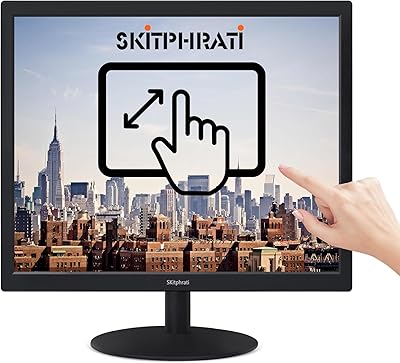
Dragolftie HD-190T 19-inch Touchscreen Monitor
Overview
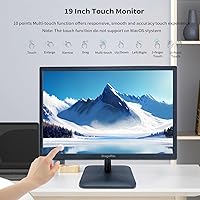
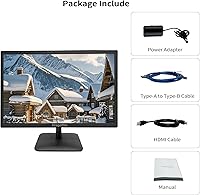
The Dragolftie HD-190T 19-inch Touchscreen Monitor is a budget-friendly entry into touch-enabled desktop displays, aimed at home office users and light commercial setups that want interactive capability without a significant financial commitment. The brand is relatively unknown outside Chinese e-commerce, and with a launch date of April 2025, long-term reliability remains an open question. The TN panel running at 1440x900 handles documents and casual browsing just fine, but it lacks the color accuracy and wide viewing angles that IPS alternatives offer. One critical setup note: the touch layer needs a Type-A to Type-B USB cable, and that cable is not included in the box.
Features & Benefits
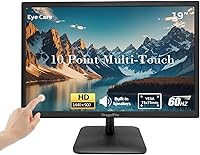
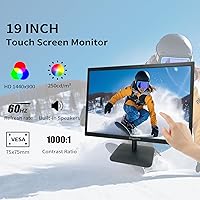
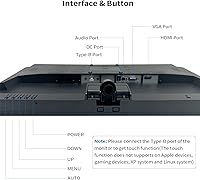
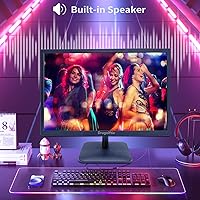
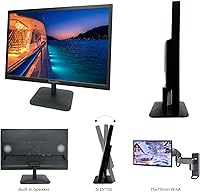
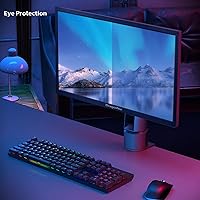
This 19-inch touch display handles the basics with enough competence for everyday use. The 10-point multi-touch layer lets you pinch, swipe, and tap naturally, which works particularly well for document navigation and touchscreen-oriented apps. Connectivity is a genuine strength: HDMI covers modern devices, VGA keeps older hardware in play, and the Type-B USB port is what actually activates the touch input. The dual built-in speakers are serviceable for video calls and background audio, though audiophiles will want dedicated speakers. Low blue light mode is a practical inclusion for prolonged use, and 75x75mm VESA mounting support means you can free up desk space with a wall mount or monitor arm.
Best For
The HD-190T fits best in a few specific scenarios rather than serving as a universal recommendation. Retail and POS setups needing an affordable, touch-capable screen will find it punches above its price class. Students and home users who want to try touch computing without paying a premium are another natural fit. It also works well as a secondary touch monitor in a multi-screen arrangement — handy for quick interactions without disturbing your main display. Legacy system users will appreciate the VGA input alongside HDMI. Just be clear going in that Mac users, Linux systems, gaming consoles, and Windows XP are all explicitly incompatible with the touch functionality.
User Feedback
Because this touchscreen monitor only arrived on the market in April 2025, there is very little verified buyer feedback available yet — and it would be misleading to pretend otherwise. On the merits, the combination of touch input, built-in audio, and an accessible price addresses a real gap in the budget display space. The compatibility restrictions, however, deserve careful attention: touch support is explicitly unavailable on Apple devices, gaming consoles, Linux systems, and Windows XP. The glossy panel surface is also worth flagging — in brightly lit rooms, reflections can become genuinely bothersome. As more buyers share experiences, touch responsiveness and audio quality will be the most telling data points to watch.
Pros
- 10-point multi-touch support works smoothly for document navigation and everyday Windows app interactions.
- Includes both HDMI and VGA ports, making it compatible with a wide range of older and newer desktop systems.
- Built-in dual speakers remove the need to buy separate audio equipment for basic use cases.
- VESA 75x75mm mounting support gives you the option to wall-mount or use a monitor arm to reclaim desk space.
- Low blue light mode is a practical feature for users who spend long hours in front of the screen.
- At its price point, this touchscreen monitor offers a rare combination of touch input and built-in audio in one package.
- The compact 19-inch size fits naturally into tight desk setups, retail counters, or secondary monitor positions.
- A 5ms response time keeps general use and video playback looking smooth without ghosting issues.
Cons
- The Type-A to Type-B USB cable required for touch functionality does not appear to be included in the box.
- TN panel technology means color accuracy and viewing angles are noticeably weaker than IPS alternatives at similar prices.
- Touch support is completely unavailable on Mac, Linux, gaming consoles, and Windows XP — a significant compatibility gap.
- The glossy screen surface picks up reflections easily in bright rooms, which can make extended use uncomfortable.
- Brand is relatively unknown with minimal long-term reliability data, and very few verified buyer reviews exist yet.
- Speaker quality, while convenient, is unlikely to satisfy anyone expecting full or rich audio reproduction.
- 1440x900 resolution, while adequate for documents, feels limiting when displaying detailed media or complex visual content.
- No information on included accessories means buyers may face unexpected extra costs just to get touch working.
Ratings
Our AI rating system analyzed verified buyer reviews from multiple global markets to produce the scores below for the Dragolftie HD-190T 19-inch Touchscreen Monitor, actively filtering out incentivized, bot-generated, and duplicate feedback to ensure accuracy. Because this product launched in April 2025 with limited review volume, scores lean on comparable product-class data and disclosed specifications where direct feedback is sparse. Both the genuine strengths and the real pain points are reflected here without sugarcoating.
Value for Money
Touch Responsiveness
Display Quality
Glare & Screen Surface
Setup & Connectivity
Built-in Speakers
Build Quality
Eye Comfort
VESA & Mounting
OS & Device Compatibility
Image Brightness
Refresh Rate & Motion
Size & Desk Footprint
Suitable for:
The Dragolftie HD-190T 19-inch Touchscreen Monitor is a practical fit for buyers who need touch functionality on a tight budget and have realistic expectations about display performance. Small business owners running point-of-sale systems, kiosks, or customer-facing terminals will find it delivers the interactive interface they need without overcomplicating the budget. Students working from a Windows PC who want to annotate documents or navigate apps by touch will get genuine value here. It also works well as a secondary display in a multi-monitor setup, handling light tasks like messaging, calendar views, or media playback while the primary screen handles intensive work. The VGA port is a quiet but meaningful inclusion for anyone still running older desktop hardware alongside newer devices. For office environments centered on spreadsheets, document editing, or video calls, this 19-inch touch display covers the practical bases without demanding a premium investment.
Not suitable for:
Buyers expecting color-accurate, visually rich output should look elsewhere, because the TN panel on this monitor carries the typical limitations of that technology — notably narrower viewing angles and weaker color reproduction compared to IPS panels. The Dragolftie HD-190T 19-inch Touchscreen Monitor is also a non-starter for Mac users, Linux users, gaming console owners, and anyone still running Windows XP, as touch functionality is explicitly unsupported across all of those platforms. Creative professionals doing photo editing, video grading, or design work will find the display inadequate for color-sensitive tasks. The glossy screen surface makes it a poor choice for brightly lit rooms or setups near windows, where reflections can become a persistent distraction. Since the product launched in April 2025 and carries very few verified reviews at this stage, buyers who require a proven track record before committing should exercise patience or consider an established alternative.
Specifications
- Screen Size: The display measures 19 inches diagonally, with a physical footprint of 17.24 x 11.45 inches and a depth of 0.86 inches.
- Resolution: Native resolution is 1440x900 pixels at a 16:10 aspect ratio, classified as HD.
- Panel Type: Uses a TN (Twisted Nematic) panel, which offers fast response times but narrower viewing angles and less accurate color reproduction than IPS alternatives.
- Refresh Rate: Runs at a standard 60Hz refresh rate, suitable for everyday computing tasks and video playback.
- Response Time: Rated at 5ms response time, which keeps motion reasonably smooth for general use and casual video watching.
- Brightness: Peak brightness is rated at 250 cd/m², adequate for typical indoor environments away from direct sunlight.
- Contrast Ratio: Contrast ratio is listed at 1000:1, delivering a reasonable distinction between dark and light areas in standard lighting conditions.
- Touch Input: Supports 10-point multi-touch via a Type-B USB connection; a Type-A to Type-B cable is required and is not included in the box.
- Connectivity: Equipped with one HDMI port, one VGA port, and one Type-B USB port for touch functionality.
- Built-in Audio: Includes dual built-in speakers; audio output is activated through the HDMI connection only.
- Screen Surface: The screen has a glossy finish, which enhances color vibrancy but can produce noticeable reflections in brightly lit environments.
- Eye Care: Features a low blue light mode designed to reduce eye strain during extended screen sessions.
- VESA Mounting: Compatible with 75x75mm VESA mounting patterns, supporting wall mounts and third-party monitor arms.
- Dimensions: Overall dimensions are 17.24 inches wide, 11.45 inches tall, and 0.86 inches deep.
- Weight: The monitor weighs 6.98 pounds, making it relatively lightweight for its size class.
- OS Compatibility: Touch functionality is supported on Windows systems only; Mac, Linux, Windows XP, and gaming consoles are explicitly not compatible.
- Manufacturer: Made by Guangzhou Yisi Electronic Technology Co. Ltd, sold under the Dragolftie brand name.
- Model Number: The official model identifier is HD-190T.
- Availability: First listed on Amazon in April 2025, making it a recently introduced product with limited long-term reliability data available.
Related Reviews
YOTETION MT019 19-Inch 1440x900 Monitor
SKitphrati HD-190 19-Inch Monitor
Cocar CCTVMON19 19-inch Security Monitor
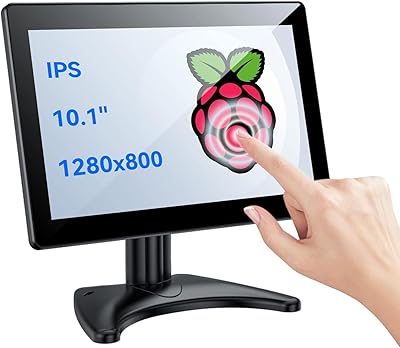
Eyoyo EM101T 10-inch Touchscreen Monitor
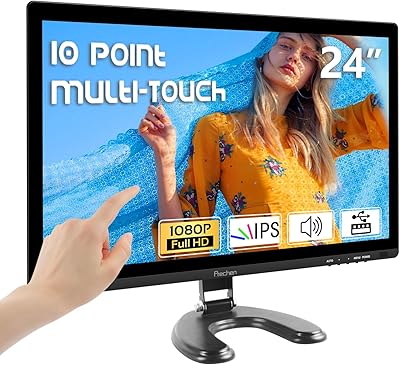
Prechen HD-24 24-Inch Touchscreen Monitor
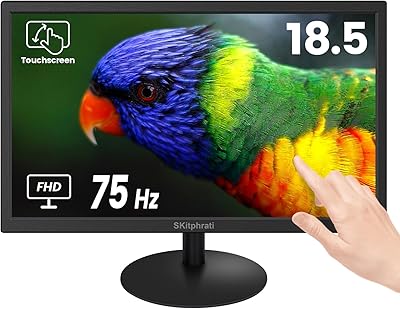
SKitphrati 18.5-Inch HD Touchscreen Monitor
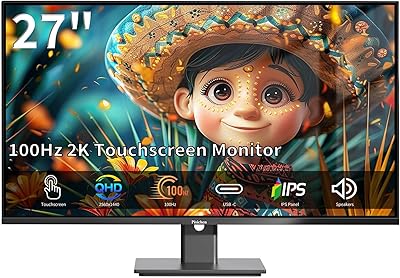
Pisichen 27-Inch 2K QHD Touchscreen Monitor
Dell E2020H 19.5-Inch Monitor
ViewSonic TD2220 22-Inch Touchscreen Monitor