


Overview

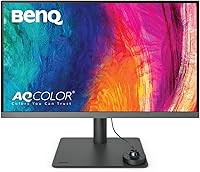
The BenQ PD2706U 27-inch 4K Monitor sits in an interesting spot — it's priced firmly in mid-to-premium territory, yet it ships with factory calibration credentials that many monitors twice its price can't match. For designers, photographers, and video editors tired of generic office panels that look decent but can't be trusted for color-critical work, that distinction matters enormously. The factory-calibrated IPS panel covers 95% P3 and 99% sRGB out of the box, which means you're not spending the first afternoon running a calibration wizard before doing real work. Plug in your MacBook via USB-C, and you've got video, data transfer, and 90W charging through a single cable — a genuinely useful setup for anyone running a compact desk.

Features & Benefits

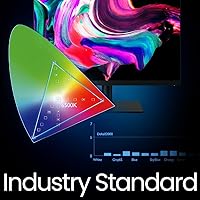
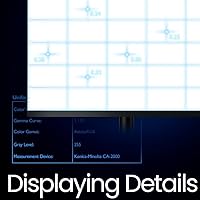
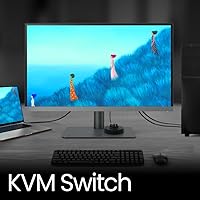
What makes this BenQ designer monitor stand apart from similarly spec'd panels is how those specs translate in practice. The AQCOLOR color engine delivers Delta E ≤ 3 accuracy alongside Pantone, Pantone SkinTone, and Calman verification — that's a meaningful stack of third-party sign-offs that print and brand designers will actually care about. The KVM switch is a quiet workhorse: run two computers simultaneously and control both with one keyboard and mouse, no extra hardware needed. Specialized modes like Darkroom, Animation, and CAD/CAM adjust color rendering for specific tasks rather than leaving you hunting through manual settings. Worth noting upfront: the refresh rate is capped at 60Hz, so if gaming is anywhere in your plans, look elsewhere.

Best For

The PD2706U is a strong fit for anyone whose work lives or dies by accurate color. Graphic designers preparing files for print will appreciate the Pantone validation — it's one of the few monitors at this price where what you see genuinely corresponds to what comes off the press. Video editors cutting in Rec.709 or P3 timelines get a trustworthy reference without needing an external probe every session. MacBook users running a single-cable desk setup will find the 90W USB-C connection genuinely convenient. The built-in KVM also makes it a smart pick for anyone toggling between a work laptop and a personal machine daily. Illustrators and animators with mode-specific workflows will find the preset suite worth having.

User Feedback

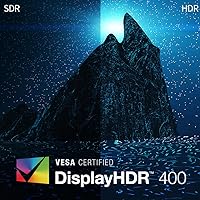
Across nearly 640 ratings, this 27-inch 4K panel holds a solid 4.4-star average, and the praise is consistent: buyers repeatedly highlight out-of-box color accuracy, a sturdy well-engineered stand, and the convenience of the USB-C connection reducing desk clutter. The build quality earns genuine trust, not just tolerance. On the critical side, a few users have flagged occasional hiccups with BenQ Display Pilot software during initial ICCsync setup — nothing catastrophic, but worth knowing if you're not comfortable with a brief troubleshooting step. The DisplayHDR 400 ceiling draws fair criticism; it's an entry-level HDR certification, and peak brightness won't satisfy anyone expecting true HDR pop. Value perception among buyers generally holds up, though some feel the competition has closed the gap.

Pros

  • Factory calibration means color accuracy is reliable from the moment you plug it in, no extra tools needed.
  • Pantone, Pantone SkinTone, and Calman verification give print and brand designers real confidence in what they see on screen.
  • 95% P3 and 99% sRGB coverage is genuinely competitive for a monitor in this price tier.
  • 90W USB-C power delivery charges a MacBook while handling video and data through a single cable.
  • The built-in KVM switch lets you run two computers from one keyboard and mouse without extra hardware.
  • Specialized modes like Darkroom, CAD/CAM, and Animation are practical for professionals with workflow-specific color needs.
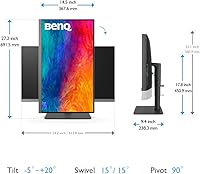
  • The ergonomic stand offers 150mm of height adjustment, full pivot, and wide swivel — solid flexibility for long work sessions.
  • Matte anti-glare coating handles ambient light well without introducing distracting haze.
  • Build quality and stand stability earn consistent praise from real buyers, not just spec-sheet claims.
  • Eye-care features including flicker-free backlight and low blue light make extended sessions noticeably more comfortable.

Cons

  • The 60Hz refresh rate is a firm limitation that rules out any serious gaming or high-motion work.
  • DisplayHDR 400 is an entry-level certification; peak brightness and contrast fall well short of true HDR performance.
  • BenQ Display Pilot software is required to unlock ICCsync and some advanced features, and setup can be fiddly.
  • At nearly 29 pounds, repositioning or mounting this panel takes more effort than lighter alternatives.
  • Competitors at a similar price have begun offering higher refresh rates or superior HDR tiers, narrowing the value gap.
  • The 27-inch screen size, while versatile, may feel limiting for editors or designers accustomed to larger canvases.
  • No built-in speaker system means you will need external audio, which adds to desk clutter the USB-C setup partially avoids.
  • ICCsync, while fast when working, occasionally requires troubleshooting on first-time setup according to user reports.

Ratings

The BenQ PD2706U 27-inch 4K Monitor earns a strong overall reputation among creative professionals, and the scores below reflect what real buyers consistently report — filtered by our AI system from verified global purchases, with spam, bot activity, and incentivized reviews actively removed. This analysis captures both the genuine strengths that make this panel a compelling choice for color-critical work and the honest limitations that have frustrated buyers in specific use cases. Nothing has been softened or inflated to flatter the product.

Color Accuracy
93%
Designers and photographers repeatedly single out the out-of-box calibration as the PD2706U's defining strength. The Delta E ≤ 3 accuracy, backed by Pantone and Calman verification, means files prepared on this panel translate reliably to print and other output devices — a level of trust that typically costs significantly more.
A small number of technically demanding users note that Delta E ≤ 3 is an average figure, meaning occasional panel-to-panel variation can push individual units slightly outside that ceiling. Buyers with the most rigorous color workflows still recommend verifying with a hardware probe after purchase.
Color Gamut Coverage
91%
Covering 95% of DCI-P3 and 99% of both sRGB and Rec.709, this 27-inch 4K panel comfortably handles the color spaces that matter most to graphic designers, video editors, and photographers. Switching between color space modes for different deliverables works intuitively through Display Pilot.
The 95% P3 coverage, while excellent for the price tier, falls slightly short of the 98–99% P3 figures found on a handful of competing panels. For the most demanding HDR mastering or wide-gamut photography workflows, that gap — though small — is worth acknowledging.
USB-C Connectivity
88%
MacBook and laptop users consistently describe the single-cable setup as the most immediately appreciated feature in daily use. Video, data, and 90W charging through one connection genuinely reduces desk clutter and eliminates the adapter juggling that plagues most docking setups.
A few Windows laptop users report that 90W is occasionally insufficient to maintain battery levels during sustained heavy workloads on high-performance machines. The USB-C port also does not support Thunderbolt on all configurations, which can limit bandwidth for users with Thunderbolt-dependent peripherals.
KVM Functionality
79%
21%
For professionals running a work laptop alongside a desktop or personal machine, the built-in KVM switch removes the need for a separate hardware device. Buyers who use it daily report it working reliably once configured, saving both desk space and the cost of a standalone KVM unit.
Switching speed between computers is noticeably slower than a dedicated hardware KVM, which some users find disruptive during fast back-and-forth multitasking. Initial setup through Display Pilot can also require more patience than the feature's convenience warrants, particularly on Windows systems.
Build Quality
89%
The physical construction earns consistent praise in user reviews, with buyers frequently describing the stand and chassis as feeling premium and purposeful rather than hollow. The stand does not wobble during normal typing, which matters more than it sounds during a full workday.
At nearly 29 pounds, moving or repositioning the monitor requires real effort, and the size makes VESA mounting a project rather than a quick swap. A small number of buyers reported minor cosmetic inconsistencies around bezels, though structural complaints are rare.
Ergonomic Stand
86%
The 150mm height adjustment range, 90-degree pivot, and wide swivel give this panel more positional flexibility than most monitors in its class. Portrait mode works well for long-form document review or vertical video editing, and the resistance on all adjustments feels measured and controlled.
The stand, while ergonomically capable, is not removable without accessing VESA mounting, which limits desk layout flexibility. Users who prefer ultra-thin stand profiles or minimalist setups may find the physical footprint of the base larger than they expected.
HDR Performance
52%
48%
The DisplayHDR 400 certification ensures the monitor meets a baseline standard for HDR content recognition, and casual streaming of HDR video delivers a modest improvement in highlight rendering over non-HDR displays.
Informed buyers are consistently disappointed by the HDR ceiling here — peak brightness is too limited for convincing HDR specular highlights, and dark scene shadow detail does not compare favorably to DisplayHDR 600 or higher panels. This is an entry-level certification that the product's overall positioning sometimes overshadows.
Refresh Rate
48%
52%
For the target audience of designers, photographers, and video editors working with static or slow-moving content, 60Hz is entirely adequate and causes no practical issues across a standard creative workday.
The 60Hz cap is a hard dealbreaker for anyone who games even occasionally or works with motion graphics at high frame rates. Several buyers who purchased this panel hoping to use it for both creative work and light gaming expressed clear regret, making this the most consistently cited limitation in critical reviews.
Display Modes
82%
18%
The Animation and CAD/CAM presets are genuinely useful for professionals in those disciplines, adjusting rendering in ways that a standard color mode does not. DualView, which shows two different color modes side by side on split screen, gets specific praise from designers who proof multiple output formats simultaneously.
Some buyers report that switching between modes through the OSD buttons feels slower than it should for a monitor marketed around workflow agility. Users who do not use these specialized presets regularly find the mode library adds menu complexity without personal benefit.
Eye Comfort
84%
Long-session users — including editors and developers who regularly spend six or more hours at the display — report noticeably less eye strain compared to non-certified panels they previously used. The matte coating handles office lighting well without introducing distracting graininess at typical viewing distances.
The low blue light mode, while effective at reducing eye fatigue, introduces a warm color shift that makes it unsuitable for color-accurate work. Users essentially have to choose between eye comfort and color precision when working late — a compromise that applies to most monitors with similar implementations.
Software Experience
67%
33%
Display Pilot's ICCsync feature is genuinely clever for multi-monitor color-managed setups, automatically loading the correct ICC profile when a window moves between screens. When it works smoothly, it removes a repetitive manual step from creative workflows.
User reviews flag software reliability issues more than any other aspect of ownership. ICCsync setup in particular has caused frustration during first-time installation, with some Windows users reporting profile-switching failures that required reinstalling the application. The software feels like a capable but under-polished layer on otherwise strong hardware.
Value for Money
77%
23%
For buyers whose primary need is factory-calibrated color accuracy with a versatile USB-C workflow, the PD2706U delivers real professional-grade credentials at a price point where most alternatives ask buyers to choose between features. The all-in-one cable solution alone saves the cost of a docking station.
The competitive landscape has tightened noticeably, with some rivals now offering comparable color accuracy alongside higher refresh rates or better HDR tiers at similar or lower prices. Buyers who research carefully before purchasing often feel the value equation is solid but no longer as decisive as it was at launch.
Matte Coating Quality
81%
19%
The anti-glare coating manages ambient light effectively in typical office and studio environments, and buyers working near windows report a significant improvement over the glossy panels they previously used. Reflections are diffused rather than blocked outright, which reads as natural rather than clinical.
Under direct overhead lighting, some buyers notice a mild cloudiness or haze effect that slightly reduces perceived contrast in dark content. This is a known trade-off with matte coatings at this density and rarely rises to the level of a serious complaint, but it is worth knowing before purchase.

Suitable for:

The BenQ PD2706U 27-inch 4K Monitor was clearly built with color-critical creative professionals in mind, and it shows. Graphic designers who prepare work for print will find the Pantone and Calman verification genuinely useful — this is one of the few monitors at this price point where you can reasonably trust what you see on screen matches what comes out of a press. Video editors and colorists working in Rec.709 or P3 pipelines get a factory-calibrated reference display without needing to budget extra for a hardware colorimeter on day one. MacBook and laptop users running lean desk setups will appreciate the 90W USB-C connection handling power, video, and data through a single cable, cutting down on the usual tangle of adapters. Anyone juggling two computers — a work machine and a personal one, for instance — will find the built-in KVM switch a practical convenience that removes the need for a separate switching device. Illustrators and animators who actually use mode-specific presets like Animation or CAD/CAM will get more out of this panel than they would from a generic IPS display at a similar price.

Not suitable for:

The BenQ PD2706U 27-inch 4K Monitor has real limitations that make it the wrong call for certain buyers, and it is worth being honest about them. The 60Hz refresh rate is a hard ceiling — if you game even occasionally, or work with motion-heavy content where a higher refresh rate helps you evaluate smoothness, this panel will frustrate you. The DisplayHDR 400 certification sounds impressive on paper but represents the entry level of HDR support; peak brightness is modest, and anyone expecting vivid, high-contrast HDR imagery will be disappointed. Budget-conscious buyers comparing specs per dollar may find that some competing monitors have closed the gap in color accuracy while adding higher refresh rates or better HDR tiers. Users who prefer plug-and-play simplicity should know that getting the most out of features like ICCsync requires installing BenQ's Display Pilot software, which has drawn occasional complaints about setup friction. Finally, at 28.3 pounds, this is not a monitor you will be repositioning regularly, so buyers who frequently reconfigure their workspace may find the size and weight less convenient than expected.

Specifications

  • Screen Size: The panel measures 27 inches diagonally, offering a practical working canvas for detailed creative work without requiring an ultra-wide desk footprint.
  • Resolution: Native resolution is 3840x2160 (4K UHD), delivering sharp text rendering and fine detail that benefits both design work and 4K video review.
  • Panel Type: An IPS panel is used, providing wide viewing angles and consistent color representation across the screen surface.
  • Color Gamut: The display covers 95% of the DCI-P3 color space and 99% of both sRGB and Rec.709, making it suitable for print, web, and video production workflows.
  • Color Accuracy: Factory calibration achieves a Delta E ≤ 3 average, with Pantone Validated, Pantone SkinTone Validated, and Calman Verified certifications included at purchase.
  • HDR Support: The monitor carries a DisplayHDR 400 certification, which represents entry-level HDR support with a peak brightness ceiling appropriate for SDR-primary workflows.
  • Refresh Rate: The maximum refresh rate is 60Hz, which is standard for professional creative monitors but not suited to gaming or high-motion applications.
  • USB-C Power: A single USB-C port delivers up to 90W of power delivery, sufficient to charge most MacBook Pro and other USB-C laptops while simultaneously transmitting video and data.
  • KVM Switch: The built-in KVM switch supports two connected computers, allowing one keyboard and mouse set to control both systems without any additional switching hardware.
  • Stand Ergonomics: The included stand provides 150mm of height adjustment, a 90° pivot for portrait orientation, ±275° swivel, and a tilt range of -5° to 30°.
  • Screen Coating: The display surface uses a matte anti-glare coating that reduces reflections from ambient light sources without introducing significant image haze.
  • Special Modes: Built-in display modes include DualView, Darkroom, Animation, and CAD/CAM, each optimized for specific creative workflows through adjusted color rendering and brightness profiles.
  • Eye-Care: Eye comfort features include a flicker-free backlight, low blue light mode, and the matte coating, all designed to reduce fatigue during extended working sessions.
  • Dimensions: The monitor measures 10 x 38 x 30 inches (depth x width x height) with the stand attached, requiring a reasonably deep desk for stable placement.
  • Weight: The complete unit with stand weighs 28.3 pounds, which is substantial and should be factored in when considering desk load capacity or VESA mounting plans.
  • Display Pilot: BenQ Display Pilot software enables ICCsync profile switching and access to advanced color management features, and is available as a free download from BenQ.

Related Reviews
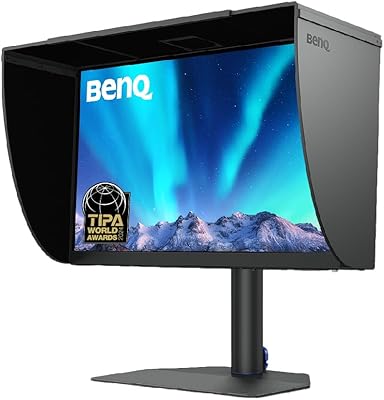
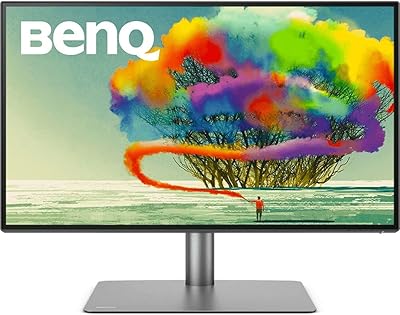
BenQ SW272U 27-Inch 4K Photo Editing Monitor
83%
94%
Color Accuracy
92%
Color Gamut Coverage
88%
Calibration System
86%
Panel Coating
91%
USB-C Connectivity
More
BenQ PD2725U 27″ 4K Monitor
75%
93%
Color Accuracy
88%
Mac Compatibility
91%
Connectivity
67%
Value for Money
57%
Display Brightness
More
ViewSonic VP2768a-4K 27-Inch 4K Monitor

86%
94%
Color Accuracy
88%
Ergonomics & Comfort
91%
Value for Money
89%
Build Quality
85%
Ease of Setup
More
ViewSonic VG2756-4K 27-Inch 4K Docking Monitor

80%
91%
USB-C Docking Performance
88%
Display Clarity
74%
Connectivity & Port Selection
86%
Ergonomics & Stand Quality
71%
Color Accuracy
More
ViewSonic VA2756-4K-MHD 27-Inch 4K Monitor
84%
92%
Display Quality
90%
Color Accuracy
88%
Design & Build Quality
85%
Ease of Setup
89%
Connectivity Options
More
ViewSonic VX2776-4K-MHDU 27-inch 4K IPS Monitor

75%
91%
Image Clarity
93%
USB-C Convenience
78%
Color Accuracy
54%
HDR Performance
46%
Stand & Ergonomics
More
Dell S2725QC 27-inch 4K USB-C Monitor
81%
93%
Image Clarity
88%
Color Accuracy
91%
USB-C Connectivity
86%
Refresh Rate & Smoothness
89%
Build Quality & Design
More
LXZ 27-inch 4K Monitor
82%
92%
Value for Money
88%
Display Quality
91%
Ease of Setup
85%
Connectivity Options
76%
Build Quality
More
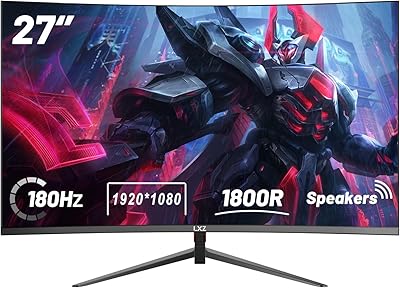
KOORUI N07 27-inch 4K IPS Monitor
76%
93%
Image Sharpness
89%
Color Accuracy
88%
Color Gamut Coverage
91%
Value for Money
82%
Eye Comfort
More
BenQ EW2790Q 27-inch QHD Monitor
78%
88%
Image Quality
84%
Color Accuracy
73%
Refresh Rate & Motion
92%
Connectivity
83%
Build Quality
More

FAQ

It ships with a factory calibration report included in the box, and the Delta E ≤ 3 accuracy means most designers can get straight to work without reaching for a colorimeter. That said, if your work demands tighter Delta E thresholds, running a spot-check with your own hardware is always a good idea — but for the vast majority of buyers, the factory calibration holds up well in practice.

90W is enough to fully charge a 14-inch MacBook Pro and keep a 16-inch MacBook Pro stable under typical workloads, though heavy CPU and GPU tasks on the 16-inch model may draw more than 90W and result in very slow net charging. For most creative workflows — design apps, video editing at moderate intensity — the single-cable setup works as advertised.

You connect both computers to the PD2706U via their respective inputs, then plug your keyboard and mouse into the monitor's USB hub. A button on the monitor — or a shortcut through Display Pilot software — switches control between the two machines. It is not as instant as a dedicated hardware KVM, but it is a genuine convenience that removes the need for a separate device on your desk.

Honest answer: DisplayHDR 400 is the entry tier of VESA's HDR certification, and it shows. Peak brightness is limited, so HDR content will look noticeably more muted compared to a monitor with DisplayHDR 600 or 1000. If HDR fidelity matters to your work, this panel is not the right tool — but for SDR creative work and general content consumption, the display performs well.

It works equally well with Windows laptops. The 90W USB-C connection is not Mac-exclusive — any laptop with a USB-C port that supports DisplayPort Alt Mode will output video through it. Windows users running dual-PC setups with the KVM feature will find it just as useful. The Display Pilot software also has a Windows version.

You can use the monitor without Display Pilot for basic display functions, and the hardware presets are accessible through the physical OSD buttons. However, features like ICCsync — which automatically switches color profiles when you move a window between monitors — require the software. If you plan to use this panel as part of a color-managed multi-monitor setup, installing Display Pilot is worth the effort.

The stand is one of the more frequently praised aspects of this monitor in user reviews. It feels solid, does not wobble noticeably when you type, and the height and tilt adjustments operate with a smooth, controlled resistance. Given the monitor weighs over 28 pounds in total, BenQ has clearly engineered the stand to handle the load without feeling flimsy.

At 27 inches, 4K gives you roughly 163 pixels per inch — sharp enough that UI elements and text can look small at 100% scaling. Most users on macOS run it at a scaled resolution equivalent to 1920x1080 or 2560x1440 for comfortable working, while still benefiting from the crisp rendering. On Windows, 150% scaling works well. If you prefer working at native 4K without scaling, text-heavy applications may require close attention.

The PD2706U includes full-size DisplayPort and HDMI inputs alongside the USB-C port, so connecting a desktop PC or an older laptop via DisplayPort or HDMI is straightforward. There is also a USB-A hub for peripherals. Keep in mind that the 90W power delivery is exclusive to the USB-C connection — other inputs handle video only.

The matte anti-glare coating does a solid job of diffusing reflections, and users working in bright environments consistently report fewer issues compared to semi-glossy panels. The trade-off, as with any matte coating, is a very slight reduction in perceived contrast and color vibrancy compared to glossy surfaces — but for a monitor intended for accurate color work in professional environments, that is the right compromise to make.

Where to Buy