Overview

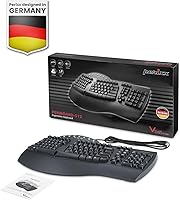
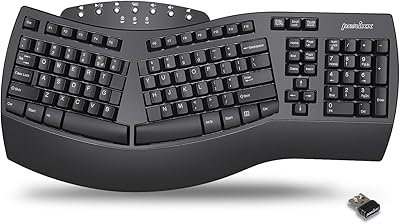
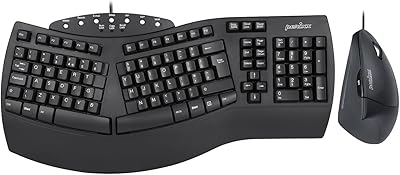
The Perixx PERIBOARD-512B Ergonomic Split Keyboard sits in an interesting spot — it's one of the few genuinely ergonomic keyboards priced accessibly enough that trying it doesn't feel like a real financial gamble. Perixx has built its name on affordable peripherals, and this split keyboard fits that ethos well. The defining design choice is the center split, which angles each half outward to better match a natural hand position. It's a full-size, wired-only board with an integrated palm rest — there's no Bluetooth here. Be prepared for an adjustment period; new users typically need a few days or even a few weeks before their typing speed feels normal again.
Features & Benefits

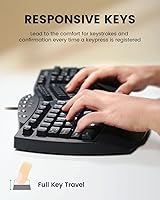
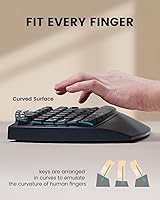
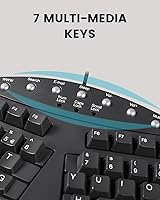
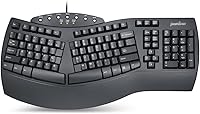
The split-key layout is the heart of this wired ergonomic keyboard's appeal. By angling each hand section outward, it may help reduce the wrist and forearm strain that builds up over long desk sessions — though it's not a medical fix, just a more natural resting position. The built-in palm rest reinforces this by keeping wrists supported while you type. Key feel is tactile without being stiff; there's enough feedback to confirm a keystroke without pressing hard. The 6-foot USB cable gives real flexibility in desk placement, and seven multimedia hotkeys handle common shortcuts without extra drivers. Crucially, the full-size layout retains the numpad and arrow keys — something many compact ergonomic boards sacrifice.

Best For

This split keyboard makes the most sense for people who spend a serious chunk of their day at a keyboard — think data entry clerks, writers, or remote workers grinding through long documents. It's also a reasonable first step for anyone who's starting to feel early wrist fatigue and wants to experiment with ergonomic typing without spending a premium. That said, it's Windows-only — no Mac support, no Bluetooth — so if either of those is a dealbreaker, look elsewhere. Anyone who relies on a numpad daily will appreciate that it's fully included, unlike many ergonomic alternatives that trim it out to save space.

User Feedback

With over 12,000 ratings and a 4.3-star average, the Perixx ergonomic board earns broadly positive marks from real buyers. The most consistent praise centers on comfort after the adjustment period — people who stuck with it for two or more weeks often report noticeable improvement in wrist comfort during long sessions. Build quality also gets mentioned more often than you'd expect at this price. The adaptation period is the most common pain point: plenty of reviewers admit their typing speed dropped significantly at first, and a few gave up before getting through it. Long-term users generally report solid durability, and several note it holds up well compared to pricier options like the Microsoft Sculpt.

Pros

  • The split layout encourages a more natural hand angle, which may help reduce wrist and forearm strain over long sessions.
  • An integrated palm rest means you don't need to buy a separate wrist support accessory.
  • Plug-and-play setup over USB requires zero driver installation — just connect and start typing.
  • The 6-foot cable offers genuine flexibility in how you position the keyboard relative to your PC.
  • A full-size layout with numpad included sets this split keyboard apart from most ergonomic competitors.
  • Tactile key feedback makes each keystroke feel deliberate without requiring heavy finger pressure.
  • Seven multimedia hotkeys cover common shortcuts like volume and playback without any extra software.
  • At its price point, the build quality consistently exceeds buyer expectations based on real user reports.
  • Over 12,000 ratings at 4.3 stars reflects broad, sustained satisfaction across a large and diverse user base.
  • Long-term users frequently report the board holding up well after months of daily use.

Cons

  • The adaptation period is significant — expect reduced typing speed and accuracy for days or even a few weeks.
  • No wireless option at all, which limits desk flexibility for users who prefer a cable-free setup.
  • Mac users are completely excluded; this board is Windows-only with no official cross-platform support.
  • No backlighting makes it a poor choice for low-light work environments or dim home office setups.
  • The palm rest is fixed and non-removable, so users who prefer a different wrist angle have no adjustment options.
  • The split layout can be disorienting for fast typists who frequently alternate between different keyboards.
  • Some users report the palm rest surface feels firmer than expected, which may not suit everyone over long sessions.
  • The keyboard's large footprint — nearly 20 inches wide — may crowd smaller desks or dual-monitor setups.

Ratings

Our AI rating system analyzed thousands of verified global purchases of the Perixx PERIBOARD-512B Ergonomic Split Keyboard, actively filtering out incentivized, bot-generated, and outlier reviews to surface what real daily users consistently experience. The scores below reflect both the genuine strengths that keep buyers satisfied long-term and the friction points that cause frustration — nothing is glossed over. Whether this wired ergonomic keyboard earns a place on your desk depends heavily on how its trade-offs line up with your specific work habits.

Ergonomic Design
83%
The center split and outward key angle genuinely encourage a more natural hand and forearm position, which many users credit with reducing tension during multi-hour typing sessions. Office workers who made the switch from a standard flat keyboard frequently report that the layout feels intuitive after the adjustment period clears.
The fixed geometry means there's no tenting or negative tilt adjustment, which limits how precisely you can dial in your wrist angle. Users with specific ergonomic needs — especially those with existing wrist conditions — may find the design helpful but not comprehensive enough on its own.
Typing Comfort
78%
22%
The integrated palm rest keeps wrists in a supported neutral position throughout long writing or data-entry sessions, which reduces the strain of hovering hands that plagues flat keyboards. Most users settle into a noticeably more relaxed typing posture once the layout clicks.
The palm rest surface is firm rather than cushioned, which some users find uncomfortable during very extended sessions. A few buyers note they placed a separate gel pad on top to soften the contact point, suggesting the built-in support works structurally but not always texturally.
Key Feel & Feedback
74%
26%
The tactile membrane switches register each keystroke with enough physical feedback that you rarely bottom out unnecessarily, which helps reduce finger fatigue over a long workday. Compared to mushy flat laptop keyboards, most users describe the feel as a clear improvement.
Experienced mechanical keyboard users will find the key feel underwhelming — the feedback is adequate but lacks the crispness or defined actuation point they're used to. The travel distance and resistance are firmly in budget-membrane territory, which is fine for most office use but unremarkable overall.
Build Quality
79%
21%
For its price range, this split keyboard feels more solidly constructed than buyers typically anticipate. The plastic housing has minimal flex, and long-term users frequently report the board functioning reliably after a year or more of daily office use without key failures or structural issues.
The overall construction still reads as plastic-forward with no premium material touches — the surface can show fingerprints and minor scuffs over time. A few users have noted that the USB cable feels slightly thin compared to the keyboard's otherwise solid body.
Wrist Rest Quality
67%
33%
Having the wrist rest built directly into the keyboard eliminates the need for a separate accessory purchase and keeps your hands in a consistent position relative to the keys, which matters for maintaining good posture habitually throughout the day.
The rest's firmness divides users noticeably — those accustomed to soft gel supports find it harder than expected for prolonged contact. Because it's non-removable, there's no option to swap it out for something softer without adding a separate pad on top.
Adaptation Curve
58%
42%
For buyers who commit to the learning period, the payoff is real — most users report that after two to three weeks of consistent use, the split layout starts to feel more natural than a standard board. The process genuinely retrains muscle memory in a way that benefits long-term posture.
The adaptation period is the single most common source of negative early reviews, and it's steeper than many buyers expect. Typing speed can drop substantially in the first week, and users who frequently switch between this and a standard keyboard will find the adjustment resets repeatedly, making progress slower.
Layout Completeness
88%
Retaining the full numpad, arrow cluster, and function row is a genuine differentiator in the ergonomic keyboard category, where many competitors sacrifice these keys to reduce width. Accountants, data entry professionals, and spreadsheet-heavy users specifically call this out as a deciding factor.
The full-size footprint is substantial — nearly 20 inches wide — which can crowd smaller desks or dual-monitor setups where horizontal space is already limited. There is no compact or tenkeyless variant of this specific model for users who want the split design without the width.
Multimedia Hotkeys
72%
28%
Seven dedicated hotkeys for media control and volume work immediately without any software installation, which is a practical convenience that a surprising number of users mention appreciating in day-to-day use. They're positioned accessibly without disrupting the main layout.
The hotkey labeling and placement are functional rather than refined — the legends are small and the keys themselves are modest in size. Power users accustomed to more robust macro or shortcut customization will find no software layer here to expand functionality beyond the defaults.
Cable & Connectivity
76%
24%
The 6-foot USB cable gives real flexibility in desk positioning, accommodating setups where the PC tower sits on the floor or off to the side without straining the connection. Plug-and-play recognition on Windows is instant and consistent across reported user setups.
Wired-only connectivity is a firm limitation for users who want a cleaner desk or need to share the keyboard across multiple machines easily. The cable is also permanently attached, so a damaged cord would require replacing the entire unit rather than just swapping a cable.
Compatibility
61%
39%
Within the Windows ecosystem — versions 7 through 11 — the Perixx ergonomic board works reliably without any compatibility headaches, driver searches, or system configuration. Most Windows users report a completely frictionless setup experience from the moment they plug it in.
The Windows-only limitation is a genuine dealbreaker for a meaningful portion of potential buyers. Mac and Linux users are completely unsupported, and there is no Bluetooth or multi-device pairing for those who want to switch between a laptop and desktop without unplugging.
Noise Level
77%
23%
The membrane switches produce a moderate typing sound that sits comfortably between loud mechanical boards and near-silent chiclet keyboards. Shared office users consistently report that colleagues find the noise level acceptable during normal work hours.
It's not as quiet as a dedicated silent keyboard designed specifically for open-plan offices or call-center environments. Users who need absolute minimum noise — whether for noise-sensitive colleagues or home recording setups — will want a keyboard marketed specifically for silence.
Value for Money
86%
At its price point, this wired ergonomic keyboard delivers a feature set — split layout, integrated palm rest, full numpad, multimedia hotkeys — that would cost considerably more from brands like Microsoft or Kinesis. Buyers consistently describe it as punching above its weight for the investment.
While the value proposition is strong, it does come with real compromises: no wireless, no backlight, no Mac support, and a firmly utilitarian feel. Buyers chasing a refined typing experience rather than practical ergonomic function may feel the gap between this and premium alternatives is wider than the price difference alone suggests.
Long-term Durability
81%
19%
User reports spanning one to two years of daily use are broadly encouraging — the key response remains consistent, the housing stays intact, and the USB connection holds firm without developing the intermittent dropout issues that affect cheaper peripherals. Durability relative to cost is a frequent positive mention.
Long-term data beyond two years of heavy use is less well-documented in the user base. Membrane switches, by their nature, will eventually degrade in feel and responsiveness, and replacement parts are not available separately — the whole unit would need to be replaced if key issues develop late in its life.

Suitable for:

The Perixx PERIBOARD-512B Ergonomic Split Keyboard is best matched to Windows users who spend the bulk of their workday typing — whether that's data entry, writing, coding, or general office work. If you've started noticing wrist fatigue or mild discomfort after long sessions at a standard keyboard, this split board gives you a low-stakes way to experiment with a more natural hand position without committing to a high-end price tag. It's also a strong pick for anyone who refuses to give up a numpad, since many ergonomic competitors drop it to slim down their footprint. Remote workers with a fixed desk setup will appreciate the wired reliability and the long cable, which removes any concern about connectivity or battery life. Ergonomic keyboard beginners, in particular, will find this a sensible first step into a category that can otherwise feel intimidating and expensive.

Not suitable for:

The Perixx PERIBOARD-512B Ergonomic Split Keyboard is a hard pass for Mac users — it simply isn't compatible, and there's no workaround worth the hassle. Anyone who needs wireless freedom, whether due to a cluttered desk or a preference for clean cable management, should look elsewhere since this board is wired-only with no Bluetooth option. If you're a touch typist who switches frequently between different keyboards, the split layout will likely frustrate you; the adaptation period is real, and it can temporarily tank your typing speed and accuracy in ways that matter if you can't afford that disruption at work. Gamers or users who want backlighting for dim environments will also be disappointed, as this board offers neither. Finally, if your wrist issues are already serious or medically diagnosed, this keyboard alone isn't a treatment — a healthcare professional's guidance matters more than any peripheral.

Specifications

  • Brand: Manufactured by Perixx, a peripheral brand focused on delivering ergonomic and value-oriented input devices.
  • Model: PERIBOARD-512B, the black variant of the PERIBOARD-512 series full-size split keyboard.
  • Layout: Full-size QWERTY split layout with dedicated numpad, arrow keys, and function row fully intact.
  • Dimensions: The keyboard measures 19.09″ in length, 9.29″ in width, and 1.73″ in height.
  • Weight: The unit weighs approximately 2.28 lb, which keeps it stable on the desk without being difficult to reposition.
  • Connectivity: Connects via wired USB 2.0; no wireless or Bluetooth option is available.
  • Cable Length: The attached USB cable measures 6 feet, providing comfortable reach from most desktop and laptop setups.
  • Key Switch Type: Uses tactile membrane switches that provide physical feedback on actuation without requiring significant key force.
  • Palm Rest: Features a fixed, integrated palm rest along the bottom edge to support wrist positioning during extended typing sessions.
  • Multimedia Hotkeys: Includes 7 dedicated multimedia hotkeys for functions such as volume control and media playback, requiring no additional drivers.
  • Backlight: No backlighting of any kind is included; the keyboard is designed for standard ambient lighting conditions.
  • OS Compatibility: Compatible with Windows 7, 8, 10, and 11 only; Mac and Linux are not officially supported.
  • Power Source: Powered entirely through the USB connection; no batteries or external power adapter are required.
  • Color: Available in black (PERIBOARD-512B); a white variant (PERIBOARD-512W) is also sold separately.
  • ASIN: The Amazon product identifier for this specific variant is B075GZVD4T.
  • Package Contents: The box includes one PERIBOARD-512 keyboard unit; no additional accessories or software disc are included.
  • First Available: This product was first listed for sale in September 2017 and remains an active, non-discontinued item.

Related Reviews
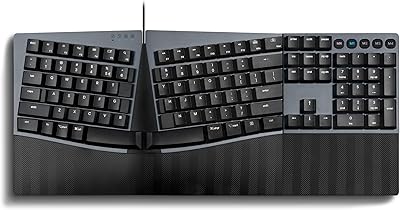
Perixx PERIBOARD-624B Wireless Ergonomic Split Keyboard
70%
81%
Ergonomic Design
88%
Wireless Freedom
54%
Key Feel & Typing Experience
86%
Setup & Ease of Use
61%
Build Quality & Materials
More
Perixx Periboard-612B Wireless Ergonomic Split Keyboard
72%
88%
Ergonomic Design
81%
Wireless Connectivity
79%
Typing Comfort
62%
Learning Curve
74%
Build Quality
More
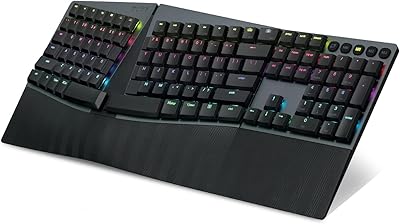
Perixx PERIBOARD-535 Ergonomic Split Mechanical Keyboard
76%
88%
Ergonomic Design
84%
Switch Feel
83%
Wrist Rest Comfort
79%
Build Quality
58%
Programmability
More
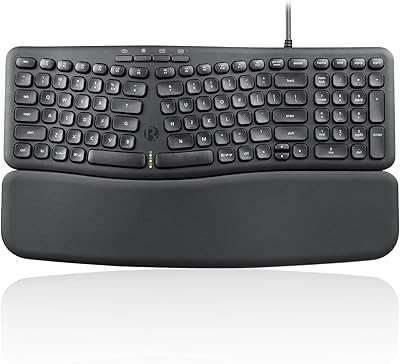
Perixx PERIBOARD-835 Wireless Ergonomic Mechanical Keyboard
69%
74%
Ergonomic Comfort
81%
Typing Experience
46%
Noise Level
83%
Multi-Device Connectivity
52%
Companion Software
More
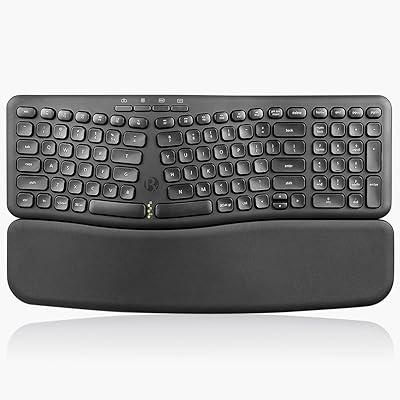
Perixx PERIBOARD-536 Ergonomic Compact Wired Keyboard
67%
67%
Ergonomic Comfort
58%
Typing Experience
78%
Noise Level
63%
Wrist Rest Quality
54%
Build Quality
More
Perixx PERIBOARD-636B Ergonomic Wireless Keyboard
76%
78%
Ergonomic Comfort
61%
Typing Feel
88%
Noise Level
83%
Wireless Reliability
81%
Wrist Rest Quality
More
Perixx PERIDUO-512B US Ergonomic Keyboard and Vertical Mouse Combo
83%
88%
Ergonomic Comfort
83%
Build Quality
90%
Ease of Setup
65%
Mouse Learning Curve
84%
Keypad Comfort
More
Perixx Periduo-605 Wireless Ergonomic Keyboard Mouse Combo
72%
83%
Ergonomic Comfort
61%
Keyboard Feel & Typing
79%
Mouse Comfort & Design
69%
Wireless Reliability
76%
Value for Money
More
Arteck HW315
Arteck HW315
74%
83%
Ergonomic Comfort
74%
Wrist Rest Quality
61%
Typing Feel & Key Travel
92%
Battery Life
81%
Wireless Connectivity
More
DeLUX GM901D Ergonomic Wireless Keyboard
76%
83%
Ergonomic Design
76%
Palm Rest Comfort
81%
Wireless Connectivity
67%
Typing Feel
72%
Build Quality
More

FAQ

It's fully plug-and-play over USB — just connect it and Windows recognizes it immediately. No drivers, no software, no setup steps required. The multimedia hotkeys also work without any additional installation.

Most people find the first few days genuinely awkward, and your typing speed will likely drop noticeably at first. For many users it takes one to two weeks before things feel natural again. The key is sticking with it consistently rather than switching back to a standard keyboard when it gets frustrating.

No — this wired ergonomic keyboard is officially compatible with Windows 7, 8, 10, and 11 only. Perixx does not list Mac or Linux support for this model, so Mac users should look at other options.

The palm rest is permanently integrated into the keyboard body, so it cannot be detached. If you prefer a flat profile or your own separate wrist rest, that's worth factoring into your decision before buying.

It works fine with Windows laptops — it connects via USB and draws power directly from that connection. Just keep in mind the keyboard is nearly 20 inches wide, so it works best when paired with a proper desk rather than a laptop on your lap.

The Microsoft Sculpt costs significantly more and uses a wireless design with a separate numpad. This split keyboard costs considerably less and keeps everything in one wired unit with the numpad attached. For buyers on a tighter budget who want wired reliability and a full layout, the Perixx is a strong value alternative, though the Sculpt has a more refined feel overall.

The tactile membrane switches are moderate in volume — quieter than mechanical keyboards, but not as silent as a soft chiclet-style board. In a shared office environment most people find the sound level perfectly acceptable.

The keyboard does not appear to include adjustable tilt feet for changing the typing angle. The fixed profile and integrated palm rest are designed to work together at a set height, which suits most flat desk surfaces well.

Power it down and disconnect it before cleaning. A can of compressed air works well for blasting debris out from between the keys. For the surface and palm rest, a lightly dampened microfiber cloth with mild cleaning solution is safe — just avoid letting any liquid get into the USB port or under the keycaps.

Based on real user feedback, the build quality holds up better than the price might suggest. Many buyers report using it daily for a year or more without issues. That said, it's still a mid-range membrane keyboard, so it won't match the longevity expectations of a premium mechanical board used in the same conditions.

Where to Buy