Parblo Intangbo X7 Drawing Tablet
Overview
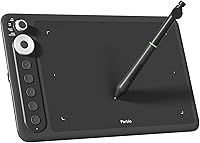
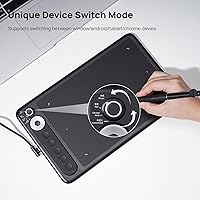
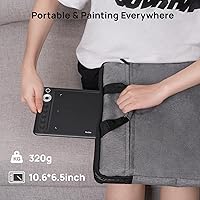
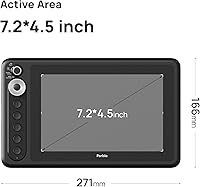
The Parblo Intangbo X7 Drawing Tablet enters the budget graphics tablet space with a surprisingly capable package — a 7.2x4.5-inch active area tucked into a body just 7mm thick and weighing 320g. That is light enough to toss in a laptop bag without a second thought. What genuinely separates this drawing tablet from the crowd at this price point is its built-in mode-switch knob, which lets you jump between device types instantly. This is not a tablet aimed at professionals chasing ultra-precise workflows. It is built for beginners, students, and casual creatives who want a capable, portable tool without a punishing price tag.
Features & Benefits
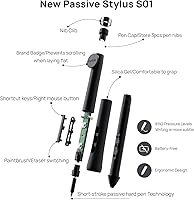
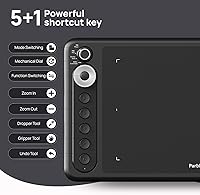
The S01 stylus is where this graphics tablet punches above its class. Built on short-stroke technology, it delivers 8192 pressure levels with noticeably reduced wobble — something cheaper styli often struggle to manage. The ±60° tilt support is genuinely useful for shading and brush-angle work, not just a spec-sheet checkbox. A four-preset mode knob lets you switch from an Android phone to a Chromebook without touching a driver menu. Five programmable express keys plus a dedicated mode key cover most shortcut needs in apps like Photoshop or Clip Studio. USB-C connectivity and a 320g body keep real portability intact.
Best For
This drawing tablet makes the most sense for first-time digital artists who want a real pen feel without the steep learning curve — or steep cost — of higher-end options. Students and remote workers will appreciate how naturally it handles annotation and light sketching sessions. Android users get a genuine bonus: plug into a compatible phone and you are drawing without any PC required. If you regularly bounce between a laptop and a phone, the mode-switch knob alone might justify the investment. That said, advanced illustrators who need a larger canvas or a faster report rate will likely want to look elsewhere.
User Feedback
With a 4.3-star rating across well over a hundred reviews, buyer satisfaction is solid but not without caveats. Most praise centers on pen stability and how controlled the stylus feels compared to similarly priced rivals — several users noted it outperformed their previous budget tablet. The mode-switch knob earns consistent appreciation for feeling practical rather than gimmicky. On the downside, some buyers find the driver software occasionally finicky on Windows, and a handful wished for deeper express key remapping options. Stacked against Wacom's entry-level lineup, the Intangbo X7 holds its own on pen feel but does trail on software polish and brand-level support.
Pros
- Battery-free stylus never needs charging, so mid-session interruptions simply do not happen.
- 8192 pressure levels deliver clean, nuanced linework that far exceeds what cheaper entry-level styli can manage.
- The four-mode device switch knob is genuinely practical for anyone who moves between a laptop and an Android phone regularly.
- At 320g and 7mm thin, this drawing tablet slips into any bag without adding noticeable weight or bulk.
- Tilt support up to ±60° makes shading and brush-angle work feel far more natural than flat-pressure tablets allow.
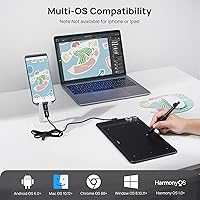
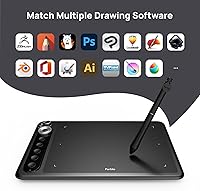
- Broad compatibility across Windows, macOS, Android, Chrome OS, and HarmonyOS means most users can connect without hunting for obscure drivers.
- Five programmable express keys cover essential shortcuts and noticeably speed up repetitive tasks in Photoshop or Clip Studio.
- Plug-and-play behavior on Android and Chromebook requires zero installation, making setup accessible even for non-technical users.
- Strong value compared to similarly priced Wacom options, especially when raw hardware specs are placed side by side.
Cons
- Driver software on Windows can be unstable, with occasional pen dropouts reported after the system wakes from sleep.
- Express key remapping is limited in depth, disappointing users who want multi-modifier combos or per-application profiles.
- The active area may feel restrictive sooner than expected for artists who work on detailed or large-scale compositions.
- Report rate of 266 PPS lags behind faster competing tablets, which can affect stroke accuracy during quick, gestural drawing.
- The plastic casing picks up surface scuffs with regular use and does not convey the same durability as metal-bodied alternatives.
- No carrying case or protective sleeve is included, which feels like an oversight for a product marketed around portability.
- Custom mode configuration requires navigating driver menus that are not intuitive enough for non-technical first-time users.
- The included USB-C cable is short, limiting desk placement flexibility when connecting to desktop setups.
- Some Android phone models require a reboot before the tablet is recognized, which undercuts the plug-and-play promise.
Ratings
The scores you see below for the Parblo Intangbo X7 Drawing Tablet were produced by our AI rating engine after processing verified buyer reviews from multiple global markets, with spam, bot-generated, and incentivized feedback actively filtered out. The result is an honest, data-driven picture of where this graphics tablet genuinely delivers and where real users have hit friction. Both the strengths and the recurring frustrations are reflected without softening either side.
Pen Accuracy & Pressure Sensitivity
Stylus Build & Ergonomics
Tilt Support & Shading Control
Mode Switch & Multi-Device Use
Active Area Size
Portability & Form Factor
Express Keys & Shortcuts
Driver Software & Setup
OS & Device Compatibility
Report Rate & Stroke Responsiveness
Build Quality & Materials
Value for Money
Unboxing & Included Accessories
Learning Curve & Beginner Friendliness
Suitable for:
The Parblo Intangbo X7 Drawing Tablet is a strong match for anyone taking their first serious step into digital art without wanting to spend heavily on gear they might outgrow philosophically rather than technically. Students who carry a laptop to class and want a lightweight annotation tool will find the 320g body and USB-C plug-and-play setup genuinely convenient rather than a compromise. Remote workers who sketch wireframes, mark up documents, or do light graphic work between meetings benefit from the multi-device mode knob, which removes the setup friction of switching between a work laptop and a personal phone. Android users in particular get a meaningful advantage here — this graphics tablet connects and draws without requiring a PC at any point, making it one of the more flexible options at this price. Casual illustrators and hobbyists who want real pressure-sensitive pen performance, tilt support, and a battery-free stylus without paying premium-brand prices will find the value proposition hard to argue with.
Not suitable for:
The Parblo Intangbo X7 Drawing Tablet is not the right fit for artists who have moved past the beginner stage and are spending serious hours on detailed character illustration, concept art, or professional client work. The 7.2x4.5-inch active area, while adequate for light use, starts to feel cramped during complex multi-layer compositions where zooming in and out constantly breaks creative momentum. The 266 PPS report rate is another honest limitation — artists who work with fast, gestural strokes or loose expressive linework may notice a slight disconnect between pen speed and on-screen response that more capable tablets in higher price tiers avoid. Anyone heavily reliant on deep driver customization, app-specific shortcut profiles, or rock-solid Windows stability may find the current software experience frustrating enough to undermine the hardware's strengths. If your workflow demands a large canvas, high report rates, or Wacom-level driver polish, it is worth stretching the budget rather than expecting this tablet to grow with you indefinitely.
Specifications
- Active Area: The drawing surface measures 7.2x4.5 inches (182.9x114.3mm), providing enough workspace for comfortable sketching and annotation without making the tablet unwieldy.
- Tablet Dimensions: The full body measures 271x166x7.2mm, keeping the overall footprint close to a standard hardcover notebook while remaining just 7mm thick.
- Weight: The tablet weighs 320g, light enough to carry in a laptop bag daily without adding meaningful load.
- Stylus Model: The included S01 is a passive, battery-free pen built on short-stroke hard pen technology to reduce lateral wobble during fine linework.
- Pressure Levels: The S01 stylus supports 8192 levels of pressure sensitivity, enabling smooth transitions from hairline strokes to bold, fully saturated marks.
- Tilt Support: The pen reads tilt at up to ±60° from vertical, allowing natural brush-angle shading across compatible drawing applications.
- Report Rate: The tablet operates at a report rate of 266 PPS (points per second), which handles steady illustration work well but may show slight lag at very high pen speeds.
- Reading Height: The stylus is detected by the tablet surface at a hover distance of 8–10mm, giving users a small buffer zone before the pen tip makes contact.
- Interface: Connectivity is handled via USB Type-C, compatible with standard cables and supporting both data and power in a single reversible connector.
- Express Keys: The tablet features five programmable shortcut keys and one dedicated mode-switch key, totalling six physical controls along the left edge.
- Mode Switch: A physical rotary knob cycles through four preset device modes — Mobile, Tablet, Chromebook, and Custom — without requiring any software interaction.
- PC OS Support: The tablet is fully compatible with Windows 8 and above, macOS 10.12 and above, and Chrome OS 88 and above when connected to a computer.
- Mobile OS Support: Android 6.0 and above and HarmonyOS 1.0 and above are supported for direct smartphone and tablet connections without a PC intermediary.
- Pen Technology: The S01 uses an EMR (Electromagnetic Resonance) passive pen system, meaning it draws power from the tablet itself and never requires a battery or charging cycle.
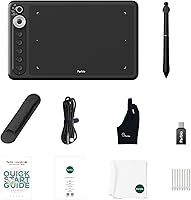
- Nib Type: The stylus ships with standard hard nibs and includes spare nibs plus a nib removal tool in the box for straightforward maintenance.
- Manufacturer: The Intangbo X7 is designed and manufactured by Parblo, a graphics tablet brand that has been producing peripheral hardware since 2013.
- Release Date: This model was first made available for purchase in September 2023.
- BSR Ranking: The tablet holds a Best Sellers Rank of #99 in the Computer Graphics Tablets category on Amazon at the time of this review.
- Included Accessories: The package includes the tablet, the S01 stylus, a USB-C cable, replacement pen nibs, and a nib removal tool.
- Warranty: Parblo offers standard manufacturer warranty support for this product; buyers should confirm current warranty terms directly with Parblo or the point of purchase.
Related Reviews
Parblo Intangbo M 10x6 Drawing Tablet
Ugee S640 Drawing Tablet
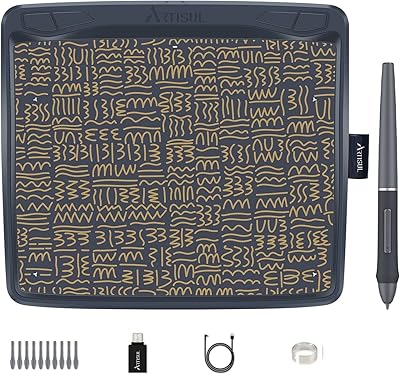
Artisul A801 Drawing Tablet
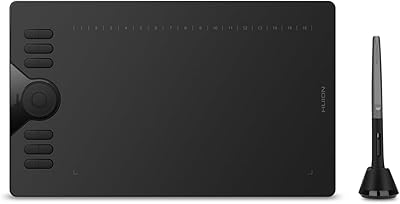
HUION HS610 Graphics Drawing Tablet
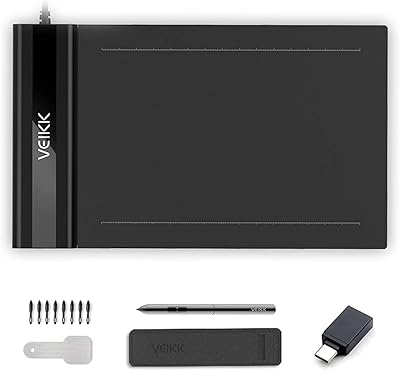
VEIKK S640 6x4 Drawing Tablet
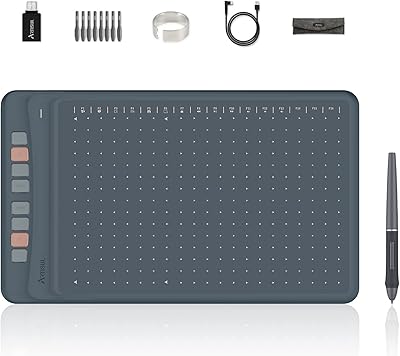
Artisul A1201 Drawing Tablet
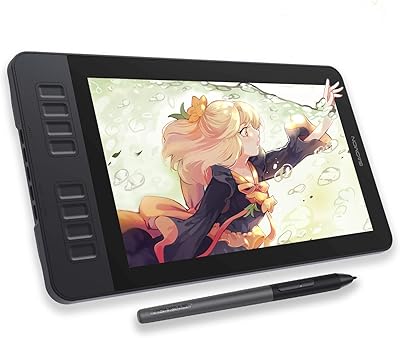
GAOMON PD1161 11.6-inch Pen Display Tablet
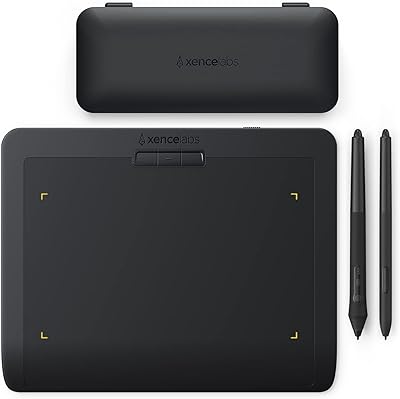
XENCELABS Pen Tablet Small Drawing Tablet
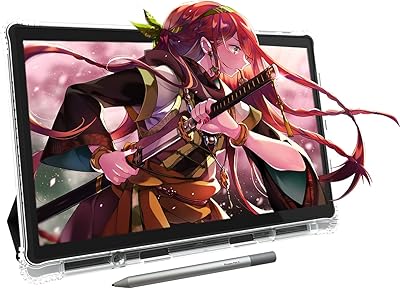
PicassoTab X11 11-inch Standalone Drawing Tablet