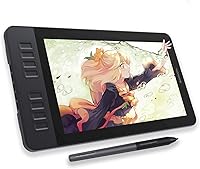
GAOMON PD1161 11.6-inch Pen Display Tablet
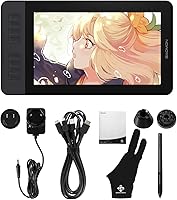
Overview
The GAOMON PD1161 11.6-inch Pen Display Tablet is a solid entry point into the world of screen-based drawing, designed with beginner and intermediate digital artists in mind. One thing to be upfront about: this is not a standalone device. It needs to be plugged into a PC or Mac to function, which surprises some buyers who expect iPad-like independence. Within the crowded field of budget-friendly pen displays — think Huion Kamvas and entry-level Wacom alternatives — this drawing tablet holds its own. The 11.6-inch screen is compact enough to fit comfortably on most desks without dominating the workspace. Honest summary: strong value for the price tier, but with real trade-offs worth understanding before buying.
Features & Benefits
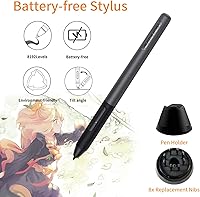
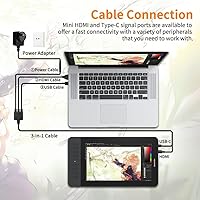
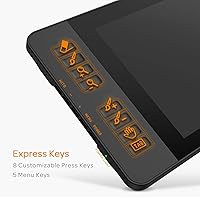
The 11.6-inch IPS screen delivers a full HD 1920x1080 resolution with 100% sRGB color coverage — respectable for hobbyist work, though anyone doing professional print or color-critical design should know it won't match a calibrated wide-gamut monitor. The battery-free AP50 stylus is genuinely impressive at this price: 8192 pressure levels and 60-degree tilt support translate to natural, expressive strokes that feel closer to pencil on paper than most entry-level pens. The pre-installed matte anti-glare film cuts reflections nicely, though it does soften the display a touch. Eight programmable express keys plus two pen buttons let you map your most-used shortcuts, which meaningfully speeds up workflow once configured. Setup involves HDMI and USB connections — no wireless, but plug-and-play simplicity compensates.
Best For
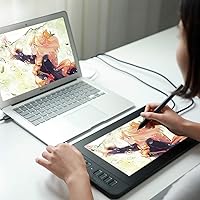
This pen display hits a sweet spot for a specific type of buyer. If you're a hobbyist or student stepping up from a screenless tablet for the first time, the learning curve is gentle and the payoff is immediate — drawing directly on the screen changes how intuitively you work. Art and design students on a tight budget will find it covers the bases for illustration, photo editing, and animation coursework. Educators and remote workers who annotate slides or sketch diagrams in Zoom or OneNote will also get real use out of it. Compact enough at 14.2 by 7.9 inches to sit alongside a keyboard without crowding, and compatible with both Windows and Mac, it fits into most existing setups without friction.
User Feedback
Across more than 6,600 ratings, the GAOMON PD1161 holds a 4.3-star average — a score that fairly reflects what most buyers actually experience. The most consistent praise points to pen responsiveness and display quality that punches above its price class, with many users noting how straightforward driver installation was right out of the box. On the critical side, the lack of full lamination creates a small but noticeable gap between the pen tip and the drawn line — a genuine annoyance for precision work. Some buyers also flag that the express keys feel cheap and that long-term driver support can be inconsistent across OS updates. These aren't dealbreakers, but worth factoring in if you expect to rely on this drawing tablet for years.
Pros
- The battery-free AP50 stylus never needs charging and delivers 8192 pressure levels that feel natural and expressive during long drawing sessions.
- Drawing directly on a full HD IPS screen is a significant and immediate upgrade over working on a screenless tablet.
- Setup takes minutes — plug in the HDMI and USB cables, install the driver, and you are drawing.
- Eight programmable express keys let you map your most-used shortcuts and keep both hands productive while working.
- The matte anti-glare film reduces distracting reflections, which is a practical benefit in bright home studio or classroom environments.
- Broad compatibility with creative software and remote work platforms makes this drawing tablet genuinely versatile across different workflows.
- At under two pounds, it is easy to reposition on a desk or carry between workspaces without any real hassle.
- 60-degree tilt support adds a natural, expressive dimension to brushwork that is rare and welcome at this price tier.
- Over 6,600 global ratings averaging 4.3 stars reflect a broadly positive ownership experience, not just early-buyer enthusiasm.
Cons
- The lack of full lamination creates a noticeable parallax gap between pen tip and cursor, which frustrates precision-focused artists.
- The 72% NTSC color gamut makes this pen display unsuitable for professional print or wide-gamut color work.
- Express keys feel hollow and plasticky in hand, and the mushy tactile feedback is a recurring complaint from experienced users.
- Driver support can be inconsistent after major OS updates, and GAOMON is slower than some rivals to release patches.
- No wireless option means you are always managing two cables, which limits how cleanly this fits into a minimal desk setup.
- The smooth, uncoated stylus grip becomes slippery during extended sessions, especially in warmer conditions.
- Key mappings occasionally reset after driver or software updates, forcing users to reconfigure shortcuts from scratch.
- The plastic chassis flexes slightly under firm pressure, and overall build rigidity does not inspire confidence for heavy travel use.
- Replacement pen nibs are not always easy to find locally, so buying spares at time of purchase is a practical necessity.
Ratings
The GAOMON PD1161 11.6-inch Pen Display Tablet has been evaluated by our AI system after analyzing thousands of verified global user reviews, with spam, bot activity, and incentivized feedback actively filtered out. The scores below reflect the honest distribution of buyer experiences — strengths and frustrations alike — so you can make a genuinely informed decision before purchasing.
Pen Accuracy & Responsiveness
Display Quality
Anti-Glare Film & Screen Feel
Tilt Support
Express Keys & Customization
Build Quality & Materials
Parallax & Lamination
Setup & Ease of Use
Driver Software & Long-Term Support
Software Compatibility
Value for Money
Portability & Form Factor
Color Accuracy for Creative Work
Stylus Ergonomics & Battery-Free Design
Suitable for:
The GAOMON PD1161 11.6-inch Pen Display Tablet is a genuinely well-matched choice for beginner and intermediate digital artists who want to draw directly on a screen without committing to a high-end display tablet budget. If you are a hobbyist illustrator, art student, or creative professional in training who has been working on a screenless tablet and feels ready to step up, this pen display bridges that gap effectively and affordably. Design and animation students who need broad software compatibility — from Photoshop and Blender to Krita and SAI — will find it covers the essentials without requiring any workarounds. Remote educators and professionals who annotate slides, sketch diagrams in Zoom meetings, or collaborate digitally on whiteboards will also get real, practical use out of it daily. Its compact footprint makes it a natural fit for smaller home setups where desk space is at a premium, and the reliable Mac and Windows support means it slots into most existing workflows without friction.
Not suitable for:
The GAOMON PD1161 11.6-inch Pen Display Tablet is not the right tool for professional creatives who depend on color-accurate output for print, wide-gamut media, or commercial deliverables — the 72% NTSC color gamut simply is not adequate for that kind of work. Anyone expecting a standalone, iPad-like experience will be immediately disappointed: this drawing tablet must be tethered to a PC or Mac at all times, which is a hard technical requirement, not a minor inconvenience. Precision illustrators who work on fine linework and require pixel-perfect stylus-to-cursor alignment will likely find the parallax caused by the non-laminated display a persistent frustration. Users who have already worked on laminated displays from Wacom or Huion's Pro line will feel the step down in screen quality and build refinement almost immediately. Finally, buyers who need long-term worry-free driver support across major OS updates may be taking on some risk, as GAOMON's patch cadence has been slower and less consistent than some competing brands.
Specifications
- Screen Size: The active display area measures 11.6 inches diagonally, offering a practical drawing surface without overwhelming a standard desk setup.
- Resolution: The IPS panel renders at 1920x1080 full HD, providing sharp enough detail for illustration, photo editing, and animation work at this screen size.
- Panel Type: An IPS panel ensures consistent color and contrast across wide viewing angles, which is more practical for drawing than TN alternatives.
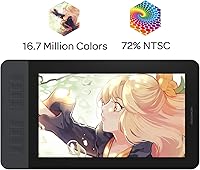
- Color Gamut: The display covers 72% of the NTSC color space, equivalent to 100% sRGB, making it suitable for screen-based creative work but not professional print color proofing.
- Display Colors: The panel supports up to 16.7 million colors, enabling smooth color gradations across illustrations and digital paintings.
- Stylus Model: The included AP50 is a battery-free electromagnetic stylus, meaning it draws power passively from the tablet and never requires charging.
- Pressure Levels: The AP50 stylus detects 8192 levels of pressure sensitivity, allowing fine control over stroke weight and opacity in compatible applications.
- Tilt Support: The stylus supports up to 60 degrees of tilt recognition, enabling broader, softer strokes when the pen is held at an angle similar to traditional pencil or chalk technique.
- Express Keys: Eight programmable express keys are built into the left side of the device and can be remapped to any shortcut or function via the GAOMON driver software.
- Pen Buttons: The AP50 stylus includes two side buttons that are independently programmable through the driver, typically used for right-click or eraser functions.
- Connectivity: The tablet connects to a computer via a standard HDMI cable for display output and a USB cable for data and power; no wireless or Bluetooth option is available.
- OS Compatibility: The device is officially supported on Windows 7 and later as well as macOS 10.12 Sierra and later, covering the vast majority of current desktop operating systems.
- Dimensions: The physical unit measures 14.2 inches wide by 7.9 inches tall and approximately 0.1 inches thick, making it compact enough for most standard desks.
- Weight: At 1.9 pounds, the tablet is light enough to reposition easily on a desk and manageable for occasional transport between workspaces.
- Anti-Glare Film: A matte anti-glare protective film is pre-installed on the display surface, reducing reflections and adding a subtle paper-like texture to the drawing experience.
- Lamination: The display is not fully laminated, meaning there is a small physical gap between the protective glass and the IPS panel that can cause minor parallax between the pen tip and cursor position.
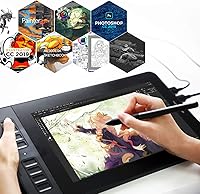
- Software Support: The tablet is compatible with a wide range of creative and productivity applications including Photoshop, Krita, Blender, SAI, MediBang, OneNote, Microsoft Whiteboard, and Zoom.
- Driver Software: GAOMON provides a dedicated driver application for Windows and Mac that handles pressure curve customization, express key mapping, and active area configuration.
Related Reviews
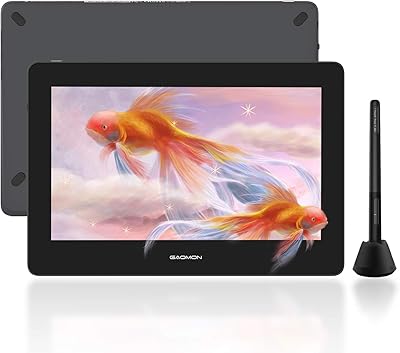
GAOMON PD1220 11.6-inch Pen Display
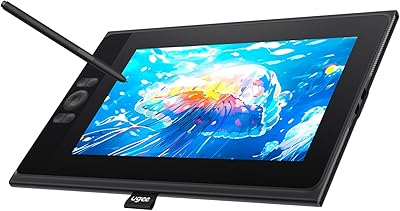
UGEE UE12 11.6-inch Pen Display Tablet
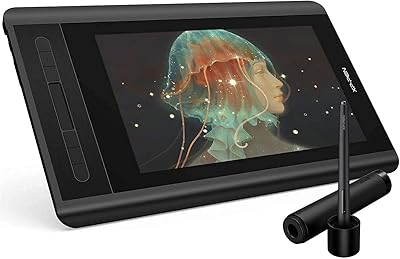
XP-Pen Artist 12 11.6-inch Pen Display
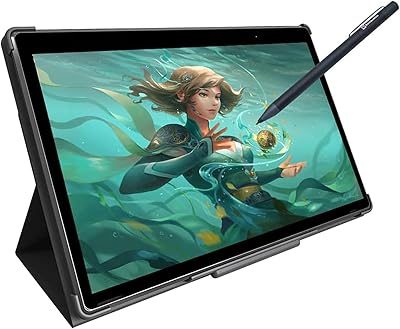
Simbans PicassoTab XL Standalone Drawing Tablet
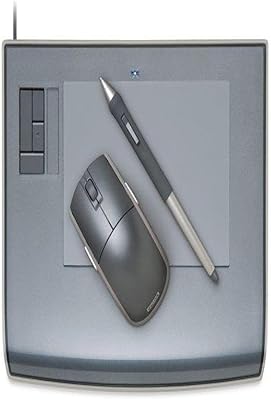
Wacom Intuos3 PTZ431W Wide Format Pen Tablet
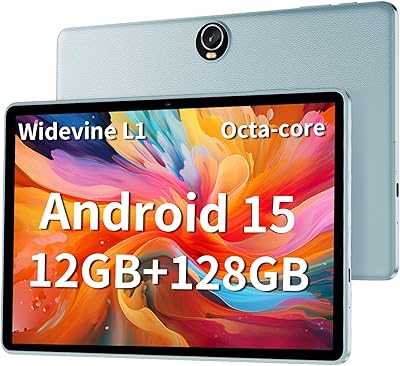
TUOHAITIME K10 11-inch Android Tablet
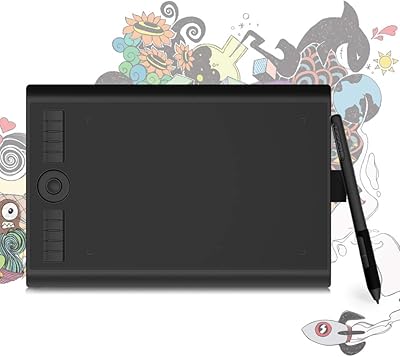
GAOMON M10K PRO 10×6.25 Drawing Tablet
XP-Pen Star G960S Graphics Drawing Tablet

ASUS ProArt Display PA169CDV 15.6” 4K Pen Display