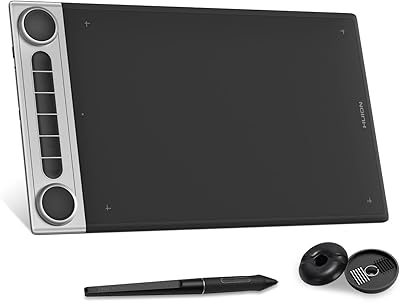
HUION Inspiroy H640P Drawing Tablet

Overview
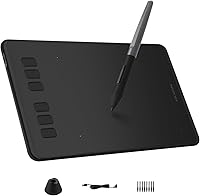
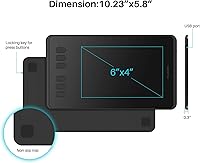
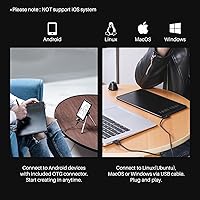
The HUION Inspiroy H640P Drawing Tablet sits in a sweet spot of the budget graphics tablet market — capable enough to take seriously, affordable enough to recommend without hesitation. For anyone curious about digital art but not ready to spend hundreds, this Huion tablet offers a genuinely physical pen-drawing experience that a mouse simply cannot replicate. The compact 6x4-inch active area fits neatly on a crowded desk or slides into a backpack without complaint. What makes it a practical choice beyond price is its broad OS compatibility — Windows, Mac, Linux, and Android are all supported, which covers most setups a student or home creative is likely to run.
Features & Benefits
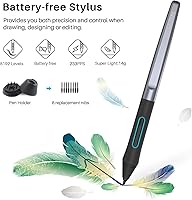
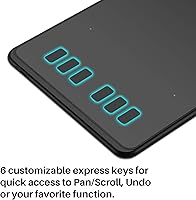
The included PW100 battery-free stylus is where this entry-level drawing pad punches above its category. With 8192 levels of pressure sensitivity, thin lines and thick strokes respond to how hard you actually press — the difference between flat digital marks and something that feels alive on the canvas. Six express keys along the left edge can be mapped to whatever shortcuts you lean on most in Photoshop or Clip Studio, which genuinely cuts down on keyboard reaches mid-session. The tablet itself is 0.31 inches thin and weighs under 10 ounces, so tossing it in a bag is an afterthought. One honest note: it connects via Micro USB, not USB-C, which feels slightly dated but works fine in practice. Left-handed users also get full mode support, which is not always guaranteed at this price.
Best For
This Huion tablet makes the most sense for a specific kind of buyer. If you are just starting out with digital illustration, it is an honest entry point that will not leave you feeling like you compromised. Remote teachers and online tutors have found it particularly useful for writing naturally on digital whiteboards during Zoom sessions — far more intuitive than trying to draw with a mouse cursor. Students who carry their setup between campus and home will appreciate how little space and weight it adds to a bag. That said, if you are an experienced illustrator working on a large display, the 6.3x3.9-inch active area may feel cramped quickly. It also does not support iOS, so iPad users are out. Think of it as a capable starter tool, not a professional studio workhorse.
User Feedback
With over 13,000 ratings and a score sitting comfortably above 4 out of 5, the H640P has clearly held up for a lot of people over time. Buyers consistently highlight the natural pen feel and low latency as genuine strengths — the kind of feedback that suggests Huion got the fundamentals right. Driver installation gets praised for being straightforward, which matters more than people realize when setting up hardware for the first time. On the downside, a recurring complaint involves the active area feeling tight when working on a large monitor, making zooming and panning more frequent habits. Some users on newer operating system versions have flagged occasional driver hiccups. And the Micro USB cable draws mild but consistent criticism in 2024 — functional, yes, but noticeably behind current standards.
Pros
- The battery-free stylus never needs charging and responds naturally to pressure changes right out of the box.
- 8192 levels of pressure sensitivity is genuinely competitive for a tablet at this price tier.
- Six programmable express keys reduce keyboard dependency and speed up repetitive tasks in creative apps.
- Weighing under 10 ounces, the H640P is easy to carry daily without adding noticeable load to a bag.
- Broad compatibility across Windows, Mac, Linux, and Android covers most real-world setups without extra hassle.
- Left-handed mode is a functional, properly implemented feature — not just a checkbox.
- Driver installation is consistently described as fast and straightforward, even by first-time tablet users.
- Works well for online teaching and annotation tools like Zoom, OneNote, and Microsoft Whiteboard.
- The slim 0.31-inch profile means it fits in tight workspaces and does not crowd a small desk.
- Long production history since 2017 with sustained strong ratings signals genuine durability and reliability.
Cons
- The Micro USB connection feels noticeably dated compared to the USB-C standard most devices now use.
- iOS devices are completely unsupported, cutting out a large segment of Apple ecosystem users.
- The 6.3x3.9-inch active area becomes limiting quickly when working on monitors larger than 24 inches.
- Express keys have a mushy tactile feel that makes precise, confident button presses harder than they should be.
- Driver updates occasionally cause compatibility issues after major operating system updates on both Windows and Mac.
- No scroll wheel is included, which means canvas navigation relies entirely on keyboard shortcuts or express key remapping.
- The pen nib wears down with heavy use, and replacement nibs are not always easy to source locally.
- Tablet surface develops light surface scratches over time from regular stylus contact, which is normal but worth knowing.
- The quick-start documentation is thin, and unlocking full customization requires digging through online resources.
- No tilt sensitivity support limits advanced shading techniques that more experienced digital artists rely on.
Ratings
The HUION Inspiroy H640P Drawing Tablet has been evaluated by our AI rating system after processing thousands of verified global purchases, with spam, bot-generated, and incentivized reviews actively filtered out before scoring. What you see below reflects an honest cross-section of real buyer experiences — the genuine strengths that keep it ranked near the top of its category, and the recurring frustrations that prevent it from scoring higher. Every category score is calibrated to give beginners, students, and budget-conscious creatives a clear picture of what to expect.
Pen Performance
Active Area Size
Value for Money
Build Quality & Durability
Express Keys & Customization
Driver & Software Compatibility
Portability & Form Factor
Latency & Responsiveness
OS & Device Compatibility
Stylus Ergonomics
Setup & Out-of-Box Experience
Left-Hand Usability
Longevity & Long-Term Reliability
Suitable for:
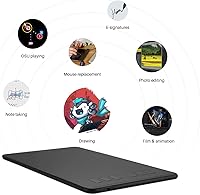
The HUION Inspiroy H640P Drawing Tablet is a natural fit for anyone stepping into digital art without wanting to spend heavily upfront — it delivers a real pen-drawing experience at a price that makes the risk feel low. Students are an obvious match: the tablet is light enough to toss in a backpack without a second thought, and it handles everything from quick lecture sketches to more deliberate illustration practice. Remote teachers and online tutors have also found a genuine use case here, since writing naturally with a pen stylus on a digital whiteboard is far less awkward than dragging a mouse cursor through handwritten explanations during a live class. It also works well as a precise mouse replacement for tasks like document signing, photo retouching, or even just navigating a desktop with more control than a standard mouse allows. Anyone running Windows, Mac, Linux, or an Android device will find it compatible out of the box, which makes it a flexible tool across a range of everyday setups.
Not suitable for:
The HUION Inspiroy H640P Drawing Tablet is not the right call for experienced illustrators who work on large monitors and need a wide active drawing surface — the 6.3x3.9-inch area demands constant zooming and panning on bigger displays, which breaks focus during detailed work. Professional artists who rely on tilt sensitivity or advanced pen features will also find this tablet lacking, as the PW100 stylus covers the fundamentals well but does not match the input range of higher-end options. iOS users should stop here entirely: the tablet has no support for iPhones or iPads, and no workaround exists. Anyone building a dedicated studio setup who expects USB-C connectivity will need an adapter, since the Micro USB cable is the only option included. And if you are hoping for a standalone display tablet — one where you draw directly on a screen — this entry-level drawing pad is not that; it requires a connected computer, phone, or Android tablet to function.
Specifications
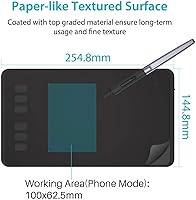
- Active Area: The drawing surface measures 6.3x3.9 inches, providing a compact but functional workspace suitable for beginner and intermediate use.
- Overall Dimensions: The tablet body measures 10x5.98x0.31 inches, keeping the footprint small enough for tight desks and easy transport.
- Weight: At 9.6 ounces, this entry-level drawing pad is light enough to carry daily without adding meaningful load to a bag.
- Stylus Model: The included PW100 is a battery-free passive stylus, meaning it draws power from the tablet itself and never needs charging.
- Pressure Sensitivity: The PW100 stylus supports 8192 levels of pressure sensitivity, allowing line weight and opacity to respond naturally to how hard you press.
- Express Keys: Six programmable shortcut buttons are built into the tablet body and can be remapped individually through the Huion driver software.
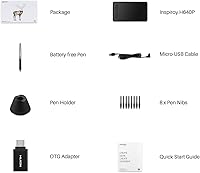
- Connectivity: The tablet connects to a host device via a Micro USB cable, which is included in the box.
- Compatible OS: Supported operating systems include Windows 7 and above, Mac OS 10.12 and above, Linux (Ubuntu), and Android 6.0 and above.
- iOS Support: The tablet does not support iOS in any form, including iPhones and iPads, with no announced workaround from the manufacturer.
- Left-Hand Mode: A dedicated left-handed mode is available through the driver settings, rotating the layout to suit left-handed users.
- Scroll Wheel: No physical scroll wheel is included; canvas navigation relies on keyboard shortcuts or express key assignments.
- Display Type: The H640P is a screenless pen tablet that requires a connected computer, phone, or Android device to display output — it is not a standalone display.
- Resolution: The tablet registers pen position with a reported input resolution sufficient for smooth, accurate cursor tracking across the active area.
- Tilt Support: The PW100 stylus does not support tilt recognition, which limits certain advanced shading techniques available on higher-end tablets.
- Manufacturer: The H640P is made by Shenzhen Huion Animation Technology, one of the leading dedicated graphics tablet manufacturers in the consumer market.
- Market Rank: As of available sales data, this tablet holds the number 2 position in the Computer Graphics Tablets category on Amazon.
- Release Date: The H640P was first made available in September 2017 and has remained in active production since without being discontinued.
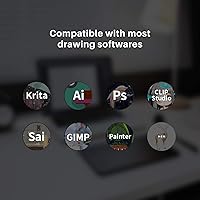
- Software Support: The tablet is compatible with major creative applications including Photoshop, Clip Studio Paint, SAI, and MediBang Paint, as well as annotation tools like Zoom and Microsoft Whiteboard.
Related Reviews
HUION Inspiroy H430P Graphics Drawing Tablet
Huion Inspiroy H1060P Graphics Drawing Tablet
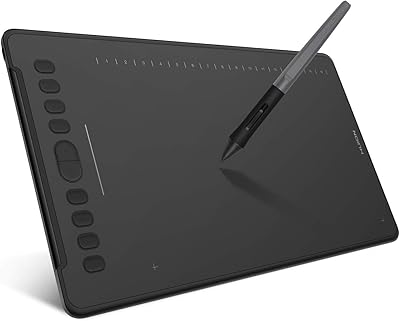
HUION Inspiroy H1161 Graphics Drawing Tablet
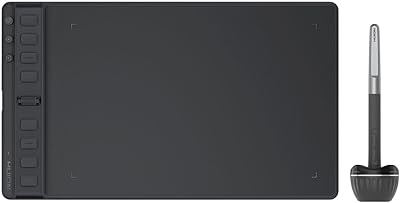
HUION Inspiroy 2 Medium Drawing Tablet
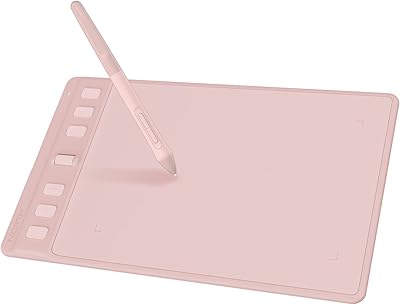
HUION Inspiroy 2 S Drawing Tablet
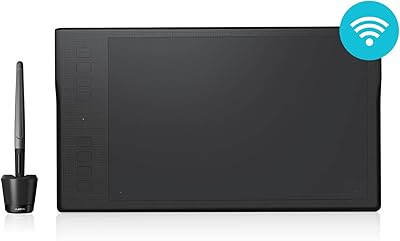
HUION Inspiroy Q11K Wireless Drawing Tablet
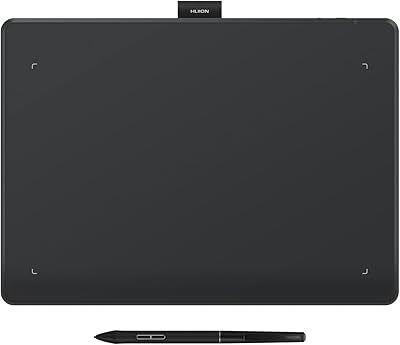
HUION Inspiroy Frego Medium Drawing Tablet
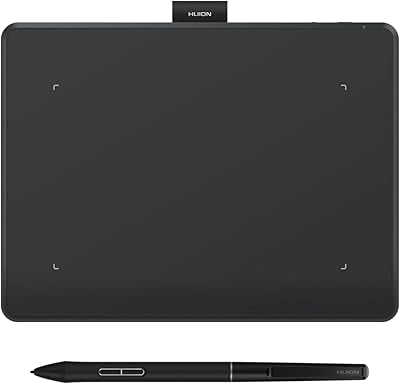
HUION Inspiroy Frego Small Wireless Drawing Tablet
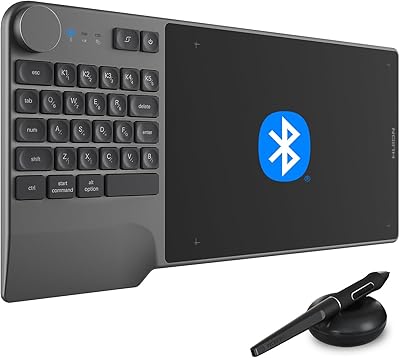
HUION Inspiroy Keydial KD200 Drawing Tablet