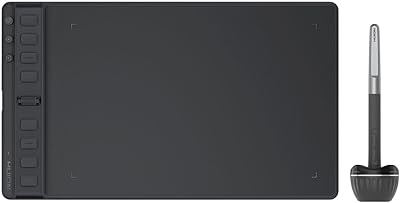
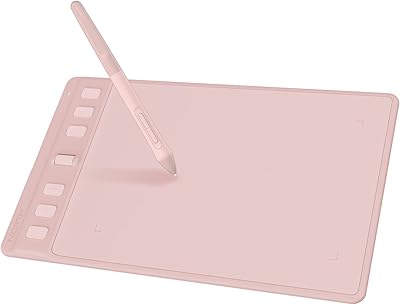
HUION HS610 Graphics Drawing Tablet
Overview
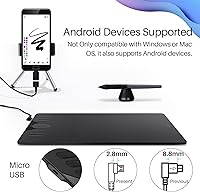
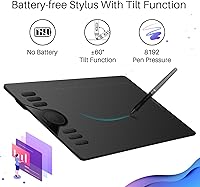
The HUION HS610 Graphics Drawing Tablet sits in a sweet spot that budget-conscious artists rarely find: a genuinely usable work surface at a price that does not sting. The 10x6.25-inch active area gives your hand real room to move — not cramped like the tiny pads that often disappoint beginners. HUION has built a solid reputation as a credible Wacom alternative, and this drawing tablet reflects that. One feature worth calling out early is Android compatibility, something you rarely see at this tier. That said, this is not professional studio hardware, so it is worth going in with clear, realistic expectations.
Features & Benefits
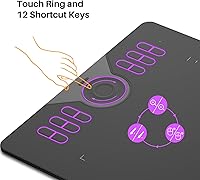
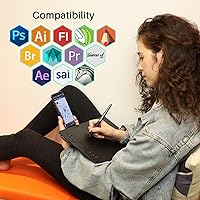
The battery-free PW100 stylus is probably the most practical thing about the HS610 — you never stop mid-session to charge a pen. With 8192 levels of pressure sensitivity and plus-or-minus 60 degrees of tilt support, the pen responds naturally whether you are laying down a flat wash or shading at an angle. The touch ring and 12 programmable shortcut keys cut down on the constant keyboard-reaching that slows illustration work. At just 8mm thick and 600g, it slips into a bag without fuss. Software support is wide: Photoshop, Illustrator, SAI, Corel Painter, and others all work without hunting for workarounds. Android connectivity via OTG adapter rounds things out nicely.
Best For
If you are drawing with a mouse and wondering why your lines look rough, this drawing tablet is the natural next step. It suits beginners and intermediate artists well — the active area is large enough to feel comfortable without overwhelming someone just starting out. Students in online design or illustration courses will find the broad software support especially useful, since most class platforms work with it straight away. Animators and illustrators on Windows or Mac who want real desk space will appreciate the size. Mobile artists can sketch on Android too, making HUION's mid-range pad surprisingly versatile across very different creative setups.
User Feedback
With a 4.5-star average across more than 9,000 ratings, the HS610 has clearly earned genuine trust. Most buyers highlight pen feel and accuracy as standout qualities, and the price-to-performance ratio comes up constantly in positive reviews. Driver installation is smooth for most people, but a small number report initial friction — particularly on certain Mac configurations — so checking HUION's support page is worth doing if you hit issues. The touch ring divides opinion: some find it an intuitive shortcut, others accidentally trigger it mid-stroke. Long-term durability gets decent marks overall, though nib wear is real after months of heavy use, and the lack of multi-touch support is a genuine gap worth noting.
Pros
- The battery-free stylus means you never stop a session to charge — pick it up and draw immediately.
- 8192 levels of pressure sensitivity delivers genuinely responsive line control for the price.
- Android compatibility via OTG adapter is a rare and practical bonus at this tier.
- The 10x6.25-inch active area gives your hand real room without dominating a small desk.
- Tilt support up to 60 degrees makes shading and brush-angle work feel noticeably more natural.
- Works out of the box with Photoshop, Illustrator, SAI, Clip Studio Paint, and most major drawing apps.
- At 600 grams and 8mm thin, the HS610 slips into a backpack without adding bulk.
- Twelve programmable shortcut keys and a touch ring meaningfully speed up repetitive illustration tasks.
- Competitive value — active area, pen quality, and feature set outpace most rivals at a similar price.
- Driver performance on Windows is stable and reliable once the initial setup is complete.
Cons
- No multi-touch support means pinch-to-zoom and canvas rotation require shortcut keys instead.
- Mac users occasionally face driver friction, particularly on recent macOS versions with tighter security settings.
- The touch ring lacks tactile feedback and is frequently triggered accidentally during hand repositioning.
- Micro USB connectivity feels outdated on a desk where USB-C is now the standard.
- Stylus nibs wear down noticeably with daily heavy use — factor in replacement costs over time.
- No carrying case or pen stand is included, which feels like an omission for a portable-focused product.
- The plastic chassis flexes under firm grip pressure, which can undermine confidence during travel.
- Tilt detection can lag slightly during rapid angle changes, which interrupts fast gesture sketching.
- Light-pressure strokes may register unevenly without manual driver curve adjustment.
- Serious artists are likely to outgrow this drawing tablet within a year or two as skill demands increase.
Ratings
The HUION HS610 Graphics Drawing Tablet earns its place near the top of the budget-to-mid-range category, and the scores below reflect that honestly. Our AI analyzed thousands of verified global purchases, actively filtering out incentivized and bot-generated reviews, to surface what real artists, students, and hobbyists actually experience day to day. Strengths and frustrations are weighted equally — nothing is glossed over.
Pen Accuracy & Pressure Sensitivity
Tilt Response
Active Area Size
Build Quality & Durability
Portability
Shortcut Keys & Touch Ring
Driver Stability & Software Setup
Android Compatibility
Drawing Surface Texture
Stylus Comfort & Ergonomics
Value for Money
Software Compatibility Range
Connectivity & Cable Quality
Multi-Touch Support
Unboxing & Included Accessories
Suitable for:
The HUION HS610 Graphics Drawing Tablet is a strong fit for anyone stepping into digital art for the first time or moving up from a cramped, entry-level pad. Students enrolled in online illustration, animation, or graphic design courses will find it covers every practical requirement without straining a tight budget. The 10x6.25-inch active area gives beginners enough room to develop natural hand movement habits, and the broad software support means it works with whatever application a course or tutorial recommends. Mobile-oriented creatives who sketch on Android devices will appreciate that this drawing tablet handles OTG connections reliably — a feature that is genuinely unusual at this price point. Hobbyists who want a capable, low-maintenance setup for weekend drawing sessions or comic work will also get real mileage out of it without feeling like they overspent.
Not suitable for:
The HUION HS610 Graphics Drawing Tablet is not the right choice for professional artists whose livelihood depends on studio-grade reliability and precision. If your workflow involves heavy multi-touch gestures — pinching, rotating, or swiping the canvas with two fingers — you will hit a wall quickly, since there is no multi-touch support at all. Designers who have grown accustomed to a large-format tablet will likely find the active area limiting for complex, full-page layout work. The Micro USB interface also feels behind the curve for anyone whose desk is already standardized around USB-C peripherals, adding a small but real friction point. And if you are a seasoned illustrator evaluating HUION's mid-range pad as a long-term professional tool, it is worth knowing that most serious users do eventually outgrow it — factoring in a potential upgrade sooner rather than later is the honest advice here.
Specifications
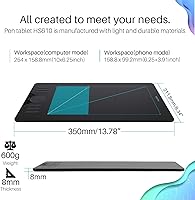
- Active Area: The drawing surface measures 10 x 6.25 inches, providing ample room for natural hand movement during illustration and design work.
- Pen Model: Includes the PW100 battery-free EMR stylus, which requires no charging and maintains consistent responsiveness throughout use.
- Pressure Levels: The PW100 stylus supports 8192 levels of pressure sensitivity, enabling fine control over line weight and brush dynamics.
- Pen Resolution: Pen input resolution is 5080 LPI (lines per inch), delivering precise cursor tracking relative to physical stylus movement.
- Tilt Support: The stylus supports plus-or-minus 60 degrees of tilt recognition, allowing natural brush angle simulation for shading and calligraphy.
- Shortcut Keys: Twelve fully programmable press keys are built into the tablet body and can be customized via the HUION driver software.
- Touch Ring: A single customizable touch ring is positioned alongside the shortcut keys and supports functions such as canvas zoom, brush size adjustment, and page scrolling.
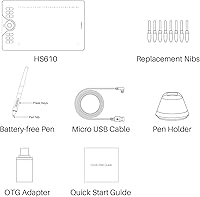
- Connectivity: The tablet connects via Micro USB and supports Android devices running OS 6.0 or above through an OTG adapter (not included).
- OS Compatibility: Compatible with Windows 7 and above, macOS 10.12 and above, Linux (Ubuntu), and Android 6.0 and above via OTG connection.
- Dimensions: The tablet body measures approximately 13.9 x 8.6 x 0.31 inches (overall), with the active drawing area occupying the central 10 x 6.25-inch zone.
- Thickness: At 8mm slim, the tablet profile is noticeably thinner than many competitors in the same class, contributing to its portability.
- Weight: The tablet weighs 600 grams (approximately 1.32 lbs), keeping it light enough for regular transport between home, school, or studio.
- Surface Texture: The drawing surface features a matte finish that provides a subtle paper-like resistance, reducing slippage during pen strokes.
- Report Rate: The HS610 operates at a report rate of 266 PPS (points per second), ensuring low-latency pen tracking during active drawing sessions.
- Software Support: Compatible with major creative applications including Adobe Photoshop, Illustrator, SAI, Clip Studio Paint, Corel Painter, Corel Draw, Sketchbook, and Microsoft OneNote.
- Manufacturer: Designed and produced by ShenZhen Huion Animation Technology Co., LTD, a dedicated graphics tablet manufacturer based in China.
- Model Number: The official model identifier is HS610, which corresponds to the version featuring the touch ring and 12 shortcut keys.
- Replacement Nibs: The package includes a set of replacement stylus nibs, which are consumable components that wear gradually under regular use.
- Market Rank: The tablet holds a Best Sellers Rank of number 43 in the Computer Graphics Tablets category on Amazon, reflecting sustained buyer demand.
- First Available: This tablet model was first made available for purchase in March 2019 and has since accumulated over 9,000 verified customer ratings.
Related Reviews
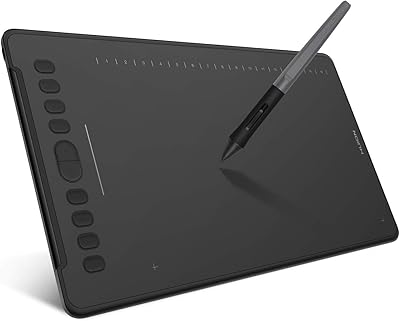
HUION Inspiroy H1161 Graphics Drawing Tablet
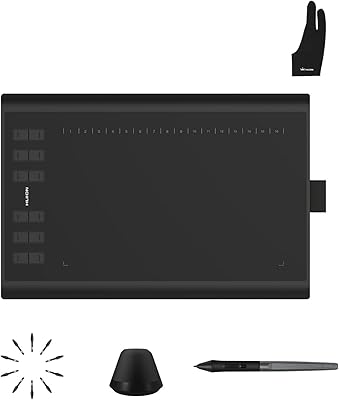
Huion Inspiroy H1060P Graphics Drawing Tablet
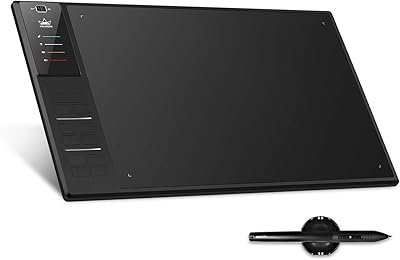
Huion WH1409 Wireless Graphic Drawing Tablet
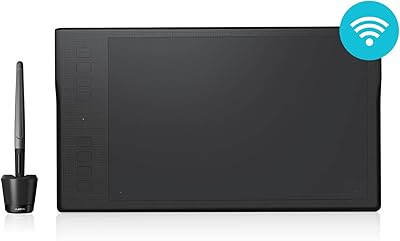
HUION Inspiroy Q11K Wireless Drawing Tablet
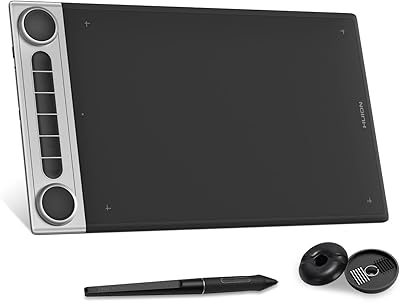
HUION Inspiroy Dial 2 Graphics Tablet
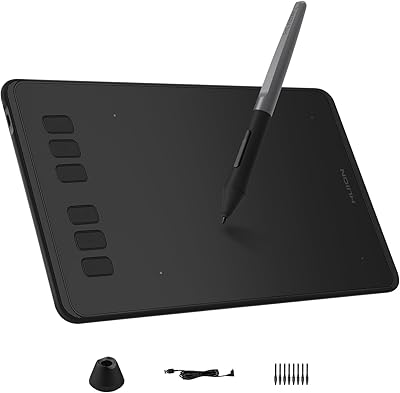
HUION Inspiroy H640P Drawing Tablet
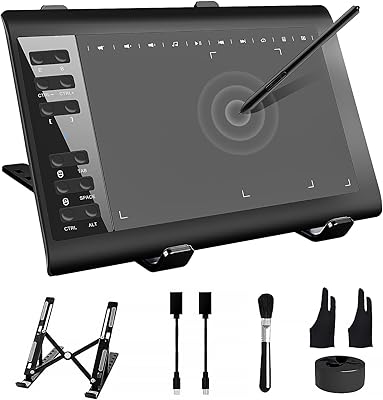
TeinenRon T1060 10x6 Inch Drawing Tablet
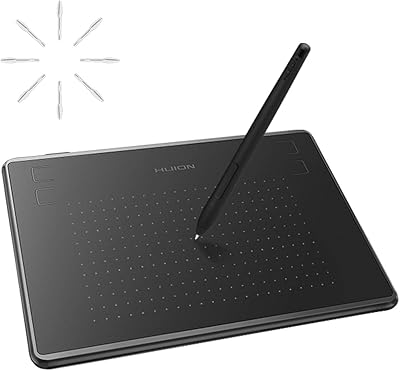
HUION Inspiroy H430P Graphics Drawing Tablet
HUION Inspiroy 2 S Drawing Tablet