Overview

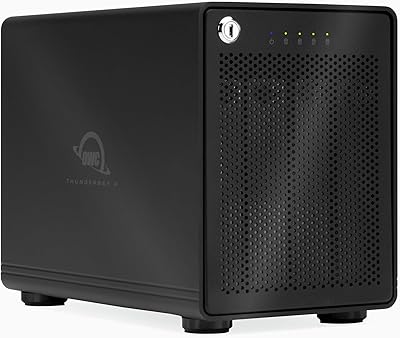
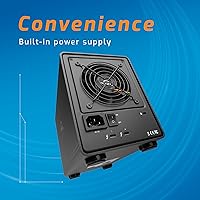
The OWC ThunderBay 4 Thunderbolt 3 RAID Enclosure is a serious piece of kit — built not for casual users, but for professionals who treat storage as infrastructure. It ships as a bare-bones enclosure with no drives included, which keeps the entry price transparent but means your actual total spend depends on whichever drives you source separately. Two Thunderbolt 3 ports let you daisy-chain additional peripherals or route a signal out to a DisplayPort display without adding another adapter. The aluminum chassis runs noticeably quieter and cooler than plastic alternatives at this tier, and that distinction matters during long encoding or multi-hour backup sessions.

Features & Benefits

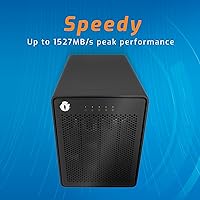
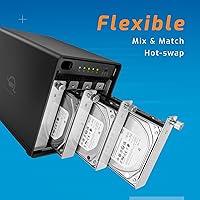
All four bays accept both 3.5-inch and 2.5-inch drives without swapping trays, which sounds minor until you are mixing drive types mid-build. In RAID 0 configuration, sustained throughput can reach around 1,527 MB/s — roughly a full gigabyte of data per second, fast enough to handle multi-stream 4K or 6K footage without dropped frames. The five RAID mode options (0, 1, 4, 5, and 1+0) give you real flexibility to prioritize speed, redundancy, or a balance of both. OWC's drive health monitoring sends desktop and email alerts before a failure escalates, and the enclosure ships with a Thunderbolt 3 cable included right out of the box.

Best For

This four-bay Thunderbolt enclosure suits video editors and photographers managing large media libraries who need fast local storage rather than relying on cloud workflows. Mac Studio and Mac Pro users already in the Thunderbolt ecosystem will appreciate the daisy-chain capability — slot it into a peripheral chain and everything downstream stays connected. Small studios or freelancers who want the data protection of RAID 5 without migrating to a rack-mounted NAS will find the ThunderBay 4 a compelling middle ground. It also works well for anyone who prefers sourcing and managing their own drives, keeping the build adaptable as storage needs grow over time.

User Feedback

Owners consistently point to build quality and silence as the standout positives — the enclosure stays cool and quiet through extended sessions in a way budget alternatives simply do not. Long-term RAID 5 users in particular report strong reliability for archival use. The most common complaint worth flagging upfront is the omission of SoftRAID software: configuring RAID properly without it requires either buying the application separately or working around macOS Disk Utility, which has real limits. Windows users should also temper expectations, as Thunderbolt on PC is inconsistent depending on the host machine. A handful of owners have noted minor LED indicator quirks, though nothing that affects core performance or drive integrity.

Pros

  • Sustained throughput in RAID 0 is fast enough to handle multi-stream 4K and 6K video editing without dropped frames.
  • Five RAID modes give you genuine flexibility — from maximum speed to full redundancy — without needing a separate controller.
  • The aluminum chassis runs quietly and manages heat well during extended workloads, unlike cheaper plastic enclosures.
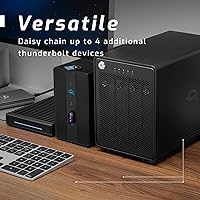
  • Dual Thunderbolt 3 ports support daisy-chaining, so this four-bay Thunderbolt enclosure fits into an existing peripheral chain cleanly.
  • The DisplayPort pass-through reduces the need for extra adapters at a busy workstation.
  • Drive health monitoring sends proactive alerts via desktop notifications and email, giving you a heads-up before a failure becomes a crisis.
  • Accepts both 3.5-inch and 2.5-inch drives natively — no adapter trays to swap out when mixing drive types.
  • A Thunderbolt 3 cable is included in the box, which at current cable prices is a genuinely useful inclusion.
  • Long-term RAID 5 users report strong reliability for archival storage over years of continuous use.
  • Buying a bare enclosure lets you choose your own drives, control costs, and upgrade capacity on your own schedule.

Cons

  • SoftRAID is not included — getting the most out of the RAID feature set requires purchasing additional software separately.
  • Windows compatibility is unreliable; Thunderbolt behavior on PC varies too much across hardware for this to be a safe cross-platform buy.
  • The bare 0GB configuration means the real total cost is significantly higher once you add compatible drives.
  • RAID configuration is not beginner-friendly; first-time RAID users may find the learning curve steeper than expected.
  • At roughly 9.5 lbs, the ThunderBay 4 is not something you move around frequently — it is purely a desktop-bound solution.
  • Some users have reported inconsistencies with LED drive indicators, which can make it harder to quickly assess bay status at a glance.
  • The one-year warranty is shorter than what a few competing enclosures at this price tier offer.
  • No built-in network connectivity means you cannot repurpose it as a shared network volume without additional hardware.

Ratings

The scores below for the OWC ThunderBay 4 Thunderbolt 3 RAID Enclosure were generated by our AI engine after analyzing verified buyer reviews collected globally, with spam, bot-submitted, and incentivized feedback actively filtered out before scoring. Each category reflects the honest distribution of real user sentiment — strengths are recognized where they are earned, and recurring frustrations are weighted just as transparently.
Build Quality
93%
The solid aluminum chassis consistently earns high praise from users who have owned cheaper plastic enclosures before. Editors and photographers running the ThunderBay 4 through daily production workloads report that it feels robust and well-machined, with no flexing, rattling, or signs of wear even after years of continuous use.
A small number of users noted minor inconsistencies in drive bay tolerances — specifically that some 2.5″ drives required careful seating to register properly. It is not a widespread issue, but it does suggest quality control is not perfectly uniform across every unit.
Sustained Performance
89%
In RAID 0 with four matched drives, real-world throughput stays close to the advertised ceiling — transferring a 50 GB raw video project takes roughly 33 seconds, which is fast enough that it stops being a bottleneck in active editing sessions. Users working with 4K and 6K footage describe the experience as noticeably smoother than their previous USB enclosures.
Speeds are heavily dependent on the drives you install and the RAID mode you choose. Users who configured RAID 5 for redundancy reported throughput dropping significantly versus RAID 0, and a few noted that real-world speeds occasionally fell short of the peak numbers cited in marketing, particularly with mixed drive configurations.
RAID Flexibility
86%
Having five RAID modes available in a single desktop enclosure is genuinely useful for professionals whose storage needs shift between projects — a freelancer can run RAID 0 during an active shoot and reconfigure to RAID 5 for long-term archival without buying separate hardware. Users appreciate that the enclosure supports their workflow rather than locking them into a single configuration.
Reconfiguring RAID modes requires erasing all data on the array, which catches some users off guard the first time. Without SoftRAID — which costs extra — navigating RAID setup through macOS Disk Utility alone is limited and less intuitive, particularly for RAID 5 rebuild scenarios after a drive replacement.
Software & Setup Experience
58%
42%
For users who already own SoftRAID or are comfortable working in macOS Disk Utility, initial setup is manageable and the enclosure does what it promises without driver installs or firmware headaches. The hardware itself is recognized immediately by macOS on connection.
This is the most common friction point in user reviews: SoftRAID is not included, and many buyers only discover this after unboxing. Without it, RAID 5 management is genuinely cumbersome through Disk Utility alone. For buyers who budgeted only the enclosure price, the additional software cost feels like a hidden charge rather than an optional extra.
Thermal Management
91%
The aluminum body handles passive heat dissipation remarkably well. Users running multi-hour video exports or continuous backup jobs report that the enclosure stays warm to the touch but never uncomfortably hot, and drive temperatures logged via monitoring software remain well within safe operating ranges throughout.
In especially warm environments or enclosed desk setups with limited airflow, a few users observed higher-than-expected drive temperatures during peak loads. The enclosure has no option for active cooling upgrades, so users in hot climates or poorly ventilated studios should factor ambient temperature into their setup planning.
Noise Level
92%
Near-silent operation is one of the most frequently mentioned positives from longtime owners. Users who work in quiet studio environments or record audio alongside their editing rig specifically call out the low noise floor as a deciding factor in choosing this OWC enclosure over alternatives with louder fans.
Drive noise itself — clicks, spin-up sounds from mechanical HDDs — is naturally audible since the enclosure is not acoustically isolated. A handful of users noted a faint vibration hum when running four mechanical hard drives simultaneously, though this is inherent to HDD behavior rather than a flaw in the enclosure design.
Connectivity & Daisy-Chaining
84%
The dual Thunderbolt 3 port layout works exactly as intended for users building out multi-peripheral Thunderbolt chains. Connecting a display via the DisplayPort output while simultaneously chaining a docking station or additional storage is a real convenience that reduces cable runs back to the host machine.
Users on older Macs with Thunderbolt 2 need an adapter, and the experience there is less consistent. A few users also noted that the daisy-chain throughput drops when multiple high-bandwidth devices share the same chain simultaneously, which can affect drive performance during heavy concurrent use.
macOS Compatibility
88%
On supported Macs with Thunderbolt 3, the four-bay Thunderbolt enclosure is recognized immediately across multiple macOS versions without any additional driver installation. Long-term users report that compatibility has held across major macOS updates without requiring firmware changes or re-pairing.
Compatibility with Apple Silicon Macs has been smooth for most, but a small number of users on M1 and M2 machines reported occasional disconnection events under sustained heavy load — not a common occurrence, but worth noting for mission-critical production environments.
Windows Compatibility
41%
59%
In the best-case scenario — a Windows PC with a certified Intel Thunderbolt 3 controller and updated firmware — the enclosure can function and deliver solid performance. A small number of Windows power users report successful setups when their hardware is properly configured.
For most Windows users, this is a gamble that does not pay off. Thunderbolt behavior on PC varies so much by motherboard and firmware that user experiences range from full functionality to complete non-recognition. OWC does not officially support or guarantee Windows operation, and the enclosure should not be purchased primarily for Windows use.
Drive Health Monitoring
79%
21%
The proactive alert system — sending both desktop notifications and email warnings when drive health degrades — is a feature that archival users and studio managers appreciate deeply. Getting an email warning about a failing drive before it causes data loss has genuinely saved workflows for some long-term owners.
The monitoring functionality is notably more capable when paired with SoftRAID, which again is not included. Without it, the built-in monitoring provides basic S.M.A.R.T. status awareness but lacks the granular reporting and rebuild guidance that makes the feature truly powerful for professional use.
Value for Money
72%
28%
For professionals who fully utilize the RAID flexibility, Thunderbolt 3 throughput, and daisy-chain capability, the enclosure justifies its price tier as a long-term infrastructure investment rather than a simple storage purchase. Users who have owned it for three or more years consistently say the build quality alone validated the cost.
The bare-bones configuration means the total cost — enclosure, drives, and likely SoftRAID — is substantially higher than the sticker price suggests. Casual or occasional users who do not need RAID or high throughput will find similarly priced alternatives offer more practical value out of the box.
Long-Term Reliability
87%
Users running RAID 5 arrays on the ThunderBay 4 for archival purposes over two to four years report strong reliability with no enclosure-related failures. The aluminum construction and passive thermal design appear to contribute meaningfully to long service life under sustained workloads.
LED drive bay indicators have been flagged by a subset of users as occasionally unreliable — showing ambiguous status during drive rebuilds or failing to accurately reflect bay states after a hot-swap event. It is a minor but recurring enough complaint to be worth mentioning for users who rely on visual status feedback.
Ease of Drive Installation
82%
18%
Sliding drives into the tool-free bays is straightforward for anyone who has worked with desktop enclosures before. The dual-format support — accepting 3.5″ and 2.5″ drives in the same bays without adapter trays — is a practical advantage that users replacing or expanding drives over time genuinely appreciate.
First-time enclosure users occasionally find the drive seating process less intuitive than expected, particularly with 2.5″ SSDs which sit less securely in bays designed primarily around 3.5″ HDDs. Clear printed instructions inside the box would reduce the number of support queries OWC receives on this point.
Included Accessories
74%
26%
Including a Thunderbolt 3 cable in the box is a meaningful gesture given how much quality Thunderbolt cables cost separately. Users note it is a full-spec cable that performs at rated speeds, not a budget inclusion purely for optics.
Beyond the cable, the box is spartan. No drives, no SoftRAID license, and no printed quick-start guide that adequately explains RAID configuration to buyers who are new to multi-bay enclosures. Given the price tier, a basic SoftRAID trial or even a clearer setup guide would meaningfully improve the out-of-box experience.

Suitable for:

The OWC ThunderBay 4 Thunderbolt 3 RAID Enclosure was built with a specific type of user in mind: the creative professional who treats local storage as a critical part of their production pipeline, not an afterthought. Video editors cutting 4K or 6K footage will appreciate the sustained throughput that keeps multi-stream playback smooth without the latency risk of a network-attached solution. Photographers managing raw libraries in the tens of terabytes can configure RAID 5 and get meaningful redundancy without the complexity or cost of rack-mounted hardware. Mac Studio and Mac Pro users already running Thunderbolt peripherals will find this enclosure slots naturally into a daisy-chain setup, keeping desk clutter manageable. It also works well for small studios or freelancers who want the flexibility of sourcing their own drives and scaling capacity over time rather than being locked into a pre-configured bundle.
Not suitable for:

If you are a Windows user expecting a straightforward plug-and-play experience, the ThunderBay 4 is likely to frustrate you — Thunderbolt support on PC varies significantly by motherboard and system firmware, and OWC's ecosystem is clearly optimized around macOS. Buyers who are new to RAID and expect the enclosure to configure itself should also recalibrate: setting up RAID 5 or RAID 1+0 properly requires either purchasing SoftRAID separately or working within the real constraints of macOS Disk Utility, neither of which is trivial for a first-time user. The bare-bones 0GB configuration also means this OWC enclosure is not the right call if you need storage capacity out of the box — you are buying a chassis, not a complete solution, and the true total cost only becomes clear once you factor in compatible drives. Anyone on a tight budget or who simply needs a basic single-drive external disk for light use will find this level of hardware well beyond what their workflow actually demands.

Specifications

  • Drive Bays: The enclosure holds up to four storage drives simultaneously in a standard tower-style arrangement.
  • Drive Compatibility: Accepts both 3.5″ and 2.5″ SATA hard drives and SSDs natively, with no adapter trays required for either format.
  • Interface: Two Thunderbolt 3 ports (40 Gb/s each) provide host connection on one port and daisy-chain or display output on the second.
  • Max Throughput: Sustained read/write performance reaches approximately 1,527 MB/s in a RAID 0 configuration using four drives.
  • RAID Modes: Supports five user-configurable RAID modes: 0, 1, 4, 5, and 1+0, covering both performance-priority and redundancy-priority setups.
  • Display Output: A DisplayPort output on the rear panel allows a monitor to be connected directly through the enclosure, reducing the need for separate adapters.
  • Drive Monitoring: Built-in intelligent drive monitoring delivers proactive health alerts via both desktop notifications and email when drive status degrades.
  • Chassis Material: The enclosure body is constructed from solid aluminum, which passively dissipates heat and contributes to near-silent operation under load.
  • Dimensions: The unit measures 9.6″ in length, 5.3″ in width, and 7″ in height, making it a compact but substantial desktop footprint.
  • Weight: The enclosure weighs approximately 9.46 lbs (4.3 kg) without drives installed.
  • Max Raw Capacity: Total raw storage capacity depends entirely on the drives installed, with a practical ceiling of up to 16 TB across four bays.
  • Included Accessories: A Thunderbolt 3 cable is included in the box; no drives or RAID management software are bundled with the enclosure.
  • RAID Software: SoftRAID is not included and must be purchased separately if you want its advanced RAID management and monitoring features beyond what macOS Disk Utility provides.
  • Platform Support: Optimized for macOS with native Thunderbolt 3 support; Windows compatibility varies by host system and is not officially guaranteed.
  • Warranty: Covered by a 1-year OWC Limited Warranty against manufacturing defects from the date of purchase.
  • Manufacturer: Designed and sold by Other World Computing (OWC), a company specializing in Mac-compatible storage and memory solutions.

Related Reviews

OWC Mercury Elite Pro Dual 24TB Enclosure
81%
91%
Transfer Speed
88%
Build Quality
93%
RAID Configuration
84%
Thermal Management
67%
Fan Noise
More
OWC Mercury Elite Pro Dual 8TB Enclosure
80%
91%
Build Quality
88%
Transfer Speed
86%
RAID Functionality
83%
USB Hub Utility
74%
Noise Level
More
OWC ThunderBay 4 0TB Thunderbolt 3 RAID Enclosure
80%
92%
Build Quality
89%
Sustained Transfer Speed
86%
SoftRAID Premium Value
88%
Drive Compatibility & Installation
84%
Thunderbolt Daisy-Chain Performance
More
TERRAMASTER TD2 Thunderbolt 3 2-Bay RAID Enclosure
73%
83%
Read/Write Performance
88%
Build Quality
81%
RAID Flexibility
86%
Mac Compatibility
53%
Windows Compatibility
More
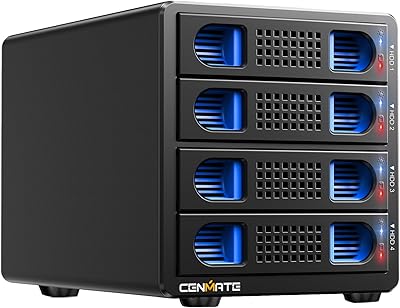
Cenmate 4-Bay RAID Enclosure 80TB
73%
83%
Build Quality
78%
RAID Functionality
71%
Cooling & Thermal Management
47%
Mac Compatibility
89%
Windows Compatibility
More
OWC ThunderBay 8TB RAID 5 External Storage
78%
93%
Build Quality
91%
Read & Write Performance
88%
Software (SoftRAID)
58%
Platform Compatibility
63%
Value for Money
More
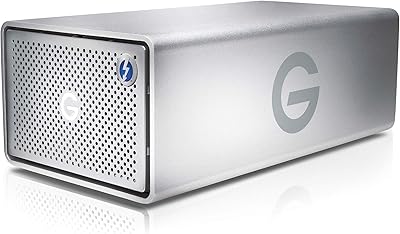
G-Technology G-RAID TB3 36TB Dual Drive Storage
78%
91%
Build Quality
88%
Transfer Speed & Performance
93%
Thunderbolt 3 Connectivity
79%
RAID Configuration Flexibility
61%
Fan Noise & Acoustics
More
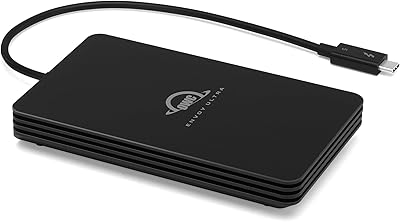
OWC Envoy Ultra 2TB Thunderbolt 5 Portable SSD
85%
94%
Transfer Speed
91%
Build Quality
78%
Thermal Management
88%
Portability & Form Factor
86%
Compatibility
More
OWC Envoy Ultra 4TB Thunderbolt 5 SSD
83%
93%
Transfer Speed Performance
88%
Build Quality & Durability
86%
Portability & Form Factor
71%
Built-in Cable Design
67%
Thermal Management
More
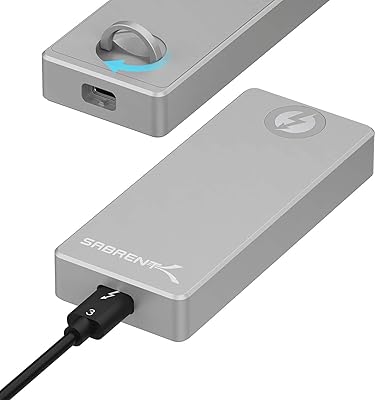
SABRENT EC-T3NS Thunderbolt 3 M.2 NVMe Enclosure
84%
93%
Transfer Speed Performance
91%
Build Quality & Materials
94%
Thunderbolt 3 Certification Reliability
58%
Port & System Compatibility
88%
Tool-Free Drive Installation
More

FAQ

The enclosure ships with zero drives installed — it is a bare chassis. You will need to purchase up to four 3.5″ or 2.5″ SATA drives separately, which gives you full control over brand, capacity, and drive type, but it does mean the purchase price is only part of your total investment.

SoftRAID is not included and has to be bought separately. You can configure basic RAID modes through macOS Disk Utility without it, but Disk Utility has meaningful limitations — particularly for RAID 5. If you plan to run RAID 5 for redundancy, SoftRAID is strongly worth the additional cost for its monitoring depth and rebuild reliability.

Technically possible in some cases, but not reliably so. The OWC ThunderBay 4 Thunderbolt 3 RAID Enclosure is built around the macOS Thunderbolt ecosystem, and Thunderbolt behavior on Windows PCs varies significantly depending on your motherboard and firmware. If Windows is your primary platform, there are enclosures better suited to that environment.
RAID 0 gives you the highest throughput — close to 1,500 MB/s sustained — which is ideal for editing 4K or 6K footage directly from the array. Just keep in mind that RAID 0 has no redundancy, so a single drive failure loses everything. Many editors use RAID 0 for active project drives and a separate RAID 1 or RAID 5 volume for finished work and archives.

Thunderbolt 3 supports up to six devices in a single daisy chain, and the ThunderBay 4 occupies one of those positions. The second Thunderbolt port on the enclosure lets you connect the next device in the chain, so it integrates cleanly into an existing peripheral setup without requiring a hub.

Yes — there is a DisplayPort output on the rear of the unit that lets you connect a display directly. It is a convenient way to route your monitor through the enclosure rather than using a separate cable run back to your computer, especially useful when desk cable management matters.

Very quiet. The aluminum chassis handles heat passively, and the fan is designed to run at low speed under typical workloads. Most users describe it as near-silent in a normal office or studio environment, which is a genuine advantage over cheaper enclosures that spin fans aggressively to compensate for plastic housings.

Yes, both 3.5″ HDDs and 2.5″ SSDs fit natively in the drive bays without adapter trays. That said, mixing drive types within the same RAID volume is generally not recommended, as the array speed will default to the slowest drive. For best results, use matched drives within each RAID set.

That is one of the more practical features of this four-bay Thunderbolt enclosure. The built-in drive monitoring system tracks drive health continuously and sends alerts through desktop notifications and email before a failure becomes critical. It will not prevent a drive from dying, but it gives you meaningful lead time to back up and replace before you lose data.

For archival use, RAID 5 is the configuration most users rely on — it provides redundancy against a single drive failure while preserving most of your total raw capacity. Users running RAID 5 on the ThunderBay 4 over several years generally report strong reliability. Just remember that RAID is not a substitute for a proper backup strategy; a second off-site copy of critical archives is still the right call.

Where to Buy