
Overview

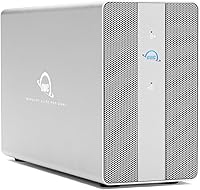
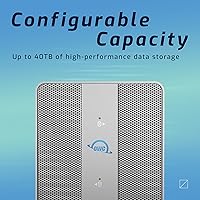
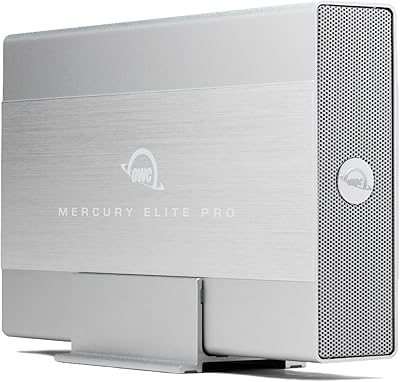
The OWC Mercury Elite Pro Dual 8TB Enclosure is not a casual desktop accessory — it is a purpose-built storage tool from OWC, a brand Mac professionals have trusted for decades. What separates this dual-bay enclosure from a standard external drive is its dual identity: a high-speed RAID array and a three-port USB hub packed into one aluminum chassis. It ships pre-loaded with 8TB of SSD storage, so there is no drive sourcing or assembly involved. That convenience comes at a premium price point, which means this unit needs to earn its place on a desk. Casual users wanting a simple backup drive will find it overkill; working professionals needing dependable, fast bulk storage will find it hard to argue against.

Features & Benefits

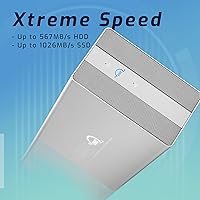
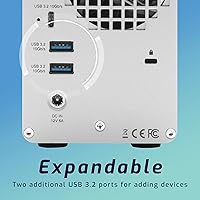
The standout here is the hardware RAID controller, which lets you flip between RAID 0, RAID 1, Span, and JBOD using a physical switch on the back — no software, no drivers, no fuss. In RAID 0, this Thunderbolt storage unit reaches close to 974MB/s in real-world conditions, which is fast enough for 4K and 8K media work without dropped frames or stuttering playback. That speed ceiling, though, is only reachable through a Thunderbolt 3 host port; a USB-C-only machine will see noticeably lower throughput. The integrated three-port USB hub — one Type-C and two Type-A, both at 10Gbps — keeps cameras, card readers, and tablets connected without a separate hub cluttering the desk. The aluminum body stays cool and runs quietly under typical workloads.

Best For

This dual-bay enclosure is built for Mac-centric workflows — video editors working through 4K timelines, photographers managing deep RAW archives, or small production teams who need fast shared storage without complex setup. Thunderbolt 3 connectivity is what unlocks its full potential: daisy-chaining peripherals and routing devices through the built-in USB ports means fewer cables and fewer adapters. USB-C machines can connect too, though they will not reach the same speed ceiling. Anyone stepping up from a sluggish USB-A hard drive will feel the difference right away. That said, if your work does not regularly involve moving large files or you have no need for RAID redundancy, there are more affordable enclosures worth exploring before committing here.

User Feedback

With roughly 92 ratings and a 4.0-star average, the OWC RAID drive earns solid marks, though the modest review count means individual complaints carry more weight than usual — so interpret trends cautiously. Buyers most often praise the build quality, noting that the aluminum chassis feels appropriately premium and that speed holds up consistently in day-to-day use. Quiet operation in home and studio environments comes up frequently as a genuine plus. On the downside, some users report that the fan grows audible under sustained heavy loads, and a few question whether the price premium is justified compared to building a similar setup with a bare enclosure and drives. PC compatibility appears generally smooth, but the experience clearly skews most refined on Mac.

Pros

  • Hardware RAID modes are switchable via a physical dial — no drivers, no software, no reboots required.
  • Real-world Thunderbolt 3 speeds approach 974MB/s, fast enough for uncompressed 4K and demanding 8K timelines.
  • The built-in three-port USB hub meaningfully reduces desktop cable clutter for users with multiple peripherals.
  • Ships pre-loaded with 8TB of SSD storage, so setup is genuinely plug-and-play out of the box.
  • Aluminum chassis stays cool under sustained workloads and runs quietly during normal operation.
  • RAID 1 mode offers meaningful data redundancy for client work or irreplaceable project files.
  • Compatible with both 2.5-inch and 3.5-inch SATA drives, leaving room for future storage upgrades.
  • Works with both Mac and PC, making it a viable option for mixed-platform studios.
  • OWC has a strong reputation for build quality and long-term reliability among Mac power users.
  • At #499 in the Enclosures category, it holds a respectable market position for a premium unit.

Cons

  • Full speed requires a Thunderbolt 3 host port — USB-C-only machines see a significant throughput drop.
  • The fan becomes noticeably audible under sustained heavy read/write loads, which may bother noise-sensitive users.
  • Pricing sits firmly in premium territory, making it hard to justify for light or occasional storage use.
  • With only 92 ratings, long-term reliability data is still relatively thin compared to more established competitors.
  • DIY alternatives using a bare enclosure and separate drives can offer comparable performance at a lower total cost.
  • Larger 3.5-inch drive bays add to the physical footprint — at over six pounds, this is not a portable solution.
  • JBOD and Span modes offer less data protection, which can catch less experienced users off guard if not configured carefully.
  • PC users report a less polished experience compared to the Mac-optimized setup flow.

Ratings

Our AI rating system analyzed verified buyer reviews for the OWC Mercury Elite Pro Dual 8TB Enclosure from sources worldwide, actively filtering out incentivized, bot-generated, and duplicate feedback to surface what real users actually experience. The scores below reflect a balanced picture — genuine strengths are recognized, but recurring pain points are weighted honestly and not glossed over. Whether this dual-bay enclosure earns its premium asking price depends heavily on your workflow, and these ratings are designed to help you make that call clearly.

Build Quality
91%
The aluminum chassis consistently earns praise from buyers who compare it favorably to plasticky competitors. It feels substantial on the desk, resists flex, and gives the impression of something built to last through years of daily studio use rather than just the warranty period.
A small number of users noted that the enclosure picks up fingerprints and light scratches on the brushed aluminum surface over time. At this price tier, some buyers expected a more refined finish treatment.
Transfer Speed
88%
Users running Thunderbolt 3 connections consistently report real-world speeds that hold close to the advertised ceiling during sustained 4K media transfers and large file batch operations. For active video editing workflows, the throughput is noticeably faster than any spinning-disk or older USB-A setup.
The headline speed only materializes over a proper Thunderbolt 3 connection — buyers using USB-C-only laptops report significantly lower throughput and occasionally feel misled by the marketing figures. This is a hardware limitation, but it catches enough buyers off guard to affect satisfaction scores.
RAID Functionality
86%
The physical RAID switch is a genuine differentiator. Professionals who have dealt with software-based RAID utilities appreciate being able to change modes with a hardware dial during a drive swap or configuration change, with no utility to launch or update.
Less experienced buyers occasionally configure the wrong RAID mode out of the box, particularly confusing RAID 0 and RAID 1, and there is minimal onboarding material in the box to guide them. A clearer quick-start card would prevent some of the negative reviews tied to accidental data loss.
USB Hub Utility
83%
For Mac users with a limited port count, the three built-in USB ports — one Type-C and two Type-A — make a tangible difference. Photographers and videographers particularly appreciate plugging a card reader and a camera cable directly into the enclosure rather than reaching for a separate hub or adapter.
The hub ports do not support display output or power delivery at levels sufficient for larger laptops, which some buyers assumed they would. A few users also noted that all three hub ports sharing bandwidth under simultaneous heavy load can reduce individual port throughput.
Noise Level
74%
26%
During light workloads and normal desktop tasks, the cooling fan is quiet enough that most users sitting at a desk simply do not notice it. The 30dB spec holds reasonably well in practice for everyday file access and incremental backups.
Under sustained heavy transfers — long encoding jobs, large RAID rebuilds, or back-to-back backup sessions — the fan spins up audibly and becomes the loudest thing in a quiet room. Users in acoustically sensitive environments like voiceover booths or open-plan offices flagged this consistently.
Thermal Management
81%
19%
The aluminum body acts as a passive heat sink that works in tandem with the active fan, and most buyers report that the drives inside stay within healthy operating temperatures even during extended sessions. OWC's thermal design is notably more capable than cheaper plastic enclosures in the same category.
In warmer environments or cramped desk setups with limited airflow around the unit, temperatures climb faster and the fan compensates by ramping up sooner. A few users in home offices without air conditioning mentioned this as a warm-season concern.
Mac Compatibility
93%
On macOS with a Thunderbolt 3 port, the experience is about as close to plug-and-play as external RAID gets. Disk Utility recognizes the array cleanly, APFS and HFS+ formatting work without issue, and daisy-chaining other Thunderbolt peripherals functions reliably in tested configurations.
Apple Silicon Mac users occasionally noted the need to adjust security settings or reformat drives before the enclosure was recognized in certain macOS versions, adding a minor friction point that OWC's documentation does not always address in advance.
PC Compatibility
69%
31%
Windows users with Thunderbolt 3-equipped PCs can and do use this Thunderbolt storage unit successfully, and the hardware RAID switch means there is no platform-specific software dependency for core functionality. Some PC users report entirely smooth experiences over extended periods.
Compatibility varies more on PC than on Mac, with a handful of users encountering Thunderbolt driver issues or requiring firmware updates before the enclosure was recognized reliably. The overall PC experience is workable but requires more troubleshooting tolerance than the Mac workflow.
Setup Experience
78%
22%
For buyers comfortable with external storage, the initial setup is straightforward — connect the cable, reformat the drive array to your preferred file system, and start working. The lack of mandatory software installation is a genuine plus compared to competing enclosures that bundle bloatware.
Buyers new to RAID who expect a detailed printed setup guide will find the included documentation thin. Understanding RAID mode implications before flipping the switch requires external research, and OWC's online resources, while available, are not prominently signposted in the box.
Value for Money
61%
39%
For a professional who uses this hardware daily in a production environment, the all-in-one design — fast RAID storage, USB hub, and quality build — does consolidate gear that might otherwise require separate purchases. That consolidation has real dollar value for a busy studio.
At its price point, the cost is difficult to justify for anyone who is not extracting maximum value from Thunderbolt 3 speeds or the RAID functionality. DIY alternatives using a bare dual-bay enclosure and separately purchased SSDs can come close to the same performance for meaningfully less money.
Drive Upgrade Flexibility
79%
21%
The fact that both 2.5-inch and 3.5-inch SATA drives fit in the same bays gives buyers a genuine upgrade path without needing a new enclosure. Swapping in higher-capacity drives down the line is a reasonable expectation rather than wishful thinking.
SATA is the only supported interface, meaning NVMe drives are not an option here. Buyers who want NVMe-level speeds from a dual-bay setup will need to look at a different product category entirely, as this enclosure is architecturally bound to SATA throughput ceilings.
Long-Term Reliability
72%
28%
OWC's reputation in the Mac community and the quality of the aluminum enclosure itself suggest a product built with longevity in mind. Buyers who have owned the unit for a year or more generally report that it continues to perform consistently without degradation in speed or connectivity.
With only 92 reviews at time of analysis, the long-term reliability dataset is narrower than ideal. A handful of users reported drive recognition issues or fan anomalies after extended use, and it is not yet possible to draw firm conclusions about multi-year failure rates from the available feedback pool.
Port Selection
82%
18%
Having a host Thunderbolt 3 port alongside three additional USB 3.2 Gen 2 ports — in both Type-A and Type-C — makes this a hub that works for real mixed-device setups. Most creative desks have at least one camera, one card reader, and one mobile device that can all be handled simultaneously.
The absence of a full-size SD card slot is a minor but recurring complaint from photographers who expected it given the target audience. Adding even a single SD slot would eliminate the need for one of the USB hub connections to be occupied by a card reader at all times.

Suitable for:

The OWC Mercury Elite Pro Dual 8TB Enclosure is purpose-built for creative professionals who treat storage as infrastructure, not an afterthought. Video editors cutting 4K or 8K footage will appreciate the near-gigabyte-per-second throughput available over Thunderbolt 3, which keeps media workflows moving without the buffering delays that plague slower drives. Photographers managing large RAW libraries or running Lightroom catalogs directly from external storage will find the combination of SSD speed and generous capacity genuinely practical. Small studio teams benefit from the hardware RAID flexibility — RAID 1 for redundancy on critical client deliverables, RAID 0 when speed matters most — all switchable without touching a single software setting. Mac users with Thunderbolt 3 ports will get the most complete experience, particularly those who also need a USB hub to reduce the dongle sprawl that comes with modern thin-and-light machines. If your desk regularly has a card reader, a camera, and a tablet competing for ports, this dual-bay enclosure quietly consolidates that chaos into a single cable run.

Not suitable for:

The OWC Mercury Elite Pro Dual 8TB Enclosure is a hard sell for anyone whose storage needs are modest or whose budget is tight. If you are backing up a personal photo collection or archiving old documents, you are paying a steep premium for speed and redundancy features you will barely use. Buyers with USB-C-only laptops — particularly non-Thunderbolt ultrabooks — should know upfront that the 974MB/s headline speed simply is not on the table for them; throughput drops substantially without a TB3 host port. Windows PC users can connect and use this Thunderbolt storage unit, but the experience is more refined on macOS, and some compatibility nuances have surfaced in user reports. Anyone considering a DIY route — buying a bare dual-bay enclosure and sourcing their own drives — could potentially replicate similar performance for considerably less, especially if they are comfortable with a little setup work. This is not the right call for light or occasional users; it is a tool that justifies its cost only when it is working hard every day.

Specifications

  • Storage Capacity: This unit ships pre-loaded with 8TB of solid-state storage across two drives in a dual-bay configuration.
  • RAID Modes: A hardware RAID controller supports four selectable modes — RAID 0, RAID 1, Span, and JBOD — switchable via a physical dial without any software.
  • Interface: The primary host connection supports both Thunderbolt 3 and USB-C, allowing compatibility with a wide range of modern computers.
  • Max Transfer Speed: Real-world sequential read speeds reach up to 974MB/s when connected to a host with a Thunderbolt 3 port.
  • USB Hub Ports: An integrated hub provides one USB 3.2 Gen 2 Type-C port and two USB 3.2 Gen 2 Type-A ports, each capable of 10Gbps data throughput.
  • Total USB Ports: Including the host connection port, the enclosure offers four USB ports in total across its Type-A and Type-C interfaces.
  • Drive Bay Support: Both bays accept 2.5-inch and 3.5-inch SATA drives, covering standard SSDs and traditional hard disk drives interchangeably.
  • Cooling System: Thermal management is handled by a heat-dissipating aluminum chassis paired with an active cooling fan rated at approximately 30dB under normal operating conditions.
  • Dimensions: The unit measures 13.23 x 10.2 x 4.88 inches, making it a desktop-stationary device rather than a portable solution.
  • Weight: The enclosure weighs 6.01 pounds, reflecting the solid aluminum build and internally housed drives.
  • Compatible Platforms: The device is compatible with both macOS and Windows systems, though the out-of-box experience is more refined on Mac.
  • Brand: Manufactured by Other World Computing (OWC), a company with an established track record in Mac-focused storage peripherals.
  • Model Number: The official OWC model identifier for this configuration is OWCMEDCH7S08.
  • Chassis Material: The outer enclosure is constructed from aluminum, which aids passive heat dissipation and contributes to the unit's durable feel.
  • Date Released: This product was first made available in November 2020.
  • Amazon BSR: The unit holds a Best Sellers Rank of #499 in the Enclosures category on Amazon at time of review.
  • UPC: The product UPC is 810586036245 as listed by the manufacturer.

Related Reviews
OWC Mercury Elite Pro Dual 32TB RAID Enclosure
79%
91%
Transfer Speed
88%
Build Quality
84%
RAID Configuration Flexibility
86%
Connectivity & Compatibility
74%
USB Hub Utility
More
OWC Mercury Elite Pro Dual 24TB Enclosure
81%
91%
Transfer Speed
88%
Build Quality
93%
RAID Configuration
84%
Thermal Management
67%
Fan Noise
More
OWC Mercury Elite Pro 6TB External Hard Drive Enclosure
85%
87%
Performance
91%
Build Quality
93%
Data Transfer Speed
90%
Setup & Installation
88%
Compatibility
More
OWC Mercury Elite Pro 2TB Hard Drive Enclosure
74%
83%
Build Quality
71%
Transfer Speed
88%
Ease of Setup
58%
Drive Reliability
63%
Value for Money
More
OWC Mercury Elite Pro 12TB External Hard Drive Enclosure
85%
88%
Performance
91%
Build Quality & Durability
93%
Ease of Setup
89%
Compatibility with Multiple Devices
68%
Noise Levels
More
OWC Mercury Elite Pro 16TB External Hard Drive Enclosure
83%
89%
Performance & Speed
75%
Value for Money
91%
Build Quality & Durability
65%
Noise Levels
88%
Ease of Setup
More
OWC Mercury Elite Pro Mini 2TB External Hard Drive
86%
88%
Performance
91%
Portability
85%
Durability
92%
Compatibility
93%
Setup & Installation
More
OWC Mercury Extreme Pro 6G 2TB SSD
82%
83%
Read/Write Performance
86%
Sustained Speed Consistency
91%
Compatibility
88%
Installation Experience
84%
Build Quality
More
OWC Mercury Pro External Blu-ray Drive
78%
93%
Build Quality
89%
Burn Reliability
91%
M-DISC Compatibility
88%
Mac Compatibility
82%
Windows Compatibility
More
ACASIS TB501 Pro M.2 NVMe SSD Enclosure
80%
91%
Transfer Speed Performance
88%
Build Quality & Materials
79%
Thermal Management & Cooling Fan
67%
Compatibility & Host Port Requirements
93%
Setup & Ease of Use
More

FAQ

No, and that is genuinely one of the more convenient aspects of this enclosure. The RAID mode is set using a physical switch on the back of the unit — you just power it down, flip the switch to your preferred mode (RAID 0, RAID 1, Span, or JBOD), and power it back on. No drivers, no configuration utilities required.

It will work, but not at full speed. The 974MB/s figure is a Thunderbolt 3 result — a USB-C-only connection will give you solid but noticeably lower throughput, typically in the range of what USB 3.2 Gen 2 can deliver. For most file transfers that is still respectable, but if you are planning to edit 4K video directly from the drive, a Thunderbolt 3 port makes a real difference.

The USB 3.2 Gen 2 ports are primarily data ports, but they can also deliver power to connected devices. The exact charging wattage depends on the connected device and what it negotiates, so it is best suited for topping off smaller devices like tablets or cameras rather than fast-charging a power-hungry laptop.

Under light to moderate workloads, most users find it quiet enough to ignore. The fan is rated at around 30dB, which is comparable to a gentle hum. That said, some buyers report that sustained heavy transfers — like long video renders or large backup jobs — can make the fan spin up audibly. It is not disruptive, but it is not completely silent either.

Yes, the bays support both 2.5-inch and 3.5-inch SATA drives, so you can replace the included SSDs with larger drives if your storage needs grow. Just keep in mind that swapping drives in a RAID 1 setup requires care to avoid data loss, and you would need to reformat the new drives before use.

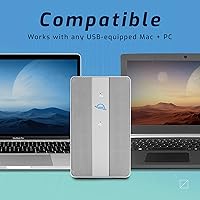
It works on Windows as well as Mac. That said, the setup experience and Thunderbolt compatibility tend to be smoother on macOS. A handful of PC users have noted minor compatibility nuances, so if you are running Windows with a Thunderbolt 3 port, it should be fine, but it is worth checking OWC's compatibility notes for your specific system.

In RAID 1, both drives hold identical copies of your data, so if one drive fails, your data is still intact on the other. You would replace the failed drive, and the array would rebuild the mirror onto the new drive. It is worth noting that RAID 1 is not a substitute for a proper backup — it protects against drive failure but not against accidental deletion or file corruption.

It depends on what you are doing. If you regularly work with large video files, high-resolution photo libraries, or need reliable local storage with built-in redundancy, it fits a home office workflow well. If you mostly need a drive to save documents, back up a laptop occasionally, or store media you rarely touch, the speed and price will likely be more than you need.

The integrated hub has three ports — one USB-C and two USB-A — so you can have three peripherals connected simultaneously alongside the host computer. That covers the most common desk setups: a card reader, an external camera or microphone, and a tablet or phone, all without needing a separate hub.

It ships pre-loaded with drives and is generally ready to use after connecting, though you may need to reformat the drives to match your preferred file system. Mac users working with APFS or HFS+ will likely need a quick reformat in Disk Utility, and Windows users will want to format for NTFS. The process takes a few minutes and is straightforward for anyone comfortable with their operating system's disk management tools.