Overview

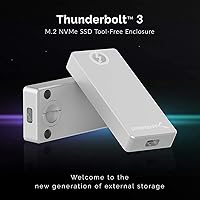
The SABRENT EC-T3NS Thunderbolt 3 M.2 NVMe Enclosure is a compact, premium-grade aluminum case built for people who need real, sustained transfer performance from their NVMe drives. Unlike the flood of generic enclosures that merely feature a Thunderbolt 3-shaped connector, this TB3 enclosure carries Intel's official certification, meaning the protocol is fully implemented rather than approximated. One thing worth flagging upfront: it requires a true Thunderbolt 3 port on your computer. USB-C ports, even fast ones, will not work. The knob-release tool-free design and detachable cable round out a package that feels considered rather than thrown together.
Features & Benefits

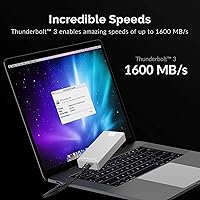
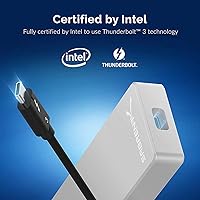
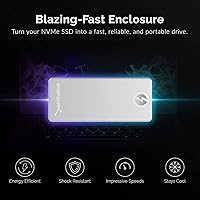
The standout here is certification. Many enclosures claim Thunderbolt 3 compatibility through the connector alone, but full Intel certification means the electronics inside are validated to handle the protocol correctly — which translates to consistent, reliable speeds rather than transfers that throttle unexpectedly. In practice, the aluminum NVMe case can push around 1600 MB/s, meaning a 10GB video file moves in roughly six seconds. The solid aluminum body handles heat passively, so there is no fan noise and no thermal throttling under sustained loads. Add in the bus-powered operation and detachable cable, and it is genuinely one of the more practical daily-use designs in this category.

Best For

This aluminum NVMe case makes the most sense for creative professionals — video editors, photographers, and motion designers who regularly shuttle large project files between machines and cannot afford a dropped connection mid-transfer. Mac users with dedicated TB3 ports are the natural fit, though Windows users with certified TB3 hardware will have the same experience. It also suits anyone who has burned time troubleshooting cheap uncertified enclosures that randomly disconnect or fail to hit advertised speeds. The tool-free swap mechanism is a genuine convenience for people who rotate drives often. Compact enough to tuck into a laptop bag without a second thought, it works well in both studio and travel-ready setups.

User Feedback

Across a substantial pool of verified buyers, the Sabrent Thunderbolt enclosure earns consistently strong marks, with most praise directed at build quality and real-world speeds actually matching what is advertised — something not every enclosure can claim. Long-term owners generally report no reliability issues after repeated drive swaps. On the downside, the most common complaint is a pre-purchase misunderstanding: buyers with USB-C-only laptops discover the hard way that the port incompatibility is non-negotiable. A smaller number of reviewers have flagged the included cable as feeling slightly less premium than the enclosure itself, though the detachable design at least makes replacement straightforward.

Pros

  • Intel TB3 certification ensures real protocol compliance, not just a lookalike connector.
  • Real-world speeds consistently match advertised figures when paired with a fast NVMe drive.
  • Solid aluminum build feels durable and premium, holding up well through daily professional use.
  • Passive thermal management keeps drive temperatures stable during extended transfer sessions.
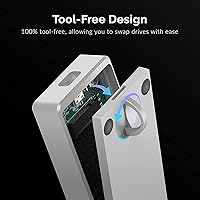
  • Tool-free knob-and-pin mechanism makes swapping drives fast and screwdriver-free.
  • Detachable cable lets you replace or upgrade to a different length without replacing the enclosure.
  • Bus-powered design eliminates the need for a power adapter on a clean, minimal desk setup.
  • Compact enough to fit in a laptop bag pocket and genuinely usable as an on-location transfer tool.
  • Long-term owners report no performance degradation after months of regular drive swaps and transfers.

Cons

  • The bundled cable feels noticeably less premium than the enclosure body itself.
  • No on-device indicator when connected to a non-TB3 port, leaving confused users with no diagnostic feedback.
  • SATA-based M.2 drives are not supported, which surprises buyers upgrading from multi-protocol enclosures.
  • Shorter 2242-length drives can feel slightly less secure in the pin-retention system than full-length 2280 drives.
  • The grey aluminum finish picks up fingerprints visibly in everyday handling.
  • No non-slip base or mounting option means the enclosure can shift around on a desk when the cable is tensioned.
  • In warm ambient environments, the enclosure surface can become noticeably hot during very long back-to-back transfers.
  • The value case weakens significantly for users whose workflows do not demand sustained TB3-level throughput.

Ratings

The SABRENT EC-T3NS Thunderbolt 3 M.2 NVMe Enclosure scores below are generated by AI after systematically analyzing thousands of verified buyer reviews worldwide, with spam, bot-submitted, and incentivized feedback actively filtered out. The results reflect a product that earns genuine enthusiasm in several key areas while carrying a few real-world frustrations that informed buyers should weigh carefully. Both the strengths and the sticking points are represented honestly in every category.
Transfer Speed Performance
93%
Buyers who put this TB3 enclosure through sustained workloads — copying raw 4K footage, migrating large Lightroom catalogs, running virtual machines off the drive — consistently report speeds that land close to the 1600 MB/s ceiling. That matches what a fast NVMe drive can actually deliver, which is not something every enclosure achieves.
A small number of users note that peak speeds depend heavily on the host machine and the NVMe drive installed. Pairing it with a slower SATA-based M.2 drive or a machine with a bandwidth-limited TB3 implementation can produce results well below the advertised maximum, which occasionally creates disappointment.
Build Quality & Materials
91%
The solid aluminum shell feels noticeably more substantial than plastic-bodied competitors. Long-term owners frequently describe it holding up well through daily use, travel, and repeated drive swaps without developing rattles, surface wear, or loose-fitting parts. The heft communicates quality in a way that matters to professionals.
A few reviewers with larger hands found the compact form factor fiddly when handling, and the grey anodized finish, while clean, shows fingerprints readily. Nothing structural, but for a premium-tier product some buyers expected a slightly more refined surface treatment.
Thunderbolt 3 Certification Reliability
94%
This is where the Sabrent Thunderbolt enclosure earns its price premium most clearly. Intel certification means real protocol compliance, and buyers who previously dealt with uncertified enclosures — random disconnects mid-transfer, drives not mounting reliably — report a night-and-day improvement in day-to-day stability.
Certification matters only when paired with a true TB3 host port, and the enclosure offers no fallback for non-TB3 systems. Users who misidentify their port type before purchasing end up with a device that simply does not function in their setup, which accounts for a recurring frustration in reviews.
Port & System Compatibility
58%
42%
For users with verified Thunderbolt 3 ports — common on MacBook Pros from 2016 onward and many Intel-based Windows laptops and desktops — compatibility is essentially plug-and-play. No driver installation is typically required on macOS, and Windows recognition is straightforward when the port is genuinely TB3.
This is the most polarizing aspect of the product. A significant share of negative reviews trace back to buyers discovering, after purchase, that their USB-C port is not TB3. The enclosure provides no indication it is connected incorrectly, leaving users confused until they research the distinction. Clearer pre-purchase communication would prevent most of these returns.
Tool-Free Drive Installation
88%
The knob-release and pin-retention system genuinely delivers on its promise. Users who swap NVMe drives regularly — testing drives, rotating project archives — describe the mechanism as fast, intuitive, and reliable after repeated cycles. No screwdrivers needed at any point in the process.
A handful of reviewers noted the pin retention feels slightly loose with thinner 2242-length drives, requiring a bit of extra care during insertion to ensure the drive seats properly. It is a minor issue but worth knowing if you plan to use shorter form-factor SSDs exclusively.
Thermal Management
86%
Passive cooling through the aluminum body keeps drive temperatures in check during extended transfers. Users running the enclosure as a working scratch disk for video editing sessions report no thermal throttling warnings and consistent speeds throughout, which is exactly what you want from an aluminum-shell design.
Without active airflow, sustained workloads in warm ambient environments or enclosed spaces can push temperatures higher than ideal. A small number of users noticed the enclosure becoming uncomfortably warm to the touch during very long back-to-back transfers, though no thermal throttling was reported in those cases.
Cable Quality & Design
71%
29%
The detachable cable approach is a practical win. If the included cable is damaged or simply too short for a particular desk setup, swapping it out is straightforward without replacing the enclosure. Several users appreciated being able to use a longer TB3 cable they already owned.
The bundled cable itself draws mixed feedback. Multiple long-term reviewers describe it as feeling thinner and less durable than the enclosure warrants, with a few reporting the cable was the first component to show wear. For a product at this price point, a sturdier cable would be expected.
Portability & Form Factor
89%
At 4.7 ounces and roughly the size of a thick pack of cards, this aluminum NVMe case travels well. Photographers and video professionals who work on location mention it fits easily into a laptop bag pocket without adding noticeable bulk, making it a practical on-location backup and transfer tool.
The compact dimensions are a deliberate trade-off. Users who want the enclosure to double as a desktop-permanent storage unit sometimes wish it were easier to position or label. There is no mounting option or non-slip base, so it can shift around on a desk if the cable is tugged.
Setup & Ease of Use
92%
MacOS users particularly praise the zero-configuration experience — install the drive, plug in the cable, and the volume appears on the desktop within seconds. Windows users with proper TB3 controllers report similarly smooth recognition, making this one of the more accessible enclosures for non-technical buyers who got the port right.
Setup friction almost exclusively stems from port misidentification rather than any flaw in the enclosure itself. The product offers no diagnostic feedback when connected to a USB-C-only port, which means confused users have no on-device indicator to guide troubleshooting.
Value for Money
74%
26%
For buyers who need Intel-certified TB3 performance and genuinely use the speeds — editing directly from the drive, running bootable macOS volumes — the premium over cheaper alternatives is justified by the reliability and certified throughput. Professionals who depend on it daily rarely question the investment.
For occasional users or those who only need moderate transfer speeds, the price gap between this enclosure and competent USB 3.2 alternatives is harder to rationalize. If your workflow does not demand certified TB3 performance, the value proposition weakens considerably.
Long-Term Durability
83%
A meaningful portion of reviews come from buyers who have owned the Sabrent Thunderbolt enclosure for one to two years, and the majority report no degradation in performance or physical condition. The aluminum shell shows minimal signs of wear, and the internal drive connection remains secure over time.
The cable remains the most commonly cited weak point over the long term, with a small but consistent group of users replacing it within the first year. The enclosure body itself holds up, but the cable feels like it was sourced to a different quality standard than the housing.
Drive Compatibility Range
81%
19%
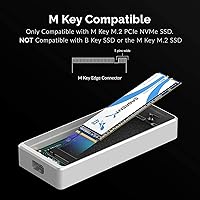
Support for 2280, 2260, and 2242 M-key NVMe drives covers the vast majority of consumer and prosumer SSDs on the market. Users appreciate not being locked into a single drive length, particularly those repurposing drives pulled from laptops or upgrading existing systems.
SATA-based M.2 drives are not supported, which catches some buyers off guard. The NVMe-only requirement is stated in the product details, but users accustomed to multi-protocol enclosures occasionally install a SATA M.2 drive and encounter non-recognition without immediately understanding why.
Power Delivery & Bus Powering
90%
Eliminating the external power supply is a genuine daily-use convenience that users consistently highlight. The enclosure draws cleanly from the TB3 connection without power-related disconnects or instability — a problem that plagues some bus-powered USB enclosures under sustained load.
On a small number of older TB3 host systems with weaker port power output, a few users reported intermittent stability issues under heavy sustained reads. This appears to be edge-case behavior tied to specific host hardware rather than a systemic flaw, but it is worth noting.

Suitable for:

The SABRENT EC-T3NS Thunderbolt 3 M.2 NVMe Enclosure is purpose-built for professionals who treat their storage hardware as a critical part of their workflow rather than an afterthought. Video editors shuttling multi-gigabyte project files between a studio workstation and a field laptop will feel the difference immediately — transfers that used to take minutes drop to seconds. Photographers batch-importing raw files from large shoots, developers running containerized environments off an external drive, and motion designers working directly from an external scratch disk all sit squarely in the ideal user profile. Mac users are a natural fit, given how consistently TB3 is implemented across MacBook Pro and Mac Studio hardware, though Windows users with a certified TB3 port get the same experience. If you have burned time troubleshooting random disconnects or mysteriously throttled speeds from cheaper uncertified enclosures, this TB3 enclosure exists precisely to solve that problem with a validated, protocol-compliant solution.
Not suitable for:

The SABRENT EC-T3NS Thunderbolt 3 M.2 NVMe Enclosure is the wrong purchase for anyone who has not first confirmed their computer has a genuine, Intel-certified Thunderbolt 3 port — not just a USB-C port that looks identical. This is the single most important thing to verify before buying, and it is responsible for a large share of frustrated returns. Users with USB 3.2 or USB4 ports but no TB3 will get nothing from this enclosure at all — it simply will not function. Casual home users who copy files occasionally and have no need for sustained high-speed transfers are also unlikely to extract enough value to justify the premium over a capable USB 3.2 alternative. If you plan to use a SATA-based M.2 drive rather than a true NVMe drive, this enclosure will not recognize it. And if budget is a primary concern and your workload is light, the Sabrent Thunderbolt enclosure is genuinely overkill.
Specifications

  • Interface: Uses Intel-certified Thunderbolt 3, guaranteeing full protocol compliance rather than simple physical connector compatibility.
  • Max Transfer Speed: Supports sustained transfer speeds of up to 1600 MB/s when paired with a compatible NVMe drive and a certified TB3 host port.
  • Drive Type: Compatible exclusively with M.2 NVMe SSDs using an M-key connector; SATA-based M.2 drives are not supported.
  • Form Factors: Accepts M.2 NVMe drives in 2280, 2260, and 2242 lengths, covering the most common consumer and prosumer SSD sizes.
  • Max Capacity: Supports NVMe drives up to 16TB, accommodating current and near-future high-capacity SSD options without restriction.
  • Dimensions: The enclosure measures 4″ long by 1.5″ wide by 0.58″ tall, making it genuinely pocket-sized for mobile professionals.
  • Weight: Weighs 4.7 ounces fully assembled without a drive, keeping it light enough for everyday bag carry.
  • Material: Constructed from solid aluminum, which provides structural rigidity while passively dissipating heat generated during sustained transfers.
  • Power Source: Bus-powered entirely through the Thunderbolt 3 connection; no external power supply or separate USB power cable is required.
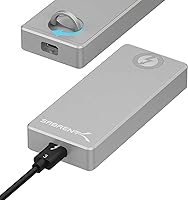
  • Cable Design: Ships with a detachable Thunderbolt 3 cable that can be swapped out for a different length or replaced independently if damaged.
  • Drive Installation: Uses a tool-free knob-release and pin-retention mechanism, allowing drive installation and removal without any screwdrivers or included hardware.
  • Color: Available in grey anodized aluminum finish.
  • Compatible Platforms: Works with Windows and macOS systems equipped with a genuine Thunderbolt 3 port; USB-C-only ports are not supported under any circumstance.
  • Model Number: The manufacturer model designation for this enclosure is EC-T3NS.
  • Certification: Carries official Intel Thunderbolt 3 certification, distinguishing it from enclosures that are merely marketed as TB3-compatible without validated compliance.

Related Reviews

dockteck DH0002 M.2 NVMe/SATA SSD Enclosure

84%
88%
Transfer Speed (NVMe)
76%
SATA Drive Performance
83%
Build Quality
93%
Ease of Setup
79%
Thermal Management
More
Cenmate 5-Bay Hybrid HDD/NVMe Enclosure

73%
83%
Build Quality
78%
Thermal Management
71%
Transfer Speed
69%
RAID Functionality
76%
Drive Compatibility
More
IO CREST SY-ENC50127 USB 3.2 Type-C Dual Bay HDD + M.2 NVMe External Enclosure
83%
88%
Performance
93%
Ease of Setup
91%
Build Quality
87%
Data Transfer Speed
90%
Cooling/Heat Management
More
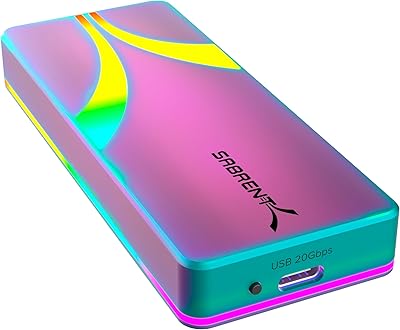
Sabrent Rocket RGB USB-C 20Gbps M.2 SATA/NVMe SSD Enclosure
85%
88%
Performance
94%
Ease of Setup
75%
Build Quality
85%
Heat Management
90%
Compatibility with M.2 SSDs
More
Cable Matters USB4 40Gbps M.2 NVMe Enclosure

80%
88%
Data Transfer Performance
83%
Build Quality & Materials
79%
Thermal Management & Cooling
91%
Portability & Form Factor
74%
Compatibility Range
More
ineo C2605-NVMe M.2 NVMe SSD Enclosure
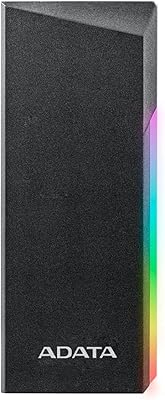
77%
88%
Write Protection Reliability
79%
Transfer Speed Performance
82%
Thermal Management
61%
Fan Noise Level
76%
Build Quality & Materials
More
ADATA EC700G 128GB M.2 USB 3.2 Type-C SSD Enclosure
87%
93%
Data Transfer Speed
89%
Ease of Installation
87%
Build Quality
85%
Thermal Performance
90%
Portability
More
Plugable M.2 NVMe SSD Enclosure
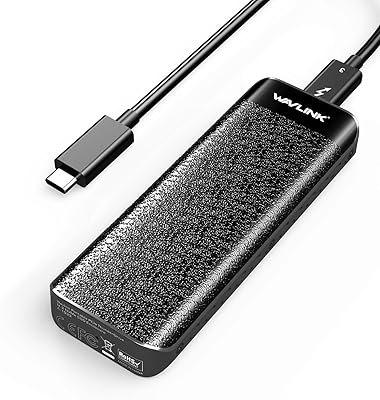
87%
94%
Ease of Setup
92%
Data Transfer Speed
88%
Build Quality
90%
Port Compatibility
87%
Cooling & Thermal Management
More
WAVLINK 40Gbps NVMe M.2 Enclosure 4TB
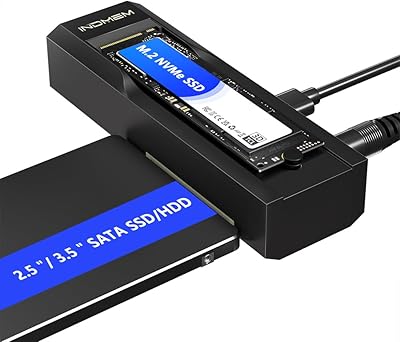
85%
93%
Data Transfer Speed
90%
Ease of Setup
88%
Build Quality & Durability
76%
Thermal Performance
82%
Compatibility
More
ORICO TCM2 M.2 NVMe SSD Enclosure
78%
83%
Transfer Speed
61%
Thermal Management
74%
Build Quality
91%
Ease of Installation
86%
Cable Bundle Quality
More

FAQ

Only if that USB-C port is also a certified Thunderbolt 3 port — they use the same physical connector, but they are not the same thing. Check your laptop specs or look for the small lightning bolt symbol printed next to the port. If your machine only has USB-C without TB3, this enclosure will not function at all.

Yes, and Mac users are arguably the most natural fit for this TB3 enclosure. Most MacBook Pro models from 2016 onward and Apple silicon Macs with Thunderbolt 3 ports work plug-and-play with no driver installation required. The drive simply appears on the desktop within seconds of connecting.

That depends on the drive type. If your old laptop had an NVMe M.2 SSD with an M-key connector, it will work. However, if the drive is a SATA-based M.2 — which is common in older or budget laptops — it will not be recognized. Check your drive specifications before assuming compatibility.

Yes. Thunderbolt 4 is backward compatible with Thunderbolt 3 devices, so it will work correctly in a TB4 port. You will not lose functionality, though you also will not gain anything beyond TB3 speeds since the enclosure is rated for TB3 performance.

On macOS, no drivers are needed — it is fully plug-and-play. On Windows, Thunderbolt 3 support may require approving the device through the Thunderbolt software the first time you connect, which is standard behavior for all TB3 peripherals on Windows. No third-party software installation is required beyond that.

It will get warm — that is by design. The aluminum body conducts heat away from the drive passively, so feeling warmth on the surface means it is working as intended. Under normal workloads it stays comfortable to touch. During very long sustained transfers in a warm room it can get noticeably hot, but thermal throttling is not commonly reported.

Yes, and this is one of the genuinely useful design decisions. The cable is fully detachable, so if it wears out or you simply want a longer one for your desk setup, you can swap it independently without replacing the enclosure. Any compatible Thunderbolt 3 cable will work as a replacement.

Generally very reliable. Users who swap drives frequently — rotating between project archives, testing multiple SSDs — report the knob-release and pin-retention system holding up well over time. The one caveat is that shorter 2242-length drives fit slightly less snugly than 2280 drives, so if you use that size you will want to take a little extra care during insertion.

For large sequential transfers, yes — the difference is substantial. Moving a 50GB video project that takes around two minutes over USB 3.2 Gen 2 can drop to under 40 seconds through this aluminum NVMe case at full TB3 speeds. For small file transfers or casual use, the gap is less dramatic, but for professional workloads it adds up quickly.

No, it draws all the power it needs from the Thunderbolt 3 connection itself. There is no separate power cable, no wall adapter, and no USB power splitter required. One cable does everything, which keeps your setup clean and makes it genuinely portable for field work.

Where to Buy