Overview

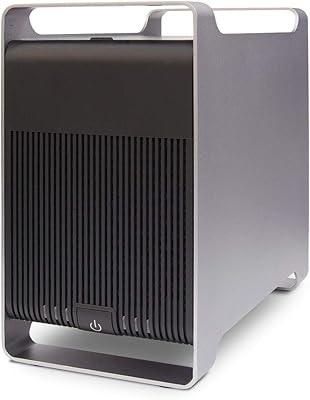
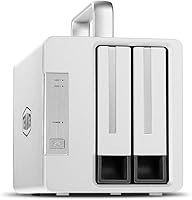
The TERRAMASTER TD2 Thunderbolt 3 2-Bay RAID Enclosure is built for creative professionals who need fast, dependable external storage without compromising desk space. Unlike the plastic USB enclosures that dominate the budget end of this market, this Thunderbolt enclosure is machined from aluminum alloy, giving it a solid, purposeful feel that suits a professional workstation. One important detail to flag upfront: it ships diskless, meaning you need to factor in the cost of your own SATA drives when budgeting. M1 Mac support was added in early 2021, so Apple silicon users are fully covered. That said, the 3.5-star average rating signals the experience is not universally smooth — something worth examining honestly before buying.
Features & Benefits

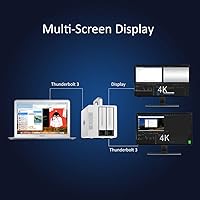
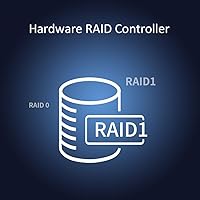
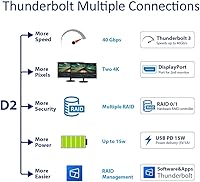
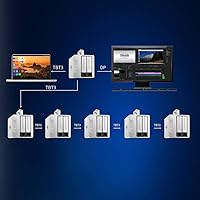
The TD2's headline spec is its dual Thunderbolt 3 ports, each running at 40Gbps, which lets you daisy-chain up to six devices — monitors, audio interfaces, other drives — off a single laptop port. The hardware RAID controller manages RAID 0, RAID 1, JBOD, and Single configurations independently of any software, meaning no driver conflicts and no OS-level performance overhead. In RAID 0 with two SSDs, read speeds reach around 810MB/s — fast enough to handle high-bitrate 4K timelines without dropped frames. The unit accepts both 2.5-inch and 3.5-inch SATA drives interchangeably, and a DisplayPort 1.4 output supports up to three monitors simultaneously. On compatible Macs, it also delivers 15W of charging power.

Best For

This two-bay RAID unit is most at home on a Mac-based video editing or photography workstation. If you are cutting 4K footage in Final Cut Pro or grading in DaVinci Resolve and need a fast scratch disk, RAID 0 across two SSDs delivers the throughput to keep playback smooth. Photographers managing large RAW libraries will appreciate RAID 1 mirroring for on-desk redundancy without purchasing a dedicated NAS. It also suits professionals who already own spare SATA drives and want a performant enclosure without buying proprietary modules. And if you are building a Thunderbolt peripheral chain — docks, displays, capture cards — the TD2 can sit comfortably mid-chain without disrupting other connected devices.

User Feedback

The TD2 carries a 3.5-star average, and that number reflects a genuinely split experience. Buyers running Mac-centric workflows tend to be satisfied, praising the solid build quality and real-world speed gains in RAID 0. Recurring complaints center on fan noise under sustained loads, and Windows users report occasional driver friction that Mac users rarely encounter. The 15W charging feature catches some Windows buyers off guard, since it is strictly Mac-exclusive — a limitation not prominently advertised. A notable share of reviewers also feel the enclosure-only price is harder to justify once drive costs are added. On the positive side, firmware updates have resolved several early compatibility issues, so checking for the latest version before first use is strongly recommended.

Pros

  • Hardware RAID controller operates independently of software, so there are no driver conflicts or OS overhead to worry about.
  • Read speeds in RAID 0 hit around 810MB/s with SSDs, making 4K and high-bitrate media workflows genuinely comfortable.
  • Accepts both 2.5-inch and 3.5-inch SATA drives, giving you real flexibility when sourcing storage.
  • Daisy-chaining up to six Thunderbolt devices off a single port keeps your desk cable-tidy and your ports free.
  • The aluminum alloy shell feels premium and dissipates heat better than plastic enclosures in the same category.
  • Built-in DisplayPort 1.4 output supports up to three monitors simultaneously — useful for editors who need screen real estate.
  • M1 and Apple silicon Macs are fully supported following a 2021 firmware update, so the unit stays relevant for modern Mac setups.
  • RAID 1 mirroring provides on-desk redundancy for photographers and archivists without a separate backup device.
  • Firmware updates from TerraMaster have addressed several early compatibility issues, showing ongoing product support.

Cons

  • The unit ships without drives, so the real cost of a working setup is noticeably higher than the enclosure price alone.
  • Fan noise under sustained workloads is a recurring complaint and may be distracting in quiet editing environments.
  • The 15W power delivery only works with compatible Mac laptops — Windows users get no charging benefit at all.
  • Windows driver compatibility has caused real headaches for a portion of buyers, particularly around initial setup.
  • With only two bays and no RAID 5 or RAID 10 support, the TD2 cannot scale for users with more complex storage needs.
  • The pricing feels harder to defend once you add the cost of two drives, especially for buyers who do not need Thunderbolt speeds.
  • No USB interface means this unit is completely useless if your computer lacks a Thunderbolt 3 port.
  • Some buyers found the documentation thin when troubleshooting cross-platform or firmware-related issues.

Ratings

The TERRAMASTER TD2 Thunderbolt 3 2-Bay RAID Enclosure earns a nuanced scorecard: our AI has processed verified buyer reviews from global markets, actively filtering out incentivized, bot-generated, and duplicate feedback to surface what real users actually experience. The scores below reflect both the genuine strengths that keep Mac-based creative professionals loyal to this unit and the recurring friction points that drag its overall satisfaction rating below where its hardware specifications suggest it should sit. Nothing has been smoothed over — if a pain point showed up consistently across verified purchases, it is scored accordingly.
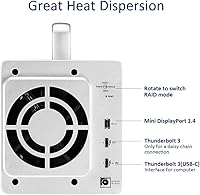
Read/Write Performance
83%
In RAID 0 with dual SSDs, sustained read speeds around 810MB/s translate directly into real editing comfort — 4K timelines scrub without hesitation and large RAW file batches move quickly. Mac users in particular report that the throughput feels consistent rather than bursty, which matters more for video work than peak benchmark numbers.
Write speeds top out around 520MB/s in optimal conditions, which lags behind what some competing NVMe-based enclosures can deliver. Users running especially demanding multi-stream or 8K workflows may find the write ceiling becomes a bottleneck faster than expected.
Build Quality
88%
The aluminum alloy shell draws consistent praise from buyers who have handled cheaper plastic USB enclosures — it feels dense and purposeful on a desk, and the machining quality is noticeably above average for this price tier. Several reviewers specifically noted that it runs cooler than expected during moderate workloads, which they attributed to the metal chassis acting as a passive heatsink.
A small number of buyers reported cosmetic finish inconsistencies out of the box, including minor scratches or uneven anodizing around the drive bay edges. At this price point, those details sting more than they would on a budget unit.
RAID Flexibility
81%
19%
Having a hardware RAID controller that operates independently of the host OS is a meaningful advantage — mode changes via the physical switch take effect without any software, which makes setup faster and removes a potential failure point. The inclusion of both RAID 0 and RAID 1 covers the two most practical use cases for a two-bay enclosure: speed and redundancy.
The TD2 tops out at RAID 0, RAID 1, JBOD, and Single — there is no RAID 5 or RAID 10, which limits options for users who want parity-based protection across just two drives. Buyers who outgrow these four modes have no upgrade path within this enclosure.
Mac Compatibility
86%
For MacBook Pro and Mac Studio users, the integration feels genuinely well-considered: Thunderbolt 3 handshake is reliable, the DisplayPort output works cleanly for multi-monitor setups, and the 15W charging keeps a MacBook topped up without an extra cable. Apple silicon support arrived via firmware in 2021 and has been solid since.
Early M1 adopters who purchased before the March 2021 firmware update had a rough experience, and some buyers were unaware an update was even needed. The firmware update process itself is not prominently signposted in the box, which caused unnecessary confusion.
Windows Compatibility
53%
47%
The TD2 does function as a storage enclosure on Windows — RAID modes work, and Thunderbolt 3 connectivity operates at full bandwidth on compatible Windows machines with proper Thunderbolt certification. Users who primarily need fast SATA RAID storage on a Windows Thunderbolt-equipped workstation can make it work.
Power delivery is completely non-functional on Windows, which surprises buyers who did not read the fine print. Driver setup has caused genuine friction for a recurring segment of Windows reviewers, and TerraMaster's Windows-side documentation is noticeably thinner than its Mac equivalent.
Noise Level
58%
42%
At idle or during light file browsing, the 80mm fan is quiet enough that most users will not notice it in a typical home office environment. The fan size does mean it can move air at lower RPMs than smaller fans, which helps keep noise down under moderate loads.
Under sustained writes or extended transfers — exactly the scenario a video editor or backup workflow creates — the fan audibly ramps up and becomes a consistent background presence. Several buyers in quiet studio environments flagged this as more disruptive than anticipated, and there is no fan speed control available to the user.
Daisy-Chain Capability
84%
The ability to chain up to six Thunderbolt peripherals from a single laptop port is a practical benefit for editors who run a display, audio interface, and multiple drives simultaneously. The TD2 can sit anywhere in that chain without degrading bandwidth for downstream devices in typical mixed-use setups.
Daisy-chain performance depends heavily on the capabilities of every device in the chain — if any peripheral in the sequence is not Thunderbolt 3 certified, the chain can behave unpredictably. A handful of buyers encountered instability that traced back to mixing Thunderbolt and non-Thunderbolt devices downstream.
Drive Compatibility
79%
21%
Accepting both 2.5-inch and 3.5-inch SATA drives in the same bay without adapters is a genuine convenience, especially for professionals who have a mix of old HDDs and newer SSDs sitting unused. Most standard SATA drives installed without any fit or recognition issues.
NVMe M.2 drives are entirely unsupported, which is increasingly relevant as more professionals standardize on NVMe for performance storage. Buyers who assumed SATA and NVMe support would both be present were disappointed, and the product listing does not make the SATA-only limitation prominent enough.
Multi-Monitor Support
76%
24%
The integrated DisplayPort 1.4 output means one Thunderbolt cable from the laptop can feed both storage and an additional display, reducing port usage on machines where ports are scarce. Editors who run a color-accurate secondary monitor off this port report clean, stable output.
Three-monitor support technically requires specific host and display configurations that not all buyers will have, and some users found the DisplayPort output unreliable when connected to certain third-party monitors. It works cleanly in ideal conditions but adds a variable that requires testing.
Setup Experience
64%
36%
For Mac users who already understand Thunderbolt peripherals, initial setup is reasonably straightforward — plug in, set your RAID mode with the physical switch, and format the drives. Hardware RAID means there is no software installation step, which removes a common friction point.
Windows users and first-time RAID enclosure buyers often struggled, particularly around firmware updates and RAID initialization. The included documentation does not walk through the firmware check process, which has led to unnecessary support requests and negative reviews that would have been avoided with clearer onboarding.
Value for Money
61%
39%
If you are a Mac-based professional who fully exploits the Thunderbolt daisy-chaining, DisplayPort output, hardware RAID, and charging features simultaneously, the enclosure-only price is defensible relative to the feature set on offer. Buyers who already own SATA drives get closer to feeling the value equation work in their favor.
Once you add the cost of two quality SATA SSDs, the total outlay is substantial — and that sting is amplified for buyers who end up not using power delivery or multi-monitor output. Windows users who get fewer functional features for the same price feel this most acutely.
Thermal Management
73%
27%
The combination of the aluminum shell and the 80mm active fan keeps drive temperatures in an acceptable range during extended workloads, and there are no widespread reports of thermal throttling or drive damage attributable to the enclosure's cooling design.
The active cooling comes at the cost of fan noise as noted elsewhere, and the thermal performance advantage over passively cooled premium enclosures is less clear-cut during shorter, intermittent workloads where the fan noise becomes the main trade-off without a proportional thermal benefit.
Firmware & Long-Term Support
69%
31%
TerraMaster has demonstrably updated the TD2 firmware to address real compatibility issues — M1 Mac support being the clearest example — which signals that the company does not abandon products after launch. Buyers who stay current on firmware tend to have a noticeably better experience than those running factory versions.
Finding and applying firmware updates requires proactive effort from the buyer; there is no in-app notification or automated update mechanism. The gap between buyers who knew to check for firmware and those who did not is wide enough to account for a meaningful portion of the negative reviews this unit has accumulated.

Suitable for:

The TERRAMASTER TD2 Thunderbolt 3 2-Bay RAID Enclosure was clearly designed with Mac-based creative professionals in mind, and that is exactly who will get the most out of it. Video editors cutting 4K or multi-stream footage will appreciate the 810MB/s read speeds available in RAID 0, which is fast enough to handle demanding timelines without reaching for an internal drive. MacBook Pro and Mac Studio users who want to consolidate storage and displays through a single Thunderbolt chain will find the daisy-chaining capability and built-in DisplayPort output genuinely useful. Photographers with large RAW libraries can use RAID 1 to keep a live mirror of their work without buying a separate backup device. If you already own spare SATA drives — either 2.5-inch or 3.5-inch — this enclosure lets you put them to work in a high-performance setup without purchasing proprietary or brand-specific modules.
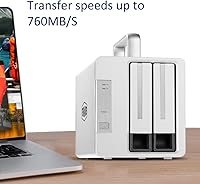
Not suitable for:

Windows-first users should approach this Thunderbolt enclosure with realistic expectations, since several features — most notably the 15W laptop charging — are Mac-exclusive, and driver compatibility on Windows has caused friction for a meaningful number of buyers. Anyone on a tight budget should also do the full math before purchasing: the unit ships diskless, so the actual cost of a working setup includes the price of two SATA drives on top of the enclosure itself. Users who need more than two bays, or who require RAID 5 or RAID 10 for parity-based protection, will need to look at larger units in TerraMaster's own lineup. Buyers expecting plug-and-play simplicity across all platforms may be frustrated — getting the best results often requires checking for firmware updates and understanding platform-specific limitations upfront. If your workflow is built around USB-C rather than Thunderbolt, the premium price of the TD2 is hard to justify, since you would not be using the interface that defines its performance advantage.

Specifications

  • Drive Bays: The enclosure holds two drives simultaneously, accepting either 2.5-inch or 3.5-inch SATA HDDs or SSDs interchangeably across both bays.
  • Interface: Two Thunderbolt 3 ports operate at 40Gbps each, enabling both host connection and downstream daisy-chaining from the same unit.
  • DisplayPort: A single DisplayPort 1.4 output allows connection of an additional monitor, supporting multi-display configurations of up to three screens when combined with the host system.
  • RAID Modes: The hardware RAID controller supports four modes: RAID 0 for speed, RAID 1 for mirroring, JBOD for independent drive access, and Single for one-drive operation.
  • Read Speed: Maximum sequential read speed reaches approximately 810MB/s when two SSDs are installed and configured in RAID 0 on Windows OS.
  • Write Speed: Maximum sequential write speed in RAID 0 with dual SSDs is approximately 520MB/s under equivalent test conditions.
  • Max Capacity: The unit supports up to 40TB of total raw storage when two 20TB SATA drives are installed in RAID 0 or JBOD mode.
  • Power Delivery: The TD2 provides up to 15W of pass-through power delivery to charge compatible Mac laptops only; this feature is not supported on Windows machines.
  • Daisy-Chain: Up to six Thunderbolt devices can be connected in a single chain, with the TD2 able to function as any node within that chain.
  • Cooling: An 80mm internal fan provides active cooling to manage drive and controller thermals during extended or intensive read/write operations.
  • Shell Material: The outer enclosure is constructed from aluminum alloy, which aids passive heat dissipation and provides a more durable chassis than typical plastic alternatives.
  • Dimensions: The unit measures 8.94 inches long by 5.24 inches wide by 4.79 inches tall, making it compact enough for most desktop workstation setups.
  • Weight: The enclosure weighs 3.09 pounds without drives installed, which is typical for an aluminum two-bay unit of this class.
  • Platform Support: The TD2 is compatible with Mac, Windows, and Linux operating systems, though certain features such as power delivery are restricted to macOS environments.
  • M1 Mac Support: Full compatibility with Apple M1 and subsequent Apple silicon Macs was added via a firmware update released in March 2021.
  • Drive Type: No drives are included in the box; the unit is sold as a diskless enclosure, requiring the buyer to source and install their own SATA storage.
  • USB Interface: The TD2 has no USB host port, meaning it can only be connected to a host system via Thunderbolt 3 — there is no USB fallback interface.
  • SATA Standard: Both drive bays use SATA 6Gbps interfaces internally, which is compatible with all current 2.5-inch and 3.5-inch SATA drives on the market.

Related Reviews

TerraMaster D4-320
TerraMaster D4-320
80%
93%
Ease of Setup
86%
Transfer Speed
71%
Build Quality
88%
Noise Level
82%
Thermal Management
More
Syba SY-ENC50122 5-Bay RAID Enclosure

71%
83%
Build Quality
78%
RAID Functionality
86%
Drive Compatibility
71%
USB 3.0 Performance
54%
eSATA Usability
More
IO CREST SY-ENC50127 USB 3.2 Type-C Dual Bay HDD + M.2 NVMe External Enclosure
83%
88%
Performance
93%
Ease of Setup
91%
Build Quality
87%
Data Transfer Speed
90%
Cooling/Heat Management
More
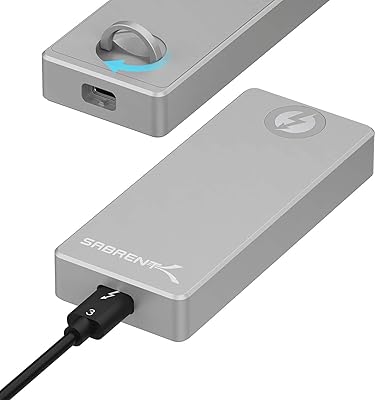
SABRENT EC-T3NS Thunderbolt 3 M.2 NVMe Enclosure
84%
93%
Transfer Speed Performance
91%
Build Quality & Materials
94%
Thunderbolt 3 Certification Reliability
58%
Port & System Compatibility
88%
Tool-Free Drive Installation
More
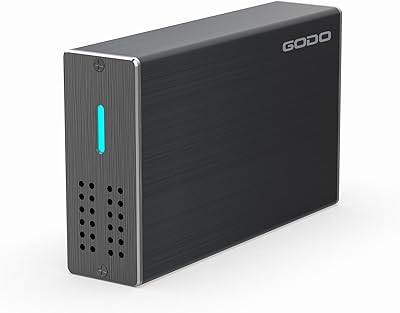
GODO 2.5″ Dual Bay RAID Enclosure

75%
88%
Value for Money
91%
Ease of Setup
83%
Build Quality
79%
Thermal Management
67%
Transfer Performance
More
Vantec NexStar JX 3.5″ HDD Enclosure
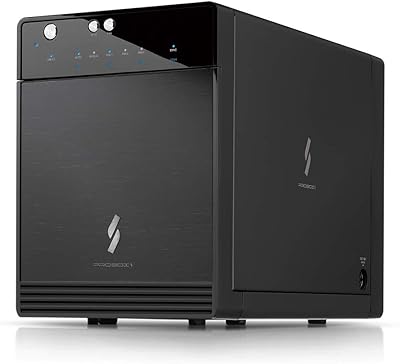
76%
93%
Ease of Setup
78%
Transfer Speed — USB
86%
Transfer Speed — eSATA
74%
Thermal Management
67%
Build Quality
More
Mediasonic HF7-SU31C 4-Bay Hard Drive Enclosure

77%
88%
Ease of Setup
74%
Transfer Speed
82%
Build Quality
71%
Thermal Management
61%
Fan Noise
More
dockteck DH0002 M.2 NVMe/SATA SSD Enclosure
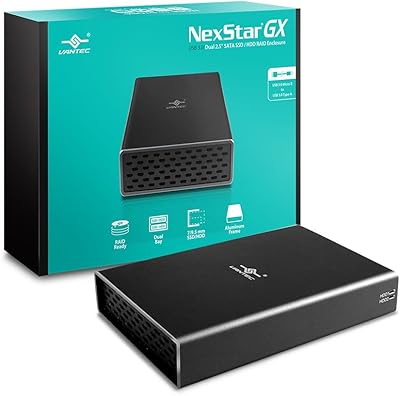
84%
88%
Transfer Speed (NVMe)
76%
SATA Drive Performance
83%
Build Quality
93%
Ease of Setup
79%
Thermal Management
More
OWC Mercury Elite Pro Dual 24TB Enclosure
81%
91%
Transfer Speed
88%
Build Quality
93%
RAID Configuration
84%
Thermal Management
67%
Fan Noise
More
Vantec Nexstar GX Dual 2.5″ RAID Enclosure
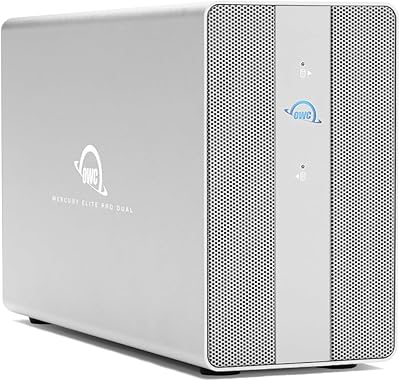
74%
86%
Build Quality
83%
RAID Functionality
79%
Transfer Performance
61%
Drive Compatibility
67%
Thermal Management
More

FAQ

No, the TD2 ships without any storage drives. You need to purchase your own 2.5-inch or 3.5-inch SATA HDDs or SSDs separately, so factor that into your total budget before buying.

Yes, Apple silicon Macs are fully supported. TerraMaster pushed a firmware update in March 2021 that resolved compatibility with M1 machines, and subsequent Apple silicon chips have worked without issue. Just make sure your firmware is current before first use.

It will function as a storage enclosure on Windows, but the experience is not identical to Mac. Power delivery does not work on Windows at all, and some buyers have reported driver friction during initial setup. If your workflow is Windows-only, it is worth reading recent reviews to gauge current driver stability before committing.

RAID 0 is the right choice if raw speed is your priority — it stripes data across both drives to maximize read and write throughput, which is ideal for 4K editing scratch storage. Just keep in mind that RAID 0 offers no redundancy, so a drive failure means losing all data on both drives. Many editors use RAID 0 for active project storage and back up completed work elsewhere.

The RAID controller is hardware-based, so configuration is done directly on the unit itself — no software installation required. You switch RAID modes using the physical switch on the enclosure. This also means the RAID mode is independent of your operating system, which is a genuine advantage for reliability.

At idle or under light loads, the fan is barely noticeable. Under sustained heavy reads or writes — long video exports, large file transfers — the fan spins up audibly. Several buyers have flagged this as a drawback, particularly in quiet studio or home office environments. It is not unusually loud for an active-cooled enclosure, but it is worth knowing if you are sensitive to ambient noise.

Yes, that is one of the more practical features of this two-bay RAID unit. The second Thunderbolt 3 port can connect another device downstream — whether that is a display, another drive, a dock, or an audio interface — without any additional adapters. You can chain up to six Thunderbolt devices total off a single host port.

With two 20TB SATA drives installed in either RAID 0 or JBOD mode, you can reach 40TB of total addressable storage. RAID 1 would halve the usable capacity to 20TB, since both drives mirror each other.

No, it does not. Both bays use SATA interfaces only, so NVMe M.2 drives are not compatible. If you are hoping to use NVMe SSDs for maximum performance, you would need to look at a different enclosure category entirely.

You can check and download the latest firmware from TerraMaster's official support website by searching for your model number. Firmware updates have resolved several early compatibility issues — particularly around Mac support and RAID initialization — so running outdated firmware can cause problems that simply do not exist on current versions. It takes only a few minutes and is strongly recommended before your first setup.