Overview

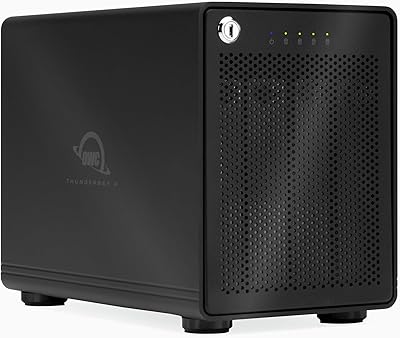
The OWC ThunderBay 4 0TB Thunderbolt 3 RAID Enclosure is a four-bay storage chassis built for professionals who need serious throughput without compromising on flexibility. It ships completely drive-free, which means you bring your own 3.5″ or 2.5″ drives and configure the array exactly the way your workflow demands. The aluminum body feels substantial — this is not a plastic enclosure you will be nervous about stacking gear on. Dual Thunderbolt 3 ports let you fold it into a larger daisy chain without losing bandwidth. Bundled in the box is a three-year SoftRAID Premium subscription, which adds real monitoring and management muscle that most bare enclosures simply do not include.

Features & Benefits

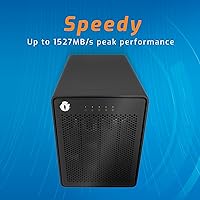
Where the ThunderBay 4 earns its place in a working studio is raw speed. With both Thunderbolt 3 ports running at 40Gb/s, you can push sustained reads close to 1527 MB/s — fast enough to handle multi-stream 4K or even 8K footage without dropping frames. The enclosure accepts 3.5″ and 2.5″ drives with no adapter fiddling, so you can mix drive types or swap in whatever you already own. RAID configuration is handled through SoftRAID Premium, giving you genuine control over modes like RAID 5 for redundancy or RAID 0 for maximum speed. The aluminum chassis also doubles as a heatsink, keeping temperatures reasonable during long encode sessions.

Best For

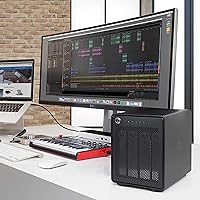
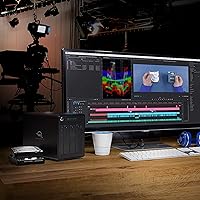
This four-bay storage solution is an obvious fit for video editors and photographers who live inside demanding applications all day. If you are running a Mac Pro or MacBook Pro and already have a Thunderbolt daisy chain going, it slots right in without disrupting the rest of your setup. Small studios that want RAID redundancy but do not want the complexity of a full NAS will also find it practical. The drive-free model makes the most sense for buyers who already have unused drives on hand or want to invest in specific high-speed SSDs. It is less ideal for anyone expecting a plug-and-play solution straight out of the box.

User Feedback

Owners of the ThunderBay 4 consistently praise the build quality and confirm that real-world speeds hold up close to advertised figures — a claim that does not always survive contact with actual hardware. SoftRAID gets called out specifically as genuinely useful software, not just a bundled afterthought. That said, some users report that fan noise picks up noticeably during sustained heavy workloads, which can be distracting in a quiet edit suite. Drive installation earns good marks for being straightforward, and OWC support draws positive mentions when issues arise. The sticking point some buyers flag is the SoftRAID renewal cost after the three-year period ends, which is worth factoring into your total budget upfront.

Pros

  • Real-world transfer speeds hold close to the advertised 1527 MB/s ceiling with the right drives installed.
  • Accepts both 3.5″ and 2.5″ drives in the same bays without any adapters or extra hardware.
  • SoftRAID Premium is a genuinely useful software bundle, not a token inclusion — drive health alerts alone are worth it.
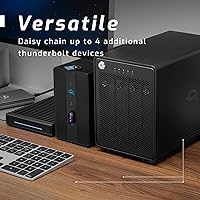
  • Dual Thunderbolt 3 ports let you daisy-chain without losing bandwidth to the rest of your peripherals.
  • The aluminum build is dense, stable, and noticeably more durable than plastic enclosures at lower price points.
  • Five RAID modes give technically confident users real flexibility to prioritize speed, redundancy, or a balance of both.
  • OWC customer support is frequently praised for technical depth, especially around RAID troubleshooting scenarios.
  • Drive installation is tool-free and straightforward, with trays that hold up well through multiple swaps over time.
  • Cross-platform support means Mac and Windows users in the same studio can share the same hardware solution.
  • Buying drive-free lets you spec exactly the drives your workflow needs rather than accepting whatever comes pre-installed.

Cons

  • The three-year SoftRAID subscription eventually expires, and renewal costs are not always clearly disclosed at purchase.
  • Fan noise increases noticeably under heavy sustained workloads, which can be disruptive in quiet recording or edit environments.
  • Total cost climbs steeply once you factor in purchasing four quality drives on top of the enclosure price.
  • SoftRAID for Windows lags behind the macOS version in polish and has seen occasional post-update compatibility issues.
  • Some 2.5″ SSDs seat with slight looseness in trays optimized for larger drives, requiring a secondary connection check.
  • At nearly nine pounds, repositioning it on a desk or transporting it is more effort than most buyers anticipate.
  • Windows users with non-Apple Thunderbolt 3 controllers occasionally hit daisy-chain compatibility issues that require driver updates.
  • There is no hardware RAID fallback if the SoftRAID subscription lapses, creating a software dependency some buyers find uncomfortable.
  • A single Thunderbolt cable is included, so connecting a second downstream device requires an additional cable purchase.
  • Users without prior RAID experience face a steeper learning curve than the straightforward physical setup might suggest.

Ratings

The OWC ThunderBay 4 0TB Thunderbolt 3 RAID Enclosure has been evaluated using AI-assisted analysis of verified global buyer reviews, with spam, bot-generated, and incentivized feedback actively filtered out before scoring. Ratings reflect the full spectrum of real ownership experiences — from the aspects that consistently impress working professionals to the friction points that occasionally frustrate buyers. Both strengths and genuine pain points are represented transparently in every category below.
Build Quality
92%
The aluminum chassis draws consistent praise from users who have placed it in demanding studio environments alongside other professional gear. It feels dense and stable on a desk, and multiple reviewers noted it showed no signs of flex or vibration even during sustained read and write sessions across all four bays.
A handful of users found the enclosure heavier than expected at 8.6 pounds, which can be a minor inconvenience if you need to reposition it frequently. A few also noted that the finish shows fingerprints and light scratches more readily than expected for a premium-priced unit.
Sustained Transfer Speed
89%
Real-world benchmarks from users closely match the advertised ceiling, which is not always the case with storage enclosures at this tier. Video editors running multi-stream 4K timelines in DaVinci Resolve reported smooth playback without dropped frames when the array was configured in RAID 0.
Top-end speeds are only achievable with fast NVMe or high-RPM drives installed — a detail some buyers discovered after purchase. Users who installed budget HDDs were disappointed to find the enclosure was not the bottleneck they expected it to be, but their drives were.
SoftRAID Premium Value
86%
SoftRAID is repeatedly described as a standout inclusion, with users appreciating the health monitoring dashboard that surfaces drive warnings before failures happen. The ability to configure RAID 5 with visual feedback and email alerts gives small studios a level of oversight usually reserved for enterprise setups.
The three-year subscription model creates a recurring cost that catches some buyers off guard after the initial period expires. A few users reported frustration when they found the renewal pricing was not clearly disclosed at the point of purchase, leaving them deciding whether to pay up or lose advanced features.
Drive Compatibility & Installation
88%
The tool-free tray system handles both 3.5″ and 2.5″ drives without any adapter shuffling, which users in mixed-drive environments genuinely appreciate. Several reviewers swapped drives across multiple sessions and found the trays held up mechanically without loosening over time.
A small number of users reported that certain 2.5″ SSDs seated slightly loosely in the trays designed for larger drives, occasionally requiring a second check to confirm full connection. It is a minor issue, but notable when you are relying on the array for critical production data.
Thunderbolt Daisy-Chain Performance
84%
Users who integrated the ThunderBay 4 into an existing Thunderbolt chain — alongside displays and other peripherals — reported that bandwidth held steady without the degradation sometimes seen in lower-quality enclosures. The dual port layout makes chain configuration intuitive for anyone already familiar with Thunderbolt topology.
Windows users occasionally flagged compatibility quirks when daisy-chaining with non-Apple Thunderbolt 3 controllers, requiring driver updates or specific cable standards to maintain full throughput. Mac users encountered far fewer issues in this area.
Fan Noise
63%
37%
During light workloads — backup jobs running overnight or archival reads at moderate speeds — most users found the fan noise acceptable and easy to ignore in a standard office or studio setting.
Under heavy, sustained workloads like long renders or large file migrations, the fan ramps up noticeably. Several users in quiet edit suites specifically called out the noise as distracting, and a few described it as louder than competing enclosures at a similar price point.
RAID Configuration Flexibility
87%
Having five RAID modes available — including RAID 4 and 1+0 alongside the standard options — gives technically confident users meaningful choices based on their actual redundancy and speed priorities. Switching modes through SoftRAID is described as approachable even by users who were new to RAID management.
Users without prior RAID experience noted a steeper learning curve than expected, particularly around understanding the trade-offs between RAID 5 and RAID 1+0. The enclosure itself offers no hardware RAID fallback if the SoftRAID subscription lapses, which adds a layer of software dependency some buyers are uncomfortable with.
Thermal Management
78%
22%
The aluminum body conducts heat away from drives passively during typical workloads, and internal temperatures reported by SoftRAID stayed within safe operating ranges for the majority of users across extended sessions.
In warm ambient environments or enclosed rack spaces, a few users saw drive temperatures creep higher than comfortable levels during intensive operations. Active cooling via the fan helps, but the tradeoff is the noise issue noted elsewhere.
Platform Compatibility
81%
19%
Mac compatibility is essentially plug-and-play, and users running macOS Ventura and Sonoma reported no configuration headaches. Windows compatibility is legitimate and functional, making this genuinely cross-platform for studios running mixed operating systems.
SoftRAID for Windows, while capable, is widely considered less polished than its macOS counterpart, and a small number of Windows users reported occasional software instability during array initialization. OWC is clearly more Mac-native in its software development priorities.
Value for Money
71%
29%
For professionals who plan to populate all four bays with high-performance drives and actually use the RAID monitoring tools, the bundled SoftRAID subscription meaningfully offsets the enclosure cost compared to buying hardware and software separately.
The drive-free configuration means the sticker price is only the beginning of the investment. Buyers who factored in four quality SSDs found the total cost climbing steeply, and at that combined figure, some questioned whether a well-spec'd NAS with drives included would have been a more economical path.
OWC Customer Support
79%
21%
Multiple users specifically praised OWC support staff for being knowledgeable and responsive, especially around RAID troubleshooting scenarios that require real technical depth to resolve. Phone and email support experiences were generally described as better than industry average.
Response times during peak periods drew some criticism, with a handful of users waiting longer than expected for follow-up on hardware warranty claims. A few international buyers also noted that support options were more limited outside North America.
Cable & Accessory Inclusion
68%
32%
The enclosure ships with the essentials needed to get started, and users appreciated that a Thunderbolt 3 cable was included rather than left as an additional purchase, which is not universal at this price tier.
Only one cable is included, so daisy-chaining to a second device immediately requires buying an additional Thunderbolt 3 cable — a cost that adds up given how expensive certified Thunderbolt cables remain. Some users felt this should have been communicated more clearly upfront.
Desk Footprint & Placement
74%
26%
The vertical orientation keeps the footprint manageable on a crowded production desk, and the overall proportions are well-suited to sitting alongside a monitor stand or under a desk shelf without blocking airflow.
At 13.1 x 10.3 x 8.5 inches and nearly nine pounds, it is not a unit you will casually reposition or travel with. Users who expected something closer in size to a compact desktop drive were surprised by the physical presence it demands.
Long-Term Reliability
82%
18%
Users who have owned the ThunderBay 4 for two or more years generally reported consistent performance with no enclosure-side failures, which builds confidence in OWC's manufacturing standards for professional-grade hardware.
Long-term reliability of the SoftRAID software layer introduces some uncertainty, particularly as operating systems update and subscription renewals come due. A couple of users reported that major macOS updates temporarily broke SoftRAID compatibility until a patch was released.

Suitable for:

The OWC ThunderBay 4 0TB Thunderbolt 3 RAID Enclosure was clearly designed with working creative professionals in mind, and it shows in nearly every decision OWC made. Video editors cutting multi-stream 4K or 8K footage will appreciate having a fast, configurable RAID array that slots cleanly into an existing Thunderbolt chain alongside a monitor or audio interface without any bandwidth penalty. Photographers managing large raw libraries who want the peace of mind of RAID 1 or RAID 5 redundancy — without the complexity of a full network-attached storage device — will find the ThunderBay 4 hits a practical sweet spot. It is especially well-matched to Mac Pro and MacBook Pro users who have already built out a Thunderbolt desk setup and need expandable storage that keeps pace with their host machine. Small production studios on a tight footprint budget, where a rackmount NAS would be overkill, will also find this four-bay solution covers their bases at a more manageable scale. Buyers who already have quality drives sitting unused will get the most out of the drive-free model, since they can populate the bays immediately without additional spend.

Not suitable for:

The OWC ThunderBay 4 0TB Thunderbolt 3 RAID Enclosure is not the right answer for every storage problem, and being honest about that matters. The drive-free configuration means the price tag is only the starting point — buyers need to budget for up to four drives on top of the enclosure cost, which can push total spending significantly higher than a pre-populated alternative. Anyone expecting a plug-and-play experience with zero learning curve will likely feel frustrated, particularly around RAID setup and understanding what each configuration mode actually means for their data safety. Users who work in quiet environments — voice-over booths, podcast studios, or small one-person edit suites — should factor in that the cooling fan audibly ramps up under sustained loads, which some find genuinely distracting. Windows users who rely heavily on the SoftRAID software should be aware that the macOS version is more mature and better supported, and occasional compatibility hiccups after major OS updates have been documented. Finally, anyone on a tight budget who does not actually need Thunderbolt speeds or RAID redundancy would be overpaying for capabilities they will never fully use — a simpler USB enclosure would serve those users far better.

Specifications

  • Interface: Connects via Thunderbolt 3 at 40Gb/s, with two full-bandwidth ports for daisy-chaining additional Thunderbolt devices.
  • Drive Bays: Houses up to four independent drives simultaneously, supporting both 3.5″ and 2.5″ form factors without requiring any adapter brackets.
  • Max Read Speed: Delivers sustained sequential read performance up to 1527 MB/s when configured in RAID 0 with fast NVMe or SSD drives installed.
  • RAID Modes: Supports user-configurable RAID 0, 1, 4, 5, and 1+0 (also known as RAID 10), manageable entirely through the included SoftRAID Premium software.
  • Included Software: Ships with a three-year subscription to SoftRAID Premium, an enterprise-grade macOS and Windows application for creating, monitoring, and managing RAID arrays.
  • Platform Support: Compatible with any Mac or Windows PC equipped with a Thunderbolt 3 (USB-C) port, including Mac Pro, MacBook Pro, and select Thunderbolt-enabled Windows laptops and desktops.
  • Chassis Material: Constructed from solid aluminum, which provides structural rigidity, passive heat dissipation, and a professional-grade finish suited to studio environments.
  • Dimensions: Measures 13.1 x 10.3 x 8.5 inches, making it a mid-sized desktop unit that fits under a monitor stand or on a sturdy desk shelf.
  • Weight: Weighs 8.6 pounds without drives installed, reflecting the density of the aluminum build and internal hardware mounting framework.
  • Drive Configuration: Ships in a 0TB (drive-free) configuration, requiring the buyer to source and install their own 3.5″ or 2.5″ HDDs or SSDs separately.
  • Daisy-Chain Support: The dual Thunderbolt 3 port layout allows the enclosure to sit anywhere in a daisy chain of up to six Thunderbolt devices without bandwidth degradation.
  • Cooling System: Uses a combination of the aluminum chassis for passive thermal management and an internal active fan that increases speed under sustained high-throughput workloads.
  • Power: Powered via an included AC adapter; no bus-powered operation is supported given the power requirements of up to four full-size drives.
  • Manufacturer: Designed and sold by Other World Computing (OWC), a US-based company specializing in Mac-compatible storage, memory, and peripheral solutions since 1988.
  • Model Number: Carries the official OWC model number OWCTB3SRKIT0GB, which identifies the drive-free Thunderbolt 3 variant with SoftRAID Premium included.
  • UPC: Registered under UPC code 812437029666 for retail and logistics identification purposes.
  • Warranty: OWC covers the enclosure hardware with a limited warranty; buyers should confirm the current term directly with OWC as coverage periods can vary by region and registration.
  • Cable Inclusion: Includes one Thunderbolt 3 cable in the box; a second cable must be purchased separately if daisy-chaining to an additional downstream Thunderbolt device.
  • SoftRAID Renewal: After the three-year SoftRAID Premium subscription expires, continued access to advanced monitoring and management features requires a paid renewal from SoftRAID directly.
  • Availability Date: This enclosure model was first made available for purchase on February 6, 2018, and remains an active, non-discontinued product as of the latest manufacturer records.

Related Reviews
OWC ThunderBay 4 with Thunderbolt 3, 16TB
86%
92%
Performance
89%
Build Quality
95%
Speed/Transfer Rate
88%
Reliability
74%
Ease of Setup
More
OWC 24TB Mercury Elite Pro Dual USB-C/Thunderbolt 3 External RAID Storage Enclosure
85%
94%
Performance
88%
Ease of Setup
91%
Speed/Transfer Rate
89%
Build Quality & Durability
80%
Noise Levels
More
OWC 8TB SSD Mercury Elite Pro Dual USB-C/Thunderbolt 3 External RAID Storage Enclosure
85%
94%
Performance Speed
91%
Build Quality
78%
Ease of Setup
88%
Connectivity Options
85%
RAID Versatility
More
TERRAMASTER TD2 Thunderbolt 3 2-Bay RAID Enclosure
86%
91%
Performance
95%
Data Transfer Speed
88%
RAID Configuration Flexibility
89%
Build Quality
65%
Noise Level
More
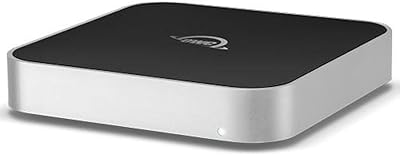
OWC miniStack 4.0TB HDD USB 3.2 Storage Solution
88%
91%
Build Quality
84%
Performance & Speed
88%
Ease of Use & Setup
93%
Noise Level
90%
Compatibility with Mac Mini
More
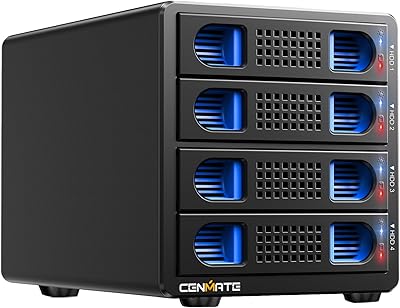
Cenmate 4-Bay RAID Enclosure 80TB
73%
83%
Build Quality
78%
RAID Functionality
71%
Cooling & Thermal Management
47%
Mac Compatibility
89%
Windows Compatibility
More
OWC 8TB ThunderBay RAID 5 External Storage Solution
84%
89%
Performance
91%
Reliability
85%
Ease of Setup
93%
Speed/Transfer Rate
88%
Build Quality
More
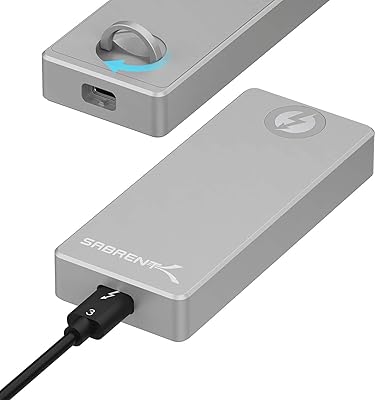
OWC Envoy Ultra 2TB Thunderbolt 5 Portable SSD
85%
94%
Transfer Speed
91%
Build Quality
78%
Thermal Management
88%
Portability & Form Factor
86%
Compatibility
More
OWC 4TB Envoy Ultra Thunderbolt 5 Portable SSD Enclosure
87%
94%
Performance & Speed
90%
Build Quality & Durability
88%
Ease of Use & Setup
91%
Compatibility & Connectivity
86%
Portability & Size
More
G-Technology 36TB G-RAID with Thunderbolt 3, USB-C
85%
91%
Data Transfer Speed
94%
Build Quality
88%
RAID Configuration Flexibility
86%
Ease of Setup
93%
Connectivity
More

FAQ

Yes, you need to buy drives separately. The ThunderBay 4 ships completely empty, which is actually a selling point for buyers who want to choose their own SSDs or HDDs. Just make sure you budget for up to four drives on top of the enclosure cost, since that total can add up quickly depending on what you install.

It works with Windows as well, provided your PC has a Thunderbolt 3 port. SoftRAID Premium runs on both platforms, though the macOS version is generally considered more polished and has a longer track record. Windows users should make sure their Thunderbolt controller drivers are current to avoid daisy-chain compatibility issues.

Your data stays intact — the drives and the array do not disappear when the subscription lapses. What you lose is access to the advanced monitoring features, health alerts, and the ability to make configuration changes through SoftRAID Premium. You can renew the subscription through SoftRAID directly, or use the enclosure in a more basic capacity, but losing those health alerts is a real trade-off for anyone relying on this for critical data.

At idle or light workloads it is quiet enough to ignore, but the cooling fan does ramp up audibly during sustained heavy transfers or long encode sessions. If you are working in a voice-over booth or a particularly quiet studio, that noise has drawn complaints from some users. For a standard open-plan office or larger edit suite, most people find it tolerable.

Physically, yes — it accepts both 3.5″ and 2.5″ drives in the same unit without adapters. However, mixing different capacity drives in a single RAID array is generally not recommended, since the array will be limited to the capacity of the smallest drive across all bays. For best results, most users populate with matched drives when building a RAID volume.

Thunderbolt supports up to six devices in a single chain, and the ThunderBay 4 fits into that chain using its second Thunderbolt 3 port to pass the signal downstream. Keep in mind you will need an additional Thunderbolt 3 cable to connect the next device, since only one cable is included in the box.

Not necessarily, but it helps. SoftRAID Premium has a reasonably approachable interface, and OWC provides setup documentation. That said, understanding the practical trade-offs between RAID modes — why you might choose RAID 5 over RAID 1+0, for example — does require some research if you are new to RAID. Plugging in drives and creating a basic array is manageable for most technically confident users; the deeper configuration options reward some prior reading.

Yes, it is compatible with Apple Silicon Macs running current versions of macOS, since Thunderbolt 3 connectivity and SoftRAID both support modern Mac hardware. Just make sure SoftRAID is updated to the latest version for best compatibility with recent macOS releases, as major OS updates occasionally require a software patch to restore full functionality.

It depends on your specific needs. The ThunderBay 4 is faster and simpler to manage than most NAS devices in its price range, and it does not require a network or Ethernet infrastructure. Where a NAS wins is remote access and multi-user simultaneous connectivity — this Thunderbolt enclosure is a direct-attached device, so only the computer it is physically connected to can access it at any given time. For a single workstation or a small studio where one machine needs fast local storage, it is a strong alternative. For shared team access over a network, a NAS is the better fit.

For pure editing speed on a scratch disk, RAID 0 gives you the fastest throughput by striping data across all four drives — just be aware it offers zero redundancy, so a single drive failure means losing everything on that array. For a balance of speed and protection, RAID 5 is a popular choice among video professionals since it tolerates one drive failure without data loss while still delivering strong read performance. If your footage is irreplaceable, pairing a fast RAID 0 scratch disk with a separate RAID 1 archive volume is a common workflow setup.