Overview

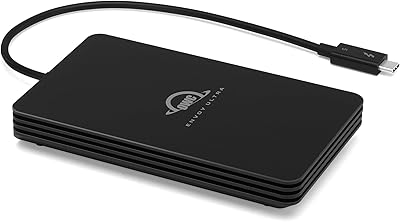
The OWC Envoy Ultra 4TB Thunderbolt 5 SSD is built for professionals who have genuinely hit the ceiling of what Thunderbolt 4 can deliver. This is not a minor generational nudge — TB5 roughly doubles available bandwidth, and you feel that difference the moment you are ingesting 8K RAW files on location or syncing a multi-terabyte DaVinci Resolve project. OWC designed this Thunderbolt 5 drive to be completely bus-powered and fanless, which matters enormously when you are working without a power outlet nearby. The company carries a strong reputation in the professional Mac storage space, and a 5-year limited warranty provides meaningful long-term confidence at this price tier.
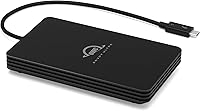
Features & Benefits

Speeds exceeding 6000MB/s mean that transferring a 100GB 8K RAW project takes seconds rather than minutes — a genuine shift for anyone who has watched a Thunderbolt 4 drive struggle with that same task. The OWC Envoy Ultra scales down gracefully too: plug it into a TB3, TB4, or USB4 machine and it delivers the best speeds that port allows, no configuration needed. The built-in Thunderbolt cable is genuinely convenient — one less accessory to pack — though a damaged cable is harder to swap in the field. At 4TB, this portable SSD is large enough to serve as a primary working drive, not just overflow storage, and the rugged aluminum shell handles dust and rain for outdoor shoots.

Best For

This Thunderbolt 5 drive is the right call for video editors and colorists cutting 6K or 8K footage who need speeds that keep pace with internal NVMe storage on location. Developers running Docker containers or virtual machines from external storage will also notice an immediate difference. It makes practical sense for photographers and creative directors constantly moving large project libraries between studio and field setups. The key qualifier is TB5-equipped hardware — if your current machine only supports TB4 or USB4, you will get solid performance but not the headline speeds. For those who have recently upgraded to a Thunderbolt 5 machine, this portable SSD is one of the few drives that can fully take advantage of it.

User Feedback

With 371 ratings averaging 4.5 stars, the OWC Envoy Ultra earns consistent praise for real-world speed consistency that holds close to advertised figures during sustained transfers — uncommon for portable drives. Buyers frequently highlight the freedom of needing no wall adapter. The criticisms are worth noting, though. A recurring concern involves heat during long sessions; the aluminum housing dissipates warmth reasonably well, but some users report the chassis getting noticeably hot under continuous heavy workloads. The built-in cable draws mixed reactions — praised for convenience but flagged as a long-term reliability question if replacement is ever needed. A handful of buyers also question whether the premium over TB4 alternatives is truly justified unless they already own a TB5 machine, which is a fair consideration.

Pros

  • Real-world transfer speeds stay remarkably close to advertised figures during large file operations.
  • Bus-powered design means one less cable and no wall adapter needed, even on long travel days.
  • Backward compatibility with TB3, TB4, and USB4 makes it usable across an entire mixed-hardware workflow.
  • 4TB capacity is large enough to serve as a genuine primary working drive, not just overflow storage.
  • Completely silent fanless operation makes it ideal for audio-sensitive environments like recording studios.
  • The integrated Thunderbolt cable eliminates a common point of friction during fast-paced location work.
  • Aluminum chassis handles dust and light rain without requiring careful handling in the field.
  • Wide cross-platform support covers Mac, Windows, iPad Pro, and Surface without any driver setup.
  • A 5-year warranty is meaningfully longer than most competitors offer at this storage tier.
  • Plug-and-play setup works immediately on every supported platform with no software installation required.

Cons

  • The built-in cable cannot be easily swapped if damaged, creating a potentially costly single point of failure.
  • Chassis gets noticeably hot during prolonged heavy-write sessions, with some users reporting speed throttling.
  • Full headline speeds require a Thunderbolt 5 host machine, which most users do not yet own.
  • No protective sleeve or cable management solution is included despite the high purchase price.
  • Warranty service requires shipping the drive back, which can disrupt a professional workflow for days.
  • The premium over comparable Thunderbolt 4 drives is difficult to justify without a TB5-equipped machine.
  • No bundled software for drive health monitoring or hardware encryption management.
  • Heavier and slightly larger than ultra-compact rival SSDs, which matters for minimalist travel setups.
  • 4TB may still fall short for high-volume multi-camera productions needing a single-drive solution.
  • Marketing materials do not clearly communicate speed differences across port types, catching some buyers off guard.

Ratings

The OWC Envoy Ultra 4TB Thunderbolt 5 SSD scores below are generated by AI after analyzing verified buyer reviews worldwide, with spam, bot-submitted, and incentivized feedback actively filtered out. Across 371 global ratings, both the standout strengths and the legitimate frustrations are reflected honestly — no smoothing over the rough edges.

Transfer Speed Performance
93%
Verified buyers consistently report that real-world speeds stay impressively close to the advertised ceiling during large file transfers — a rarity for portable drives. Editors offloading multi-hour 8K RAW shoots describe the process as feeling closer to copying between internal drives than working with external storage.
The headline speeds are only achievable on a Thunderbolt 5 host machine, which remains rare as of early 2025. Users on TB4 or USB4 hardware see meaningful but noticeably lower throughput, and a few buyers felt the marketing undersold that dependency.
Build Quality & Durability
88%
The aluminum chassis feels dense and purposeful in hand — not a lightweight plastic shell dressed up with branding. Field photographers and videographers report confidence using it in light rain and dusty environments without babying it, which is a genuine distinction from most consumer-grade portable drives.
Some users note the drive gets noticeably warm during long sustained transfers, and the aluminum body — while good at passive dissipation — can become uncomfortable to hold during extended heavy workloads. Weatherproofing handles splashes and dust well, but this is not a ruggedized drive rated for submersion or serious impact drops.
Portability & Form Factor
86%
At just over a pound, the OWC Envoy Ultra slips easily into a camera bag or laptop sleeve without adding meaningful bulk. The bus-powered design is especially appreciated by location shooters and traveling editors who work in environments where finding a spare outlet is not a given.
It is slightly larger and heavier than ultra-compact rival SSDs, which some users who carry minimal gear find less convenient. A few reviewers wished for a carrying pouch or protective sleeve included in the box given the premium price point.
Built-in Cable Design
71%
29%
The integrated Thunderbolt cable is one of the most consistently praised convenience features — buyers who have lost or forgotten cables mid-project genuinely appreciate having it permanently attached. It removes one variable from a professional workflow where small friction points add up over a long shoot day.
The cable is also the most debated aspect of the design. Several users raised concerns about long-term reliability: if the cable is ever damaged, repair or replacement is not straightforward in the field. Those who prefer swappable cables for flexibility find this a real compromise.
Thermal Management
67%
33%
The fanless aluminum chassis does a reasonable job dissipating heat during typical use — short-burst transfers, backup sessions, and standard editing workflows. Users working in climate-controlled studio environments rarely flag heat as a meaningful issue for their specific use case.
Under prolonged, heavy sequential workloads — think continuously writing large video files for 20-plus minutes — the chassis gets noticeably hot, and some users report speed throttling. This is a real-world limitation for anyone planning to use it as a continuous recording destination over extended periods.
Backward Compatibility
89%
Connecting the OWC Envoy Ultra to an older TB3 or TB4 machine just works — speeds scale automatically to what the port supports without any driver fuss or configuration. Buyers who own a mix of older and newer machines find this particularly valuable as a single drive that grows with their setup.
Speed scaling is automatic but not always transparent to the user, and a handful of reviewers were initially confused about why they were not hitting advertised numbers on their existing hardware. Clearer out-of-box guidance on what to expect per port type would help set realistic expectations.
Capacity Usefulness
91%
Four terabytes is genuinely enough to run as a primary working drive for most creative professionals rather than just overflow or archive storage. Editors who previously had to juggle multiple smaller drives on location describe the consolidation as a meaningful workflow improvement.
For users managing the largest 8K project libraries or multi-camera documentary productions, 4TB can still feel limiting as a sole working drive. The absence of a larger capacity option at launch means some high-volume users will still need a secondary drive alongside it.
Device Compatibility
87%
Beyond Mac and PC, verified buyers confirm solid performance with iPad Pro and Surface devices, making this portable SSD genuinely cross-platform in a way that matters for hybrid workflows. Creative professionals who alternate between a studio Mac and a field Windows laptop find no compatibility headaches.
USB4 compatibility works well but does not unlock full TB5 speeds, which some non-Mac users only discovered after purchase. Chromebook support exists but with more limited functionality depending on the task, and OWC could be more explicit about the nuances in their marketing materials.
Value for Money
62%
38%
Buyers who specifically own a TB5-equipped machine — particularly recent MacBook Pro or Mac Studio owners — largely feel the performance justifies the price when measured against what it replaces in their workflow. The 5-year warranty adds meaningful long-term value at a tier where drives are expected to last.
For anyone without a TB5 host machine, the premium over a high-quality TB4 SSD is hard to justify on current specs alone. Several reviewers explicitly noted they feel they paid a future-proofing tax, and a subset of buyers expressed genuine regret after realizing they could not take advantage of the top-end speeds with their existing hardware.
Setup & Ease of Use
92%
Plug-and-play behavior is consistently praised — no software installation, no drivers, no formatting prompts on most platforms. For professionals who want storage that simply works when they pull it out of a bag on set, this drive delivers exactly that out of the box.
The lack of included software tools for drive health monitoring or encryption management is a minor gap that more technically oriented users flagged. Nothing is broken, but buyers accustomed to bundled utilities from competing brands may feel the software side of the package is bare.
Warranty & Brand Trust
88%
OWC carries genuine credibility in the professional Mac storage space built over years, and the 5-year limited warranty stands out in a category where 3-year coverage is the norm. Long-term buyers of OWC products in the review pool frequently cite reliable after-sales support as a differentiator.
A small number of reviewers noted that warranty claims require shipping the drive back, which can create workflow disruptions for professionals who depend on the hardware daily. Some also flagged that the warranty terms distinguish clearly between the drive and the built-in cable, which is worth reading before purchase.
Noise & Fan Performance
94%
Completely silent operation is confirmed across virtually every review — a fanless design with zero mechanical noise makes this drive ideal for audio recording environments, quiet offices, or any setting where fan noise from peripherals is a genuine irritant. No spinning up, no whirring, nothing.
The tradeoff for that silence is the thermal behavior already noted under heavy loads. Users who previously used fan-cooled enclosures and accepted the noise in exchange for consistent sustained speeds may find the silence-versus-throttle balance less favorable for their specific high-intensity workflows.
Packaging & Unboxing
74%
26%
The drive arrives well-protected and the premium unboxing presentation matches the price tier according to most buyers. The included documentation is clear, and the overall first impression is consistent with what buyers expect from a professional-grade peripheral.
Several buyers noted the absence of accessories they considered reasonable at this price — no cable storage solution, no protective pouch, and no USB-A adapter for legacy machines. Competitors at similar price points tend to include more in the box, and this omission stands out in the feedback.

Suitable for:

The OWC Envoy Ultra 4TB Thunderbolt 5 SSD was built for a specific kind of professional, and if you fit the profile, it is hard to argue against it. Video editors and colorists cutting 6K or 8K RAW footage on location are the clearest beneficiaries — having a portable drive that keeps pace with internal NVMe storage fundamentally changes what is possible without a full workstation. Developers who boot virtual machines or run containerized environments from external storage will also feel the difference in a way that is immediately tangible day-to-day. Photographers and creative directors constantly moving large project libraries between a studio setup and a field machine will appreciate both the 4TB working capacity and the bus-powered convenience of never needing to hunt for an outlet. The rugged aluminum shell handles the realities of fieldwork — light rain, dusty locations, occasional drops — without demanding that you treat it like fragile gear. If you have recently upgraded to a Thunderbolt 5 machine and want to actually take advantage of its I/O bandwidth, this portable SSD is one of the few drives currently capable of doing that.

Not suitable for:

The OWC Envoy Ultra 4TB Thunderbolt 5 SSD is genuinely the wrong purchase for a significant portion of buyers who might otherwise be attracted to its specs. If your current laptop or desktop only supports Thunderbolt 4 or USB4, you will get solid but unremarkable speeds — nothing that justifies the premium over a well-regarded TB4 drive that costs considerably less. Casual users who primarily store photos, documents, or media for personal use have no realistic need for this level of performance, and the price gap compared to mainstream external SSDs simply does not make sense for that workload. Anyone who does a lot of continuous, sustained recording — such as capturing long-form video directly to an external drive — should be aware that the fanless design can lead to thermal throttling under those specific conditions, which may disrupt a recording session at the worst possible moment. Users who strongly prefer swappable cables, either for flexibility or peace of mind, will find the integrated Thunderbolt cable a genuine design compromise rather than a feature. Finally, buyers on a tighter budget who are hoping to future-proof for TB5 should weigh whether they will realistically own a compatible host machine before this drive is obsolete.

Specifications

  • Storage Capacity: The drive provides 4TB of solid-state storage, sufficient to serve as a primary working volume for most professional creative workflows.
  • Interface: Connects via Thunderbolt 5, delivering maximum throughput on compatible hosts while remaining backward compatible with Thunderbolt 3, Thunderbolt 4, and USB4 ports.
  • Max Read Speed: Sequential read speeds exceed 6000MB/s when connected to a Thunderbolt 5 host machine.
  • Drive Type: Internal storage is a solid-state drive with no moving parts, enabling silent operation and resistance to vibration and shock.
  • Power Source: Fully bus-powered over the Thunderbolt connection, requiring no external power adapter or separate cable.
  • Cooling System: A fanless design uses the aluminum chassis itself as a heat sink, passively dissipating thermal energy during operation.
  • Cable: A Thunderbolt cable is permanently integrated into the drive body, eliminating the need to carry or source a separate connection cable.
  • Weight: The unit weighs 1.04 pounds, making it portable enough for daily bag carry without adding significant load.
  • Package Dimensions: The packaged unit measures approximately 7.8 × 5.94 × 2.09 inches.
  • Chassis Material: The outer shell is constructed from aluminum, chosen for both structural rigidity and passive thermal management.
  • Weather Resistance: The enclosure is rated weatherproof and dust resistant, providing protection against splashes, light rain, and particulate ingress during fieldwork.
  • Shock Resistance: The drive is built to resist damage from accidental drops and physical impacts encountered in portable professional use.
  • Compatible Devices: Works with Mac desktops and laptops, Windows PCs, iPad Pro, Chromebook, and Microsoft Surface devices.
  • Warranty: OWC provides a 5-year limited warranty covering manufacturing defects, which is longer than the 3-year coverage typical in this category.
  • Availability: The drive became available for purchase in November 2024, making it one of the earliest consumer Thunderbolt 5 portable SSDs on the market.
  • Model Identifier: The official OWC model number for this 4TB Thunderbolt 5 variant is OWCTB5ENVU04-Z.
  • Operating Noise: The fanless construction produces zero audible noise during operation, making it suitable for use in quiet studios or noise-sensitive recording environments.
  • Platform Support: Compatible with both macOS and Windows operating systems without requiring additional drivers or software installation on most configurations.

Related Reviews

OWC Envoy Ultra 2TB Thunderbolt 5 Portable SSD
85%
94%
Transfer Speed
91%
Build Quality
78%
Thermal Management
88%
Portability & Form Factor
86%
Compatibility
More
OWC Envoy 2TB Ultra Portable NVMe SSD
87%
95%
Speed and Performance
91%
Portability and Size
88%
Durability and Build Quality
90%
Compatibility with Devices
85%
Value for Money
More
OWC Envoy Pro Elektron 4TB Portable SSD
87%
91%
Performance
96%
Build Quality
94%
Durability
85%
Ease of Use
88%
Compatibility
More
OWC Envoy 1TB External SSD
83%
88%
Transfer Speed
91%
Build Quality
94%
Portability
93%
Mac & iPad Compatibility
71%
Value for Money
More
SABRENT Rocket 5 4TB NVMe SSD
88%
94%
Performance
92%
Transfer Speed
89%
Compatibility
88%
Build Quality
75%
Cooling Efficiency
More
OWC 14-Port Thunderbolt Dock
85%
93%
Port Selection & Density
88%
Thunderbolt Bandwidth & Data Speed
91%
Display Output Performance
86%
Charging Passthrough
89%
Card Reader Speed
More
SanDisk Ultra 3D NAND 4TB Internal SSD
91%
94%
Sequential Read Speed
91%
Sequential Write Speed
96%
Endurance & Reliability
88%
Ease of Installation
90%
Compatibility
More
OWC 4TB Express 1M2 Portable NVMe SSD
88%
94%
Performance Speed
89%
Build Quality
91%
Portability
92%
Compatibility
77%
Thermals/Heat Management
More
OWC Envoy Pro Elektron Portable SSD 1TB
89%
94%
Performance
91%
Build Quality
89%
Ease of Use
96%
Durability
90%
Speed (Data Transfer)
More
OWC 480GB Envoy Pro FX Portable External SSD
88%
93%
Transfer Speed
90%
Build Quality
88%
Portability
85%
Water and Dust Resistance
82%
Compatibility with Devices
More

FAQ

No, but you will only get the full headline speeds with a TB5 host. The OWC Envoy Ultra 4TB Thunderbolt 5 SSD works perfectly on Thunderbolt 3, Thunderbolt 4, and USB4 machines — it just scales down to the maximum speed that port supports. If your current machine is TB4, you will still get excellent performance, just not the 6000MB/s ceiling the drive is capable of.

Yes, the drive is compatible with iPad Pro models that have a Thunderbolt or USB4 port. You will be able to transfer files and work with supported apps directly from the drive, though the speeds you achieve will depend on which generation of iPad Pro you own and what its port supports.

Weatherproof in this context means the drive can handle splashes, light rain, and dusty environments without issue. It is not rated for submersion or heavy downpours, so you should not leave it sitting in a puddle or use it in a torrential storm. For typical outdoor shooting conditions — a light drizzle, a dusty desert location — it will hold up fine.

This is a legitimate concern worth thinking about before you buy. Unlike drives that use a removable cable, the integrated Thunderbolt cable on this drive is not a simple field swap if it gets bent or damaged. You would need to contact OWC support and potentially send the unit in for service. If cable flexibility or field replaceability is a priority for you, that is worth factoring into your decision.

Under typical use — editing sessions, backup transfers, moving large files — the aluminum chassis manages heat well and stays warm but comfortable. During extended heavy sequential writes over 20 or more minutes, it can get noticeably hot, and some users report mild speed throttling under those sustained conditions. For most professional workflows this is not a daily issue, but if you plan to use it as a continuous recording destination for long video captures, keep that in mind.

No installation is required on either platform under normal conditions. Plug it in and it mounts like any other external drive. Some users choose to reformat it to their preferred file system, but the drive works out of the box on both macOS and Windows without any driver downloads.

For most creative professionals — editors working on individual projects, photographers managing active client libraries, developers running virtual environments — 4TB is plenty for a primary working volume. You are not just getting an overflow or archive drive here. That said, if you work on large multi-camera productions or maintain several simultaneous high-resolution project libraries, you may find 4TB fills up faster than you expect.

On a Thunderbolt 5 host, the difference is substantial — TB5 roughly doubles the available bandwidth compared to TB4, which translates directly to faster ingest times, quicker project opens, and less waiting during large file operations. On a TB4 machine, however, this drive performs similarly to a good TB4 SSD because the port itself becomes the limiting factor. The speed advantage is real, but it is only fully accessible with matching hardware.

OWC ships the Envoy Ultra pre-formatted, typically for macOS. If you are using it on Windows or want a cross-platform file system like exFAT, you will want to reformat it before your first serious use. This is a standard one-time step that takes only a few minutes using your operating system's built-in disk utility.

The 5-year OWC limited warranty covers manufacturing defects in materials and workmanship. It does not cover accidental physical damage. If something goes wrong, you would contact OWC support and, in most cases, ship the unit back for evaluation or replacement. It is worth noting that warranty terms address the drive unit specifically, so if you have questions about the integrated cable coverage, it is worth confirming with OWC directly before purchase.

Where to Buy