Overview

The OWC ThunderBay 8TB RAID 5 External Storage is a 4-bay enclosure built for Mac-based creative professionals who need reliable, high-speed local storage — not a casual plug-and-forget backup drive. Constructed from solid aluminum and connecting over Thunderbolt 3, it sits firmly in the premium tier of the external storage market. Out of the box it arrives configured in RAID 5, giving you a practical balance of read performance and single-drive fault tolerance. This is not the cheapest path to 8TB, but it is built for people whose workflows demand considerably more than what a typical desktop drive can deliver.

Features & Benefits

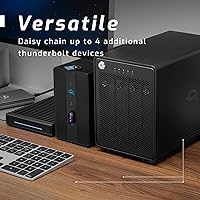
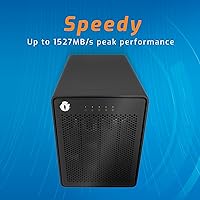
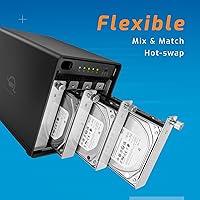
This 4-bay Thunderbolt enclosure ships with two Thunderbolt 3 ports, letting you daisy-chain monitors, docks, or additional drives without losing bandwidth. In practice, sustained speeds up to 1527MB/s mean a video editor can scrub through multi-stream 4K footage or pull from raw 8K files without storage becoming the bottleneck. The bundled SoftRAID software presents drive health, RAID status, and configuration options in a dashboard that requires no IT background to navigate. You can reconfigure between RAID 0, 1, 4, 5, and 1+0 to match your workflow, and the chassis accepts both 3.5-inch and 2.5-inch drives without any adapter required.

Best For

This OWC storage solution is a natural fit for video editors and colorists running Mac Studio or Mac Pro setups where local throughput matters more than remote access. Photographers managing large RAW libraries will appreciate the RAID 5 default — one drive can fail without data loss, which is difficult to quantify but easy to value. Small creative studios needing shared high-speed storage without the overhead of a full NAS may find this a practical middle ground. That said, Windows users should note that advanced RAID modes — 4, 5, and 1+0 — are Mac only, a real constraint worth understanding before committing to a purchase.

User Feedback

Across 162 ratings, the ThunderBay RAID array holds a 4.3-star average — a score reflecting strong satisfaction among its core audience, with a few recurring frustrations. Buyers consistently highlight build quality and the SoftRAID dashboard's clarity, with many noting that real-world speeds hold up under sustained workloads, not just synthetic benchmarks. The most common complaint is the Mac-only restriction on advanced RAID modes, which catches some Windows buyers off guard. A handful of reviewers also flag noticeable fan noise during heavy loads, worth factoring in for quiet studio environments. First-time RAID users occasionally find the initial configuration more involved than expected, though most describe it as manageable once they work through the included documentation.

Pros

  • Sustained read speeds up to 1527MB/s make it genuinely usable for demanding 4K and 8K editing workflows.
  • Ships pre-configured in RAID 5, so single-drive fault tolerance is active from day one without any setup.
  • Dual Thunderbolt 3 ports let you keep your existing peripheral chain intact without splitting connections.
  • The bundled SoftRAID software is notably approachable, giving non-technical users real visibility into drive health.
  • Accepts 3.5-inch and 2.5-inch drives without an adapter, making future drive upgrades straightforward.
  • Solid aluminum construction contributes to long-term durability and passive heat dissipation during operation.
  • Flexible RAID mode support — 0, 1, 4, 5, and 1+0 — lets Mac users reshape the array as needs change.
  • A 4.3-star average across over 160 real-world ratings reflects consistent satisfaction among its core audience.
  • No-nonsense direct-attached storage means lower latency and simpler management compared to network-based alternatives.

Cons

  • Advanced RAID modes (4, 5, and 1+0) are Mac-only, leaving Windows users with a significantly reduced feature set.
  • Price-per-terabyte is high relative to NAS enclosures offering comparable or greater raw capacity.
  • Fan noise under sustained heavy load has been flagged by multiple users — a real concern in quiet studio settings.
  • First-time RAID users may find the initial configuration process more involved than expected.
  • The enclosure is large and heavy at over 12 pounds, limiting where it can realistically be placed on a desk.
  • No built-in network connectivity means this is strictly a single-workstation solution unless you add hardware.
  • Older Thunderbolt 2 or USB-C-only setups will require an adapter, adding cost and potential compatibility friction.

Ratings

The scores below for the OWC ThunderBay 8TB RAID 5 External Storage were generated by AI after analyzing verified buyer reviews from multiple global sources, with spam, bot activity, and incentivized feedback actively filtered out. The result is an honest, balanced picture of where this 4-bay Thunderbolt enclosure genuinely excels and where real users have run into friction — no spin, no suppressed complaints.
Build Quality
93%
The all-aluminum chassis consistently earns praise from buyers who have used cheaper plastic enclosures before. Users working in busy studio environments report that it feels substantial, runs cool under pressure, and shows no signs of wear even after years of daily use — a clear indicator of materials chosen for longevity rather than cost reduction.
A handful of buyers noted the unit is heavier than expected at over 12 pounds, which limits placement flexibility on smaller desks. A few also mentioned that the industrial design, while solid, is fairly utilitarian — there is nothing visually distinctive about it for those who care about desk aesthetics.
Read & Write Performance
91%
In RAID 5 configuration, the ThunderBay RAID array consistently delivers the kind of sustained throughput that lets video editors scrub multi-stream 4K timelines without buffering or dropped frames. Users moving large media libraries between drives report transfer sessions that finish in a fraction of the time compared to USB-attached alternatives.
Peak speeds are impressive, but some users note that write performance under sustained load lags noticeably behind read speeds, which can matter during simultaneous read-write operations. A small number of buyers also reported that real-world speeds during mixed workloads fell short of the headline 1527MB/s figure.
Software (SoftRAID)
88%
SoftRAID is one of the most consistently praised aspects of this OWC storage solution across buyer feedback. Users with no prior RAID experience appreciated the visual dashboard that clearly shows drive health status, estimated rebuild times, and configuration options — reducing the anxiety that usually comes with managing a multi-drive array.
The software is macOS-only in its full-featured form, which is a hard stop for Windows users wanting advanced RAID management. A minority of Mac users also reported occasional confusion during first-time RAID setup, suggesting the onboarding documentation could be clearer for absolute beginners.
Platform Compatibility
58%
42%
For Mac users — the intended audience — compatibility is essentially frictionless. The unit connects, SoftRAID installs, and all five RAID modes are available. Users running Mac Studio or Mac Pro setups describe it as a natural extension of their existing Thunderbolt ecosystem with no driver headaches.
Windows compatibility is the most cited frustration across all buyer reviews. RAID 4, 5, and 1+0 modes are simply unavailable on Windows, which is a significant limitation that some buyers only discover after purchase. The product page should communicate this more prominently, and for Windows-primary users, it is a genuine dealbreaker.
Value for Money
63%
37%
Buyers who use this unit professionally tend to justify the cost quickly, particularly when they calculate the time saved over slower USB-attached storage or the overhead avoided by not managing a NAS. For studios where storage downtime has a direct cost, the reliability and speed make the price feel reasonable over a multi-year window.
At this price point, the cost-per-terabyte is hard to defend for anyone not extracting full professional value from the Thunderbolt 3 connection and RAID 5 redundancy. NAS enclosures offering comparable raw capacity cost considerably less, and casual users or light home office buyers will likely feel the premium is not justified for their workload.
Setup & Initial Configuration
71%
29%
Most Mac users with some prior storage experience report a setup process that is straightforward and well-guided by SoftRAID. The drive bays accept both 3.5-inch and 2.5-inch drives without adapters, which simplifies the physical side of any initial configuration or future drive swap.
First-time RAID users consistently flag the initial configuration as more involved than they anticipated. The documentation covers the essentials but leaves some gaps for users unfamiliar with RAID concepts, and a few buyers noted spending significant time on forums before feeling confident their setup was correct.
Fan Noise
66%
34%
Under light to moderate workloads — typical document work, occasional file transfers, background backups — most users describe the fan noise as acceptable and unobtrusive in a normal home office or studio setting. The aluminum enclosure helps manage thermals passively during lower-demand periods.
Under sustained heavy loads, fan noise becomes a recurring complaint. Users doing long video renders or multi-hour file migrations describe the fan as clearly audible, and several buyers working in quiet recording studios or mixing environments consider this a meaningful drawback that affected their overall satisfaction.
Daisy-Chain Flexibility
86%
The dual Thunderbolt 3 port design is a practical advantage that buyers in complex desk setups specifically call out. Being able to pass bandwidth through to a 4K monitor or a second external drive without adding a hub or sacrificing speed is something users coming from USB storage immediately notice and appreciate.
The daisy-chain benefit only applies within the Thunderbolt ecosystem, which is still predominantly Mac-centric. Buyers with a mix of Thunderbolt and USB-C peripherals found edge cases where the chain did not perform as expected, though these were minority reports rather than a systemic issue.
Drive Upgrade Path
82%
18%
The ability to swap in higher-capacity drives without any adapter is a frequently mentioned long-term benefit. Users who purchased the unit at 8TB and later upgraded individual drives to extend total capacity report the process as physically simple, with SoftRAID handling the rebuild process reliably.
Upgrading all four drives to a higher capacity requires a full backup-and-restore process rather than a rolling upgrade in some RAID configurations, which a few users found inconvenient. The cost of replacement drives at higher capacities also means that expanding the array is a non-trivial investment.
Reliability & Longevity
89%
Long-term owners — some with units running continuously for multiple years — consistently report stable operation with no unexpected array failures when drives are maintained and monitored through SoftRAID. The thermal management of the aluminum enclosure appears to contribute meaningfully to drive longevity over extended operation.
A small number of users reported issues with RAID rebuilds taking longer than expected after a drive replacement, which can leave the array in a temporarily degraded state. While not a widespread complaint, it is worth noting that sustained reliability depends partly on keeping SoftRAID updated and monitoring drive health proactively.
Thunderbolt 3 Speed Consistency
84%
Unlike USB-attached storage that can throttle under sustained use, the Thunderbolt 3 connection maintains consistent bandwidth over long sessions. Users copying large media libraries or running extended backups report that transfer speeds remain stable from start to finish rather than degrading mid-transfer.
A small subset of buyers reported occasional speed inconsistencies when the unit was connected at the end of a long Thunderbolt daisy-chain, suggesting bandwidth allocation becomes less predictable with multiple high-demand devices in the chain. Direct connection to the host machine resolves this, but it is a real-world limitation for complex setups.
Cooling Efficiency
77%
23%
The passive thermal properties of the aluminum chassis do meaningful work during moderate use, and drive temperatures reported by SoftRAID users tend to stay within healthy operating ranges under typical studio workloads. This is a genuine advantage over plastic enclosures that trap heat more readily.
During extended sustained workloads, the active cooling fan compensates for what passive dissipation cannot handle, and the noise increase makes the cooling trade-off noticeable. Users in warm ambient environments — such as non-air-conditioned editing suites in summer — reported higher average drive temperatures than they expected.
Documentation & Support
69%
31%
OWC has a solid reputation for Mac-focused technical support, and buyers who reached out to their support team generally reported helpful, knowledgeable responses. The SoftRAID documentation covers the fundamentals clearly for experienced users, and OWC's online knowledge base fills in many common gaps.
The printed documentation included with the unit is sparse, and several first-time RAID users expressed frustration that the setup guide does not walk through RAID concepts in enough depth for complete beginners. Community forum research frequently fills the gap that the official documentation leaves open.

Suitable for:

The OWC ThunderBay 8TB RAID 5 External Storage was built for a specific kind of buyer, and if you fit that profile, it delivers. Video editors and colorists working on Mac-based systems — particularly those pushing multi-stream 4K or 8K timelines — will immediately appreciate having local storage that does not create a bottleneck during heavy scrubbing or real-time playback. Photographers managing deep RAW archives will find the default RAID 5 configuration a practical safety net: one drive can fail without losing a single file, which is the kind of quiet reassurance that matters when your work lives on that drive. Small creative studios needing fast, shared storage without the complexity of a full NAS setup will also find this 4-bay Thunderbolt enclosure a compelling fit. If your desk already runs a Thunderbolt chain of monitors, audio interfaces, and peripherals, the dual-port design keeps that chain intact without sacrificing throughput.
Not suitable for:

The OWC ThunderBay 8TB RAID 5 External Storage is a harder sell outside of its intended environment, and buyers should be honest with themselves about whether they actually need what it offers. Windows users are the most obvious mismatch: RAID 4, 5, and 1+0 modes are Mac-only, so a Windows machine is limited to RAID 0 and 1, which undercuts much of the value proposition at this price point. Casual home users who just need a large backup drive will find far more affordable options that accomplish the same goal with less complexity. Anyone sensitive to fan noise in a quiet recording or mixing environment should factor that in, as several users have noted audible airflow during sustained heavy loads. First-time RAID users without any prior experience should also be prepared for a learning curve during initial setup — it is manageable, but this is not a plug-in-and-forget device. Finally, buyers comparing raw price-per-terabyte against NAS alternatives will find those options cheaper on paper; this enclosure justifies its cost through direct-attached speed and simplicity, not raw storage economics.
Specifications

  • Capacity: The enclosure ships with 8TB of total storage across four drives in a 4 x 2TB HDD configuration.
  • Interface: Two Thunderbolt 3 ports provide up to 40Gb/s bandwidth and support daisy-chaining of additional Thunderbolt devices.
  • Sustained Speed: Sustained read performance reaches up to 1527MB/s under RAID 5 configuration.
  • RAID Modes: Supported RAID configurations are 0, 1, 4, 5, and 1+0, with modes 4, 5, and 1+0 available on Mac only.
  • Drive Bays: The chassis holds up to four drives and accepts both 3.5-inch and 2.5-inch form factors without any adapter.
  • Enclosure Material: The outer housing is machined aluminum, which aids in passive heat dissipation during sustained operation.
  • Included Software: SoftRAID is bundled with the unit, providing RAID creation, health monitoring, and management tools via a graphical interface.
  • Dimensions: The unit measures 16.6 x 15.6 x 11.8 inches, making it a fixed desktop-only installation.
  • Weight: The enclosure weighs 12.57 pounds (approximately 5700g), reflecting its all-metal construction.
  • Platform: Fully featured on macOS; Windows support is limited to RAID 0 and 1 configurations only.
  • Data Transfer: The Thunderbolt 3 interface supports a maximum theoretical data transfer rate of 40 gigabits per second.
  • Manufacturer: Designed and sold by Other World Computing (OWC), a company specializing in Mac-compatible storage and memory upgrades.
  • Model Number: The official OWC model number for this configuration is OWCTB3SRT08.0S.
  • First Available: This product was first listed for sale in February 2018 and remains an active, non-discontinued product.
  • Compatibility: Designed for use with desktop hard drives and compatible with any Thunderbolt 3-equipped Mac or PC host system.

Related Reviews
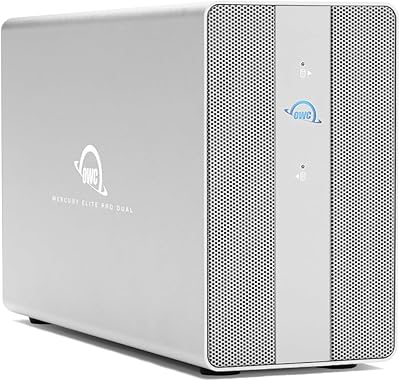
OWC Mercury Elite Pro Dual 8TB Enclosure
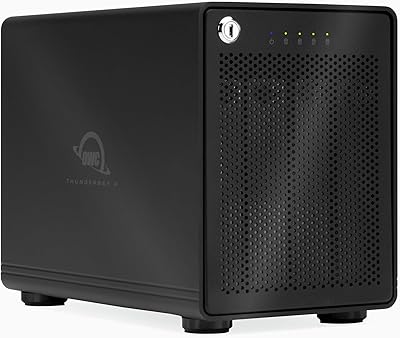
80%
91%
Build Quality
88%
Transfer Speed
86%
RAID Functionality
83%
USB Hub Utility
74%
Noise Level
More
OWC ThunderBay 4 0TB Thunderbolt 3 RAID Enclosure
80%
92%
Build Quality
89%
Sustained Transfer Speed
86%
SoftRAID Premium Value
88%
Drive Compatibility & Installation
84%
Thunderbolt Daisy-Chain Performance
More
OWC Mercury Elite Pro Dual 32TB RAID Enclosure
79%
91%
Transfer Speed
88%
Build Quality
84%
RAID Configuration Flexibility
86%
Connectivity & Compatibility
74%
USB Hub Utility
More
OWC Mercury Elite Pro Dual 24TB Enclosure
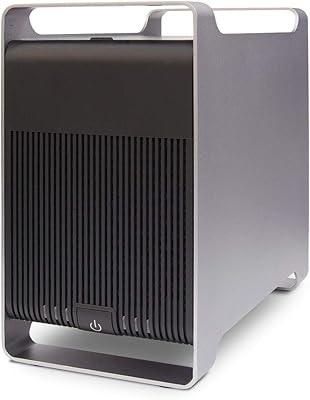
81%
91%
Transfer Speed
88%
Build Quality
93%
RAID Configuration
84%
Thermal Management
67%
Fan Noise
More
Syba SY-ENC50122 5-Bay RAID Enclosure
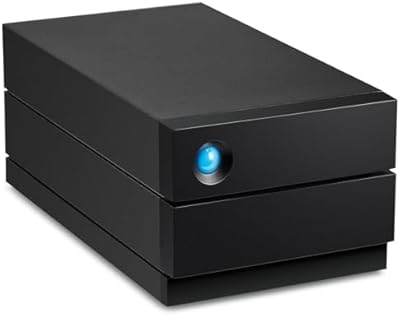
71%
83%
Build Quality
78%
RAID Functionality
86%
Drive Compatibility
71%
USB 3.0 Performance
54%
eSATA Usability
More
LaCie 2big RAID 8TB External Hard Drive
86%
92%
Performance
88%
Reliability
90%
Build Quality
85%
Ease of Use
91%
Data Transfer Speed
More
LaCie Rugged RAID Shuttle 8TB Hard Drive
74%
91%
Build Quality
88%
Data Redundancy
52%
Thermal Management
61%
Value for Money
67%
Ease of Setup
More
Lineco Clamshell Folio Storage Box 11.5x17.5
80%
91%
Build Quality
93%
Archival Material Quality
88%
Size & Fit Accuracy
86%
Lid & Closure Design
84%
Dust & Light Protection
More
Lineco Clamshell Folio Storage Box 16.5″ x 20.5″
87%
94%
Durability
88%
Ease of Use
90%
Storage Capacity
95%
Protection of Contents
85%
Design & Functionality
More
Lineco 840-Slide Archival Storage Box
80%
92%
Build Quality
94%
Archival Material Quality
88%
Organizational System
83%
Drop-Front Accessibility
79%
Capacity Practicality
More

FAQ

You can connect it to a Windows machine, but with meaningful limitations. RAID modes 4, 5, and 1+0 are Mac-only through the SoftRAID software, so on Windows you are restricted to RAID 0 and RAID 1. If those simpler configurations suit your needs, it will still function, but you are paying for a feature set you cannot fully use.

Yes, the 8TB model ships with four drives pre-installed and pre-configured in RAID 5. You do not need to source or install drives separately — it is ready to format and use once connected.

Under light to moderate workloads, most users find the noise acceptable in a typical office or studio. Under sustained heavy loads — like long video renders or large file transfers — a number of users have noted the fan becomes audibly noticeable. If you work in a quiet recording environment, that is worth factoring into your decision.

Not really. The bundled SoftRAID application presents drive health, rebuild status, and configuration options in a clear dashboard that most non-technical users can work through. That said, if you have never worked with RAID before, expect to spend some time reading the documentation during initial setup.

Yes. The chassis accepts both 3.5-inch and 2.5-inch drives without any adapter, so swapping to higher-capacity drives down the line is straightforward. Just make sure any replacement drives are compatible with your chosen RAID mode before committing.

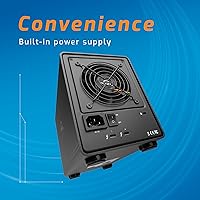
Yes, as long as your MacBook Pro has a Thunderbolt 3 port — which covers most models from 2016 onward. You get the full feature set including RAID 5 and the SoftRAID software. One thing to note: the enclosure requires AC power and is not bus-powered, so it stays on your desk rather than traveling with you.

RAID 5 distributes your data and parity information across all four drives. If any single drive fails, the array keeps running and your data stays intact. You replace the failed drive, the array rebuilds, and you are back to full protection. It does not protect against two simultaneous drive failures or accidental file deletion, so a separate backup is still a smart idea.

A NAS gives you network access from multiple devices, remote access capabilities, and often a lower price per terabyte. The trade-off is latency and setup complexity. This 4-bay Thunderbolt enclosure connects directly to your machine and delivers much faster sustained throughput than any network-attached solution, which is why video editors and similar professionals tend to prefer it for active project work.

One Thunderbolt 3 cable connects the unit to your Mac. OWC typically includes a cable in the box, but it is worth confirming what is in the package when you order. If you plan to daisy-chain additional devices through the second port, you will need a separate Thunderbolt 3 cable for that connection.

Changing RAID modes through SoftRAID will erase the existing data on the array. If you want to switch from RAID 5 to RAID 0, for example, back up everything first. SoftRAID will warn you before any destructive operation, but it is always safer to have a copy before making any configuration changes.