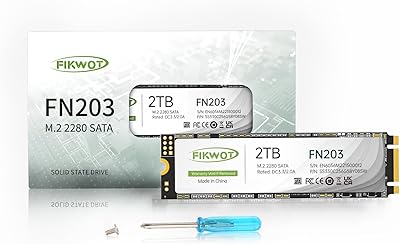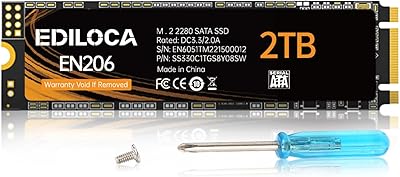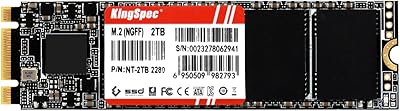
Overview

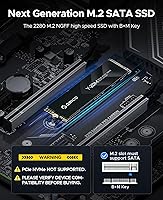
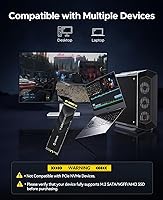
The ORICO Y20M 2TB M.2 SATA SSD arrived in late 2024 as a straightforward answer for anyone stuck with an older system that has an M.2 slot but no NVMe support. Before anything else: if your motherboard or laptop uses PCIe NVMe, this drive simply won't work — and that's not a flaw, just the reality of SATA-only hardware. For the right machine, though, the 2TB capacity hits a genuinely useful sweet spot — enough room for an OS, applications, and a healthy media library without paying flagship prices. Think of it as a practical, no-nonsense upgrade over a spinning hard drive, not a competitor to today's top NVMe drives.

Features & Benefits

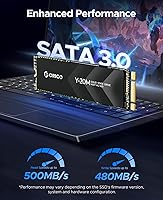
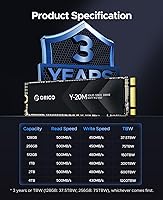
At its core, this M.2 SATA drive delivers sequential read speeds of up to 500MB/s and writes up to 480MB/s — roughly five times what a typical mechanical hard drive manages. That's a real, tangible difference in boot times and file transfers, even if it trails modern NVMe drives by a wide margin. The B+M Key interface means it drops into virtually any M.2 SATA-compatible slot without adapters or fuss. Built-in ECC, TRIM, and Bad Block Management work quietly in the background to protect data integrity over time. Low power consumption is a genuine plus for thin laptops, and the standard 2280 form factor ensures physical compatibility is rarely an issue.

Best For

The ORICO Y20M is clearly aimed at a specific crowd, and that focus is actually a strength. If you have an aging ThinkPad, an older budget desktop, or any machine with an M.2 SATA slot and no NVMe option, this SATA SSD is exactly the right upgrade. It also makes sense as a secondary drive in a build where the primary NVMe slot is already occupied. Students, home users, and IT refurbishers who need reliable, spacious storage without spending on premium hardware will find it fits the bill well. Anyone replacing a failing HDD in a SATA-only system will appreciate that it installs cleanly with no compatibility headaches.

User Feedback

With a 4.6-star average across more than 800 ratings, buyer satisfaction here runs genuinely high. Most reviewers highlight two things: how straightforward the installation is, and how much faster their machine feels compared to the hard drive it replaced. Real-world use cases in reviews include resurrecting old ThinkPads and adding secondary storage to budget gaming builds. On the downside, a handful of negative reviews stem from compatibility mismatches — buyers who didn't realize their slot was NVMe-only before ordering. Long-term durability data is still limited given the late 2024 release, so most feedback reflects early use. The drive's clear compatibility labeling earns specific praise from buyers who appreciated the upfront warning.

Pros

  • Transforms an old hard drive system into something genuinely responsive — boot times improve dramatically.
  • 2TB of internal storage covers most home or student needs without requiring external drives.
  • B+M Key interface fits a wide range of older laptops and desktops with no adapter needed.
  • Built-in ECC and Bad Block Management offer meaningful data protection over the drive's lifespan.
  • Low power draw is a real advantage for thin laptops watching every watt of battery drain.
  • Standard M.2 2280 form factor means physical fitment issues are rare in compatible systems.
  • Installation is beginner-friendly — most buyers report a clean swap with no technical hurdles.
  • Shock resistance adds peace of mind for laptops that travel or get carried daily.
  • Strong 4.6-star rating across hundreds of real buyers signals consistent, reliable performance.
  • The listing clearly flags NVMe incompatibility upfront, reducing the risk of a costly mistake.

Cons

  • Completely incompatible with NVMe slots — one wrong assumption and you have a useless drive.
  • SATA speeds, while fast versus hard drives, lag far behind even budget NVMe alternatives.
  • No included mounting screw, which some older laptops require and first-time builders often overlook.
  • Long-term durability data is thin since the drive only launched in late 2024.
  • No official endurance rating published, making it harder to assess write longevity for heavy workloads.
  • Not suited for external enclosure use, limiting flexibility if storage needs change later.
  • Buyers with mixed or uncertain hardware specs risk ordering the wrong interface type.
  • Write speeds drop noticeably below read speeds, which can matter for large file copy operations.

Ratings

The scores below were generated by AI after analyzing verified purchase reviews for the ORICO Y20M 2TB M.2 SATA SSD from buyers worldwide, with spam, bot-submitted, and incentivized feedback actively filtered out before scoring. Each category reflects the full picture — what real users praised and where they ran into friction — so you can make an informed decision without wading through hundreds of individual reviews yourself. Both the strengths and the genuine pain points are represented transparently across every scorecard.

Value for Money
88%
For a 2TB internal SATA drive, buyers consistently feel they are getting a fair exchange of capacity for cost, especially when compared to brand-name alternatives in the same interface tier. Students and home users in particular cite the price-to-storage ratio as the deciding factor that pushed them to purchase.
A handful of buyers noted that once you factor in NVMe pricing dropping steadily, the value argument weakens slightly for users who have any NVMe-capable slot available. Those who bought without checking compatibility felt the value evaporated entirely after discovering a mismatch.
Compatibility Clarity
83%
The listing's upfront NVMe incompatibility warning earned specific praise from buyers who appreciated the honesty before purchasing. IT professionals and refurbishers noted it saved them from ordering errors across multiple units, which would have been a costly headache.
Despite the warning, a recurring thread in negative reviews involves buyers who either missed or misunderstood the compatibility notice and ended up with a drive that wouldn't register in their system. The distinction between M.2 SATA and M.2 NVMe remains genuinely confusing for less technical shoppers.
Read & Write Speed
79%
21%
Coming from a mechanical hard drive, the real-world speed difference is dramatic — boot times that previously stretched past a minute routinely drop to under 15 seconds, and large file copies that took minutes complete in seconds. Buyers upgrading aging ThinkPads or budget desktops describe the experience as transformative for their specific hardware.
Compared to any modern NVMe drive, even entry-level ones, 500 MB/s reads feel modest, and buyers who benchmarked the drive after installation sometimes expressed surprise at how far below NVMe figures the numbers sit. For mixed workloads with sustained writes, the gap to 480 MB/s write speeds becomes noticeable during large data migrations.
Installation Experience
91%
The standard M.2 2280 form factor means the physical installation is about as simple as M.2 drives get — align, seat, secure. Buyers with no prior hardware experience consistently reported completing the swap in under 10 minutes with just a screwdriver, which is a meaningful confidence boost for first-timers.
A small but consistent complaint is the absence of a bundled mounting screw, which some older laptop models require and not all users have on hand. A few buyers had to pause their installation to order a replacement screw, which is a minor but avoidable inconvenience for a budget-focused audience.
Long-term Reliability
74%
26%
The inclusion of ECC, TRIM, Bad Block Management, and Garbage Collection covers the standard bases for data integrity and sustained performance over time. Buyers who have used the drive for several months report no dropped connections, no BSOD events, and stable benchmark scores compared to initial readings.
Because this drive only launched in late 2024, the sample of long-term reviews is thin, and most feedback reflects under six months of use. No published TBW endurance rating means buyers who write heavily — such as video editors or frequent backup users — have no concrete figure to plan around.
Power Efficiency
86%
Thin laptop users running older hardware specifically mentioned that battery life did not noticeably suffer after swapping in this SATA SSD, which is not always the case with storage upgrades. In compact systems where heat is a concern, the low thermal output keeps things running comfortably during extended use.
There is no published idle or active power draw specification in the official listing, which makes it harder to compare rigorously against competing drives for power-sensitive deployments. Buyers running the drive in NUC-style mini PCs or embedded systems wanted clearer power figures before committing.
Build & Form Factor
84%
The M.2 2280 standard is one of the most universally adopted storage form factors, and buyers appreciated that no cutting, bending, or adapters were needed to fit the drive in their target system. The drive feels solid in hand, with no flex or cheap-feeling components noted during installation.
There is no heatspreader or thermal pad included, which is standard for SATA drives but means buyers in particularly warm enclosures are on their own for thermal management. The bare PCB aesthetic will not matter to most users, but it does look less finished than some competing drives in the same price range.
Shock Resistance
77%
23%
Being a solid-state drive by nature, there are no moving parts to damage from drops or vibration, and buyers who carry laptops daily found this reassuring compared to their previous spinning hard drives. A few buyers specifically noted the drive survived a laptop drop without data loss, which is a real-world confidence booster.
No specific G-force or drop-height rating is published, making it difficult to assess how it holds up in genuinely rough conditions beyond everyday carry. The shock resistance is inherent to SSD technology broadly, rather than being a standout engineering feature specific to this drive.
Software & Driver Support
82%
18%
Windows 10 and 11 both recognize the drive immediately without any driver installation, and buyers cloning existing drives reported compatibility with standard tools like Macrium Reflect and Clonezilla without any workarounds. The plug-and-play experience on modern operating systems is essentially frictionless.
There is no proprietary management software offered by ORICO for this drive, so buyers who want health monitoring, firmware updates, or detailed diagnostics need to rely on third-party tools like CrystalDiskInfo. For non-technical users, the absence of a branded utility can feel like a missing piece.
Packaging & Unboxing
71%
29%
The drive arrives well-protected in a compact retail box, and buyers noted it was appropriately cushioned for shipping without excessive plastic waste. For a value-tier product, the unboxing experience is clean and functional rather than disappointing.
The package includes only the drive itself — no mounting screw, no installation guide beyond a basic card, and no thermal pad. Buyers who were new to M.2 installations occasionally wished for even a brief printed setup walkthrough to confirm they had the right steps.
Capacity Usability
89%
2TB is a practical, everyday-usable amount of storage that comfortably accommodates a full OS install, a large game library, and years of photos or video without requiring careful space management. Home users and students in particular appreciated not having to juggle external drives or cloud storage for overflow.
For users with truly large media archives or who work with raw video footage, 2TB can fill faster than expected, and the drive is an internal-only solution with no external expansion path. Buyers who anticipated needing more space later noted the 4TB variant exists but at a significantly higher cost.
Brand Reputation
69%
31%
ORICO has built a recognizable name in the budget peripheral and storage accessory market, and many buyers were already familiar with their USB hubs and enclosures before trying the drive. That existing familiarity provided a baseline level of trust that nudged hesitant buyers toward completing the purchase.
ORICO does not carry the same established track record in internal SSDs as brands like Western Digital, Samsung, or Crucial, which makes some buyers nervous about long-term support and warranty resolution. A few reviewers expressed that they would have preferred a known SSD brand if the pricing had been closer.

Suitable for:

The ORICO Y20M 2TB M.2 SATA SSD is the right call for anyone working with older hardware that has an M.2 slot running SATA rather than NVMe — a situation more common than many buyers realize, especially in laptops from the early-to-mid 2010s. Students on tight budgets who need a reliable, roomy internal drive to replace a sluggish hard drive will find it genuinely transforms day-to-day use. IT professionals and refurbishers equipping fleets of older ThinkPads or business laptops will appreciate the straightforward B+M Key compatibility and the clean drop-in installation. Home users who want to store a large media library or run a light OS build without paying for unnecessary NVMe speed are exactly the audience this drive was designed for. It also works well as a secondary drive in a system where the primary NVMe slot is already taken and a cost-efficient overflow option is needed.

Not suitable for:

Buyers building or upgrading a modern system should look elsewhere — the ORICO Y20M 2TB M.2 SATA SSD is physically and electrically incompatible with PCIe NVMe motherboards and enclosures, and attempting to use it in one simply will not work. Anyone who needs fast storage for video editing, large game load times, or intensive data workloads will find that SATA speeds, while solid compared to a hard drive, fall well short of what even a mid-range NVMe drive delivers. This SATA SSD is also not the right fit for external enclosure use cases, as most modern enclosures are built around NVMe or USB-A SATA connections rather than M.2 SATA. Buyers who are unsure whether their system uses SATA or NVMe should check their motherboard or laptop specifications carefully before ordering, since the return process for a compatibility mismatch is an avoidable frustration. If you have a modern machine with a free NVMe slot, spending a little more on an NVMe drive is almost always the smarter long-term choice.

Specifications

  • Capacity: This internal SSD offers 2TB of usable storage, suitable for operating systems, applications, and large media libraries.
  • Form Factor: The drive uses the standard M.2 2280 form factor, measuring 22mm wide and 80mm long to fit compatible slots without adapters.
  • Interface: It connects via an M.2 B+M Key interface, designed exclusively for SATA-based M.2 slots using the NGFF or AHCI standard.
  • Protocol: The drive operates over the SATA III protocol and is strictly incompatible with PCIe NVMe motherboards or enclosures.
  • Transfer Rate: The SATA III bus supports a maximum transfer rate of 6 Gb/s, which is the physical ceiling for all SATA-based drives.
  • Read Speed: Sequential read performance reaches up to 500 MB/s, approximately five times faster than a typical mechanical hard drive.
  • Write Speed: Sequential write speed peaks at up to 480 MB/s, making large file transfers noticeably quicker than any spinning disk alternative.
  • Data Protection: Built-in ECC (Error Correcting Code) automatically detects and corrects data errors to maintain long-term storage integrity.
  • Drive Management: TRIM support, Garbage Collection, and Bad Block Management work in the background to preserve consistent performance over time.
  • Power Use: The drive is engineered for low power consumption, making it well-suited for thin laptops and compact systems with limited thermal headroom.
  • Shock Resistance: The solid-state design provides inherent shock resistance, reducing the risk of data loss from vibration or physical impact during daily transport.
  • Installation: The ORICO Y20M installs internally as a fixed drive and is not designed for use in external USB or PCIe enclosures.
  • Weight: The drive weighs 2.88 ounces, keeping the overall load impact on a laptop or desktop chassis minimal.
  • Package Size: The retail package measures 5.08 x 3.5 x 0.75 inches, compact enough for straightforward shipping and handling.
  • Compatibility: The drive is compatible with desktops and laptops that feature an M.2 SATA B+M Key slot running the AHCI or NGFF standard.
  • Manufacturer: The drive is produced by Shenzhen ORICO Technologies Co., Ltd, a China-based peripheral and storage hardware manufacturer.
  • Release Date: The product was first made available in November 2024, placing it among the newer entries in the value M.2 SATA segment.
  • Capacity Range: The Y20M product line spans from 128GB to 4TB, giving buyers flexibility to choose the capacity that matches their storage needs and budget.

Related Reviews
ORICO Y20M-2242 256GB M.2 SATA SSD
77%
93%
Form Factor Accuracy
78%
Read Performance
71%
Write Performance
88%
Installation Ease
84%
Value for Money
More
ORICO Y20M 4TB M.2 SATA SSD
76%
94%
Storage Capacity
46%
Compatibility Clarity
71%
Read & Write Speed
88%
Installation Experience
73%
Value for Money
More
ORICO OS5 2TB M.2 NVMe SSD
79%
93%
PS5 Compatibility
84%
Read Speed Performance
91%
Heatsink Design
78%
Installation Experience
88%
Thermal Stability
More
ORICO Y20M 512GB M.2 SATA SSD
78%
61%
Compatibility Clarity
78%
Read/Write Performance
88%
Installation Experience
84%
Value for Money
74%
Long-Term Reliability
More
Fikwot FN203 2TB M.2 SATA SSD
88%
88%
Sequential Read Speed
84%
Sequential Write Speed
90%
Durability
87%
Data Integrity/Error Correction
95%
Ease of Installation
More
ORICO Y20M 1TB M.2 SATA SSD
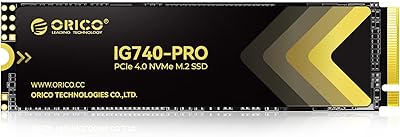
80%
71%
Compatibility Clarity
78%
Read/Write Performance
91%
Installation Ease
83%
Value for Money
74%
Drive Longevity & Health Features
More
ORICO IG740PRO 2TB NVMe SSD
83%
93%
Read & Write Speed
91%
Endurance & Longevity
84%
Thermal Management
88%
Data Security & Protection
92%
PS5 Compatibility & Installation
More
Ediloca EN206 2TB M.2 SATA SSD
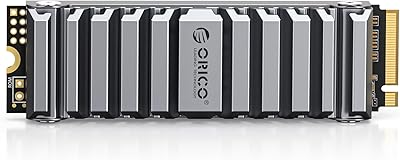
74%
88%
Value for Money
71%
Read & Write Speed
93%
Installation Ease
82%
Compatibility
61%
Long-Term Reliability
More
KingSpec NT 2TB M.2 2242 SATA SSD
78%
88%
Value for Money
91%
Form Factor Compatibility
74%
Read & Write Speed
86%
Installation Experience
71%
Endurance & Longevity
More
KingSpec NT 2TB M.2 2280 SATA SSD
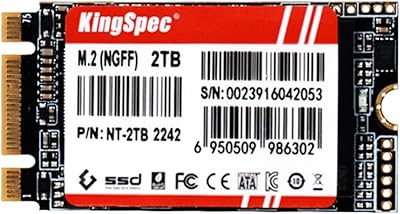
74%
88%
Value for Money
74%
Read & Write Speed
61%
Compatibility
86%
Installation Experience
63%
Long-term Reliability
More

FAQ

The easiest way is to check your laptop or motherboard's official specifications page — look for terms like NGFF, AHCI, or M.2 SATA to confirm compatibility. If the spec sheet lists PCIe or NVMe, this drive will not work in that slot. When in doubt, tools like CPU-Z or HWiNFO can also read your system's storage interface type before you buy.

Only if that M.2 slot specifically supports the SATA protocol. Many modern motherboards have M.2 slots that are NVMe-only, and plugging a SATA drive into one simply won't be recognized. Check your motherboard manual for the slot labeled M.2 and confirm it lists SATA or AHCI support alongside any PCIe listing.

Generally no — single-board computers rarely have standard M.2 SATA slots, and even those with M.2 connectors often use USB-based bridges rather than native SATA. You would need to verify your specific board's M.2 implementation before assuming compatibility.

In everyday use, the difference is significant — boot times that used to take 60 to 90 seconds often drop to under 15 seconds, and applications open noticeably faster. The jump from a spinning hard drive to this SATA SSD is one of the most impactful upgrades you can make to an older machine. That said, if you are coming from a fast NVMe drive, you won't notice a speed improvement.

Most external M.2 enclosures sold today are designed for NVMe drives, not SATA, so compatibility is not guaranteed and in many cases will not work at all. A small number of enclosures specifically support M.2 SATA — these are usually labeled as NGFF enclosures. Always confirm the enclosure explicitly supports M.2 SATA before purchasing one alongside this drive.

You will need a small Phillips-head screwdriver to open your laptop's back panel and to secure the drive with a mounting screw. Speaking of which — check whether your laptop or motherboard includes a mounting screw for the M.2 slot, as this drive does not ship with one. The installation process itself is simple: align the notch, seat the drive at an angle, press it flat, and secure it.

No additional drivers are needed for Windows 10 or 11, as SATA SSDs are natively supported. After installing the drive in a new system build, you will just need to initialize and format it through Windows Disk Management before use. If you are cloning an existing drive onto it, any reputable cloning software like Macrium Reflect Free will work without special configuration.

The built-in TRIM and Garbage Collection features are specifically there to manage this — they help the drive reclaim space from deleted files and maintain write performance as capacity is used. In practice, keeping at least 10 to 15 percent of the drive free is good habit for any SSD to maintain consistent speeds over the long term.

2TB is more than enough for the vast majority of users as a primary drive — you can comfortably fit Windows or Linux, a full application suite, and a large game or photo library with room to spare. Where it shines as secondary storage is in systems that already have an NVMe boot drive and need affordable overflow space for media or backups.

ORICO typically offers a limited warranty on their SSDs, though buyers should verify the specific terms with the seller at the time of purchase, as coverage periods can vary by region. As for lifespan, SATA SSDs with ECC and Bad Block Management like this one are generally reliable for several years of everyday use. Since this drive launched in late 2024, long-term real-world endurance data from users is still limited, so keeping a backup routine is always wise.