Overview

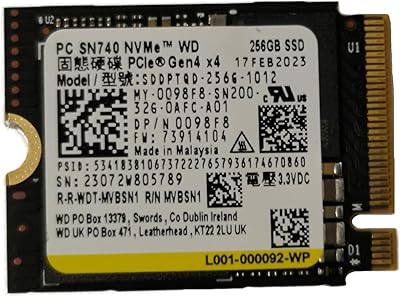
The ORICO J10 256GB M.2 NVMe Internal SSD is ORICO's entry into the competitive mid-range storage market, aimed squarely at laptop owners and desktop builders looking for a meaningful speed upgrade without a steep price tag. ORICO, a Shenzhen-based peripheral brand, has been steadily expanding its storage lineup, and this drive reflects that growing experience. It uses the PCIe Gen3x4 interface in the standard M.2 2280 form factor — a combination compatible with the vast majority of modern systems. What makes it stand out at this price tier is the bundled aluminum heatsink, an accessory many competitors leave out. Expect capable everyday performance, not class-leading benchmark results.
Features & Benefits

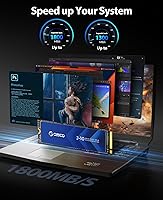
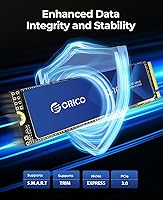
The drive posts sequential reads up to 1800MB/s and writes up to 1300MB/s, which translates well in practice for OS boot times and application launches. It uses 3D NAND with SLC caching to handle burst workloads — think installing software or transferring a folder of images — with reasonable speed. One honest caveat: once the SLC cache fills during large sustained transfers, write performance drops considerably, which is a normal limitation at this capacity and price point, not an anomaly. S.M.A.R.T. support is included, allowing health monitoring via standard tools like CrystalDiskInfo. ORICO cites 96-hour factory stress testing, which is a decent baseline, though real-world longevity data from long-term owners will matter more.

Best For

This M.2 upgrade makes the strongest case for users replacing an old HDD or SATA SSD in a laptop or budget desktop — the speed difference in daily computing is hard to miss. It also fits naturally into DIY portable SSD enclosure builds, and works well as a secondary or scratch drive in a gaming rig. The heatsink adds genuine value for desktop and enclosure setups, though buyers planning a laptop install should verify chassis clearance first, as it may not fit every tight form factor. One critical point: the J10 SSD is not PS5-compatible, full stop. Workloads requiring Gen4 throughput, like high-bitrate 4K video editing, will hit its ceiling quickly.

User Feedback

Sitting at a 4.6-star average from over 1,200 buyers, this ORICO NVMe drive has earned broad satisfaction across a large sample. Most praise focuses on how painless installation is and how noticeably snappier systems become when upgrading from a spinning disk. The heatsink quality earns specific mentions from desktop users. Criticism, when it appears, centers on real-world write speeds falling short of peak figures once the cache is saturated — a legitimate and recurring concern. Some buyers encountered minor compatibility quirks on specific laptop models, and the out-of-the-box formatting requirement has caught a handful of users off guard despite the listing noting it. On balance, feedback reflects a dependable, uncomplicated drive that delivers on its core promise.

Pros

  • Boot times and app load speeds improve dramatically when upgrading from an old hard disk or SATA SSD.
  • The bundled aluminum heatsink with thermal silicone film is a genuine value-add that most rivals skip at this price tier.
  • M.2 2280 form factor works across a wide range of laptops, mini-PCs, and full-size desktops with minimal fuss.
  • S.M.A.R.T. support lets you monitor drive health over time using free tools like CrystalDiskInfo.
  • Over 1,200 buyer ratings averaging 4.6 stars reflects consistently positive real-world experiences across diverse setups.
  • Installation is straightforward enough for first-time builders — no specialized tools or technical knowledge required.
  • The J10 SSD handles everyday burst workloads — installing software, moving folders, casual gaming — without hesitation.
  • PCIe Gen3x4 interface is supported by virtually every modern laptop and desktop motherboard without compatibility concerns.
  • Lightweight at under half an ounce, making it ideal for portable enclosure builds where every gram counts.

Cons

  • Sustained write speeds fall sharply once the SLC cache is exhausted — peak figures do not reflect real-world large-file transfers.
  • 256GB is tight as a sole system drive, especially if you install multiple games or keep large media libraries locally.
  • New drives require formatting before use, which has caught some buyers off guard during first-time setup.
  • Real-world speeds can fall noticeably short of advertised maximums depending on system configuration and thermal conditions.
  • A handful of users have reported compatibility quirks with specific laptop models and BIOS versions worth researching beforehand.
  • The heatsink, while useful in desktops and enclosures, may not physically fit inside slim or ultrabook laptop chassis.
  • ORICO lacks the long-term brand track record of established storage names, making multi-year reliability harder to predict with confidence.
  • No PCIe Gen4 support means this drive will bottleneck workflows that depend on high sustained throughput speeds.

Ratings

The ORICO J10 256GB M.2 NVMe Internal SSD has been evaluated by our AI rating engine after analyzing hundreds of verified global buyer reviews, with spam, bot-generated, and incentivized feedback actively filtered out before scoring. The result is an honest scorecard that reflects both where this drive genuinely delivers and where real buyers have run into friction. Strengths and limitations are weighted equally so you can make a clear-eyed decision.
Read Speed Performance
83%
Buyers upgrading from SATA drives or spinning hard disks consistently notice a dramatic improvement in boot times and application load speeds. For everyday computing — launching browsers, opening large spreadsheets, loading games — the PCIe Gen3x4 throughput feels responsive and fast without any tuning required.
Users who run benchmark comparisons often find the real-world sequential read numbers fall a few percentage points below the advertised 1800MB/s ceiling, particularly when the system is warm or under concurrent load. Against Gen4 competitors, the gap is wide enough that performance-focused buyers will feel the difference immediately.
Write Speed & Cache Behavior
61%
39%
For typical daily workloads — installing software, saving documents, moving moderate-sized folders — the SLC cache keeps write performance feeling brisk and responsive. Most casual users never push the drive hard enough to notice any ceiling in normal usage patterns.
Once the SLC cache fills during a large sequential write task, sustained throughput drops sharply and noticeably — a recurring complaint from buyers who transfer large video files or game installs. This is a structural limitation of the 256GB capacity tier, not a defect, but it catches buyers off guard when peak marketing figures set unrealistic expectations.
Heatsink Quality
88%
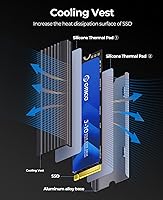
The bundled aluminum alloy heatsink with its grooved surface and thermal silicone pad is consistently praised as a genuine value-add that most competing drives at this price point simply do not include. Desktop and enclosure users in particular appreciate that throttling during sustained reads is noticeably reduced compared to running the bare drive.
The heatsink adds just enough physical thickness to create clearance problems inside slim and ultrabook-style laptops, with several buyers reporting it did not fit their chassis without removal. It is best treated as a desktop and enclosure accessory rather than a universal solution.
Compatibility
74%
26%
The M.2 2280 form factor slots into the overwhelming majority of modern laptops, mini-PCs, and full-size desktop motherboards without any adapter or configuration gymnastics. Most buyers report a plug-and-install experience with no BIOS changes needed on systems from the last several years.
A meaningful subset of buyers has flagged edge-case incompatibilities with specific older laptop models and certain BIOS versions that do not recognize the drive on first boot. PS5 incompatibility is the hardest limitation — buyers who purchase this for console storage expansion have no recourse.
Value for Money
79%
21%
Factoring in the included heatsink and the competitive read speeds for the price tier, most buyers feel the J10 SSD represents fair value for an everyday NVMe upgrade. For users coming from HDDs or aging SATA drives, the perceived performance gain far outweighs the cost of entry.
At this price point, competing 256GB NVMe drives from more established brands offer comparable or superior sustained write performance, making the value proposition less clear-cut for buyers who shop around. Power users who need larger capacity will find that stepping up to 512GB options from rivals does not cost dramatically more.
Build & Physical Quality
81%
19%
The PCB feels solid and the heatsink assembly is well-fitted, with the thermal pad making proper contact out of the box in most installations. Buyers who have handled a range of budget NVMe drives note that the J10 does not feel cheap or flimsy relative to its price tier.
A few buyers noted that the heatsink clip mechanism requires careful handling during installation to avoid scratching the PCB. The overall construction, while adequate, does not match the premium feel of drives from brands like Samsung or WD Black.
Installation Experience
86%
The physical installation process is straightforward enough that first-time builders report completing it without consulting a tutorial, which speaks well to the drive's accessibility. The standard M.2 screw mount and clear orientation of the connector make mistakes difficult.
The requirement to format the drive before use — while standard practice — has generated genuine frustration among less experienced buyers who expected the drive to show up ready to use. ORICO does note this in the listing, but clearer documentation in the box would reduce confusion.
Thermal Management
77%
23%
With the heatsink installed, the J10 SSD runs at comfortable temperatures during typical mixed workloads, and buyers using it in open desktop cases or well-ventilated enclosures report no throttling events during normal use. The groove design on the heatsink does meaningfully increase surface area compared to a flat plate.
Without the heatsink — which some laptop users must remove for clearance reasons — the bare drive runs warmer under sustained load and is more susceptible to thermal throttling in poorly ventilated chassis. Slim laptop users are effectively giving up a core feature of this drive.
Reliability & Longevity
69%
31%
The 96-hour factory stress test provides some assurance that each unit shipped has cleared basic operational thresholds, and the overall 4.6-star average across a large review pool suggests most units perform without issue over the short to medium term.
ORICO does not have the multi-year reliability track record of established storage brands, and long-term data on NAND endurance for this specific model is limited. Buyers planning to use this as a primary drive for several years should monitor S.M.A.R.T. attributes regularly and maintain current backups.
Health Monitoring
82%
18%
S.M.A.R.T. support works reliably with standard third-party tools, giving buyers visibility into wear indicators and reallocated sector counts without needing any proprietary software. This is a practical feature that adds genuine peace of mind for buyers who want to track drive health proactively.
ORICO provides no first-party monitoring utility or companion app, meaning less technical users may not know how to access or interpret S.M.A.R.T. data without additional research. The brand also does not publish detailed endurance specifications such as TBW (terabytes written) ratings, which limits long-term planning.
Portability & DIY PSSD Use
78%
22%
The lightweight form factor and standard M.2 2280 dimensions make this M.2 upgrade a natural fit for DIY portable SSD enclosure projects, and buyers report that it pairs well with popular NVMe enclosures to produce a fast, compact external drive. The read speed advantage over SATA-based portable drives is tangible during file transfers.
The heatsink is not enclosure-friendly in compact shells, requiring removal in most cases, which undermines one of the drive's headline features for this use case. Transfer speeds via USB enclosure are also capped by the enclosure's own controller regardless of the drive's NVMe throughput.
Packaging & Unboxing
71%
29%
The drive and heatsink arrive adequately protected, and buyers generally receive both components in good physical condition with no visible damage. The inclusion of the thermal silicone pad pre-cut and ready to apply is a small but appreciated touch.
Documentation inside the box is minimal, with no printed quick-start guide covering the mandatory formatting step or heatsink installation procedure. First-time SSD buyers are left to rely on online resources, which adds friction to what should be a smooth setup experience.
Brand Trust & Support
63%
37%
ORICO has built a recognizable brand presence in the storage accessories and peripheral space, and its Amazon storefront shows consistent seller responsiveness to buyer complaints in the review section. For a budget-tier purchase, the level of post-sale engagement is above average for a Shenzhen-based manufacturer.
ORICO lacks the decades-long reliability heritage of storage-focused brands, and warranty terms and regional support availability are less clearly communicated compared to industry incumbents. Buyers who experience drive failure outside the return window may find the claims process more cumbersome than with established brands.

Suitable for:

The ORICO J10 256GB M.2 NVMe Internal SSD is a practical choice for everyday PC users who want a meaningful speed boost without overcomplicating the upgrade process. It fits naturally into the hands of laptop owners still running older SATA drives or mechanical hard disks — the jump to NVMe throughput in daily use is genuinely noticeable for boot times, app launches, and general responsiveness. Budget desktop builders looking for a reliable primary or secondary drive will also find it a comfortable fit, especially given that the bundled heatsink removes one extra purchasing decision. DIY enthusiasts assembling a portable external SSD enclosure will appreciate the M.2 2280 form factor and the drive's broad compatibility. Students, home office workers, and casual gamers who need dependable storage for moderate workloads — rather than maximum sustained throughput — are squarely in this drive's wheelhouse.
Not suitable for:

The ORICO J10 256GB M.2 NVMe Internal SSD has clear boundaries that buyers should understand before committing. If you are shopping for PS5 storage expansion, stop here — this drive is explicitly incompatible, and no workaround changes that. Power users who regularly move large files, such as video editors working with 4K footage or photographers batch-processing RAW libraries, will run into the SLC cache ceiling fairly quickly, after which sustained write speeds drop well below the advertised peak figures. The 256GB capacity is also genuinely limiting if you plan to use this as your sole drive for a gaming library or creative workstation. Anyone who requires the raw throughput of a PCIe Gen4 drive for professional or enthusiast workloads will find the J10 SSD underwhelming by comparison. Finally, buyers with ultra-slim laptops should confirm chassis clearance before purchasing, as the included heatsink may not fit in every tight form factor.

Specifications

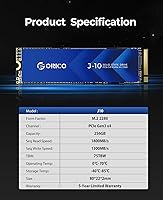
  • Storage Capacity: The drive provides 256GB of raw NAND storage, with actual usable capacity slightly lower due to formatting overhead and reserved space for wear leveling.
  • Interface: Uses a PCIe Gen3 x4 interface, delivering bandwidth well above what SATA-based drives can offer, though it does not support the faster PCIe Gen4 standard.
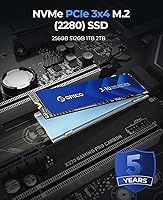
  • Form Factor: Follows the M.2 2280 specification, meaning it is 22mm wide and 80mm long — the most common M.2 size found in laptops and desktop motherboards.
  • Sequential Read: Rated for sequential read speeds up to 1800MB/s under optimal conditions, suitable for fast OS booting and application loading.
  • Sequential Write: Rated sequential write speeds reach up to 1300MB/s, though real-world sustained performance will drop once the SLC cache is exhausted.
  • NAND Type: Built on 3D NAND flash with an SLC (Single-Level Cell) caching layer that improves burst write performance for everyday file operations.
  • Heatsink: Includes an aluminum alloy heatsink with a groove-pattern surface and a thermal silicone film pad to improve heat transfer away from the controller and NAND.
  • Health Monitoring: S.M.A.R.T. (Self-Monitoring, Analysis and Reporting Technology) is supported, allowing drive health checks through standard utilities on Windows, macOS, and Linux.
  • PS5 Compatibility: This drive is explicitly not compatible with the PlayStation 5 storage expansion slot and should not be purchased for that purpose.
  • Installation Type: Designed for internal installation only; it slots directly into an M.2 socket on a motherboard or laptop and requires no additional power connector.
  • Compatible Devices: Works with laptops, mini-PCs, ATX and mATX desktops, and DIY portable SSD enclosures that support the M.2 2280 PCIe NVMe standard.
  • Weight: The drive itself weighs approximately 0.352 ounces (about 10 grams), making it negligible as a contributor to overall system weight.
  • Dimensions: Physical size measures 3.15 inches long by 0.87 inches wide by 0.08 inches thick, consistent with standard M.2 2280 form factor specifications.
  • Factory Testing: ORICO states each unit undergoes 96 hours of stress testing covering sleep cycles, sustained read/write loads, high-temperature operation, and system boot verification.
  • Brand Origin: Manufactured by Shenzhen ORICO Technologies Co., Ltd., a Chinese peripheral and storage accessories brand with a broad product catalog.
  • Amazon Ranking: Holds a Best Sellers Rank of #144 in the Internal Solid State Drives category on Amazon, reflecting strong and consistent sales volume.
  • Rating Summary: Carries a 4.6 out of 5-star average rating drawn from over 1,200 verified buyer reviews at the time of this review.
  • Color: Ships in a black finish on the PCB and controller area, with the silver-toned aluminum heatsink applied over the top surface.

Related Reviews

ORICO M.2 2242 NVMe SSD 256GB
88%
94%
Performance
91%
Speed (Read/Write)
88%
Heat Management
92%
Ease of Installation
87%
Value for Money
More
ORICO Dual M.2 NVMe SSD Enclosure
79%
88%
Build Quality
84%
Thermal Management
82%
Transfer Speed
71%
Drive Compatibility
91%
Ease of Installation
More
ORICO M.2 NVMe SSD 512GB with Heatsink
86%
89%
Performance
92%
Cooling Efficiency
85%
Installation Ease
90%
Read/Write Speeds
88%
Capacity for Gaming & Everyday Use
More
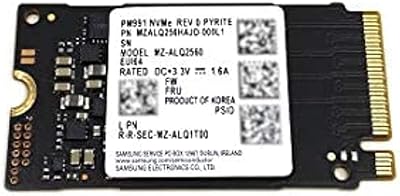
Samsung PM991 256GB NVMe M.2 SSD
88%
94%
Performance
91%
Read Speed
89%
Write Speed
92%
Value for Money
88%
Build Quality
More
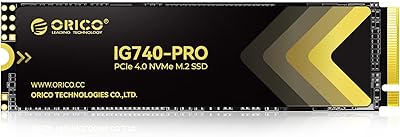
ORICO IG740PRO 2TB NVMe SSD
83%
93%
Read & Write Speed
91%
Endurance & Longevity
84%
Thermal Management
88%
Data Security & Protection
92%
PS5 Compatibility & Installation
More
ORICO TCM2 M.2 NVMe SSD Enclosure
78%
83%
Transfer Speed
61%
Thermal Management
74%
Build Quality
91%
Ease of Installation
86%
Cable Bundle Quality
More
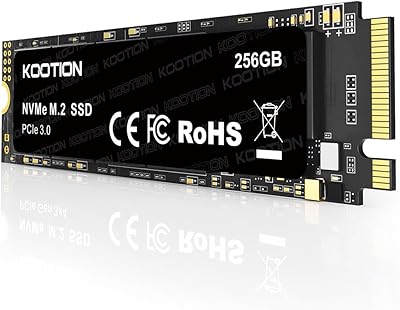
KOOTION 256GB NVMe M.2 PCIe SSD
87%
91%
Performance (Read Speed)
88%
Value for Money
94%
Ease of Installation
90%
Durability (Shock Resistance)
80%
Write Speed
More
ORICO M.2 2242 NVMe SSD 1TB
87%
89%
Performance
92%
Value for Money
88%
Heat Dissipation
75%
Installation Ease
91%
Build Quality
More
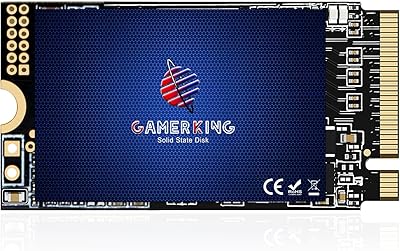
GAMERKING 256GB M.2 2242 NVMe SSD
85%
89%
Performance (Read/Write Speeds)
92%
Value for Money
85%
Ease of Installation
82%
Thermal Management
90%
Form Factor/Compatibility
More
ORICO IG740PRO 4TB M.2 NVMe SSD
79%
91%
Sequential Read Performance
88%
Endurance & Longevity
84%
Thermal Management
79%
Value for Money
74%
PS5 Compatibility
More
Samsung PM9B1 256GB M.2 NVMe SSD
77%
91%
Value for Money
84%
Read Speed Performance
67%
Write Speed & Sustained Performance
88%
Authenticity & Build Quality
82%
Compatibility
More

FAQ

No, and this is worth being very clear about: the J10 SSD is a PCIe Gen3 drive and is not compatible with the PS5 storage expansion bay, which requires PCIe Gen4 NVMe drives. Buying it for that purpose would be a mistake.

Yes. Like most bare NVMe drives sold without a pre-installed OS, this M.2 upgrade arrives unformatted. On Windows, you can initialize and format it through Disk Management in just a few clicks. On macOS, use Disk Utility. It is a quick process, but first-time builders sometimes skip this step and wonder why the drive is not showing up.

It depends on your specific laptop model. The aluminum heatsink adds a small but real amount of thickness to the drive, and in slim or ultrabook-style chassis, there simply may not be enough clearance. If you are installing this into a laptop, check your service manual or measure the M.2 slot clearance first. For desktops and external enclosures, the heatsink fits without issue in the vast majority of cases.

For everyday tasks — booting Windows, launching apps, opening browser sessions — this ORICO NVMe drive performs noticeably faster than any SATA SSD or hard disk. Where it gets more nuanced is during large sequential transfers, like moving a folder of videos or installing a big game. The SLC cache helps a lot initially, but once it fills, write speeds drop well below the advertised 1300MB/s ceiling. For typical home and office use, you are unlikely to hit that wall often.

It depends on whether your laptop has an M.2 slot that supports NVMe over PCIe. Many older laptops — roughly pre-2016 — either lack an M.2 slot entirely or only support M.2 SATA drives, which use a different protocol. Check your laptop specifications before purchasing. If your system supports M.2 PCIe NVMe, this drive will almost certainly work.

S.M.A.R.T. monitoring is built in, so you can use a free tool like CrystalDiskInfo on Windows to track attributes such as reallocated sectors, wear leveling count, and overall drive health status. Running a quick check every few months is a good habit for any SSD you rely on daily.

Yes, and it actually excels in that role. Installing your operating system on this drive will give you noticeably faster boot times compared to a SATA drive. Just make sure your motherboard or laptop BIOS supports NVMe boot, which is standard on most systems built after 2015.

Absolutely. The M.2 2280 form factor is compatible with a wide range of NVMe enclosures available from ORICO and other brands. The J10 SSD makes a solid foundation for a DIY portable drive, especially if the enclosure has its own thermal management built in. Just note that the included heatsink is designed for internal use and may not fit inside a compact enclosure shell.

NVMe drives using PCIe Gen3 x4 can deliver sequential read speeds several times higher than SATA, which tops out around 550MB/s. In practice, the gap is most obvious during file transfers, game load times, and OS responsiveness. For general productivity and web browsing, you may not notice a dramatic difference, but once you switch to an NVMe drive, going back to SATA feels sluggish.

For a dedicated OS and applications drive paired with secondary storage, 256GB is workable but tight by modern standards. If you plan to install a large game library, store videos, or run resource-heavy creative software alongside your system files, you will likely fill it faster than expected. For a secondary scratch drive, portable build, or a clean OS installation with selective app installs, it is a reasonable size.