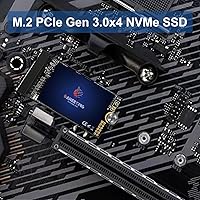
Overview

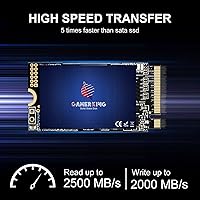
The GAMERKING 256GB M.2 2242 NVMe SSD exists to solve a very specific problem: your laptop or mini-PC has an M.2 slot, but it only accepts the shorter 2242 form factor, not the more common 2280 length that most consumer drives use. That rules out a huge chunk of the market. This compact SSD steps in as a factory-direct option, skipping retail middlemen to stay accessible on price. It runs on a PCIe Gen3x4 interface, with sequential read and write figures that represent ceiling numbers under ideal conditions — real-world sustained performance will naturally vary. The 5-year warranty is genuinely rare at this price tier and signals a level of confidence that most budget drives simply do not offer.

Features & Benefits

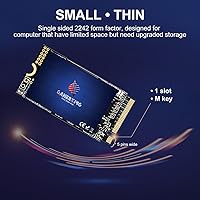
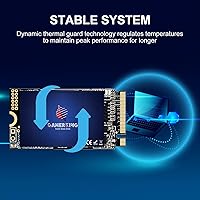
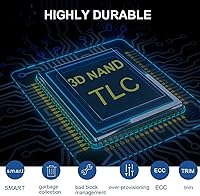
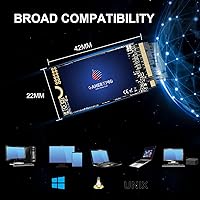
The physical dimensions are the real headline here. At just 22mm x 42mm, this 2242 NVMe drive slots cleanly into spaces a standard 80mm drive cannot enter, no adapters needed. Under the hood it uses 3D NAND TLC flash paired with firmware-level optimization aimed at pushing throughput while keeping power draw low — a genuine concern in ultrabooks running on battery. A built-in thermal guard works to reduce temperature spikes during heavy activity, which helps prevent the speed throttling that plagues thin drives without active cooling. Windows, Linux, and Unix are all supported natively, so no driver hunting required. Capacity options stretch from 256GB to 1TB for those who need more headroom.

Best For

This compact SSD is built for a specific audience, not the general market. If you own an older ThinkPad, IdeaPad, or a compact mini-PC with a 2242 M.2 slot, this drive is one of the few affordable NVMe options that will physically fit your machine. Linux tinkerers will also appreciate having a capable, low-cost spare for distro testing or lightweight server builds. Budget upgraders swapping out an aging SATA drive will notice a meaningful speed improvement in everyday tasks, even when peak figures are not consistently reached. It is not the right pick for a high-demand gaming rig or professional workstation — those scenarios call for a higher-endurance named-brand drive.

User Feedback

Across more than 600 ratings the GAMERKING NVMe holds a 4.4-star average, which is a respectable outcome for a factory-direct value drive. Buyers most often praise the easy slot compatibility — ThinkPad and mini-PC owners in particular describe relief at finding a 2242 NVMe that fits and works without fuss. The speed jump over an old SATA install is a recurring highlight, even when real-world numbers fall short of the advertised ceiling. On the critical side, a handful of reviewers flag unit consistency concerns and speeds that dip noticeably under sustained load. Warranty support draws generally positive comments, though a few buyers note slower response times. Isolated compatibility issues with specific older device models also come up, so verifying your slot spec before ordering is a sensible precaution.

Pros

  • One of the very few affordable NVMe options physically designed for the 2242 slot constraint.
  • Delivers a genuine speed improvement over SATA drives in compatible ultrabooks and mini-PCs.
  • Five-year warranty is rare at this price tier and backs up the factory-direct value proposition.
  • Works out of the box on Windows, Linux, and Unix without hunting for additional drivers.
  • Lightweight build adds virtually no extra mass to already-thin portable devices.
  • Available in three capacities, so buyers can scale up to 512GB or 1TB if the budget allows.
  • Thermal guard helps reduce throttling under load, which matters in thin chassis with poor airflow.
  • Strong sales rank and 4.4-star average across 600-plus ratings suggests reliable batch quality for most buyers.
  • Compact dimensions make it a practical secondary storage option in NUC or embedded-style builds.

Cons

  • Real-world sustained speeds can fall noticeably below the advertised 2500/2000 MB/s ceiling figures.
  • Unit-to-unit consistency is not guaranteed — a small share of buyers report drives that underperform out of the box.
  • GAMERKING is a factory-direct brand with limited independent reputation, which requires some buyer trust.
  • 256GB fills up fast if you run multiple applications, keep local media, or use virtual machines.
  • A handful of reviewers have flagged compatibility issues with specific older device models, so slot verification is essential before purchasing.
  • Warranty support response times appear inconsistent based on buyer experiences, even when the policy itself is favorable.
  • No published endurance or TBW rating is disclosed, making long-term reliability harder to evaluate objectively.
  • Not ideal as a primary drive for demanding workloads where write endurance and consistency are critical.

Ratings

Our AI rating system analyzed hundreds of verified buyer reviews for the GAMERKING 256GB M.2 2242 NVMe SSD across global marketplaces, actively filtering out suspected bot-generated, incentivized, and duplicate submissions to isolate authentic user experiences. The scores below reflect both the genuine strengths and the documented frustrations that real buyers reported across a wide range of use cases and device types. Every rating transparently captures the full picture — including the trade-offs — so you can make a confident, informed decision.

Form Factor Compatibility
93%
For buyers with a 2242 M.2 slot, this compact SSD is one of the few affordable NVMe options that physically fits without any adapter or bracket. ThinkPad and mini-PC owners repeatedly describe it as a near-perfect dimensional match, dropping in exactly as expected with zero modification required.
The 2242 form factor is a strength only for those with the right slot — buyers who mistakenly purchase this for a standard 2280 machine are out of luck entirely. A small number of reviewers also note that the shorter length makes it slightly fiddlier to align during installation in cramped chassis.
Value for Money
88%
Buyers consistently highlight that this 2242 NVMe drive delivers genuine NVMe-tier speed at a price point where SATA alternatives typically dominate. The absence of a retail brand markup means you are paying primarily for hardware, and most users feel the performance-to-cost ratio holds up well in real daily use.
The value proposition weakens slightly when you factor in the uncertainty around unit consistency and the lack of published endurance ratings. A small percentage of buyers received units that underperformed expectations, which makes the savings feel less certain for those unlucky enough to land a weaker batch.
Read/Write Performance
74%
26%
Most users coming from an aging SATA drive report a very noticeable improvement in everyday responsiveness — faster boots, quicker app launches, and snappier file transfers. The PCIe Gen3x4 interface gives this compact SSD a meaningful throughput advantage over anything in the SATA tier.
Advertised peak speeds of 2500/2000 MB/s are ceiling figures, and real-world sustained transfers run noticeably lower, particularly under extended workloads. Several reviewers who benchmarked the drive found sequential write performance in particular dropped off meaningfully after the initial SLC cache was exhausted.
Installation Experience
86%
The physical installation process is straightforward for anyone comfortable opening a laptop — the drive seats into the M.2 slot cleanly, and OS detection on Windows and Linux is immediate without any driver setup. Multiple buyers with no prior SSD upgrade experience describe the process as genuinely approachable.
A handful of reviewers encountered compatibility hiccups with specific older device models where the drive was not recognized on first boot, requiring a BIOS update or firmware tweak to resolve. These cases appear to be edge-case device-specific issues rather than a widespread problem, but they are worth noting.
Warranty & Support
76%
24%
A five-year warranty is an unusually strong commitment for a budget-tier, factory-direct drive, and a majority of buyers who have tested the claim report receiving a replacement without excessive pushback. The policy itself is a genuine differentiator that most competing no-name 2242 drives simply do not offer.
Response times from the support team are inconsistent based on buyer reports — some replacements arrived quickly while others experienced extended waiting periods. Because the brand operates factory-direct rather than through a retail channel, there is no third-party recourse if the support experience goes poorly.
Sustained Throughput
63%
37%
For light workloads — copying documents, installing software, booting an OS — the GAMERKING NVMe holds its speed well and the experience feels responsive. Most everyday laptop users will never push the drive hard enough to trigger a noticeable slowdown under normal conditions.
TLC NAND without a large SLC write buffer tends to slow substantially during large, prolonged write operations once the cache fills. Users who run virtual machines, transfer large media archives, or perform heavy development builds may hit this ceiling more often than they would with a higher-endurance drive.
Thermal Management
78%
22%
The built-in thermal guard does appear to reduce the frequency of aggressive throttling events during moderately heavy use, which is a meaningful feature in an ultra-compact chassis with limited airflow. Several mini-PC users specifically noted that the drive stayed cooler than they expected during extended activity.
The thermal protection is a preventive measure, not a full solution — in particularly hot chassis or during prolonged intensive workloads, temperatures still climb and speeds still dip. A thin thermal pad between the drive and the chassis can help, but one is not included in the package.
OS Compatibility
91%
Out-of-the-box compatibility with Windows, Linux, and Unix-based systems is well-documented by buyers across a wide range of distros and Windows versions. Linux users in particular appreciate not needing to hunt for drivers or configure anything special — the drive just mounts and works.
macOS is not supported, and there is no indication that it will function reliably in any Apple hardware context. A small number of users on older Windows 7 or legacy Unix installations reported needing additional configuration steps before the drive was recognized correctly.
Build Quality
71%
29%
The physical construction feels solid for the price — the PCB is clean, the edge connector is properly finished, and the drive fits its slot without any wobble or visible defects in the majority of units. The sub-one-ounce weight also makes it feel appropriately engineered for mobile use.
GAMERKING does not publish component sourcing details, and some buyers have noted visual inconsistencies between units suggesting variation in flash chip origins across production batches. Without independent third-party teardown data, build consistency is difficult to verify beyond what individual buyers report.
Boot Time Impact
87%
Buyers upgrading from a mechanical hard drive or a slow eMMC module describe dramatic improvements in boot times — one of the most immediately felt benefits of the NVMe interface. Cold boot to desktop on a lean Windows 11 install is consistently reported as taking well under 20 seconds.
Users replacing an already-decent SATA SSD will notice a more modest improvement in boot speed specifically, since the bottleneck often shifts to BIOS initialization time rather than storage read speed. The gap narrows further on older devices where the CPU itself becomes the limiting factor during startup.
Capacity Options
83%
Having three capacity tiers — 256GB, 512GB, and 1TB — in the same 2242 NVMe family gives buyers the flexibility to match their storage needs without switching products entirely. The 512GB option in particular hits a practical sweet spot for users who want room for an OS, apps, and a reasonable media library.
The 256GB base variant is on the tight side for anyone running a modern OS alongside a full software suite, and buyers who underestimate their storage needs report feeling the squeeze within months. The 1TB variant addresses this but sits at a higher price where named-brand alternatives become more competitive.
Power Efficiency
81%
19%
Firmware-level power management keeps idle and light-load consumption low, which matters in ultrabooks where battery life is a priority. Several laptop users reported no noticeable change in battery drain after swapping their old drive for this compact SSD, which is a positive sign for the efficiency tuning.
Under sustained heavy load the power draw climbs, and in devices with aggressive battery-saving modes, some users noticed the drive occasionally triggering power-state transitions that caused brief read/write pauses. This is a minor issue in normal use but can be noticeable in certain low-power laptop configurations.
Long-term Reliability
61%
39%
Many buyers have been running this 2242 NVMe drive for over a year without any reported failures, and the overall sentiment around day-to-day durability is cautiously positive for a budget-tier product. The five-year warranty provides at least some structural accountability if problems do emerge over time.
The absence of a published TBW endurance rating makes it genuinely difficult to assess how this drive holds up over a full product lifespan under write-heavy conditions. TLC NAND without disclosed endurance specs is a real concern for anyone planning to use this as a primary write-intensive drive for several years.

Suitable for:

The GAMERKING 256GB M.2 2242 NVMe SSD is the right call for anyone whose device physically cannot accept a standard 2280 drive — a constraint that catches a lot of ThinkPad, IdeaPad, and compact mini-PC owners off guard until they are already elbow-deep in an upgrade attempt. If your machine has a 2242 M.2 slot and you are currently running on a slow SATA drive or bare-bones eMMC storage, this compact SSD will deliver a noticeable real-world improvement in boot times and file transfers without requiring you to pay a brand-name premium. Linux users and hardware tinkerers will find it especially practical as a low-stakes spare drive for distro testing, lightweight server installs, or secondary storage in a NUC-style build. The five-year warranty adds a meaningful layer of assurance that is genuinely uncommon at this price point, making the factory-direct trade-off feel considerably less risky than it might otherwise appear.

Not suitable for:

If your device takes a standard 2280 drive, skip this one entirely — the 2242 form factor is a specific solution to a specific slot constraint, not a general-purpose upgrade path, and there are better-validated options available at comparable prices in the 2280 space. The GAMERKING 256GB M.2 2242 NVMe SSD is also not a strong fit for anyone who depends on consistent peak throughput, such as video editors working with large raw files or developers running heavy parallel workloads, since real-world sustained speeds can fall short of the advertised ceiling figures. At 256GB, storage-hungry users who keep large game libraries, media collections, or virtual machine images on their primary drive will feel the capacity pinch sooner rather than later. Buyers who want the peace of mind that comes with an established brand, documented endurance ratings, and a proven support track record should look toward Samsung, WD, or SK Hynix options instead — the factory-direct model works for the right buyer, but it asks for a degree of trust that not every purchaser will be comfortable extending.

Specifications

  • Storage Capacity: This drive ships in a 256GB configuration, with 512GB and 1TB variants available in the same product family.
  • Form Factor: Uses the M.2 2242 format, measuring 22mm wide and 42mm long — shorter than the common 2280 standard by 38mm.
  • Interface: Connects via NVMe over a PCIe Gen3x4 lane, providing significantly higher bandwidth than M.2 SATA implementations.
  • Sequential Read: Rated maximum sequential read speed is 2500 MB/s under optimal, lightly loaded conditions.
  • Sequential Write: Rated maximum sequential write speed is 2000 MB/s, representing peak rather than guaranteed sustained throughput.
  • NAND Type: Flash storage is built on 3D NAND TLC architecture, balancing cost-per-gigabyte with acceptable endurance for everyday workloads.
  • Key Type: Uses an M Key edge connector, which is the standard keying for NVMe PCIe drives and required for compatibility.
  • Thermal Protection: An integrated thermal guard monitors and manages operating temperature to reduce speed throttling under sustained heavy read/write activity.
  • OS Compatibility: Natively supported on Windows, Linux, and Unix-based operating systems without requiring third-party drivers or configuration utilities.
  • Warranty: Backed by a five-year manufacturer warranty covering defects and quality failures, with free replacement offered as the primary remedy.
  • Drive Weight: The bare drive weighs approximately 0.81 oz, adding negligible mass in mobile or space-constrained installations.
  • Installation Type: Designed as an internal drive installed directly into an M.2 slot; no external enclosure or adapter is included.
  • Compatible Devices: Intended for use in ultrabooks, standard laptops, desktop motherboards, and tablets that feature a 2242-compatible M.2 M Key slot.
  • Power Consumption: Firmware-level optimization is applied to balance peak throughput against power draw, making it suitable for battery-powered portable devices.
  • Sales Rank: Ranked #197 in the Internal Solid State Drives category on Amazon, supported by over 600 verified buyer ratings.

Related Reviews

ORICO J10-2242 256GB M.2 NVMe SSD
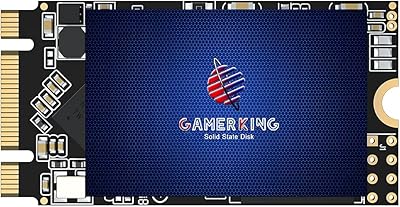
78%
88%
Value for Money
83%
Read Performance
67%
Write Performance
93%
Form Factor Compatibility
76%
Thermal Management
More
GAMERKING 1TB M.2 2280 NVMe SSD
75%
88%
Value for Money
83%
Read Performance
76%
Write Performance
71%
Thermal Management
73%
Build Quality
More
GAMERKING M.2 2242 1TB SATA SSD
70%
93%
Form Factor Fit
76%
Value for Money
68%
Read & Write Performance
88%
Installation Experience
44%
Brand Transparency
More
GAMERKING 2TB M.2 NVMe Internal SSD
75%
78%
Read/Write Performance
82%
Value for Money
91%
Installation Experience
67%
Thermal Management
63%
Long-Term Reliability
More
Samsung PM991 256GB M.2 2242 NVMe SSD
78%
94%
Form Factor Fit
78%
Read/Write Performance
88%
Build Reliability
83%
Value for Money
91%
Installation Ease
More
KingSpec NE-512 2242 512GB M.2 NVMe SSD
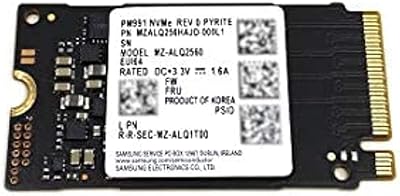
77%
88%
Value for Money
79%
Read Performance
71%
Write Performance
93%
Installation Ease
91%
Form Factor Compatibility
More
ORICO J10-2242 256GB NVMe M.2 SSD
78%
83%
Read Speed Performance
61%
Write Speed & Sustained Performance
78%
Thermal Management
88%
Value for Money
81%
Build Quality & Packaging
More
KOOTION 256GB NVMe M.2 Internal SSD
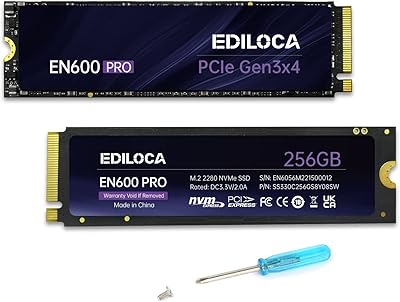
77%
88%
Value for Money
82%
Sequential Performance
71%
Real-World Speed
93%
Installation Ease
86%
Compatibility
More
Inland TN325 2TB M.2 2242 NVMe SSD
84%
96%
Form Factor Fit
83%
Sequential Read Speed
78%
Sequential Write Speed
91%
Endurance & Longevity
93%
Installation Experience
More
Ediloca EN600 Pro 256GB NVMe M.2 SSD
77%
93%
Value for Money
94%
Installation Experience
83%
Read Performance
57%
Sustained Write Speed
87%
Compatibility
More

FAQ

The easiest way is to check your laptop's service manual or specifications page on the manufacturer's website — search for your model number followed by the word 'maintenance' or 'hardware maintenance manual.' If you see M.2 2242 listed under storage, you are good. Physically, a 2242 slot will have the screw standoff positioned 42mm from the connector edge, not 80mm. When in doubt, opening the bottom panel and measuring is the most reliable confirmation.

Many ThinkPad and IdeaPad models — particularly older and mid-range configurations — ship with a 2242 M.2 slot as the only internal storage option. Models like the ThinkPad T440s, X240, and several E-series IdeaPads are commonly cited examples. Always verify your exact model number against the hardware maintenance manual before purchasing, since some variants in the same series differ in slot support.

It works fine as a primary boot drive. Buyers frequently install it as their main OS drive in compatible laptops and mini-PCs, and boot times are reported as significantly faster than what an old SATA drive delivers. If you plan to run Windows 11 alongside a large application library, consider whether 256GB gives you enough headroom before committing to this capacity.

Those figures are rated maximums recorded under ideal, lightly loaded benchmark conditions — treat them as a ceiling, not a guarantee. In real-world daily use, sustained read and write speeds will typically run lower, especially during prolonged transfers or when the drive warms up. For typical tasks like booting, launching apps, and moving moderate-sized files, the performance improvement over SATA is still very noticeable.

macOS does not natively support third-party NVMe drives in the same straightforward way Windows and Linux do, especially on Intel-based Macs where the slot form factor and keying are often proprietary. This drive is not marketed for macOS compatibility, and there is no documented support for it. If you are upgrading a Mac, this is not the right drive.

Buyer experiences are mixed but generally leaning positive. Most reviewers who have contacted the manufacturer report receiving a replacement without major friction. The caveat is that response times can vary, and the process is handled directly through the brand rather than a local retail channel. Keeping your order confirmation and any correspondence is advisable if you ever need to follow through.

Generally all you need is a small Phillips-head screwdriver to remove the laptop's bottom panel and secure the drive with the existing M.2 standoff screw. No additional bracket or thermal pad is typically required, though some users in very thin chassis add a thin thermal pad for better contact. The drive itself does not include installation accessories.

The warranty covers a free replacement of the hardware, not data recovery. If the drive fails, GAMERKING will replace the unit, but any data stored on it is your responsibility to back up beforehand. As with any drive — budget or premium — maintaining regular backups to an external drive or cloud service is strongly recommended, particularly since no TBW endurance rating is publicly disclosed for this model.

It can handle light virtualization and developer tasks, but it is not optimized for heavy, sustained random I/O typical of running multiple concurrent VMs or large database operations. The thermal guard helps manage heat, but sustained heavy workloads will push this drive harder than its TLC architecture and form factor are ideally designed for. For demanding professional use, a higher-endurance drive from an established brand is a more reliable long-term investment.

It depends heavily on how you use your machine. For a lightweight setup — browsing, documents, a few apps, and a lean Linux or Windows install — 256GB is workable. If you store photos, keep game installs, or run software with large dependencies, you will feel the constraint within months. The 512GB or 1TB variants in the same family offer more breathing room and are worth considering if your budget allows.