Overview

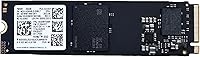
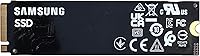
The Samsung PM9B1 256GB M.2 NVMe SSD is an OEM drive — the kind Samsung manufactures for laptop makers and enterprise clients — now finding its way to retail buyers at a notably accessible price. This matters because the PM9B1 SSD is genuinely Samsung-made, not a rebranded or third-party clone, which puts it in a different category from much of the budget NVMe market. It runs on a PCIe Gen 4x4 interface in the standard 2280 form factor, meaning compatibility with most modern laptops and desktops is solid. Just know going in: it ships in bulk OEM packaging — bare drive only, no accessories included. Performance lands comfortably above budget Gen 3 drives but below Samsung's retail flagships.
Features & Benefits

What makes this OEM Samsung NVMe drive stand out at its price is the combination of a Gen 4x4 interface and authentic Samsung components. Most budget drives still run Gen 3, so the bandwidth headroom here is real and measurable — especially when loading large files or running an OS off the drive. The 2280 form factor means it drops into virtually any M.2 slot without adapter complications. At 256GB, it is a natural fit for a Windows install with a handful of apps, or as a dedicated fast drive for a specific workload. The 2-year OEM warranty is also worth noting; for a bare-pull drive, that is a meaningful layer of protection most buyers would not expect at this tier.

Best For

The PM9B1 SSD is a focused pick for a few specific types of buyers. Budget PC builders who want Gen 4 speeds without paying retail prices will find a lot to like here. It is equally well-suited to laptop upgraders swapping out a stock SATA drive or a sluggish OEM HDD — the plug-and-play detection on most modern boards makes the process straightforward. IT pros and small system builders sourcing affordable, reliable storage in volume also fit squarely in this drive's wheelhouse. One honest caveat: if you are not comfortable buying a bare drive and sourcing your own mounting hardware, this probably is not the right purchase for you.

User Feedback

Buyers who have verified this Gen 4 M.2 drive with tools like CrystalDiskInfo consistently confirm genuine Samsung NAND and controller — a real relief given how many budget NVMe drives are misrepresented in this space. Installation earns high marks across the board; most modern motherboards and laptops detect it immediately. On performance, real-world sequential reads track close to Gen 4 expectations, though sustained write speeds can drop under heavy workloads — a known constraint at 256GB capacity. The most common complaints center on sparse packaging and missing mounting hardware, catching buyers who expected a retail-style unboxing off guard. Compatibility edge cases on older platforms are rare but worth a quick check before purchasing.

Pros

  • Genuine Samsung NAND and controller, verifiable with tools like CrystalDiskInfo — not a rebranded clone.
  • PCIe Gen 4x4 interface delivers real-world speed gains over Gen 3 drives at the same price point.
  • Standard M.2 2280 form factor fits most modern laptops and desktops without adapters.
  • Plug-and-play detection on current-gen motherboards makes installation straightforward for most users.
  • 2-year OEM warranty offers meaningful coverage that is rare at this price tier.
  • The PM9B1 SSD holds a top-100 bestseller rank in its category, reflecting genuine buyer confidence.
  • Compact dimensions and light weight make it easy to handle during installation in tight laptop chassis.
  • Well-suited as a dedicated boot drive, keeping OS load times fast without a large capacity premium.
  • Priced to allow multi-drive builds without blowing a system budget.
  • Buyers consistently report real-world sequential reads close to advertised Gen 4 figures.

Cons

  • Bulk OEM packaging means no mounting screw, no accessory kit, and no retail documentation included.
  • 256GB capacity is tight for anyone storing games, large media files, or creative project libraries.
  • Sustained write speeds can fall off under heavy workloads once the smaller cache buffer is exhausted.
  • OEM sourcing means no guarantee of consistent firmware versions across different unit batches.
  • Buyers must independently verify authenticity post-purchase, which adds a step retail drives do not require.
  • Older motherboards and some legacy laptops without Gen 4 support will bottleneck the drive's potential.
  • No heat spreader or thermal pad included, which may matter in chassis with poor airflow.
  • Seller warranty support may be less straightforward to navigate than Samsung's direct retail warranty channel.

Ratings

The Samsung PM9B1 256GB M.2 NVMe SSD scores below reflect AI analysis of verified global buyer reviews, with spam, incentivized, and bot-flagged submissions actively filtered out before scoring. Ratings are calibrated to surface what real users — ranging from budget PC builders to IT professionals — actually experienced after installation, not what the product page promises. Both the standout strengths and the recurring frustrations are weighted transparently in every category score.
Value for Money
91%
Buyers consistently flag this as one of the best-value Gen 4 NVMe drives available, particularly for those who have priced comparable retail options. Getting authentic Samsung hardware at this price point feels like a genuine find rather than a compromise, and most users feel they paid fairly for what they received.
A small segment of buyers feel the value calculation shifts if they need to separately purchase a mounting screw or M.2 adapter, which adds friction and minor cost. Those who expected retail-equivalent accessories feel the total cost of ownership is slightly understated in the listing.
Read Speed Performance
84%
Real-world sequential reads come in close to what Gen 4 specifications suggest, and users running CrystalDiskMark benchmarks report results that hold up well against name-brand retail alternatives at higher prices. For everyday OS operations and app loading, the speed advantage over Gen 3 drives is immediately noticeable.
A subset of users note that read speeds vary slightly depending on the host platform and whether the motherboard fully negotiates Gen 4 bandwidth. Those running the drive in Gen 3 slots see respectable but not standout numbers, which can feel underwhelming if they were expecting full Gen 4 figures.
Write Speed & Sustained Performance
67%
33%
For light-to-moderate write workloads — installing a fresh OS, copying documents, or writing game files — the drive performs without any obvious bottleneck. Most home users and general PC builders will never push it hard enough to notice any limitations under typical daily conditions.
Under sustained heavy writes, such as large file transfers or repeated disk-intensive operations, write speeds drop once the SLC cache buffer is saturated — a known constraint of the 256GB capacity class. Users doing video editing or bulk data migration specifically called this out as a meaningful limitation.
Authenticity & Build Quality
88%
The vast majority of buyers who checked their drive post-installation with tools like CrystalDiskInfo confirmed genuine Samsung NAND and a Samsung controller, which is a significant trust signal in a market flooded with misleadingly labeled budget drives. The PCB feels solid and consistent with what you would expect from Samsung's manufacturing standards.
Because this is an OEM channel product, there is no official Samsung retail authentication method, and a small number of buyers reported uncertainty until they ran verification software themselves. The burden of confirming legitimacy falls entirely on the buyer rather than being guaranteed upfront.
Compatibility
82%
18%
The standard M.2 2280 form factor and M Key connector mean this drive drops into virtually any modern laptop or desktop without adapter fuss. Users across a wide range of systems — from mid-range gaming desktops to business ultrabooks — report clean detection on first boot.
A handful of buyers with older platforms, particularly laptops using proprietary M.2 configurations or boards limited to PCIe Gen 3 only, encountered reduced performance or minor detection hiccups. Compatibility edge cases are relatively rare but worth researching before purchasing for legacy systems.
Installation Experience
86%
Most buyers describe the physical installation as effortless — slide in, press flat, tighten the screw, and the system detects it immediately on the next boot. Even less experienced builders found the process manageable with basic guidance from online resources.
The missing mounting screw is a recurring irritant, particularly for first-time builders who did not realize it was absent until they had the drive in hand. A small number of laptop users also noted that their chassis required additional disassembly steps not related to the drive itself.
Packaging & Unboxing
41%
59%
For buyers who specifically want a bare drive with no packaging overhead — IT pros building multiple systems, experienced builders who already have everything they need — the no-frills delivery is exactly what they ordered and not a drawback at all.
For buyers coming from retail SSD purchases, the bulk OEM packaging is a jarring experience — no box art, no accessory pouch, no documentation. Multiple reviewers admitted they initially worried the product was counterfeit or improperly handled simply because of how it arrived.
Warranty & After-Sales Support
63%
37%
The 2-year OEM warranty is a genuine differentiator at this price tier and gives buyers a reasonable safety net. Users who needed to engage with the seller post-purchase generally reported that the process worked, even if it required some persistence.
Unlike Samsung's direct retail warranty, claims go through the third-party seller rather than Samsung itself, which introduces uncertainty around response times and replacement policies. Buyers used to Samsung's consumer support infrastructure found the OEM warranty channel noticeably less polished.
Thermal Behavior
73%
27%
In standard desktop and laptop environments with reasonable airflow, the drive maintains safe operating temperatures without requiring a heatsink. Laptop users in particular report no thermal throttling under everyday workloads like web browsing, document editing, and light media playback.
In high-performance desktop builds with sustained workloads and limited M.2 airflow, temperatures can climb to ranges where throttling becomes a consideration. The absence of any thermal pad or spreader means buyers in demanding builds need to factor in an aftermarket heatsink solution.
Boot Drive Suitability
89%
As a dedicated OS drive, this Gen 4 M.2 drive delivers clean, fast boot times and responsive system feel that buyers upgrading from SATA SSDs or HDDs describe as a clear step up. Windows 11 installations complete quickly and the drive handles concurrent background processes without slowing the overall experience.
At 256GB, the boot drive use case works well only if the user keeps the OS and a limited set of applications on it — heavy software installations and large game libraries will erode free space faster than expected and may require supplementary storage planning.
Reliability & Longevity
77%
23%
Samsung's NAND and controller reputation carries real weight here, and buyers report no unexpected failures or data issues after months of daily use. The OEM origin, if anything, suggests the components were manufactured to enterprise-adjacent quality tolerances.
Long-term reliability data for OEM-channel drives is harder to source than for retail products, since there is less standardized firmware documentation available publicly. A few buyers expressed concern about the availability of firmware updates, which Samsung does not routinely push to OEM variants through its consumer tools.
Detection & Plug-and-Play Behavior
87%
On current-generation motherboards and modern laptop BIOS environments, the drive is detected instantly without any manual configuration. Buyers installing Windows fresh from a USB drive report that the SSD appears correctly in the installer without needing additional drivers.
A small number of users on less common platforms or with non-standard BIOS configurations reported that the drive required a BIOS update before it was recognized properly. These cases appear to be platform-specific rather than a fault of the drive itself, but they do add setup friction for some buyers.

Suitable for:

The Samsung PM9B1 256GB M.2 NVMe SSD is a strong pick for cost-conscious buyers who understand what an OEM drive is and are comfortable with the trade-offs that come with it. Budget PC builders who want genuine Gen 4 NVMe performance without paying retail prices will find this drive punches well above its price tier. Laptop upgraders replacing a sluggish factory SATA drive or a spinning hard disk will notice an immediate and meaningful improvement in boot times and application responsiveness. IT professionals and small-shop system builders who need reliable, Samsung-grade storage across multiple machines at low per-unit cost are also well-served here. The 2280 form factor covers the vast majority of modern laptops and desktops, making compatibility a non-issue for most buyers. Anyone planning to use this as a dedicated OS drive or a fast secondary drive for a specific workload will find 256GB a practical and well-matched capacity for those tasks.
Not suitable for:

The Samsung PM9B1 256GB M.2 NVMe SSD is not the right call for every buyer, and being honest about that matters. If you need substantial storage for games, video editing projects, or a large media library, 256GB will fill up faster than you expect and leave you wanting more. Power users who push sustained write workloads — large file transfers, video encoding, or heavy database operations — may hit the cache limitations that come with a 256GB drive, where write speeds can drop noticeably once the buffer is exhausted. Buyers expecting a retail unboxing experience will be disappointed: there is no accessory kit, no mounting screw, and no fancy packaging — just a bare drive. Anyone uncomfortable sourcing their own hardware or verifying drive authenticity with a third-party tool should probably opt for a retail-boxed alternative with clearer provenance. Finally, users with older platforms that lack PCIe Gen 4 support will not see the full speed benefits this drive is capable of delivering.

Specifications

  • Capacity: The drive offers 256GB of usable storage, making it well-suited for operating system installations and primary application storage.
  • Interface: It connects via a PCIe Gen 4x4 NVMe interface, delivering significantly higher bandwidth than older PCIe Gen 3 drives.
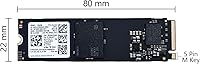
  • Form Factor: The drive follows the M.2 2280 standard, measuring 22mm wide and 80mm long, which fits the vast majority of modern laptops and desktop motherboards.
  • Key Type: It uses an M Key edge connector, which is the standard required for NVMe PCIe drives on current-generation M.2 slots.
  • Dimensions: Physical dimensions are 22mm x 80mm x 2.38mm, keeping the drive slim enough for thin-and-light laptop chassis without clearance issues.
  • Weight: The drive weighs approximately 2.39 ounces, consistent with a bare M.2 SSD without a heat spreader or enclosure.
  • Model Number: The official Samsung model number is MZ-VL42560, which can be used to verify authenticity and look up firmware documentation.
  • Manufacturer: Manufactured by Samsung through its OEM supply channel, using Samsung-fabricated NAND flash and an in-house Samsung controller.
  • Packaging: Ships in bulk OEM packaging — the drive only, with no mounting screw, thermal pad, adapter, or retail documentation included.
  • Warranty: Covered by a 2-year OEM warranty through the seller, providing a meaningful protection window despite the non-retail supply origin.
  • Compatible Devices: Designed for internal installation in laptops and desktops that feature an M.2 2280 slot with PCIe Gen 3 or Gen 4 support.
  • Installation Type: Installed internally as a fixed M.2 drive; no external enclosure or USB adapter is included or required for standard use.
  • PCB Color: The circuit board is black, which is typical of Samsung OEM-channel drives and consistent with the PM9B1 product line.
  • BSR Ranking: Ranked #70 in the Internal Solid State Drives category on Amazon at the time of review, reflecting consistent sales volume.
  • Buyer Rating: Holds a 4.2 out of 5 star average rating based on 77 verified buyer ratings on Amazon.
  • Date Available: This listing has been available to retail buyers since May 25, 2023, giving it a meaningful track record of real-world user feedback.

Related Reviews
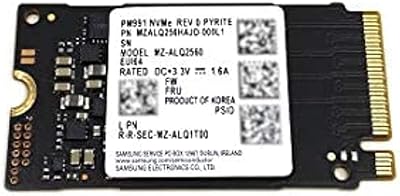
Samsung PM991 256GB NVMe M.2 SSD
88%
94%
Performance
91%
Read Speed
89%
Write Speed
92%
Value for Money
88%
Build Quality
More
ORICO M.2 2242 NVMe SSD 256GB
88%
94%
Performance
91%
Speed (Read/Write)
88%
Heat Management
92%
Ease of Installation
87%
Value for Money
More
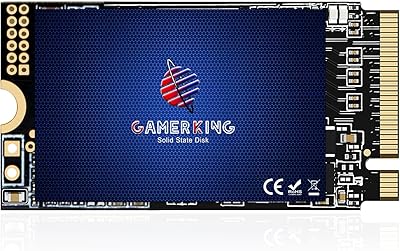
GAMERKING 256GB M.2 2242 NVMe SSD
85%
89%
Performance (Read/Write Speeds)
92%
Value for Money
85%
Ease of Installation
82%
Thermal Management
90%
Form Factor/Compatibility
More
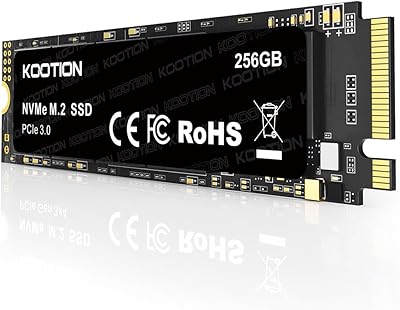
KOOTION 256GB NVMe M.2 PCIe SSD
87%
91%
Performance (Read Speed)
88%
Value for Money
94%
Ease of Installation
90%
Durability (Shock Resistance)
80%
Write Speed
More
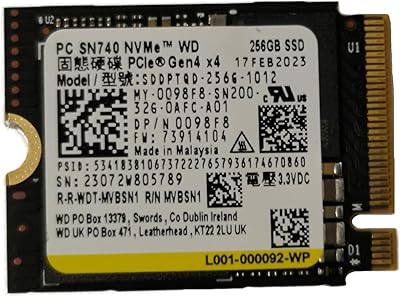
WD SN740 256GB 2230 NVMe SSD
80%
94%
Form Factor Compatibility
88%
NVMe Read/Write Speed
86%
Value for Money
83%
OEM Hardware Authenticity
89%
Thermal Performance
More
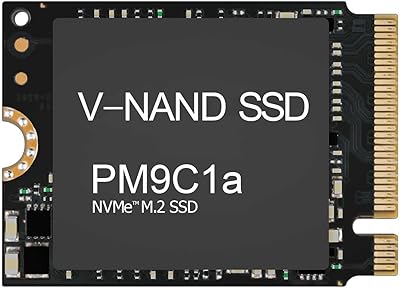
Samsung PM9C1A 512GB M.2 2230 NVMe SSD
87%
94%
Performance
92%
Speed
89%
Value for Money
88%
Ease of Installation
90%
Compatibility
More
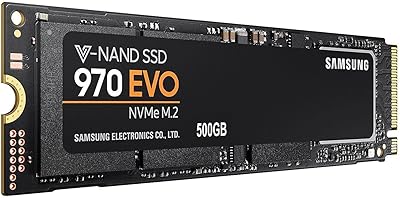
Samsung 970 EVO 500GB NVMe M.2 SSD
86%
94%
Read Speed
89%
Write Speed
91%
Reliability
78%
Ease of Installation
83%
Thermal Performance
More
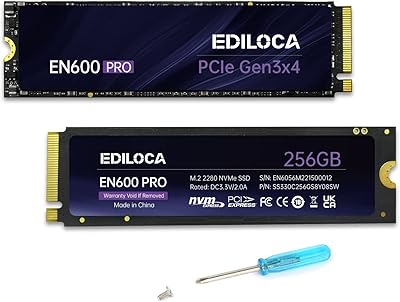
Ediloca EN600 Pro 256GB NVMe M.2 SSD
83%
89%
Performance
92%
Value for Money
85%
Speed (Read/Write)
94%
Ease of Installation
78%
Thermal Performance
More
Western Digital PC SN530 256GB M.2 NVMe SSD
86%
90%
Performance
91%
Speed Improvement
87%
Ease of Installation
85%
Build Quality
92%
Value for Money
More
Samsung 960 PRO 2TB PCIe NVMe M.2 SSD
88%
94%
Performance
92%
Speed (Read/Write)
89%
Reliability
88%
Ease of Installation
85%
Software (Samsung Magician)
More

FAQ

It is a genuine Samsung-manufactured drive. The PM9B1 SSD is built by Samsung for OEM clients like laptop manufacturers, and units sold here come from that same supply chain. You can confirm authenticity yourself after installation by running a free tool like CrystalDiskInfo, which will display the actual controller and NAND details.

If your machine has an M.2 slot in the 2280 size with PCIe Gen 3 or Gen 4 support and an M Key connector, it will fit and function. The vast majority of laptops and desktops built in the last several years meet these criteria. If you are unsure, check your device's manual or the manufacturer's spec page for M.2 slot details before purchasing.

The Samsung PM9B1 256GB M.2 NVMe SSD is an OEM drive sourced from Samsung's enterprise and laptop supply chain, while the 980 Pro is a retail product with consumer-focused packaging, marketing, and Samsung's direct warranty. Performance-wise, the PM9B1 is competitive but typically not benchmarked against the 980 Pro publicly. The main practical differences are packaging, the warranty channel, and price — the PM9B1 comes in significantly cheaper.

You will need a small Phillips-head screwdriver to secure the drive with a mounting screw, and that screw is not included in the box. Most desktop motherboards and laptops come with a screw already in the M.2 slot standoff, so check there first. Beyond that, installation is straightforward — slide the drive in at an angle and press it down flat.

Real-world sequential read speeds track close to what PCIe Gen 4 drives typically deliver, and buyers generally confirm this in benchmark testing. Sustained write speeds, however, can dip once the drive's cache buffer fills — this is a known behavior for 256GB NVMe drives across most brands, not unique to this one. For typical OS and app workloads, you will not notice the difference.

Yes, the drive is backward compatible with PCIe Gen 3 slots. It will install and function normally — you just will not get the full Gen 4 bandwidth, since the slot will negotiate down to Gen 3 speeds. It will still outperform any SATA SSD in that same machine.

The 2-year warranty is handled through the seller, Oemgenuine, rather than directly through Samsung's consumer warranty program. Keep your order confirmation as proof of purchase. If the drive fails within the warranty period, contact the seller through Amazon's messaging system to initiate a claim.

It depends entirely on what you plan to use it for. For a clean Windows install with a standard set of productivity apps, 256GB works well and leaves reasonable headroom. If you intend to store games, large video files, or a full creative project library on the same drive, you will feel the squeeze fairly quickly and would be better served by a 512GB or 1TB option.

This is a common formatting inconsistency in Amazon listings. The drive's actual formatted capacity is 256GB as advertised in the title, which is the standard raw NAND size. After the operating system formats it, you will see slightly less available space — typically around 238GB usable — which is normal for any drive of this stated size.

The OEM PM9B1 is designed to operate within thermal limits suitable for laptop use, where heatsinks are rarely present. In a desktop build with good airflow, it should stay within safe operating temperatures under normal workloads. If you are installing it in a high-performance desktop and plan to run sustained heavy workloads, a simple M.2 heatsink — available cheaply — is a reasonable precaution, though not strictly necessary for most users.

Where to Buy