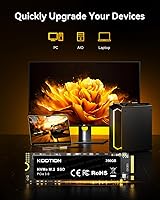

Overview

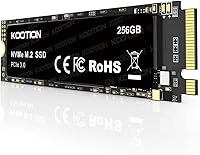
The KOOTION 256GB NVMe M.2 Internal SSD is a straightforward, no-frills storage upgrade aimed squarely at people who want faster speeds without spending a lot. It uses the M.2 2280 form factor and a PCIe Gen3x4 interface — meaning it will slot into most modern laptops and motherboards without any adapter or fuss. KOOTION isn't a household name, and that's fair to acknowledge upfront, but lesser-known brands have carved out a legitimate niche in the budget storage market. The 256GB capacity is best treated as a Windows boot drive or app launcher rather than a home for large media libraries. Peak sequential speeds look impressive on spec sheets, but real-world performance depends heavily on the workload at hand.

Features & Benefits

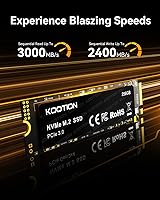
On paper, this budget NVMe drive posts respectable numbers: sequential reads top out around 3,000 MB/s and writes approach 2,400 MB/s — a significant jump over any SATA SSD and a massive leap from a mechanical hard drive. In practice, day-to-day tasks like booting Windows or launching applications will feel noticeably quicker, even if sustained mixed workloads won't always hit those headline figures. Because there are no moving parts, the drive runs silently, generates minimal heat, and holds up well against bumps and drops — genuinely useful for anyone carrying a laptop daily. Its low power draw is a real advantage for notebook users watching battery life. KOOTION claims factory-level testing, though independent third-party benchmarks at this price tier are scarce.

Best For

This M.2 SSD makes the most sense as a laptop HDD replacement — particularly in older machines where a spinning drive is the biggest bottleneck holding everything back. It also works well as a dedicated OS drive in a budget desktop build, keeping Windows and frequently used apps snappy while a larger secondary drive handles storage. First-time builders will appreciate how straightforward the installation is: if your motherboard or laptop has an M.2 slot, it just slides in. Where it falls short is workloads that demand sustained write endurance or large capacity — video editors, photographers managing raw files, and anyone eyeing NAS deployment should look elsewhere. For light daily computing, though, it covers the basics well.

User Feedback

The KOOTION 256GB SSD currently holds a 4.6-star average from 67 ratings — encouraging, but worth treating with some caution given the relatively modest sample size. Most positive reviews highlight easy installation and a noticeable difference in boot times compared to whatever aging drive it replaced, with several buyers describing it as solid value for a secondary or OS-dedicated slot. The critical notes tend to focus on two things: real-world speeds that don't always match the advertised peak numbers under mixed workloads, and questions about long-term durability since the drive only launched in late 2023. Few reviewers mention running formal benchmarks, so most impressions are subjective. KOOTION does offer lifetime tech support, though whether that holds up in practice remains largely untested.

Pros

  • Delivers a dramatic speed improvement over mechanical hard drives for everyday tasks like booting and file access.
  • NVMe PCIe Gen3x4 interface puts it well ahead of older SATA-based SSDs in sequential throughput.
  • The M.2 2280 form factor is compatible with the vast majority of modern laptops and desktop motherboards.
  • No moving parts means the drive operates silently and handles knocks and bumps without risking mechanical failure.
  • Low power draw makes this M.2 SSD a practical choice for battery-conscious laptop upgrades.
  • Installation is beginner-friendly — no special tools or deep technical knowledge required beyond a basic screwdriver.
  • Early buyers consistently report noticeable improvements in boot times and application launch speeds.
  • At 256GB, it comfortably accommodates a Windows installation alongside a solid lineup of everyday applications.
  • Lifetime tech support is included, which is a reassuring safety net for less experienced users.
  • Holds a strong average rating from early buyers, suggesting a generally positive initial ownership experience.

Cons

  • 256GB fills up quickly for users with large game installs, video projects, or growing photo libraries.
  • KOOTION is a lesser-known brand with limited independent reliability data to substantiate its performance claims.
  • Real-world mixed-workload speeds are likely to fall noticeably short of the advertised 3,000 MB/s sequential peak.
  • Only 67 reviews at the time of writing — far too few for a confident long-term reliability verdict.
  • Launched in late 2023, meaning multi-year durability and failure-rate data simply do not exist yet.
  • No publicly available third-party benchmark results to independently verify the manufacturer-stated performance figures.
  • Not appropriate for NAS environments or any workload requiring sustained high write endurance over time.
  • The lifetime support claim is entirely untested in practice — actual response quality and turnaround are unknown.
  • Budget-tier component sourcing raises reasonable questions about consistency when compared to established storage brands.

Ratings

Our AI rating system analyzed verified buyer reviews for the KOOTION 256GB NVMe M.2 Internal SSD from multiple global sources, actively filtering out incentivized, bot-generated, and low-credibility submissions to surface what real owners actually experienced. The scores below reflect the complete picture — where this drive delivers genuine value and where it falls short of expectations. Both strengths and honest pain points are weighted into every category without bias toward manufacturer claims.

Value for Money
88%
For buyers upgrading from an old hard drive on a tight budget, this M.2 SSD delivers NVMe-class speeds at a price that makes the decision feel almost risk-free. Most owners felt they received more performance per dollar than comparable SATA alternatives, and the practical speed gains on everyday tasks consistently reinforced that perception.
The value equation weakens if you compare it against budget NVMe options from established brands that often cost only marginally more. Buyers who later encounter reliability issues will feel the value proposition eroded quickly, especially given the limited independent verification of component quality at this price point.
Sequential Performance
82%
18%
Under benchmark conditions, this budget NVMe drive posts read speeds that comfortably outpace any SATA SSD and leave mechanical hard drives far behind. Reviewers who ran tools like CrystalDiskMark confirmed that the advertised sequential figures are broadly achievable, which is a positive signal for a drive at this price level.
Sequential peak speeds are best treated as an upper ceiling rather than a guarantee for real-world use — they require large, contiguous file operations under low queue depth to reach those numbers. Most users will never trigger the 3,000 MB/s read scenario during typical everyday computing tasks.
Real-World Speed
71%
29%
Replacing a mechanical hard drive with this M.2 SSD transforms the daily experience of using a computer — browsers open faster, documents load in a fraction of the time, and the system stops feeling sluggish on startup. For the type of user this drive targets, those improvements are real and immediately apparent.
Buyers upgrading from a recent SATA SSD may notice only modest improvements, and the drive's random read and write performance — the metric that governs most real-world tasks — is considerably more modest than the headline figures suggest. Under heavier sustained loads, speeds drop further as the drive's write cache fills.
Installation Ease
93%
Nearly every reviewer who commented on setup described the installation as fast and painless — the drive clicks into the M.2 slot and a single screw locks it in place, with no cables or drivers required. First-time builders consistently cited this as one of the least intimidating hardware upgrades they had attempted.
The installation process assumes your system already has a compatible M.2 2280 NVMe slot, which not all older laptops include — a prerequisite check some buyers skip and regret. A portion of users also reported that transferring or reinstalling the operating system added unexpected complexity beyond the physical installation itself.
Compatibility
86%
The M.2 2280 form factor is practically universal among modern desktops and laptops from the mid-2010s onward, so the KOOTION 256GB SSD slots into most systems without adapters or modifications. Buyers across budget gaming rigs, business ultrabooks, and DIY desktops report consistently clean, recognized installs.
Owners of very slim ultrabooks or tablets that use proprietary SSD formats will find this drive simply does not fit, and older SATA-only M.2 laptops present the same compatibility dead end. Mac users are almost entirely excluded, as current Apple hardware does not support standard M.2 NVMe drives.
Build & Durability
67%
33%
Without moving parts, this budget NVMe drive avoids the most common failure mode of traditional hard drives — mechanical wear — making it inherently more resilient to the bumps and drops that come with daily laptop use. Commuters and students who carry their machines between locations will appreciate this passive durability.
KOOTION has not published endurance ratings such as TBW — terabytes written — which makes it difficult to objectively assess how long the drive's NAND flash will hold up under sustained use. The brand's limited market history means there is no long-term field data to draw on, leaving durability a genuine open question.
Heat Management
79%
21%
Under the light to moderate workloads that most everyday users generate, this M.2 SSD runs cool enough that thermal throttling is not a practical concern. Several users noted their laptops felt no warmer after installation, which is a useful indicator for compact systems with limited internal airflow.
During heavier sustained workloads — large file transfers or extended disk-intensive tasks — budget NVMe drives can experience thermal throttling if the host system lacks adequate airflow or a dedicated heatsink. This drive ships without a heatsink, so users in thermally constrained cases may see performance dip noticeably under load.
Power Efficiency
84%
Buyers who installed this drive in battery-powered laptops reported no noticeable decline in runtime, which speaks to the drive's disciplined power consumption during idle and light-load states. For students or professionals who routinely work away from an outlet, this is a meaningful and practical everyday benefit.
Exact power consumption figures are not published by KOOTION, making a precise comparison against competing drives impossible. Under sustained heavy loads, NVMe drives generally consume more power than SATA equivalents, so the efficiency advantage may narrow for users who consistently push the drive through intensive tasks.
Capacity Adequacy
63%
37%
For users whose primary need is a fast system drive housing Windows, a set of productivity applications, and a browser, 256GB covers the essentials comfortably. Buyers who rely on cloud storage or a secondary drive for media and documents find the available capacity more than workable for daily use.
Gamers, photographers, and video editors will find 256GB fills up faster than expected — often within months of typical use — forcing awkward decisions about what to delete or offload. Even a moderate game library or a single large video project can consume the majority of available space quickly.
Brand Reliability
54%
46%
KOOTION's early buyer pool has produced broadly positive impressions, suggesting that drives being shipped are functional out of the box and meeting basic performance expectations. The brand's willingness to advertise lifetime support is a gesture toward accountability that somewhat offsets concerns about its limited established track record.
KOOTION lacks the independently verified reliability history that buyers can cross-reference for established names like Samsung, WD, or Crucial, making it genuinely harder to predict how these drives hold up after two or three years. The 67-review sample underpinning the 4.6-star average is too small to serve as meaningful long-term evidence.
Warranty & Support
61%
39%
The advertised lifetime technology support is a more generous claim than many competing budget drives offer, and for first-time builders who hit setup or compatibility questions, having a direct support channel to contact is genuinely reassuring. A handful of buyers noted they received responsive and helpful replies from KOOTION's team.
The practical boundaries of the lifetime support claim — whether it covers replacement units, data recovery assistance, or only troubleshooting guidance — are not clearly defined publicly, leaving buyers uncertain about their actual entitlements. No independent verification of response times or customer satisfaction rates exists for this brand.
Boot Time Improvement
89%
Faster boot times are the single most consistently praised upgrade outcome across buyer reviews — users replacing old hard drives described machines going from sluggish two-minute startups to under 20 seconds with Windows fully loaded. For anyone whose morning routine involved staring at a progress bar, this change is immediately transformative.
The magnitude of boot improvement depends heavily on what the drive replaced — users upgrading from a fast SATA SSD may see only marginal gains in startup time rather than the dramatic difference HDD upgraders experience. BIOS configuration and operating system overhead can also cap perceived improvements regardless of raw drive speed.
Noise & Vibration
97%
With no spinning platters or moving actuators, this M.2 SSD produces absolutely no acoustic output during operation — a welcome quality in quiet home offices, libraries, or late-night study sessions where hard drive chatter was previously a persistent annoyance. Silence is one area where solid-state storage is categorically superior.
Silent operation is a standard characteristic shared by every solid-state drive on the market, so it is not a meaningful differentiating factor when choosing between NVMe options at similar price points. Buyers already running a SATA SSD will notice no change in this regard, making it a baseline rather than a standout quality.
Long-Term Reliability
58%
42%
Drives shipped to date appear to be functioning reliably within the window most early buyers have owned them, with no widespread reports of sudden failures or data corruption in the first several months of use. For a budget product, clearing that initial reliability bar without major incident is an encouraging baseline.
With the product only available since September 2023, there simply has not been enough elapsed time to assess how these drives perform after two or three years of continuous use — the period when NAND wear and controller fatigue typically become visible. Buyers should maintain regular backups and treat long-term reliability as an unresolved question.

Suitable for:

The KOOTION 256GB NVMe M.2 Internal SSD is a well-targeted option for cost-conscious buyers who want a meaningful performance jump without a significant financial commitment. It makes the most sense for anyone still running an aging laptop with a mechanical hard drive — that switch alone will make booting and everyday app use feel dramatically faster. First-time PC builders on a tight budget will find the format approachable, since the M.2 2280 slot is standard on most modern motherboards and installation requires nothing more than a basic screwdriver. Students, remote workers, and general home users who primarily browse the web, run office software, and manage documents will get real, tangible daily value. It also works well as a dedicated OS drive in a budget desktop build alongside a larger secondary storage drive for files and media.

Not suitable for:

Anyone expecting the KOOTION 256GB NVMe M.2 Internal SSD to serve as a primary all-purpose drive will quickly run into its ceiling. The 256GB capacity fills up fast for users who store large game libraries, cut video projects, or manage extensive photo archives — it is simply not sized for that role. Creative professionals and power users should also be aware that budget-tier NVMe drives in this class rarely sustain their advertised peak speeds under real mixed workloads, so the headline figures are optimistic benchmarks rather than everyday guarantees. The drive is not appropriate for NAS environments or any application that demands high endurance write ratings. Finally, buyers who depend on established brand trust and independently verified long-term reliability data should note that KOOTION is a relatively new entrant — with under 70 reviews and a launch date of late 2023, the durability picture is still genuinely incomplete.

Specifications

  • Brand: Manufactured by KOOTION, a budget-focused consumer storage brand that began offering NVMe products in 2023.
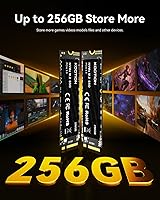
  • Capacity: Provides 256GB of storage, adequate for an operating system, productivity software, and a moderate selection of installed applications.
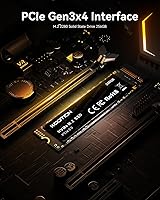
  • Interface: Uses the NVMe PCIe Gen3x4 protocol, which delivers substantially higher bandwidth than the older SATA III standard used in most budget laptops.
  • Form Factor: Follows the M.2 2280 specification, the most widely used M.2 length, fitting M-key or B+M-key slots found on the majority of modern motherboards and laptops.
  • Sequential Read: Rated at up to 3,000 MB/s sequential read speed, a figure measured under optimal single-queue benchmark conditions rather than typical everyday workloads.
  • Sequential Write: Rated at up to 2,400 MB/s sequential write speed, with real-world sustained write performance expected to be lower under mixed or heavy workloads.
  • Drive Type: Solid-state design with no moving mechanical parts, producing silent operation and providing inherent resilience against physical shock and vibration.
  • Dimensions: Manufacturer-listed dimensions are 0.87″ × 0.87″ × 0.08″, though the M.2 2280 industry standard defines a module 80mm long and 22mm wide.
  • Weight: Weighs approximately 0.21 oz, consistent with the lightweight profile expected of a bare M.2 solid-state module.
  • Compatible Devices: Designed for use in laptops and PC desktops equipped with an M.2 slot that supports the PCIe Gen3 NVMe protocol.
  • Installation: Internal-only installation, requiring the drive to be physically seated into the host system's M.2 slot and secured with a single retaining screw.
  • Power Draw: Engineered for low power consumption, making it a practical choice for notebook users who are mindful of battery runtime.
  • Shock Resistance: The absence of moving components gives the drive an inherent tolerance to bumps and drops that mechanical hard drives cannot match.
  • Heat Output: Generates minimal heat during typical operation, reducing the need for dedicated thermal management in most standard laptop and desktop configurations.
  • Tech Support: KOOTION advertises lifetime technology support, available by contacting the brand directly for compatibility guidance, setup assistance, or troubleshooting.
  • Availability: First listed for purchase in September 2023, meaning long-term field reliability data from real-world owners is still accumulating.

Related Reviews
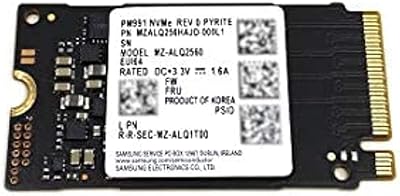
GAMERKING 256GB M.2 2242 NVMe SSD
79%
93%
Form Factor Compatibility
88%
Value for Money
74%
Read/Write Performance
86%
Installation Experience
76%
Warranty & Support
More
Samsung PM991 256GB M.2 2242 NVMe SSD

78%
94%
Form Factor Fit
78%
Read/Write Performance
88%
Build Reliability
83%
Value for Money
91%
Installation Ease
More
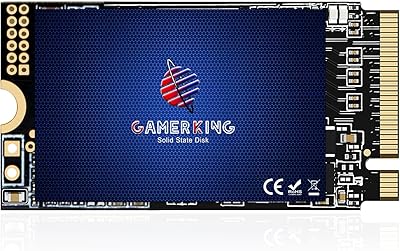
ORICO J10-2242 256GB M.2 NVMe SSD
78%
88%
Value for Money
83%
Read Performance
67%
Write Performance
93%
Form Factor Compatibility
76%
Thermal Management
More
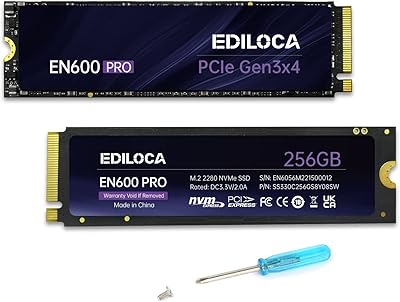
Samsung PM9B1 256GB M.2 NVMe SSD
77%
91%
Value for Money
84%
Read Speed Performance
67%
Write Speed & Sustained Performance
88%
Authenticity & Build Quality
82%
Compatibility
More
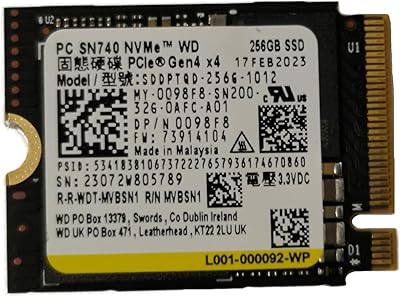
WD SN740 256GB 2230 NVMe SSD
80%
94%
Form Factor Compatibility
88%
NVMe Read/Write Speed
86%
Value for Money
83%
OEM Hardware Authenticity
89%
Thermal Performance
More
Ediloca EN600 Pro 256GB NVMe M.2 SSD
77%
93%
Value for Money
94%
Installation Experience
83%
Read Performance
57%
Sustained Write Speed
87%
Compatibility
More
Verbatim Vi3000 256GB NVMe M.2 SSD
74%
88%
Value for Money
83%
Read Performance
74%
Write Performance
91%
Ease of Installation
58%
Storage Capacity
More
Timetec 256GB SSD NVMe PCIe Gen3x4 M.2 2280
85%
88%
Performance
90%
Speed (Read/Write)
85%
Installation Ease
91%
Compatibility
89%
Reliability (MTBF)
More
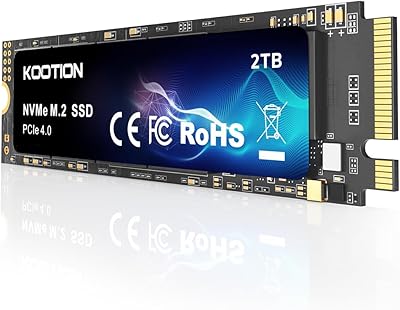
KOOTION 2TB PCIe 4.0 NVMe M.2 SSD
77%
83%
Sequential Read Speed
79%
Sequential Write Speed
88%
Value for Money
91%
Installation Experience
67%
Thermal Performance
More
Western Digital PC SN530 256GB NVMe SSD
74%
93%
Form Factor Accuracy
78%
NVMe Read/Write Speed
86%
Installation Ease
84%
Value for Money
76%
Device Compatibility
More

FAQ

Check your laptop's service manual or the manufacturer's spec page for an M.2 slot that supports NVMe — specifically one with an M-key or B+M-key connector and a 2280-length slot (80mm). The M.2 2280 size is the most common length found in consumer laptops, so compatibility is broad, but it's worth confirming before you buy. If your laptop only has a SATA M.2 slot, this drive will not work, as it requires NVMe protocol support.

If you are replacing a mechanical hard drive, yes — the difference is significant and immediately obvious. Boot times, application launches, and file access all feel faster in everyday use. Upgrading from an older SATA SSD is also an improvement, though less dramatic. The biggest gains show up in the tasks you repeat most: starting your computer, opening your browser, and loading documents.

For a clean Windows installation plus a standard set of productivity apps, a browser, and a handful of utilities, 256GB is workable. Where it gets tight is if you also want to store a large game library, video files, or a photo collection on the same drive. Many users pair a drive like this with a larger secondary storage drive — this one handles the OS and apps, the other handles the bulk files.

A small Phillips-head screwdriver is all you need — the drive slides directly into the M.2 slot with no cables or power connectors involved, and a single retaining screw holds it in place. Most people who have never opened a laptop or desktop before complete the installation in under fifteen minutes. A brief YouTube search for your specific laptop model will walk you through the process if you're unsure.

That's a fair and honest question. The KOOTION 256GB NVMe M.2 Internal SSD has collected a positive average rating from early buyers, but KOOTION is a newer, lesser-known brand without the track record of established names like Samsung, WD, or Crucial. For a secondary drive, a dedicated boot drive, or a budget upgrade where the stakes are lower, it's a reasonable gamble. For a drive holding your only copy of critical files, a more established brand with documented reliability data gives you better peace of mind.

Not under typical conditions, and that applies to virtually every SSD on the market, not just this one. That 3,000 MB/s figure is a sequential peak measured during benchmark testing — think of it as the theoretical ceiling. Day-to-day computing involves a mix of small random reads and writes, where speeds are considerably lower. You will still feel a real improvement over a hard drive or SATA SSD, but temper your expectations around the headline number.

Yes, and this is actually one of the best ways to use this M.2 SSD. It gives Windows 11 enough room to run comfortably alongside your essential software, and the NVMe interface results in faster startup times and a more responsive system overall compared to older storage options.

Yes — PCIe is backward compatible, so this Gen3 drive will operate without issues in a newer Gen4 or Gen5 M.2 slot. It will simply run at Gen3 speeds rather than taking advantage of the higher bandwidth those slots can offer. Nothing will be damaged, and the drive will function exactly as intended.

KOOTION advertises lifetime technology support, though what that covers in practice — replacement units, troubleshooting only, or something in between — is not precisely spelled out in public documentation. Regardless of the warranty, it is strongly advisable to maintain regular backups of any important data on a separate device. No warranty replaces a backup when data recovery is what you actually need.

Most modern Macs use proprietary SSD connectors and are not compatible with standard M.2 drives, so this budget NVMe drive is unlikely to fit or function in a current MacBook Air, MacBook Pro, or iMac. Certain older Mac Pro models with PCIe slots and Hackintosh builds with standard M.2 motherboards are a different story, but you should verify your exact model's slot type and NVMe support before purchasing for a Mac-adjacent use case.