
Overview

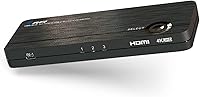
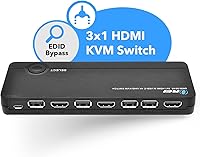
The OREI UKM-301C 3-Port USB-C HDMI KVM Switch occupies a specific and underserved corner of the market: it lets you connect three computers — one via USB-C and two via HDMI — to a single monitor, sharing one keyboard and mouse across all of them. It weighs next to nothing at 4 ounces and fits easily behind a desk or under a monitor stand. Available since late 2020, it still holds a spot in the top 700 KVM switches on Amazon, which points to consistent demand from a real audience. That audience is narrow but well-defined — people juggling a Mac or iPad alongside a Windows machine who want a low-cost solution without buying a full docking station.

Features & Benefits

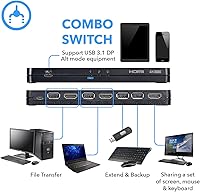
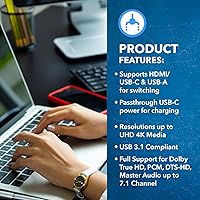
At its core, this KVM switch delivers 4K at 60Hz output through HDMI 2.0, with HDCP 2.2 compliance and a video bandwidth ceiling of 18Gbps — solid numbers for the price tier. The USB-C Gen 3.1 input requires DisplayPort Alt Mode, which is worth stressing: if your device only uses USB-C for charging or data transfer, it will not work here. When Alt Mode is present, it handles Macs, iPads, Android tablets, and most modern notebooks cleanly. The four USB 2.0 ports let you share a keyboard, mouse, printer, or flash drive across all connected machines. Audio passthrough covers PCM and lossless formats up to 7.1 channels, though most buyers in this category are running stereo setups and will never push those limits. A dual-voltage adapter with an international converter is included.

Best For

This three-input switcher is genuinely well-matched to home office setups where someone runs a Mac or MacBook on one input, a Windows desktop or work laptop on another, and a tablet or secondary device on the third. If you switch between machines daily and have grown tired of unplugging cables, the shared USB hub alone — keyboard, mouse, and printer accessible from all three sources — makes the switch worthwhile. It is a poor fit for power users who need hotkey macros, advanced audio routing, or enterprise-level reliability. Students, remote workers, and creative freelancers looking for a clean desk on a tight budget are squarely in the target zone here.

User Feedback

The UKM-301C sits at 3.3 stars across 64 ratings, and the split is fairly telling. Buyers who came in with compatible hardware — USB-C devices with confirmed Alt Mode support — generally report smooth initial setup and appreciate the compact footprint. The frustration clusters around USB-C compatibility: several users discovered after purchase that their laptop or tablet simply does not output video over USB-C, a hardware limitation this switcher cannot resolve. Others flag occasional signal instability when switching sources, and a handful find the mandatory power adapter an unexpected annoyance for a device this small. Build quality is functional but unreservedly plastic — nobody is calling it robust. For straightforward, compatible setups, it handles the job without fuss.

Pros

  • Supports 4K at 60Hz over HDMI 2.0, so image quality does not take a hit when you switch sources.
  • The USB-C Gen 3.1 input with DisplayPort Alt Mode is a rare feature at this price point, covering Macs, iPads, and modern notebooks in one slot.
  • Four USB 2.0 ports mean your keyboard, mouse, and printer stay connected and shared across all three computers without any re-plugging.
  • Compact enough at 4 ounces to tuck behind a monitor or sit flat on a desk without adding clutter.
  • Dual-voltage power adapter with an international converter included makes it usable for travelers or those working across different regions.
  • Setup is genuinely straightforward for users with compatible hardware — no driver installation required.
  • One-year manufacturer warranty provides a basic safety net for a budget-tier device.
  • Audio passthrough covers lossless formats for users who do route sound through their monitor or AV setup.

Cons

  • USB-C compatibility is conditional and non-obvious — if your device lacks DisplayPort Alt Mode, the port is completely useless.
  • Several users report intermittent signal drops or display flickering when switching between sources, which is disruptive in daily use.
  • Requires an external power adapter, which feels unnecessary for a small switcher and adds desk cable clutter.
  • The plastic chassis feels noticeably entry-level; it does not inspire confidence if you handle it frequently or travel with it.
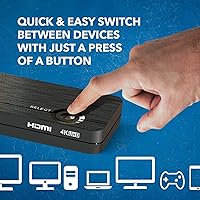
  • No hotkey or button-press switching shortcut — source selection requires physical interaction with the unit.
  • Only one HDMI output means this KVM switch is strictly single-monitor; dual-display setups are not supported.
  • USB 2.0 ports limit peripheral throughput — fast external drives or USB 3.0 accessories will be bottlenecked.
  • With a 3.3-star average from a modest review pool, the inconsistency across user experiences is harder to dismiss than with a more proven product.

Ratings

The scores below reflect an AI-driven analysis of verified buyer reviews for the OREI UKM-301C 3-Port USB-C HDMI KVM Switch, collected from global sources and filtered to remove incentivized, bot-generated, and duplicate submissions. Every category score is calibrated to reflect both where this switcher genuinely delivers and where real users have run into friction — nothing has been softened or inflated.

Video Output Quality
78%
22%
For a switcher in this price range, the 4K at 60Hz output over HDMI 2.0 is a genuine strong point. Users working on photo editing or content creation regularly note that sharpness and color accuracy on a quality monitor hold up well — certainly better than they expected from a budget device.
A smaller number of buyers report occasional resolution drops or the display defaulting to 1080p instead of 4K after a source switch, which points to handshake inconsistencies between the switcher and certain monitor combinations rather than a universal problem.
USB-C Compatibility
51%
49%
When a source device genuinely supports DisplayPort Alternate Mode, the USB-C input works cleanly — MacBook users and iPad Pro owners with confirmed Alt Mode support tend to connect without issues and appreciate having that input available at all on a budget switcher.
This is the single biggest source of buyer disappointment. Many USB-C ports on laptops and tablets do not support DisplayPort Alt Mode, and the switcher gives no video output at all in those cases. The product description does warn about this, but buyers often miss it, leading to returns and frustration.
Peripheral Sharing
74%
26%
The four USB 2.0 ports cover the basics well for most home office setups — a keyboard, mouse, and shared printer stay accessible across all three computers without any cable swapping. For light users, this shared hub function alone justifies the purchase.
USB 2.0 speeds bottleneck fast external drives, and users who try to share a USB 3.0 device notice the performance gap immediately. There is also no smart port management, so peripheral reassignment during switching can occasionally lag or require a manual re-plug.
Switching Reliability
58%
42%
In straightforward setups — three compatible sources, a single HDMI monitor, and no mixed cable types — the physical button switch works consistently enough for daily use. Buyers who tested with all three ports active and matched cable specs generally report stable transitions.
Signal instability during or after switching is the second most common complaint after USB-C compatibility. Some users describe the display going black for several seconds or not recovering without a manual monitor reset, which becomes genuinely disruptive in a work-from-home environment where focus matters.
Setup Experience
71%
29%
Users with compatible hardware consistently describe the initial setup as straightforward — plug in the power adapter, connect the sources and monitor, and the unit is ready. No driver installation or software configuration is needed, which reduces the friction for non-technical buyers considerably.
The mandatory external power adapter catches some buyers off guard, particularly given the device's small size. Desk cable management becomes slightly more complicated when you add the power brick to an already dense home office setup.
Build Quality
47%
53%
The UKM-301C is compact and light enough to tuck out of the way easily, and the port layout is sensible — inputs on one side, output and USB ports accessible without strain. For a unit that mostly sits still on a desk, the physical design is functional.
The all-plastic chassis feels noticeably thin in hand, and several buyers describe it as feeling less substantial than expected even for the price. The button has a soft, imprecise click that does not inspire confidence, and the overall build lacks the solidity that more established KVM brands offer even at similar price points.
Audio Passthrough
63%
37%
For users who route audio through their HDMI-connected monitor or AV receiver, the switcher does pass stereo PCM cleanly and without audible degradation. Those with compatible setups also confirm that Dolby audio formats are recognized and passed through correctly.
Lossless surround formats like Dolby TrueHD are technically supported but rarely tested by real buyers in this category, and a few report that audio drops out briefly after a source switch before resyncing. Most users in this segment use separate speakers or headsets and simply bypass HDMI audio entirely.
Value for Money
69%
31%
For a home user who needs to share one monitor between a Mac, a Windows PC, and a tablet — and whose devices all pass the Alt Mode test — this three-input switcher delivers a reasonable amount of functionality at a price that would not buy a comparable device from a more premium brand.
The value equation breaks down quickly for buyers who encounter USB-C compatibility issues or signal instability, since the cost of the switcher combined with the time spent troubleshooting starts to feel like a poor trade. There are more reliable options at a modest step up in price.
Compact Design
82%
18%
At just 4 ounces and barely three-quarters of an inch thick, the device disappears easily on a crowded desk or behind a monitor. Buyers who work in small apartments or shared offices specifically call out the form factor as a practical advantage over bulkier KVM alternatives.
The compact size does come at the cost of port spacing — with multiple cables plugged in simultaneously, the unit can be nudged or shifted, and there are no mounting points or non-slip feet to keep it firmly in place. A basic rubber base would have been a practical addition.
Multi-Device Flexibility
66%
34%
The combination of one USB-C and two HDMI inputs covers a genuinely diverse range of device types in a single box, which is the core reason buyers choose this switcher. Mixing a Mac, a Windows desktop, and an Android tablet on one monitor is a use case few budget alternatives support with a single purchase.
The flexibility has a hard ceiling — one monitor output only, no dual-display support, and no extension for audio source management. Users who grow their setup quickly find that the switcher becomes the limiting factor and need to upgrade sooner than anticipated.
International Usability
76%
24%
Including a dual-voltage power supply and an international plug adapter in the box is a thoughtful addition that most competitors at this price point skip. Buyers who travel between regions or work across multiple countries appreciate not needing a separate voltage converter.
The international adapter is a plug converter rather than a purpose-built regional power supply, so it is better suited for occasional travel than for permanent use in a non-US outlet. Long-term international users may prefer to source a locally rated replacement adapter.
Warranty and Support
55%
45%
A one-year manufacturer warranty is included, which provides at least a basic layer of coverage and signals that OREI stands behind the product for standard defects. Buyers who contact support for setup assistance generally report receiving a response.
User feedback suggests that warranty claims and returns can be slow or require persistence, and technical support quality appears inconsistent. For a device where compatibility issues are common, more proactive and detailed setup guidance from OREI would meaningfully reduce buyer frustration.

Suitable for:

The OREI UKM-301C 3-Port USB-C HDMI KVM Switch is a practical pick for home office workers and students who regularly switch between two or three computers and want to stop wrestling with cables every time they change devices. It fits especially well when one of those devices is a Mac, MacBook, iPad Pro, or modern Android tablet with a USB-C port that explicitly supports DisplayPort Alt Mode — that combination is exactly what this switcher was designed around. Remote workers who juggle a personal desktop and a company-issued laptop on the same desk will find the shared USB hub genuinely useful for keeping a single keyboard, mouse, and printer accessible across all machines. Creative freelancers or developers who hop between a Mac and a Windows PC throughout the day, and who just need clean 4K output without a complex setup, will get reliable value here. If your use case is straightforward and your hardware checks the Alt Mode box, this three-input switcher delivers on its core promise without overcomplicating anything.

Not suitable for:

The OREI UKM-301C 3-Port USB-C HDMI KVM Switch is a poor match for anyone who needs hotkey switching, macro support, or the kind of rock-solid reliability that IT professionals or power users demand from a KVM in a production environment. Users whose USB-C device does not support DisplayPort Alt Mode — which is a significant portion of USB-C-equipped laptops and tablets — will hit a hard compatibility wall that no firmware update or workaround can fix. If you are running dual monitors, need audio switching between sources, or expect the switcher to manage high-frame-rate gaming output, look elsewhere. The plastic build quality is functional but not confidence-inspiring for setups that run continuously or involve frequent physical cable swaps. Anyone who has been burned by inconsistent display signals in the past, or who relies on uninterrupted switching in a professional context, should budget for a more robust solution rather than accepting the trade-offs that come with this price tier.

Specifications

  • Brand: Manufactured and sold by OREI, a US-based electronics brand focused on video and display connectivity products.
  • Model Number: The unit's official model identifier is UKM-301C.
  • Video Inputs: Accepts one USB-C Gen 3.1 (DisplayPort Alt Mode) source and two HDMI sources simultaneously.
  • Video Output: Provides one HDMI output port for connecting a single monitor or display.
  • Max Resolution: Supports video output up to 4K at 60Hz via HDMI 2.0 with a bandwidth ceiling of 18Gbps.
  • HDCP Compliance: Fully compliant with HDCP 2.2, enabling playback of protected content from streaming devices and Blu-ray sources.
  • 3D Video: Supports 3D video passthrough for compatible source devices and displays.
  • USB Ports: Includes four USB 2.0 ports for sharing peripherals such as a keyboard, mouse, printer, or flash drive across connected computers.
  • Audio Support: Passes through PCM stereo, Dolby TrueHD, and DTS-HD Master Audio at up to 7.1 channels when supported by the source and display.
  • USB-C Standard: The USB-C input operates on USB Gen 3.1 and requires the connected device to support DisplayPort Alternate Mode for video output.
  • Power Supply: Powered by an included 5V/3A adapter with dual-voltage support and a US plug; an international plug adapter is also included in the box.
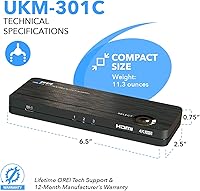
  • Dimensions: The unit measures 6.5 x 2.5 x 0.75 inches, making it compact enough to sit flat on a desk or mount behind a monitor.
  • Weight: Weighs 4 ounces, light enough to reposition easily or travel with when needed.
  • Color: Available in black only.
  • Package Contents: Box includes the UKM-301C switcher, a 5V/3A power adapter, an international plug adapter, and a user manual.
  • Warranty: Backed by a one-year limited manufacturing warranty provided directly by OREI.
  • Release Date: First made available for purchase on December 16, 2020, and remains in active production as of the current date.
  • Compatible Devices: Works with PCs, Macs, laptops, Android devices, iPads, tablets, gaming consoles, and televisions, subject to port compatibility requirements.

Related Reviews

Steetek STK-S7415H 4-Port HDMI KVM Switch
74%
91%
Ease of Setup
83%
Switching Reliability
78%
Video Quality & Resolution
76%
Adaptive EDID Performance
69%
USB Peripheral Sharing
More
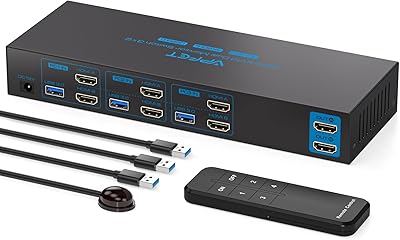
Scyniney 4-Port Triple-Monitor HDMI KVM Switch
74%
83%
Video Signal Stability
79%
4K Resolution Performance
74%
USB Hub Performance
81%
Switching Reliability
41%
Hotkey Switching Support
More
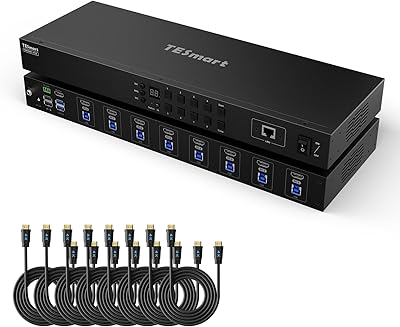
TESmart HKS801-P23 8-Port Rackmount HDMI KVM Switch
80%
88%
Build Quality
91%
Video Performance
93%
EDID Emulation
82%
Switching Reliability
71%
IP & RS232 Control
More
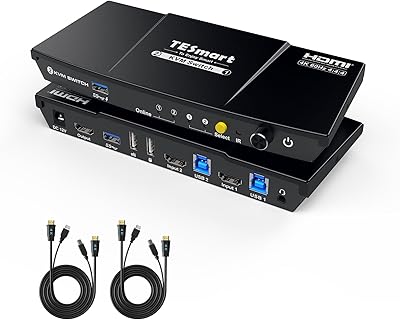
TESmart HKS201-P23 2-Port HDMI KVM Switch
77%
83%
Ease of Setup
88%
Video Quality & Resolution
67%
Switching Reliability
71%
Audio & Microphone Performance
79%
USB Hub Performance
More
AILVLVNG SW330 Dual Monitor KVM Switch

75%
86%
Video Signal Quality
83%
EDID Emulation
79%
Setup & Installation
71%
USB Peripheral Sharing
84%
Switching Speed
More
DGODRT KS604H 4-Port HDMI KVM Switch
80%
91%
Ease of Setup
74%
Switching Reliability
78%
Video Quality
79%
USB Peripheral Sharing
84%
Wired Remote Control
More
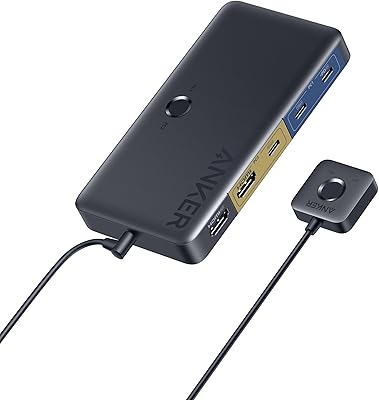
Anker A83K8 4K HDMI KVM Switch
79%
91%
Ease of Setup
88%
Switching Convenience
61%
USB-C Compatibility
93%
Video Quality
84%
USB Hub Performance
More
Seiryruc 2-in-3-Out 4K HDMI KVM Switch
71%
88%
Setup & Installation
83%
Video Signal Quality
57%
Switching Method & Speed
81%
USB Peripheral Sharing
76%
Display Mode Flexibility
More
ATEN CS22HF 2-Port HDMI KVM Switch

78%
93%
Ease of Setup
91%
Switching Convenience
84%
Video Quality
78%
Build Quality
66%
Cable Length & Management
More
KCEVE KC-303X Triple Monitor KVM Switch
78%
88%
Setup & Installation
83%
Video Signal Quality
79%
Switching Speed & Reliability
71%
Remote Controller
81%
USB Peripheral Performance
More

FAQ

Not necessarily. The USB-C port on this KVM switch requires your device to support DisplayPort Alternate Mode — a specific capability that allows video signal to travel over USB-C. Many USB-C ports only handle data transfer or charging, and those will not send a video signal here. Before buying, check your laptop or tablet's specs to confirm it lists DisplayPort Alt Mode or DP over USB-C support.

Yes, that is exactly the kind of setup this three-input switcher was built for. You would plug the MacBook into the USB-C port (confirming it supports DisplayPort Alt Mode) and the Windows machine into one of the HDMI inputs, then switch between them using the button on the unit while sharing the same keyboard, mouse, and monitor.

It should, provided your iPad Pro model supports USB-C video output, which most iPad Pro and iPad Air models from 2018 onward do. Connect it to the USB-C port and the switcher should recognize it as a video source. That said, results can vary depending on the iPad generation and what apps or modes trigger external display support on iPadOS.

No. This switcher has a single HDMI output, so it connects to one monitor only. If you need to drive two displays simultaneously, you would need a different, more capable KVM solution.

No driver installation is required. The unit is plug-and-play in the sense that your operating system should recognize the connected peripherals once everything is cabled up, though you do need the included power adapter connected for the device to function.

Yes. Plug your printer into one of the four USB 2.0 ports on the switcher, and whichever computer is currently active will have access to it. Just keep in mind the USB ports are 2.0, so they are better suited for input devices and printers than for fast external storage.

No, the UKM-301C does not support hotkey switching. You switch sources by physically pressing a button on the unit itself. If keyboard-based switching is important to your workflow, this switcher does not offer that functionality.

The most common cause is that the connected device does not support DisplayPort Alt Mode over its USB-C port, which is a hardware limitation rather than a setup error. Double-check your device's specifications online or in its documentation. If Alt Mode is confirmed, try a different USB-C cable rated for video output, as not all USB-C cables carry DisplayPort signals.

No. The device requires the included 5V/3A power adapter to operate. It does not draw power from the connected computers or USB ports, so the adapter must be plugged in for the switcher to function at all.

For most users with compatible hardware, switching works without major issues, though a brief signal drop during the transition is normal and expected for any KVM switcher. A subset of buyers have reported more persistent flickering or instability in certain setups, which seems more common when mixing older HDMI sources with the USB-C input. If your monitor takes a long time to detect new signals, that can make switching feel less responsive than it actually is.