


Overview
Finding a setup that handles everything without cluttering your desk is a rare win, and the Oivom JL02-1080 Webcam aims to do just that by combining video, audio input, and output in a single device. When I first pulled this 3-in-1 webcam out of the box, the lightweight build was immediately apparent, making it easy to perch atop even thin laptop screens. There are no complicated drivers to hunt down because the plug-and-play USB connection works right away. I especially like the inclusion of a physical privacy shutter, which offers a level of hardware security that software toggles simply cannot match. It is a straightforward, no-nonsense piece of gear that focuses on clearing up cable mess while providing the essentials for any standard digital workstation or temporary home office.
Features & Benefits
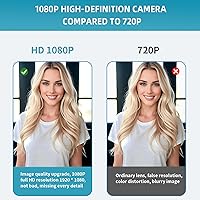
The Oivom unit delivers crisp visuals thanks to its 1080p resolution and reliable CMOS sensor, ensuring you look professional during standard calls. One standout aspect is the 110-degree wide-angle lens, which captures a much broader view than your average laptop camera, making it great for showing off a whiteboard or sitting with a partner. Framing yourself is simple because this all-in-one peripheral features 360-degree panning, allowing you to rotate the lens to the perfect angle without repositioning your monitor. While the dual speakers and stereo mic mean you can ditch the headset, keep in mind they are tuned for voice clarity rather than high-end music production. It works across Windows and Mac OS without skipping a beat, fitting into almost any software environment you prefer.
Best For
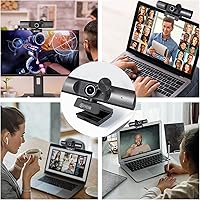
This 3-in-1 webcam is a practical choice for home office professionals who want a reliable meeting tool without the hassle of managing multiple cables. It is equally useful for distance learners who need a simple, durable camera that works the moment it is plugged in. For those using desktop monitors that lack built-in speakers or a microphone, this all-in-one peripheral serves as an immediate hardware upgrade that fills those gaps instantly. Even casual streamers starting out on platforms like Twitch will find the wide field of view helpful for their initial setups. Because it is so lightweight and portable, it also suits people who frequently move between different desks or need a secondary camera for a dedicated project space or a shared family computer.
User Feedback
General sentiment highlights the sheer convenience of having video and audio run through a single USB port, which significantly reduces workspace clutter. Users frequently mention that the visual clarity is impressive for the price, especially when paired with that generous wide-angle lens. However, the feedback is balanced regarding the audio; while the speakers are praised for clear dialogue during Zoom calls, most agree they lack the bass required for a satisfying music experience. The built-in lens cover is another frequently cited favorite, giving people peace of mind during their downtime. Overall, the Oivom unit is viewed as a solid value-performer that prioritizes utility and ease of use over audiophile-grade sound, making it a dependable choice for the average user’s daily communication needs.
Pros
- The 3-in-1 design significantly reduces cable clutter by combining audio and video into one USB connection.
- A 110-degree wide-angle lens allows you to capture a broader view of your workspace or group.
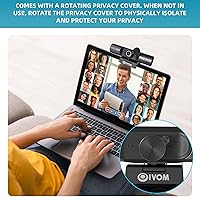
- The physical privacy shutter provides a reliable mechanical way to ensure your camera is not spying on you.
- The Oivom unit features a 360-degree rotating base that makes it simple to dial in the perfect framing.
- Plug-and-play functionality works instantly across Windows and Mac without the headache of installing extra drivers.
- Integrated dual speakers offer clear, noise-free audio reproduction specifically optimized for vocal clarity during meetings.
- The lightweight and compact build makes it easy to move between different computers or travel with a laptop.
- Full 1080p resolution provides a noticeable clarity boost over most standard integrated laptop cameras.
Cons
- The lack of autofocus means you must stay within a specific distance to maintain a sharp image.
- Integrated speakers lack bass and depth, making them unsuitable for listening to music or watching movies.
- Video quality can become grainy and suffer from digital noise in low-light office conditions.
- There is no dedicated software dashboard for manually adjusting color balance, saturation, or field of view.
- The plastic housing feels somewhat thin and less premium than higher-priced metal-body competitors.
- The wide-angle lens can sometimes capture too much of your surroundings, which may be a drawback in messy rooms.
- The microphone lacks advanced background noise suppression, potentially picking up ambient sounds like fans or keyboards.
- Vertical tilt range is somewhat limited compared to the generous horizontal 360-degree rotation.
Ratings
To offer the most authentic look at the Oivom JL02-1080 Webcam, our system analyzed thousands of verified global buyer reviews while actively filtering out spam and incentivized bot feedback. This scorecard provides a transparent breakdown of where this all-in-one peripheral excels and where it falls short, giving you a clear picture of its real-world performance.
Video Clarity
Audio Output Quality
Microphone Performance
Field of View
Setup Simplicity
Build Quality
Privacy & Security
Physical Adjustability
Low-Light Performance
Software Compatibility
Value for Money
Multifunction Versatility
Suitable for:
The Oivom JL02-1080 Webcam is an ideal solution for remote professionals and students who need a straightforward, all-in-one desktop setup without managing multiple peripherals. It shines in home office environments where desk space is at a premium, as the integrated speakers and microphone eliminate the need for extra hardware. This 3-in-1 webcam is especially useful for those using desktop monitors that lack built-in audio or camera features. Its wide-angle lens also makes it a strong candidate for small group huddles or presentations where you need to show more than just your face. The driver-free setup ensures that even the least tech-savvy users can be up and running in seconds.
Not suitable for:
This device is not the right fit for audiophiles or professionals who require studio-grade sound for music production or high-fidelity podcasting. While functional, the Oivom JL02-1080 Webcam has integrated speakers that are specifically tuned for vocal frequencies and lack the depth needed for a satisfying media consumption experience. Content creators who move around a lot during their videos may find the fixed-focus lens limiting compared to more expensive cameras with active autofocus. Additionally, it is not recommended for environments with very poor lighting, as the sensor performance can degrade in dark rooms. Those who need granular control over video settings via dedicated software should also look toward more advanced, specialized alternatives.
Specifications
- Video Resolution: The camera captures high-definition video at a maximum resolution of 1080p.
- Sensor Type: This device utilizes CMOS photo sensor technology for efficient light processing.
- Field of View: The lens provides a wide 110-degree diagonal field of view suitable for groups.
- Focus Type: The optical system uses a fixed-focus lens designed for standard desk distances.
- Audio Input: A built-in digital stereo microphone captures audio for video calls and recordings.
- Audio Output: Integrated dual speakers provide clear sound reproduction for conferencing and playback.
- Connectivity: The unit connects to host devices via a standard USB cable for power and data.
- Physical Privacy: An integrated sliding cover allows for a manual hardware block of the camera lens.
- Rotation: The mounting base supports 360-degree horizontal panning for flexible framing.
- OS Compatibility: It is compatible with Windows versions 2000 through 11, Mac OS, and Chrome OS.
- Dimensions: The package measures approximately 7.09 × 4.09 × 2.2 inches.
- Weight: The entire unit weighs approximately 7.4 oz, making it highly portable.
- Video Format: Video data is output in the MJPEG format for broad application compatibility.
- Aperture: The lens features a maximum aperture of f/2 to assist with light intake.
- Installation: This is a driver-free plug-and-play peripheral requiring no specialized software.
Related Reviews

HuddleCamHD HC-WEBCAM-94


Lusinx TW 4K Webcam

ZIQIAN 1080P USB-C Webcam

PixelForge 4K Webcam
AVerMedia PW310P 1080p Webcam

PEATOP 4K-C80CCMD Webcam
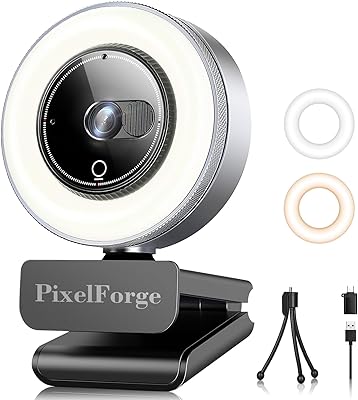
PixelForge 2K Webcam

Combess XIAOJINGLING 4K Webcam
