




Overview
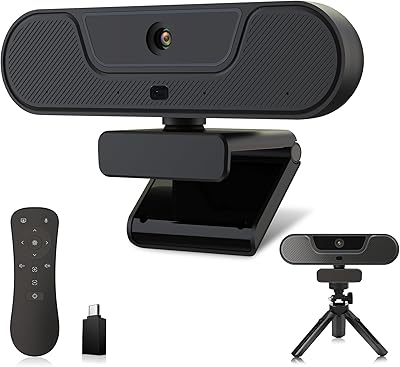
The Diccik 4K HD Webcam is a compact, no-frills camera aimed squarely at remote workers, online educators, and casual streamers who want a meaningful upgrade without spending a lot. It sits firmly in budget territory, which means expectations need to be calibrated accordingly. The design is lightweight -- barely over two ounces -- so clipping it onto a monitor or laptop lid takes seconds. Setup is equally painless: plug in the USB cable and you are ready. No driver disc, no software portal to navigate. For someone who just needs a functional camera that works right out of the box, that simplicity is genuinely worth something.
Features & Benefits
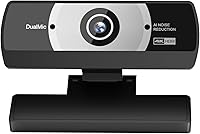
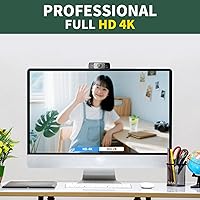
The camera advertises 4K resolution at 30 frames per second, and on paper that sounds impressive for this price point. In practice, the image quality is noticeably sharper than most built-in laptop cameras, though serious streamers or content creators should keep expectations grounded. The automatic light correction is one of the more practical touches -- it adjusts brightness and color on the fly, which helps in rooms where the light shifts throughout the day. The wide-angle lens picks up more of your surroundings than a narrow-field camera would, useful if you share a workspace or use a whiteboard. A noise-canceling microphone is built in, and the 5-foot USB cable gives you enough reach to position the camera where it actually works.
Best For
This webcam makes the most sense for people upgrading from a built-in laptop camera and not wanting to deal with software installs or driver conflicts. Remote employees who hop between video calls daily will appreciate the auto light adjustment -- no more looking washed out in front of a bright window or disappearing into shadow in a dark room. Online tutors and teachers also fit the profile well: the wide-angle view covers a bit more of the room, and the microphone handles standard office or home environments competently. First-time streamers on a tight budget could find it serviceable for low-stakes content. It is not, however, a tool for anyone who needs precise image control or professional-grade output.
User Feedback
Because this is a relatively new listing, the pool of user reviews is still limited, so it is worth treating early impressions as a starting point rather than a settled verdict. That said, buyers tend to highlight the ease of setup as a genuine strong point -- plug it in and it just works, which is not always guaranteed at this price. The auto light correction draws positive mention too, particularly from people who work near windows or in inconsistent light. On the critical side, some users find the microphone underwhelming in noisier spaces; it handles quiet rooms well enough, but heavy background noise can still bleed through. Build quality appears acceptable for the cost, though the camera feels noticeably lightweight in hand -- which may or may not matter depending on your expectations.
Pros
- Genuinely simple plug-and-play setup -- no drivers, no installs, just connect and go.
- Automatic light correction handles shifting room conditions without any manual adjustment.
- Wide-angle lens captures more of the scene than most budget webcams at this size.
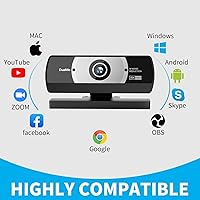
- Works across all major platforms including Zoom, Teams, Skype, OBS, and FaceTime.
- At under two and a half ounces, this webcam is light enough to clip onto virtually any screen.
- The 5-foot USB cable gives enough slack to position the camera where you actually need it.
- Compatible with both Windows and Mac, covering most home and office setups without issues.
- A meaningful image quality step up from the average built-in laptop camera.
- USB 2.0, 3.0, 3.1, and OTG support makes it flexible across older and newer devices.
Cons
- The 4K label may overstate real-world performance -- manage expectations before buying.
- Microphone struggles noticeably in noisy or open-plan environments.
- Brand is relatively new and unproven, with a limited track record or review base to rely on.
- Build quality feels lightweight and plasticky, which may raise durability concerns over time.
- No manual controls for focus, exposure, or white balance limit flexibility for discerning users.
- The listing contains some unusual spec values that raise questions about product documentation accuracy.
- Early adopters are taking on more risk given the thin pool of verified user reviews.
- Not a strong choice for professional content production where consistent, high-quality output matters.
Ratings
The Diccik 4K HD Webcam has been evaluated by our AI rating system after analyzing verified buyer reviews from global markets, with spam, bot-generated, and incentivized feedback actively filtered out. Scores reflect a candid picture of both what this budget 4K cam does well and where it falls short, so you can make an informed decision without surprises.
Value for Money
Video Quality
Ease of Setup
Light Correction
Microphone Quality
Build Quality
Platform Compatibility
Wide-Angle Performance
Cable & Connectivity
Design & Portability
Low-Light Performance
Brand Reliability
Suitable for:
The Diccik 4K HD Webcam is a practical pick for everyday remote workers and hybrid employees who spend their days on Zoom or Teams calls and are tired of looking grainy on a built-in laptop camera. Online teachers and tutors will appreciate the wide-angle view and automatic light correction, which helps maintain consistent image quality across different times of day without any manual fiddling. Non-technical users stand to gain the most from the plug-and-play USB setup -- there are no drivers to hunt down and no settings menus to wrestle with before your first call. Budget-conscious content creators who are just starting a YouTube channel or streaming hobby will find this webcam a reasonable entry point, especially if they are not yet ready to invest in a higher-end solution. It also suits anyone sharing a home workspace who needs a camera that adapts to unpredictable lighting conditions without constant adjustment.
Not suitable for:
The Diccik 4K HD Webcam is not the right tool for buyers who need verified, professional-grade 4K output -- at this price point, the resolution marketing should be understood as aspirational rather than guaranteed to rival mid-range or premium webcams. Content creators who monetize their streams or produce client-facing video work will likely find the image quality and build feel underwhelming compared to more established options. The built-in microphone, while adequate in quiet environments, tends to fall short in louder or open-plan spaces, so podcasters or anyone who prioritizes audio quality should budget for a separate microphone. Users who need precise manual control over focus, exposure, or white balance will find no such options here. Finally, buyers who place high importance on brand reputation, long-term firmware support, or a well-documented track record should be cautious, as Diccik is a newer and lesser-known name with a limited review history to draw from.
Specifications
- Resolution: Captures video at 4K (3840x2160) at up to 30 frames per second for detailed, sharp footage.
- Sensor: Uses a CMOS image sensor, the standard technology found in most consumer webcams at this tier.
- Microphone: Features a built-in noise-canceling microphone designed to reduce ambient background sound during calls.
- Light Correction: Automatic brightness and color adjustment technology adapts the image in real time to changing lighting conditions.
- Lens Type: Wide-angle lens designed to capture a broader field of view than standard narrow-angle webcam lenses.
- Connectivity: Compatible with USB 2.0, 3.0, and 3.1 ports, as well as OTG-enabled devices.
- Cable Length: Comes with a 5ft (approximately 152cm) USB power and data cable included in the box.
- Weight: The unit weighs 2.39 oz, making it one of the lighter options in the budget webcam category.
- Dimensions: Package measures 3.94 x 2.05 x 1.54 inches, indicating a compact and easily portable form factor.
- Setup: Plug-and-play design requires no driver installation or additional software on either Windows or Mac.
- OS Support: Compatible with Windows and Mac operating systems without requiring separate driver downloads.
- Platform Support: Verified to work with Zoom, Microsoft Teams, Skype, OBS, YouTube, and FaceTime out of the box.
- Interface: Connects via standard USB, making it compatible with a wide range of desktops, laptops, and tablets.
- Brand: Manufactured by Diccik, a newer consumer electronics brand focused on accessible video peripherals.
- Model ID: Listed under the model identifier 4K by the manufacturer on the product packaging and listing.
Related Reviews
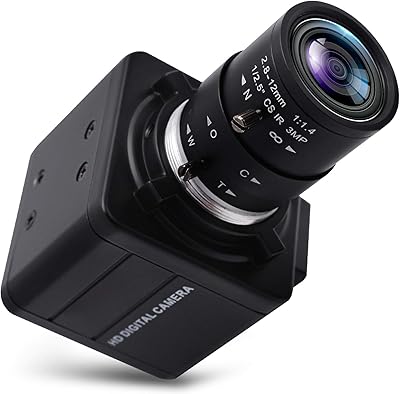
SVPRO 4K Ultra HD Webcam with 5X Optical Zoom

PixelForge 4K Webcam

Lumina LX011 4K Webcam

Lusinx TW 4K Webcam

PEATOP 4K-C80CCMD Webcam

MOERTEK MT 4K Webcam

Combess XIAOJINGLING 4K Webcam
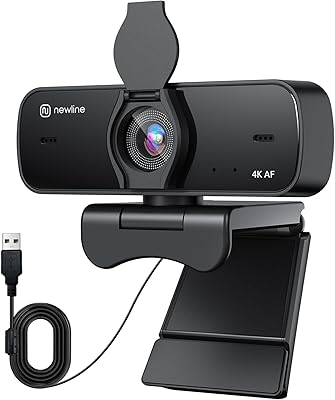
N newline NewEye 60s
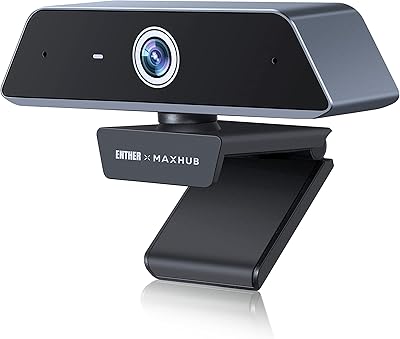
Enther MAXHUB 4K Webcam