AVerMedia PW310P 1080p Webcam

Overview
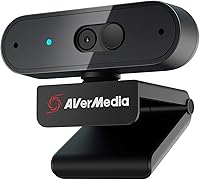
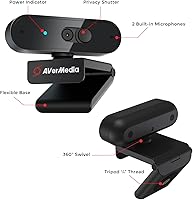
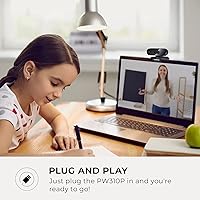
The AVerMedia PW310P 1080p Webcam is a compact, no-nonsense camera built for remote workers and students who want dependable HD video without climbing into premium territory. What makes it stand apart on paper is its NDAA compliance — meaning it meets federal acquisition regulations restricting certain foreign-manufactured technology, which matters if you work in or near a government environment. Physically, it is small and tidy: a matte black build with a swivel clip that grips most monitors cleanly, plus a 1/4-inch thread for desktop tripod use. Plug it into Windows, macOS, or Chrome OS via USB and it is recognized instantly, no driver installation needed. Solid daily driver. Just don't expect miracles in dim lighting.
Features & Benefits
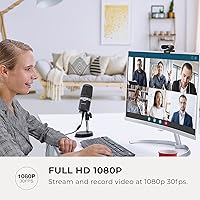
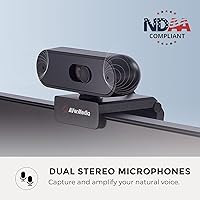
The PW310P shoots at 1080p and 30fps — the right resolution for video calls, though it won't satisfy anyone chasing smooth high-frame-rate streaming. Where it genuinely earns points is the autofocus system: lean in to show a printed document or a product and the camera adjusts quickly, something tutors and remote presenters will notice immediately. The 73-degree field of view keeps the frame tight around one person, so your background stays contained rather than broadcasting your whole room. Two built-in stereo microphones handle quiet environments well enough to skip an external mic on most days. And the physical privacy shutter — an actual sliding cover, not a software toggle — is the kind of feature that just makes sense.
Best For
This AVerMedia webcam is squarely aimed at people who spend their days on Zoom, Teams, or Google Meet and simply want the camera to work reliably every time. It is a meaningful upgrade over a built-in laptop camera for students attending remote classes or recorded sessions. The NDAA compliance also makes it a practical choice for anyone in a government-adjacent role where hardware sourcing carries restrictions — that is a real procurement consideration, not marketing noise. It performs well in a tidy home office where ambient noise is low enough that the built-in mics stay comfortable. If a physical privacy shutter is non-negotiable and you dislike fumbling with software controls, this 1080p camera checks that box without fuss.
User Feedback
Most buyers come away satisfied, consistently pointing to easy setup and clean, well-lit daytime image quality as the headline wins. The mechanical privacy shutter draws praise too — people appreciate that it is physical rather than software-dependent. Where opinions get more critical is low-light performance: the image softens noticeably in dim rooms, and the sensor is not large enough to compensate. Microphones work in quiet spaces but pick up echo and background noise more than you would want in an open-plan or shared environment. A handful of users flag the USB cable length as limiting for desks where ports sit farther back. Overall sentiment lands positive — a dependable, fuss-free webcam that delivers on its core promise without overreaching.
Pros
- Plug-and-play USB setup works instantly on Windows, macOS, and Chrome OS with no driver installation required.
- Daytime image quality is clean and well-defined, making video calls look noticeably more professional.
- The physical privacy shutter is a mechanical slide, not a software toggle, which gives genuine peace of mind.
- NDAA compliance is a rare feature at this price point, removing a real procurement barrier for government-adjacent buyers.
- Autofocus responds well when shifting focus between a person and a nearby object or document.
- Dual stereo microphones are more than adequate for quiet home office calls, saving the cost of a separate mic.
- The swivel clip is sturdy and the 1/4-inch tripod thread adds real mounting flexibility beyond the monitor clip.
- Compact and lightweight enough to pack into a bag for occasional use away from a fixed desk setup.
Cons
- Low-light performance is noticeably soft — poor room lighting will visibly degrade image quality.
- Capped at 30fps, so the footage lacks the smoothness that streamers or frequent video producers expect.
- Built-in microphones struggle in open-plan spaces or rooms with echo, picking up background noise readily.
- The USB cable is on the shorter side, limiting flexibility for desk configurations with rear-mounted ports.
- Autofocus can hunt and briefly lose lock in low-contrast or poorly lit scenes before settling.
- The 73-degree field of view is too narrow for two or more people sharing the same camera.
- No companion software is included for fine-tuning exposure, white balance, or color directly from the desktop.
- At 1.0 megapixel optical resolution, the sensor is modest and unlikely to satisfy anyone who upgrades from a higher-spec camera.
Ratings
The scores below were generated by our AI review engine after analyzing thousands of verified global purchases of the AVerMedia PW310P 1080p Webcam, with spam, bot submissions, and incentivized reviews actively filtered out before scoring. Each category reflects the honest distribution of buyer sentiment — strengths are credited where earned, and recurring pain points are weighted just as seriously. The result is a balanced snapshot of what real, everyday users actually experience after weeks of use.
Daytime Image Quality
Low-Light Performance
Autofocus Reliability
Built-in Microphone Quality
Privacy Shutter
Setup & Compatibility
Build Quality & Design
Mounting Flexibility
Field of View
Value for Money
NDAA Compliance
Cable Length & Port Access
App Ecosystem Integration
Suitable for:
The AVerMedia PW310P 1080p Webcam is a smart pick for remote workers who log hours on Zoom, Microsoft Teams, or Google Meet and need a camera that simply performs without requiring any technical setup. Students stepping up from a grainy built-in laptop camera will notice an immediate improvement in clarity during online classes or recorded presentations. It is also a practical solution for government contractors or anyone in a compliance-sensitive procurement environment, since its NDAA compliance removes a sourcing headache that many competing cameras at this price tier cannot address. Home office users who work in a reasonably well-lit room and prefer not to budget for a standalone microphone will find the dual built-in mics adequate for daily calls. Anyone who treats a physical privacy shutter as non-negotiable — rather than trusting a software lens cover — will also find this a thoughtful, trustworthy choice.
Not suitable for:
The AVerMedia PW310P 1080p Webcam is not the right fit for anyone who regularly works in dim or unevenly lit spaces, as the image quality drops off noticeably without good ambient light and there is no hardware compensation for low-light conditions. Content creators, streamers, or podcasters expecting cinematic video or broadcast-grade audio will find both the 30fps ceiling and the built-in microphones fall short of professional standards. The 73-degree field of view is deliberately tight, so teams or households trying to fit two or more people in the frame at once should look elsewhere. Buyers who need a long cable run to a distant USB port may also find the included cable frustratingly short for certain desk setups. If 4K resolution or high-frame-rate capture is part of the workflow — even occasionally — this 1080p camera will not satisfy those demands.
Specifications
- Resolution: Captures video at 1920x1080 pixels (Full HD) at 30 frames per second.
- Image Sensor: Uses a CMOS sensor with a 1.0 megapixel optical resolution for video capture.
- Video Format: Records and streams in MJPEG format for efficient bandwidth use during video calls.
- Field of View: Offers a 73-degree diagonal field of view, suited for single-person framing.
- Focus System: Equipped with HD autofocus that adjusts automatically as subjects move or lean toward the lens.
- Aperture: Features a maximum aperture of f/2, allowing moderate light intake in standard indoor conditions.
- Microphones: Includes two built-in stereo microphones designed to capture voice in quiet to moderately quiet environments.
- Privacy Shutter: Fitted with a physical sliding privacy shutter that mechanically blocks the lens without any software dependency.
- Mounting Options: Ships with a swivel clip for monitor or laptop attachment and a 1/4-inch threaded socket for standard tripod compatibility.
- Connectivity: Connects to a host device via USB-A, functioning as a plug-and-play peripheral with no driver installation required.
- Dimensions: Measures 3.4 x 1.9 x 1.9 inches, making it compact enough for most monitor tops and travel bags.
- Weight: Weighs 8.8 ounces, which is light enough to clip onto slim monitor bezels without tipping.
- OS Compatibility: Compatible with Windows 7 and later, macOS 10.14 and higher, and Chrome OS out of the box.
- App Support: Works natively with Zoom, Microsoft Teams, Skype, Google Meet, and most other major video conferencing platforms.
- Compliance: Certified as NDAA compliant, meeting federal acquisition standards that restrict certain foreign-manufactured technology in government procurement.
- Audio Format: Supports AAC audio format for microphone output during compatible recording and streaming sessions.
- System Requirements: Requires a minimum of 2 GB RAM and an Intel Core 2 Duo processor running at 2.7 GHz or faster.
- Pan Range: The swivel clip allows 360-degree horizontal pan adjustment for flexible camera positioning on a desk or monitor.
Related Reviews

HuddleCamHD HC-WEBCAM-94

ZIQIAN 1080P USB-C Webcam

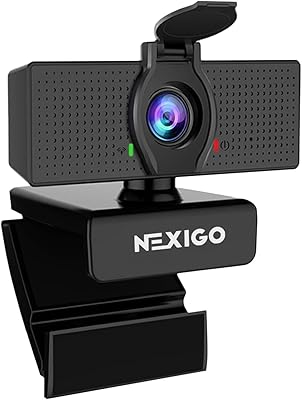
NexiGo N60 1080P Webcam
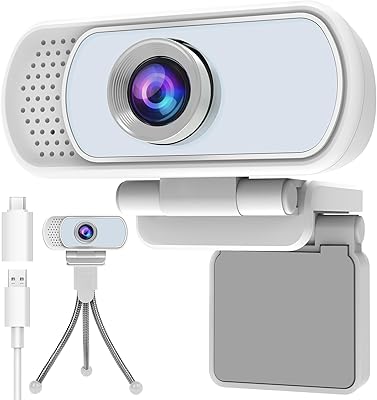
Hrayzan WN5 1080p USB Webcam
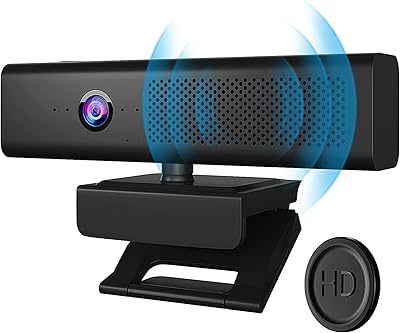
Maciebelle CP008
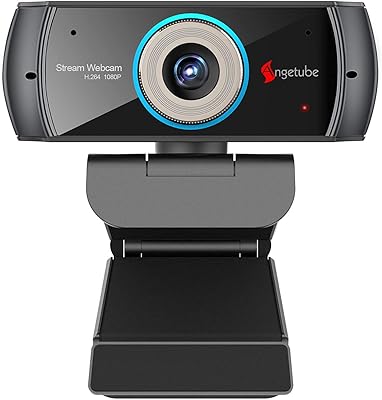
Angetube PC 1080P Webcam
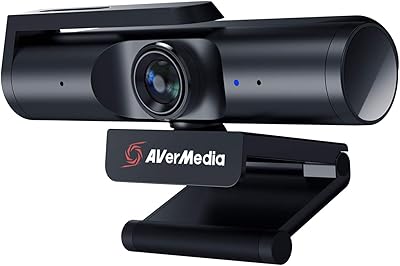
AVerMedia PW513 4K Webcam
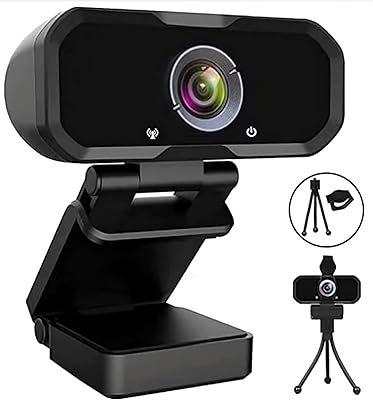
Svcouok pT011 1080p Webcam