
Overview
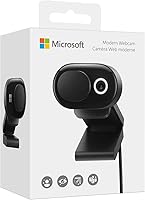
The Microsoft Modern Webcam is a mid-range USB camera built around one straightforward purpose: making your video calls look and sound better without overcomplicating your setup. Launched in 2021, it remains a practical choice in today's hybrid work environment, especially for anyone already working inside the Microsoft ecosystem. It clips onto most monitors and laptop screens without fuss, and its Teams and Zoom certification means it works reliably with the platforms most remote workers use every day. At its price point, it sits in a competitive space but earns its place by offering thoughtful hardware features that cheaper webcams tend to skip entirely.
Features & Benefits
Image quality is where this desk camera earns its keep. It shoots 1080p HDR video with automatic white balance and exposure compensation, adapting reasonably well when your lighting shifts — say, when afternoon sun hits the window behind you. The fixed focus covers roughly 0.4m to 1.5m, which handles most standard desk distances but won't suit anyone sitting further back or trying to capture a wide room. The built-in noise-cancelling mic is solid enough for calls — it reduces keyboard clatter and ambient hum — though it's not a substitute for a dedicated microphone if audio quality matters beyond basic conversation. Plug it in via USB-A and it's ready immediately, no drivers needed.
Best For
This Microsoft webcam is an easy recommendation for anyone working from home who relies on Teams or Zoom as their primary communication tool. If you're currently using a built-in laptop camera, the improvement in clarity is noticeable from day one — faces are sharper, colors more accurate, and the automatic light adjustment means fewer washed-out video feeds. The integrated privacy shutter is a genuinely useful detail; no need to tape over the lens or hunt for a clip-on cover. It also suits people in variable lighting conditions, like rooms that shift from bright to dim throughout the day. Less ideal for users who need flexible focus control or plan to record content beyond standard video calls.
User Feedback
The Modern Webcam holds a 4.2-star average, and looking at the spread of reviews, it reads as a consistent performer rather than a polarizing one. Most buyers highlight how quick and painless setup is — plug in, open your call app, done — and many report a clear step up from their laptop's built-in camera. On the critical side, low-light performance at the outer edge of its HDR range draws occasional complaints; the auto-correction helps, but it has real limits in genuinely dark rooms. A handful of users also flag that the fixed focus becomes an issue when their desk puts them outside the supported distance range. The microphone handles calls fine, though anyone expecting broadcast-quality audio will come away wanting more.
Pros
- Immediate plug-and-play setup — no drivers, no software, just connect and go.
- HDR with auto exposure compensation handles mixed or shifting light sources well.
- The built-in privacy shutter removes the need for a separate lens cover or improvised tape fix.
- Certified for Teams and Zoom, so call integration works reliably without manual configuration.
- Consistent 1080p image quality is a meaningful step up from most built-in laptop cameras.
- The noise-cancelling mic handles typical home office background noise adequately for daily calls.
- Updatable firmware means Microsoft can improve performance post-purchase without a hardware swap.
- Compact and lightweight enough that the clip sits firmly on most monitors without stressing the bezel.
- The 1.5m cable reaches most desktop or docking station setups without an extension.
Cons
- Fixed focus locks you into a 0.4m to 1.5m range — no workaround if your setup falls outside that.
- USB-A only; users with modern USB-C laptops will need a dongle to make it work.
- The built-in mic is adequate for calls but falls short for recording, podcasting, or content creation.
- Low-light performance degrades noticeably without a desk lamp or ring light as a supplement.
- No companion app means you cannot manually adjust exposure, white balance, or field of view.
- The plastic build feels functional rather than premium, which some buyers find underwhelming at this price.
- The clip can feel insecure on thinner laptop lids, occasionally requiring repositioning.
- Competition at this tier has grown significantly, with rivals now offering autofocus for similar prices.
- The LED indicator is bright enough to be distracting in darker work environments.
Ratings
The Microsoft Modern Webcam has been evaluated by our AI system after analyzing thousands of verified global buyer reviews, with spam, bot-generated, and incentivized feedback actively filtered out. The scores below reflect a balanced view of real-world performance — strengths and frustrations alike — so you can make a genuinely informed decision. From daily Teams calls to low-light desk setups, every rating category surfaces what actual users experienced over extended use.
Video Quality
Ease of Setup
Microphone Quality
Low-Light Performance
Privacy Shutter
Build Quality
Focus Performance
Software & Firmware Support
Teams & Zoom Compatibility
Cable & Connectivity
Mounting & Stability
Value for Money
Lighting Adaptability
Suitable for:
The Microsoft Modern Webcam is a strong pick for anyone whose workday revolves around back-to-back video calls on Teams or Zoom. If you are currently relying on a built-in laptop camera, the jump in clarity alone makes this an easy upgrade — sharper image, better color accuracy, and automatic exposure adjustment that handles the kind of variable home-office lighting most people deal with daily. It is particularly well suited to people who sit at a fixed desk position within roughly an arm's length to about 1.5 meters from their screen, which covers the vast majority of standard setups. The built-in privacy shutter is a practical bonus for anyone who values the ability to physically block the lens between meetings without keeping a sticky note over it. Users who prefer a device that simply works on Windows without any driver installation, configuration menus, or companion software will appreciate how frictionless the experience is from day one.
Not suitable for:
The Microsoft Modern Webcam is not the right fit for buyers who need flexibility beyond a standard seated desk position. If your setup puts you further than 1.5 meters from the camera — a standing desk at distance, a larger room, or a shared space where you move around — the fixed focus will produce noticeably soft images with no adjustment available. Content creators, streamers, or anyone recording video for an audience beyond routine calls should look elsewhere; the 2MP sensor and call-optimized mic are not built for that level of scrutiny. Users on modern ultrabooks or MacBooks with only USB-C ports will need an adapter, which chips away at the plug-and-play simplicity that makes this camera appealing. And if you work in a genuinely dim environment without supplementary lighting, the HDR compensation will reach its ceiling quickly, leaving you with a grainy image that no firmware update is going to fix.
Specifications
- Resolution: Captures video at 1080p Full HD, delivering clear and detailed image quality suitable for professional video calls.
- HDR: HDR is enabled with automatic exposure compensation, helping balance bright and dark areas in varied lighting conditions.
- Focus Type: Fixed focus covers a range of 0.4m to 1.5m, optimized for standard seated desk setups rather than wide-room capture.
- Sensor: Uses a CMOS image sensor with a 2MP resolution to deliver consistent 1080p video output.
- Aperture: Maximum aperture of f/4, which is adequate for well-lit environments but limits performance in genuinely low-light conditions.
- Microphone: Integrated noise-cancelling microphone is designed to reduce ambient background noise during calls and meetings.
- Privacy Shutter: Built-in physical privacy shutter slides over the lens and includes an LED usage indicator to show when the camera is active.
- Connectivity: Connects via USB-A and is fully plug-and-play on compatible systems, requiring no driver installation or setup software.
- Cable Length: Includes a fixed 1.5m USB-A cable, providing enough reach for most desktop and laptop configurations.
- Dimensions: Measures 50.53mm x 36.05mm x 74.58mm, making it compact enough to clip onto most standard monitor bezels and laptop screens.
- Weight: Weighs 88.3g (approximately 3.1 oz), keeping the clip mount from placing excessive stress on thinner display edges.
- Compatibility: Officially supports Microsoft Windows 10 and Windows 8.1; functionality on other operating systems may vary and is not guaranteed by the manufacturer.
- Certifications: Certified for use with Microsoft Teams and Zoom, ensuring reliable video and audio integration without manual configuration on those platforms.
- Firmware: Supports user-updatable firmware, allowing Microsoft to push performance improvements and compatibility updates post-purchase.
- Color: Available in a single matte black finish that blends neutrally with most monitor and laptop setups.
- Video Format: Records and streams in MP4 format, with supported audio output in MP3 and AAC formats.
- Model Number: Official Microsoft model number is 8L3-00001, useful for identifying the correct firmware updates and support documentation.
- Release Date: First made available on April 13, 2021, placing it in the generation of webcams designed for the hybrid work era.
Related Reviews
Microsoft Modern Wired Headset
Microsoft Modern USB-C Speaker

HuddleCamHD HC-WEBCAM-94

Lumina LX011 4K Webcam
Microsoft Surface Earbuds
XOCLON 2K Webcam

PixelForge 4K Webcam

Lusinx TW 4K Webcam

PEATOP 4K-C80CCMD Webcam