Overview
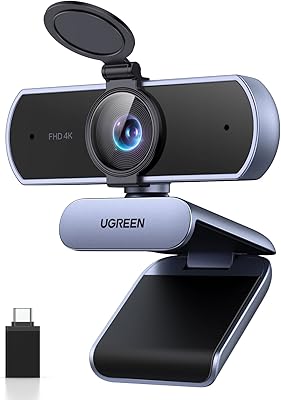
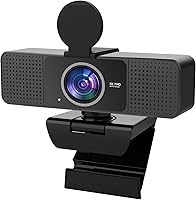
The PEATOP 4K-C80CCMD Webcam arrived in mid-2025 as a genuinely affordable way to step into 4K video calling. It's compact enough to clip onto a laptop bezel or thin monitor frame without blocking your screen, and the package includes a short adjustable tripod, a privacy cover, and a 4.6ft USB cable — practical extras you'd otherwise buy separately. Setup is instant: plug it in, and it works across Windows and macOS with no drivers to hunt down. For anyone still relying on a grainy built-in camera, this 4K camera represents a real, tangible improvement at a price point that's genuinely hard to dismiss.
Features & Benefits
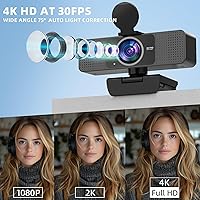
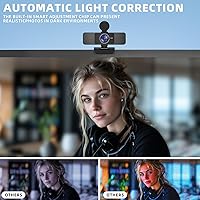
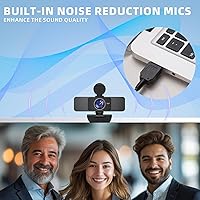
At this price point, 4K at 30fps is the headline claim, and while expectations should stay realistic — you're not getting cinema-grade optics — the CMOS sensor delivers noticeably sharper detail than the average 1080p webcam. Autofocus works quietly in the background, keeping your face in focus even if you lean back or shift during a long meeting. The HDR light correction handles tricky situations like a bright window behind you reasonably well, though very dark rooms will still push its limits. The built-in microphone picks up voice clearly enough for most calls, though loud environments may expose its limits. The physical privacy slider is a small but genuinely reassuring touch.
Best For
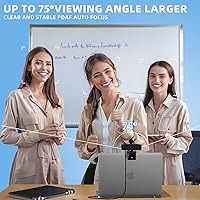
This webcam makes the most sense for remote workers who are still relying on a built-in laptop camera and want a meaningful upgrade without a significant investment. Students in online classes will appreciate the wider field of view, which captures more of a whiteboard or shared workspace. If you're just getting started on Twitch or experimenting with OBS Studio, the PEATOP cam gives you a functional 4K starting point without locking up your budget. It also suits anyone working from a small desk — the compact clip mount barely takes up any space. If software-based privacy toggles make you uneasy, the physical lens cover is a concrete alternative.
User Feedback
Buyers consistently praise how quickly this 4K camera gets up and running — the zero-setup experience is the most repeated compliment across reviews. Video quality earns solid marks for the price, though a handful of users raise fair questions about whether the output is true 4K or an upscaled result. Autofocus occasionally draws criticism for hunting in low-light conditions. The microphone performs acceptably in quiet rooms but struggles in noisier environments. Build quality is described as lightweight — some find that perfectly fine, while others wish the clip mount gripped more firmly over time. Overall, sentiment skews positive among buyers who approach it with realistic expectations.
Pros
- Plug-and-play setup works instantly on both Windows and macOS with zero driver installation required.
- Autofocus performs reliably in well-lit conditions, keeping your face sharp throughout long calls.
- The physical privacy slider gives immediate, hardware-level peace of mind with one quick motion.
- Wide-angle lens captures more of the room, useful for shared desks or small teaching setups.
- Includes a 4.6ft USB cable — long enough to comfortably reach the back of a desktop tower.
- HDR light correction handles moderately backlit window situations better than many webcams in this tier.
- The compact lens housing clips onto thin laptop bezels without obstructing any of the screen.
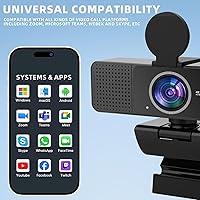
- Works reliably across Zoom, Teams, Google Meet, Skype, OBS Studio, and Discord without configuration.
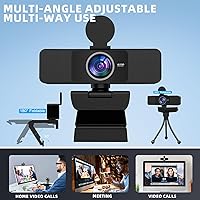
- The included mini tripod adds useful desktop positioning flexibility beyond the standard monitor clip.
- Delivers a clear, noticeable upgrade over the average built-in laptop camera for everyday video calls.
Cons
- Autofocus can hunt visibly in dim rooms, causing brief blurring before it locks back on.
- Microphone noise cancellation struggles in open-plan or echo-prone environments, letting ambient sound bleed through.
- The clip mount can loosen over time on thicker monitor frames, requiring occasional repositioning.
- No companion software means zero manual control over exposure, white balance, or frame rate.
- Whether the 4K output is native or upscaled remains unclear, and real-world sharpness reflects that ambiguity.
- The non-detachable USB cable means any cable damage requires replacing the entire unit.
- The indicator light cannot be disabled, which can be distracting in dark rooms or reflective setups.
- The short tripod adjusts only between roughly 3 and 4.4 inches, limiting useful elevation on a desk.
Ratings
The PEATOP 4K-C80CCMD Webcam has been evaluated using AI-driven analysis of verified global buyer reviews, with spam, bot submissions, and incentivized feedback actively filtered out. The scores below reflect an honest cross-section of real-world experiences — including what this webcam genuinely gets right and where it falls short of expectations. Both strengths and friction points are represented transparently so you can make a confident, informed decision.
Video Quality
Autofocus Performance
Low-Light Performance
Microphone Quality
Setup & Compatibility
Build Quality
Privacy Cover
Value for Money
Wide-Angle Coverage
Cable & Accessory Kit
Platform Compatibility
Size & Desk Footprint
Indicator Light
Suitable for:
The PEATOP 4K-C80CCMD Webcam is a strong fit for anyone who is still relying on a grainy built-in laptop camera and wants a real, visible improvement without spending heavily. Remote workers who primarily take Zoom, Teams, or Google Meet calls in a reasonably lit home office will get the most out of it — the autofocus and wider field of view alone make a meaningful difference in how professional you look on screen. Students attending online classes or virtual tutoring sessions will appreciate the compact form factor, since the PEATOP cam clips onto a laptop bezel cleanly and takes up almost no desk space. First-time streamers testing the waters on Twitch or experimenting with OBS Studio will find it a capable entry point that avoids a major financial commitment. Anyone who values a physical privacy cover over a software toggle — whether for security reasons or just peace of mind — will find that specific feature genuinely useful in daily use.
Not suitable for:
Buyers expecting studio-grade 4K output, comparable to mid-range webcams from established brands like Logitech or Elgato, should temper their expectations before purchasing the PEATOP 4K-C80CCMD Webcam. The 4K label reflects the sensor's rated resolution, but real-world sharpness in suboptimal lighting falls noticeably short of what premium webcams deliver at similar or higher resolutions. Content creators who film in low-light environments, or professionals whose on-camera image is central to their brand or livelihood, will likely find the image quality and microphone inconsistency frustrating over time. Users in loud, open-plan offices or busy household environments should also reconsider — the noise cancellation works best in quiet rooms, not chaotic ones. And if you need adjustable manual controls for exposure, white balance, or frame rate via companion software, this 4K camera offers none of that; what you see is what you get, with no fine-tuning options available.
Specifications
- Resolution: Captures video at 4K (3840x2160) resolution at 30 frames per second for sharper detail than standard 1080p webcams.
- Image Sensor: Uses a CMOS sensor to convert light into video signal, balancing color accuracy and power efficiency in a compact housing.
- Autofocus: Continuous autofocus adjusts automatically during use, keeping the subject in focus without any manual intervention.
- Low-Light Mode: HDR-based auto light correction dynamically adjusts exposure in real time to compensate for backlit or dim environments.
- Microphone: Single built-in noise-canceling microphone designed to reduce ambient background sounds during calls and recordings.
- Privacy Cover: Physical slide cover manually blocks the camera lens entirely, providing a hardware-level privacy solution independent of any software.
- Connection: Connects via USB 2.0 with full plug-and-play support, requiring no drivers or additional software on compatible operating systems.
- Cable Length: Includes a fixed, non-detachable 4.6ft (approximately 1.4m) USB cable suitable for reaching desktop tower ports from a standard desk.
- Lens Dimensions: Lens housing measures 4x1x1.2 inches (10x2.5x3cm), excluding the mounting bracket, enabling use on thin laptop bezels and monitor frames.
- Tripod Included: Ships with a compact adjustable tripod that extends between 3 and 4.4 inches (7–11cm) in height for flexible desktop positioning.
- Weight: Complete unit weighs 6.7 ounces (approximately 190g), making it lightweight enough for travel or frequent repositioning.
- OS Support: Compatible with Windows XP, 7, 8, 10, and 11 (both 32-bit and 64-bit editions) as well as macOS 10.12 and later versions.
- Platform Support: Works natively with Zoom, Microsoft Teams, Google Meet, Skype, OBS Studio, and Discord without additional configuration.
- Driver Requirement: No driver installation is required on any supported operating system; the camera is recognized automatically upon USB connection.
- Indicator Light: A white LED indicator on the front of the unit illuminates whenever the camera is actively in use and cannot be disabled via software.
- Field of View: Wide-angle lens provides a broader horizontal field of view than standard webcams, capturing more of the surrounding environment in frame.
- Video Format: Records and streams video in MP4 format, compatible with major conferencing platforms and screen-recording software.
- Package Contents: Box includes the webcam unit, a 4.6ft USB cable, a compact adjustable tripod, and a physical privacy cover slide.
Related Reviews

Lumina LX011 4K Webcam

MOERTEK MT 4K Webcam

PixelForge 4K Webcam

Lusinx TW 4K Webcam

Diccik 4K HD Webcam

Combess XIAOJINGLING 4K Webcam
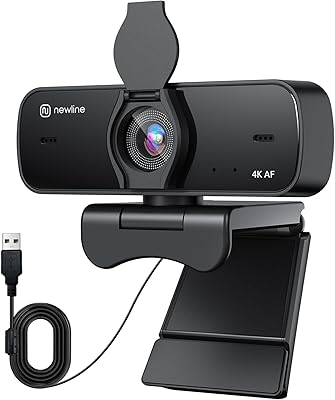
N newline NewEye 60s
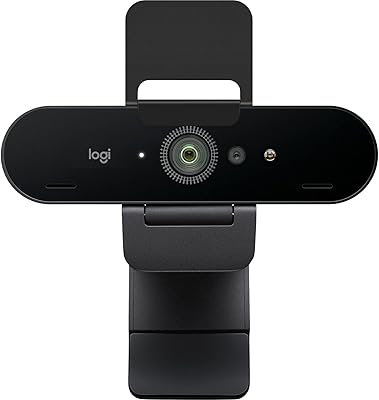
Logitech Brio 4K Pro Webcam
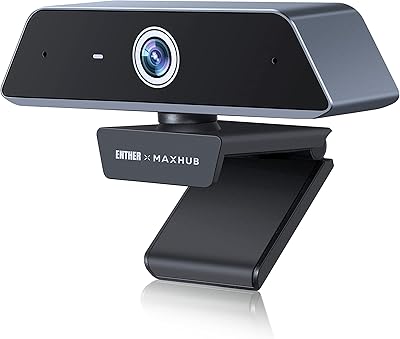
Enther MAXHUB 4K Webcam