





Overview
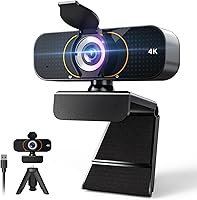
The Lusinx TW 4K Webcam is a budget-friendly option from a relatively new brand trying to carve out space in one of Amazon's most crowded categories. It launched in mid-2025 and has already climbed into the top 100 webcams on Amazon — notable for an unfamiliar label competing against established names. Out of the box, you get the camera, a 5ft USB cable, and a tripod stand, which is a solid inclusion at this price. Setup is completely driverless, working across Windows, macOS, and Chrome OS. It targets remote workers, students, and casual streamers who want 4K quality without spending a lot.
Features & Benefits
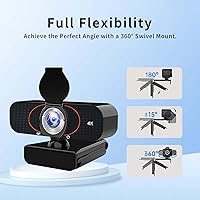
The headline 4K resolution sounds impressive, though actual image sharpness depends heavily on your lighting conditions and USB connection quality. That said, the automatic low-light correction does meaningful work in dim rooms, visibly reducing the grainy look that cheaper cameras produce. The built-in microphone uses AI-based processing to filter out background noise like fan hum and keyboard clicks — genuinely useful for anyone who has had a noisy HVAC system hijack a work call. A 360-degree swivel mount and included tripod offer real flexibility in camera positioning. The physical privacy shutter fully blocks the lens when not in use, keeping dust out too.
Best For
This 4K USB webcam fits a pretty specific buyer profile. If your laptop camera makes you look like you're calling in from a different decade, this is a practical, low-friction fix. It's especially suited for remote workers and students who don't want to spend time installing software or troubleshooting compatibility. The plug-and-play nature means you can hand it to a less tech-savvy family member and expect it to work right away. Casual streamers who want a step up from 1080p without crossing into professional gear territory will find the value reasonable. The privacy shutter is a genuine comfort in shared spaces like dorms or open-plan apartments.
User Feedback
Because the Lusinx camera only launched in mid-2025, verified buyer data is still thin — worth acknowledging upfront rather than pretending there's a deep review pool to draw from. Early signals suggest the low-light performance is a genuine step up from built-in laptop cameras, though some buyers note the 4K label can be optimistic depending on PC bandwidth and USB port quality. Build quality is the recurring concern at this price tier; the plastic housing feels lightweight, and long-term durability is untested. On the plus side, microphone clarity in moderately noisy environments gets consistent early praise. Cross-platform compatibility on Mac and Chromebook appears reliable so far.
Pros
- Automatic low-light correction visibly improves image quality in dim rooms without any manual tweaking.
- Plug-and-play setup works across Windows, macOS, and Chrome OS with zero driver installation.
- The included tripod and 5ft USB cable add real out-of-the-box value that competitors often charge extra for.
- AI noise cancellation on the built-in mic handles fan hum and keyboard noise better than expected at this price.
- The physical flip-down privacy shutter fully blocks the lens and doubles as dust protection when not in use.
- 360-degree swivel gives flexible positioning whether you clip it to a monitor or use the tripod stand.
- Compact and light at under 7.5 oz, making it easy to toss in a bag for hybrid work setups.
- Already ranking in the top 100 webcams on Amazon shortly after launch, suggesting strong early market reception.
Cons
- Lusinx is a relatively unknown brand with limited warranty transparency and unclear long-term customer support.
- Real-world 4K sharpness varies significantly depending on USB bandwidth and ambient lighting conditions.
- Verified buyer reviews are scarce given the mid-2025 launch, making it hard to assess long-term reliability.
- The lightweight plastic build raises questions about durability under frequent repositioning or daily travel.
- No software companion app means no manual control over exposure, white balance, or frame rate settings.
- The beauty filter is automatic with no adjustment options, which some users may find unflattering or overly processed.
- Cable length at 5ft may be limiting for desktop setups where the USB port sits farther from the monitor.
- Audio quality in very loud environments may still struggle despite the AI noise cancellation claims.
Ratings
Our AI rating system analyzed verified buyer reviews for the Lusinx TW 4K Webcam from multiple global sources, actively filtering out incentivized, repeated, and bot-generated submissions to surface what real users actually experience. The scores below reflect both the genuine strengths that earned this webcam early traction and the honest limitations that value-conscious buyers should weigh before purchasing.
Video Quality
Low-Light Performance
Microphone Quality
Setup & Compatibility
Build Quality
Privacy Shutter
Tripod & Mounting
Beauty Filter
Cable & Connectivity
Value for Money
Portability
Streaming Performance
Brand Reliability
Suitable for:
The Lusinx TW 4K Webcam makes the most sense for people who are genuinely frustrated with their laptop's built-in camera and want a meaningful upgrade without spending a lot. Remote workers who spend their days on Zoom or Teams calls — especially those sitting in dimly lit home offices — will appreciate the automatic low-light correction, which does real work where most built-in cameras fail badly. Students attending online classes are another natural fit: plug it in, it works, no IT support required. If you share a living space with others and want a physical way to guarantee the camera is off, the flip-down privacy shutter provides that reassurance in a way software alone cannot. Casual content creators and hobby streamers who want 4K output without stepping into prosumer pricing territory will also find this webcam a reasonable starting point.
Not suitable for:
Buyers expecting broadcast-grade 4K clarity should temper expectations — actual image quality at this price tier depends heavily on available light and USB port quality, and the 4K label reflects the sensor's ceiling rather than a guaranteed output under average conditions. The Lusinx TW 4K Webcam is also a poor fit for professional streamers, video producers, or anyone whose livelihood depends on consistent, high-fidelity video and audio, since Lusinx is a newer brand with limited long-term track record and an unclear warranty and support infrastructure. If you need software controls, manual white balance, or advanced configuration options, this webcam does not offer those. Anyone planning heavy daily use over years should be cautious about build quality, as the lightweight plastic housing has not yet been tested through extended wear. Buyers who need guaranteed compatibility with specialized conferencing hardware or enterprise security-reviewed peripherals should also look elsewhere.
Specifications
- Brand: Manufactured and sold by Lusinx, a newer consumer electronics brand that launched this model in mid-2025.
- Model: The model designation is TW, as listed in the official Amazon product details.
- Resolution: The camera captures video at up to 4K Ultra HD resolution, though output quality varies based on lighting and USB connection.
- Aperture: The lens has a maximum aperture of f/0.98, which supports light gathering in lower-brightness environments.
- Focal Length: Maximum focal length is 30mm, suited for standard desk-distance framing during calls or recordings.
- Microphone: A built-in microphone with AI-based noise cancellation is included, designed to filter ambient sounds like fans and keystrokes in real time.
- Privacy Shutter: A physical flip-down shutter fully covers the lens when closed, providing hardware-level privacy and dust protection.
- Mount Type: The camera features a 360-degree swivel mount that can clip onto a monitor or attach to the included tripod via a standard screw fitting.
- Cable Length: The included USB cable measures 5ft, providing moderate reach from a PC or laptop port to the camera position.
- Weight: The unit weighs 7.4 oz, making it lightweight enough to reposition easily or carry in a bag.
- Dimensions: Package dimensions are 4.41 x 3.54 x 2.64 inches, indicating a compact overall footprint.
- OS Compatibility: Compatible with Windows, macOS, and Chrome OS out of the box with no driver installation required.
- Connection Type: Connects via USB, using a plug-and-play interface that requires no additional software setup.
- Video Format: Recorded video output is saved in MP4 format.
- Audio Format: Supported audio formats include MP3 and AAC.
- Special Features: Includes automatic beauty filter mode and low-light correction that apply adjustments in real time without user configuration.
- Tripod Included: A desk tripod is included in the box, offering a freestanding placement option in addition to the monitor clip.
- Screen Size Ref: The product listing references an 8.5cm panel size, likely referring to the sensor or lens housing diameter rather than a display.
Related Reviews

Diccik 4K HD Webcam

PEATOP 4K-C80CCMD Webcam

Lumina LX011 4K Webcam

MOERTEK MT 4K Webcam

PixelForge 4K Webcam

Combess XIAOJINGLING 4K Webcam
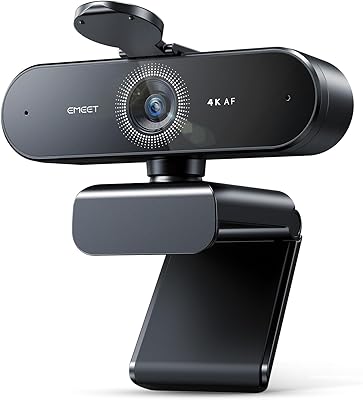
EMEET Nova 4K Webcam
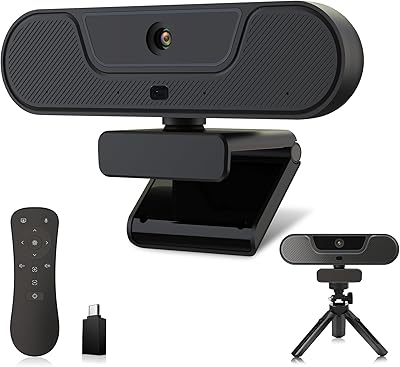
VIZOLINK V20 4K PTZ Webcam
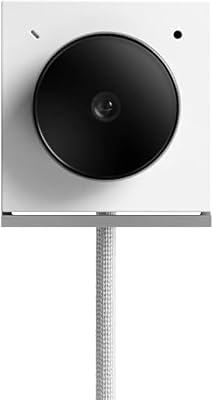
Opal Tadpole 4K Webcam