Overview

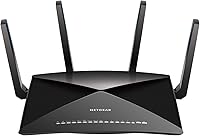
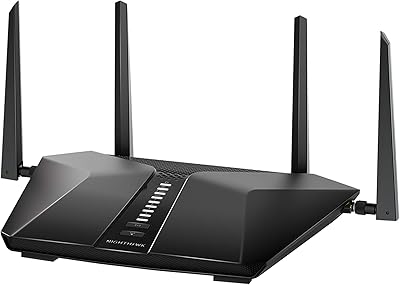
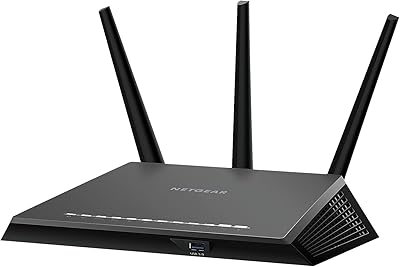
The NETGEAR Nighthawk X10 R9000 WiFi Router launched in 2016 as one of the most ambitiously spec'd consumer routers on the market, and it still holds its own today. What set it apart then — and largely still does — is its tri-band 60GHz architecture, a feature rarely found outside enterprise gear at the time. A quad-core processor, four amplified antennas, and a port layout most routers can't touch round out the hardware story. It's a serious investment, and it earns that positioning — though newer Wi-Fi 6 alternatives and mesh systems have closed the gap enough that the decision deserves careful thought before committing.
Features & Benefits

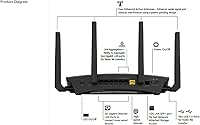
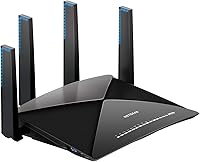
The R9000's most distinctive capability is its dedicated 60GHz band, which uses 802.11ad technology to push data across short, line-of-sight distances at speeds a conventional 5GHz network simply can't match — great for transferring large Plex libraries or 4K files between nearby devices. MU-MIMO and Beamforming+ work in tandem to keep multiple devices connected cleanly, rather than making every gadget wait its turn. Dynamic QoS automatically pushes gaming and streaming traffic to the front of the queue, which matters a lot in homes where someone is always on a video call. Dual USB 3.0 ports and the 10G SFP+ wired uplink complete a hardware package built for demanding home networks.

Best For

This high-end Nighthawk router makes the most sense for power users and large households — think 20 or more connected devices, simultaneous 4K streams, and at least one dedicated gamer in the mix. If you have a NAS box or a multi-gig switch nearby, the 10G SFP+ port alone could justify the purchase, giving wired throughput that most routers simply can't offer. It also works well as a single-router solution for homes up to around 2,500 square feet, where the complexity of a mesh system isn't wanted. Buyers who mainly need light everyday browsing, though, are likely paying for far more capability than they'll realistically use.

User Feedback

With close to 3,800 ratings and a 4.3-star average, the Nighthawk X10 has clearly earned a loyal following. Buyers consistently praise its rock-solid wired performance, strong wireless range, and a build quality that makes cheaper routers feel flimsy by comparison. The criticisms, however, are worth taking seriously. Setup is not beginner-friendly — the interface assumes real networking knowledge, and the companion app has drawn persistent complaints about reliability. Long-term owners have raised concerns about slowing firmware support, which is a genuine issue at this price point. And while the 60GHz band earns admiration, many reviewers note it only delivers in close, unobstructed line-of-sight conditions.

Pros

  • Six Gigabit Ethernet ports plus a 10G SFP+ uplink make wired connectivity genuinely future-proofed for NAS users.
  • Dynamic QoS keeps gaming and streaming traffic prioritized automatically, without requiring manual network configuration.
  • The quad-core processor handles heavy multi-device loads without the slowdowns common in less powerful hardware.
  • Tri-band architecture distributes device traffic across three bands, reducing congestion in homes with 20-plus connected devices.
  • Build quality is consistently praised — the chassis feels premium and holds up reliably over years of continuous use.
  • Dual USB 3.0 ports enable shared network storage and printer access without dedicated NAS hardware.
  • The Nighthawk X10 covers up to 2,500 square feet from a single unit, avoiding the complexity of a mesh system.
  • MU-MIMO allows simultaneous communication with multiple devices, improving overall household network responsiveness.
  • The R9000 earns a 4.3-star average across nearly 3,800 ratings, reflecting broadly strong long-term owner satisfaction.

Cons

  • Setup is genuinely complex — non-technical buyers frequently struggle with initial configuration and band management.
  • The companion Nighthawk app is unreliable, with persistent reports of dropped router connections and missing features.
  • Firmware updates have slowed significantly since launch, raising real concerns about ongoing security support.
  • The 60GHz band requires compatible client devices and clear line-of-sight, making it irrelevant for most households.
  • Coverage at the edges of the rated 2,500 square foot range is inconsistent, especially in multi-story or masonry homes.
  • The 10G SFP+ port requires a compatible transceiver or cable, adding unexpected cost for buyers who weren't prepared.
  • At current market pricing, newer Wi-Fi 6 routers offer stronger long-term value with more active manufacturer support.
  • The fan becomes audible under sustained heavy load, which can be noticeable in quieter home office environments.
  • Google Assistant integration is absent entirely, limiting smart home voice control to Alexa-based households only.
  • The angular, large footprint design is divisive and demands a dedicated surface rather than blending into a home setup.

Ratings

The NETGEAR Nighthawk X10 R9000 WiFi Router scores below are generated by AI after analyzing thousands of verified global user reviews, with spam, bot-submitted, and incentivized feedback actively filtered out. The ratings reflect real-world ownership experiences — from first-time setup frustrations to years of daily heavy use — and give equal weight to what buyers love and where the router genuinely falls short. Both the standout strengths and the recurring pain points are transparently factored into every score.
Wireless Performance
88%
Owners running 4K streams across multiple TVs while someone else games report impressively stable throughput with minimal interference between devices. The tri-band design handles congestion far better than dual-band routers in the same coverage area, which households with 15 or more active devices notice immediately.
The 60GHz band, while fast in ideal conditions, only delivers at very close range and requires clear line of sight — move more than a room away and it contributes nothing. Some users on larger properties also find the 5GHz signal weaker at the edges of the rated coverage area than NETGEAR's marketing implies.
Wired Connectivity
93%
The combination of six Gigabit Ethernet ports and a 10G SFP+ uplink is exceptional for a home router, and NAS users in particular report transformative local transfer speeds when connected via the SFP+ port. Wired latency is consistently praised as rock-solid even under heavy simultaneous wireless load.
The 10G SFP+ port requires a compatible SFP+ transceiver or DAC cable, which adds cost and complexity that catches some buyers off guard. If your switch or NAS does not support 10G, the port offers no practical benefit and the investment loses some of its appeal.
Coverage & Range
76%
24%
For homes under 2,000 square feet, the R9000 handles wall penetration and corner coverage reliably, with buyers reporting strong signal in garages and backyard patios that weaker routers struggle to reach. The four amplified antennas do meaningful work in open-plan layouts.
Buyers in homes closer to the 2,500 square foot ceiling often report dead zones in far bedrooms or basements, suggesting the rated coverage assumes ideal building conditions. Compared to modern mesh systems at lower price points, the single-router range is no longer a standout advantage.
Setup & Ease of Use
58%
42%
Users with a networking background find the web interface logical and appreciate the granular control it offers over QoS rules, VPN settings, and band management. For experienced buyers, the initial configuration is straightforward and rarely requires support.
Non-technical buyers consistently describe the setup process as confusing, particularly around band steering and the 60GHz configuration. The companion Nighthawk app has drawn persistent complaints about dropped connections to the router during setup and unreliable feature parity with the browser interface.
Gaming Performance
86%
Dynamic QoS does a genuine job of keeping gaming traffic prioritized during peak household usage — players report noticeably lower ping spikes when streaming video is running simultaneously on other devices. The quad-core processor handles NAT and packet routing without the slowdowns cheaper routers exhibit under heavy load.
The QoS system works best when traffic types are correctly identified, and some niche gaming platforms or less common streaming services are not always categorized accurately without manual adjustment. Competitive players who want sub-millisecond tuning will still want to configure advanced settings manually.
Build Quality & Design
91%
The R9000 feels genuinely premium in hand — the chassis is solid, the antennas lock firmly into position, and nothing about it rattles or flexes under normal handling. Long-term owners frequently note that hardware durability has not been an issue even after years of continuous operation.
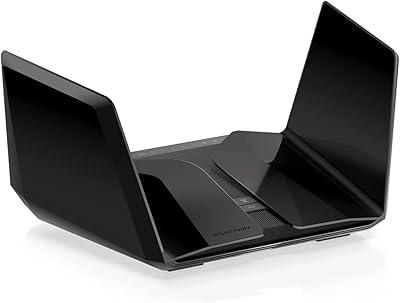
The angular, aggressive aesthetic divides opinion — some buyers find it looks out of place in a living room or home office. At 4.11 pounds with a sizable footprint, it also demands a dedicated shelf or surface rather than sitting unobtrusively on a desk.
60GHz Band Utility
63%
37%
For the specific use case it was built for — moving large files between a desktop PC and a NAS in the same room — the 60GHz 802.11ad band is genuinely impressive and faster than most wired Gigabit connections for local transfers. Plex server users with compatible client devices report a real difference in scrubbing and loading large media files.
In practice, very few consumer client devices support 802.11ad, which means most buyers never benefit from the band at all. It is strictly line-of-sight and loses effectiveness through even a single wall, making it a niche feature that the majority of households will find irrelevant to their day-to-day use.
Multi-Device Handling
84%
MU-MIMO allows the router to communicate with multiple devices in parallel rather than sequentially, which in a home with 20-plus connected devices makes a measurable difference to overall responsiveness. Smart home hubs, tablets, laptops, and phones coexist without the queuing issues common on less capable hardware.
MU-MIMO benefits require compatible client devices to be fully realized, and older phones or budget smart home hardware will not take full advantage of it. In households where most devices are older, the practical multi-device gains are more modest than the spec sheet suggests.
Firmware & Long-Term Support
54%
46%
Early firmware updates addressed several stability issues and added useful features, and the router has been reliable enough for many owners to run for years without needing to reboot or intervene. The Linux-based firmware has also attracted third-party modification interest from advanced users.
Long-term owners are increasingly vocal about the slowing pace of official firmware updates, which raises legitimate concerns about security patches and bug fixes going forward. For a premium-priced router, the level of ongoing manufacturer support no longer matches what buyers would reasonably expect at purchase.
USB & Storage Sharing
72%
28%
The dual USB 3.0 ports work reliably for attaching external drives and making them accessible as shared network storage, which is a genuinely useful feature for households that want a lightweight NAS-like setup without dedicated hardware. Printer sharing via USB also works without significant fuss.
Transfer speeds over USB-attached storage are adequate but not fast enough for heavy media serving — buyers who regularly stream large files from attached drives find the throughput limiting. The ReadyCloud personal cloud feature is functional but feels dated compared to modern cloud-integrated NAS solutions.
Smart Home & Voice Control
61%
39%
Amazon Alexa integration covers the basics — enabling guest Wi-Fi, running speed tests, and checking device status — without requiring any third-party apps beyond the standard Alexa setup. For households already deep in the Alexa ecosystem, it is a convenient addition.
The Alexa skill set is limited and has not meaningfully expanded since launch, leaving users who want voice-controlled bandwidth management or device prioritization disappointed. Google Assistant integration is absent entirely, which is a notable gap given how many households use it.
Value for Money
67%
33%
For a power user buying at the time of launch, the hardware specification represented genuine value relative to what competitors offered. The wired port selection and processing power in particular remain competitive enough that owners who bought early feel the investment has paid off over several years of use.
At its current market price, the R9000 faces stiff competition from Wi-Fi 6 and Wi-Fi 6E routers that offer broader device compatibility and better future-proofing. Buyers evaluating it fresh today will find it harder to justify the cost against newer alternatives with more active firmware support.
Thermal Management & Noise
78%
22%
Under typical household loads the router runs quietly, with most owners reporting the fan is inaudible from a few feet away during standard browsing and streaming sessions. Thermal performance under sustained heavy load holds up well enough that heat-related dropouts are rarely reported.
During prolonged high-throughput tasks — large file transfers or extended gaming sessions — the fan becomes audible and the chassis gets noticeably warm to the touch. A small number of long-term owners have reported fan noise increasing with age, suggesting wear over time.
Companion App Experience
51%
49%
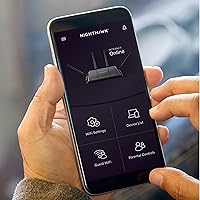
The Nighthawk app provides a convenient mobile overview of connected devices and basic controls like guest network toggling and speed test access, which casual users find sufficient for day-to-day management without opening a browser.
App stability complaints are among the most common in user reviews — frequent disconnections from the router, missing features compared to the web UI, and slow response times undermine confidence. The app has not kept pace with the router's capabilities and feels like an afterthought relative to the hardware quality.

Suitable for:

The NETGEAR Nighthawk X10 R9000 WiFi Router is built for households where the network is genuinely under pressure — multiple 4K streams running at once, a dedicated gamer who can't afford lag spikes, and a growing army of smart home devices all competing for bandwidth. If you have a NAS box or a multi-gig switch sitting nearby, the 10G SFP+ wired uplink transforms local file transfers in a way that standard Gigabit routers simply can't match. Plex enthusiasts who push large media libraries across the home network will find the combination of wired speed and tri-band wireless far more capable than what most single-router setups offer. It also rewards buyers who prefer a single, powerful router over the complexity of a mesh system, provided the home footprint stays within roughly 2,500 square feet. Anyone comfortable navigating a browser-based network interface — and who wants granular control over traffic prioritization without hiring an IT consultant — will feel right at home here.
Not suitable for:

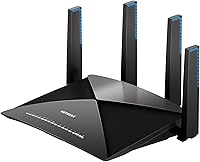
The NETGEAR Nighthawk X10 R9000 WiFi Router is a harder sell for buyers who simply want to plug in a router and forget about it. The setup process assumes a baseline of networking knowledge that casual users often don't have, and the companion app is not reliable enough to fill that gap. Households spread across more than 2,500 square feet, multiple floors, or buildings with thick concrete walls will likely find dead zones that a mesh system would handle far more gracefully. The 60GHz band, despite the impressive specifications, requires 802.11ad-compatible client devices and strict line-of-sight conditions to deliver anything — most buyers will never actually use it. The router launched in 2016, and while the hardware holds up, the firmware update cadence has slowed considerably, which is a genuine concern for anyone who prioritizes long-term security patching. Buyers comparing options fresh today should also weigh this against newer Wi-Fi 6 routers that offer broader device compatibility and more active manufacturer support at comparable or lower price points.
Specifications

  • Wi-Fi Standard: Operates on 802.11ac (Wi-Fi 5) across 2.4GHz and 5GHz bands, with an additional 802.11ad band running at 60GHz for ultra-short-range transfers.
  • Max Speed: Tri-band theoretical maximum of 7200 Mbps, split across 800 Mbps (2.4GHz), 1733 Mbps (5GHz), and 4600 Mbps (60GHz) bands.
  • Frequency Bands: Three independent radio bands — 2.4GHz, 5GHz, and 60GHz — allowing devices to be distributed across separate channels to reduce congestion.
  • Processor: Powered by a 1.7GHz quad-core CPU that handles routing, QoS prioritization, and NAT processing without throttling under heavy simultaneous loads.
  • Coverage Area: Rated for wireless coverage up to 2,500 square feet under typical open-plan home conditions.
  • Device Capacity: NETGEAR recommends this router for up to 45 simultaneously connected devices across all bands.
  • Ethernet Ports: Includes six 1G Ethernet LAN ports for standard wired connections and one 10G SFP+ port for high-throughput uplinks to compatible NAS devices or multi-gig switches.
  • USB Ports: Two USB 3.0 ports support attached storage sharing, printer sharing, and personal cloud access across the local network.
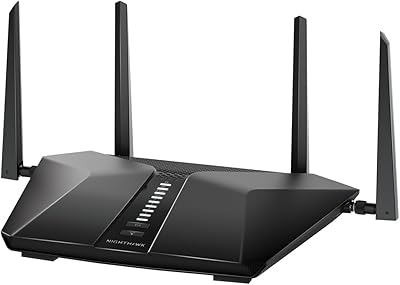
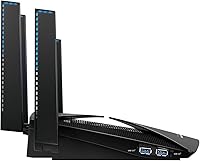
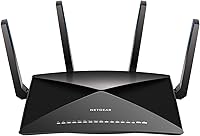
  • Antennas: Four external amplified antennas work with Beamforming+ technology to focus the wireless signal toward connected client devices.
  • Dimensions: Measures 8.81 x 6.61 x 2.91 inches, requiring a dedicated flat surface or shelf rather than sitting flush against a wall.
  • Weight: Weighs 4.11 pounds, which is heavier than most consumer routers and reflects the dense internal hardware and solid chassis construction.
  • Operating System: Runs a Linux-based firmware that underpins the router's advanced routing, QoS, and VPN server capabilities.
  • Key Features: Ships with MU-MIMO, Beamforming+, Dynamic QoS, WPS, a built-in VPN server, and Amazon Alexa voice control support.
  • Smart Home: Compatible with Amazon Alexa for basic voice commands including enabling guest Wi-Fi, running speed tests, and checking network status.
  • WAN Port: Includes one Gigabit WAN port for connecting to a cable, fiber, or DSL modem from any ISP.
  • Security: Supports WPA2 wireless encryption, a built-in firewall, VPN server functionality, and guest network isolation for connected visitors.
  • First Available: Originally launched in September 2016, making it one of the first consumer routers to feature an 802.11ad 60GHz radio band.
  • Included Items: Package includes the router unit, one Ethernet cable, a power adapter, and a printed quick start guide.

Related Reviews

NETGEAR Nighthawk BE17000 WiFi 7 Router
79%
91%
Wireless Performance
88%
Setup Experience
74%
Coverage & Range
72%
Value for Money
86%
Device Handling
More
NETGEAR Nighthawk RAX43 WiFi 6 Router
80%
83%
WiFi Performance
81%
Multi-Device Handling
88%
Setup & Ease of Use
71%
Signal Range & Coverage
74%
Security Features
More
NETGEAR Nighthawk BE9300 WiFi 7 Router
88%
94%
Wireless Performance
91%
Coverage Area
88%
Device Capacity
85%
Setup & Installation
90%
Security Features
More
NETGEAR Nighthawk RS200
81%
88%
Wireless Speed & Performance
71%
Coverage & Range
91%
Setup & Installation
63%
App & Firmware Experience
82%
Value for Money
More
Netgear Nighthawk RAX41 WiFi 6 Router
80%
83%
Wireless Performance
76%
Coverage & Range
89%
Setup & Installation
61%
App & Software Experience
81%
Multi-Device Handling
More
NETGEAR Nighthawk AC2600 WiFi Router
75%
83%
Wireless Speed & Throughput
81%
Wi-Fi Range & Coverage
89%
Setup & Ease of Use
58%
Admin Interface & Management
79%
Gaming Performance & QoS
More
NETGEAR Nighthawk RAX54S
77%
83%
Wireless Performance
79%
Coverage & Range
88%
Setup & Ease of Use
76%
Gaming Performance (DumaOS 3.0)
81%
Security Features
More
NETGEAR Nighthawk RAX36 WiFi 6 Router
80%
86%
Wireless Performance
78%
Coverage & Range
91%
Setup & Ease of Use
83%
Device Load Handling
88%
Wired Connectivity
More
NETGEAR Nighthawk RAXE500 WiFi 6E Tri-Band Router
78%
88%
Wireless Speed Performance
71%
6GHz Band Utility
86%
Multi-Device Handling
73%
Setup & App Experience
82%
Coverage & Range
More
NETGEAR Nighthawk RS140 WiFi 7 Router
85%
92%
Performance
88%
Ease of Setup
91%
WiFi Speed & Range
89%
Device Connectivity
80%
Software & Firmware
More

FAQ

Honestly, it can be. The browser-based interface is detailed and gives you a lot of control, but that also means there are more decisions to make during setup than you'd find with a plug-and-play router. The Nighthawk app is supposed to simplify things, but user feedback on it is mixed — it has a history of dropping connection to the router mid-setup. If you're comfortable googling networking terms when needed, you'll get through it. If you want something truly hands-off, a simpler mesh system might be a better fit.

The 60GHz band uses 802.11ad technology to move data at very high speeds, but only across very short distances and only with a clear line of sight — we're talking the same room, no walls in between. In practice, very few consumer devices support it, so most households never use it at all. Where it shines is transferring large files between a desktop and a NAS unit sitting nearby, or serving a Plex library to a client device in the same room. If that matches your setup, it's a genuine advantage. If not, treat the other two bands as the real workhorses.

Only if your NAS or switch also has a 10G SFP+ port, and you'll also need a compatible SFP+ transceiver or a Direct Attach Cable (DAC) to physically connect them — neither typically comes in the box. If your NAS only has a standard Gigabit Ethernet port, you would connect it to one of the six 1G LAN ports instead and won't see any 10G benefit. It's worth checking your NAS specs before assuming you can take advantage of this port.

A Wi-Fi 6 router at a comparable price point will generally offer better performance with modern client devices, broader device compatibility, and more active firmware support going forward. The NETGEAR Nighthawk X10 R9000 WiFi Router was exceptional when it launched in 2016, and the wired port selection — particularly the 10G SFP+ — is still hard to match. But for pure wireless performance and long-term software support, newer Wi-Fi 6 hardware has largely caught up and in many cases moved ahead. If the 10G wired uplink isn't a priority for you, a Wi-Fi 6 router is probably the smarter buy today.
That depends on the size and construction of your home. In an open-plan single-story layout under roughly 2,000 square feet, coverage is generally strong. In a two-story home with standard drywall construction, most users report decent coverage but occasional weak spots in far bedrooms or bathrooms. Thick concrete or brick walls reduce range more noticeably. If your home is on the larger side or has challenging construction, a mesh system will give you more consistent coverage than any single router can.

For most households, yes — it does a solid job of keeping gaming traffic prioritized automatically when other devices are streaming video or downloading large files. You'll notice it most during peak evening usage when the network is busy. That said, it works best with well-known traffic types, so some niche gaming platforms or less common services may not always be identified and prioritized correctly. For casual to serious gamers, it removes a lot of manual hassle.

Yes, you can plug an external USB drive into either of the two USB 3.0 ports and share it across your network. It works well for basic file sharing and even DLNA media streaming. That said, transfer speeds over a USB-attached drive won't match a dedicated NAS device, so if you're regularly moving large video files or running a busy Plex server, a proper NAS connected via the 10G SFP+ port will outperform the USB storage option significantly.

This is a legitimate concern. The R9000 launched in 2016, and while NETGEAR has issued updates over the years, the pace has slowed noticeably. For a premium router, the level of ongoing firmware support is no longer what you'd expect for a freshly purchased product. It's not immediately dangerous, but if long-term security patching matters to you — and it should — factor this into your decision. Checking NETGEAR's support page for the R9000's most recent firmware date before buying is worthwhile.

During everyday browsing, streaming, and light-to-moderate use, the fan is quiet enough that most people don't notice it from a few feet away. Under sustained heavy load — think large file transfers running for extended periods or long gaming sessions — the fan spins up and becomes more audible. A small number of long-term owners have noted the fan gets louder with age. It's not disruptively noisy, but if you're placing it in a quiet bedroom or home office, keep that in mind.

The Nighthawk X10 works with any ISP that uses a standard modem or gateway — cable, fiber, and DSL all work fine as long as you have a separate modem to connect it to. It is not locked to any specific provider. The one exception is ISPs that require you to use their own combined modem-router unit in bridge mode, which adds a small configuration step but is generally straightforward. There are no ISP-specific restrictions on the router itself.

Where to Buy