Overview

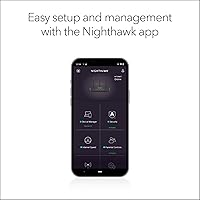
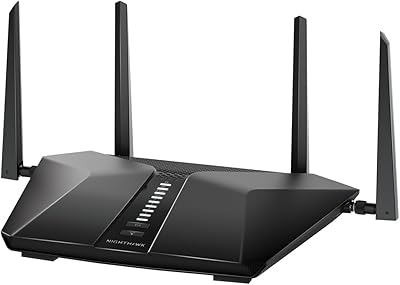
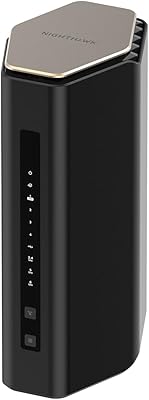
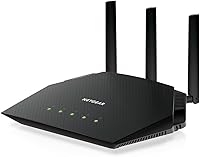
The NETGEAR Nighthawk RAX36 WiFi 6 Router is a late-2024 addition to NETGEAR's lineup — a dual-band WiFi 6 router built for households that want modern wireless without mesh complexity or enterprise-level pricing. It targets apartments, condos, and smaller homes where coverage up to 2,000 square feet is enough. There is one critical detail worth flagging before anything else: this Nighthawk router does not include a modem. You will need a separate cable modem to connect to your ISP. With that out of the way, setup is handled through the Nighthawk app on a Linux-based platform, and most users find the initial configuration refreshingly straightforward.
Features & Benefits

WiFi 6 brings tangible advantages over the previous standard, and the RAX36 makes that clear in everyday use. The aggregate throughput — spread across two bands — handles simultaneous 4K streams, active video calls, and background downloads without the congestion you would feel on an older router. Four gigabit LAN ports mean your wired devices stay fast regardless of wireless activity. There is also a USB 3.0 port for basic file or printer sharing across your network. Security-wise, NETGEAR bundles a 30-day trial of its Armor suite, which covers malware blocking and identity monitoring — useful, though it shifts to a paid subscription after the trial ends. Built-in VPN support rounds out the feature set for privacy-minded users.

Best For

The RAX36 is a strong fit for renters and small homeowners who do not want to manage a mesh system but still need reliable, modern wireless across every room. If your internet plan tops out at 1Gbps — which covers the majority of residential cable and fiber subscribers — this WiFi 6 router will not leave speed on the table. It genuinely shines for streaming and gaming households running a full spread of devices simultaneously. It is also a practical choice if you already own a compatible modem; in that case, you are simply swapping in a faster wireless engine without any additional hardware costs or service dependencies to worry about.

User Feedback

Early impressions from buyers are broadly positive — the RAX36 currently holds a 4.5-star average, though it is worth noting this is based on a still-modest pool of ratings. The most common praise centers on easy initial setup and a noticeable speed improvement for households upgrading from older WiFi 5 hardware. A few users flagged the modem-not-included situation as an unexpected surprise at unboxing, which underscores why that detail deserves attention before purchasing. Some reviewers also noted that the Armor security trial eventually becomes a recurring paid cost, which not everyone anticipates. Questions around long-term reliability and heat management remain open, as the rating sample is still growing.

Pros

  • WiFi 6 technology delivers noticeably lower latency compared to older WiFi 5 routers, especially with many devices connected.
  • Covers up to 2,000 sq. ft. reliably, making it a practical fit for most apartments and smaller homes.
  • Four gigabit LAN ports give wired devices a fast, stable connection without crowding the wireless network.
  • Setup is genuinely straightforward — most users report being online within minutes of unboxing.
  • Built-in VPN support is a useful inclusion that competitors at this price tier often leave out.
  • The USB 3.0 port adds light NAS or printer-sharing capability without requiring extra hardware.
  • Compatible with virtually any ISP type — cable, fiber, satellite, or DSL — so switching providers is not a concern.
  • Early buyer ratings are strong, with consistent praise for speed improvements over previous-generation routers.
  • The Nighthawk app makes day-to-day management accessible even for users who are not networking experts.

Cons

  • No modem is included, which adds an unexpected extra cost for buyers who do not already own one.
  • Coverage tops out around 2,000 sq. ft., leaving larger or multi-floor homes with dead zones.
  • NETGEAR Armor becomes a paid subscription after 30 days — the trial period can create a false sense of what is included permanently.
  • App-dependent management means advanced settings are less accessible without a smartphone nearby.
  • The single gigabit WAN port limits the router to internet plans of 1Gbps or below, with no upgrade path for faster service tiers.
  • Long-term reliability data is still limited given the product launched in late 2024 — durability over years remains an open question.
  • Heat management under sustained heavy loads has not yet been thoroughly vetted by a large enough user base.
  • No tri-band option means heavy mixed-use households may eventually feel bandwidth constraints across the two available bands.

Ratings

The NETGEAR Nighthawk RAX36 WiFi 6 Router scores below are generated by AI after analyzing verified buyer reviews from global sources, with spam, bot-submitted, and incentivized feedback actively filtered out. The result is an honest, balanced breakdown that reflects both what this Nighthawk router genuinely does well and where real users have run into frustration. Every score — high or low — is grounded in patterns found across actual ownership experiences.
Wireless Performance
86%
Users upgrading from WiFi 5 hardware consistently notice a real difference in day-to-day throughput — less buffering during 4K streams, tighter latency during online gaming sessions, and fewer slowdowns when multiple people are working from home simultaneously. The WiFi 6 protocol handles a busy household noticeably better than older routers at this price point.
Performance is solidly mid-range, not class-leading. In environments with heavy interference or thicker walls, the 5GHz band loses range faster than some competing routers, and users on internet plans well below 1Gbps may not feel the full benefit of the hardware's headroom.
Coverage & Range
78%
22%
For apartments and smaller single-floor homes, the RAX36 covers its target footprint reliably. Buyers in 1,200 to 1,800 sq. ft. spaces report strong signal in most rooms without needing a range extender, which is exactly the use case this router is designed for.
The 2,000 sq. ft. rating is an optimistic ceiling, not a guarantee. Multi-floor setups and homes with concrete or brick walls see meaningful signal drop-off, and several buyers in larger spaces found dead zones that required an additional extender to address.
Setup & Ease of Use
91%
First-time router owners and non-technical buyers frequently highlight how straightforward the initial setup is through the Nighthawk app. Connecting the router to a modem, naming the network, and getting online typically takes under ten minutes — a genuine strong point for this device category.
Once you move past the basics, the app shows its limits. Power users who want to configure port forwarding, static DHCP leases, or advanced QoS settings often find themselves bouncing between the app and the browser-based admin panel, which is a slightly clunky experience.
Device Load Handling
83%
Households running 15 to 20 active devices — phones, tablets, a smart TV, and a console — report stable performance without the slowdowns that plague older dual-band routers. The WiFi 6 OFDMA architecture is the reason, and it shows up in practice as more consistent speeds across the board.
Near the upper limit of 25 simultaneous devices, some users notice throughput per device begins to dip. Homes with dense IoT ecosystems — smart bulbs, cameras, thermostats — filling up the device slots alongside higher-bandwidth users may start to feel the constraint.
Wired Connectivity
88%
Four gigabit LAN ports give the RAX36 a real advantage for users who want to hardwire a gaming console, a desktop PC, and a smart TV at the same time. Wired speeds are consistently clean at gigabit levels, and users report no degradation on wireless devices when the wired ports are in active use.
Four ports is adequate but not generous for households with many wired devices. Users with a NAS, a desktop, a console, and a streaming box will use up all four ports immediately, requiring an unmanaged switch to expand — a minor but real inconvenience.
Value for Money
82%
18%
Relative to the feature set — WiFi 6, four LAN ports, USB 3.0, built-in VPN, and a 30-day security trial — the price positions this Nighthawk router competitively against comparable mid-range options. Buyers who already own a modem find the total cost of ownership reasonable for a current-generation upgrade.
The value calculation shifts if you need to buy a modem alongside it, which meaningfully increases the total outlay. The Armor subscription cost post-trial also factors in for buyers who want ongoing security coverage, pushing the effective long-term cost higher than the upfront price suggests.
Security Features
74%
26%
The 30-day Armor trial gives buyers a useful window to evaluate real-time malware blocking, network device scanning, and identity monitoring. For families or remote workers who want layered protection without installing third-party software on every device, it is a genuinely convenient option during the trial period.
The mandatory subscription after 30 days is a recurring frustration in user reviews. Buyers who expected Armor to be a permanent inclusion feel misled, and those who decline to subscribe are left with only the router's basic firewall — functional, but notably less capable than the trial experience suggested.
VPN Capability
76%
24%
Having VPN support built into the router itself is a meaningful inclusion that many competing models at this price omit entirely. Remote workers who need a secure tunnel back to an office network, or users who want to route all home traffic through a VPN service, can configure this directly without additional hardware.
The built-in VPN implementation is functional rather than polished. Advanced VPN configurations — split tunneling, multiple simultaneous connections, or protocol flexibility — are limited compared to what dedicated VPN routers or higher-end Nighthawk models offer.
USB & Storage Sharing
67%
33%
The USB 3.0 port handles basic networked storage well enough — plugging in a flash drive or external hard drive and sharing files across the home network works as advertised. For light use like accessing media files or a shared document folder, it gets the job done without extra hardware.
This is not a NAS replacement. Transfer speeds and the management interface for USB storage are basic, and users expecting robust media server functionality or reliable printer sharing over USB are often disappointed by the limited configuration options available through the app.
Build Quality & Design
79%
21%
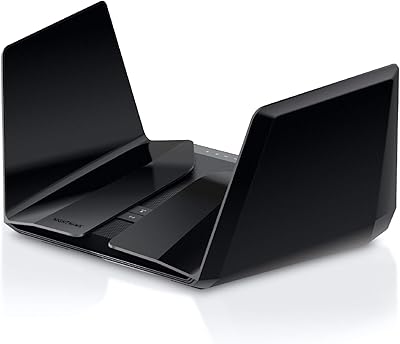
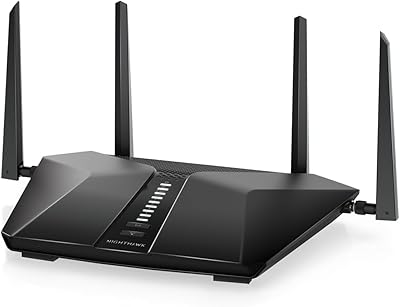
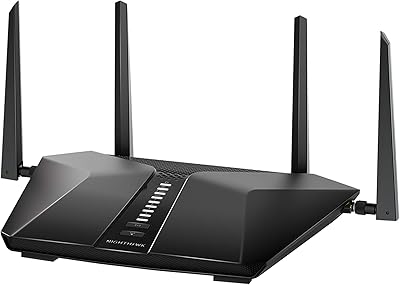
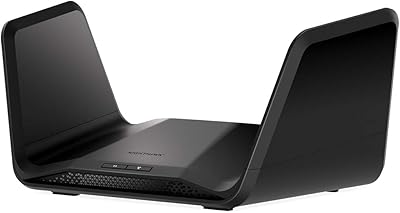
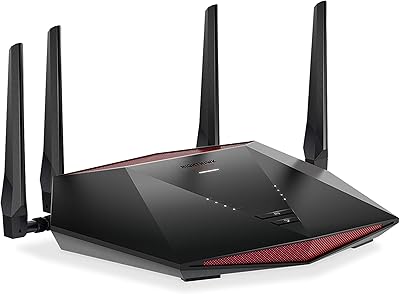
The Nighthawk aesthetic is distinctive and purposeful — the angular black housing looks intentional on a shelf or desk rather than like an afterthought. At 2.38 pounds, it feels solid without being heavy, and the ventilation design suggests at least some thermal consideration in the chassis layout.
Heat management under sustained heavy load has drawn some early concern from buyers. The unit runs warm during extended high-traffic periods, and while no widespread failure reports have surfaced yet, the limited ownership timeline means long-term thermal durability is still an open question.
App & Interface Quality
71%
29%
The Nighthawk app is clean and functional for everyday tasks — checking connected devices, running a speed test, setting up a guest network, or adjusting basic parental controls. For casual users who just want things to work without digging into router menus, the app covers the essentials reliably.
Frequent complaints center on the app requiring an account login and occasional connectivity hiccups between the app and the router itself. Users who prefer a fully local, browser-based management experience find the app-first approach frustrating when they want quick access to settings.
ISP & Modem Compatibility
85%
The RAX36 is broadly compatible across ISP types — cable, fiber, DSL, and satellite — which makes it a flexible choice for households that switch providers or live in areas with limited ISP options. The setup process handles most standard modem handshakes without any manual configuration required.
The modem-not-included situation remains the single most common source of buyer frustration in early reviews. Shoppers who assume the router is a complete solution and order it without checking whether they own a compatible modem often face delayed setup and unexpected additional expense.
Latency & Gaming
84%
Gamers on cable or fiber connections report consistently low ping during online sessions, with the WiFi 6 protocol reducing the latency spikes that older routers would cause when background devices were active simultaneously. The four LAN ports also give console players the option of a wired connection for maximum stability.
The RAX36 does not include any dedicated gaming optimizations — no gaming dashboard, no traffic prioritization presets, and no automatic QoS tuning. Competitive gamers who want fine-grained network control for specific titles will need to configure QoS manually or look at gaming-specific router models.
Long-Term Reliability
69%
31%
Early ownership reports are encouraging — users who have run the RAX36 continuously since launch have not raised widespread complaints about reboots, firmware instability, or sudden disconnections. NETGEAR's firmware update cadence for Nighthawk hardware has historically been reasonably consistent.
The product launched in late 2024, which means the ownership dataset is still thin. Questions about performance degradation over one to three years, capacitor longevity under sustained heat, and firmware support lifecycle cannot yet be answered with the confidence that a longer track record would provide.

Suitable for:

The NETGEAR Nighthawk RAX36 WiFi 6 Router is a smart pick for anyone living in an apartment, condo, or smaller home who wants a meaningful wireless upgrade without overcomplicating their setup. If your household runs a mix of phones, laptops, smart TVs, and a gaming console or two all at once, this Nighthawk router handles that load comfortably within its coverage footprint. It is especially well-matched for cable or fiber subscribers on plans up to 1Gbps, since that is precisely the ceiling it is designed to meet. Gamers and streamers who prioritize low latency and consistent throughput over raw maximum range will find the RAX36 performs reliably for those tasks. It is also a natural fit for anyone who already owns a compatible modem and simply wants to replace an aging WiFi 5 router with something current-generation and straightforward to manage.

Not suitable for:

The NETGEAR Nighthawk RAX36 WiFi 6 Router is not the right tool for larger homes, multi-story layouts, or anyone expecting wall-to-wall coverage beyond roughly 2,000 square feet — in those situations, a mesh system will serve you considerably better. Buyers on internet plans faster than 1Gbps will also hit a hard ceiling here, as the single WAN port limits throughput regardless of wireless capability. If you do not already own a cable modem, factor in that additional cost before committing, since the RAX36 ships without one and the omission catches many shoppers off guard. Power users who want granular control through a desktop interface may find the app-centric management approach limiting. And if you were hoping NETGEAR Armor would function as a permanent free security layer, know that it transitions to a paid subscription after the initial 30-day trial — that recurring cost may not suit budget-conscious households.

Specifications

  • WiFi Standard: The router uses the 802.11ax protocol, commonly known as WiFi 6, which improves efficiency and reduces congestion compared to the previous WiFi 5 generation.
  • Band Configuration: Dual-band design operates on both the 2.4GHz and 5GHz frequencies simultaneously, balancing range and speed across connected devices.
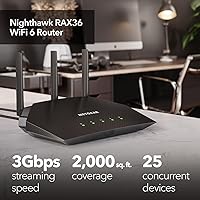
  • Max Throughput: Combined aggregate wireless throughput reaches up to 3Gbps across both bands under ideal conditions, suitable for homes on internet plans up to 1Gbps.
  • Coverage Area: Designed to cover spaces up to 2,000 sq. ft., making it appropriate for apartments, condos, and smaller single-floor homes.
  • Device Capacity: Supports up to 25 concurrently connected devices, accommodating a typical household mix of phones, tablets, smart TVs, and gaming consoles.
  • WAN Port: Includes one gigabit WAN port for connecting to an external cable modem, capping usable internet throughput at 1Gbps.
  • LAN Ports: Four gigabit Ethernet LAN ports allow wired connections for desktops, game consoles, streaming players, or network switches.
  • USB Port: A single USB 3.0 port supports basic networked storage or printer sharing across devices on the local network.
  • Dimensions: The unit measures 11.34″ x 9.33″ x 4.72″ and weighs 2.38 pounds, fitting comfortably on a shelf or desk without dominating the space.
  • Operating System: Runs on a Linux-based operating system, which is standard for NETGEAR Nighthawk hardware and supports the Nighthawk mobile app for management.
  • Security Suite: NETGEAR Armor is included with a 30-day free trial and provides malware protection, vulnerability scanning, and identity monitoring; a paid subscription is required afterward.
  • VPN Support: Built-in VPN functionality is included, allowing users to configure a secure remote access connection directly through the router without third-party hardware.
  • ISP Compatibility: Works with cable, fiber, satellite, and DSL internet providers, compatible with any plan delivering speeds up to 1Gbps.
  • Modem Requirement: This router does not include a built-in modem; a separate cable modem with a coax input is required to establish an internet connection.
  • Color: Available in black with the angular Nighthawk industrial design aesthetic that is consistent across the broader NETGEAR Nighthawk product family.
  • What Is Included: The box contains the RAX36 router unit, one Ethernet cable, a power adapter, and a quick start guide — no modem or additional accessories are included.
  • Wireless Protocol: Supports the 802.11ax standard while maintaining backward compatibility with older 802.11ac, 802.11n, and 802.11a/b/g devices.
  • Availability Date: First made available in November 2024, making it a current-generation product within NETGEAR's active Nighthawk router lineup.

Related Reviews

NETGEAR Nighthawk RAX70 WiFi 6 Router
87%
91%
WiFi Performance
88%
Security Features (NETGEAR Armor)
85%
Setup & Installation
89%
Coverage Area
92%
Speed (AX6600 Support)
More
NETGEAR Nighthawk RAX43 WiFi 6 Router
80%
83%
WiFi Performance
81%
Multi-Device Handling
88%
Setup & Ease of Use
71%
Signal Range & Coverage
74%
Security Features
More
Netgear Nighthawk RAX41 WiFi 6 Router
80%
83%
Wireless Performance
76%
Coverage & Range
89%
Setup & Installation
61%
App & Software Experience
81%
Multi-Device Handling
More
NETGEAR Nighthawk RAX54S
77%
83%
Wireless Performance
79%
Coverage & Range
88%
Setup & Ease of Use
76%
Gaming Performance (DumaOS 3.0)
81%
Security Features
More
NETGEAR Nighthawk RAX120 AX6000 WiFi 6 Router
77%
88%
Wireless Performance
83%
Coverage & Range
86%
Multi-Device Handling
91%
Wired Connectivity
84%
Setup & Initial Configuration
More
NETGEAR Nighthawk RAX29 WiFi 6 Router
77%
83%
WiFi Speed & Throughput
68%
Range & Coverage
89%
Setup & Ease of Use
81%
Multi-Device Performance
74%
Build Quality & Design
More
Netgear Nighthawk RAX45 WiFi 6 Router
78%
88%
WiFi Speed & Throughput
86%
Multi-Device Performance
71%
WiFi Range & Coverage
84%
Setup & Ease of Use
83%
Gaming & Streaming
More
NETGEAR XR1000 Nighthawk WiFi 6 Gaming Router
74%
83%
Gaming Performance
78%
DumaOS 3.0 Software
61%
WiFi Range & Coverage
58%
Refurbished Condition
81%
Latency & Ping Stability
More
NETGEAR R6700AXS AX1800 WiFi 6 Router
76%
78%
Wireless Performance
91%
Setup Experience
83%
Multi-Device Handling
86%
Network Security
67%
Coverage Range
More
NETGEAR Nighthawk RS140 WiFi 7 Router
85%
92%
Performance
88%
Ease of Setup
91%
WiFi Speed & Range
89%
Device Connectivity
80%
Software & Firmware
More

FAQ

Yes, absolutely. The RAX36 is a standalone router and does not include any modem functionality. You will need a separate cable modem — one with a coax input — connected to your wall outlet before this router can get you online. If you are renting a modem from your ISP, that works too; just plug it into the WAN port on the back of the router.

Most likely yes. The RAX36 is compatible with cable, fiber, DSL, and satellite providers, so it covers the vast majority of residential ISPs. The one practical limit is speed — if your plan delivers more than 1Gbps, the router's single gigabit WAN port will cap your usable throughput at that ceiling.

Only for the first 30 days. Armor comes as a trial included in the box, and it is genuinely useful — it monitors for malware, scans connected devices for vulnerabilities, and offers some identity protection tools. After the trial period, continuing to use Armor requires a paid subscription. You can simply choose not to subscribe and still use the router normally without it.

Setup is handled through the NETGEAR Nighthawk app on your smartphone. After connecting the router to your modem and powering it on, the app walks you through the rest — naming your network, setting a password, and confirming your connection. Most users report the whole process takes under ten minutes.

In most cases, yes — especially if the layout is fairly open and the router is centrally placed. The NETGEAR Nighthawk RAX36 WiFi 6 Router is rated for up to 2,000 sq. ft., so your home falls within that range. Just keep in mind that thick concrete walls, multiple floors, or a router tucked in a corner can reduce effective range noticeably.

Yes, and it is a great idea if you want the most stable, low-latency connection for gaming. The RAX36 has four gigabit LAN ports on the back, so you can wire up a console, a desktop, a smart TV, and still have a port free — all without affecting the speed available to wireless devices.

The router is rated for up to 25 simultaneous connections, and WiFi 6's OFDMA technology is specifically designed to handle multiple devices more efficiently than older standards. In a typical household with phones, laptops, a smart TV, and a console or two, you are unlikely to run into serious congestion within that range.

Yes, built-in VPN support is included. You can configure it through the router's settings without needing any additional hardware or software. This is particularly useful if you work from home and need a secure connection to an office network, or if you simply want to encrypt your home traffic.

Advanced settings are accessible through the Nighthawk app and also through the browser-based admin interface. Port forwarding, DNS configuration, and QoS settings are all available. Some users find the app slightly limited for deep customization, but the web interface fills in most of the gaps for power users.

For most people, yes — the difference is noticeable, particularly in households with lots of devices connected at once. WiFi 6 handles congestion better, delivers more consistent speeds to each device, and has meaningfully lower latency for gaming and video calls. If your current router is more than four or five years old, the jump in day-to-day performance is real.

Where to Buy