Netgear Nighthawk RAX41 WiFi 6 Router





Overview
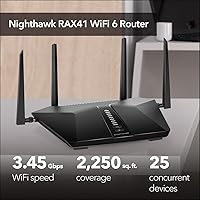
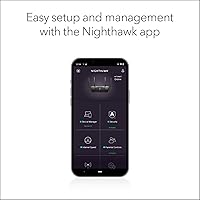
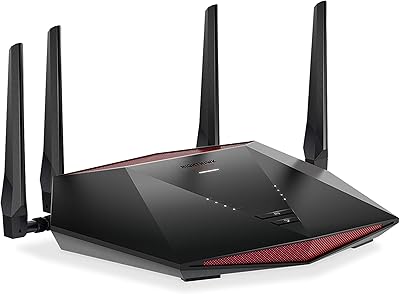
The Netgear Nighthawk RAX41 WiFi 6 Router sits in a comfortable spot for households that need more than a basic router but don't want to spend heavily on enterprise-grade hardware. Upgrading from WiFi 5 to WiFi 6 isn't just a numbers game — the practical difference shows up in how well your network handles a dozen devices running at once, rather than raw top-end speed. This Nighthawk router has a low-profile, flat design with four external antennas that won't dominate a shelf but still broadcasts across a reasonably sized home. Setup is straightforward: plug it into your existing modem, run the Nighthawk app, and you're running. Just keep in mind that the advertised speed ceiling is a theoretical maximum — real-world performance always lands lower depending on your environment.
Features & Benefits
The RAX41 runs on the 802.11ax standard, which brings real efficiency gains over WiFi 5 — not just in speed, but in how it manages congestion when many devices compete for bandwidth. 160MHz channel support is a genuine advantage for newer phones and laptops, though older devices won't benefit from it. A triple-core processor keeps traffic moving without obvious bottlenecks during busy periods — think video calls running alongside 4K streaming and a gaming session at the same time. Four Gigabit Ethernet ports give wired devices a stable, low-latency connection, and Beamforming+ helps direct the wireless signal where it's actually needed rather than scattering it evenly. WPA3 security and a bundled parental controls suite round out a solid feature set for a router at this price tier.
Best For
This WiFi 6 router makes the most sense for households juggling 15 or more connected devices — smart home gadgets, phones, tablets, and a TV or two — where an older router starts to struggle under the load. It's a particularly good fit if you're coming from a WiFi 5 or older WiFi 4 setup and want a noticeable improvement without overcomplicating things. Coverage is solid for apartments and mid-sized homes, though if your space has thick walls and multiple floors pushing past 2,000 square feet, a mesh system may eventually serve you better. Families who appreciate built-in parental controls without a separate subscription will find the included tools genuinely useful, and casual gamers and streamers will notice steadier, lower-latency wireless connections compared to older hardware.
User Feedback
Across more than 3,400 ratings averaging 4.2 stars, the RAX41 earns its reputation mainly through easy setup and a noticeable speed improvement for buyers upgrading from older hardware. Many owners report their home networks feeling more responsive after switching, particularly in households where several people work or stream at the same time. The criticism that surfaces most consistently centers on the Nighthawk app — some users find it clunky or too dependent on cloud connectivity for basic management tasks. A smaller group reports ISP compatibility friction during initial configuration. Long-term reliability gets mixed marks: most buyers seem satisfied past the one-year mark, but a recurring thread of complaints about firmware updates causing brief instability is worth noting. It's a well-regarded mid-range pick, not a universally loved one.
Pros
- WiFi 6 technology handles crowded networks far better than older routers, especially when 15 or more devices are active.
- Setup is quick and approachable — most users are online within minutes of unboxing.
- Four wired Ethernet ports give consoles, PCs, and smart TVs a reliable, low-latency connection.
- Beamforming+ focuses the signal toward your devices rather than wasting it in empty directions.
- WPA3 security and a 30-day NETGEAR Armor trial provide a meaningful baseline of network protection out of the box.
- Built-in parental controls let families filter content without subscribing to a separate service.
- The RAX41 is compatible with virtually any ISP — cable, fiber, DSL, or satellite — making it broadly useful across different home setups.
- 160MHz channel support delivers noticeably faster wireless speeds to newer phones and laptops that can take advantage of it.
- Over 3,400 buyer ratings averaging 4.2 stars reflects a consistently positive ownership experience across a large sample.
- The low-profile design with external antennas fits on a shelf or desk without drawing too much attention.
Cons
- The Nighthawk app has drawn repeated criticism for feeling clunky and overly reliant on cloud connectivity for routine tasks.
- Some users report brief instability following firmware updates, which is an avoidable frustration at this price level.
- Real-world coverage falls short of the advertised maximum in homes with thick walls or complex layouts.
- A small but consistent group of buyers encounters ISP compatibility friction during initial configuration.
- 160MHz channel speeds only benefit devices that support it — older hardware sees no improvement from this feature.
- There is no tri-band option, which limits total bandwidth headroom in very device-dense environments.
- Long-term reliability past the 18-month mark receives mixed feedback, with some owners reporting intermittent drop issues.
- Local network management without the app is less intuitive than competing routers in the same tier.
Ratings
The scores below reflect an AI-driven analysis of thousands of verified owner reviews for the Netgear Nighthawk RAX41 WiFi 6 Router, with spam, incentivized feedback, and bot activity actively filtered out to ensure the ratings represent genuine buyer experiences. Both the standout strengths and the recurring frustrations are weighted transparently — no category has been softened to protect the product's image. The result is an honest, data-grounded picture of where this Nighthawk router excels and where it asks buyers to compromise.
Wireless Performance
Coverage & Range
Setup & Installation
App & Software Experience
Multi-Device Handling
Wired Connectivity
Security Features
Parental Controls
Long-Term Reliability
Value for Money
Build Quality & Design
Gaming & Streaming
ISP Compatibility
Heat & Noise
Suitable for:
The Netgear Nighthawk RAX41 WiFi 6 Router is a strong fit for households where the router is genuinely working hard — think families with teenagers streaming, parents on video calls, and a handful of smart home devices all running at the same time. If your current router is a few years old and you've started noticing slowdowns when multiple people are online, this is exactly the kind of upgrade that makes a tangible difference in day-to-day reliability. It works well in apartments, townhouses, or single-story homes up to around 2,000 square feet, covering the majority of typical living situations without needing additional hardware. Renters who can't install a whole-home system will appreciate that it connects to any standard cable or fiber modem and needs no ISP-specific setup. Families who want a basic layer of content filtering and network security without paying for a third-party service will also find the included tools sufficient for everyday use.
Not suitable for:
The Netgear Nighthawk RAX41 WiFi 6 Router is not the right choice if your home spans multiple floors or exceeds 2,000 square feet with walls that kill wireless signals — in those cases, a mesh system will consistently outperform a single-router setup, regardless of the router's specs. Power users who demand granular network control, advanced QoS configuration, or prefer managing everything through a local web interface without relying on a cloud-connected app may find the software experience limiting. If your internet plan pushes well beyond 1 Gbps, the RAX41's WAN port becomes a bottleneck, making it a poor match for multi-gig fiber subscribers. Buyers who own mostly older devices — hardware that predates WiFi 6 support — will not unlock the efficiency gains this router is built around, meaning the upgrade value diminishes significantly. And if long-term firmware stability is a top priority, the mixed track record in that area is something to weigh honestly before committing.
Specifications
- WiFi Standard: The router uses the 802.11ax (WiFi 6) standard, which handles congested networks more efficiently than its WiFi 5 predecessor.
- Frequency Bands: Dual-band operation covers both the 2.4GHz band for range and device compatibility, and the 5GHz band for faster, shorter-range connections.
- Max Speed: Advertised combined wireless throughput reaches up to 3.45Gbps under ideal laboratory conditions across both bands.
- Coverage Area: NETGEAR rates coverage at up to 2,250 sq. ft., though real-world range will vary based on wall materials, interference, and home layout.
- Device Capacity: The router is designed to support up to 25 simultaneously connected devices without significant performance degradation.
- Processor: A triple-core 1.5GHz processor manages network traffic across multiple active devices and keeps throughput consistent under load.
- Wired Ports: Four Gigabit Ethernet LAN ports and one Gigabit WAN port provide wired connectivity for consoles, computers, smart TVs, and modems.
- USB Port: One USB 3.0 port supports shared storage or printer access across the local network.
- Antennas: Four external antennas work alongside Beamforming+ technology to direct the wireless signal toward connected devices rather than broadcasting omnidirectionally.
- Channel Width: 160MHz channel support on the 5GHz band enables higher peak speeds for devices that are equipped to take advantage of it.
- Data Efficiency: 1024-QAM modulation delivers roughly 25 percent greater data throughput efficiency compared to routers limited to 256-QAM.
- Security: WPA3 encryption is supported natively, and a 30-day trial of NETGEAR Armor provides an additional layer of network-level threat protection.
- Parental Controls: NETGEAR Smart Parental Controls are built in, allowing content filtering and device scheduling without requiring a third-party subscription.
- ISP Compatibility: The router works with any internet service provider up to 1Gbps, including cable, fiber, DSL, and satellite connections.
- Dimensions: The unit measures 11.6 x 8.1 x 2.2 inches, giving it a flat, low-profile footprint suited for a shelf or desk placement.
- Weight: At 1.25 pounds, the router is lightweight and easy to reposition during initial setup or if coverage needs change.
- In Box Contents: The package includes the router, four external antennas, an Ethernet cable, a power adapter, and a printed quick start guide.
- VPN Support: The router supports VPN pass-through and basic VPN server functionality for users who need secure remote access to their home network.
- Guest Network: A dedicated guest WiFi access feature lets visitors connect to the internet without gaining access to devices on the main local network.
- Model Number: The official model designation is RAX41-100NAS, which identifies this specific hardware revision for firmware updates and support purposes.
Related Reviews
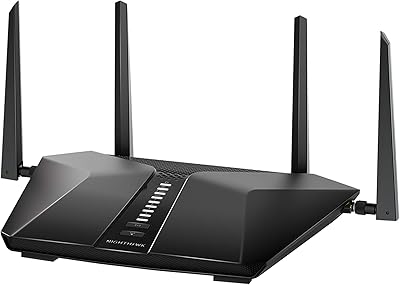
NETGEAR Nighthawk RAX43 WiFi 6 Router
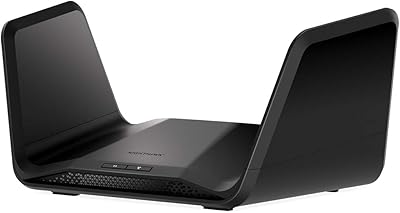
NETGEAR Nighthawk RAX70 WiFi 6 Router
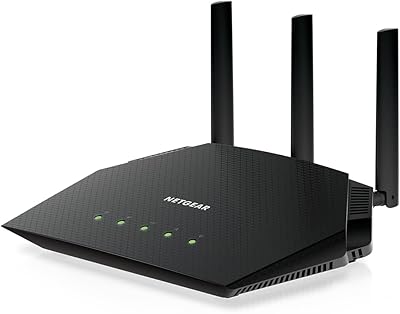
NETGEAR Nighthawk RAX36 WiFi 6 Router
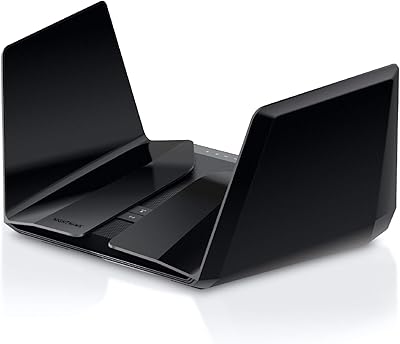
NETGEAR Nighthawk RAX120 AX6000 WiFi 6 Router
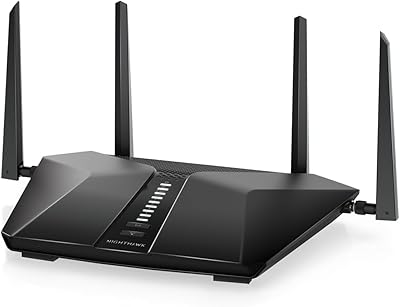
NETGEAR Nighthawk RAX54S

Netgear Nighthawk RAX45 WiFi 6 Router
NETGEAR Nighthawk RAX29 WiFi 6 Router
NETGEAR XR1000 Nighthawk WiFi 6 Gaming Router

NETGEAR R6700AXS AX1800 WiFi 6 Router
