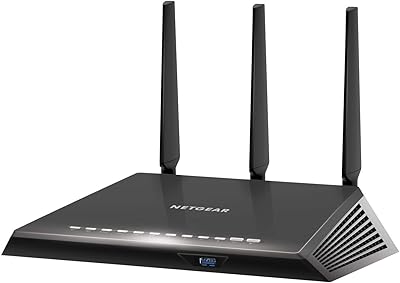
NETGEAR Nighthawk RAX43 WiFi 6 Router


Overview
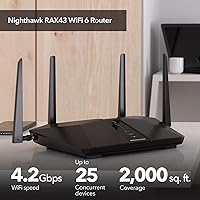
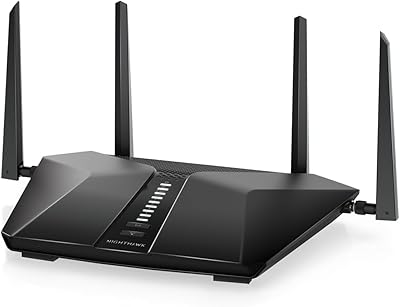
The NETGEAR Nighthawk RAX43 WiFi 6 Router is the kind of upgrade that makes sense when your household has outgrown what an aging WiFi 5 router can realistically handle. WiFi 6 (802.11ax) isn't just about faster peak speeds — it's designed to manage more devices simultaneously without the congestion that trips up older standards. The RAX43 sits flat on a shelf with four external antennas fanning outward, fitting into most living spaces without dominating them. Setup is handled through the Nighthawk mobile app, which walks you through the process step by step. Just be clear-eyed going in: this is a capable dual-band router, not a mesh system or tri-band powerhouse.
Features & Benefits
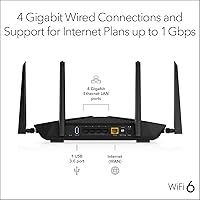
The RAX43 combines 2.4GHz and 5GHz bands for a combined theoretical ceiling of 4.2 Gbps, but the number that matters more day-to-day is how it copes when 15 or 20 devices are active at once. OFDMA technology divides each wireless channel into sub-channels, so your video call doesn't get throttled when someone else starts a 4K stream. Smart Connect automatically steers devices toward whichever band suits them better, while Beamforming+ focuses the signal toward individual devices rather than broadcasting uniformly. Four Gigabit Ethernet ports handle wired connections for consoles and desktops, and a USB 3.0 port supports attaching a basic shared drive. WPA3 support is included from day one.
Best For
This WiFi 6 router is a natural fit for mid-sized homes — roughly up to 2,000 square feet — where 15 to 25 devices compete for bandwidth throughout the day. Remote workers, households streaming to multiple screens, and casual-to-moderate gamers will all find the RAX43 handles that mix comfortably. QoS controls let you manually prioritize gaming or video traffic if you want that extra edge. It also makes a strong case for anyone upgrading from an older WiFi 5 router who wants a meaningful improvement without stepping into tri-band complexity or mesh pricing. The Nighthawk app keeps ongoing management approachable, even for less technical users.
User Feedback
The most consistent praise across reviews centers on painless initial setup and a clear speed improvement over older routers, with owners in average-sized homes generally satisfied with coverage and stability. Many long-term users report dependable performance well beyond the one-year mark. On the critical side, the Armor subscription cost is a recurring sore point — plenty of buyers don't realize the security suite requires a paid renewal after the included year expires. Those in homes exceeding 2,500 square feet sometimes find signal strength drops off at the far edges. Customer support quality gets mixed marks, with some owners turning to community forums when official help falls short.
Pros
- WiFi 6 technology handles 15 to 25 simultaneous devices without the slowdowns common on older routers.
- OFDMA reduces channel congestion noticeably during peak household usage hours.
- Setup through the Nighthawk app is straightforward enough for non-technical users to complete without help.
- Four Gigabit Ethernet ports give wired devices like consoles and desktop PCs a reliable, low-latency connection.
- WPA3 security support means the RAX43 is ready for modern devices without sacrificing compatibility with older ones.
- QoS controls let you manually prioritize gaming or video conferencing traffic when it matters most.
- The included one-year NETGEAR Armor subscription provides real protection against malware and identity threats right out of the box.
- Long-term owners frequently report stable, consistent performance well beyond the first year of use.
- Smart Connect automatically assigns devices to the best available band without requiring manual configuration.
- The USB 3.0 port adds basic shared network storage capability, which is a handy bonus at this tier.
Cons
- NETGEAR Armor requires a paid subscription after the first year, a recurring cost that catches many buyers off guard.
- Coverage can fall short in homes over 2,000 square feet, particularly with thick walls or multi-floor layouts.
- This is a dual-band router only — households needing a dedicated gaming or IoT band will need to look at tri-band options.
- Signal consistency at the far edges of its range is a recurring complaint among users in larger or irregularly shaped spaces.
- No built-in modem means you still need a separate device if your ISP doesn't provide one.
- Customer support quality is inconsistent, and resolving technical issues often falls on community forums rather than official channels.
- The router has been on the market since 2020, so newer WiFi 6E alternatives now offer more future-proofing for a similar price.
- The USB port supports storage only — no printer sharing — which limits its usefulness as a home network hub.
Ratings
Our AI-generated scores for the NETGEAR Nighthawk RAX43 WiFi 6 Router were produced by analyzing thousands of verified global user reviews, with spam, bot submissions, and incentivized feedback actively filtered out before scoring. Each category reflects the full spectrum of real buyer experiences — not just the highlights — so both the strengths and the friction points are represented honestly. Where users consistently disagreed, scores land in the middle range to reflect that split rather than flatter the product.
WiFi Performance
Multi-Device Handling
Setup & Ease of Use
Signal Range & Coverage
Security Features
Wired Connectivity
App & Remote Management
Gaming Performance
Value for Money
Long-Term Reliability
Parental Controls
Physical Design
ISP Compatibility
Streaming Performance
Suitable for:
The NETGEAR Nighthawk RAX43 WiFi 6 Router is a strong match for households where the device count has crept up over the years — think smart TVs, phones, tablets, laptops, a console or two, and maybe a few smart home gadgets all running at once. If your current router struggles during peak hours when everyone is home, this router's OFDMA and Smart Connect technology will make a noticeable difference in how smoothly traffic gets distributed. Remote workers who rely on stable video calls while others in the home stream or game will appreciate the QoS controls that let you put critical connections first. It also suits anyone upgrading from a WiFi 5 router who wants a genuine performance improvement without navigating the complexity or cost of a tri-band or mesh system. The Nighthawk app makes setup and ongoing management approachable, so less technical buyers won't feel lost after the box is opened.
Not suitable for:
The NETGEAR Nighthawk RAX43 WiFi 6 Router is not the right call for anyone with a large home exceeding 2,000 to 2,500 square feet, especially layouts with thick walls, multiple floors, or long hallways that eat into wireless range — in those situations, a mesh system will serve you far better. Power users who need the extra bandwidth headroom of a tri-band setup, or those running a home lab with heavy simultaneous wired and wireless traffic, will likely hit the ceiling on what this dual-band router can deliver. Buyers who want a robust built-in security suite without ongoing subscription costs should factor in that NETGEAR Armor requires a paid renewal after the first year, which can be an unwelcome surprise. If you are already on a capable WiFi 6 router from the last couple of years, the upgrade case here is thin. And anyone expecting enterprise-grade customer support should temper those expectations, as direct assistance from NETGEAR gets inconsistent reviews.
Specifications
- WiFi Standard: The router uses the 802.11ax standard, commonly known as WiFi 6, which improves throughput and device capacity compared to the previous WiFi 5 (802.11ac) generation.
- Band Configuration: Dual-band design operates on both the 2.4GHz and 5GHz frequencies simultaneously, with Smart Connect automatically assigning devices to the most appropriate band.
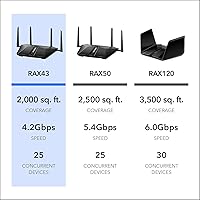
- Max WiFi Speed: Combined theoretical maximum speed reaches 4.2 Gbps (AX4200), split across both bands — real-world speeds will vary based on distance, interference, and client device capability.
- Coverage Area: Rated for up to 2,000 sq. ft. under typical home conditions, though actual range will depend on wall materials, floor layout, and the number of obstructions.
- Device Capacity: Supports up to 25 simultaneously connected devices, making it appropriate for households with a mix of phones, laptops, smart TVs, and IoT gadgets.
- WiFi Streams: Delivers 5 simultaneous data streams using MU-MIMO technology, allowing multiple devices to receive data at the same time rather than taking turns.
- Processor: Powered by a 1.5GHz triple-core processor, which handles routing, security processing, and app-based management without significant performance bottlenecks under normal household load.
- Wired Ports: Includes 4 x Gigabit Ethernet LAN ports for wired connections to devices such as desktops, gaming consoles, and media players, plus 1 WAN port for the modem.
- USB Port: One USB 3.0 port supports attaching an external storage drive for basic network-attached file sharing — printer sharing is not supported via USB on this model.
- Security Protocol: Supports both WPA3 and WPA2 wireless security standards, along with DoS attack protection and a double firewall for layered network defense.
- Security Suite: NETGEAR Armor is included with a 1-year subscription, providing active malware protection, vulnerability scanning, and identity theft safeguards across connected devices.
- Parental Controls: NETGEAR Smart Parental Controls allow content filtering and scheduled internet access per device, managed through the Nighthawk app, though advanced features may require a separate subscription.
- Advanced WiFi Tech: Incorporates OFDMA, Beamforming+, 1024-QAM, and Smart Connect to improve multi-device efficiency, signal focus, and automatic band steering under real-world conditions.
- Internet Plan Support: Compatible with internet service plans up to 1 Gbps, covering cable, fiber, DSL, and satellite connections through any standard modem.
- Voice Assistant Support: Works with Amazon Alexa and Google Assistant for basic voice commands such as enabling guest networks or checking connection status.
- Management App: The Nighthawk mobile app (iOS and Android) handles initial setup, device management, speed testing, and firmware updates from a smartphone.
- Dimensions: The router measures 11.65 x 8.11 x 2.25 inches with four external antennas that extend upward, requiring adequate shelf or surface clearance for proper placement.
- Weight: Weighs 1.25 pounds without cabling, making it light enough to reposition or mount without difficulty.
- ISP Compatibility: Designed to connect directly to any existing cable modem and is compatible with major US internet service providers, though it is intended for use in the United States only.
- Included Contents: Package includes the RAX43 router unit, one Ethernet cable, four external antennas, a power adapter, and a printed quick-start guide.
Related Reviews
NETGEAR Nighthawk RAX54S
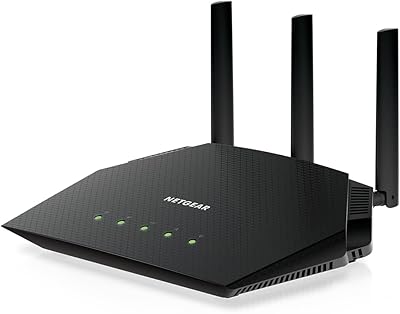
NETGEAR Nighthawk RAX36 WiFi 6 Router
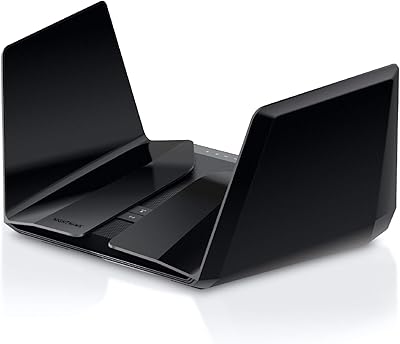
NETGEAR Nighthawk RAX120 AX6000 WiFi 6 Router
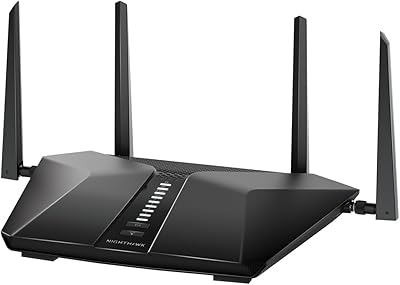
Netgear Nighthawk RAX41 WiFi 6 Router
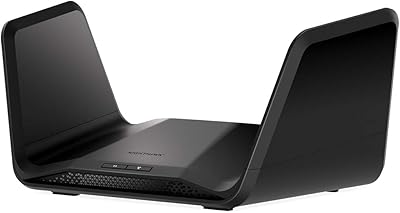
NETGEAR Nighthawk RAX70 WiFi 6 Router
NETGEAR Nighthawk RAX29 WiFi 6 Router
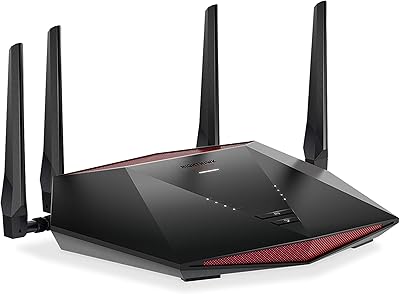
NETGEAR XR1000 Nighthawk WiFi 6 Gaming Router

Netgear Nighthawk RAX45 WiFi 6 Router

NETGEAR R6700AXS AX1800 WiFi 6 Router