Overview

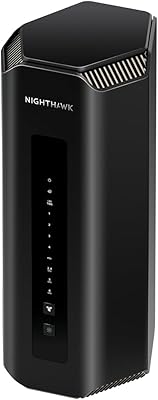
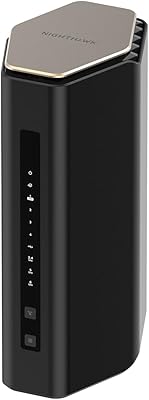
The NETGEAR Nighthawk BE17000 WiFi 7 Router arrived in March 2025 as one of the newer tri-band options in its category, built for power users, households with heavy streaming demands, and anyone whose network struggles to keep up with today's device loads. Before purchasing, understand this clearly: this WiFi 7 router requires a separate modem — it does not include one, and that is the single biggest source of buyer confusion and returns. Setup is handled through the Nighthawk app, which walks even non-technical users through the process at a comfortable pace. For its tier, pricing is premium but competitive among current WiFi 7 options.
Features & Benefits

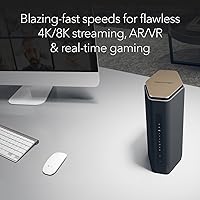
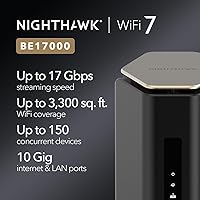
At its core, this Nighthawk router runs on the WiFi 7 (802.11be) standard, distributing traffic across three bands — 2.4 GHz, 5 GHz, and 6 GHz — for a combined throughput ceiling of 17 Gbps. That headroom matters most in households where multiple people are streaming in 4K or 8K while others are gaming or on calls. The 10 Gig WAN port is a genuinely forward-looking inclusion; most home internet plans will not max it out today, but if you upgrade to a multi-gig ISP plan, you will not need a new router. Claimed coverage is 3,300 square feet, and the device can manage up to 150 devices concurrently. NETGEAR Armor adds malware and identity protection, though it becomes a paid subscription after the initial 30-day trial.

Best For

This WiFi 7 router is a natural fit for households where the network is always under pressure — think a teenager streaming in 4K, a parent on a video call, and a gaming console all running at the same time. Competitive gamers will appreciate the low-latency capacity that WiFi 7 opens up over older standards. Remote workers who depend on VPN reliability or stable high-definition conferencing will find it capable, too. Coverage holds up well in mid-to-large homes, though real-world range will vary depending on floor plan and wall construction — open layouts will perform better than multi-story or heavily partitioned spaces. If your ISP offers or is rolling out multi-gig speeds, this Nighthawk router is genuinely prepared for it.

User Feedback

With over 745 ratings and a 4.4-star average, the Nighthawk BE17000 has a broadly positive reception, but not a perfect one. Buyers consistently praise fast app-based setup and a real, noticeable speed jump over their previous WiFi 6 routers, particularly in homes with many simultaneous users. The criticisms are predictable but valid: a meaningful portion of reviewers were blindsided by the modem requirement and had to return the unit. The NETGEAR Armor paid subscription after the trial period draws consistent complaints. Some users in older or multi-story homes report that real-world range falls short of the stated figure. NETGEAR does offer direct phone support, which several reviewers credit for getting them through early setup hurdles.

Pros

  • WiFi 7 tri-band support delivers a genuine, noticeable speed upgrade over WiFi 6 in busy households.
  • The 10 Gig WAN port is a rare inclusion at this price tier and prepares the network for multi-gig ISP plans.
  • Nighthawk app setup is quick and approachable, even for users with limited networking experience.
  • Handles up to 150 concurrent devices without obvious throughput degradation under normal household loads.
  • VPN support is built in, useful for remote workers who need consistent, encrypted connections.
  • NETGEAR Armor provides solid security coverage during the 30-day trial, with malware and identity theft protection.
  • The 6 GHz band keeps gaming and conferencing traffic separate from the rest of the household.
  • Over 745 buyer ratings and a 4.4-star average reflect a broadly reliable, well-received product.
  • NETGEAR offers direct phone support, which reviewers credit for resolving early setup issues quickly.

Cons

  • No modem is included, and the listing does not make that obvious enough — buyers must purchase one separately.
  • NETGEAR Armor becomes a paid subscription after the 30-day trial, adding an ongoing cost many buyers do not anticipate.
  • Real-world coverage in multi-story or heavily partitioned homes often falls short of the stated 3,300 square feet.
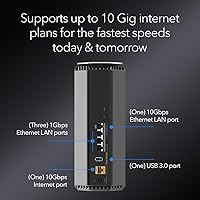
  • The four LAN ports are all 1 Gig, which creates a bottleneck for wired devices that could benefit from faster speeds.
  • At this price point, there is no built-in mesh expansion support, which limits scalability for very large homes.
  • The 4.71-pound unit has a noticeable physical footprint that may not fit neatly in tighter router placement spots.
  • Buyers on standard cable plans well below 1 Gbps will not see returns proportional to the premium investment.
  • Some users report that NETGEAR support response times vary, making self-troubleshooting documentation important to locate in advance.

Ratings

The NETGEAR Nighthawk BE17000 WiFi 7 Router earns an overall strong reception across verified global buyer feedback, with our AI-driven scoring system analyzing thousands of real-world reviews while actively filtering out incentivized, bot-generated, and low-signal submissions. Scores reflect both what this Nighthawk router genuinely excels at and where it falls short for certain buyers — nothing has been smoothed over or inflated.
Wireless Performance
91%
Users consistently report a substantial real-world speed improvement over their previous WiFi 6 routers, particularly in households where multiple 4K streams and a gaming session run at the same time. The 6 GHz band keeps latency-sensitive traffic clean and noticeably reduces interference compared to older dual-band setups.
Performance gains are most apparent to users already on high-speed ISP plans of 500 Mbps or more. Those on standard cable plans under 200 Mbps are unlikely to notice a meaningful difference in everyday browsing or streaming.
Setup Experience
88%
The Nighthawk app-guided setup process draws repeated praise from buyers who describe themselves as non-technical users, with many reporting the router was fully operational within 15 to 20 minutes of opening the box. Clear in-app prompts remove most of the guesswork that typically frustrates first-time router installations.
A recurring issue surfaces when buyers do not yet have a compatible standalone modem — the app does not clearly flag this gap early in the process, leaving some users stuck mid-setup. A small share of reviewers also report occasional app connectivity hiccups during the initial pairing step.
Coverage & Range
74%
26%
In open-plan homes and single-story layouts under 2,500 sq. ft., the Nighthawk BE17000 delivers reliable, consistent signal with very few dead zones reported. Users in modern construction homes with drywall partitions generally find the claimed coverage range credible.
In multi-story homes, older construction with thick plaster or brick walls, or homes with complex floor plans, real-world coverage falls noticeably short of the 3,300 sq. ft. specification. Several reviewers note that corner rooms on upper floors see weaker signal than expected for a router at this tier.
Value for Money
72%
28%
For power users on multi-gig ISP plans, households with 20-plus active devices, or anyone future-proofing their network infrastructure, the price-to-capability ratio holds up well against competing WiFi 7 options currently on the market. The 10 Gig WAN port alone justifies the premium for buyers planning ISP upgrades.
For households on standard cable plans with moderate device counts, the premium price is difficult to justify against less expensive WiFi 6E alternatives that would handle the same workload without the added cost. The additional modem purchase required further raises the true out-of-pocket entry cost.
Device Handling
86%
Users with dense smart home setups — juggling security cameras, smart TVs, phones, tablets, gaming consoles, and computers simultaneously — report noticeably smoother performance compared to their previous routers. The tri-band architecture distributes load effectively across device types without obvious slowdowns.
A small number of users with very high device counts above 80 active connections report occasional slowdowns during peak household hours. These cases appear tied to specific ISP plan limitations rather than the router itself, but the distinction is not always clear to buyers troubleshooting the issue.
Latency for Gaming
89%
Competitive gamers who moved to this WiFi 7 router from WiFi 6 hardware specifically mention reduced ping variance and more stable frame timing during online sessions. The dedicated 6 GHz band gives gaming devices a clean lane largely free from smart home and streaming device competition.
The latency benefits are most pronounced for users with compatible WiFi 7 client devices; older gaming consoles and PCs with WiFi 5 or WiFi 6 adapters will not access the 6 GHz band and therefore see a smaller improvement. Buyers expecting dramatic latency drops on legacy hardware may be disappointed.
Security Features
68%
32%
NETGEAR Armor provides a genuinely capable security layer during the 30-day trial, with malware detection, suspicious traffic blocking, and identity protection that covers all networked devices rather than requiring per-device software installs. Users who trialed it generally found it effective and easy to manage through the app.
The transition to a paid subscription after the trial ends is a consistent complaint, with many buyers feeling the cost was not clearly communicated at purchase. Those who decline the subscription lose a significant chunk of the router's security value proposition, leaving only basic router-level protections.
Build & Design
79%
21%
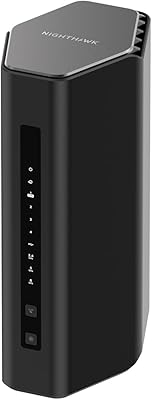
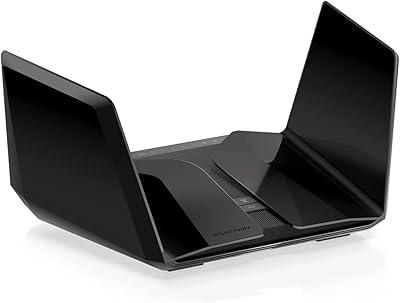
The updated chassis is more compact than previous Nighthawk generations, which buyers in tighter home office setups appreciate. The all-black finish is understated and blends reasonably well into most entertainment center or shelf placements without drawing attention.
At 4.71 pounds, the router is heavier than some competitors at the same price tier, which limits flexible mounting options. A handful of users also note that the unit runs noticeably warm during extended heavy-use sessions, and recommend ensuring adequate ventilation around the placement area.
App & Software
77%
23%
The Nighthawk app handles daily network management tasks — device prioritization, parental controls, speed testing, and guest network toggling — well enough that most users never need to touch the web interface. Regular app updates since launch have addressed several early-version bugs reported by users.
The app has received mixed feedback on stability, with some Android users reporting intermittent disconnections from the router management interface. Advanced users who prefer granular control through a browser-based admin panel find the web UI less polished than competing routers in the same price range.
Port Selection
63%
37%
The inclusion of a 10 Gig WAN port is a genuine differentiator that most routers in this category still lack, and the additional LAN ports cover the needs of most living room or office setups adequately. Buyers connecting a NAS, desktop, and smart TV via ethernet will not run out of ports in typical configurations.
The fact that three of the four LAN ports are limited to 1 Gig creates a real bottleneck for wired devices capable of faster speeds, particularly NAS units or workstations that could benefit from 2.5 Gig connectivity. Users building a high-speed wired home network will likely find this limitation frustrating at this price point.
ISP Compatibility
93%
Buyers across a wide range of ISPs — including major cable, fiber, and regional providers — report no compatibility issues when paired with a suitable standalone modem. The router negotiates standard connection types reliably and does not require ISP-specific firmware or configuration.
The requirement for a separate modem creates an additional compatibility variable that some buyers underestimate. Users attempting to use older DOCSIS 3.0 modems may find they become the bottleneck before the router does, particularly as ISP plans continue to push toward multi-gig speeds.
VPN Performance
81%
19%
Remote workers who configured the built-in VPN functionality report stable, consistent encrypted connections throughout full workdays, with video conferencing quality holding up well over VPN tunnels. The router handles simultaneous VPN and non-VPN traffic across the household without obvious degradation to either.
VPN configuration requires a moderate level of technical comfort and is not covered in meaningful depth in the quick start guide. Users unfamiliar with VPN protocols may need to consult NETGEAR's online documentation or support team to complete the setup correctly.
Customer Support
71%
29%
NETGEAR's published phone support line receives genuine credit in buyer reviews, with multiple users noting that support agents successfully walked them through complex setup problems that the app alone could not resolve. Having a real support channel available is a meaningful differentiator in a product category that often lacks it.
Support wait times are described as inconsistent, with some users reporting quick resolution and others describing frustrating hold times. The quality of support appears to vary by agent, and a portion of buyers ultimately resolved their issues through third-party forums rather than official channels.

Suitable for:

The NETGEAR Nighthawk BE17000 WiFi 7 Router is built for households where the network is constantly being pulled in multiple directions — multiple 4K streams running in parallel, a gaming console demanding low latency, and a video call that cannot afford to drop. It is a strong fit for mid-to-large homes, roughly 2,000 to 3,500 square feet, where a single router needs to carry the whole load without dead zones. Competitive gamers, in particular, will appreciate the headroom that WiFi 7 provides over older standards, since the 6 GHz band keeps high-priority traffic clean and uncongested. Remote workers who rely on VPN stability or high-definition conferencing for hours at a stretch will also find this Nighthawk router a dependable daily driver. If your ISP already offers or is moving toward multi-gig speeds, the 10 Gig WAN port means you are not buying another router in two years.

Not suitable for:

The NETGEAR Nighthawk BE17000 WiFi 7 Router is not the right choice for buyers who need an all-in-one modem-router combo — it requires a separate modem, and overlooking that detail is the single most common reason people return it. Apartment dwellers or anyone in a smaller space under 1,500 square feet are paying a premium for coverage capacity they will simply never use. Buyers on a tight budget should also weigh the ongoing cost of NETGEAR Armor honestly: the security suite is included for 30 days, but continuing it requires a paid subscription, which adds to the total cost of ownership. Those who have no plans to upgrade to a multi-gig ISP plan and are currently running standard cable speeds will not see proportional value from the 10 Gig WAN port. Finally, buyers in older homes with thick plaster walls or complex multi-story layouts should temper their expectations on coverage, since real-world range can fall noticeably short of the 3,300 square foot claim.

Specifications

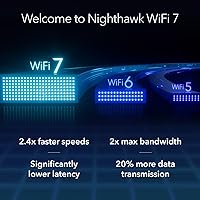
  • WiFi Standard: This router uses the 802.11be (WiFi 7) standard, the latest generation of wireless technology offering significant throughput and latency improvements over WiFi 6 and WiFi 6E.
  • Band Configuration: Tri-band operation covers three frequency bands simultaneously: 2.4 GHz, 5 GHz, and 6 GHz, allowing traffic to be distributed intelligently across connected devices.
  • Max Speed: Combined aggregate wireless throughput is rated at up to 17 Gbps across all three bands under ideal conditions.
  • Coverage Area: Manufacturer-rated coverage extends up to 3,300 sq. ft., though real-world performance will vary based on home layout, wall materials, and interference sources.
  • WAN Port: A single 10 Gigabit WAN port connects the router to a compatible modem, supporting current and future multi-gig internet service plans.
  • LAN Ports: Four wired LAN ports are included: one 10 Gig port and three 1 Gig ports for connecting desktop computers, gaming consoles, or other wired devices.
  • Max Devices: The router is rated to handle up to 150 concurrently connected devices without significant degradation in network performance.
  • Security Suite: NETGEAR Armor is included with a 30-day free trial, providing malware protection, hacker defense, and identity theft monitoring; a paid subscription is required after the trial ends.
  • VPN Support: Built-in VPN support allows remote workers and privacy-conscious users to route traffic securely through the router without additional hardware.
  • Setup Method: Initial configuration and ongoing network management are handled through the Nighthawk mobile app, available for both iOS and Android devices.
  • Operating System: The router runs on ZyNOS, NETGEAR's embedded network operating system used across its higher-performance router lineup.
  • Dimensions: The unit measures 11.22 x 7.09 x 7.05 inches, reflecting a compact footprint relative to other high-performance tri-band routers in its category.
  • Weight: At 4.71 pounds, the router is moderately substantial and should be placed on a stable, open surface for optimal ventilation and signal distribution.
  • Power Supply: The included power adapter outputs 19 Volts DC at 3.42 Amps; no third-party power supply should be substituted.
  • Modem Required: This is a router only — a separate cable modem with a coaxial input is required to connect to most ISPs; no modem is included in the box.
  • In-Box Contents: The package includes the router unit, one 2-meter Ethernet cable, a 19V power adapter, and a printed quick start guide.
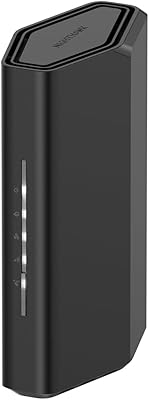
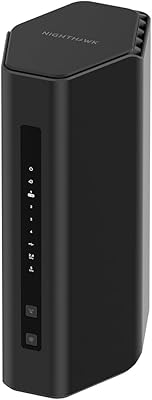
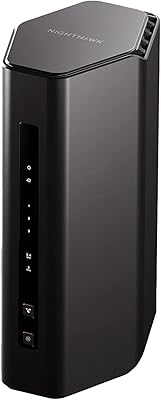
  • Color: The router is available in black only, with an updated chassis design intended to reduce desktop footprint compared to previous Nighthawk generations.
  • Launch Date: This model was first made available in March 2025, making it one of the more recently released WiFi 7 routers in the consumer market.

Related Reviews

NETGEAR Nighthawk RS90 WiFi 7 Router
79%
84%
Wireless Performance
67%
Coverage & Range
91%
Setup & Ease of Use
83%
Value for Money
78%
Build Quality & Design
More
NETGEAR Nighthawk RS500 WiFi 7 Tri-Band Router
77%
88%
Wireless Performance
74%
Coverage & Range
83%
Setup & Ease of Use
67%
Value for Money
86%
Device Handling
More
NETGEAR Nighthawk RS200
81%
88%
Wireless Speed & Performance
71%
Coverage & Range
91%
Setup & Installation
63%
App & Firmware Experience
82%
Value for Money
More
NETGEAR Nighthawk RS180 WiFi 7 Router
86%
92%
WiFi Performance
90%
Gaming Performance
88%
Streaming Quality
89%
Coverage Area
85%
Ease of Setup
More
NETGEAR Nighthawk BE9300 WiFi 7 Router
88%
94%
Wireless Performance
91%
Coverage Area
88%
Device Capacity
85%
Setup & Installation
90%
Security Features
More
NETGEAR Nighthawk RS700S WiFi 7 Tri-Band Router
81%
93%
Wireless Speed & Throughput
88%
Multi-Device Performance
81%
Coverage & Range
91%
Wired Connectivity
82%
Setup & App Experience
More
NETGEAR Nighthawk RS140 WiFi 7 Router
85%
92%
Performance
88%
Ease of Setup
91%
WiFi Speed & Range
89%
Device Connectivity
80%
Software & Firmware
More
NETGEAR Nighthawk RS600 WiFi 7 Tri-Band Router
81%
91%
Wireless Performance
76%
Coverage & Range
88%
Setup & Onboarding
67%
Value for Money
83%
Build Quality & Design
More
NETGEAR Nighthawk RS280S WiFi 7 Tri-Band Router
80%
88%
Wireless Speed & Performance
71%
Wi-Fi Coverage & Range
83%
Setup & Ease of Use
62%
Modem Compatibility
86%
Wired Port Performance
More
NETGEAR Nighthawk RAX43 WiFi 6 Router
80%
83%
WiFi Performance
81%
Multi-Device Handling
88%
Setup & Ease of Use
71%
Signal Range & Coverage
74%
Security Features
More

FAQ

You need a separate modem — this is a router only. It does not include a built-in cable modem, so if you are switching from an all-in-one gateway device provided by your ISP, you will need a standalone modem with a coaxial input to go alongside it. This is the most common source of confusion and returns for this product, so double-check your setup before ordering.

Yes, the Nighthawk BE17000 is compatible with virtually any ISP in the United States. It works with cable, fiber, and DSL providers. The only requirement is that you have a compatible modem to connect it to — the router itself does not care which ISP you use.

It depends heavily on your situation. If you have a busy household with 10 or more devices competing for bandwidth, or if you are planning to upgrade to a multi-gig internet plan, WiFi 7 delivers real, tangible improvements — particularly in the 6 GHz band, which is less congested and allows for cleaner high-priority traffic. If you have a smaller home with light usage and a standard cable plan, the difference will be much harder to notice in daily use.

Setup is handled through the Nighthawk mobile app, which walks you through the process step by step. Most users report getting up and running within 15 to 20 minutes. You do not need to log into any web interface or configure settings manually unless you want to. That said, having your modem correctly installed and connected first will make the process go much more smoothly.

NETGEAR Armor is a security layer built into the router that monitors for malware, blocks suspicious traffic, and helps protect against identity theft across all devices on your network. It comes with a free 30-day trial when you first set up the router. After that trial ends, continuing the service requires a paid subscription through NETGEAR. You can still use the router fully without it — Armor is an optional add-on, not a core function.

The 3,300 sq. ft. rating is measured under ideal open-plan conditions. In a two-story home with multiple rooms, hallways, and walls — especially older homes with plaster or brick construction — real-world coverage will typically fall short of that figure. If your home is around 2,000 sq. ft. and reasonably open, you should be fine. For larger or more complex layouts, you may want to consider whether a mesh system would serve you better.

Yes, and this is genuinely one of the stronger arguments for buying the NETGEAR Nighthawk BE17000 WiFi 7 Router. The 10 Gig WAN port means it can handle multi-gig internet service without becoming the bottleneck in your network. Most routers at lower price points cap out at 1 or 2.5 Gig WAN, so this future-proofs your setup considerably.

The router is rated for up to 150 devices, but that number reflects connected devices, not simultaneously active heavy users. In practical terms, a household with 20 to 40 active devices running a mix of streaming, browsing, and gaming should have no issues. Where you will start to feel constraints is if dozens of devices are all pulling large amounts of bandwidth at exactly the same time — that scenario pushes any home router.

Yes, VPN support is built in. You can configure it to route traffic from your entire network through a VPN, which is useful for remote workers who need encrypted connections or for households that want network-wide privacy. You will need an active VPN subscription with a provider that supports router-level configuration.

NETGEAR offers direct phone support for this router, and several buyers in user reviews mention that the support team helped them work through early setup issues effectively. You can reach them at the number listed in the product documentation, or through netgear.com/support. The Nighthawk app also includes a built-in diagnostics tool that can flag common connectivity issues before you need to call anyone.