Overview

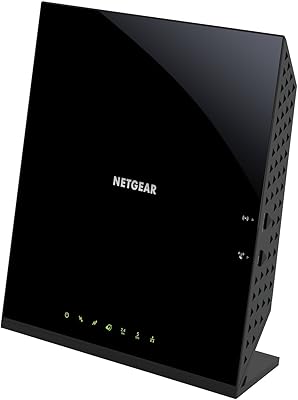
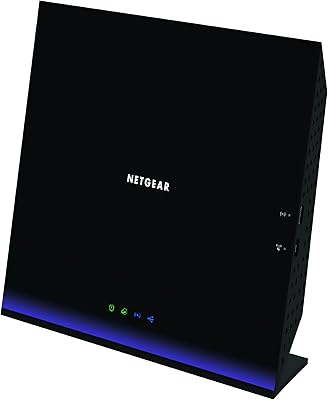
The NETGEAR R7000P Nighthawk AC2300 Wi-Fi Router is a certified refurbished dual-band option that hits a practical sweet spot for medium-sized homes and small home offices. AC2300 sounds impressive, but in plain terms it means combined theoretical speeds across two bands — enough for 4K streaming, video calls, and a crowded smart home without breaking a sweat. Being refurbished, the unit has been tested and recertified, but expect some variance: some buyers receive what looks like a brand-new box, others notice cosmetic wear. NETGEAR's Nighthawk lineup is well-regarded, and the R7000P sits comfortably in the middle — above budget basics, well short of tri-band flagships.
Features & Benefits

This Nighthawk router runs on a dual-core 1 GHz processor, which matters more than raw speed numbers because it is what keeps traffic flowing smoothly when a dozen devices are active at once. Dynamic QoS lets you tell the router to prioritize a gaming session or a work video call over background downloads — genuinely useful in a busy household. MU-MIMO and Beamforming+ work together to direct signal toward active devices rather than broadcasting blindly. Four Gigabit Ethernet ports handle wired connections reliably, and the dual USB setup means you can attach a drive or printer for network-wide sharing. Alexa voice controls are a nice extra, though they cover basic tasks only.

Best For

This refurbished dual-band router is a strong fit for households juggling 20 to 35 connected devices — think phones, laptops, smart TVs, security cameras, and a game console or two — spread across a home up to around 2,000 square feet. It suits buyers stepping up from older AC1200 or AC1750 hardware who want a noticeable performance jump without the sticker shock of a brand-new tri-band model. Families will appreciate the built-in parental controls without needing a separate solution. Small home office users also gain from the wired Gigabit ports, which keep latency predictable for video conferencing and large file transfers.

User Feedback

With over 17,000 ratings averaging 4.2 stars, the R7000P has earned genuine respect from a broad buyer base. The most consistent praise covers easy initial setup, stable long-term performance, and solid range for the coverage area advertised. The sticking point that comes up repeatedly is NETGEAR Armor and the Smart Parental Controls — both are marketed as included, but free access expires after 30 days and a paid subscription follows, which catches many buyers off guard. Refurbished unit quality is variable; some received hardware indistinguishable from new, while others flagged cosmetic scuffs. A smaller segment also reported friction with firmware updates and inconsistent customer support responses.

Pros

  • Handles 25 to 35 simultaneous devices during peak evening hours without noticeable slowdowns.
  • Dynamic QoS lets you prioritize a gaming console or work laptop above background traffic with minimal setup.
  • Four Gigabit Ethernet ports deliver stable, low-latency wired connections for desktops, consoles, and NAS drives.
  • The Nighthawk app makes initial setup fast — most buyers are connected in under ten minutes.
  • MU-MIMO and Beamforming+ direct signal toward active devices rather than broadcasting blindly across the room.
  • USB 3.0 and 2.0 ports enable basic network-attached storage and shared printer access without extra hardware.
  • Buyers upgrading from AC1200 or AC1750 routers report an immediate, real-world speed improvement.
  • Certified refurbished pricing delivers mid-range Nighthawk performance well below the cost of a comparable new unit.
  • Core security protections — WPA2, double firewall, DoS mitigation — are active permanently with no subscription required.
  • Amazon Alexa integration handles quick network checks and guest network toggles cleanly within an existing smart home setup.

Cons

  • NETGEAR Armor and Smart Parental Controls both revert to limited functionality after the 30-day free trial ends.
  • Refurbished unit condition varies — some arrive in like-new shape, others show cosmetic wear or need a factory reset.
  • Coverage drops off faster than expected in multi-story homes or spaces with concrete or brick interior walls.
  • Customer support for refurbished unit issues has drawn consistently mixed reviews, with long waits and inconsistent resolutions.
  • Firmware updates have occasionally reset custom configurations, particularly around QoS and Smart Connect settings.
  • The Alexa skill covers only basic tasks — advanced network management still requires the app or a browser.
  • USB file transfer speeds are adequate for casual access but too slow for daily large backups or video editing workflows.
  • Four Ethernet ports fill up quickly in a home office once a desktop, printer, NAS, and smart TV are all wired in.
  • The 2.4 GHz band shows meaningful speed degradation in neighborhoods with heavy wireless channel congestion.
  • As a Wi-Fi 5 router, it cannot take advantage of Wi-Fi 6 capabilities on newer phones, laptops, and smart devices.

Ratings

The scores below for the NETGEAR R7000P Nighthawk AC2300 Wi-Fi Router were generated by our AI system after analyzing thousands of verified purchaser reviews from global marketplaces, with spam, incentivized submissions, and bot-pattern feedback actively filtered out. What remains reflects the honest spread of real buyer experiences — the consistent wins and the recurring frustrations alike. Both sides are weighted fairly so you can make a confident, eyes-open decision.
Wi-Fi Speed & Performance
83%
Most users upgrading from AC1750 or older hardware report a clear, immediate difference — 4K streams stop buffering, video calls stay crisp, and online gaming feels noticeably more responsive. The 5 GHz band handles bandwidth-hungry devices well in close-to-medium range conditions.
At the edges of the stated 2,000 sq ft range, speeds drop more steeply than some buyers expected, particularly on the 2.4 GHz band in dense neighborhoods with heavy channel congestion. It is not a match for newer Wi-Fi 6 routers in raw throughput under heavy simultaneous load.
Coverage & Range
78%
22%
For single-story homes or compact two-story layouts under 1,800 sq ft, the three external antennas do a solid job pushing signal into corners and through standard drywall partitions. Buyers in apartments and townhouses frequently praised consistent coverage across their full living spaces.
Larger homes — especially those with thick concrete walls or split-level layouts — frequently reported dead zones beyond the main floor. The router is rated for 2,000 sq ft but real-world coverage in challenging floor plans tends to land closer to 1,400–1,600 sq ft.
Multi-Device Handling
81%
19%
Families running 25 or more concurrent devices — smart TVs, phones, tablets, security cameras, smart speakers — generally report that the R7000P manages the load without noticeable slowdowns during peak evening hours. MU-MIMO helps distribute bandwidth more fairly across active clients.
When devices push past the 30-device mark simultaneously, a portion of reviewers noted occasional lag spikes, particularly on the 2.4 GHz band. The router handles typical household traffic well but shows strain under truly dense, always-on smart home environments.
Setup & Ease of Use
88%
The Nighthawk app-guided setup is repeatedly called out as one of the smoothest router install experiences available — most users report being fully connected in under ten minutes without touching a browser or reading the manual. Even less tech-savvy buyers expressed genuine surprise at how straightforward the process was.
A recurring issue arises specifically with refurbished units that retain traces of a previous configuration, requiring a factory reset before setup begins cleanly. Without that step, some buyers spent unnecessary time troubleshooting what turned out to be a carried-over network conflict.
Build Quality & Design
71%
29%
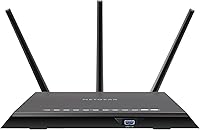
The flat, low-profile chassis with three detachable antennas feels solidly constructed and sits unobtrusively on a desk or shelf. The matte black finish and clean aesthetic earned praise from buyers who prefer a router that does not look industrial sitting in a living room.
As a refurbished unit, cosmetic condition is inconsistent — scratch marks, faded ports, and minor casing wear showed up often enough to be a pattern in buyer photos and reviews. The plastic housing also attracts dust and shows fingerprints readily over time.
Refurbished Unit Condition
67%
33%
A meaningful share of buyers received units that were indistinguishable from new in both appearance and function, suggesting NETGEAR's refurbishment process is genuinely thorough in many cases. For buyers on a tight budget, the value relative to new pricing is difficult to argue with when the unit arrives in good shape.
The variance in condition is the central risk here. A notable portion of reviews document cosmetic damage, missing accessories, or units that needed a hard reset out of the box. Checking the seller's return policy before purchase is not optional — it is genuinely necessary.
Wired Connectivity
91%
The four Gigabit Ethernet ports consistently deliver what wired connections promise — stable, low-latency throughput that does not fluctuate the way wireless does. Home office users plugging in a desktop or NAS device reported rock-solid performance during large file transfers and sustained video conferences.
Four ports can feel limiting in a home office setup once a desktop, a printer, a smart TV, and a game console are all accounted for, leaving no room without adding a switch. The port placement on the rear panel also makes cable management awkward in tighter spaces.
Security Features
69%
31%
The underlying hardware-level protections — WPA2 encryption, a double firewall, and DoS attack mitigation — are solid and work without any subscription. Buyers who simply want their network locked down at a basic level get meaningful protection straight out of the box.
NETGEAR Armor, which is the flagship security feature promoted in the listing, reverts to a passive mode after the 30-day trial ends unless you subscribe. Many buyers felt the marketing implied Armor was a permanent inclusion, and the post-trial experience felt like a meaningful downgrade.
Parental Controls
62%
38%
During the trial period, NETGEAR Smart Parental Controls are genuinely useful — parents can filter content categories, set time limits per device, and monitor usage without installing anything extra. For families exploring whether dedicated parental control software is worth buying, the trial offers a legitimate test run.
The 30-day clock runs fast, and the subscription cost that follows is a recurring point of frustration. Buyers who purchased primarily for parental controls and later discovered the paywall described feeling misled by the product listing. The free alternative in the router firmware is comparatively basic.
Dynamic QoS & Traffic Prioritization
79%
21%
Gamers and remote workers who configured Dynamic QoS reported tangible improvements — prioritizing a console or work laptop above background downloads made ping times more consistent and video calls noticeably cleaner during household peak hours. Setup through the Nighthawk app is accessible without technical knowledge.
QoS benefits are most visible in genuinely congested networks. In lighter-use households, some buyers found the feature made no perceptible difference and questioned its value. The auto-detection of device categories also misidentifies some smart home devices, requiring occasional manual correction.
USB & Storage Sharing
73%
27%
The combination of USB 3.0 and USB 2.0 ports gives the router genuine versatility for attaching an external drive as a basic personal cloud or sharing a printer across the network without a dedicated print server. Buyers who set this up for media storage described it as a practical bonus they use regularly.
Transfer speeds over the USB 3.0 port, while acceptable for occasional file access, are not fast enough for video editing workflows or large daily backups. A few reviewers also noted that drive compatibility was occasionally inconsistent, particularly with larger-capacity exFAT-formatted drives.
Firmware & Software Stability
66%
34%
The router's core firmware is mature after years of updates, and the majority of users report long stretches of uptime without needing to reboot. For day-to-day home use, the software stack is reliable and the Nighthawk app provides a clean interface for monitoring connected devices.
A recurring complaint among the more technically engaged buyers involves firmware updates occasionally resetting custom configurations or introducing new bugs, particularly around the QoS and Smart Connect features. Automatic update behavior also caught some users off guard when settings changed without explicit consent.
Customer Support Experience
54%
46%
NETGEAR's online knowledge base is thorough and covers most common setup scenarios and troubleshooting steps clearly. For straightforward issues, buyers who used self-service resources generally resolved problems without needing to contact support directly.
Direct support interactions drew consistently mixed to negative feedback — long wait times, agents with limited familiarity with refurbished unit nuances, and replacement processes that required significant documentation effort. Buyers dealing with DOA or defective refurbished units found support especially difficult to navigate.
Value for Money
84%
At refurbished pricing, the R7000P delivers Nighthawk-class performance at a fraction of what comparable new hardware costs. For budget-aware buyers who understand the refurbished trade-offs going in, the price-to-performance ratio is genuinely competitive against entry-level new routers in a similar bracket.
When you factor in the likelihood of subscribing to Armor and Parental Controls to unlock the full feature set, the long-term cost of ownership rises meaningfully. Buyers who went in expecting an all-inclusive experience sometimes concluded the effective cost exceeded what they initially budgeted.
Smart Home & Alexa Integration
74%
26%
Alexa integration works reliably for the basics — checking how many devices are connected, running a speed test, or toggling the guest network on or off with a voice command. For households already embedded in the Amazon ecosystem, it feels like a natural extension of existing routines.
The Alexa skill covers only a narrow slice of router functions, and more advanced configurations still require the app or a browser interface. Buyers expecting deep voice-based network management found the implementation more novelty than utility after the initial setup novelty wore off.

Suitable for:

The NETGEAR R7000P Nighthawk AC2300 Wi-Fi Router is a practical pick for families and remote workers living in homes up to around 2,000 sq ft who need reliable coverage across 20 to 35 connected devices without investing in a flagship-tier system. If your household runs a mix of streaming TVs, smartphones, a laptop or two, smart home gadgets, and maybe a gaming console, this router handles that kind of everyday load without constant babysitting. Parents will find the built-in parental controls worth exploring, even as a trial, since setting screen time limits and content filters per device is noticeably easier here than piecing together a third-party solution. Small home office setups also benefit meaningfully — the four Gigabit Ethernet ports mean your desktop, printer, and NAS can stay wired and stable while the rest of the household stays on Wi-Fi. Budget-conscious buyers who understand what certified refurbished means and check the return policy upfront will likely get strong Nighthawk-class performance at a price that is hard to match with comparable new hardware.
Not suitable for:

The NETGEAR R7000P Nighthawk AC2300 Wi-Fi Router is not the right choice for buyers who need coverage beyond 2,000 sq ft, live in a multi-story home with thick concrete construction, or regularly push past 35 simultaneous active devices. If you were counting on NETGEAR Armor for ongoing network security or the Smart Parental Controls as a permanent feature, be aware that both shift to a paid subscription after a 30-day trial — buyers expecting an all-inclusive experience will find the long-term cost of ownership higher than the listing price suggests. Anyone who needs future-proof wireless performance — particularly Wi-Fi 6 speeds for newer devices, or a tri-band setup to keep a busy gaming household from competing for bandwidth — will quickly outgrow what this dual-band, Wi-Fi 5 hardware can offer. Buyers with low tolerance for variability should also think twice: the refurbished condition of any given unit is not guaranteed to be pristine, and if customer support is needed to resolve a defective unit, the experience has proven inconsistent enough that it genuinely matters whether you have a solid return window to fall back on.

Specifications

  • Wi-Fi Standard: Operates on 802.11a/b/g/n/ac (Wi-Fi 5), supporting backward compatibility with older wireless devices while delivering AC-class speeds.
  • Speed Class: Rated AC2300, combining up to 600 Mbps on the 2.4 GHz band and up to 1625 Mbps on the 5 GHz band for a theoretical combined throughput of 2300 Mbps.
  • Frequency Bands: Dual-band operation across 2.4 GHz and 5 GHz, with Smart Connect technology automatically assigning devices to the optimal band.
  • Coverage Area: Rated for wireless coverage of up to 2,000 sq ft under typical open-plan residential conditions.
  • Device Capacity: Officially recommended for up to 35 simultaneously connected devices, spanning phones, laptops, smart home gadgets, and streaming players.
  • Processor: Powered by a dual-core 1 GHz CPU that manages multi-device traffic routing, QoS prioritization, and security processing without significant slowdown.
  • Antennas: Equipped with three external detachable antennas that support Beamforming+ to direct signal toward active client devices rather than broadcasting omnidirectionally.
  • Ethernet Ports: Features four Gigabit LAN ports (10/100/1000 Mbps) and one Gigabit WAN port for the incoming internet connection.
  • USB Ports: Includes one USB 3.0 port and one USB 2.0 port for attaching external storage drives or printers to share across the network.
  • Security: Provides WPA2 wireless encryption, a double firewall, DoS attack protection, and a 30-day trial of NETGEAR Armor for advanced threat monitoring.
  • Parental Controls: NETGEAR Smart Parental Controls are included as a 30-day trial, offering per-device content filtering and screen time scheduling via the Nighthawk app.
  • Voice Assistant: Compatible with Amazon Alexa, enabling basic voice commands for network status checks, speed tests, and guest network toggling.
  • Dimensions: Measures 11.2 x 7.2 x 1.9 inches, designed as a flat, low-profile unit intended to sit horizontally on a shelf or desk.
  • Weight: Weighs 3.29 pounds with antennas attached, making it straightforward to reposition during initial setup or installation.
  • Power Input: Operates at 12 Volts DC via the included power adapter; no internal battery is used for standard router operation.
  • Key Technologies: Incorporates MU-MIMO, Beamforming+, Dynamic QoS, and Smart Connect to manage simultaneous multi-device connections more efficiently than single-user MIMO designs.
  • Operating Systems: Compatible with Windows 7, 8, 8.1, Vista, XP, 2000, Mac OS, UNIX, and Linux for browser-based or app-based configuration.
  • Condition: Sold as a certified refurbished unit, meaning it has been inspected, tested, and restored to working condition by the manufacturer or an authorized refurbisher.
  • In the Box: Package includes the router, three detachable antennas, one Ethernet cable, a power adapter, and a quick install guide.
  • Wireless Protocols: Supports the full legacy stack — 802.11a, 802.11b, 802.11g, 802.11n, and 802.11ac — ensuring compatibility with virtually any Wi-Fi-enabled device made in the past 20 years.

Related Reviews
NETGEAR Nighthawk R6900P Wi-Fi Router
85%
88%
Wi-Fi Speed & Performance
85%
Coverage Area
83%
Device Connectivity
91%
Setup & Installation
89%
Security Features
More
Netgear Nighthawk AX4 RAX40 Wi-Fi 6 Router
84%
92%
Wi-Fi Speed & Performance
88%
Ease of Setup & Installation
85%
Coverage Range
78%
App Usability
90%
Stability for Gaming & Streaming
More
NETGEAR Nighthawk AC2300 Smart WiFi Router (RS400)
83%
88%
Performance
67%
Ease of Setup
82%
WiFi Coverage
91%
Security Features
89%
Parental Controls (Circle App)
More
Netgear R6400 AC1750 Wi-Fi Router
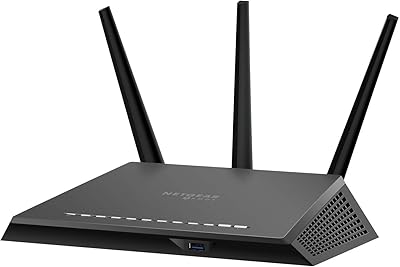
73%
78%
Wireless Range
61%
5 GHz Band Stability
84%
Setup & Ease of Use
88%
Wired Port Performance
72%
Value for Money
More
NETGEAR R6250 AC1600 Dual Band Wi-Fi Router
73%
91%
Ease of Setup
74%
Wi-Fi Performance
61%
Wi-Fi Range & Coverage
82%
Connection Stability
69%
Multi-Device Handling
More
NETGEAR WNDR3400 N600 Dual Band Wi-Fi Router
82%
85%
Performance
91%
Ease of Setup
87%
Dual-Band Performance
72%
Connection Stability
80%
Parental Controls
More
NETGEAR C6250 AC1600 Modem Router Combo
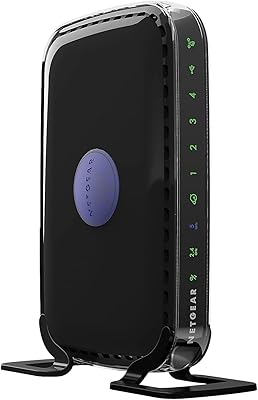
74%
84%
Value for Money
88%
Ease of Setup
71%
Wi-Fi Performance
82%
Modem Speed & Reliability
73%
Provider Compatibility
More
Netgear Nighthawk AX5200 Router
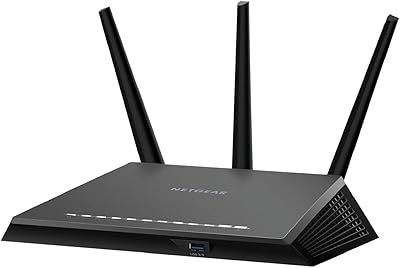
87%
92%
Wi-Fi Performance
89%
Range & Coverage
84%
Setup & Installation
88%
Reliability & Stability
91%
Gaming & Streaming Experience
More
NETGEAR Nighthawk R7350 AC2400 Wi-Fi Router
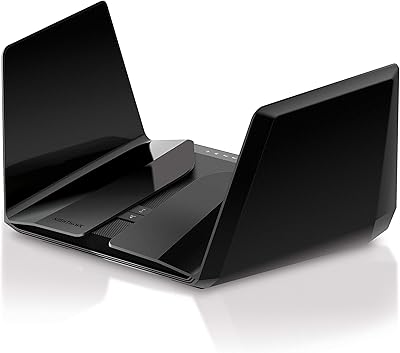
78%
88%
5GHz Performance
67%
2.4GHz Reliability
91%
Setup Experience
79%
Gaming Performance
73%
Coverage Range
More
Synology RT2600ac Wi-Fi Router
85%
88%
Performance
91%
Wi-Fi Speed & Coverage
80%
Setup & Installation
90%
Security Features
84%
Ease of Use
More

FAQ

It depends on where you buy it and what return policy is attached. The NETGEAR R7000P Nighthawk AC2300 Wi-Fi Router carries a certified refurbished designation, which means it has been tested and restored to working order — but cosmetic condition and accessory completeness can vary between units. A meaningful number of buyers receive hardware that looks and performs like new, while others get a unit with minor scuffs or a reset needed out of the box. The honest advice is to verify the return window before purchasing; if the unit arrives with any functional issues, having a clear return path matters a lot.

For single-story, open-plan homes in that range, the coverage is generally accurate. Where it tends to fall short is in multi-story homes, layouts with thick interior walls, or older construction with plaster and wire mesh — in those cases, real-world coverage is often closer to 1,400 to 1,600 sq ft. If your home has a challenging layout, consider where you place the router carefully; a central location elevated off the floor makes a meaningful difference.

Setup is genuinely one of the stronger points of this Nighthawk router. The Nighthawk app walks you through the process step by step, and most users report being fully connected in under ten minutes without ever opening a browser or reading the manual. The one caveat for refurbished units is to do a factory reset first if the router does not immediately enter setup mode — some units retain traces of a previous configuration that can cause confusion during the initial setup flow.

Armor is free for 30 days, and then it shifts to a paid subscription. This catches a lot of buyers off guard because the feature is prominently listed in the product description without the subscription requirement being equally obvious. The underlying security basics — WPA2 encryption, a double firewall, and DoS protection — remain active permanently at no cost. Armor adds a layer of device-level threat monitoring on top of that, which is the part that requires ongoing payment after the trial.

The NETGEAR Smart Parental Controls feature goes behind a subscription paywall after the 30-day trial. You will not lose access to basic router administration, but the per-device scheduling, content filtering, and usage reports that make parental controls genuinely useful are tied to the paid service. If parental controls are a primary reason you are buying this router, factor the subscription cost into your overall budget or research whether the free OpenDNS family shield integration covers your needs adequately as an alternative.

For a household in that range, the R7000P is generally up to the task — MU-MIMO allows it to serve multiple devices simultaneously rather than cycling through them one at a time, which is what makes a real difference at higher device counts. Where some buyers notice strain is when most of those devices are actively streaming or downloading at the same time, particularly on the 2.4 GHz band. Setting up Dynamic QoS to prioritize your most important traffic helps significantly if you hit that ceiling.

Yes, and it works reasonably well for casual use — browsing photos, playing music stored on the drive, or accessing documents remotely through the NETGEAR ReadySHARE feature. Where it hits a wall is with sustained large transfers, like backing up a full computer or editing video files directly from the drive; USB-attached storage over a router is just not fast enough for that kind of workload. For everyday household file sharing, though, it is a practical bonus that costs nothing extra to set up.

The R6900P is a step down — AC1900 speeds and slightly less coverage — which makes sense if your home is smaller or your device count is lower. The R7800 is a meaningful step up into AC2600 tri-band territory, which becomes worthwhile if you have a dedicated gaming setup, a heavy 4K streaming household, or genuinely push past 35 active devices regularly. The R7000P sits comfortably between them as the practical mid-range choice for most households that do not need tri-band separation.

It has happened to a portion of users, particularly around QoS and Smart Connect settings being reset after an update. It is not universal, but it is consistent enough to be worth knowing about. The practical mitigation is to screenshot or document your custom settings before updating, and to disable automatic firmware updates if you prefer to control the timing. Manual updates give you more control and let you check community forums for any reported issues with a specific firmware version before applying it.

The router works with virtually any ISP that provides a standard cable, DSL, or fiber modem with an Ethernet output — which covers the vast majority of residential setups in North America. You connect your ISP modem to the WAN port and the router handles everything from there. The only situation where you might hit a snag is if your ISP requires specific router authentication protocols, which is rare for residential customers but worth confirming with your ISP if you are on a business-grade connection.