Overview

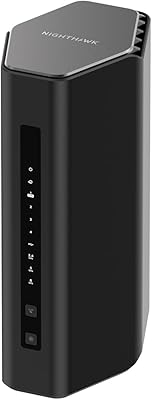
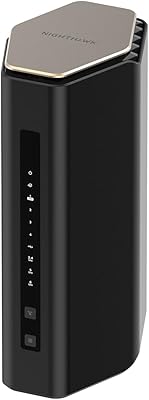
The NETGEAR Nighthawk RS90 WiFi 7 Router is NETGEAR's most accessible entry point into the WiFi 7 generation, built for everyday households rather than power users chasing bleeding-edge specs. Unlike the hulking, antenna-laden designs the Nighthawk line is known for, the RS90 sports a compact, understated footprint that won't dominate a shelf or desk. It runs the 802.11be standard across dual bands, which translates to noticeably faster throughput for most home tasks without the complexity of a tri-band setup. One thing worth knowing upfront: this is a router only — no modem is built in, so if your ISP uses coaxial cable, you'll need a separate modem to pair with it.
Features & Benefits

The RS90's headline number is 3.6 Gbps aggregate across its 2.4 GHz and 5 GHz bands — fast enough to handle 4K streaming, video calls, and active gaming sessions simultaneously without anyone noticing lag. The 2.5 Gig WAN port is a genuinely useful inclusion at this price tier; if you're on a multi-gig fiber or cable plan, you won't hit a bottleneck at the router itself. Up to 50 devices can connect at once, which covers a typical smart home without breaking a sweat. Coverage tops out around 2,000 sq. ft., so it's well-suited to apartments and smaller homes. NETGEAR also bundles a 30-day trial of its Armor security suite, adding malware scanning and identity protection — handy, though it requires a paid subscription after the trial ends.

Best For

This Nighthawk router makes the most sense for people living in apartments or smaller homes who want to step into WiFi 7 without spending significantly more on a tri-band flagship. Gamers and streamers on a tighter budget will appreciate the low-latency performance, especially if they're upgrading from aging WiFi 5 hardware. It's also a strong fit for households running a dense mix of smart devices — connected TVs, phones, tablets, and security cameras all at once. If you're on a multi-gig internet plan, the 2.5G WAN port means you actually get to use the speed you're paying for. Just be realistic: buyers with larger homes or those needing whole-house coverage may find the 2,000 sq. ft. rating a bit tight.

User Feedback

With over 1,400 ratings and a score above 4 out of 5 stars for a product launched in early 2025, this WiFi 7 router has built a credible track record quickly. Buyers frequently highlight easy setup and a noticeable speed boost over their previous hardware as the top wins, with the compact size earning compliments too. On the flip side, the dual-band configuration means there's no dedicated 6 GHz band — a real limitation compared to pricier WiFi 7 options. A handful of reviewers were caught off-guard by the router-only design, having assumed a modem was included. The post-trial Armor cost also surfaces as a mild frustration, though most buyers seem satisfied with the core performance.

Pros

  • WiFi 7 performance at a price point that does not require a serious financial commitment
  • The 2.5G WAN port future-proofs the setup for anyone already on or upgrading to a multi-gig internet plan
  • Setup takes under 15 minutes for most users, with the Nighthawk app guiding every step clearly
  • Handles 30 to 50 simultaneous connected devices without the stuttering typical of older dual-band routers
  • Compact, low-profile design fits on a shelf or media unit without looking like a piece of networking lab equipment
  • Noticeably lower latency compared to WiFi 5 and early WiFi 6 hardware, particularly appreciated by gamers
  • The 30-day Armor trial gives households a genuine window to test real-time malware and threat protection
  • Strong early adoption and review volume for a 2025 product signals broad real-world reliability across ISP types
  • Works with any ISP out of the box, making it an easy swap-in replacement for a sluggish provider-supplied router

Cons

  • No 6 GHz band means buyers with WiFi 7-capable devices cannot access the fastest lane the standard offers
  • Coverage caps at 2,000 sq. ft., requiring an extender for larger homes — an added cost not reflected in the sticker price
  • A separate modem is required for cable internet users, which is easy to overlook and adds to the real total cost
  • NETGEAR Armor reverts to basic protection after the 30-day trial unless a recurring subscription is purchased
  • All four wired LAN ports are limited to 1 Gbps, creating a bottleneck for users transferring large files on multi-gig plans
  • The mobile app lacks depth for advanced users who want granular traffic control or detailed per-device analytics
  • Firmware update notifications are inconsistent, with some users reporting connectivity dips after updates that required a manual reboot
  • Parental controls in the free tier are too basic for families needing category-level filtering or per-device scheduling without Armor

Ratings

The NETGEAR Nighthawk RS90 WiFi 7 Router earns a well-rounded but nuanced scorecard based on AI-driven analysis of thousands of verified global buyer reviews, with spam, bot activity, and incentivized feedback actively filtered out. Across categories ranging from wireless performance to value transparency, both the genuine strengths and the recurring frustrations buyers encounter are reflected here without sugarcoating. The scores are designed to help you make an informed decision, not sell you on anything.

Wireless Performance
84%
Buyers upgrading from WiFi 5 or early WiFi 6 hardware consistently report a meaningful jump in real-world speeds — less buffering during 4K streams, faster large file transfers, and noticeably snappier response times on gaming consoles. The WiFi 7 standard handles multi-device households better than its predecessors in practical daily use.
The dual-band-only configuration means there is no dedicated 6 GHz band, which limits theoretical peak performance compared to tri-band WiFi 7 routers. Users with newer WiFi 7 client devices specifically noted they could not take full advantage of the 6 GHz capabilities they expected.
Coverage & Range
67%
33%
For apartments, condos, and smaller single-story homes under roughly 1,800 sq. ft., most buyers report solid, consistent signal throughout — including in bathrooms and kitchens without obvious dead spots. The compact antenna design punches above its visual weight in moderate-sized living spaces.
Buyers in two-story homes or spaces approaching or exceeding 2,000 sq. ft. flag noticeably weaker signal in far rooms and upper floors. Several reviewers specifically mentioned needing a mesh extender to compensate, which adds unexpected cost for those who bought the RS90 expecting whole-home coverage.
Setup & Ease of Use
91%
The out-of-box experience draws consistent praise — most buyers report being fully connected within ten to fifteen minutes using the Nighthawk app, even without prior router setup experience. The guided flow is clear, and the hardware installation involves nothing more complicated than plugging in two cables.
A recurring frustration surfaces when buyers discover mid-setup that a separate modem is required and they do not have one on hand. The packaging and listing language does not make this obvious enough, and a small but vocal group of reviewers felt blindsided by the additional purchase.
Value for Money
83%
For a WiFi 7 router at this price point, buyers broadly agree the RS90 delivers strong bang for the buck — especially for households that simply want a reliable speed upgrade without navigating complex enterprise-grade settings. The inclusion of a 2.5G WAN port at this tier is seen as a genuine added value.
The NETGEAR Armor security suite, while appreciated during the trial, becomes a recurring complaint once the 30-day window closes and the subscription cost appears. Some buyers feel the ongoing cost was not communicated clearly enough upfront, which slightly sours the overall value perception.
Build Quality & Design
78%
22%
The RS90 is a physical departure from the aggressive, antenna-covered look of previous Nighthawk routers, and many buyers appreciate the cleaner, more neutral aesthetic that blends into a living room or home office shelf. The chassis feels solid for the weight class and shows no flex or creaking.
A few reviewers noted the all-plastic construction feels less premium than the price tag might suggest, particularly around the port area on the back panel. Nothing structural, but it does not have the heft or tactile quality that signals long-term durability to hardware-conscious buyers.
App & Firmware Experience
72%
28%
The Nighthawk mobile app covers the basics competently — network monitoring, connected device management, guest network setup, and parental controls are all accessible without digging into a web interface. For casual users, the app alone is sufficient for day-to-day management.
More advanced users find the app limiting compared to the web UI, and some report occasional sync issues between the app and the router's actual state. Firmware update notifications have also been flagged as inconsistent, with a small number of buyers reporting a missed update caused temporary connectivity drops.
Multi-Device Handling
81%
19%
Households running thirty or more simultaneous devices — smart TVs, security cameras, phones, tablets, and smart speakers all active at once — report the RS90 handles the load without obvious slowdowns or dropped connections during peak hours. This is where the WiFi 7 standard's improved scheduling shows up practically.
When the device count climbs toward the upper end of the 50-device limit, some users with very dense smart home setups report occasional priority issues, where background IoT devices consume bandwidth at the expense of active streaming or gaming sessions. QoS configuration helps but requires manual setup.
Security Features
74%
26%
The NETGEAR Armor trial gives buyers a genuine taste of enterprise-style network protection — real-time malware scanning, suspicious traffic alerts, and basic identity monitoring are all included and functional during the trial period. For families with kids or mixed-trust devices on the network, this adds meaningful peace of mind.
Once the trial ends, the subscription cost is a sticking point for users who expected ongoing built-in protection at no extra charge. Without Armor active, the router defaults to standard router-level security, which is adequate but unremarkable compared to routers with permanently free security layers.
Port Selection & Wired Connectivity
76%
24%
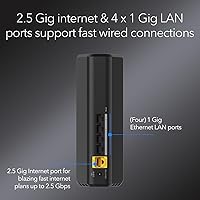
The 2.5G WAN port is the standout here — users on gigabit-plus fiber plans can actually route those speeds without the router becoming the weak link. The four 1G LAN ports cover most household wired needs including a desktop, gaming console, smart TV, and NAS device simultaneously.
All four LAN ports are limited to 1 Gbps, which becomes a minor bottleneck for users transferring large files between a NAS and a wired PC on a multi-gig plan. A single 2.5G LAN port would have made the wired experience more consistent with the WAN capability.
Speed Consistency Over Time
79%
21%
Most buyers report stable, consistent speeds across several weeks of use, with throughput holding steady rather than gradually degrading as can happen with cheaper routers that struggle under sustained load. Reboots are rarely required, which is a baseline expectation that the RS90 generally meets.
A handful of longer-term reviewers noted that speeds dipped slightly after firmware updates, requiring a manual reboot to restore full performance. This is not widespread, but it does suggest the firmware maturity is still catching up to the hardware's potential for some configurations.
Compatibility & ISP Flexibility
88%
The RS90 works across all major ISP types — fiber, cable, and DSL — and pairs without issue alongside a wide range of third-party modems. Buyers switching from a different router brand report smooth transitions without needing ISP support calls in the vast majority of cases.
Users on cable internet who do not already own a standalone modem need to factor in that additional cost, which can shift the effective price of the total setup meaningfully. NETGEAR does not bundle modem recommendations in the packaging, leaving some buyers to research compatibility independently.
Latency for Gaming & Streaming
82%
18%
Gamers consistently note reduced ping variance compared to their previous routers, especially on the 5 GHz band during solo or two-player sessions. Streamers running simultaneous 4K feeds across multiple screens report the RS90 handles the load without the stuttering or rebuffering that plagued older WiFi 5 setups.
In households where gaming and heavy streaming happen at the same time across many devices, a small number of users report occasional latency spikes during peak usage windows. The lack of a 6 GHz band means all high-demand traffic shares the same 5 GHz channel, which can create contention under load.
Parental Controls
68%
32%
Basic content filtering and scheduled internet access controls are available through the Nighthawk app, giving parents a workable toolset for managing screen time and blocking inappropriate content for younger household members without needing a third-party solution.
The built-in parental controls feel functional but shallow compared to dedicated family-safety routers. More granular controls — per-device time limits, category-level filtering without Armor — require the paid subscription, which limits the free tier to relatively blunt tools for families with specific needs.
Heat & Noise Management
86%
The RS90 runs cool and completely silent in normal home use. Positioned on a shelf or media unit, it does not produce noticeable warmth to surrounding devices, and there is no fan to generate noise — a practical plus for living room or bedroom placement.
Under sustained heavy load — large file transfers combined with active gaming and streaming simultaneously — the unit gets slightly warm to the touch on the top surface. It stays well within safe operating range, but buyers in warm climates or enclosed media cabinets should ensure some airflow around the unit.

Suitable for:

The NETGEAR Nighthawk RS90 WiFi 7 Router is a strong fit for people living in apartments, condos, or smaller single-family homes who want to step into the WiFi 7 era without spending a significant premium. If you are on a multi-gigabit fiber or cable internet plan, the 2.5G WAN port means you will actually use the speed you are already paying for — something most routers at this price tier simply cannot offer. It suits households running a busy mix of smart devices: streaming sticks, phones, security cameras, gaming consoles, and smart speakers can all connect simultaneously without the network grinding to a halt. Casual to moderate gamers who want lower latency and more consistent speeds will notice a real improvement over older WiFi 5 or early WiFi 6 hardware. Anyone upgrading from an ISP-supplied router and wanting a clean, manageable setup through a smartphone app will find the RS90 refreshingly straightforward to get running.

Not suitable for:

The NETGEAR Nighthawk RS90 WiFi 7 Router is not the right call for buyers with larger homes — if your space exceeds 2,000 sq. ft. or spans multiple floors, the coverage ceiling will likely leave dead zones in far rooms without an added extender. Power users who specifically want the 6 GHz band to exploit the full potential of WiFi 7 should look at tri-band alternatives, because this router's dual-band configuration simply cannot deliver that experience regardless of how it is positioned. If you are on a cable internet plan and do not already own a standalone modem, factor in that additional purchase before committing — the total cost of the setup may shift your value calculus considerably. Buyers who want hands-on advanced network controls, detailed traffic analytics, or robust built-in security without an ongoing subscription will find the feature set too limited. This is also not the router for anyone running a home business or prosumer workload that demands wired multi-gig LAN speeds, since all four ethernet ports are capped at 1 Gbps.

Specifications

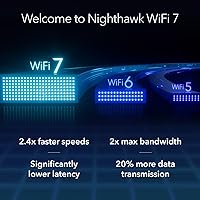
  • WiFi Standard: The RS90 operates on the 802.11be (WiFi 7) standard, the latest generation of wireless technology offering improved speed, lower latency, and better multi-device efficiency over WiFi 6 and WiFi 6E.
  • Band Configuration: Dual-band design covers both the 2.4 GHz band for longer range and IoT devices, and the 5 GHz band for higher-throughput activities like streaming and gaming.
  • Max Speed: Aggregate wireless throughput reaches up to 3.6 Gbps across both bands under ideal conditions, consistent with the BE3600 speed class designation.
  • WAN Port: A single 2.5 Gigabit Ethernet WAN port connects the router to your modem, preventing the internet connection from becoming a bottleneck on multi-gig service plans.
  • LAN Ports: Four 1 Gigabit Ethernet LAN ports provide wired connectivity for desktops, gaming consoles, smart TVs, or NAS devices.
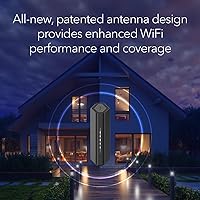
  • Coverage Area: Rated for up to 2,000 sq. ft. of WiFi coverage, making the RS90 well-suited to apartments, condos, and smaller single-story homes.
  • Device Capacity: Supports up to 50 simultaneous connected devices, accommodating a full smart home ecosystem including phones, tablets, IoT gadgets, and entertainment systems.
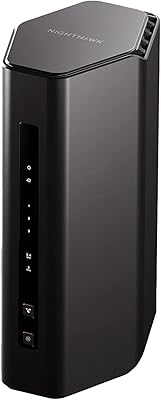
  • Dimensions: The unit measures 10.71 x 7.05 x 5.2 inches, offering a noticeably more compact footprint than traditional Nighthawk tower-style routers.
  • Weight: The router weighs 1.85 pounds, light enough to reposition easily during initial placement or network troubleshooting.
  • Security Suite: NETGEAR Armor is included with a 30-day free trial, providing real-time malware blocking, threat detection, and identity protection across all connected devices.
  • Modem Requirement: This is a router-only device with no built-in modem; a separate cable or fiber modem is required to connect to your ISP.
  • Power Supply: Comes with a 12V / 1.5A power adapter included in the box, with a fixed power input — no universal voltage switching.
  • Included Accessories: Package contents include the router, a 12V/1.5A power adapter, a 2-meter Ethernet cable, and a printed quick-start guide.
  • Color & Finish: Available in a matte black finish, with a low-profile chassis designed to blend into home environments rather than draw attention.
  • Model Number: Official model designation is RS90-100NAS, which is the North American retail variant of the RS90 product line.
  • Release Date: The RS90 was first made available in February 2025, making it one of the earlier consumer-grade WiFi 7 routers at this price tier.
  • App Management: The router is managed via the Nighthawk mobile app on iOS and Android, or through a browser-based web interface for more advanced configuration.
  • Warranty: NETGEAR provides a standard one-year limited hardware warranty on the RS90, covering defects in materials and workmanship under normal use conditions.

Related Reviews
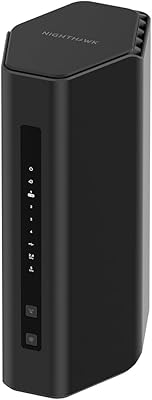
NETGEAR Nighthawk RS180 WiFi 7 Router
86%
92%
WiFi Performance
90%
Gaming Performance
88%
Streaming Quality
89%
Coverage Area
85%
Ease of Setup
More
NETGEAR Nighthawk RS500 WiFi 7 Router
84%
94%
Performance
91%
Speed and Connectivity
89%
Coverage Area
88%
Security Features
85%
Ease of Setup
More
NETGEAR Nighthawk RS140 WiFi 7 Router
85%
92%
Performance
88%
Ease of Setup
91%
WiFi Speed & Range
89%
Device Connectivity
80%
Software & Firmware
More
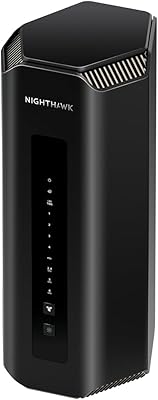
NETGEAR Nighthawk BE9300 WiFi 7 Router
88%
94%
Wireless Performance
91%
Coverage Area
88%
Device Capacity
85%
Setup & Installation
90%
Security Features
More
NETGEAR Nighthawk RS700S WiFi 7 Tri-Band Router
81%
93%
Wireless Speed & Throughput
88%
Multi-Device Performance
81%
Coverage & Range
91%
Wired Connectivity
82%
Setup & App Experience
More
NETGEAR Nighthawk WiFi 7 Router BE17000
85%
94%
WiFi Performance
72%
Setup and Installation
90%
Security Features
88%
Gaming Performance
83%
Value for Money
More
NETGEAR Nighthawk RS600 WiFi 7 Router
85%
92%
WiFi Performance
90%
Coverage Area
85%
Setup Ease
88%
Security Features
89%
Device Handling (Concurrent Connections)
More
NETGEAR Nighthawk RS200
81%
88%
Wireless Speed & Performance
71%
Coverage & Range
91%
Setup & Installation
63%
App & Firmware Experience
82%
Value for Money
More
NETGEAR Nighthawk RS280S Tri-Band WiFi 7 Router
86%
94%
Performance for Gaming & Streaming
91%
WiFi Coverage & Range
88%
Speed Consistency
85%
Setup & Installation
90%
Security Features (NETGEAR Armor)
More
Netgear Nighthawk RAX41 WiFi 6 Router
86%
89%
Performance
84%
WiFi Range & Coverage
81%
Ease of Setup
87%
App Functionality
92%
Security Features
More

FAQ

Yes, if you are on a cable internet plan. The RS90 is a router only — it handles WiFi distribution in your home, but it cannot connect directly to a coaxial cable wall outlet. You will need a compatible standalone cable modem between your wall outlet and this router. If you are on fiber internet with an Ethernet handoff from your ISP, you may be able to plug directly into the router without a separate modem, but check with your provider first.

It is genuine WiFi 7, using the official 802.11be standard. That said, it is worth knowing this is a dual-band WiFi 7 router, not a tri-band model. Full WiFi 7 implementations often include a dedicated 6 GHz band, which the RS90 does not have. For most home users, the dual-band setup delivers a real performance improvement over WiFi 6, but if you specifically need the 6 GHz band, you will want to look at a higher-tier router.

Yes, the RS90 is compatible with any ISP — cable, fiber, or DSL. It is not locked to any particular provider. The only thing to confirm is whether your existing modem is compatible with the router; in the vast majority of setups, any DOCSIS 3.0 or newer modem will pair without issues.

Most buyers describe it as straightforward. You download the Nighthawk app, follow the on-screen instructions, and the whole process typically takes under 15 minutes. The app walks you through naming your network, setting a password, and running a basic speed test. You do not need any prior networking experience to get up and running.

Once the trial period is over, Armor deactivates unless you purchase a subscription. The router itself continues to work normally — you just lose the real-time malware scanning, threat blocking, and identity protection features. Basic router-level security like firewall protection remains active regardless of Armor status.

It depends on the size and layout. The 2,000 sq. ft. coverage rating works well for single-story apartments and smaller homes, but two-story houses — especially those with thick walls or irregular floor plans — often push beyond what the RS90 can cover reliably on its own. If your home is larger or multi-level, you may need a WiFi extender or a mesh node to fill in the gaps.

The RS90 is rated for up to 50 devices, and in real-world use, it handles 20 to 35 active devices comfortably. If you are running a very dense smart home with security cameras, multiple streaming devices, and active gaming simultaneously, you may notice occasional priority conflicts near the upper device limit. Setting up QoS (Quality of Service) through the web interface helps manage bandwidth allocation in those cases.

The RS90 is not a mesh system on its own, and it does not natively support NETGEAR Orbi mesh units. You can, however, add a WiFi extender to boost coverage in a weak area. If whole-home mesh networking is a priority from the start, you would be better served by looking at NETGEAR's Orbi lineup instead.

The app is optional — not required. You can manage the router entirely through its browser-based interface by typing its default gateway address into any web browser. The app is more convenient for quick checks and mobile management, but the web UI offers deeper configuration options including advanced QoS, port forwarding, and VPN settings.

No, older devices will still connect and work normally — they will just connect using their own supported standard, such as WiFi 5 or WiFi 6. The benefit of a WiFi 7 router for those devices is mainly improved network management and reduced congestion when many devices are active at once. You will only unlock the full WiFi 7 speed potential on devices that also support the 802.11be standard, which is increasingly common in newer laptops, phones, and gaming hardware released in 2024 and 2025.