Overview

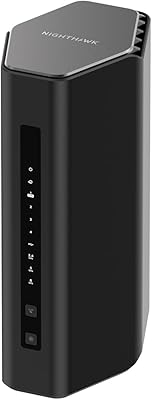
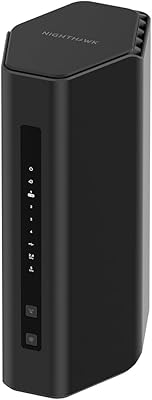
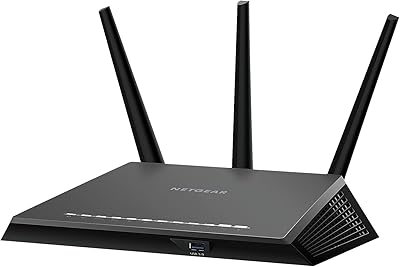
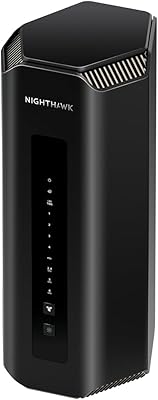
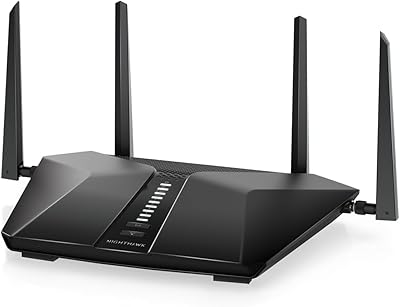
The Netgear Nighthawk R6700 AC1750 WiFi Router has been around since 2019, and while it predates the Wi-Fi 6 era by a couple of years, it remains a solid mid-range choice for households that need dependable coverage without overcomplicating things. The Nighthawk line sits in NETGEAR’s sweet spot — above their basic home routers but well below their performance-tier gear — and the R6700 reflects that balance well. You get dual-band 802.11ac connectivity that handles everyday browsing, HD streaming, and video calls without complaint. Just don’t expect it to keep up with multi-gig internet plans or a home packed with dozens of smart devices competing for bandwidth.
Features & Benefits

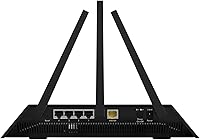
The R6700 covers the essentials well. Its four Gigabit Ethernet ports make wired connections straightforward for desktops, smart TVs, or gaming consoles, and the USB 3.0 port lets you plug in an external drive to share files across the network — a handy touch that budget routers often skip. Beamforming+ focuses the wireless signal toward connected devices rather than broadcasting blindly, which helps maintain consistency as you move around the home. NETGEAR bundles in Armor, a Bitdefender-powered security layer that monitors connected devices for threats, and Circle for parental controls with per-device time limits and content filtering. Setup runs through the Nighthawk app and takes most people under fifteen minutes.

Best For

This mid-range NETGEAR unit is genuinely well-matched to small or medium homes — think apartments, ranch-style houses, or single-story spaces up to around 1,500 square feet. If your household streams HD video on a few screens at once, browses, and handles the occasional video call, the R6700 won’t leave you wanting. It’s also a practical pick for parents: the built-in Circle integration handles content filtering and screen-time limits without requiring a separate subscription device. Where it makes less sense is in larger multi-story homes or for anyone whose ISP already delivers speeds well beyond a gigabit, where newer Wi-Fi 6 hardware would serve them considerably better.

User Feedback

Across 461 ratings, this Nighthawk router holds a 4.2 out of 5 average, which reflects a mostly satisfied user base with some consistent gripes worth knowing about. The praise tends to center on reliable daily performance, quick setup, and the reassurance of buying a recognized brand name. On the critical side, owners in larger or multi-floor spaces report that range falls short of expectations, and a number of long-term users mention the router feeling increasingly limited as their ISP speeds climb. The Armor security subscription is another sticking point — it’s free initially, but auto-renews at a cost that catches some buyers off guard. Firmware updates have occasionally introduced stability hiccups, though most report NETGEAR eventually addresses them.

Pros

  • Setup takes most users under fifteen minutes via the Nighthawk mobile app or a standard web browser.
  • Four Gigabit Ethernet ports provide reliable wired connections for smart TVs, consoles, and desktop computers.
  • Built-in Circle parental controls let parents manage screen time and content filtering per device without extra hardware.
  • Dual-band 802.11ac handles HD streaming on multiple devices simultaneously without noticeable slowdowns for most households.
  • The USB 3.0 port enables basic network-attached storage or shared printing, a useful addition at this tier.
  • Beamforming+ directs the wireless signal more precisely, improving consistency for devices spread across a home.
  • Holds a 4.2 out of 5 rating across 461 real buyers, reflecting solid satisfaction with everyday performance.
  • NETGEAR Armor delivers an active security layer that automatically scans connected devices for threats.
  • The R6700 carries well-established Nighthawk branding, backed by NETGEAR’s broad support documentation and firmware history.

Cons

  • Range noticeably degrades in multi-story homes or layouts exceeding around 1,500 square feet, creating frustrating dead zones.
  • NETGEAR Armor’s security features shift to a paid subscription once the initial free trial period expires.
  • Launched in 2019, this mid-range NETGEAR unit is a Wi-Fi 5 device with no Wi-Fi 6 support.
  • Households on internet plans above 1 Gbps may find this hardware becomes a real throughput bottleneck.
  • Some firmware updates have introduced temporary stability problems that required manual resets or downgrading to fix.
  • Long-term owners report the router aging out of practical usefulness faster than expected as ISP speeds climb.
  • High-density smart-home setups with dozens of simultaneously active devices tend to overwhelm the available bandwidth.
  • NETGEAR’s customer support responsiveness has drawn mixed feedback, making firmware-related issues harder to resolve quickly.

Ratings

The scores and analysis presented here for the Netgear Nighthawk R6700 AC1750 WiFi Router were generated by AI after processing hundreds of verified buyer reviews sourced globally, with bot activity, incentivized submissions, and spam systematically filtered out before any score was assigned. Both the consistent strengths that keep most owners satisfied and the recurring pain points that push buyers toward one-star reviews are transparently factored into every category rating. These numbers reflect what real households actually experience day to day — not a best-case lab scenario.
Setup & Ease of Use
88%
The Nighthawk app-guided setup is consistently praised by buyers who aren’t particularly tech-savvy — most report being fully online in under fifteen minutes without touching a single advanced setting. The WPS button also makes connecting compatible devices a one-press affair, which busy parents and first-time router buyers especially appreciate.
A vocal subset of users ran into frustration when attempting advanced configurations like port forwarding or custom DNS, finding the app too shallow for anything beyond the basics. The web-browser interface, while functional, feels noticeably dated compared to dashboards on newer competing routers.
Wi-Fi Range & Coverage
62%
38%
In single-story apartments and smaller homes, the R6700 delivers a consistent, wall-penetrating signal that keeps phones, laptops, and streaming devices connected without the annoying dropouts that ISP-provided gateways often cause. Users in compact spaces routinely report strong signal reaching every room without needing an extender.
Range limitations become a real and recurring complaint in two-story homes or layouts exceeding roughly 1,500 square feet, where dead zones on upper floors and at the far ends of hallways are well documented across buyer reviews. Those expecting whole-home coverage without supplementary hardware were regularly disappointed.
Connection Stability
83%
For day-to-day use — morning video calls, evening streaming sessions, background smart-home devices — the R6700 maintains a steady connection that the majority of owners rarely think about, which is exactly what you want from a home router. The dual-core processor keeps things smooth under moderate simultaneous loads.
A meaningful subset of owners experienced significant stability drops following certain firmware updates, requiring full factory resets to restore normal behavior — a disruptive problem for households depending on reliable connectivity for remote work. These episodes have appeared consistently enough across reviews to be a genuine pattern, not isolated incidents.
Wireless Speed Performance
74%
26%
In the real-world scenarios most households actually face — HD video on two or three screens, casual browsing, and background app updates — the R6700 delivers throughput that feels responsive and adequate. On the 5 GHz band, devices in close proximity to the router benefit from noticeably quicker transfer speeds.
The AC1750 rating is a theoretical ceiling, and real-world speeds on the 2.4 GHz band — used by most smart-home gadgets — are a fraction of that figure. On internet plans delivering 500 Mbps or above, users consistently report the router prevents them from extracting the full speed they’re paying their ISP for.
Value for Money
71%
29%
For buyers on sub-500 Mbps internet plans who want reliable coverage in a moderate-sized home, the R6700 offers a reasonable return — you get a recognized Nighthawk-tier feature set without paying for Wi-Fi 6 hardware that many households won’t meaningfully utilize for years. The bundled Circle trial adds genuine upfront value for families.
The value proposition erodes quickly for buyers with faster internet plans or larger homes, where the hardware’s age and range limits mean an upgrade arrives sooner than expected. Factor in the recurring Armor subscription cost after the free trial and the long-term price of ownership climbs higher than the sticker price suggests.
Security Features
67%
33%
NETGEAR Armor, powered by Bitdefender, provides meaningful protection by actively scanning connected devices for threats and flagging vulnerabilities — a level of built-in security most routers at this tier simply don’t include. During the free trial, families with many connected devices appreciated having a centralized threat monitor running passively in the background.
The subscription model is the core weakness here — once the trial ends, Armor auto-renews at an annual cost that a notable share of buyers didn’t anticipate and ultimately chose not to pay. Without an active subscription, the advanced scanning features are disabled entirely, leaving only basic router-level protection in place.
Parental Controls
79%
21%
Circle’s per-device management is a genuinely practical tool for families — you can assign content-category filters and daily screen-time budgets to each child’s tablet, phone, or laptop without purchasing any additional hardware. Parents managing busy multi-child households frequently cited this as the single most immediately useful feature in the package.
Older children comfortable with VPNs can bypass Circle’s filters with relative ease, which limits the feature’s effectiveness as kids get older and more tech-literate. Some parents also reported that the Circle app occasionally lost sync with the router after firmware updates, creating unintended gaps in content enforcement.
Build Quality & Design
82%
18%
The physical construction sits well above what you’d expect from a typical ISP-provided gateway — the chassis has no flex, ports are firmly seated, and the three external antennas articulate without feeling fragile. Owners who’ve run the unit continuously for multiple years rarely report signs of physical wear or port degradation.
The angular Nighthawk aesthetic works for a desk or utility-closet setup but looks out of place in living rooms or on shelving where buyers prefer something more discreet. The unit also runs moderately warm under sustained heavy load, which some owners note is a concern in poorly ventilated or enclosed spaces.
USB Storage Performance
63%
37%
The USB 3.0 port is a welcome addition at this tier, letting households plug in an external drive for basic file sharing across the home network — a practical option for users whose NAS needs are modest. Those transferring documents between Windows and Mac machines found the shared drive reliably accessible without additional configuration.
Transfer speeds through the USB port lag well behind what a dedicated NAS device delivers, and streaming high-bitrate video from an attached drive over Wi-Fi produces stuttering for many users. The feature works best as a light document-backup solution rather than a media server or large-file-transfer workhorse.
App & Interface Experience
77%
23%
The Nighthawk app handles everyday needs cleanly — network status, connected device list, guest network toggling, and basic speed tests are all reachable within a few taps. For the majority of buyers who just want to confirm things are running normally and restart the router remotely, it does the job without confusion.
Power users wanting granular control — detailed traffic logs, QoS prioritization, or advanced firewall rules — will find the app frustratingly shallow and end up in the web UI, which itself feels like it hasn’t received a meaningful design update in years. Occasional sync failures after router reboots have also drawn repeated complaints.
Long-Term Reliability
68%
32%
For a router that launched in 2019, the R6700 has held up reasonably well for owners on stable, moderate-speed internet plans — many report running it for three or more years without any hardware failure. The solid build quality contributes to this; the unit simply doesn’t appear prone to dying prematurely under normal home use.
The longer-term picture is where real concerns surface: as ISP speeds climb past 500 Mbps toward gigabit territory, this mid-range NETGEAR unit transitions from an asset into a bottleneck. Several owners who upgraded their internet plan found themselves immediately shopping for a replacement router just to take advantage of what they were already paying for.
Customer Support
58%
42%
NETGEAR’s online documentation and community forums are a legitimate self-service resource — detailed setup guides, firmware changelogs, and user-generated troubleshooting threads cover the most common issues owners encounter. Buyers comfortable with self-directed problem-solving found workable answers to most issues without ever needing to contact support directly.
Live support interactions have drawn consistently mixed feedback across buyer reviews — response times can stretch over multiple days, and some users report receiving generic troubleshooting scripts that don’t address the specific firmware issues that triggered their contact. Buyers who encountered hardware failures found the warranty claim process slow and at times inconsistent.
Firmware & Updates
61%
39%
NETGEAR has continued pushing firmware updates for the R6700 well past its initial release window, with security patches and bug fixes landing consistently over several years — a genuine sign of ongoing support for older hardware. Auto-update functionality means most owners never have to think about manually checking for or applying new firmware.
The problem is that several firmware releases have actively introduced instability — dropped connections, degraded Wi-Fi throughput, and in some cases a router that needed a full factory reset to recover normal function. This pattern has made a notable share of owners hesitant to allow automatic updates, which defeats the purpose of the feature entirely.
Device Capacity
72%
28%
For a typical home network — a couple of laptops, several phones, a smart TV, a handful of smart-home sensors, and a gaming console — the R6700 manages simultaneous connections without visible performance drag. Households at this device count consistently report no issues with dropouts or sluggish band handoffs under normal daily use.
Once the actively connected device count climbs past fifteen to twenty simultaneous heavy-use clients — common in smart-home-heavy or larger family setups — throughput per device drops noticeably and some clients begin experiencing intermittent disconnections. The dual-core processor simply doesn’t carry the headroom needed to handle a densely connected modern household at full load.

Suitable for:

The Netgear Nighthawk R6700 AC1750 WiFi Router is a strong match for renters and homeowners in smaller spaces — typically single-story layouts up to around 1,500 square feet — who want a dependable, straightforward connection for everyday tasks without the complexity of enterprise-grade hardware. If your household streams HD video on two to four devices at once, handles video calls from a home office, and keeps a reasonable number of phones and laptops connected, the R6700 manages that load without drama. Parents will find particular value in the built-in Circle app integration, which lets you set content filters and screen-time limits per device without purchasing separate hardware or a standalone parental-control subscription. It also makes practical sense for anyone still running an ISP-provided gateway router, since the jump in stability and configuration flexibility is immediately noticeable. And if your internet plan hasn’t yet pushed past a few hundred megabits, paying a premium for Wi-Fi 6 hardware is genuinely hard to justify when a proven option like this one still covers your real-world needs.
Not suitable for:

Buyers with larger homes — particularly two-story houses or open floor plans exceeding roughly 1,500 square feet — should look elsewhere, as the Netgear Nighthawk R6700 AC1750 WiFi Router draws consistent complaints about range limitations and dead zones in those environments. If your ISP already delivers speeds approaching or exceeding 1 Gbps, this hardware will likely become a throughput bottleneck before you ever extract full value from your plan. Serious gamers and households running a dense array of smart-home devices will bump into bandwidth ceilings faster than they’d like, making a more current Wi-Fi 6 platform a smarter long-term investment. Anyone who assumes the included NETGEAR Armor security suite is a permanent freebie should know upfront that it shifts to a paid subscription after the trial ends — an expense that genuinely surprises a meaningful share of owners. And if future-proofing your network matters to you, this mid-range NETGEAR unit simply wasn’t built for the Wi-Fi 6 standard that newer devices increasingly expect.

Specifications

  • Model Number: The official model identifier for this router is R6700-100PES.
  • Wireless Standard: It operates on the 802.11ac (Wi-Fi 5) standard across both available frequency bands.
  • Frequency Bands: The router runs dual-band simultaneously: 2.4 GHz rated up to 450 Mbps and 5 GHz rated up to 1,300 Mbps.
  • Combined Speed: The combined theoretical wireless throughput is rated at up to 1,750 Mbps under ideal lab conditions.
  • LAN Ports: Four Gigabit Ethernet LAN ports support wired device connections at up to 1 Gbps each.
  • WAN Port: One Gigabit Ethernet WAN port connects the router to a cable, DSL, or fiber modem.
  • USB Port: A single USB 3.0 port supports external storage devices or a shared network printer.
  • Processor: A dual-core 1.0 GHz processor manages simultaneous traffic across connected devices and both wireless bands.
  • Memory: The unit includes 256 MB of RAM and 256 MB of flash storage for firmware and configuration data.
  • Antennas: Three fixed external antennas provide omnidirectional coverage with Beamforming+ technology for directed signal delivery.
  • Dimensions: Physical dimensions are 11.02 x 7.09 x 1.97 inches (length x width x height).
  • Weight: The router weighs 2.86 pounds without packaging or additional accessories.
  • Security Suite: NETGEAR Armor, powered by Bitdefender, performs continuous device-level threat scanning and requires a paid subscription after the initial trial.
  • Parental Controls: Circle integration via the app enables per-device content filtering, daily time limits, and usage monitoring.
  • Setup Method: Initial configuration and ongoing network management are handled through the Nighthawk mobile app or any standard web browser.

Related Reviews
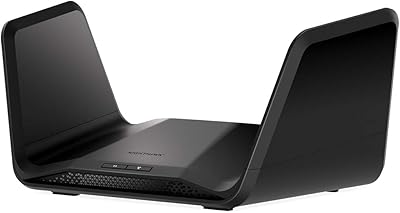
NETGEAR Nighthawk RAX54S
77%
83%
Wireless Performance
79%
Coverage & Range
88%
Setup & Ease of Use
76%
Gaming Performance (DumaOS 3.0)
81%
Security Features
More
NETGEAR Nighthawk RS600 WiFi 7 Tri-Band Router
81%
91%
Wireless Performance
76%
Coverage & Range
88%
Setup & Onboarding
67%
Value for Money
83%
Build Quality & Design
More
NETGEAR Nighthawk RS180 WiFi 7 Dual-Band Router
77%
86%
Wireless Performance
71%
Coverage & Range
83%
Value for Money
88%
Setup & Ease of Use
79%
Build Quality & Design
More
NETGEAR Nighthawk RAX70 WiFi 6 Router
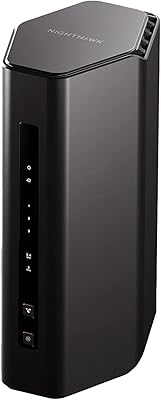
76%
83%
Wireless Performance
71%
Coverage & Range
86%
Multi-Device Handling
88%
Setup & App Experience
81%
Long-Term Reliability
More
NETGEAR R7000P Nighthawk AC2300 Wi-Fi Router
75%
83%
Wi-Fi Speed & Performance
78%
Coverage & Range
81%
Multi-Device Handling
88%
Setup & Ease of Use
71%
Build Quality & Design
More
NETGEAR Nighthawk RS90 WiFi 7 Router
79%
84%
Wireless Performance
67%
Coverage & Range
91%
Setup & Ease of Use
83%
Value for Money
78%
Build Quality & Design
More
NETGEAR Nighthawk RAX36 WiFi 6 Router
80%
86%
Wireless Performance
78%
Coverage & Range
91%
Setup & Ease of Use
83%
Device Load Handling
88%
Wired Connectivity
More
NETGEAR Nighthawk RAX120 AX6000 WiFi 6 Router
77%
88%
Wireless Performance
83%
Coverage & Range
86%
Multi-Device Handling
91%
Wired Connectivity
84%
Setup & Initial Configuration
More
NETGEAR Nighthawk RS500 WiFi 7 Tri-Band Router
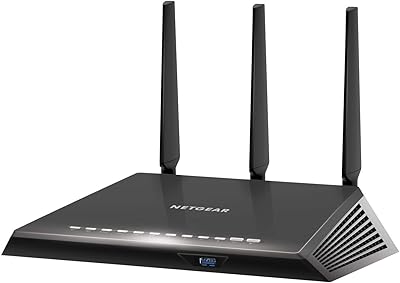
77%
88%
Wireless Performance
74%
Coverage & Range
83%
Setup & Ease of Use
67%
Value for Money
86%
Device Handling
More
NETGEAR Nighthawk RS700S WiFi 7 Tri-Band Router
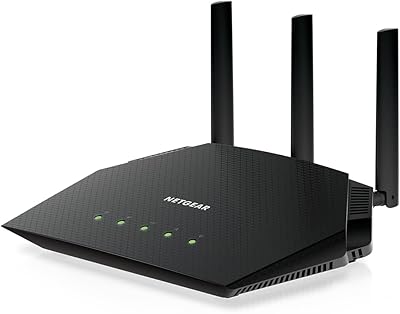
81%
93%
Wireless Speed & Throughput
88%
Multi-Device Performance
81%
Coverage & Range
91%
Wired Connectivity
82%
Setup & App Experience
More

FAQ

Setting up the Netgear Nighthawk R6700 AC1750 WiFi Router is genuinely one of its stronger points. The Nighthawk app walks you through each step in plain language, and most users report being fully connected in under fifteen minutes. You won’t need to touch any advanced settings unless you specifically want to.

In a single-story home or apartment up to around 1,500 square feet, the signal holds up well for most users. In two-story homes or larger open-plan layouts, expect weaker coverage toward the edges and upper floors. If your space is on the larger side, a Wi-Fi extender or a mesh system would serve you better.

Yes, and yes. Armor includes a free trial period, but it rolls into a paid annual subscription afterward and will auto-renew if you don’t cancel. Many buyers don’t realize this until they see a charge appear. You can cancel before the trial ends without losing any core router functionality.

For one or two 4K streams running simultaneously on a fast enough internet connection, the R6700 manages fine for most households. Where things get trickier is running three or four concurrent 4K streams while other devices are also active on the network. For a light 4K household it’s adequate; for a heavy one, you may notice occasional buffering.

In almost all cases, yes. The R6700 is a standard standalone router that works with any modem or ISP gateway exposing a Gigabit Ethernet WAN port. The only edge cases involve ISPs that require proprietary router hardware or specific GPON configurations, but for the vast majority of cable, DSL, and fiber subscribers using a separate modem, connection is plug-and-play.

Circle works through the router’s app and lets you build individual profiles for each device or family member. You can assign age-appropriate content filters by category and set daily time limits per profile. It’s not completely bypass-proof for older, determined kids, but for younger children it’s a practical tool that removes the need for a separate parental-control device.

Yes, the USB 3.0 port supports external drives formatted in FAT32 or NTFS, which other devices on the network can then access. Think of it as basic file-sharing rather than a full media server — it works well for transferring documents or backing up files across the household, but don’t expect the performance of a dedicated NAS device.

It genuinely depends on your situation. If your internet plan is below 500 Mbps and you have a typical mix of phones, laptops, and a smart TV, the R6700 covers those needs at a lower cost. If you’re on a gigabit plan, own newer Wi-Fi 6 devices, or have more than fifteen simultaneously active devices, the upgrade starts to make more practical sense. For most average households right now, the real-world daily performance gap is smaller than the spec sheets imply.

The R6700 handles a typical household of ten to fifteen simultaneously active devices fairly well. Pushing into twenty or more devices all streaming or downloading at the same time is where you’ll start to see degradation. Passively connected devices like smart speakers or idle phones have a much smaller impact than devices actively pulling heavy traffic.

This is a real issue some owners have experienced. Start with a factory reset, which clears configuration conflicts that an update can sometimes introduce. If the instability continues, NETGEAR’s support site typically makes previous firmware versions available for manual installation. Checking user forums is also worth doing quickly, since other owners tend to post reliable workarounds within a day or two of a problematic firmware release.