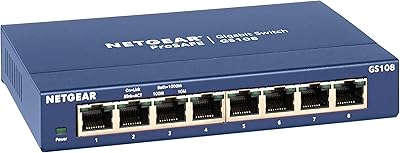
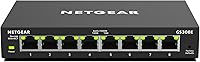
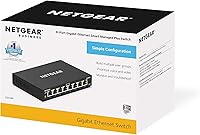
NETGEAR GS308E 8-Port Managed Network Switch


Overview
The NETGEAR GS308E 8-Port Managed Network Switch sits in an interesting middle ground — it gives you real network control without pushing you into the complexity or cost of a full enterprise system. Most unmanaged switches just pass traffic blindly; this smart switch lets you actually shape and secure it. The completely fanless design means you can tuck it into a media cabinet or mount it on a wall without ever hearing a sound. With over five thousand reviews skewing heavily positive, it has built a quiet but solid reputation among home lab builders and small office administrators alike.
Features & Benefits
The GS308E packs a Layer 2 smart management interface into a browser-based UI that is far more approachable than a CLI-driven enterprise switch. You get VLAN segmentation to isolate your IoT devices from your main network, QoS controls to keep your video calls crisp when the rest of the household is streaming, and IGMP snooping to keep multicast traffic tidy. Storm Control and Auto DoS protection run quietly in the background, adding a layer of defense that most basic switches simply do not offer. The switch also trims power on idle ports via IEEE 802.3az compliance, and a three-year hardware warranty rounds things out.
Best For
This managed Gigabit switch makes most sense for people who have outgrown a basic plug-and-play switch but are not ready to wrestle with a full enterprise system. Home lab enthusiasts will appreciate the VLAN support for network segmentation experiments. Anyone running VoIP lines or frequent video calls will find the QoS controls genuinely useful for keeping those streams prioritized. It also works well in noise-sensitive spots — a living room, a bedroom setup, or a quiet home office — where a fan-cooled switch would be intrusive. The included wall-mount hardware is a small but practical touch for anyone wanting a clean, cable-managed installation.
User Feedback
Owners of this smart switch frequently point to two things: the web interface is more intuitive than expected for a managed switch, and the silent operation genuinely delivers — several buyers mention placing it in living areas without any second thoughts. On the downside, a handful of users found the initial setup documentation thin, particularly those configuring a managed switch for the first time. A small number also reported minor hiccups getting it to cooperate with certain routers out of the box. That said, long-term reliability is a recurring theme — owners running it for years describe consistent uptime with no notable hardware issues.
Pros
- VLAN and QoS support gives real network control without requiring enterprise-level hardware or expertise.
- The browser-based management interface is notably approachable compared to CLI-driven alternatives in the same category.
- Completely fanless design runs in total silence, making it viable in living spaces and quiet work environments.
- Auto DoS protection and Storm Control add meaningful security layers that basic unmanaged switches simply lack.
- Energy-efficient IEEE 802.3az compliance trims power draw on inactive ports, reducing long-term running costs.
- Wall-mount hardware is included in the box — a small but genuinely useful touch for clean cable management.
- Long-term owners consistently report years of stable uptime with no hardware failures.
- A three-year limited warranty provides solid peace of mind at this product tier.
- At under two pounds and a compact footprint, it fits easily into tight spaces or travel setups.
- IGMP snooping keeps multicast traffic tidy, which matters for anyone running media servers or smart home devices.
Cons
- Setup documentation is thin and can leave first-time managed switch users searching for answers online.
- No PoE support means you cannot power access points, cameras, or VoIP handsets directly from this switch.
- A small number of users have reported compatibility friction with certain routers during initial configuration.
- Layer 2 only — anyone needing Layer 3 routing features will hit a hard ceiling quickly.
- Eight ports may feel limiting sooner than expected in growing home labs or expanding small offices.
- The web management interface, while functional, lacks the polish of more premium managed switch software.
- No dedicated mobile app for management; configuration requires a browser on a connected device.
- Firmware update process has been flagged by some users as less straightforward than it should be.
Ratings
The NETGEAR GS308E 8-Port Managed Network Switch has been scored by our AI system after analyzing thousands of verified global buyer reviews, with spam, bot-generated, and incentivized submissions actively filtered out before any scoring was applied. The results reflect a balanced picture — real strengths in reliability and silent operation, alongside honest friction points around documentation and setup experience. Every score below, high or low, is grounded in patterns found across authentic user feedback.
Reliability & Uptime
Silent Operation
Ease of Setup
Web Management Interface
Value for Tier
Build Quality
Port Performance
Energy Efficiency
Documentation & Support Resources
Mounting & Placement Flexibility
Compatibility
Firmware & Updates
Noise Sensitivity Suitability
Warranty & After-Sales
Suitable for:
The NETGEAR GS308E 8-Port Managed Network Switch is a strong fit for anyone who has hit the ceiling of what a basic unmanaged switch can do but does not want to invest in — or manage — full enterprise-grade hardware. Home lab enthusiasts will find the VLAN support particularly useful for segmenting networks, isolating IoT devices, or experimenting with traffic routing without needing a rack-mounted behemoth. Small home offices and micro-businesses running VoIP lines or frequent video calls benefit directly from the QoS controls, which let you prioritize those streams over background downloads or media playback. The completely silent fanless design also makes it a practical choice for noise-sensitive environments — think a living room entertainment setup, a bedroom workstation, or a small open-plan office where fan noise would be noticeable. If you want wall-mount tidiness or just a compact desktop unit that stays out of the way, the hardware and footprint support both without fuss.
Not suitable for:
The NETGEAR GS308E 8-Port Managed Network Switch is not the right tool for every situation, and it is worth being honest about where it falls short. If your network demands advanced routing, dynamic routing protocols like OSPF or BGP, or deep Layer 3 functionality, this switch simply does not go there — it is a Layer 2 device with smart features, not a full managed system. Buyers who have never configured a managed switch before may find the initial learning curve steeper than expected; the bundled documentation has drawn criticism for being sparse, and troubleshooting router compatibility issues can frustrate less experienced users. Larger deployments needing more than eight ports will need to look at higher-port-count models or stack multiple units, which adds cost and management overhead. Anyone requiring Power over Ethernet to run access points, IP cameras, or VoIP phones directly from the switch will also need to look elsewhere, as this model offers no PoE capability whatsoever.
Specifications
- Ports: The switch provides 8 x Gigabit Ethernet ports supporting 10/100/1000 Mbps speeds on all ports.
- Management Type: It uses NETGEAR Smart Plus (Layer 2) management, accessible through a browser-based graphical interface with no software installation required.
- VLAN Support: Basic IEEE 802.1Q VLAN configuration is supported, allowing network segmentation across connected devices.
- QoS: Quality of Service (QoS) traffic prioritization is built in, enabling users to prioritize latency-sensitive traffic such as VoIP or video conferencing.
- IGMP Snooping: IGMP snooping is supported to manage and optimize multicast traffic across the network, reducing unnecessary load on non-participating ports.
- Storm Control: Storm Control is included to protect the network from broadcast, multicast, and unicast traffic storms that could degrade performance.
- DoS Protection: Automatic Denial-of-Service (Auto DoS) protection monitors and blocks common attack patterns without requiring manual configuration.
- Cooling Design: The switch uses a fully fanless, passive-cooling design that produces zero audible noise during operation.
- Energy Efficiency: The hardware is IEEE 802.3az (Energy Efficient Ethernet) compliant, automatically reducing power consumption on inactive or low-utilization ports.
- Mounting Options: Both desktop and wall-mount installation are supported, with all necessary mounting hardware included in the box.
- Dimensions: The unit measures 12.99 x 7.87 x 1.57 inches, making it compact enough for most desktop setups or shallow wall installations.
- Weight: The switch weighs 1.68 pounds, keeping it lightweight enough for wall mounting without heavy-duty fixings.
- Color: The unit ships in a solid black finish with a low-profile plastic and metal composite housing.
- Interface: Network management is handled entirely through a browser-based UI accessible from any device connected to the local network.
- Warranty: NETGEAR backs this switch with an industry-standard 3-year limited hardware warranty covering manufacturing defects.
- Power Input: The switch operates via an included external power adapter; no PoE output is available on any port.
- Switching Capacity: The GS308E provides a non-blocking switching fabric sufficient to support wire-speed throughput across all 8 Gigabit ports simultaneously.
- MAC Address Table: The switch supports a MAC address table of up to 4,000 entries, suitable for small to mid-size home and office deployments.
Related Reviews
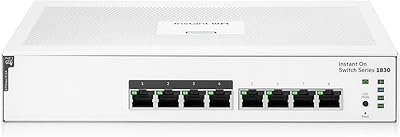
HPE Instant On 1830 8-Port PoE Switch
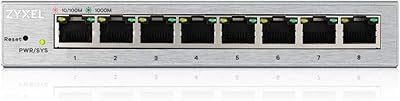
Zyxel GS1200-8 8-Port Gigabit Managed Switch
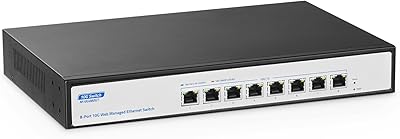
YuLinca 8-Port 10G Managed Network Switch
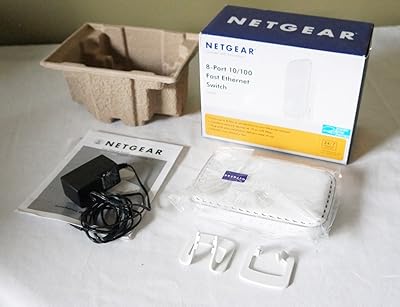
NETGEAR FS608 8-Port Fast Ethernet Switch
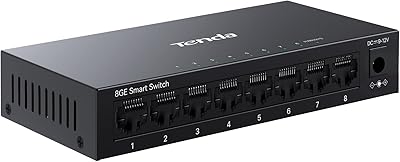
Tenda TEG208E 8-Port Managed Gigabit Switch
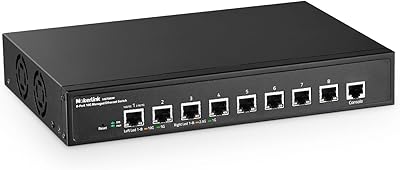
MokerLink 8-Port 10G Managed Ethernet Switch
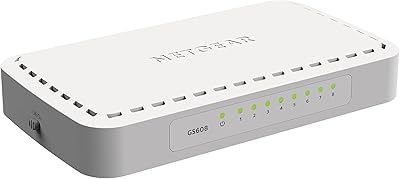
NETGEAR GS608 8-Port Gigabit Ethernet Switch
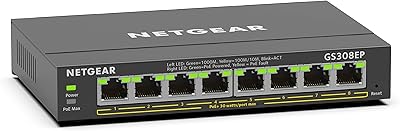
NETGEAR GS308EP
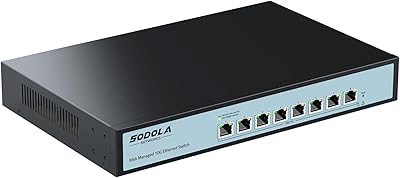
SODOLA 8 Port 10Gb Easy Web Managed Switch