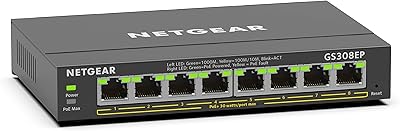
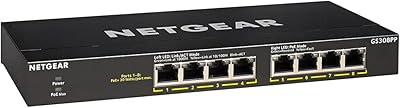
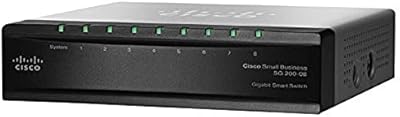
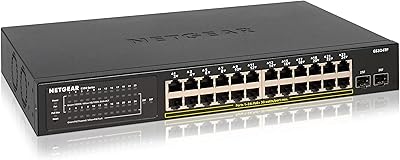
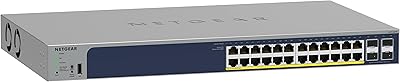
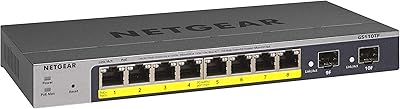
Overview

The NETGEAR GS108Tv3 8-Port Gigabit Smart Switch sits in an interesting spot — it's built for small business owners and home lab users who've outgrown a basic unmanaged switch but aren't ready to invest in full enterprise hardware. You get real Layer 2/L2+ managed features in a compact, fanless chassis that fits on a desk or mounts flush to a wall. NETGEAR also includes Insight cloud management, which sets this smart switch apart from similarly priced competitors. That said, if you just need to plug in eight devices with no configuration involved, this is probably more switch than you need.
Features & Benefits

All eight ports run at full gigabit speeds, and a dedicated PD port lets the switch itself receive power over Ethernet — though it's worth stressing that this port does not supply PoE to connected devices. The managed feature set is where the GS108Tv3 earns its keep: you get advanced 802.1Q VLAN segmentation, QoS prioritization, IGMP snooping, Link Aggregation, and IPv6 support out of the box. The NETGEAR Insight app adds optional cloud management, letting you configure and monitor the switch remotely without being on-site. Fanless cooling keeps things completely silent, and IEEE 802.3az support trims idle power consumption — both practical wins for always-on deployments.

Best For

This managed gigabit switch is a natural fit for small business network setups where VLAN separation between departments — or between guest and internal traffic — is a real requirement. Home lab users who want to practice L2 switching concepts without spending on rack-mount gear will find it well-suited too. IT admins managing multiple small sites remotely will appreciate the Insight cloud dashboard. It also works well as a first managed switch for anyone stepping up from a simple plug-and-play device and wanting to learn proper network segmentation. The completely silent fanless design makes it a practical choice wherever noise matters — a home office, a media cabinet, or a classroom.

User Feedback

Across a large pool of long-term owners, the GS108Tv3 earns consistently positive marks for its straightforward initial setup — notably easier than many competing managed switches at this price point. The Insight app gets praise for remote convenience, though some users object to the mandatory account registration it requires. The plastic housing divides opinion: most accept it as adequate for a desktop unit, but buyers familiar with metal-chassis alternatives sometimes find it underwhelming. A recurring frustration worth flagging is the PD port — a number of reviewers expected to power devices from it and discovered too late that it only receives power. Firmware updates are generally smooth, but occasional compatibility hiccups with third-party equipment do surface in the more critical reviews.

Pros

  • Full gigabit speeds on all eight ports with no performance compromises under normal small office loads.
  • Advanced VLAN, QoS, and IGMP snooping features are genuinely accessible without enterprise-level complexity.
  • Completely fanless operation makes this smart switch ideal for noise-sensitive spaces like home offices and classrooms.
  • NETGEAR Insight cloud management lets IT admins handle remote configuration without an on-site visit.
  • Compact dimensions and an included wall-mount kit make installation flexible in tight or unconventional spaces.
  • IEEE 802.3az energy efficiency reduces idle power draw in always-on deployments over the long run.
  • Link Aggregation and IPv6 support add real future-proofing at a mid-range price point.
  • The limited lifetime hardware warranty with next-business-day replacement provides meaningful coverage for business-critical use.
  • Long-term owners report strong multi-year reliability with very few hardware failure incidents.
  • The GS108Tv3 delivers a legitimate managed feature set that clearly outperforms any unmanaged switch at a comparable price.

Cons

  • The PD port is a persistent source of buyer confusion — it receives PoE power only and cannot supply it to connected devices.
  • The Insight app requires a NETGEAR account, which is a dealbreaker for privacy-conscious or offline-only deployments.
  • The plastic chassis feels noticeably less premium than metal-bodied competitors available at similar prices.
  • Eight ports fills up quickly in mixed-device environments, often forcing an unplanned second switch purchase.
  • The local web GUI looks dated and has reported browser compatibility quirks with certain Chrome versions.
  • Some firmware updates have temporarily broken compatibility with third-party equipment or reset custom configurations.
  • No rack-mount option exists, limiting installation choices in structured wiring closets or server rooms.
  • Full L3 routing is not supported — users needing inter-VLAN routing at scale will need additional hardware.
  • Thermal management in enclosed or warm cabinets is entirely the buyer's responsibility with no active cooling available.
  • Remote management depends on NETGEAR maintaining the Insight cloud service — a long-term platform risk worth considering.

Ratings

The NETGEAR GS108Tv3 8-Port Gigabit Smart Switch has been scored by our AI system after processing thousands of verified global buyer reviews, with spam, bot-generated, and incentivized feedback actively filtered out. Scores reflect real-world usage patterns across small business deployments, home labs, and quiet office environments. Both the standout strengths and the recurring frustrations are transparently baked into every number below.
Ease of Setup
83%
Most buyers — even those with limited managed-switch experience — report getting VLANs and QoS configured within an hour using the web interface. Compared to similarly priced managed switches from other brands, the initial setup process draws consistent praise for being approachable without sacrificing depth.
A subset of users who came from purely unmanaged switches found the learning curve steeper than expected, particularly around VLAN tagging concepts. The documentation included in the box is minimal, and a few reviewers had to rely on third-party guides to complete their configurations.
Network Feature Depth
91%
For the price tier, the feature set is genuinely impressive — 802.1Q VLAN segmentation, QoS, IGMP snooping, Link Aggregation, and IPv6 support cover the vast majority of real-world small business and home lab requirements. Users routinely note that this smart switch punches well above its weight compared to unmanaged alternatives.
Those pushing into more advanced L3 routing territory will hit the ceiling fairly quickly, as the L3 Lite designation means full static routing capabilities are limited. Enterprise network admins expecting CLI-level control will find the web-only interface restrictive.
NETGEAR Insight App
74%
26%
Remote management via the Insight app is genuinely useful for IT admins overseeing multiple small sites — being able to check port status, push config changes, or reboot the switch from a phone without driving to the location saves real time. The mobile interface is clean and functional for day-to-day monitoring tasks.
A notable portion of users dislike that Insight requires creating and maintaining a NETGEAR account, which some see as an unnecessary privacy and dependency concern. Others report occasional sync delays between app changes and actual switch behavior, and a few experienced login issues after firmware updates.
Build Quality
67%
33%
The chassis is compact and light enough to tuck almost anywhere — on a shelf, mounted to a wall, or sitting behind a monitor. For the environments most buyers deploy it in, the plastic enclosure does its job without complaint, and the port layout is clean with no awkward cable-crowding.
Users familiar with metal-chassis switches at similar price points consistently find the plastic housing underwhelming. It feels less durable under the hand, and a few long-term owners noted minor cosmetic warping over time in warmer network closets — nothing that affected performance, but noticeable.
Silent Operation
96%
The completely fanless design is one of the most consistently praised aspects across all buyer segments. Home office users, teachers, and media room builders specifically call it out as a deciding factor — zero fan noise means zero distraction in quiet environments, which is exactly what this form factor promises.
In very warm installations — inside a tight AV cabinet or a poorly ventilated closet — a small number of users reported the unit running hot to the touch. There are no active cooling options, so thermal management in enclosed spaces is entirely on the buyer to plan for.
Port Count and Layout
81%
19%
Eight gigabit ports hit the sweet spot for a small office segment switch or a secondary home lab switch without feeling cramped. The physical port spacing is generous enough that most standard patch cables sit comfortably without blocking adjacent ports.
Eight ports fills up faster than expected once you start connecting access points, NAS drives, IP cameras, and workstations simultaneously. Several buyers ended up daisy-chaining a second switch sooner than anticipated, which they felt should have been signaled more clearly in the product positioning.
PD Port Clarity
44%
56%
For buyers who specifically need a switch that can be powered via PoE from an upstream injector or PoE-capable switch, the PD port is a legitimate convenience — it removes the need for a local power outlet and simplifies cable runs in tight installations.
This is the single most common source of buyer disappointment. A significant number of purchasers assumed the PD port supplied PoE power to connected devices and returned the unit after discovering it only receives power. The product listing language does not make this distinction obvious enough, and it generates repeated frustration in reviews.
Value for Money
86%
At its price point, getting true managed Layer 2/L2+ capabilities plus cloud management in a compact, silent package is hard to match from major brands. Home lab users and small business owners consistently describe it as the most cost-effective way to add real network segmentation without jumping into enterprise hardware budgets.
A handful of buyers found comparable import-brand managed switches offering similar port counts and VLAN support for noticeably less, which puts marginal pressure on the price justification. Those who experienced firmware issues or Insight app problems also tended to reassess the value proposition more critically.
Firmware Stability
72%
28%
The majority of long-term owners report the firmware running reliably across months or years of continuous uptime without spontaneous reboots or configuration loss. NETGEAR does push updates, and most apply cleanly through the web interface without disrupting network operation.
A recurring thread in the critical reviews involves firmware updates causing temporary incompatibilities with certain third-party equipment or resetting custom configurations. A small but vocal group encountered persistent issues with specific firmware versions that took multiple update cycles to resolve.
Remote Management
77%
23%
Being able to remotely access, monitor, and reconfigure the switch through a browser or mobile app is a meaningful capability upgrade over web-only local-access switches. IT managers handling multiple branch locations specifically value this for reducing on-site visits.
Remote management is entirely tied to the Insight cloud platform, meaning if NETGEAR ever discontinues or degrades the service, remote access disappears with it. Some buyers are uncomfortable with that dependency, and local-only management still requires navigating an older-style web GUI that feels dated compared to modern alternatives.
Energy Efficiency
88%
IEEE 802.3az compliance means the switch actively scales power consumption down on ports that are idle or carrying light traffic. In always-on small office deployments, buyers note this contributes to meaningfully lower energy draw compared to older non-EEE switches running 24/7.
The efficiency gains are most noticeable in mixed-use environments where several ports sit idle for extended periods. In a fully saturated eight-port deployment with constant throughput, the power savings become negligible and some users felt the efficiency benefit was overstated in marketing.
Mounting Flexibility
82%
18%
The included wall-mount kit is a practical touch that many competitors leave out of the box at this price. Being able to mount it flat against a wall or inside a wiring closet without additional hardware purchases is a genuine convenience for clean installations.
The wall-mount ears feel slightly flimsy given the plastic construction, and a few users preferred not to trust them in vertical installations with multiple thick cables putting lateral stress on the unit. Rack-mount options are not available for this form factor, which limits it to desktop or wall-surface deployments only.
Long-Term Reliability
89%
The limited lifetime hardware warranty backs up what owners generally experience — many users report units running continuously for three or more years without hardware failure. The next-business-day replacement policy provides genuine peace of mind for small businesses that cannot afford extended network downtime.
A small percentage of units exhibited early port failure or inconsistent link speeds, particularly on one or two specific ports. While NETGEAR's warranty support is generally reported as responsive, the RMA process requires some patience and does not always result in same-model replacements.
Web Management Interface
71%
29%
All core managed features are accessible through the local web GUI without requiring any additional software installation. Users who prefer keeping their switch management entirely local and offline can do so without touching the Insight platform at all, which is a meaningful option for security-conscious deployments.
The web interface design looks and feels dated compared to what newer competitors offer. Navigation between feature sections is not always intuitive, and a few users reported browser compatibility quirks — particularly with certain versions of Chrome — where settings pages rendered incorrectly or failed to save changes on the first attempt.

Suitable for:

The NETGEAR GS108Tv3 8-Port Gigabit Smart Switch is a strong fit for small business owners who need real network segmentation — think separating guest Wi-Fi from internal traffic, or isolating VoIP from general data — without investing in full enterprise hardware or hiring a dedicated network engineer. Home lab enthusiasts who want to learn and practice 802.1Q VLANs, QoS policies, and Link Aggregation on a budget will find it a capable and affordable platform. IT administrators responsible for multiple small remote sites will appreciate the Insight cloud management option, which makes it possible to monitor and push configuration changes without being physically on-site. The completely fanless design makes it a practical pick for home offices, media rooms, classrooms, or any environment where a spinning fan would be an unwelcome presence. Users stepping up from a basic unmanaged switch for the first time will generally find the web interface approachable enough to get core features running without needing deep networking expertise.

Not suitable for:

The NETGEAR GS108Tv3 8-Port Gigabit Smart Switch is not the right tool for anyone who needs to power devices like IP cameras, access points, or VoIP phones directly from the switch — the PD port only allows the switch itself to receive PoE power from an upstream source, and no port on this unit supplies PoE output to connected equipment. Buyers who need more than eight ports from a single unit will likely outgrow it faster than expected, particularly in small offices where workstations, a NAS, a printer, and one or two access points can consume all available ports in minutes. Network professionals who rely on CLI access or expect RADIUS authentication, advanced L3 routing, or granular security features typical of enterprise-grade hardware will hit its ceiling quickly. Anyone uncomfortable with cloud platform dependencies should also weigh the fact that remote management is tied exclusively to NETGEAR's Insight service, which requires account registration. Finally, buyers who prioritize a premium physical build or a metal chassis — especially for rack-mount environments — will need to look elsewhere, as the plastic enclosure and desktop-only form factor are a real limitation in more demanding installation contexts.

Specifications

  • Ethernet Ports: The switch provides 8 x Gigabit Ethernet ports, each supporting data transfer rates up to 1000 Mbps.
  • PD Port: One dedicated PD (Power Device) port allows the switch itself to receive PoE power from an upstream source; it does not supply PoE to connected devices.
  • Management Type: Managed via a local web GUI (Smart management) and optionally through the NETGEAR Insight cloud platform accessible via browser or mobile app.
  • Switching Layer: Operates at L2, L2+, and L3 Lite, supporting advanced Layer 2 features with limited Layer 3 functionality.
  • VLAN Support: Supports advanced 802.1Q VLAN configuration for network segmentation and traffic isolation.
  • QoS: Quality of Service (QoS) prioritization is supported, enabling traffic management for latency-sensitive applications such as VoIP or video streaming.
  • IGMP Snooping: IGMP snooping is supported to optimize multicast traffic distribution across the network.
  • Link Aggregation: Link Aggregation (802.3ad LACP) is supported, allowing multiple ports to be bonded for increased bandwidth and redundancy.
  • IPv6 Support: Full IPv6 compatibility is included, ensuring readiness for modern and future network addressing requirements.
  • Cooling System: The switch uses completely fanless passive cooling, producing zero fan noise during operation.
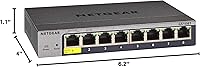
  • Dimensions: Physical dimensions measure 6.2″ L x 4″ W x 1.1″ H, making it suitable for desktop or wall-mount installations.
  • Weight: The unit weighs 15.2 ounces, making it lightweight enough for wall-mount deployment without structural concerns.
  • Power Supply: Powered by an included 12V 1.0A external power adapter; the PD port offers an alternative PoE-based power input.
  • Energy Efficiency: Compliant with IEEE 802.3az (Energy Efficient Ethernet), automatically reducing power consumption on low-traffic or idle ports.
  • Casing Material: The enclosure is constructed from plastic, keeping the unit lightweight but less robust than metal-chassis alternatives.
  • Mounting Options: Supports both desktop flat placement and wall mounting via the included wall-mount kit.
  • Warranty: Covered by a Limited Lifetime Hardware Warranty with next-business-day replacement and access to 24/7 NETGEAR expert chat support.
  • Availability: This product is designed and warranted for use in the United States and Canada only.

Related Reviews
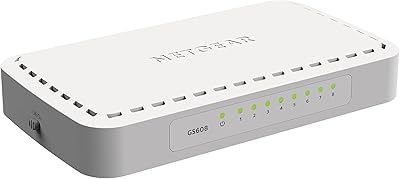
NETGEAR GS608 8-Port Gigabit Ethernet Switch
83%
97%
Ease of Setup
91%
Network Performance
94%
Silent Operation
67%
Build Quality
83%
Value for Money
More
NETGEAR GS308EP
NETGEAR GS308EP
81%
88%
PoE+ Performance
91%
Ease of Setup
74%
Build Quality
82%
Network Management Features
93%
Value for Money
More
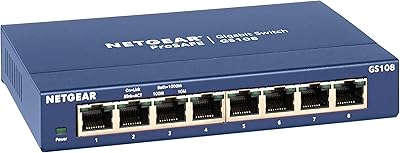
NETGEAR GS108 8-Port Gigabit Ethernet Switch
82%
97%
Ease of Setup
93%
Reliability & Longevity
88%
Build Quality
91%
Value for Money
89%
Port Performance
More
NETGEAR GS108PP 8-Port Gigabit Ethernet PoE+ Switch
88%
95%
Ease of Setup
90%
PoE Performance
88%
Reliability
92%
Noise Level
87%
Build Quality
More
NETGEAR GS308PP 8-Port PoE+ Gigabit Ethernet Switch
85%
93%
Setup & Installation
88%
Performance & Reliability
90%
PoE+ Functionality
84%
Build Quality & Design
91%
Noise Level (Fanless Design)
More
Cisco SG200-08 8-port Gigabit Smart Switch
84%
92%
Ease of Setup
89%
Value for Money
87%
Performance for Small Networks
84%
Power over Ethernet (PoE) Capability
93%
Quiet Operation (Fanless Design)
More
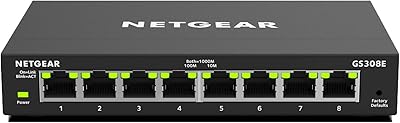
NETGEAR GS308E 8-Port Managed Network Switch
81%
93%
Reliability & Uptime
96%
Silent Operation
67%
Ease of Setup
78%
Web Management Interface
88%
Value for Tier
More
NETGEAR GS110TP 8-Port PoE+ Gigabit Smart Switch
83%
88%
PoE Reliability
83%
Build Quality
79%
Web Management Interface
61%
NETGEAR Insight Cloud App
74%
VLAN & Segmentation
More
NETGEAR GS728TP 28-Port PoE Gigabit Ethernet Smart Switch
86%
88%
Overall Performance
92%
Value for Money
85%
Ease of Setup
91%
PoE+ Functionality
89%
Quiet Operation
More
NETGEAR GS324TP 26-Port PoE Gigabit Ethernet Smart Switch
84%
94%
PoE+ Performance
86%
Ease of Setup
91%
Energy Efficiency
89%
Connectivity and Uplink Speed
85%
Build Quality
More

FAQ

No, and this is the most important thing to clarify before buying. The GS108Tv3 has one PD port, which means it can receive PoE power from an upstream switch or injector to power itself — but none of the ports on this switch deliver PoE power to connected devices. If you need to power cameras, access points, or VoIP phones directly from the switch, you will need a PoE-capable model.

Not for basic local management. The switch has a built-in web GUI that you can access from any browser on your network without creating any account. The NETGEAR Insight app — which adds remote cloud management — does require account registration. If you prefer to keep things entirely local and offline, you can simply ignore Insight and manage everything through the local interface.

It has a gentler learning curve than many competing managed switches at this price, but it does require some basic networking knowledge — particularly around VLAN concepts and port tagging. Most users with a moderate networking background get core features running within an hour. If you are brand new to managed switches, budget some extra time and expect to consult a few online guides or YouTube walkthroughs.

No, the GS108Tv3 is designed for desktop or wall-mount deployment only. There is no rack-mount option or compatible rack-mount kit for this particular model. If you need rack-mount installation, you will need to look at NETGEAR's ProSafe rack-mount lineup instead.

Completely silent. The switch uses passive fanless cooling with no moving parts, so it produces zero fan noise. This makes it a practical choice for home offices, media rooms, classrooms, or any environment where equipment noise is a concern.

Under normal operating conditions in open air or a well-ventilated space, the unit runs warm but not dangerously hot. However, if you install it inside a sealed AV cabinet or a poorly ventilated network closet, heat can build up. There is no active cooling to compensate, so make sure the installation spot has adequate airflow.

Yes, through the NETGEAR Insight platform. Once the switch is enrolled in your Insight account, you can monitor port status, adjust configurations, and reboot the switch from the Insight mobile app or web dashboard from anywhere with internet access. Keep in mind this requires an active NETGEAR account and relies on the Insight cloud service remaining operational.

Not in a meaningful way. The L3 Lite designation means basic static routing concepts are touched on, but full inter-VLAN routing as you would expect from a true L3 managed switch is not supported here. If your setup requires routing traffic between VLANs at the switch level, you will need either a true L3 switch or a capable router handling that function upstream.

The package includes the GS108Tv3 switch itself, a 12V 1.0A power adapter, a quick install guide, and a wall-mount kit. No patch cables are included, and the Insight cloud management feature requires a separately created online account.

The track record from long-term owners is generally strong — many report years of continuous uptime without hardware issues. The limited lifetime warranty with next-business-day replacement provides a solid safety net. That said, a small number of users have reported isolated early port failures or firmware-related hiccups, so it is worth keeping firmware updated and ensuring the unit has proper ventilation from day one.

Where to Buy