Overview

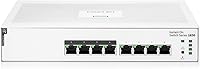
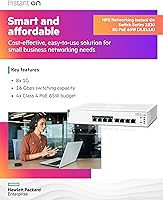
The HPE Instant On 1830 8-Port PoE Switch sits in an interesting middle ground — capable enough for real network management, but approachable enough that you don't need an IT department to run it. It's part of Aruba's Instant On line, a family of networking gear built specifically for small businesses that have outgrown basic unmanaged switches but aren't ready for enterprise complexity. One practical standout: this Instant On switch runs completely silent thanks to its fan-less passive design, making it a natural fit for offices, reception areas, or retail floors where equipment noise would be unwelcome. Aruba also backs it with a limited lifetime warranty, which is genuinely uncommon at this price tier.

Features & Benefits

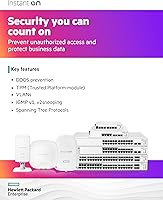
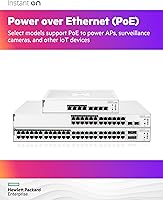
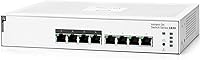
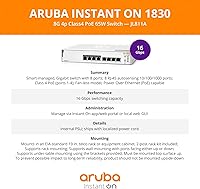
Eight gigabit ports handle all your standard wired connections, but the more relevant detail for most buyers is the PoE capability — only ports 1 through 4 support Power over Ethernet, with a shared budget of 65 watts. That's enough to run two or three wireless access points alongside an IP camera, but it won't stretch much further with high-draw devices. Beyond PoE, the HPE 1830 PoE switch delivers a solid Layer 2 feature set: VLANs for network segmentation, QoS prioritization for VoIP traffic, RSTP for loop prevention, and port mirroring for diagnostics. There's no recurring subscription — the Aruba Instant On app and local web interface are both free, which makes total cost of ownership easier to justify.

Best For

This small business switch makes the most sense for non-technical operators — a retail store owner, a small clinic manager, or a boutique agency that needs reliable network segmentation without hiring someone to configure it. If you're already running Aruba Instant On access points and want unified management from a single app, this switch slots into that ecosystem naturally. Home lab users who want real managed-switch capabilities without enterprise price tags will also find it compelling. The silent operation is a genuine advantage wherever fan noise is a dealbreaker. That said, if you need more than four PoE ports or require advanced authentication like 802.1X, a higher-tier model deserves a look first.

User Feedback

Buyers consistently highlight how quick initial setup is — the guided app flow gets most people running in under 30 minutes, even without prior networking experience. The build quality earns positive comments too; the metal chassis feels more substantial than competing plastic-bodied switches at similar price points. On the less positive side, a handful of users hit the 65W PoE ceiling sooner than expected, particularly when mixing access points with cameras. Some also express surprise that only half the ports carry power — worth knowing upfront. Advanced users occasionally flag missing features like dynamic routing. App reliability gets mixed marks, with firmware updates sometimes introducing minor bugs that Aruba has generally addressed over time.

Pros

  • App-guided setup gets most users running in under 30 minutes, no technical background required.
  • VLANs, QoS, and port mirroring are included with no ongoing subscription or licensing cost.
  • Completely silent fan-less operation makes it a natural fit for noise-sensitive environments.
  • Metal chassis feels solid and durable, noticeably more substantial than plastic-bodied competitors at similar prices.
  • Lifetime warranty provides genuine long-term peace of mind that is rare at this price point.
  • Flexible mounting options — desktop, wall, or under-table — work well in spaces without a proper equipment rack.
  • Fits naturally into the Aruba Instant On ecosystem if you're already using their wireless access points.
  • 16 Gbps switching capacity provides comfortable headroom for an 8-port gigabit workload.
  • Local web UI offers advanced configuration options for users who prefer browser-based management over an app.
  • No external power brick clutter — the internal power supply keeps cable management clean.

Cons

  • Only four of the eight ports support PoE, which catches some buyers off guard after purchase.
  • The 65W total PoE budget runs thin quickly when mixing multiple high-draw devices on those four ports.
  • No support for 802.1X authentication, which limits use in environments with stricter access control requirements.
  • Layer 2 only — no static or dynamic routing means it cannot replace even a basic Layer 3 switch for routed networks.
  • The Instant On mobile app has received mixed reviews around stability following some firmware updates.
  • Eight ports is a modest ceiling; businesses with even moderate growth may outgrow this switch sooner than expected.
  • No SFP uplink ports limits flexibility when connecting to fibre infrastructure or stacking with other switches.
  • CLI access is not available, which frustrates experienced network admins who prefer command-line configuration.

Ratings

Our AI rating system analyzed verified global buyer reviews for the HPE Instant On 1830 8-Port PoE Switch, actively filtering out incentivized, bot-generated, and outlier feedback to surface what real users consistently experience. The scores below reflect both the genuine strengths that keep buyers recommending this switch and the real friction points that have frustrated others — nothing is glossed over.

Ease of Setup
91%
Non-technical buyers are the most vocal about this category, with many reporting that a working network was up within 20 to 30 minutes of unboxing. The Aruba Instant On app walks users through each step with clear prompts, making the onboarding process approachable even for small business owners with no IT background.
A small subset of users who skipped the app and went straight to the local web interface found the initial wizard less intuitive. Those coming from other managed switch brands occasionally noted the configuration terminology differs enough to cause minor confusion early on.
PoE Performance
74%
26%
For typical small office deployments — two access points and an IP camera, for instance — the 65W budget handles the load without issue. Users powering lightweight Class 2 or Class 3 devices report consistent, stable delivery with no unexpected drops.
The 65W ceiling becomes a real constraint when users try to push three or four higher-draw devices simultaneously. A notable number of buyers also express frustration at discovering, post-purchase, that only four of the eight ports actually supply power — something the product listing does not make immediately obvious.
Build Quality
88%
The all-metal chassis consistently earns positive remarks from buyers who compare it favorably to plastic-bodied competitors in the same price range. It feels dense and well-assembled, and there is a general sense among users that the physical hardware is built to last.
A few users noted the unit runs noticeably warm during heavy sustained load, which is an inherent trade-off of passive cooling. The chassis edges are functional rather than refined, and some buyers feel the external finish could be more polished for a business-grade device.
Management Software
77%
23%
The dual-management approach — mobile app plus browser-based local UI — is widely appreciated, giving users flexibility depending on whether they are on-site or remote. The app in particular gets strong marks for its clean layout and the fact that it requires no account fees or recurring costs.
App stability after firmware updates is a recurring pain point, with some users reporting dropped connections or settings that needed to be reapplied after an update cycle. The local web UI, while functional, can feel dated compared to the polished interfaces offered by some competing brands.
Value for Money
83%
Buyers consistently cite the combination of managed features, lifetime warranty, and zero subscription costs as strong justification for the price. For a small business that would otherwise pay recurring licensing fees on competing platforms, the total cost of ownership over three to five years looks genuinely favorable.
At its price point, the four-port PoE limitation stings a little — buyers half-expect all eight ports to be powered. A few users feel that slightly pricier competitors offer more PoE ports and SFP uplinks for a modest premium, making the value calculation less clear-cut for connectivity-heavy deployments.
Silent Operation
96%
Across all buyer segments, the fan-less design is one of the most consistently praised attributes of this small business switch. Users in classrooms, home offices, and client-facing reception areas specifically called out the complete absence of fan noise as a deciding factor in choosing this unit over alternatives.
Passive cooling means the chassis absorbs and radiates heat rather than expelling it, and in poorly ventilated spaces or warm climates, a handful of users noted the unit ran hotter than they were comfortable with. No thermal issues have been widely reported, but placement in confined enclosures is not recommended.
Port Density
61%
39%
For a micro-office or home lab with four to six wired devices, eight ports is workable and keeps the footprint small. Users who only needed to connect a few workstations, an AP, and a printer found the port count perfectly adequate for their scope.
Eight ports is a tight ceiling for any business expecting even modest growth, and this is one of the more frequent regrets among buyers who revisit their review months later. The absence of any SFP uplink also limits how cleanly this switch integrates into larger or more complex network topologies.
Mounting Flexibility
85%
The inclusion of wall-mount brackets and under-table hardware in the box is genuinely useful, especially for small offices that lack a proper network rack. Users in retail environments particularly appreciated being able to tuck the switch neatly under a counter or mount it on a back wall.
The wall-mount bracket system, while functional, requires careful alignment and some users found the supplied hardware marginally fiddly to work with solo. Under-table mounting with ports facing upward can make cable management awkward in tight spaces.
Feature Set Depth
72%
28%
For a Layer 2 device at this price, the feature coverage is solid — VLANs, QoS, RSTP, and port mirroring cover the core needs of most small business networks without overwhelming less technical administrators. Home lab users in particular appreciate having a real managed feature set to practice on.
Advanced users quickly run into the ceiling: no 802.1X port authentication, no dynamic routing, and no CLI access are the three limitations cited most often. For anyone whose network requirements are growing toward mid-market complexity, these gaps become meaningful blockers relatively quickly.
App Onboarding Experience
82%
18%
The guided step-by-step flow within the Instant On app is one of the cleaner onboarding experiences in the SMB networking space, and buyers who followed it report a notably low frustration level during initial deployment. Visual cues and plain-language instructions make a real difference for non-technical users.
The app occasionally requires users to create an Aruba account to access cloud management features, which some buyers found unexpectedly intrusive for what they assumed would be a fully local setup. Offline-only configuration via the web UI is possible but loses some of the app's guided convenience.
Ecosystem Integration
79%
21%
For businesses already running Aruba Instant On access points, the unified management experience across switches and APs from a single app interface is a concrete operational benefit. Shared visibility into connected devices reduces the need to toggle between separate management platforms.
The ecosystem advantage is only meaningful if you are already using or planning to use Aruba wireless hardware. Buyers running mixed-brand environments get no real benefit from the Instant On ecosystem framing, and some felt the marketing over-emphasized this integration in ways that did not apply to their setup.
Warranty Coverage
93%
A limited lifetime warranty on networking hardware at this price tier is genuinely uncommon, and buyers frequently mention it as a tiebreaker when comparing this unit against similarly priced alternatives. The peace of mind it provides is particularly valued by small business owners who cannot afford extended downtime.
The warranty is limited in scope — it covers manufacturing defects but not damage from misuse, power surges, or environmental factors. A small number of users noted that reaching Aruba support for warranty claims required more effort than expected, particularly outside of business hours.
Reliability & Uptime
87%
Day-to-day stability is a strong point for this Instant On switch, with the majority of long-term owners reporting months or even years of continuous uptime without hardware-related interruptions. The fan-less design eliminates one of the most common failure points in networking hardware.
The occasional firmware update has introduced temporary instability for a subset of users, requiring a reboot or settings check to restore normal operation. These incidents appear to be software-related rather than hardware failures, but they do affect perceived reliability for users on auto-update settings.

Suitable for:

The HPE Instant On 1830 8-Port PoE Switch is a strong fit for small businesses that have hit the ceiling of basic unmanaged switches and need real network control without hiring a full-time IT person. A retail shop owner who wants to segment guest Wi-Fi from the point-of-sale network, a small medical office running VoIP phones and a wireless access point, or a boutique agency with a few IP cameras — these are the scenarios where this switch genuinely earns its place. The app-guided setup means non-technical staff can get it running without reading a manual, and the free management platform keeps ongoing costs predictable. It also suits home lab users who want hands-on experience with VLANs and QoS without paying enterprise prices. Anywhere that fan noise is a dealbreaker — a classroom, a quiet reception desk, a home office — the completely silent operation is a real and practical advantage.

Not suitable for:

The HPE Instant On 1830 8-Port PoE Switch is not the right tool if your wired infrastructure demands are growing quickly or your PoE requirements are heavy. Only four of the eight ports deliver power, and the 65-watt shared budget disappears fast if you're running multiple high-draw access points alongside cameras and phones simultaneously. Businesses that need enterprise-grade security features like 802.1X port authentication or dynamic routing protocols will hit a hard ceiling here — this is a Layer 2 device by design, not a Layer 3 one. If you need more than eight ports total, or expect to scale significantly within a year or two, stepping up to a 24-port model from the same Instant On family is a smarter long-term decision. Power users who rely heavily on CLI-based configuration may also find the web UI limiting compared to more advanced platforms from Cisco or Netgear's business line.

Specifications

  • Ports: Features 8 Gigabit 10/100/1000 RJ45 copper ports, all capable of standard wired connectivity at up to 1 Gbps per port.
  • PoE Ports: Ports 1 through 4 support Class 4 Power over Ethernet, meaning only half the ports can power connected devices like access points or cameras.
  • PoE Budget: The total shared PoE power budget is 65W, which must be distributed across any combination of the four powered ports.
  • Switching Capacity: Delivers 16 Gbps of total switching capacity, providing sufficient headroom for full-duplex traffic across all 8 gigabit ports simultaneously.
  • Throughput: Packet forwarding rate is 11.90 Mpps, adequate for the traffic demands of a small office or retail network environment.
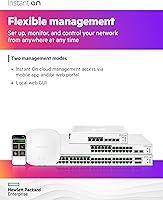
  • Management: Managed via the free Aruba Instant On mobile app (iOS and Android) or a local web browser interface, with no subscription or licensing fee required.
  • Layer: Operates as a Layer 2 smart-managed switch, supporting VLANs, QoS, RSTP, and port mirroring but not Layer 3 routing functions.
  • Cooling: Uses entirely passive, fan-less cooling, relying on the metal chassis to dissipate heat silently without any moving parts.
  • Chassis: Constructed from metal, which contributes to both structural durability and heat dissipation in the absence of active cooling.
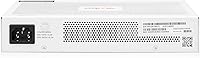
  • Power Supply: Powered by an internal power supply unit; no external power brick is required, keeping the installation tidy.
  • Mounting Options: Supports tabletop, wall-mount, and under-table installation; wall-mount brackets and surface-mount hardware are included in the box.
  • Dimensions: The unit measures 195.1mm deep, 245.1mm wide, and 43.9mm tall, making it compact enough for shelf or wall placement.
  • Weight: Weighs approximately 3.40 lb (1.54 kg), light enough for wall or under-desk mounting without heavy-duty fixings.
  • Warranty: Covered by Aruba's limited lifetime warranty, which is among the more generous coverage terms available on a switch at this price tier.
  • Operating Temp: Rated for operation up to 40 degrees Celsius, suitable for standard indoor office and retail environments without supplemental cooling.
  • Interface Type: All ports use standard RJ45 connectors; there are no SFP or fibre uplink ports on this model.
  • Included Items: Box includes the switch, an internal-powered US power cord, and bracket hardware for wall and surface mounting options.
  • Ecosystem: Part of the Aruba Instant On product family, designed to integrate and be co-managed with Instant On wireless access points through a shared app.

Related Reviews
HPE Instant On 1930 8-Port PoE Switch
83%
91%
Ease of Setup
83%
Management App Quality
74%
PoE Performance
88%
Build Quality
72%
Value for Money
More
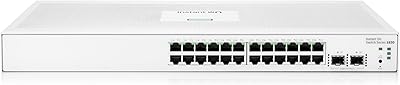
HPE Networking Instant On 1830 24-Port Switch
87%
91%
Ease of Setup
93%
Quiet Operation
89%
Reliability
85%
Build Quality
90%
Port Availability
More
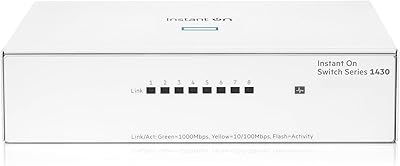
HPE Instant On 1430 8G Unmanaged Switch
83%
96%
Ease of Setup
93%
Reliability & Uptime
97%
Noise & Acoustic Performance
88%
Port Performance & Speed
84%
Value for Money
More
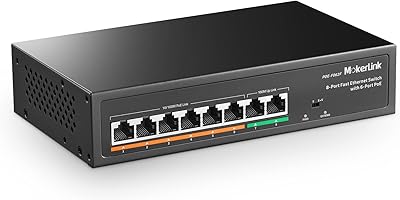
MokerLink POE-F062F 8-Port PoE Switch
86%
91%
Value for Money
88%
Performance Stability
95%
Ease of Installation
85%
PoE Power Output
82%
Build Quality
More
LINOVISION POE-SW508G Industrial 8-Port PoE++ Switch
77%
91%
Power Delivery
88%
Build Quality
93%
PoE Watchdog
84%
Installation Ease
86%
Thermal Performance
More
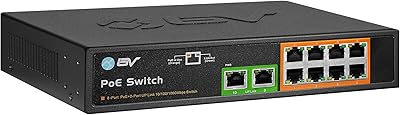
BV-Tech POE-SW802G 8-Port Gigabit PoE+ Switch
79%
94%
Ease of Setup
88%
PoE Reliability
67%
Power Budget
61%
Build Quality
91%
Value for Money
More
D-Link DES-1008PA 8-Port PoE Fast Ethernet Switch

82%
94%
Ease of Setup
88%
PoE Port Reliability
91%
Build Quality & Durability
58%
Network Speed & Throughput
97%
Noise Level
More
YuLinca 6-Port Gigabit PoE Switch with 4 PoE+ Ports
87%
95%
Ease of Installation
88%
PoE Functionality
91%
Build Quality
87%
Performance and Speed
94%
Fanless Operation (Noise)
More
Cqenpr 8-Port 120W Outdoor Gigabit PoE Switch
80%
93%
Ease of Installation
88%
Weatherproof Durability
84%
PoE Power Delivery
79%
AI Watchdog Reliability
82%
Surge & Lightning Protection
More
Amcrest 8-Port POE+ Unmanaged Network Switch
78%
93%
Ease of Setup
84%
POE Reliability
61%
Port Speed Performance
88%
Build Quality
58%
Thermal Management
More

FAQ

Only ports 1 through 4 support Power over Ethernet — that is four of the eight total ports. The remaining four ports handle standard data connections only. This is worth planning around before you buy, especially if you need to power more than four devices.

No, there is no subscription, license, or recurring cost of any kind. The Aruba Instant On app and the local web interface are both completely free to use, and that does not change over time.

Yes. There is a full local web interface accessible from any browser on the same network, which gives you access to advanced configuration options including VLANs, QoS, and port settings. The app is convenient but not mandatory.

It depends on what you are powering. Two standard Wi-Fi access points and one IP camera typically draw well under 65W combined, so most small office setups are fine. Where it gets tight is if you are running three or four high-draw devices simultaneously — in that case you may hit the ceiling sooner than expected.

Yes, it has no fan at all. The metal chassis handles heat passively, so there are no moving parts and no noise whatsoever. That makes it a practical choice for anywhere sound matters, like a reception desk, classroom, or home office.

Yes, VLAN configuration is supported and relatively straightforward to set up through either the web interface or the app. This is one of the main reasons to choose this switch over a basic unmanaged model — you can segment traffic between, say, a guest network and internal systems without needing enterprise hardware.

Absolutely. The PoE ports deliver standard IEEE 802.3at power, which is compatible with access points, IP cameras, and VoIP phones from virtually any manufacturer. The Aruba Instant On app offers deeper integration if you use Aruba APs, but the switch itself works fine with other brands.

Mounting hardware is included in the box. You get brackets for wall mounting and the necessary hardware for surface or under-table installation, so you should not need to purchase anything extra to get it mounted.

Firmware updates do require a brief reboot, which causes a short network interruption — typically under a minute. Most users schedule updates during off-hours. A small number of users have reported minor glitches after updates, though Aruba has generally addressed these through subsequent releases.

It works well for both. Home lab users who want to practice VLAN segmentation, QoS configuration, or just explore managed switch features without spending enterprise money will find this small business switch a cost-effective and capable option. The free management platform and lifetime warranty make it a reasonable long-term investment even for personal use.