Overview

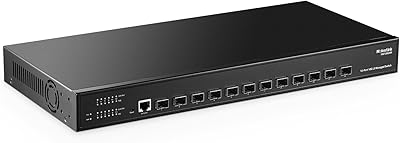
The MokerLink 8-Port 10G Managed Ethernet Switch sits in an interesting middle ground — capable enough for serious network work, yet priced within reach of home lab builders and small IT teams who have no interest in paying enterprise premiums. What makes this managed 10G switch stand out at this tier is the combination of a solid metal chassis with both desktop and wall-mount options, something you typically only find on plastic-bodied units that struggle with heat under continuous load. Unmanaged 10G switches cost less, but they leave you with zero traffic control. Enterprise alternatives offer more polish but charge accordingly. This multi-gig network switch lands squarely in between.
Features & Benefits

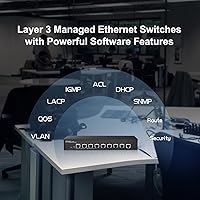
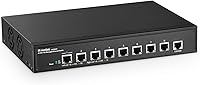
Every one of the eight ports on this managed 10G switch negotiates speed automatically — connect a 2.5G NAS, a 5G workstation, and a 10G server all at once, and each gets exactly what it can handle with no manual reconfiguration needed. Beyond raw throughput, the L3 routing capability via both a web GUI and a CLI means you can configure IPv4/IPv6 routes, set up VLANs, apply QoS policies, and enable DHCP snooping without touching a separate router. The security suite is genuinely robust for this price range, covering 802.1X authentication, dynamic ARP inspection, and port-level protection. Per-port LEDs showing both link status and active speed are a small but practical touch for troubleshooting.

Best For

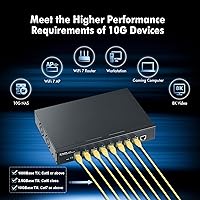
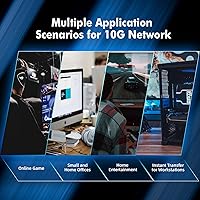
This multi-gig network switch makes the most sense for people who have already outgrown an unmanaged switch but aren't ready to spend on a full enterprise stack. Home lab users running a NAS, a few VMs, and a high-speed workstation will find the wire-speed multi-gig ports immediately useful. Small offices where IT staff need VLAN segmentation to isolate guest networks or separate departments will appreciate the granular control. Video editors and production teams handling large file transfers between shared storage and editing workstations get real, measurable speed gains. If you want CLI access and routing in something that fits on a desk or mounts to a wall, this is exactly the category to be shopping in.

User Feedback

Buyers who use this managed 10G switch for NAS connectivity and VM traffic generally come away satisfied, citing solid throughput and a web interface that's approachable once you've spent an hour orienting yourself. The most consistent complaint is fan noise — the active cooling is audible, which matters if the switch is sitting on a desk in a quiet room rather than tucked in a rack closet. A handful of users flag that CLI documentation is thin for edge-case configurations, so expect some trial and error if you're pushing advanced L3 features. That said, most buyers rate the overall value as strong when measured against established-brand alternatives at significantly higher prices.

Pros

  • All eight ports auto-negotiate across five speed tiers, so mixed-device networks work without any manual configuration.
  • The web GUI is organized clearly enough that routine tasks like setting up VLANs or enabling QoS do not require CLI knowledge.
  • Full L3 routing support, including IPv4 and IPv6, is rare to find in a compact switch at this price point.
  • Metal construction keeps thermals manageable and gives the unit a durability edge over plastic-bodied competitors.
  • Per-port LEDs show both connection status and active link speed at a glance, which speeds up troubleshooting considerably.
  • SSH and SNMP support means this managed 10G switch can be integrated into existing monitoring and automation workflows.
  • Config file backup and restore makes it straightforward to recover from a misconfiguration or migrate settings to a replacement unit.
  • The security feature set — including dynamic ARP inspection and IP Source Guard — is genuinely enterprise-grade for this category.
  • Desktop and wall-mount compatibility gives installers real flexibility without needing additional hardware.
  • Buyers consistently report throughput performance that holds up under sustained multi-device load.

Cons

  • Fan noise is audible in quiet environments, making open-desk placement less comfortable than rack or closet installation.
  • CLI documentation is thin, and troubleshooting advanced L3 configurations often requires community research rather than official guidance.
  • Eight ports may feel limiting quickly in growing lab or office environments that expand device counts over time.
  • Firmware update process has caused confusion for some users, with limited in-app guidance on best practices.
  • The web interface, while functional, lacks the polish and responsiveness of software from more established networking vendors.
  • No SFP or fiber uplink ports limits backbone flexibility for users wanting to tie into existing fiber infrastructure.
  • Advanced features like MSTP and ACL configuration have a steeper learning curve that casual users may not anticipate upfront.
  • Vendor support responsiveness has been inconsistent according to some buyers who encountered post-purchase technical issues.

Ratings

The scores below reflect AI-driven analysis of verified global buyer reviews for the MokerLink 8-Port 10G Managed Ethernet Switch, with automated filtering applied to remove incentivized, bot-generated, and outlier feedback. Ratings are calibrated to surface both the genuine strengths that keep buyers satisfied and the recurring frustrations that surface over time. You will find both sides represented honestly here, so you can weigh them against your own priorities before deciding.

Throughput Performance
91%
Users consistently report wire-speed performance across all eight ports, even under sustained multi-device load involving NAS transfers, virtual machine traffic, and workstation backups running simultaneously. The auto-adaptive speed negotiation works reliably — devices connect at their correct rated speed without requiring manual port configuration.
A small number of users noted occasional link instability at 10G speeds with certain older Cat6 cable runs, suggesting the switch can be sensitive to cabling quality. These cases appear to be edge scenarios rather than a widespread pattern, but they are worth keeping in mind.
Value for Money
88%
Buyers routinely highlight that getting genuine L3 managed functionality with a full security suite in a metal chassis at this price tier is difficult to match from established brands. Many explicitly compared it to competing switches that cost significantly more for a comparable or lesser feature set.
A portion of buyers feel the value calculation shifts if you factor in the time cost of navigating thin documentation and working through advanced feature configurations without strong official support resources. For users who need hand-holding, the savings may not feel as clear-cut.
Feature Depth
93%
The combination of L3 routing, VLAN, QoS, 802.1X authentication, dynamic ARP inspection, and SNMP support in a sub-enterprise switch is genuinely uncommon. Home lab users and small office IT administrators frequently single out this feature breadth as the primary reason they chose this unit over simpler alternatives.
Some advanced features — particularly MSTP configuration and IP Source Guard — have limited official documentation, which means confident use requires either prior experience or significant community research. Users who expected enterprise-grade documentation were sometimes disappointed.
Web Interface Usability
74%
26%
Most buyers find the web GUI functional and sufficiently organized for everyday tasks like VLAN setup, port configuration, and traffic monitoring. Users with prior managed switch experience generally navigate it without friction and appreciate having a visual alternative to CLI commands.
The interface lacks the polish and responsiveness of software from larger networking vendors, and several users found certain menu structures unintuitive when exploring less common settings. Loading times on the management pages have also been flagged as slower than expected on some setups.
Build Quality
86%
The all-metal chassis makes a strong impression out of the box, and users in both home lab and light commercial environments report no structural complaints after extended use. The weight and rigidity of the unit inspire confidence, particularly compared to the plastic-bodied switches at similar price points.
A few buyers noted that the fit of the port area and ventilation panels feels slightly less precise than branded enterprise hardware, with minor cosmetic inconsistencies. These are aesthetic observations rather than functional complaints, but they do affect the premium feel of the unit up close.
Fan Noise
58%
42%
In rack or closet installations where ambient noise is already present, users report that the fan becomes a non-issue and the active cooling does an effective job of keeping the unit stable under prolonged heavy traffic loads. Office environments with normal background noise rarely mention it as a problem.
Desk placement in quiet rooms is where the fan consistently draws criticism — the low but continuous hum is audible enough to be distracting during focused work or in silent home office setups. This is the single most common complaint across user feedback and is a genuine consideration for anyone planning open-desk deployment.
CLI & Advanced Config
71%
29%
IT professionals and network engineers comfortable with command-line interfaces report that the CLI is logically structured and responds correctly to standard managed switch commands, making L3 routing and security policy setup achievable without relying on the GUI. SSH access is stable and consistent.
The learning curve is real for users who are new to managed switches or approaching L3 features for the first time — official documentation covers the basics but leaves gaps in edge-case scenarios. Community forums end up filling in where MokerLink resources fall short, which adds friction to the setup process.
Installation Flexibility
84%
The dual desktop and wall-mount compatibility is frequently appreciated by buyers who need to fit the switch into unconventional spaces. The compact footprint makes it viable on crowded server shelves, and the metal construction means wall mounting feels secure rather than flimsy.
The included mounting hardware and instructions for wall installation are minimal, leaving some users to source their own screws or reference third-party guides. Rack mounting requires additional brackets that are not included, which adds cost for buyers planning a proper rack deployment.
Firmware & Updates
63%
37%
When firmware updates apply cleanly, users report meaningful improvements in stability and occasional feature additions. The config backup and restore functionality helps reduce the risk of a bad update causing lasting disruption, and most users recover quickly when issues occur.
Several buyers reported firmware updates that required manual intervention or caused temporary management access issues, with limited in-product guidance on how to resolve them. The update process is not as reliable or well-documented as users from enterprise networking backgrounds tend to expect.
Port Indicator Clarity
82%
18%
The per-port LEDs that display both link status and active speed are regularly called out as a practical convenience, particularly during initial setup when verifying that mixed-speed devices have negotiated correctly. It removes the need to log into the management interface just to confirm a cable is live.
Under bright ambient lighting the LEDs can be harder to read at a glance, and a small number of users wanted a legend printed directly on the chassis rather than having to refer to the manual to distinguish speed indicator states. These are minor usability refinements rather than functional shortfalls.
Security Feature Set
89%
Buyers with a security-conscious approach to network design consistently praise the depth of protection available — 802.1X port authentication, DHCP snooping, and dynamic ARP inspection together provide a meaningful defense layer that is unusual to find outside enterprise-priced hardware. Small offices handling sensitive data have found this particularly valuable.
Configuring the security features correctly requires more than surface-level networking knowledge, and misconfiguration risks like accidentally locking yourself out via port security are real for less experienced users. The documentation does not always make the consequences of each setting sufficiently clear before you apply it.
Compatibility
85%
Users report broad compatibility with NAS devices, virtualization hosts, workstations, and existing gigabit infrastructure across a variety of brands and operating systems. The auto-adaptive speed negotiation handles mixed environments gracefully, which is a recurring positive mention from buyers running heterogeneous networks.
A small subset of users encountered link negotiation quirks with specific NIC and cable combinations at 10G, requiring them to force port speeds manually through the management interface as a workaround. These appear to be compatibility edge cases rather than a systemic issue.
Thermal Management
81%
19%
The industrial-grade fan combined with the metal chassis keeps operating temperatures within rated limits even during sustained high-bandwidth sessions lasting several hours, which rack and closet users particularly appreciate. No thermal throttling or heat-related instability has been widely reported under normal operating conditions.
The tradeoff for effective active cooling is the fan noise discussed elsewhere, and users in warmer environments report the fan runs at a consistently higher speed than in cooler rooms. Passive cooling alternatives do not exist for this unit, so noise-sensitive buyers have no hardware workaround available.
SNMP & Monitoring Integration
78%
22%
Network administrators using platforms like PRTG, Zabbix, or LibreNMS report that SNMP integration works as expected, with interface counters, port status, and traffic statistics all accessible through standard OIDs. This makes the switch a reasonably capable citizen in an existing monitoring stack without extra configuration overhead.
Some users found that the SNMP MIB files provided were incomplete or required supplemental research to get full visibility across all monitored parameters. Support for more modern telemetry approaches is limited, which matters to buyers looking to integrate with newer observability tooling.

Suitable for:

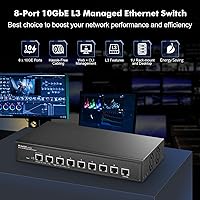
The MokerLink 8-Port 10G Managed Ethernet Switch is a strong fit for anyone who has outgrown basic unmanaged switching and needs real traffic control without committing to enterprise-tier hardware and licensing costs. Home lab enthusiasts running a NAS alongside virtual machines and a multi-gig workstation will immediately put all eight auto-adaptive ports to productive use, since every device negotiates its own best speed without manual intervention. Small business IT teams that need VLAN segmentation to isolate departments, apply QoS policies to prioritize critical traffic, or lock down the network with 802.1X authentication will find the L3 feature set more than adequate for day-to-day operations. Content production studios where editors pull large media files from shared storage over 10GbE links will see tangible time savings compared to gigabit infrastructure. If you are comfortable with a web GUI for routine tasks and occasionally want CLI access for more precise configurations, this managed 10G switch is genuinely well-matched to that working style.
Not suitable for:

The MokerLink 8-Port 10G Managed Ethernet Switch is not the right call for buyers who want a quiet, unobtrusive device sitting on a home office desk — the active cooling fan produces audible noise that will bother anyone working in a low-noise environment. Users who have never configured a managed switch before and expect plug-and-play simplicity may find the initial learning curve frustrating, particularly if they want to push beyond basic VLAN setups into L3 routing or advanced security features, where the documentation can be sparse. Large organizations that require robust vendor support, guaranteed SLAs, or deep integration with enterprise network management platforms should look at established names in that space instead. Anyone needing more than eight ports will also need to look elsewhere, as the port count is fixed and there is no uplink expansion. Finally, buyers who prioritize a completely silent operation — for a bedroom server rack or a media room setup — should factor the fan noise into their decision before purchasing.
Specifications

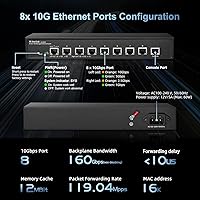
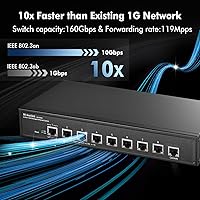
  • Ports: The switch includes 8 x RJ45 ports, each supporting auto-adaptive speeds of 10G, 5G, 2.5G, 1G, and 100M without requiring manual configuration.
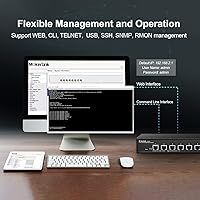
  • Management Level: Fully managed at Layer 2 and Layer 3 via a web GUI and CLI, supporting both novice web-based setup and advanced command-line control.
  • Layer 2 Features: Supports VLAN, QoS, ACL, MSTP/RSTP/STP, DHCP snooping, jumbo frames, MAC address table management, and multicast filtering.
  • Layer 3 Features: Provides IPv4 and IPv6 static routing, ARP management, and loopback interface configuration for inter-VLAN and subnet routing tasks.
  • Security Features: Includes 802.1X and MAC-based authentication, DoS protection, dynamic ARP inspection, IP Source Guard, port security, and storm control.
  • Remote Management: Accessible via SSH, Telnet, and SNMP, enabling integration with network monitoring tools and remote administration workflows.
  • Diagnostics: Supports port mirroring, Ping, Traceroute, UDLD protocol, and port tests for active fault detection and traffic analysis.
  • Maintenance: Firmware upgrades and configuration file downloads and uploads are supported, simplifying backup, recovery, and deployment at scale.
  • Chassis Material: The enclosure is constructed from metal, offering improved heat dissipation and physical durability compared to plastic-bodied alternatives.
  • Cooling: An industrial-grade active cooling fan is built in to maintain stable operation under sustained high-traffic loads.
  • Port Indicators: Each port has a dedicated LED that displays both link status and the current active connection speed for quick visual diagnostics.
  • Mounting Options: Compatible with both desktop placement and wall mounting, with no additional mounting hardware required beyond standard screws.
  • Input Voltage: Operates on a 12V DC power input, supplied via the included adapter.
  • Operating Temperature: Rated for continuous operation in ambient temperatures up to 55 degrees Celsius, suitable for most office and light industrial environments.
  • Dimensions: The unit measures 12.64 x 10.63 x 3.23 inches, making it compact enough for desktop use or installation in a shallow wall enclosure.
  • Weight: The switch weighs 1.82 kg (approximately 4 lbs), reflecting its all-metal build while remaining manageable for single-person installation.
  • Data Transfer Rate: Each port is capable of wire-speed forwarding at up to 10 Gbps, with auto-negotiation handling mixed-speed device environments automatically.
  • Interface Type: All eight ports use the RJ45 connector standard, compatible with Cat6 and Cat6a cabling for 10G speeds at appropriate distances.

Related Reviews
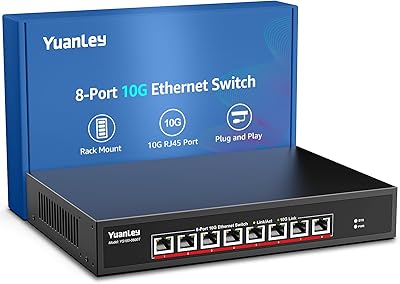
YuanLey 8-Port 10G Ethernet Switch
85%
90%
Performance
89%
Value for Money
91%
Setup and Installation
85%
Build Quality
87%
Reliability
More
YuLinca 8-Port 10G Managed Network Switch
79%
92%
Port Speed & Auto-Negotiation
89%
Throughput & Switching Performance
88%
Build Quality & Chassis
71%
Web Management Interface
86%
L2 Feature Set Depth
More
NETGEAR GS308E 8-Port Managed Network Switch
81%
93%
Reliability & Uptime
96%
Silent Operation
67%
Ease of Setup
78%
Web Management Interface
88%
Value for Tier
More
HPE Instant On 1830 8-Port PoE Switch
82%
91%
Ease of Setup
74%
PoE Performance
88%
Build Quality
77%
Management Software
83%
Value for Money
More
Zyxel GS1200-8 8-Port Gigabit Web Managed Switch
84%
88%
Ease of Setup
85%
Performance
84%
Build Quality
92%
Fanless Operation (Noise Level)
90%
Energy Efficiency
More
D-Link DES-1008PA 8-Port PoE Fast Ethernet Switch
82%
94%
Ease of Setup
88%
PoE Port Reliability
91%
Build Quality & Durability
58%
Network Speed & Throughput
97%
Noise Level
More
Reidubo 8-Port 10G Unmanaged Network Switch
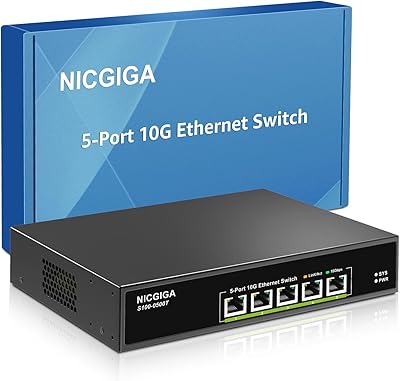
76%
83%
Real-World Throughput
91%
Ease of Setup
61%
Fan Noise
78%
Build Quality
86%
SFP+ Port Utility
More
NICGIGA S100-0500T 5-Port 10G Ethernet Switch
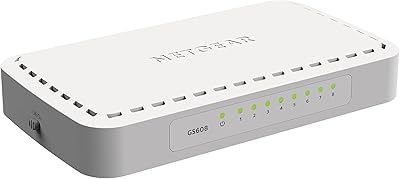
82%
96%
Ease of Setup
91%
Link Stability
88%
10G Throughput Performance
58%
Fan Noise
84%
Build Quality
More
Goalake 8-Port 2.5G Ethernet Switch
80%
91%
Port Count & Configuration
88%
Throughput & Switching Performance
93%
Ease of Setup
79%
Build Quality & Materials
96%
Fanless & Noise Level
More
Tenda TEG208E 8-Port Managed Gigabit Switch
85%
94%
Value for Money
88%
Ease of Setup
91%
Build Quality
93%
Network Performance
97%
Noise Level
More

FAQ

It depends on what you want to do with it. Basic setup through the web GUI — assigning an IP, enabling ports, setting up a simple VLAN — is approachable for someone with general networking knowledge. Where things get more complex is if you want to configure L3 routing or advanced security policies, which do require some familiarity with managed switch concepts. The documentation is functional but not exhaustive, so first-timers may need to supplement it with community resources or vendor support.

The fan is audible — most users describe it as a low, consistent hum rather than a loud whir, but it is noticeable in a quiet room. If your desk is in a home office where silence matters, it is worth considering whether you can tuck it into a cabinet or closet instead. In a server room or under a desk in a busier environment, most people stop noticing it quickly.

All eight RJ45 ports are full 10G-capable and auto-negotiate across 10G, 5G, 2.5G, 1G, and 100M. There are no dedicated uplink or downlink ports — every port is equal in capability, which gives you full flexibility in how you wire your devices.

Yes, that is one of the more useful things about having L3 support on this managed 10G switch. You can configure static IPv4 and IPv6 routes and set up inter-VLAN routing directly on the switch, which removes the need for a dedicated router in many small office or home lab setups. It does not replace a full-featured router for WAN connectivity, but for internal subnet routing it handles the job well.

You will need Cat6 or Cat6a cabling for reliable 10G at typical indoor distances. Cat5e can technically carry 10G but only up to around 45 meters, and results can be inconsistent. If you are running new cable specifically for this switch, Cat6a is the safer choice for future-proofing.

Yes, it supports SNMP, which is the standard protocol used by most network monitoring platforms including PRTG, Zabbix, LibreNMS, and similar tools. You can pull interface statistics, port status, and traffic data through your monitoring stack the same way you would with any SNMP-enabled managed switch.

Yes, the switch supports configuration file download and upload through the management interface. It is a good habit to export a config backup after any significant change, and the process is straightforward through the web GUI.

Existing gigabit devices work fine — each port auto-negotiates down to 1G or even 100M as needed. You do not have to upgrade every device at once. The value is that as you add 2.5G, 5G, or 10G-capable devices over time, the switch handles them all without needing to be replaced.

The product documentation references a broad Layer 2 feature set, but LACP support is not explicitly confirmed in the listed specifications. It is worth checking the current firmware release notes or contacting MokerLink support directly before purchasing if link aggregation is a hard requirement for your setup.

MokerLink typically offers a limited warranty on their switches, but the exact terms should be confirmed at purchase since they can vary by region. User feedback on support responsiveness is mixed — straightforward issues tend to get resolved, but complex technical problems have occasionally taken longer to address. Keeping firmware updated and maintaining a config backup gives you the best chance of a quick self-recovery if issues arise.