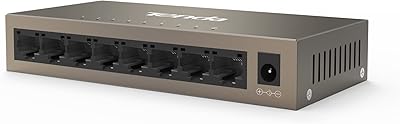
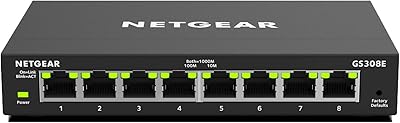
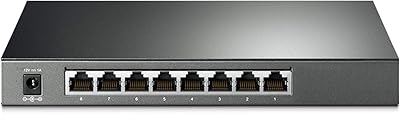
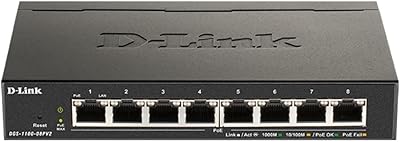
Overview

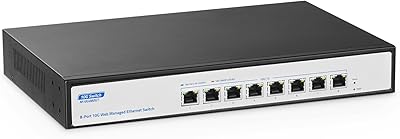
The Tenda TEG208E 8-Port Managed Gigabit Switch is one of those rare budget networking products that genuinely punches above its weight. Housed in a solid all-metal chassis, it runs completely silent — no fan, no hum — which makes it a natural fit for a home office desk or bedroom media setup. Despite the modest price, you get a web-based management interface that keeps configuration approachable without stripping away the controls that more experienced users actually want. It sits comfortably on a desk or mounts flush to a wall, and the whole unit barely registers on your power bill at just 3 watts.
Features & Benefits

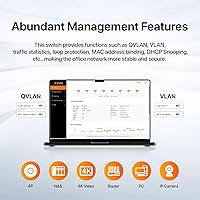
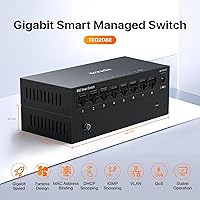
At the core, this managed switch delivers full gigabit throughput across all eight ports simultaneously, backed by a 16 Gbps switching fabric that won't create bottlenecks even under heavy load. The 802.1Q VLAN support is genuinely useful — you can isolate IoT devices, IP cameras, or a guest network from the rest of your traffic without needing a separate router. IGMP snooping keeps multicast streams tidy, which matters if you're running IPTV or several security cameras. Link Aggregation lets you bond ports together for higher throughput to a NAS or server, and QoS settings ensure your VoIP calls don't get trampled when someone starts a large file transfer. Loop guard and real-time alerts round out a surprisingly capable security toolkit.

Best For

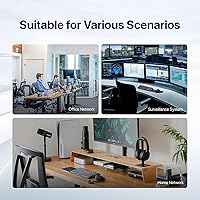
This Tenda switch hits a sweet spot for a fairly specific type of buyer. Home lab users will appreciate the VLAN and LAG features that typically cost significantly more in competing brands. If you're running a small office and need to keep IP cameras on their own isolated segment, this handles that cleanly without the usual enterprise overhead. It's also a solid pick for anyone managing a NAS, media server, or a growing smart home setup — situations where an unmanaged switch simply doesn't give you enough control. And because it draws only 3 watts and makes zero noise, it fits naturally in a living room AV cabinet or a bedroom shelf without becoming an annoyance.

User Feedback

With a 4.6-star average across nearly 300 ratings, the TEG208E has clearly earned genuine goodwill from buyers. Most positive reviews zero in on the painless initial setup — people who have never touched a managed switch report getting VLANs working within minutes. Build quality gets consistent praise too; the all-metal body feels durable in a way that budget plastic switches simply don't. On the critical side, a handful of users find the web interface a bit dated and the included documentation thin, particularly for less technical buyers who hit a wall configuring advanced features. There's also no PoE and no SFP uplink, so if either of those is on your checklist, this isn't the right fit.

Pros

  • VLAN, QoS, IGMP snooping, and LAG are all included at a price point most competitors cannot match.
  • The all-metal fanless chassis runs completely silent, making it ideal for noise-sensitive spaces.
  • Full gigabit throughput across all eight ports holds up reliably under real mixed-traffic conditions.
  • The web management interface is approachable enough that first-time managed switch users configure VLANs without needing outside help.
  • At just 3 watts, the TEG208E costs almost nothing to run continuously around the clock.
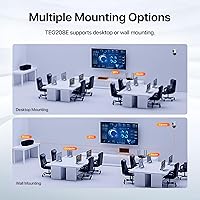
  • Wall-mount and desktop placement options give genuine flexibility for tight or unconventional spaces.
  • MAC address binding and DHCP snooping add meaningful security layers rarely found at this price tier.
  • Loop guard and real-time log alerts help catch network problems before they snowball into outages.
  • The compact footprint fits unobtrusively behind a monitor, on a shelf, or inside a media cabinet.
  • A 4.6-star average across nearly 300 verified buyers reflects consistently positive real-world experiences.

Cons

  • No PoE output means cameras, access points, and VoIP phones cannot be powered through the switch.
  • There is no SFP uplink slot, which blocks fiber connectivity in hybrid network builds.
  • The included documentation is minimal, and advanced configurations often require external research to complete.
  • The web interface looks and feels outdated compared to competitors in the same general price range.
  • Live technical support from Tenda can be slow to respond when configuration problems arise.
  • Browser compatibility with the management UI is inconsistent — some users report reliable access only through Chrome.
  • Link aggregation setup can cause compatibility headaches with certain NAS devices that require specific LACP negotiation.
  • The tightly spaced RJ45 ports can make fitting bulky or angled patch cable connectors awkward.
  • No inter-VLAN routing at the switch level means a capable router is required to handle traffic between segments.
  • Long-term durability data is still limited given the product only launched in mid-2024.

Ratings

The Tenda TEG208E 8-Port Managed Gigabit Switch earns its strong reputation through consistent real-world performance across a wide range of home and small business deployments. The scores below are generated by AI after analyzing verified global buyer reviews, with spam, bot activity, and incentivized feedback actively filtered out. Both the genuine strengths and the recurring frustrations are reflected honestly in each category.
Value for Money
94%
Buyers consistently express surprise at how much networking capability this switch delivers at its price point. VLAN, QoS, IGMP snooping, and LAG are features that typically cost significantly more from competing brands, and users upgrading from basic unmanaged switches feel they are getting a substantial jump in capability without a painful outlay.
A small number of buyers feel that pairing this switch with a capable router to fully exploit its managed features adds up quickly, somewhat diluting the standalone value argument. Those who only need basic plug-and-play switching occasionally feel they are paying for features they will never configure.
Ease of Setup
88%
Most buyers, including those with limited networking experience, report getting the web interface up and running within minutes of unboxing. The browser-based dashboard is laid out logically enough that basic VLAN segmentation and port configuration rarely require outside help or video tutorials.
A recurring frustration surfaces once users move beyond the basics. The included documentation is thin, and configuring LAG or DHCP snooping without prior managed-switch experience can lead to trial and error. Tenda's online knowledge base is helpful but not always easy to locate.
Build Quality
91%
The all-metal chassis consistently draws praise from buyers who have handled plastic budget switches before. It feels solid and dense in hand, and several long-term owners report no flex, no rattling ports, and no signs of wear even after extended daily use in a home office environment.
The unit runs slightly warm under sustained heavy load, which is expected for a fanless design but occasionally surprises buyers who are not used to passive cooling. A few users also note that the port labeling could be clearer, particularly when mounting the switch on a wall.
Network Performance
93%
Sustained gigabit throughput across all eight ports holds up well in real-world testing, and users running NAS transfers, 4K media streams, and VoIP calls simultaneously report no noticeable degradation. The 16 Gbps non-blocking fabric means there is genuine headroom even when all ports are active at once.
A small number of buyers in very demanding multi-device environments note that the switch is not designed for fiber uplinks, as there is no SFP slot. For most home and small office deployments this is a non-issue, but anyone planning a hybrid copper-fiber network will hit this ceiling.
Noise Level
97%
The fully fanless design makes this one of the quietest managed switches at any price. Buyers who have placed it in bedrooms, living room AV cabinets, and recording studio racks specifically call out the complete absence of fan noise as a deciding factor in their purchase, particularly compared to older managed switches they replaced.
There is essentially no downside to the fanless design at the power levels this switch operates at. The chassis does retain some warmth, so placing it in a fully enclosed cabinet without any airflow is not recommended, but this is a minor installation consideration rather than a real product flaw.
Web Management Interface
71%
29%
The interface covers all the core managed features — VLAN assignment, QoS rules, port mirroring, and loop guard — in a reasonably organized layout. Users who have worked with entry-level managed switches from other brands find the learning curve comparable and the response time of the UI acceptable.
The interface looks dated and lacks the polish of more modern dashboards from brands like TP-Link or Netgear. Some buyers report that the UI can be slow to refresh after applying changes, and a few note inconsistent behavior when accessed from certain browsers, requiring a switch to Chrome for reliable operation.
VLAN Functionality
86%
For the target audience of home lab users and small offices, the 802.1Q VLAN implementation works reliably. Users isolating IoT devices, IP cameras, or guest networks from their primary LAN report that tagged and untagged VLAN configurations hold up without unexpected bleed-through between segments.
Advanced VLAN scenarios involving voice VLANs or complex inter-VLAN routing setups expose the limitations of the Easy Smart tier. This is not a full Layer 3 switch, and buyers expecting routing between VLANs will need a capable router to fill that gap, which is not always made clear upfront.
QoS Performance
79%
21%
Users running VoIP systems or video conferencing alongside heavy file transfers report a noticeable improvement in call quality after enabling QoS rules. The port-based and 802.1p priority settings are practical to configure and deliver consistent results in mixed-traffic home office scenarios.
The QoS implementation is relatively basic compared to enterprise switches and lacks granular DSCP remarking options that power users might expect. For straightforward priority rules it works well, but anyone needing fine-grained traffic shaping will find the options limited.
IGMP Snooping
82%
18%
Buyers running IP camera systems or IPTV setups specifically mention that enabling IGMP snooping cleaned up unnecessary multicast flooding on their networks. It works as expected and requires minimal configuration to activate, which is appreciated by users who just want it to work quietly in the background.
There is limited feedback on edge cases involving complex multicast topologies, and Tenda's documentation on IGMP querier settings is sparse. For straightforward camera or IPTV deployments it performs reliably, but larger or more complex multicast environments are untested territory for most buyers of this switch.
Link Aggregation (LAG)
77%
23%
Users connecting the TEG208E to a NAS that supports LACP report successful link aggregation with measurable throughput improvements for large file transfers. The feature works as advertised for basic two-port bonding scenarios and is a genuinely useful addition at this price tier.
The LAG implementation is limited to static and LACP modes, and a few buyers encountered compatibility hiccups when pairing with certain NAS devices that required specific LACP negotiation settings. Troubleshooting this without adequate documentation proved frustrating for less experienced users.
Physical Footprint
89%
The compact dimensions make this switch genuinely unobtrusive. It fits behind a monitor, on a small shelf, or beside a router without demanding dedicated rack space, and the wall-mount option is a practical touch for users who want to keep their desk or media cabinet tidy.
The small form factor means the RJ45 ports are tightly spaced, and users with bulky or angled patch cable connectors occasionally find the fit a bit cramped. This is a minor ergonomic complaint rather than a functional issue, but worth noting for users with specific cabling setups.
Power Efficiency
96%
Drawing just 3 watts under normal operation, this switch barely registers on an energy monitor. Buyers running always-on home lab or NAS setups specifically appreciate the negligible contribution to their electricity bill, especially when the switch is powered 24 hours a day, 7 days a week.
There is very little to criticize here given the power envelope. The only note from a handful of buyers is that the included power adapter is fixed voltage and not universally compatible without an adapter in certain international markets, which is a minor logistics point rather than a design flaw.
Long-Term Reliability
83%
A solid portion of reviewers who have owned the TEG208E for a year or more report zero hardware failures, stable port connections, and consistent uptime without reboots. The all-metal chassis appears to contribute to thermal resilience in environments that see moderate ambient temperature variation.
The sample of very long-term reviews beyond 18 months is still relatively small given the product's 2024 release date, so definitive conclusions about multi-year durability are premature. A small number of buyers report occasional web interface freezes requiring a power cycle, though this appears infrequent.
Documentation & Support
58%
42%
The basic quick-start guide is sufficient for straightforward plug-and-play deployment and simple VLAN setups. Tenda's website does host a downloadable user manual and some configuration guides that cover the most common use cases adequately for patient users willing to search for them.
This is the most consistently criticized aspect across reviews. The included printed documentation is minimal, and Tenda's online support resources, while improving, still lag behind competitors for advanced scenarios. Non-English documentation is especially inconsistent, and live support response times disappoint buyers who hit configuration walls.

Suitable for:

The Tenda TEG208E 8-Port Managed Gigabit Switch is a strong fit for anyone who wants real network control without paying enterprise prices or wrestling with enterprise complexity. Home lab enthusiasts who want to experiment with VLANs, link aggregation, or IGMP snooping will find this switch hits a practical sweet spot — capable enough to be educational, affordable enough to be low-risk. Small offices that need to isolate IP cameras, separate guest Wi-Fi traffic, or protect a POS terminal on its own VLAN can accomplish all of that here without dedicated IT support. It is equally well-suited to prosumers running a NAS, a Plex server, or a growing smart home stack who have outgrown a basic unmanaged switch but have no interest in spending several times more for a name-brand managed option. The fanless all-metal chassis also makes it a natural choice for anyone deploying networking gear in a living space, bedroom, or quiet home office where fan noise from cheaper alternatives becomes a genuine annoyance over time.
Not suitable for:

Buyers with more demanding infrastructure requirements will run into real ceilings with this Tenda switch that no amount of configuration can work around. There is no PoE output, so anyone planning to power IP cameras, access points, or VoIP phones directly from the switch will need a separate PoE injector or a different device entirely. There is also no SFP uplink port, which rules it out for anyone building a hybrid copper-fiber network or connecting to a fiber-capable router or NAS. IT professionals managing more than a handful of users, or anyone who needs inter-VLAN routing handled at the switch level, should look at a full Layer 3 managed switch instead, as the TEG208E operates purely at Layer 2. The web interface, while functional, is dated enough that network administrators accustomed to polished dashboards from Ubiquiti, Netgear, or TP-Link's business lines may find the experience frustrating. Finally, buyers who want comprehensive printed documentation or reliable live technical support as a safety net should temper their expectations, as Tenda's support resources at this tier are noticeably thinner than those of more established networking brands.

Specifications

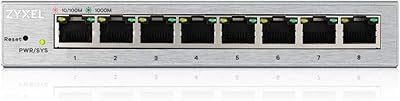
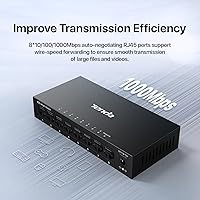
  • Ports: Eight 10/100/1000 Mbps RJ45 ports support auto-negotiation and auto MDI/MDIX on all connections.
  • Switching Capacity: The non-blocking switching fabric delivers 16 Gbps of total throughput, ensuring no port is ever a bottleneck.
  • Forwarding Rate: The switch handles up to 11.9 Mpps (million packets per second) for line-rate gigabit forwarding across all ports simultaneously.
  • Management: Network configuration is handled through Tenda's Easy Smart web-based GUI, accessible via any modern browser on the local network.
  • VLAN Support: 802.1Q tagged VLANs are supported, enabling logical network segmentation for security, guest access, or device isolation.
  • IGMP Snooping: IGMP snooping v1/v2 is supported, allowing the switch to intelligently forward multicast traffic only to relevant ports.
  • Link Aggregation: Static LAG and LACP (802.3ad) are both supported, allowing up to two ports to be bonded for increased bandwidth to a single upstream device.
  • QoS: Quality of Service is configurable via 802.1p priority queuing and port-based priority, with four egress queues per port.
  • Security Features: MAC address binding, port isolation, DHCP snooping, and whitelist-based access control are all available through the management interface.
  • Network Protection: Loop guard and real-time syslog alerts actively monitor the network and notify the administrator of anomalies such as broadcast storms or unauthorized devices.
  • Cooling: The switch uses fully passive fanless cooling, relying entirely on the metal chassis for heat dissipation with zero moving parts.
  • Power Draw: Maximum power consumption is 3 watts, making continuous 24/7 operation negligible in terms of energy cost.
  • Power Input: The unit accepts 100–240V AC input via the included external power adapter, making it compatible with standard international outlets.
  • Operating Temp: The TEG208E is rated to operate in ambient temperatures ranging from 0°C up to 70°C (32°F to 158°F).
  • Chassis Material: The enclosure is constructed entirely from metal, providing passive heat dissipation and a more durable build than plastic alternatives at this price tier.
  • Dimensions: The switch measures 2.5″ (L) x 3.9″ (W) x 1″ (H), making it compact enough for desktop placement or discrete wall mounting.
  • Weight: The unit weighs 207 grams (approximately 7.3 oz), light enough for wall mounting without heavy-duty fixings.
  • Mounting Options: Both desktop and wall-mount installation are supported out of the box, with mounting hardware included in the package.
  • MAC Table: The switch supports a MAC address table of up to 4,000 entries, sufficient for small to medium office or home lab deployments.
  • Certifications: The TEG208E carries CE, FCC, and RoHS certifications, confirming compliance with standard electrical safety and environmental regulations.

Related Reviews

Zyxel GS1200-8 8-Port Gigabit Web Managed Switch
84%
88%
Ease of Setup
85%
Performance
84%
Build Quality
92%
Fanless Operation (Noise Level)
90%
Energy Efficiency
More
Tenda TEG1008M 8-Port Gigabit Ethernet Switch
86%
95%
Ease of Setup
89%
Performance/Stability
91%
Noise Level
87%
Build Quality
85%
Mounting Flexibility
More
NETGEAR GS308E 8-Port Managed Network Switch
81%
93%
Reliability & Uptime
96%
Silent Operation
67%
Ease of Setup
78%
Web Management Interface
88%
Value for Tier
More
TP-Link TL-SG2008 8-Port Gigabit Managed Switch
79%
74%
Ease of Setup
81%
SDN & Cloud Management
93%
Port Performance & Throughput
88%
VLAN & Network Segmentation
86%
Security Features
More
TP-Link TL-SG2210P V3 8-Port PoE Switch
83%
91%
Value for Money
74%
PoE Performance
83%
Ease of Setup
86%
Omada SDN Integration
88%
Build Quality
More
D-Link DGS-1100-08PV2 8-Port Gigabit Smart Managed PoE+ Switch
87%
85%
Performance & Reliability
88%
PoE Power Delivery
90%
Ease of Setup
91%
Fanless Design & Noise Levels
87%
Value for Money
More
Tenda TEG1024D 24-Port Gigabit Switch
85%
91%
Setup & Installation
88%
Build Quality
85%
Performance & Speed
93%
Noise Level
87%
Durability
More
YuLinca 8-Port 10G Managed Network Switch
79%
92%
Port Speed & Auto-Negotiation
89%
Throughput & Switching Performance
88%
Build Quality & Chassis
71%
Web Management Interface
86%
L2 Feature Set Depth
More
Loocam 8-Port Gigabit PoE Switch
81%
92%
Ease of Setup
88%
PoE Power Budget
85%
Performance Stability
90%
Noise Level
80%
Build Quality
More
Cqenpr 8-Port Gigabit PoE Switch
87%
91%
Value for Money
89%
Ease of Setup
86%
Performance & Reliability
88%
Build Quality & Durability
92%
Outdoor Suitability
More

FAQ

No special software is required. The Tenda TEG208E 8-Port Managed Gigabit Switch is managed entirely through a standard web browser. You access the interface by typing the switch's default IP address into your browser on the same local network, log in with the default credentials, and configure everything from there. Chrome tends to give the most consistent experience.

Yes, that is actually one of the most common use cases for this switch. You can create a dedicated VLAN for your cameras, assign the relevant ports to that VLAN, and those devices will be isolated from your main computers and smart home gear. It requires a little time in the web interface to set up, but it is very manageable even without deep networking experience.

No, this switch does not have PoE capability on any of its ports. If you need to power access points, IP cameras, or VoIP phones through the network cable, you will need a separate PoE injector or a different switch that includes PoE. This is one limitation worth factoring in before purchasing.

There is no SFP slot on this model. All eight ports are copper RJ45 gigabit, so fiber connectivity is not an option. If you need a fiber uplink to your router or to another switch, you would need to look at a different product.

You access the LAG settings through the web interface under the trunk or link aggregation section, select the ports you want to bond, and choose either static or LACP mode. Your NAS also needs to support LAG on its end and be configured to match. LACP is generally the safer choice for compatibility, but check your NAS documentation to confirm which mode it prefers before you start.

Yes, the metal chassis will feel warm to the touch under sustained load, which is completely normal for a fanless design. The heat is conducted through the metal body rather than blown out by a fan. As long as the switch has reasonable airflow around it and is not sealed inside a completely enclosed box, this thermal behavior is not a concern. The operating temperature rating goes up to 70 degrees Celsius.

Wall mounting is fully supported and the necessary mounting hardware is included in the box. The unit is light enough that standard wall anchors handle the job without any issues. Just make sure the cable run to each port is comfortable before finalizing the position, since the ports are fairly close together.

Functionally it covers all the core managed features you would expect, but visually and in terms of polish it lags behind competitors like TP-Link's TL-SG108E or Netgear's GS308E. Pages can take a moment to refresh after applying changes, and the layout feels somewhat dated. It is perfectly usable, but if a slick interface matters to you, that is a fair point of comparison before deciding.

It is actually a pretty good entry point. The feature set is deep enough to be genuinely educational, but the web interface is organized clearly enough that most people can configure basic VLANs and QoS rules without a networking background. The weak documentation is the main hurdle — you may need to supplement it with YouTube tutorials or Tenda's online manual for anything beyond the basics.

Most users report the switch is fully operational within about 30 to 45 seconds of being powered on. It is not instantaneous, but it is fast enough that brief power outages or deliberate reboots are not a significant disruption for home or small office environments.