Overview

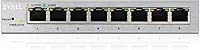
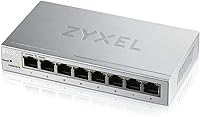
The Zyxel GS1200-8 8-Port Gigabit Managed Switch has been a quiet fixture in the affordable managed switch market since 2018 — and it has held up surprisingly well. Where most switches at this price tier give you zero control over your traffic, this Zyxel managed switch hands you a real web interface with actual network management tools. The compact, fanless enclosure is small enough to tuck behind a monitor or sit on a shelf without drawing attention. Backed by a lifetime warranty and US-based support, it offers a level of long-term confidence that is genuinely rare at this price point.
Features & Benefits

Eight full Gigabit ports with a 16 Gbps switching capacity means there is no bottleneck sharing traffic across connected devices — everything runs at true wire speed. The web interface is where this 8-port gigabit switch earns its managed label: you can set up VLANs to isolate guest traffic from your main network, apply port-based QoS to prioritize video calls or VoIP, and enable IGMP snooping to keep multicast streams from flooding the whole network. Link Aggregation lets you bond two ports together for higher throughput to a NAS or server. With under 3.5W of power draw, it costs almost nothing to run around the clock.

Best For

This Zyxel managed switch hits a sweet spot for home lab enthusiasts and small office users who want real network control without spending hours in a command-line interface. If your setup involves multiple departments sharing one connection, or a home network where you want to keep IoT devices isolated from your main machines, the VLAN tools here handle that cleanly. AV integrators and smart home builders will appreciate the IGMP snooping support, which prevents multicast traffic from choking non-participating ports. It also suits anyone who has been frustrated by fan noise from networking gear — the fanless design keeps things completely silent, regardless of load.

User Feedback

Across a solid base of user reviews, a few consistent themes emerge. The web interface gets the most praise — buyers who have wrestled with clunky managed switch UIs before tend to be pleasantly surprised by how straightforward this one is to navigate. Silent operation comes up repeatedly as a genuine differentiator, especially for users who place networking gear in living spaces. On the critical side, buyers comparing the GS1200-8 against step-up models note that the MAC address table and packet buffer are modest, which could matter in busier environments with many connected devices. Minor UI inconsistencies get occasional mentions, though most users report smooth daily operation after initial setup.

Pros

  • The web-based management interface is genuinely approachable — even users new to managed switches get up and running quickly.
  • VLAN support lets you cleanly isolate guest devices, IoT gadgets, or department traffic without complex configuration.
  • Fanless passive cooling means the GS1200-8 runs in complete silence, regardless of traffic load.
  • Link Aggregation support allows you to bond ports for higher bandwidth to a NAS, server, or upstream switch.
  • Per-port LED indicators make it easy to spot connection or activity issues at a glance, no login required.
  • IGMP snooping keeps multicast streams from flooding the entire network, a real benefit for AV and smart home setups.
  • Port-based QoS lets you prioritize traffic for VoIP or video calls without digging into complex scheduling rules.
  • Power consumption stays under 3.5W, making it inexpensive to run continuously as an always-on network device.
  • A lifetime warranty backed by US-based support adds meaningful long-term confidence for a device meant to run 24/7.
  • The compact footprint makes it easy to tuck into a cabinet, shelf, or media center without dominating the space.

Cons

  • The MAC address table capacity is modest, which can become a limitation in environments with a high volume of unique devices.
  • The packet buffer size may contribute to congestion under sustained, simultaneous heavy traffic from multiple ports.
  • There is no SFP or fiber uplink port, ruling it out for setups that require fiber connectivity to a core switch.
  • The web interface, while generally clean, has received occasional reports of minor quirks or inconsistencies that require a refresh or re-login.
  • No Layer 3 features means no static routing, so it cannot replace or supplement a router in any capacity.
  • The switch offers no rack-mount option out of the box, making cable management trickier in a structured wiring environment.
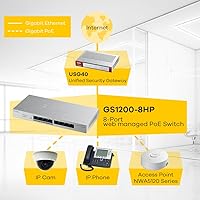
  • No redundant or PoE power input limits deployment flexibility for users powering access points or IP cameras directly from the switch.
  • Firmware update process is not automated, requiring manual checks and uploads through the web interface.

Ratings

Our AI rating system analyzed verified buyer reviews for the Zyxel GS1200-8 8-Port Gigabit Managed Switch from across global markets, actively filtering out incentivized, bot-generated, and duplicate feedback to surface what real users consistently experience. The scores below reflect an honest synthesis of both the strengths that keep buyers satisfied and the friction points that occasionally surface in daily use. Nothing has been smoothed over — where this 8-port gigabit switch earns high marks, the data backs it up, and where it falls short, that is reflected too.
Ease of Setup
88%
Most buyers report getting the GS1200-8 up and running within minutes — plug in the power and Ethernet cables, find the switch on your local network, and the web interface is immediately accessible. For users coming from fully unmanaged switches, this is a notably low-friction entry point into managed networking.
A small portion of users encountered confusion locating the switch's default IP address, particularly on networks with non-standard DHCP configurations. There is no dedicated setup wizard, which means first-timers need to consult the manual more than they might expect.
Web Interface Usability
83%
The browser-based management portal is consistently described as clean and logically organized — a real differentiator from some rivals whose interfaces feel like they were designed in the early 2000s. Common tasks like VLAN assignment and QoS configuration are reachable without digging through nested menus.
A recurring minority complaint involves occasional interface unresponsiveness that requires a browser refresh or re-login to resolve. Some users also note the interface does not adapt well to mobile browsers, making on-the-go adjustments inconvenient.
Build Quality
79%
21%
The metal enclosure feels solid and purposeful for a switch in this price tier — it does not flex or creak when handled, and the port sockets hold cables firmly without wobble. Several buyers mentioned it feels more substantial than competitors offered at a similar price.
The chassis shows fingerprints and light scratches relatively easily, which matters more in visible desk or AV rack installations. A few users noted the power adapter feels lightweight and generic, which can raise questions about long-term reliability at that single point of failure.
Noise Level
97%
Fanless passive cooling is not just a spec checkbox here — buyers in home offices, media rooms, and open-plan workspaces consistently highlight the total silence as a genuine quality-of-life improvement. There is simply nothing to hear, regardless of how hard the ports are working.
Passive cooling works well in typical environments, but users in server closets or poorly ventilated enclosures should be aware that without active airflow, the chassis can get noticeably warm under sustained heavy loads. No thermal warning or indicator is present.
VLAN Performance
81%
19%
Port-based VLAN functionality works reliably for the core use cases buyers bring to this switch — isolating IoT devices, separating guest Wi-Fi traffic, or creating a basic DMZ. Home lab users in particular appreciate having this level of segmentation without paying enterprise prices.
The VLAN implementation is port-based only, which limits flexibility compared to switches that support 802.1Q tagged VLANs more fully. Users running more complex multi-VLAN environments with inter-VLAN routing will quickly find this switch does not cover their needs.
QoS Effectiveness
74%
26%
Port-based QoS gives users a practical way to ensure VoIP calls or video conferencing traffic gets bandwidth priority over lower-priority devices. For small offices with a few prioritized workstations, the difference is tangible during peak usage periods.
The port-based approach means you cannot apply QoS rules based on traffic type or application — every device on a given port shares whatever priority you set for that port. Users who need granular, per-flow traffic shaping will find this insufficient.
IGMP Snooping
86%
For AV integrators and smart home builders, IGMP snooping is often the deciding feature, and the GS1200-8 handles it reliably. Multicast streams for whole-home audio, IPTV, or surveillance systems stay contained to the appropriate ports rather than flooding the entire network.
Configuration options for IGMP snooping are minimal — there is no querier configuration or per-VLAN IGMP control, which limits its usefulness in more sophisticated multicast topologies. It handles the common case well but is not a substitute for purpose-built AV networking gear.
Link Aggregation
77%
23%
LAG support works as advertised for users bonding ports to a NAS or upstream switch — throughput to that device effectively doubles with a properly configured two-port aggregate. Home lab users with a high-capacity storage server see the most benefit from this feature.
The LAG configuration lacks LACP (dynamic negotiation), which means both ends of the link must be statically configured to match. Connecting to a device that only supports dynamic LAG can result in a non-functional aggregate that is frustrating to troubleshoot without prior experience.
Power Efficiency
93%
Drawing under 3.5W at peak load, the GS1200-8 costs virtually nothing to run continuously — a meaningful consideration for always-on home or small office deployments where the switch never gets powered down. Several buyers specifically called out the low idle power draw as a welcome detail.
There is no energy-efficient Ethernet (EEE) or per-port power management to reduce consumption further on inactive ports, which is a minor missed opportunity for a device marketed partly on its low energy footprint.
MAC Table Capacity
61%
39%
For home networks or small workgroups with a modest number of connected devices, the 4K MAC address table is more than adequate and users in those environments will never notice any constraint during normal day-to-day operation.
Buyers who compared this switch directly against similarly priced competitors noted that 4K entries can become a ceiling in denser environments, especially if the switch is handling traffic from wireless access points serving many clients simultaneously. It is a real limiting factor for growing networks.
Packet Buffer
63%
37%
Under typical mixed-use conditions — a few workstations, a NAS, and general internet traffic — the 192 KB packet buffer handles momentary congestion without noticeable dropped packets or retransmissions. Everyday users will rarely encounter a situation where buffer size is the bottleneck.
In scenarios involving several simultaneous high-bandwidth transfers, such as large file copies to a NAS combined with active video streaming across multiple ports, the limited buffer can contribute to increased latency and occasional packet loss. Competing models at a similar price often offer more headroom.
Warranty & Support
91%
A lifetime warranty on networking hardware is a meaningful commitment, and Zyxel backs it with an accessible US-based support team rather than routing everything through overseas call centers. Buyers consistently report confidence in the long-term ownership experience as a result.
Some users noted that firmware updates are infrequent and must be manually applied through the web interface — there is no automatic update or notification system. For buyers who want a set-it-and-forget-it appliance, staying on current firmware requires occasional manual attention.
Value for Money
89%
The combination of true Gigabit speeds, a usable management interface, VLAN, QoS, IGMP, and LAG support, plus a lifetime warranty, represents genuinely strong value for buyers who need managed features but cannot justify an enterprise-class budget. Most buyers feel the purchase was straightforwardly justified.
Users shopping purely on port count or raw buffer and MAC table specs will find competitors that outperform this switch on paper for a comparable price. The value proposition hinges specifically on the software features and warranty — buyers who do not need those may overpay.
Physical Footprint
87%
At just over a pound and smaller than a standard hardcover book, the GS1200-8 fits naturally in places where a larger switch would be impractical — behind monitors, inside media consoles, or on a crowded shelf. The compact form factor is regularly mentioned as a practical convenience.
The switch lacks mounting holes or any rack-mount bracket option out of the box, so it tends to sit loose on surfaces. In cleaner cable management setups or structured wiring enclosures, its free-floating placement can look untidy without improvised mounting solutions.

Suitable for:

The Zyxel GS1200-8 8-Port Gigabit Managed Switch is a strong fit for anyone who needs real network control without the complexity or cost typically associated with managed networking gear. Home lab users who want to experiment with VLANs, QoS rules, or IGMP snooping will find the web interface approachable enough to get meaningful results without a networking certification. Small offices or workgroups that need to segment guest Wi-Fi, separate department traffic, or prioritize bandwidth for video conferencing will get genuine utility from the management features on offer. AV installers and smart home integrators dealing with multicast-heavy setups — think whole-home audio or IPTV — will particularly appreciate the IGMP snooping capability, which keeps that traffic contained to only the ports that need it. The fanless design also makes it a natural choice for anyone placing networking equipment in a bedroom, living room, or any shared space where fan noise would be disruptive.
Not suitable for:

The Zyxel GS1200-8 8-Port Gigabit Managed Switch is not the right tool for environments that demand enterprise-grade throughput or scalability. Its MAC address table and packet buffer, while adequate for small networks, can become a constraint in denser setups with many active devices pushing sustained high-volume traffic — something network-heavy businesses should weigh carefully. Users who need advanced Layer 3 features like static routing, dynamic routing protocols, or per-user access control will hit a hard ceiling here, as this is a Layer 2 web-managed switch only. It also offers no SFP or uplink port, so there is no fiber connectivity option for users trying to tie into a larger infrastructure. Anyone expecting a rack-mount form factor or redundant power input will need to look at a different product category entirely.
Specifications

  • Ports: The switch provides 8 x RJ45 Gigabit Ethernet ports, each capable of 10/100/1000 Mbps auto-negotiation.
  • Switching Capacity: Total non-blocking switching capacity is 16 Gbps, supporting full-duplex throughput across all ports simultaneously.
  • Packet Buffer: The switch is equipped with 192 KB of packet buffer memory to handle temporary traffic bursts across active ports.
  • MAC Address Table: Supports a MAC address table of up to 4K entries, suitable for small to medium-sized local networks.
  • Jumbo Frames: Jumbo frame support extends up to 9 KB, enabling more efficient transfer of large data payloads across the network.
  • VLAN Support: Port-based VLAN configuration is available through the web interface, allowing logical network segmentation without additional hardware.
  • QoS: Port-based Quality of Service prioritization lets administrators assign traffic priority levels to specific physical ports.
  • IGMP Snooping: IGMP snooping is supported, enabling the switch to intelligently forward multicast traffic only to ports that have requested it.
  • Link Aggregation: Link Aggregation Group (LAG) support allows two or more ports to be bonded together for increased bandwidth to a single uplink device.
  • Cooling: Passive fanless cooling is used throughout, producing zero acoustic noise under all operating conditions.
  • Power Input: The switch accepts 5V DC at 1A via its included power adapter, with a maximum consumption of 3.31W under full load.
  • LED Indicators: Each port has a dedicated LED indicator displaying link status and activity, visible without accessing the management interface.
  • Management: Network management is handled entirely through a browser-based web interface, with no proprietary software or command-line access required.
  • Dimensions: The unit measures 6.42 x 3.90 x 3.62 inches, making it compact enough for desktop, shelf, or cabinet placement.
  • Weight: The switch weighs 1.1 pounds, making it easy to reposition or mount in space-constrained environments.
  • Warranty: Zyxel backs this switch with a limited lifetime warranty covering manufacturing defects for the original purchaser.
  • Support: US-based customer support is available directly through Zyxel for troubleshooting, firmware guidance, and warranty claims.
  • Layer: This is a Layer 2 web-managed switch and does not support Layer 3 features such as static or dynamic IP routing.

Related Reviews
Tenda TEG208E 8-Port Managed Gigabit Switch
85%
94%
Value for Money
88%
Ease of Setup
91%
Build Quality
93%
Network Performance
97%
Noise Level
More
NETGEAR GS308E 8-Port Managed Network Switch
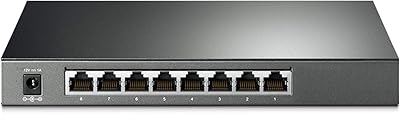
81%
93%
Reliability & Uptime
96%
Silent Operation
67%
Ease of Setup
78%
Web Management Interface
88%
Value for Tier
More
TP-Link TL-SG2008 8-Port Gigabit Managed Switch
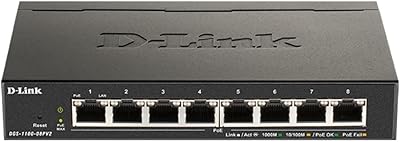
79%
74%
Ease of Setup
81%
SDN & Cloud Management
93%
Port Performance & Throughput
88%
VLAN & Network Segmentation
86%
Security Features
More
TP-Link TL-SG2210P V3 8-Port PoE Switch
83%
91%
Value for Money
74%
PoE Performance
83%
Ease of Setup
86%
Omada SDN Integration
88%
Build Quality
More
D-Link DGS-1100-08PV2 PoE+ Switch
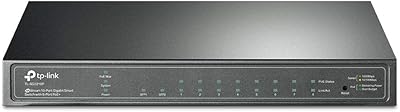
81%
72%
PoE Power Delivery
86%
Ease of Setup
67%
Management Interface
83%
Build Quality
97%
Noise Level
More
Cqenpr 8-Port 120W Outdoor Gigabit PoE Switch
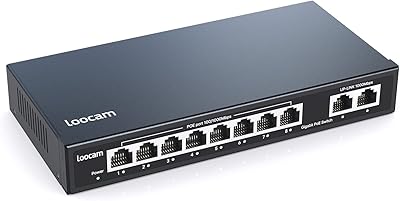
80%
93%
Ease of Installation
88%
Weatherproof Durability
84%
PoE Power Delivery
79%
AI Watchdog Reliability
82%
Surge & Lightning Protection
More
Loocam LNA-SPG1008 8-Port Gigabit PoE Switch
80%
94%
Ease of Setup
76%
PoE Power Delivery
83%
Build Quality
88%
Compatibility
71%
Extended Transmission Range
More
YuLinca 8-Port 10G Managed Network Switch
79%
92%
Port Speed & Auto-Negotiation
89%
Throughput & Switching Performance
88%
Build Quality & Chassis
71%
Web Management Interface
86%
L2 Feature Set Depth
More
MokerLink 8-Port 10G Managed Ethernet Switch
80%
91%
Throughput Performance
88%
Value for Money
93%
Feature Depth
74%
Web Interface Usability
86%
Build Quality
More
Cudy GS1016E 16-Port Managed Gigabit Switch
78%
88%
Value for Money
84%
Ease of Setup
83%
Build Quality
76%
Web Management Interface
81%
VLAN Functionality
More

FAQ

No, everything is handled through a standard web browser. You just connect to the switch on your local network, type its IP address into a browser, and the management interface loads directly. No proprietary apps or drivers are required.

Yes, completely. There are no fans at all — it uses passive cooling only. Whether you put it in a home office, a living room cabinet, or a bedroom, you will never hear it operating, even under heavy load.

You can, and most users find the process more approachable than expected. The web interface walks you through port-based VLAN assignment in a fairly straightforward way. That said, having a basic understanding of what VLANs do will help you plan your setup before you configure anything.

In almost all cases, yes. The GS1200-8 connects to your router or modem just like any other switch, using a standard Ethernet cable. It does not replace your router — it expands the number of wired ports available on your network.

No, this switch does not support PoE. If you need to power access points, IP cameras, or VoIP phones directly from the switch, you will need a PoE-capable model instead.

For a small office or home network with under 20 to 30 active devices, this switch handles things comfortably. Its 4K MAC address table is the practical ceiling — in larger environments with many unique devices, a switch with a bigger MAC table would be a better fit.

No, there are no SFP or fiber ports on this unit. All eight ports are copper RJ45 only, so fiber connectivity is not an option with this particular model.

Not really. The web interface has a dedicated section for LAG configuration where you select the ports you want to bond and assign them to a group. It typically takes just a few minutes if your upstream device also supports LAG.

Zyxel offers a limited lifetime warranty on this switch and backs it with a US-based support team. Most users report the support experience is straightforward. You can contact Zyxel directly for replacements or troubleshooting assistance.

You can absolutely just plug it in and use it right away — out of the box it behaves like a standard unmanaged switch with no configuration needed. The management features are there when you want them, but they are entirely optional.

Where to Buy