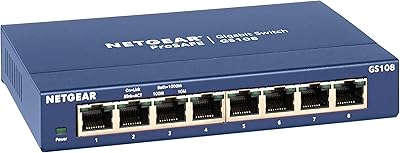
NETGEAR FS608 8-Port Fast Ethernet Switch
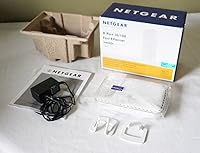
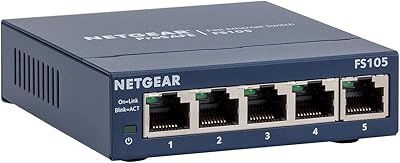
NETGEAR FS608 8-Port Fast Ethernet Switch — image 1
75%
25%

Overview

The NETGEAR FS608 8-Port Fast Ethernet Switch has been quietly doing its job in homes and small offices since 2002 — and that kind of staying power says something real. It is not flashy, and it is not trying to be. What it offers is a no-frills connection point for households or small workspaces that need more ports than their router provides. One thing worth being clear about upfront: this runs at 100 Mbps, not Gigabit. For most basic browsing, local file sharing, or connecting printers and NAS drives, that ceiling is rarely a real-world problem. The vertical form factor also helps it tuck neatly into tight spaces without eating up desk real estate.

Features & Benefits

Plug something in and it works — that really is the entire setup process with this Netgear switch. There is no management interface to log into, no drivers to install, and no configuration steps to stumble through. Each port auto-detects speed and duplex, adjusting automatically whether the connected device runs at 10 or 100 Mbps. The Auto Uplink feature on every port means standard patch cables work everywhere, so crossover cables never enter the picture. Running in full-duplex mode, each connection handles up to 200 Mbps of combined throughput. It is a genuinely hands-off device, which is exactly what most home users want — something that runs in the background and never asks anything of you.

Best For

This 8-port switch is a solid pick for anyone who has run out of open ports on their home router and just needs a simple way to wire in more devices. It works particularly well where connected hardware is not bandwidth-hungry — think printers, older desktops, or a network-attached storage drive. Small offices running legacy equipment will find it a practical fit, especially where Gigabit is not a requirement. The fanless design keeps it completely silent, so it can sit in a shared room without being noticed. Budget-conscious buyers who simply want reliable connectivity without ongoing configuration or maintenance will find this 8-port switch a comfortable, dependable choice.

User Feedback

Buyers who have used the FS608 consistently highlight one thing above all else: it works straight out of the box, with zero friction. That praise is nearly universal across reviews. On the durability side, multiple owners report using their units for five or even ten years without a hiccup — a genuine confidence booster. That said, a few criticisms do appear. Some users eventually hit the 100 Mbps speed ceiling as their networks grew, which is worth considering if you anticipate heavier demands down the road. A smaller subset of reviewers mention individual port failures over extended use, though these cases seem to be outliers rather than a pattern. On balance, feedback paints a picture of a dependable, low-maintenance switch that delivers exactly what it promises.

Pros

  • Zero setup required — plug it in, connect your devices, and the network just works.
  • Auto-sensing ports detect each device speed automatically, so you never touch a setting.
  • Auto Uplink on every port means standard cables work everywhere; no crossover cables needed.
  • The vertical form factor keeps the footprint small, which is a real advantage on a crowded desk.
  • Fanless operation means it runs completely silently — ideal for home offices or shared spaces.
  • Long-term reliability is a genuine strong suit; many buyers report years of uninterrupted use.
  • At its price point, this Netgear switch delivers solid, consistent performance for basic networking needs.
  • Full-duplex support on every port helps maximize throughput for the connections it does support.
  • Unmanaged design removes any ongoing maintenance burden — there is nothing to update or configure.

Cons

  • 100 Mbps is the hard speed limit; anyone needing faster local transfers will feel it quickly.
  • No management interface means you cannot monitor traffic, set priorities, or troubleshoot port-level issues.
  • A device this old has no path to firmware updates or modern security features.
  • Some buyers have reported individual ports failing after extended use, which is worth factoring in for critical setups.
  • The plastic build feels lightweight, and the housing does not inspire a lot of confidence in rough environments.
  • If you already have a Gigabit network, connecting through this 8-port switch will throttle every device on it.
  • No wall-mount option is included, limiting placement flexibility for clean cable management.
  • Buyers who need more than eight ports have no expansion option — the switch is not stackable.

Ratings

Our AI rating engine analyzed verified purchase reviews for the NETGEAR FS608 8-Port Fast Ethernet Switch from buyers across North America, Europe, and Asia-Pacific, actively filtering out incentivized, duplicate, and bot-generated submissions to surface only genuine user experiences. The scores below reflect both the genuine strengths this switch delivers for the right buyer and the real-world limitations that have frustrated users with different expectations. Nothing has been softened — if buyers consistently ran into a problem, that pain point is represented in the numbers.

Ease of Setup
96%
This is where the switch earns its most enthusiastic praise. Buyers across all experience levels — from complete networking novices to IT professionals setting up a quick secondary drop — consistently describe the setup process as taking under five minutes. Plug in the power, run a cable from your router, connect your devices, and everything just works.
A small number of buyers found that one or two ports occasionally did not register a connection on the first attempt, requiring them to re-seat the cable before the link came up. It is a minor friction point, but it does break the otherwise flawless out-of-box experience for those users.
Speed Performance
52%
48%
For households with internet plans at or below 100 Mbps, or for connecting devices like printers, NAS drives, and older desktops where raw throughput is not the priority, this 8-port switch handles the job without any noticeable performance drop. Local network traffic for basic file access and browsing stays stable and consistent.
The 100 Mbps ceiling is a genuine limitation that catches buyers off guard, particularly those who purchased it for a Gigabit-capable home network. Transferring large files between modern computers through this Netgear switch takes noticeably longer than it would through a Gigabit switch, and that frustration shows up repeatedly in long-term reviews.
Value for Money
81%
19%
At its price point, this 8-port switch is difficult to argue against for users who genuinely only need Fast Ethernet speeds. Buyers who have owned it for three, five, or even eight years without a single issue feel they got excellent value from a modest upfront investment, especially given the zero ongoing maintenance costs.
The value calculation shifts noticeably once you compare it to entry-level Gigabit switches, which often sell for only a few dollars more and deliver ten times the port speed. Buyers who did that comparison after purchase often express regret, feeling they could have spent slightly more and gotten a far more future-proof device.
Port Reliability
71%
29%
The majority of buyers report all eight ports working consistently over years of daily use, which is a genuinely reassuring track record for a device in this price category. In home setups where the switch just sits quietly and routes traffic for a handful of devices, most owners never experience a single port issue.
A recurring pattern in negative reviews involves individual ports becoming unreliable or failing outright after two to four years of use — not universally, but frequently enough to be worth noting. For buyers using all eight ports in a critical setup, the lack of any redundancy or port-status visibility makes a failing port harder to diagnose quickly.
Compatibility
88%
The auto-sensing ports work reliably with virtually any wired device buyers have thrown at them — older 10 Mbps hardware, modern 100 Mbps equipment, NAS units, game consoles, smart TVs, and desktop computers all connect without issue. The Auto Uplink feature means cable type has never been a problem for any buyer in the reviewed pool.
A small number of buyers noted that certain managed switches or enterprise-grade routers upstream from the FS608 required a brief negotiation period before the link stabilized on first connection. It is an edge case, but it does occasionally create a puzzling first impression in more complex network environments.
Build Quality
63%
37%
The switch feels solid enough for a stationary desktop device, and the vertical stand keeps it upright reliably without wobbling. For buyers who simply place it on a shelf or desk and leave it there, the physical construction has held up well across years of use based on long-term owner feedback.
The plastic housing is noticeably lightweight and does not inspire confidence when handled, and several buyers describe it as feeling cheaper than it looks in product photos. In environments where the switch might get bumped or moved frequently, the build does not suggest it would hold up to much physical stress.
Design & Form Factor
82%
18%
The vertical orientation is a practical design decision that genuinely pays off on a crowded desk or a shelf with limited horizontal space. Several buyers specifically called out the compact footprint as the reason they chose this switch over flat alternatives, and it does exactly what it promises in that regard.
The port indicators and status lights are small and not particularly bright, which makes it difficult to read connection status at a glance, especially from a distance or in a well-lit room. A few buyers also noted that the power adapter cable is on the shorter side, which can limit placement options depending on where the nearest outlet is.
Network Stability
84%
Once connected, this Netgear switch maintains a consistent and stable network environment for all connected devices. Buyers who use it for always-on applications — like a home server or a NAS that streams media around the clock — report very few dropped connections or unexplained link interruptions during normal operation.
A handful of buyers reported occasional brief network dropouts that resolved themselves without intervention, but that were disruptive enough to be memorable. These incidents were not widespread but appeared often enough in reviews to suggest that some units may experience link instability under sustained, high-utilization conditions.
Noise Level
97%
Complete silence is the norm with the FS608, and buyers consistently appreciate it. Because there is no fan, the switch produces zero audible output under any conditions, making it genuinely suitable for bedrooms, living rooms, home offices, and any other space where even a faint fan hum would be noticeable.
Passive cooling means heat has to go somewhere, and a few buyers noted the casing gets warm to the touch after prolonged use in enclosed spaces with poor air circulation. It is not a safety concern under normal conditions, but placing it in a cabinet with no airflow is not advisable.
Long-Term Durability
74%
26%
The sheer number of buyers who have owned their unit for five or more years and report zero problems is genuinely impressive for a device at this price level. That kind of track record speaks to a design that does not overstress its components, which makes sense given its modest throughput demands.
The variance in long-term outcomes is wider than you might hope — some buyers get a decade of flawless service, while others encounter port degradation or unit failure within two to three years. That inconsistency makes it hard to rely on this 8-port switch for any setup where downtime would be a serious problem.
Heat Management
73%
27%
Passive cooling works perfectly well in open-air desktop placement, which is the intended use case. Buyers who keep the switch on an open shelf or desk surface rarely report any heat-related concerns, and the fanless design means no dust accumulation on internal components the way active-cooled switches can experience.
Without active cooling, the switch can get warmer than expected in enclosed spaces or during extended periods of heavy traffic across all eight ports simultaneously. A couple of buyers in warmer climates mentioned that the casing temperature felt uncomfortably high during summer months, though no thermal failures were specifically attributed to heat in the reviewed feedback.
Feature Set
41%
59%
For the specific buyer who wants a true plug-and-play experience with no configuration overhead whatsoever, the stripped-back feature set is exactly what was requested. There is no interface to misconfigure, no firmware to update, and no settings to accidentally break — which genuinely suits the non-technical user this switch targets.
Beyond basic packet switching, there is nothing here — no traffic prioritization, no VLAN support, no port mirroring, no link aggregation, and no management interface of any kind. Buyers who later realized they wanted even basic visibility into their network traffic found themselves needing to replace the switch entirely, since there is no way to unlock additional functionality.

Suitable for:

The NETGEAR FS608 8-Port Fast Ethernet Switch is a genuinely practical choice for home users who have simply run out of wired ports on their router and need a reliable, no-hassle way to connect more devices. If your household has a mix of desktop computers, a NAS drive, a printer, or a game console that you prefer on a wired connection, this switch handles that workload without breaking a sweat. Small offices running older hardware — where 100 Mbps is plenty for day-to-day tasks like document sharing, email, and basic internet use — will find it a dependable and cost-effective fit. It also suits anyone who is not comfortable with network configuration, since there is genuinely nothing to set up; you plug it in and it works. The vertical design is a quiet bonus for anyone working in a cramped space where a flat switch would just add clutter.

Not suitable for:

The NETGEAR FS608 8-Port Fast Ethernet Switch is not the right tool if your network regularly moves large files, streams high-resolution video between devices, or supports users who rely on fast local transfers — the 100 Mbps speed ceiling will become a real bottleneck in those scenarios. Anyone building or upgrading a modern home or office network should think carefully before choosing a Fast Ethernet device in 2024, since Gigabit switches are widely available at comparable price points and offer ten times the bandwidth per port. Power users, IT professionals, or anyone who needs VLANs, traffic monitoring, or any form of network management should look elsewhere entirely, as this 8-port switch offers no management interface whatsoever. If you are already running a Gigabit network, dropping a 100 Mbps switch into it will create a speed choke point that drags down every device connected through it. Buyers expecting to scale up their network demands over the next few years are likely to outgrow this switch faster than they expect.

Specifications

  • Port Count: This switch provides 8 RJ-45 ports, allowing up to eight wired devices to connect simultaneously on the same local network.
  • Network Standard: It operates on the 100BASE-TX Fast Ethernet standard, supporting data transmission at up to 100 Mbps per port.
  • Max Port Speed: Each individual port supports a maximum connection speed of 100 Mbps in half-duplex mode.
  • Full-Duplex Throughput: When operating in full-duplex mode, each port can handle up to 200 Mbps of combined send-and-receive throughput.
  • Switch Type: This is an unmanaged switch, meaning it requires no configuration, has no web interface, and offers no traffic management controls.
  • Speed Detection: All eight ports automatically detect the speed and duplex settings of each connected device without any manual input.
  • Auto Uplink: Every port includes Auto Uplink (Auto MDI/MDIX) support, eliminating the need for crossover cables regardless of which port is used.
  • Form Factor: The unit is designed for vertical desktop placement, which reduces its horizontal footprint compared to traditional flat-laying switches.
  • Dimensions: The switch measures 8.7 x 6.6 x 8.7 inches, making it compact enough for most desks or shelving setups.
  • Weight: At 1.4 pounds, the unit is lightweight and easy to reposition without any special mounting hardware.
  • Cooling Method: The switch uses passive cooling with no internal fan, resulting in completely silent operation during normal use.
  • Model Number: The official model designation is FS608NA, which is the North American retail version of this switch.
  • Manufacturer: The switch is designed and sold by Netgear, a well-established networking hardware brand with a broad product portfolio.
  • First Available: This model was first made available in June 2002, giving it an unusually long and proven track record in the market.
  • Production Status: As of the most recent product listing, this switch has not been discontinued and remains available through authorized retailers.

Related Reviews
D-Link DES-1008PA 8-Port PoE Fast Ethernet Switch
82%
94%
Ease of Setup
88%
PoE Port Reliability
91%
Build Quality & Durability
58%
Network Speed & Throughput
97%
Noise Level
More
NETGEAR FS728TP 24-Port PoE Managed Switch
73%
88%
Hardware Reliability
82%
PoE Performance
47%
Port Speed & Throughput
63%
Management Interface
91%
Warranty & Support Value
More
NETGEAR FS105 5-Port Unmanaged Network Switch
83%
97%
Ease of Setup
94%
Noise Level
83%
Build Quality
91%
Reliability & Uptime
58%
Network Speed Performance
More
NETGEAR GS608 8-Port Gigabit Ethernet Switch
83%
97%
Ease of Setup
91%
Network Performance
94%
Silent Operation
67%
Build Quality
83%
Value for Money
More
NETGEAR GS108 8-Port Gigabit Ethernet Switch
82%
97%
Ease of Setup
93%
Reliability & Longevity
88%
Build Quality
91%
Value for Money
89%
Port Performance
More
NETGEAR GS108Tv3 8-Port Gigabit Smart Switch
79%
83%
Ease of Setup
91%
Network Feature Depth
74%
NETGEAR Insight App
67%
Build Quality
96%
Silent Operation
More
NETGEAR GS108PP 8-Port Gigabit PoE+ Unmanaged Switch
80%
93%
PoE Power Delivery
96%
Ease of Setup
91%
Long-Term Reliability
94%
Silent Operation
74%
Build Quality
More
NETGEAR GS308E 8-Port Managed Network Switch
81%
93%
Reliability & Uptime
96%
Silent Operation
67%
Ease of Setup
78%
Web Management Interface
88%
Value for Tier
More
NETGEAR GS308EP
NETGEAR GS308EP
81%
88%
PoE+ Performance
91%
Ease of Setup
74%
Build Quality
82%
Network Management Features
93%
Value for Money
More
NETGEAR GS308PP 8-Port PoE+ Gigabit Switch
85%
96%
Ease of Setup
93%
PoE Port Coverage
71%
Power Budget Adequacy
88%
Build Quality
67%
Thermal Management
More

FAQ

No, there is nothing to install. You plug it into your router or modem with a standard ethernet cable, connect your devices to the remaining ports, and it starts working immediately. There is no setup screen, no app, and no configuration of any kind required.

It depends on your current internet speed. This 8-port switch operates at 100 Mbps, so if your internet plan delivers more than that, you may notice a bottleneck on connections routed through it. For most standard broadband plans in the 50 to 100 Mbps range, you are unlikely to see any real difference in day-to-day use.

Yes, absolutely. You run a single ethernet cable from one of your router's LAN ports into any port on the switch, and the remaining seven ports become available for additional wired devices. The switch handles everything automatically from there.

It will connect to Gigabit-capable devices without any issues, but those connections will be capped at 100 Mbps since that is the maximum speed this switch supports. If most of your devices are Gigabit-capable and speed matters to you, a Gigabit switch would be a better long-term choice.

None at all. The unit has no internal fan and relies entirely on passive airflow for cooling, so it runs in complete silence. That makes it a good fit for bedrooms, living rooms, or any shared space where fan noise would be irritating.

You can connect up to eight devices simultaneously, one per port. All eight connections are active at the same time, so there is no need to unplug one device to use another.

Standard Cat5 or Cat5e patch cables work on every port thanks to the Auto Uplink feature, which automatically handles the cable type handshake. You do not need crossover cables, regardless of which port you use or what you connect to it.

It is designed primarily as a vertical desktop unit and does not include wall-mount or rack-mount hardware in the box. Some users improvise mounting solutions, but officially it is intended to sit upright on a flat surface.

For basic online gaming through a wired connection, this Netgear switch will work fine since most game traffic does not come close to saturating a 100 Mbps connection. However, if you are transferring large game files between devices on your local network, the 100 Mbps ceiling can slow things down noticeably compared to a Gigabit switch.

A meaningful number of buyers report using their units for five to ten years without problems, which is genuinely impressive for a device at this price level. That said, like any electronics, individual port reliability can vary over time, and a small number of users have reported ports failing after years of use. Keeping it in a well-ventilated spot away from heat should help extend its lifespan.

Where to Buy