Overview

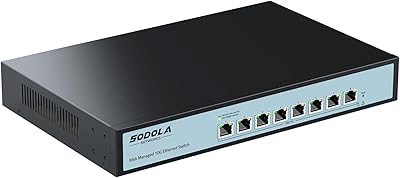
The YuLinca 8-Port 10G Managed Network Switch sits in an interesting spot — capable enough for serious home-lab builders and small businesses, yet priced well below what traditional enterprise vendors charge for comparable port density. The market for multi-gig switching has grown quickly as NAS devices, 10G NICs, and WiFi 6 access points have become affordable, and this eight-port switch lands right in the middle of that demand. Its all-metal chassis supports both desktop placement and rackmounting with included rack ears, and the web-based management interface puts genuine L2 configuration within reach of anyone comfortable navigating a browser.
Features & Benefits

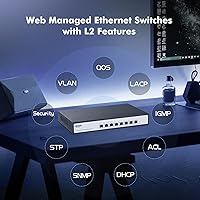
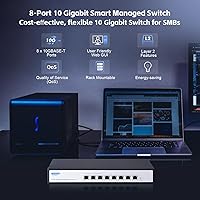
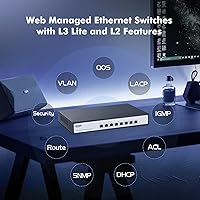
Every port on this 10G managed switch auto-negotiates across the full speed range — from 100Mbps legacy devices up through 2.5G, 5G, and full 10G — without any manual intervention. That flexibility matters in mixed environments. The 160Gbps non-blocking fabric means all eight ports can push 10G simultaneously without queuing penalties, backed by a 119Mpps forwarding rate. The L2 feature set is genuinely useful: VLAN segmentation, QoS prioritization, LACP link bonding, IGMP multicast control, and port mirroring for diagnostics. One practical note worth flagging upfront — always save your configuration before rebooting, or any changes you made will not persist.

Best For

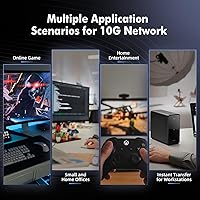
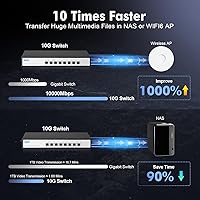
This eight-port switch is a strong fit for home-lab enthusiasts connecting a NAS, servers, and 10G workstations without paying enterprise prices. Small offices wanting VLAN segmentation between guest and internal traffic — without the complexity of a full L3 device — will find the feature set well-matched. Content creators moving large video files between machines will appreciate the bandwidth headroom 10G provides over standard gigabit. It also works well as a WiFi 6 backbone switch, where multi-gig uplinks to access points can otherwise create bottlenecks. Keep in mind this is strictly an L2 switch — no static routing or Layer 3 capabilities.

User Feedback

Buyers consistently highlight how painlessly devices at different speeds connect — the auto-negotiation across the full rate range works as advertised. Build quality earns positive remarks too; the metal enclosure feels solid relative to the price. The web UI is generally well-received, though newcomers report a brief adjustment period, particularly around the save-and-reboot requirement for config persistence, which catches people off guard initially. Fan noise comes up occasionally — it is audible in a quiet room, so desktop placement in a home office deserves thought. A practical concern from several buyers: cable quality matters — Cat6A or Cat7 cabling is strongly advisable for reliable 10G speeds, not just Cat5e.

Pros

  • All 8 ports auto-negotiate across the full multi-gig range without any manual speed configuration.
  • The 160Gbps non-blocking fabric means every port can run at full 10G simultaneously with no congestion penalty.
  • Metal chassis feels genuinely sturdy and holds up well in both desktop and rackmount deployments.
  • Rack ears are included in the box — no separate purchase needed to mount it in a 1U slot.
  • The L2 feature set covers VLAN, QoS, LACP, IGMP, and port mirroring — plenty for prosumer and SMB needs.
  • Real-world NAS and server transfer speeds reflect the advertised bandwidth rather than falling short.
  • Dual-color LEDs give an instant visual read on per-port negotiated speed without logging into the UI.
  • SNMP support allows basic integration with common network monitoring tools like LibreNMS or PRTG.
  • Energy Efficient Ethernet support keeps idle-port power draw lower in always-on home-lab environments.
  • Priced significantly below comparable managed 10G switches from established enterprise vendors.

Cons

  • The web UI requires a manual save and reboot to persist any configuration changes — easy to forget, costly if you do.
  • Fan noise is noticeable in quiet indoor spaces and may be a dealbreaker for desk placement in a home office.
  • Cat6A or Cat7 cabling is required for reliable 10G links; older runs will frequently downgrade or drop.
  • No Layer 3 routing capabilities at all — users who need inter-VLAN routing must add a separate router.
  • The management interface looks and feels dated compared to newer competing products in the same price tier.
  • No CLI access — users who prefer command-line configuration over browser-based GUIs have no alternative here.
  • The 12Mbit packet buffer can show strain under heavy simultaneous multi-port traffic bursts.
  • SNMP metrics are functional but limited; building detailed performance dashboards will hit data gaps quickly.
  • No quick-start guide covering common setup scenarios like VLAN creation or LACP bonding out of the box.
  • At close to 39W under full load, power consumption is higher than some compact alternatives in this category.

Ratings

The scores below for the YuLinca 8-Port 10G Managed Network Switch were generated by AI after analyzing verified buyer reviews from multiple global markets, with spam, bot-submitted, and incentivized feedback actively filtered out. Ratings reflect the full picture — where this switch genuinely impresses and where real users have run into friction. Both strengths and pain points are represented transparently so you can make an informed decision.
Port Speed & Auto-Negotiation
92%
Users consistently report that mixed-speed devices — from older gigabit desktops to new 10G NAS units — connect and negotiate correctly without any manual configuration. In home-lab setups where device generations vary widely, this flexibility removes a significant setup headache.
A small number of users noted occasional negotiation hiccups when using lower-quality patch cables, particularly at 10G speeds. The hardware performs well, but it is sensitive to cable quality in a way that unmanaged switches are not.
Throughput & Switching Performance
89%
Buyers running NAS-to-workstation transfers and VM storage traffic report that the 160Gbps non-blocking fabric holds up in practice, not just on paper. File copy speeds between 10G-capable machines hit expected theoretical ceilings rather than falling short.
The 12Mbit packet buffer is adequate for most prosumer workloads but can show strain during aggressive simultaneous multi-port transfers. Users running demanding virtualization environments with many concurrent flows may notice occasional micro-bursting effects.
Build Quality & Chassis
88%
The all-metal enclosure earns consistent praise for feeling substantially more robust than plastic-bodied switches at similar price points. Buyers who have mounted it in a rack or placed it in a server closet appreciate that it does not flex or rattle under normal handling.
At 1.82kg the unit is heavier than some expect for an 8-port desktop switch, which is a minor ergonomic consideration for frequent repositioning. A few buyers noted the finish scratches more easily than expected when slid in and out of a rack regularly.
Web Management Interface
71%
29%
For users comfortable with basic L2 networking concepts, the browser-based GUI exposes a genuinely useful feature set — VLAN setup, QoS queuing, LACP bonding, and port mirroring are all accessible without a CLI. Initial configuration for common use cases is straightforward.
The requirement to manually save configuration and reboot before changes persist trips up a notable number of first-time users, and the UI does not surface a prominent warning about this. The interface also feels visually dated compared to newer competitors, which can make navigation less intuitive for newcomers.
L2 Feature Set Depth
86%
The breadth of supported L2 features — including DHCP Snooping, Spanning Tree, IGMP multicast filtering, and port isolation — is notably generous for the price tier. Small office users setting up guest VLANs or home-lab builders segmenting storage traffic find the feature set covers their real-world needs well.
This remains strictly an L2 device with no Layer 3 routing capabilities, which is a genuine limitation for users who outgrow basic VLAN segmentation and need inter-VLAN routing. Anyone expecting static routes or OSPF support will need to look at a more advanced platform.
Fan Noise Level
63%
37%
The industrial-grade fan contributes meaningfully to thermal stability, and buyers running the switch in a rack enclosure, server closet, or utility room report no complaints about noise in those contexts. It keeps temperatures well-controlled even under sustained full-load traffic.
Placed on a desk in a quiet home office, the fan is audible — several buyers describe it as a consistent low hum that becomes noticeable after hours of use. This is not a fanless-silent switch, and buyers sensitive to ambient noise in living or working spaces should factor that in carefully.
Cable Compatibility & Requirements
67%
33%
For users already running Cat6A or Cat7 cabling — common in newer home builds and structured SMB offices — the switch performs reliably at full 10G speeds across standard distances. Buyers who invested in quality cabling infrastructure report no link instability.
Reaching consistent 10G performance requires Cat6A or better, and buyers attempting 10G over older Cat5e or borderline Cat6 runs often encounter link drops or speed downgrades. This is a real-world pain point that the product listing does not emphasize clearly enough upfront.
Rackmount & Desktop Flexibility
84%
Including rack ears in the box rather than selling them separately is a detail buyers notice and appreciate. The unit transitions cleanly between a desk surface and a 1U rack slot, which suits users whose lab or office setup evolves over time.
At 320mm deep the switch is bulkier than some shallow-depth rack cabinets can accommodate comfortably. A few buyers with compact wall-mount enclosures found the depth a tighter fit than expected.
Value for Money
83%
For a managed switch with a full L2 feature set and genuine 10G port density across all eight ports, buyers broadly agree the pricing sits in a reasonable spot relative to name-brand alternatives. It undercuts comparable offerings from established vendors by a meaningful margin.
The price premium over unmanaged 10G switches is justifiable only if you actually use the management features. Buyers who wanted simple plug-and-play connectivity and found the web UI overwhelming felt they had paid for capability they could not fully access.
Setup & Initial Configuration
74%
26%
Out of the box, basic connectivity works immediately without touching the management interface — plug devices in and traffic flows. For buyers who only need to configure a few VLANs or enable LACP, the learning curve is manageable within an afternoon.
There is no quick-start guide that walks through the save-and-reboot workflow or common VLAN scenarios, which leads to repeated configuration loss for users who are new to managed switches. A better onboarding document would meaningfully reduce early frustration.
Power Consumption & Efficiency
79%
21%
IEEE 802.3az Energy Efficient Ethernet support means idle or lightly loaded ports draw less power, which adds up in always-on home-lab deployments running around the clock. Buyers tracking their home server power budgets appreciate the efficiency at partial load.
At full load the unit draws close to 39W across all eight active 10G ports, which is higher than some compact switches in the same category. For rack deployments with multiple switches on a shared UPS, the cumulative draw is worth accounting for.
Indicator LEDs & Status Visibility
76%
24%
The dual-color LED scheme — green for 2.5G and above, amber for 100M and 1G links — gives a quick visual read on what speed each port has negotiated without logging into the web UI. Useful for cabling checks and quick troubleshooting during setup.
In bright ambient light the LEDs can be harder to read at a glance, and the indicators do not differentiate between 2.5G, 5G, and 10G links specifically — all appear as the same green. Users wanting granular per-port speed confirmation still need to check the web interface.
Thermal Management & Longevity
81%
19%
The combination of a metal chassis and active fan cooling gives buyers reasonable confidence in long-term reliability for an always-on deployment. Operating temperature tolerance down to -10°C and up to 50°C covers most real-world indoor environments including warm equipment closets.
Active cooling introduces a potential long-term failure point that passively cooled switches avoid entirely. Users planning multi-year deployments in dusty environments may want to factor in periodic fan cleaning as part of basic maintenance.
SNMP & Monitoring Integration
72%
28%
SNMP support allows this eight-port switch to slot into existing network monitoring stacks — tools like PRTG, LibreNMS, or Zabbix can poll port statistics and link states without manual web UI checks. For small businesses with basic monitoring in place, this is a genuine operational benefit.
SNMP implementation is functional but limited in depth — advanced MIB traversal and detailed per-port error counters are less comprehensive than what enterprise-class switches expose. Users building detailed performance dashboards may find the available metrics narrower than expected.

Suitable for:

The YuLinca 8-Port 10G Managed Network Switch is a strong fit for home-lab builders who have already invested in 10G-capable hardware — NAS units, PCIe network cards, or dedicated servers — and need a managed backbone to tie it all together without spending enterprise money. Content creators and video editors who regularly move large raw files between workstations will notice a genuine, practical difference compared to a gigabit setup. Small offices that need basic network segmentation through VLANs, or want to prioritize traffic for VoIP or a critical server, will find the L2 feature set more than adequate for those tasks. It also suits WiFi 6 or 6E deployments where multi-gig access points need a high-throughput uplink to avoid the wireless backbone outrunning the wired core. If you are comfortable navigating a browser-based management interface and already understand basic L2 concepts, the learning curve here is manageable and the payoff in control and visibility is real.
Not suitable for:

The YuLinca 8-Port 10G Managed Network Switch is not the right choice for buyers who need Layer 3 routing capabilities — there is no inter-VLAN routing, no static routes, and no dynamic routing protocols on offer here, so users who have outgrown pure L2 switching should look at a more capable platform. Anyone planning to place this switch on a quiet desk in a home office or bedroom should be aware the fan is audible during normal operation; it is not a background whisper, and in a silent room it becomes noticeable over long periods. Buyers running older Cat5e cabling infrastructure will likely struggle to hit reliable 10G link speeds — the switch demands Cat6A or better for full performance, which can mean additional cabling investment that may not be obvious at the point of purchase. If you want a truly plug-and-play experience with zero configuration, an unmanaged switch will serve you better and cost less; the managed feature set here only delivers value if you actually intend to use it. Finally, anyone expecting the depth of SNMP telemetry or the CLI-driven configuration flexibility of enterprise-tier switches will find this prosumer device falls short of those expectations.
Specifications

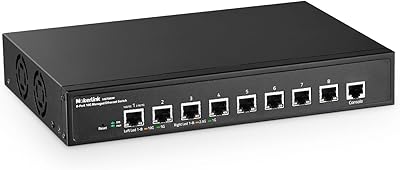
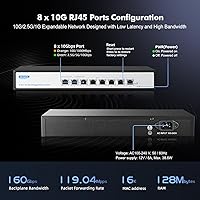
  • Ports: 8x RJ45 ports, each auto-negotiating across 100Mbps, 1G, 2.5G, 5G, and 10G without manual configuration.
  • Switching Capacity: Non-blocking switching fabric rated at 160Gbps, allowing all eight ports to operate at full 10G simultaneously.
  • Forwarding Rate: Packet forwarding rate of 119.04Mpps ensures low-latency throughput under sustained multi-port load.
  • Buffer Memory: 12Mbit shared packet buffer supports burst absorption across active ports during high-traffic intervals.
  • MAC Address Table: Supports up to 16,000 MAC address entries, suitable for complex multi-segment prosumer and SMB deployments.
  • Management: Web-based L2 GUI accessible via browser login, supporting port management, VLAN, QoS, LACP, IGMP, SNMP, and more.
  • L2 Features: Includes VLAN, QoS, LACP, Port Mirroring, Port Isolation, Spanning Tree, DHCP Snooping, Storm Control, and Port Security.
  • Chassis: All-metal construction with rack ears included, supporting both desktop placement and standard 1U rackmount installation.
  • Dimensions: Product dimensions are 320 x 207 x 45mm with a net weight of 1.82kg and gross packaged weight of 2.36kg.
  • Power Input: Accepts AC 100–240V at 50/60Hz via included 12V 8A adapter, with a full-load power draw of 38.6W.
  • Operating Temp: Rated for continuous operation between -10°C and 50°C, covering most indoor environments including warm server closets.
  • Storage Conditions: Safe storage temperature range is -40°C to 70°C with non-condensing humidity tolerance between 5% and 95%.
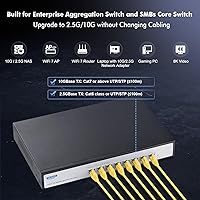
  • Cable Requirements: Cat6 or above required for 2.5G and 5G links; Cat6A or Cat7 strongly recommended for reliable 10G performance.
  • Ethernet Standards: Compliant with IEEE 802.3ae (10G), 802.3bz (2.5G/5G), 802.3ab (1G), 802.3az (Energy Efficient), and 802.3x (Flow Control).
  • Indicators: Dual-color LEDs per port: green for 2.5G/5G/10G links and amber for 100Mbps/1G links, with separate PWR and SYS indicators.
  • Cooling: Active cooling via an industrial-grade internal fan designed for continuous operation in dense or thermally demanding environments.
  • Package Contents: Box includes the switch unit, one AC power adapter, rack mounting ears, and a printed user manual.
  • Interface Type: All ports use RJ45 copper connectors; there are no SFP or fiber uplink ports on this model.

Related Reviews

MokerLink 8-Port 10G Managed Ethernet Switch
80%
91%
Throughput Performance
88%
Value for Money
93%
Feature Depth
74%
Web Interface Usability
86%
Build Quality
More
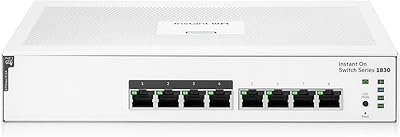
HPE Instant On 1830 8-Port PoE Switch
82%
91%
Ease of Setup
74%
PoE Performance
88%
Build Quality
77%
Management Software
83%
Value for Money
More
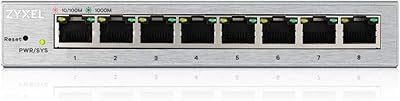
Zyxel GS1200-8 8-Port Gigabit Web Managed Switch
84%
88%
Ease of Setup
85%
Performance
84%
Build Quality
92%
Fanless Operation (Noise Level)
90%
Energy Efficiency
More
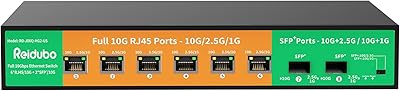
Reidubo 8-Port 10G Unmanaged Network Switch
76%
83%
Real-World Throughput
91%
Ease of Setup
61%
Fan Noise
78%
Build Quality
86%
SFP+ Port Utility
More
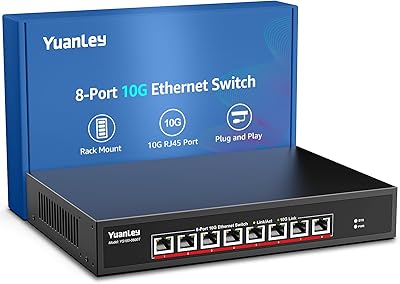
YuanLey 8-Port 10G Ethernet Switch
85%
90%
Performance
89%
Value for Money
91%
Setup and Installation
85%
Build Quality
87%
Reliability
More
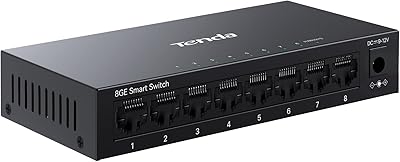
Tenda TEG208E 8-Port Managed Gigabit Switch
85%
94%
Value for Money
88%
Ease of Setup
91%
Build Quality
93%
Network Performance
97%
Noise Level
More
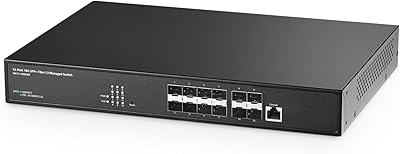
Binardat 10G12-1200GSM 12-Port Managed Switch
75%
91%
Value for Money
88%
Feature Depth
74%
Setup & Usability
71%
SFP Module Compatibility
82%
Build Quality
More
SODOLA 8 Port 10Gb Easy Web Managed Switch
86%
90%
Performance
85%
Ease of Use
88%
Reliability
92%
Speed
75%
Setup & Installation
More
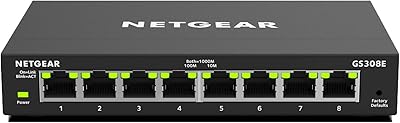
NETGEAR GS308E 8-Port Managed Network Switch
81%
93%
Reliability & Uptime
96%
Silent Operation
67%
Ease of Setup
78%
Web Management Interface
88%
Value for Tier
More
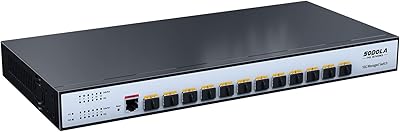
Sodola 12 Port 10G SFP+ Smart Managed Switch
82%
89%
Performance
85%
Ease of Setup
88%
Reliability
91%
Connectivity
80%
Security Features
More

FAQ

No — basic connectivity works straight out of the box. Plug your devices in and they will negotiate speeds and pass traffic automatically. The management interface is only needed if you want to configure VLANs, QoS, port mirroring, or other L2 features.

This is a known behavior with the YuLinca 8-Port 10G Managed Network Switch — you must manually save your configuration through the web interface before rebooting, otherwise changes are lost. Look for the save or apply button in the UI and confirm the save completes before cycling power. It is easy to overlook on first use but becomes second nature quickly.
The fan produces a consistent low hum that is noticeable in a quiet room. Most users are fine with it in a rack cabinet, server closet, or utility space, but placing it on a desk in a quiet home office or bedroom can become irritating over time. If ambient noise sensitivity is a concern, a rack enclosure or separate room is worth considering.

For reliable 10G links you should use Cat6A or Cat7 cabling. Standard Cat6 can sometimes work at shorter distances but is not guaranteed to maintain a stable 10G connection, especially in runs over 30 meters. Cat5e will not reliably support 10G and will typically cause the port to fall back to a lower speed.

This is a Layer 2 switch only — it has no routing capabilities whatsoever. You can absolutely create and isolate VLANs, but to route traffic between them you will need a separate router or a Layer 3 switch. If your setup only needs traffic segmentation and isolation, this switch handles that well on its own.

Yes, completely. Every port auto-negotiates independently, so a gigabit device on port 3 and a 10G device on port 5 will each connect at their respective maximum speeds without any manual configuration or interference with each other.

The web browser interface is the only management option — there is no CLI, SSH, or Telnet access available. If you prefer command-line configuration, this switch will not suit your workflow. For users comfortable with a graphical interface, the web UI covers all the main L2 features you are likely to need.

Absolutely — that is one of the more practical use cases for this eight-port switch. The port will auto-negotiate to 2.5G when connected to a 2.5G access point, and you can manage QoS or traffic prioritization for that port directly from the web UI if needed.

Yes, LACP (IEEE 802.3ad link aggregation) is supported through the management interface. You can bond two ports together either for increased throughput to a NAS or server, or for redundant uplink failover, depending on how your connected equipment handles the aggregated connection.

Rack ears are included in the box alongside the switch, the power adapter, and a user manual, so you do not need to purchase mounting hardware separately. The transition from desktop to rack use is straightforward and does not require any additional accessories.