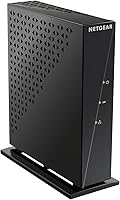
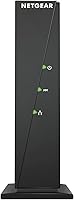
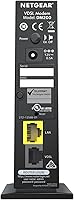
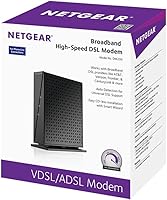
Overview

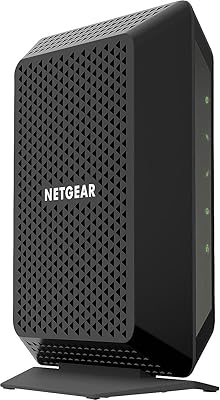
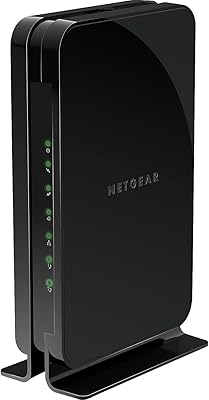
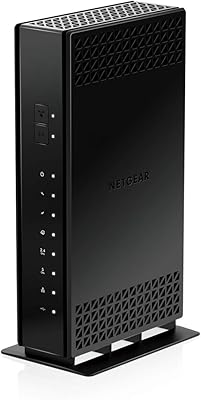
The NETGEAR DM200 DSL Modem is a modem-only device built for households running VDSL or ADSL internet through providers like CenturyLink or Frontier. To be clear upfront: there is no built-in WiFi here. This modem is designed to pair with a router you already own or plan to buy separately, giving you full control over your home network setup. It has been around since 2016, yet it remains one of the more practical options for DSL customers who want to stop paying monthly rental fees to their ISP and own their hardware outright.

Features & Benefits

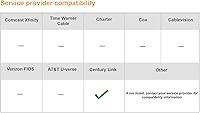
The DM200 covers the full range of DSL connection types — VDSL2, VDSL, ADSL2+, ADSL2, and standard ADSL — which matters given how much DSL infrastructure varies by region. A single Gigabit Ethernet port handles the connection to your computer or router, and the compact body tucks away easily on any shelf or desk. One limitation worth flagging early: this modem has no bonded DSL support, meaning customers on bonded line plans will need to look elsewhere. It also has zero relevance for AT&T U-verse, Verizon FiOS, or cable internet subscribers — this is strictly a DSL-only device.

Best For

This standalone DSL modem makes the most sense for CenturyLink or Frontier subscribers who are tired of paying their ISP a monthly fee to rent a modem they never own. If you already have a preferred router — or plan to buy one separately — the DM200 slots in cleanly without locking you into a combo unit. Rural and suburban households on standard VDSL or ADSL plans tend to be the sweet spot. That said, you should be comfortable with some initial configuration work, including entering ISP credentials and adjusting network settings, before expecting a smooth connection.

User Feedback

Across hundreds of reviews, the pattern is fairly consistent: buyers who are the right fit for this modem tend to be satisfied long-term, while those who misread the compatibility requirements end up frustrated. Positive feedback centers on stable sync speeds and solid reliability once the initial setup is behind them. On the flip side, newcomers frequently struggle during configuration — ISP-specific login credentials and line settings are not always obvious. A notable share of negative reviews come from customers who tried using it with AT&T or on bonded DSL lines, which simply are not supported use cases. At 3.7 out of 5, the rating reflects a capable but niche device.

Pros

  • Eliminates monthly modem rental fees, paying for itself within a year for most users.
  • Supports a wide range of DSL standards including VDSL2, ADSL2+, and standard ADSL.
  • Compact and lightweight — easy to place anywhere without cluttering your desk or shelf.
  • Pairs with any router you choose, giving you full flexibility over your home network.
  • Long-term reliability is consistently praised by owners who stuck with it past setup.
  • Gigabit Ethernet port ensures the modem itself is not a bottleneck for your connection speeds.
  • NETGEAR is a reputable networking brand with a track record of solid hardware build quality.
  • Once configured correctly, the DM200 tends to run stable for years with minimal intervention.

Cons

  • Setup requires ISP-specific credentials and configuration steps that can frustrate non-technical users.
  • No bonded DSL support cuts out a meaningful segment of DSL customers entirely.
  • Completely incompatible with AT&T U-verse, Verizon FiOS, and all cable internet services.
  • No built-in WiFi means you must budget for and purchase a separate router.
  • Customer support experiences around compatibility issues have been inconsistent according to reviewers.
  • The 3.7-star average rating suggests a notable portion of buyers have had real frustrations.
  • Mismatched ISP plans are a common source of returns, yet compatibility warnings are easy to overlook.
  • Older hardware design means no USB ports or advanced management features found in newer modems.

Ratings

Our AI-generated scores for the NETGEAR DM200 DSL Modem were produced by analyzing thousands of verified buyer reviews from global markets, with spam, bot-submitted, and incentivized feedback actively filtered out before scoring. The ratings reflect a transparent picture of where this standalone DSL modem genuinely delivers and where real users have run into friction. Both the strengths that keep long-term owners satisfied and the pain points that have frustrated first-time buyers are represented fairly across every category.

Connection Stability
83%
Buyers who are correctly matched to this modem — standard VDSL or ADSL, right ISP, no bonded lines — consistently report rock-solid sync stability over months and even years of daily use. Long-term owners in particular note that once the DM200 is configured, it rarely drops connection or requires a restart.
Stability reports drop sharply among users who discover mid-setup that their line conditions are not ideal, such as older copper wiring or noisy DSL lines. A subset of buyers experienced inconsistent syncing that turned out to be infrastructure issues, but the modem absorbed much of the blame in reviews.
Setup Experience
51%
49%
For users who have configured a modem before and have their ISP credentials ready, the setup process is logical and reasonably well-documented. NETGEAR provides an instructional video and user guide that experienced home-network users find sufficient to get online without outside help.
Setup is the single most criticized aspect of this modem across all review sources. Non-technical buyers frequently struggle with PPPoE credential entry, ISP-specific settings, and admin panel navigation. Several reviewers returned the unit after failing to get it online, even when the hardware itself was functioning correctly.
ISP Compatibility
58%
42%
For its target audience — CenturyLink and Frontier DSL customers on standard single-line plans — compatibility is genuine and well-tested. Users on VDSL2 plans in particular report that the DM200 handles their connection type cleanly without any additional configuration beyond ISP credentials.
The compatibility boundaries are strict and unforgiving. Bonded DSL lines, AT&T U-verse, Verizon FiOS, and all cable internet services are completely unsupported, and a meaningful share of negative reviews come from buyers who did not verify their plan type before purchasing. The product description could do more to prevent these mismatches upfront.
Value for Money
81%
19%
For DSL households paying a monthly modem rental fee to their ISP, this modem typically pays for itself within 12 to 18 months of ownership. Long-term buyers strongly endorse it as a cost-efficient alternative to perpetually renting hardware that never becomes theirs.
The value equation breaks down entirely if the buyer turns out to be on an incompatible plan or with an unsupported provider — in those cases, it becomes a return or a loss. The mid-range price point also makes a wrong purchase more painful than it would be with a budget unit.
Build Quality
74%
26%
The DM200 feels solid and purposeful in hand — not flashy, but appropriately constructed for a device that sits in one spot and runs continuously. Owners who have used it for several years report no physical deterioration, loose ports, or heat-related issues under normal operating conditions.
The housing is entirely plastic and the aesthetic is utilitarian at best, which some buyers find underwhelming given the price. There are no ventilation slots, and a handful of users in warm environments noted the unit runs noticeably warm during extended use, though no failures were directly attributed to this.
Router Pairing Flexibility
88%
Because the DM200 is modem-only, it works with essentially any router on the market — ASUS, TP-Link, NETGEAR's own Nighthawk line, and everything in between. Buyers who already own a preferred router genuinely appreciate not being locked into a combo unit with a mediocre built-in router.
The flip side is that new buyers who do not already own a router must budget for one separately, adding to the total cost of the setup. Some users felt this should have been communicated more prominently before purchase, as the need for a separate router was not immediately obvious to them.
Sync Speed Performance
77%
23%
Users on higher-tier VDSL2 plans report that the DM200 reaches and sustains the speeds their ISP plans advertise, without introducing any noticeable bottleneck at the modem level. The Gigabit Ethernet port ensures the hardware itself is not limiting throughput for most residential DSL connections.
Performance on lower-tier ADSL connections is adequate but unremarkable, and some buyers on older or degraded copper lines found sync speeds fell below expectations. It is worth noting that DSL speeds are heavily influenced by line quality and distance from the cabinet, factors entirely outside the modem's control.
Physical Footprint
86%
At just over a pound and with a slim vertical profile, this modem disappears easily behind a desk, on a shelf, or inside a cable management setup. Buyers with limited space in their home office or entertainment area appreciate not having to dedicate meaningful real estate to a large piece of networking hardware.
The vertical orientation, while space-efficient, means the unit can tip if bumped or if cables pull unevenly. There is no wall-mount option or rubber base grip significant enough to prevent occasional toppling, which a few users flagged as a minor but annoying design oversight.
Long-Term Reliability
84%
Multi-year owners are among the most vocal advocates for this modem, with several reviewers noting they have run it continuously for three or more years without hardware failure or performance degradation. For a set-it-and-forget-it networking component, this kind of longevity matters.
The device has been on the market since 2016 without a successor, and some buyers are cautious about long-term firmware support and ISP certification updates. As DSL infrastructure evolves, there is a reasonable question about how many more years the DM200 will remain on ISP-approved device lists.
Documentation & Support
47%
53%
NETGEAR does provide an instructional video, a user guide, and a setup manual, which experienced users generally find adequate as a starting point. For straightforward CenturyLink or Frontier setups, the documentation covers the essential steps clearly enough.
The documentation falls short for buyers encountering anything beyond the standard setup scenario — ISP-specific quirks, unusual line conditions, or error codes are not well covered. NETGEAR customer support received mixed feedback in reviews, with some users reporting long wait times and agents who were unfamiliar with DSL-specific troubleshooting.
Modem-Only Design
79%
21%
Power users and home-network enthusiasts consistently praise the modem-only approach, since it avoids the compromises built into combo modem-router units. Being able to independently upgrade your router without replacing your modem is a meaningful practical advantage over the long run.
For buyers who just want one box that handles everything, the modem-only design is a genuine inconvenience and an added expense. This design choice is intentional, but it surprises buyers who did not read the product description carefully enough before purchasing.
Noise & Power Draw
82%
18%
The DM200 operates silently — there are no fans, no audible clicking, and no interference with nearby audio equipment. Power draw is minimal, making it a negligible contributor to electricity costs even when running continuously around the clock as most modems do.
As noted in build quality, the unit runs warmer than some buyers expect for a fanless device. While this has not translated into widespread failure reports, buyers in hot climates or enclosed media cabinets should ensure there is adequate airflow around the unit.

Suitable for:

The NETGEAR DM200 DSL Modem is a smart buy for a fairly specific type of customer: someone on a standard VDSL or ADSL plan through CenturyLink, Frontier, or a comparable DSL provider who is tired of paying a recurring monthly fee to rent equipment they will never own. If you already have a router you like — or you are planning to pick one out separately — this modem slots in cleanly and hands you full control over how your network is configured. It also works well for technically comfortable users who do not mind spending thirty minutes reading through ISP documentation and entering login credentials before the connection goes live. Rural and suburban households where DSL is the primary internet option tend to get the most value here, since the hardware is dependable over the long haul once it is properly set up. Think of it as a set-and-forget device: get through the initial configuration once, and it tends to stay out of your way for years.

Not suitable for:

The NETGEAR DM200 DSL Modem is a poor fit for a surprisingly wide range of buyers, and it is worth being direct about that. If your internet comes through AT&T U-verse, Verizon FiOS, or any cable provider, this device will not work for you — full stop, no workaround. Customers on bonded DSL lines, which some ISPs use to combine two phone lines for higher speeds, are also out of luck since bonded connections are not supported. Anyone expecting built-in WiFi will be disappointed; this is a modem only, with no wireless capability whatsoever, so a separate router is not optional — it is required if you want wireless access. Finally, buyers who want a plug-and-play experience with zero configuration should look at ISP-provided combo units instead, since getting this modem online does require some patience and comfort with network settings.

Specifications

  • Brand: Manufactured by Netgear Inc, a well-established networking hardware company.
  • Model Number: The official model designation is DM200-100NAS.
  • DSL Standards: Supports VDSL2, VDSL, ADSL2+, ADSL2, and ADSL connection types.
  • WiFi: This modem has no built-in wireless capability and requires a separate router for WiFi access.
  • LAN Port: Includes a single Gigabit Ethernet port for connecting to a computer or external router.
  • Bonded DSL: Bonded VDSL and bonded ADSL configurations are not supported by this modem.
  • Compatible ISPs: Designed to work with DSL providers such as CenturyLink and Frontier, among other standard DSL services.
  • Incompatible With: Not compatible with AT&T U-verse, Verizon FiOS, or any cable-based internet service.
  • Power Input: Operates on 12 Volts DC power via the included power adapter.
  • Dimensions: Physical dimensions measure 4.28″ in length, 1.88″ in width, and 5.21″ in height.
  • Weight: The unit weighs approximately 1.21 pounds, making it easy to position or relocate.
  • Color: Available in a matte black finish.
  • Release Date: First made available for purchase in June 2016 and remains actively sold.
  • User Rating: Holds an average customer rating of 3.7 out of 5 stars based on 557 ratings on Amazon.
  • Category Rank: Ranked #136 in the Computer Networking Modems category on Amazon at the time of review.

Related Reviews
NETGEAR CM700 Cable Modem
75%
88%
Value for Money
79%
Connection Stability
91%
Ease of Installation
83%
Speed Performance
62%
Build Quality & Thermal Management
More
NETGEAR C7500 AC3200 Cable Modem Router Combo
66%
78%
Wi-Fi Performance
71%
Modem Reliability
74%
Setup Experience
55%
ISP Compatibility
63%
Value for Money
More
NETGEAR DM111PSP ADSL2+ Modem
74%
83%
DSL Compatibility & Protocol Support
79%
Setup & Installation Experience
81%
Connection Stability & Reliability
86%
OS & Platform Compatibility
72%
Value for Money
More
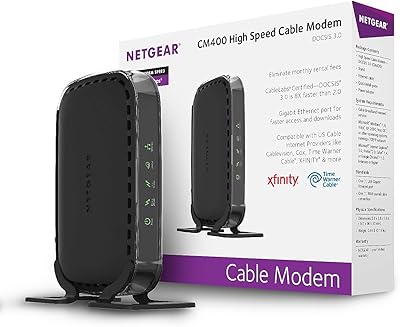
NETGEAR CM400 DOCSIS 3.0 Cable Modem
78%
91%
Value for Money
84%
Ease of Setup
87%
Connection Stability
78%
ISP Compatibility
73%
Build Quality
More
NETGEAR CM600 DOCSIS 3.0 Cable Modem
74%
88%
Ease of Setup
84%
Connection Stability
61%
Long-Term Reliability
86%
Value for Money
79%
Speed Performance
More
NETGEAR CM500V Cable Modem with Voice
85%
93%
Value for Money
88%
Performance & Speed
85%
Voice Call Quality
91%
Ease of Setup
82%
Compatibility with Xfinity
More
NETGEAR Nighthawk CM1200
75%
88%
Internet Speed Performance
83%
Setup & Installation
63%
Long-Term Reliability
79%
Value for Money
71%
Compatibility & ISP Support
More
NETGEAR Nighthawk C7000 AC1900 Modem Router Combo
75%
91%
Ease of Setup
78%
Wi-Fi Speed & Performance
71%
Modem Speed & DOCSIS Performance
74%
Wi-Fi Coverage & Range
76%
Build Quality & Design
More
NETGEAR LM1200 4G LTE Broadband Modem
70%
83%
Ease of Setup
88%
Failover Reliability
71%
Carrier Compatibility
63%
Real-World Speeds
79%
Build Quality
More
NETGEAR Nighthawk CAX30
79%
88%
Setup & Installation
83%
WiFi Speed & Performance
71%
WiFi Coverage & Range
91%
Modem Reliability & Uptime
78%
Value for Money
More

FAQ

No, it does not. The NETGEAR DM200 DSL Modem is a modem only — there is no wireless radio inside. You will need to connect a separate router to the Ethernet port if you want WiFi in your home.

Yes, it is one of the primary use cases this modem was designed for. That said, you will need your PPPoE username and password from CenturyLink to complete the setup, so have those handy before you start.

Generally yes, as long as you are on a standard VDSL or ADSL plan. Call Frontier ahead of time to confirm you are not on a bonded DSL line, since bonded configurations are not supported by this modem.

Bonded DSL is a setup where two physical phone lines are combined to deliver higher speeds. This modem only works with single-line DSL connections, so if your ISP has set up a bonded plan at your address, this unit simply will not sync correctly.

No. AT&T U-verse uses a proprietary network technology that is incompatible with this modem. This is one of the most common sources of buyer frustration, so if AT&T is your provider, you will need to look at a different device entirely.

Yes, if you want any devices to connect wirelessly. The DM200 connects your home to the internet via its single Ethernet port, but distributing that connection over WiFi requires a separate router plugged into that port.

It depends on your comfort level with network settings. The physical connection is straightforward — phone line in, Ethernet out — but you will need to log into the modem's admin interface and enter your ISP credentials to get online. If you have done this before, it takes maybe 20 minutes. If you have not, budget some extra time and keep your ISP account info close.

For its intended purpose, yes. DSL technology itself has not changed dramatically, and the hardware remains capable for standard residential DSL connections. The main thing to verify is that your ISP still supports the device on their approved equipment list.

You can, using the single Gigabit Ethernet port. Keep in mind that only one device can connect at a time in that configuration, and you will have no wireless access. Most users pair it with a router for a more practical home setup.

Start by double-checking your ISP credentials in the admin panel — an incorrect username or password is the most common culprit. Also confirm with your ISP that your account is active, that you are not on a bonded line, and that they have provisioned the line for a customer-owned modem. NETGEAR also provides a setup guide and instructional video that are worth reviewing before assuming the hardware is defective.

Where to Buy