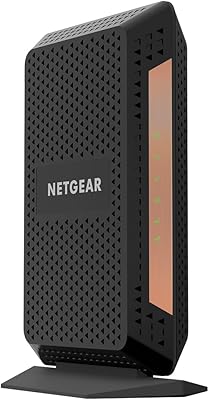
Overview

The NETGEAR CM700 Cable Modem is one of the more practical ways to stop paying your ISP a monthly rental fee for equipment you'll never own. It works with Xfinity, Cox, and Spectrum — covering the large majority of U.S. cable subscribers — but worth stating clearly upfront: it won't work with Verizon, AT&T, DSL, fiber, or any bundled voice plan. Built on DOCSIS 3.0 with 32x8 channel bonding, this cable modem handles mid-to-high-speed plans without much fuss. It launched in 2016, so it's not new hardware, but for most cable users it still holds its own. One critical point: no built-in Wi-Fi. A separate router is required.
Features & Benefits

The CM700's 32x8 channel bonding is the headline spec, and it matters in real use. On a busy home network — multiple streams, video calls, and downloads running at once — a modem with fewer bonded channels tends to bottleneck. This one handles that load more gracefully. The single Gigabit Ethernet port keeps setup clean: plug it into your router and you're up. The unit is compact enough to tuck behind almost anything, roughly the footprint of a thick paperback. There's an OFDM 2x2 reference on the spec sheet nudging toward DOCSIS 3.1 territory, but don't overread that — it's primarily a DOCSIS 3.0 device. After the upfront purchase, the ongoing cost is zero.

Best For

This NETGEAR unit fits cable subscribers on Xfinity, Cox, or Spectrum who are tired of seeing a modem rental charge on their monthly bill. If you're on a plan pushing 400 to 800Mbps and already own a separate Wi-Fi router, this is a natural pairing. It's also a reasonable choice for home office setups where connection stability matters more than having the latest hardware. Installation is straightforward enough for non-technical users — most people get it running after a quick call to their ISP to provision the device. Skip it entirely if you're on DSL, fiber, satellite, or a bundled voice plan; it simply won't function in those setups.

User Feedback

Across more than 4,500 ratings, this cable modem holds a 4.2 out of 5 — solid for a device that has been on shelves for several years. Buyers consistently highlight easy self-installation and noticeably faster speeds compared to the modem their ISP provided. That said, some patterns in the reviews deserve attention. A recurring complaint is the unit running warm during extended use, and a portion of owners report intermittent dropouts after months of continuous operation. A few describe the device failing around the two-to-three-year mark, which is worth factoring in. Firmware updates are infrequent, and experiences with customer support appear to vary considerably from one buyer to the next.

Pros

  • Eliminates the ISP modem rental fee, with most buyers recouping the cost within the first 12 months.
  • Certified with Xfinity, Cox, and Spectrum — covering the majority of U.S. cable internet subscribers.
  • Installation is straightforward enough for non-technical users, typically done in under 30 minutes.
  • The CM700 delivers real-world speeds that match or outperform the modem most ISPs hand out.
  • 32x8 channel bonding handles multi-device households without the bottlenecking cheaper modems exhibit.
  • Compact form factor tucks neatly behind a router without cluttering the space.
  • Works cleanly with virtually any consumer Wi-Fi router, including mesh systems.
  • Stable performance in year one and two is consistently praised across thousands of verified buyers.
  • No subscription, no ongoing software fees — purchase once and the cost equation stays fixed.

Cons

  • No built-in Wi-Fi means you must budget for and manage a separate router.
  • Thermal issues are a recurring complaint — the unit runs noticeably warm under sustained load.
  • Intermittent dropouts after extended uptime have been reported, often requiring a manual reboot.
  • Hardware failures in the two-to-three-year range appear more frequently than expected for the price tier.
  • Firmware updates are sparse, with no meaningful patches issued in recent years — a concern for security-minded buyers.
  • ISP provisioning calls can be frustrating, particularly with Cox and Spectrum agents who resist customer-owned equipment.
  • Only one Ethernet port offers zero flexibility for direct wired connections without adding a switch.
  • Not a viable purchase for anyone considering a future upgrade to a gigabit-plus internet plan.
  • Customer support experiences are polarized — warranty resolution in particular draws sharp criticism from affected buyers.
  • Launched in 2016, so buyers are investing in hardware that is already well into its lifecycle with no successor announced.

Ratings

The NETGEAR CM700 Cable Modem earns its place as one of the more consistently reviewed standalone modems in its class, with our AI scoring system analyzing thousands of verified global buyer reviews — actively filtering out incentivized, bot-generated, and duplicate feedback — to surface what real users actually experience day to day. The scores below reflect both the genuine strengths that keep buyers satisfied long-term and the recurring pain points that have surfaced across multiple ownership timelines. Nothing has been smoothed over.
Value for Money
88%
For households paying a monthly modem rental charge to their ISP, this unit typically pays for itself within the first year. Buyers who made the switch consistently note the relief of seeing that line item disappear from their bill, with no meaningful drop in connection quality.
The upfront cost feels steeper for buyers who don't stay with the same ISP long-term or who move to a fiber or non-compatible provider — at which point the investment becomes a sunk cost. A few users also noted the price has crept up since launch, narrowing the savings window slightly.
Connection Stability
79%
21%
Many users report rock-solid performance for the first year or two, with sustained speeds that match or exceed what their ISP-provided modem delivered. Home office users especially appreciate that the connection holds up during back-to-back video calls without unexplained drops.
A meaningful subset of reviews describe intermittent dropouts after months of continuous uptime — often requiring a manual reboot to restore service. This pattern appears more frequently beyond the 18-month mark, suggesting the hardware may degrade under persistent load over time.
Ease of Installation
91%
Most buyers get up and running within 20 to 30 minutes, including the ISP provisioning call. The physical setup is genuinely straightforward — coax in, Ethernet out, power on — and users with no networking background report finishing without any technical headaches.
The step that trips people up is the ISP activation call, which is out of NETGEAR's hands but still part of the experience. A small number of Cox and Spectrum users report longer-than-expected provisioning delays or agents who push back on customer-owned equipment.
Speed Performance
83%
On Xfinity plans rated up to 800Mbps, users consistently report real-world speeds that match or come close to their subscribed tier — something the ISP modem didn't always deliver. The 32x8 channel bonding holds up well under concurrent usage from multiple devices.
Spectrum users on higher-tier plans occasionally note the modem falls short of its rated ceiling in practice. The CM700 also won't future-proof buyers who upgrade to gigabit-plus plans, where a true DOCSIS 3.1 modem becomes necessary.
Build Quality & Thermal Management
62%
38%
The unit feels solid enough in hand for a consumer networking device — no flex in the casing, and the matte black finish resists smudges reasonably well. It's light and compact, which makes placement flexible.
Running warm is one of the most commonly cited concerns across reviews. Extended use in enclosed spaces — inside a cabinet or behind a TV stand — seems to accelerate the issue. Some users link sustained heat to the dropout problems they experience over time, raising durability questions.
ISP Compatibility
76%
24%
Covering Xfinity, Cox, and Spectrum in a single device handles the majority of U.S. cable internet subscribers. Xfinity certification in particular is clean — buyers on that provider almost universally report smooth activation with no compatibility disputes.
The compatibility wall is real and rigid. Anyone on DSL, fiber, satellite, or a bundled voice package simply cannot use this unit, and a surprising number of one-star reviews come from buyers who missed that detail. There is also no support for Verizon or AT&T internet services.
Long-Term Reliability
67%
33%
A solid share of buyers report two or more years of trouble-free operation, with no hardware failures or performance degradation worth mentioning. For users in climate-controlled environments with good ventilation around the unit, longevity tends to be above average.
Failure rates in the two-to-three-year window appear more common than you'd hope from a mid-range networking device. Several reviewers describe the unit dying abruptly — no warning, no recovery — outside the return window, which turns the value calculation negative for those buyers.
Firmware & Software Updates
54%
46%
For most users, the firmware is a background concern — the device ships with a stable build and doesn't require active management. Buyers who just want something that works without tinkering tend to be satisfied with the out-of-box software state.
Firmware updates are sparse, and the CM700 has not received meaningful feature updates since its early lifecycle. Security-conscious users flag the lack of recent patches as a concern, and there is no web interface for the modem itself that would allow local monitoring or diagnostics.
Physical Footprint & Design
84%
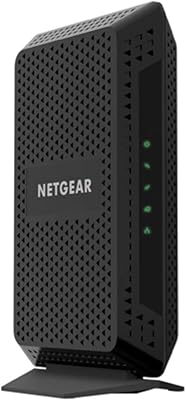
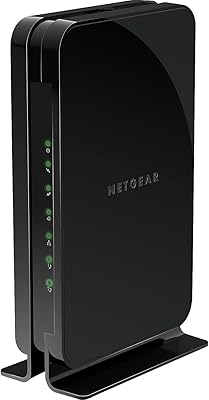
At roughly the size of a thick trade paperback, the CM700 is easy to tuck behind a router or on a media shelf without drawing attention. The vertical orientation with a small base keeps it stable, and cable management is simple given there are only two connections to deal with.
The unit has no mounting options and no status LED labeling that's easy to read at a glance — users unfamiliar with modem indicators sometimes struggle to interpret the light patterns during troubleshooting. The all-black design, while clean, makes dust less visible until buildup is significant.
Router Compatibility
89%
The single Gigabit Ethernet port plays nicely with virtually every consumer router on the market — from budget TP-Link units to high-end mesh systems. Buyers pairing it with NETGEAR's own Nighthawk routers report especially smooth interoperability, though it works equally well with other brands.
Having only one Ethernet port means there is no flexibility to connect both a router and a wired device directly without adding a switch. Users who want a modem-router all-in-one will need to factor in the additional cost and complexity of a separate router purchase.
Customer Support Experience
58%
42%
When issues fall clearly within NETGEAR's scope, the support team has helped some users resolve provisioning and configuration problems efficiently. The product documentation is clear enough that many buyers resolve basic questions without needing to contact support at all.
Support reviews are polarized. A notable portion of buyers describe long wait times, difficulty escalating issues, or being redirected between NETGEAR and their ISP without resolution. Warranty claim experiences in particular drew criticism, especially for units that failed just outside the coverage window.
Setup Documentation
77%
23%
The included quick-start guide covers the physical installation steps clearly, and NETGEAR's online support resources fill in the gaps reasonably well. For most users, the install process requires no reference material beyond the printed sheet in the box.
The documentation doesn't do a great job of preparing buyers for the ISP activation call — what information to have ready, what to expect, or how long provisioning typically takes. First-time modem buyers in particular expressed wishing for more guidance on that step.
Technology Longevity
61%
39%
For households on cable plans under 600Mbps, DOCSIS 3.0 with 32x8 bonding still delivers what most plans actually require. Buyers who aren't planning to upgrade to multi-gigabit tiers in the near term can get a few more years of useful life from this hardware.
This modem launched in 2016, and the networking landscape has shifted. DOCSIS 3.1 is now the expected standard for any plan pushing toward or beyond 1Gbps. Buyers with ambitions to upgrade their internet tier should factor in whether they'll need to replace this hardware sooner than expected.

Suitable for:

The NETGEAR CM700 Cable Modem is a genuinely smart pick for anyone on Xfinity, Cox, or Spectrum who is tired of paying a monthly rental fee for equipment they'll never own. It's particularly well-suited to small households and home offices where consistent speeds on plans up to 800Mbps matter more than cutting-edge hardware. If you already own a Wi-Fi router — or are shopping for one separately — this unit slots in cleanly as the connection backbone without overcomplicating the setup. Renters who move frequently but stay within the cable provider ecosystem will also appreciate the portability and plug-and-play activation process. Buyers who want a recognizable brand, a straightforward install, and reliable day-to-day performance for streaming, video calls, and general browsing will find this cable modem checks the right boxes without demanding any technical expertise.
Not suitable for:

The NETGEAR CM700 Cable Modem has real boundaries, and ignoring them leads to frustration. Anyone on DSL, fiber, satellite, or a service bundled with voice or TV simply cannot use this device — full stop. It also won't work with Verizon or AT&T internet services, which eliminates a significant share of U.S. households right away. Buyers who are expecting built-in Wi-Fi will be disappointed; this is a modem only, and a separate router purchase is non-negotiable. Users on gigabit-plus plans should also look elsewhere — this is a DOCSIS 3.0 device, and while it handles high-speed plans reasonably well today, it is aging hardware that may not keep pace if you upgrade your internet tier in the next year or two. Finally, anyone who values long warranty coverage or robust manufacturer support should weigh the mixed customer service track record before committing.
Specifications

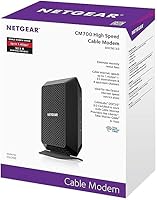
  • Model Number: The unit carries the official model designation CM700-100NAS, manufactured by NETGEAR.
  • Modem Standard: Built on DOCSIS 3.0 with supplementary OFDM 2x2 support for select network conditions.
  • Channel Bonding: Supports 32 downstream and 8 upstream channel bonding for sustained throughput on high-bandwidth plans.
  • Max Download Speed: Rated up to 800Mbps on Xfinity, up to 500Mbps on Cox, and up to 400Mbps on Spectrum.
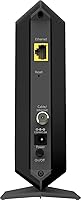
  • Ethernet Port: Includes one Gigabit Ethernet port for connecting a router or a single wired device directly.
  • Wi-Fi: No wireless radio is included; this is a standalone modem and requires a separate Wi-Fi router.
  • Dimensions: The unit measures 6.6″ long by 5.2″ wide by 1.7″ tall in its upright orientation.
  • Weight: The CM700 weighs 8.8 ounces, making it light enough to reposition without any effort.
  • Color: Ships in a matte black finish as standard; no alternative color options are officially available.
  • Voltage: Operates on a wide input voltage range of 100–240V, compatible with standard U.S. electrical outlets.
  • Flash Memory: Equipped with 8MB of onboard flash memory for firmware and configuration storage.
  • ISP Compatibility: Certified for use with Xfinity by Comcast, Cox, and Spectrum; not compatible with Verizon, AT&T, DSL, fiber, or bundled voice services.
  • Coax Connection: Connects to the cable wall outlet via a standard coaxial (F-type) connector included on the rear of the unit.
  • Launch Date: First made available in October 2016 and remains in active production with no discontinuation notice from NETGEAR.
  • Geography: Designed and certified exclusively for use within the United States cable internet infrastructure.
  • LED Indicators: Front-panel LEDs display power, downstream lock, upstream lock, and internet connectivity status at a glance.
  • Warranty: NETGEAR includes a one-year limited hardware warranty covering manufacturing defects under normal use conditions.

Related Reviews
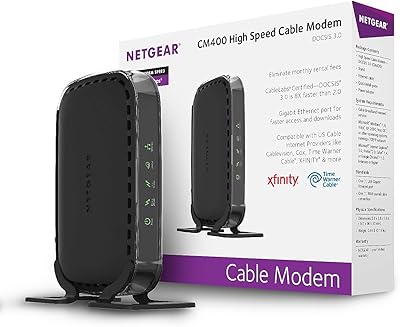
NETGEAR CM400 DOCSIS 3.0 Cable Modem
78%
91%
Value for Money
84%
Ease of Setup
87%
Connection Stability
78%
ISP Compatibility
73%
Build Quality
More
NETGEAR Nighthawk CM1200
75%
88%
Internet Speed Performance
83%
Setup & Installation
63%
Long-Term Reliability
79%
Value for Money
71%
Compatibility & ISP Support
More
NETGEAR CM500V Cable Modem with Voice
85%
93%
Value for Money
88%
Performance & Speed
85%
Voice Call Quality
91%
Ease of Setup
82%
Compatibility with Xfinity
More
NETGEAR CM600 DOCSIS 3.0 Cable Modem
74%
88%
Ease of Setup
84%
Connection Stability
61%
Long-Term Reliability
86%
Value for Money
79%
Speed Performance
More
NETGEAR C6230 AC1200 Cable Modem Router
73%
83%
Connection Stability
61%
WiFi Range & Coverage
78%
Setup & Activation
86%
Value for Money
69%
WiFi Speed Performance
More
NETGEAR Nighthawk CM1100 Multi-Gig Cable Modem
84%
91%
Performance
87%
Ease of Setup
89%
Speed Reliability
92%
Value for Money
90%
Compatibility
More
NETGEAR C6300 Cable Modem Router Combo
69%
83%
Value for Money
88%
Setup & Installation
71%
WiFi Performance
91%
Wired Connectivity
62%
Long-Term Reliability
More
NETGEAR Nighthawk CM2000 Multi-Gig Cable Modem
87%
91%
Performance with High-Speed Internet
88%
Ease of Setup
90%
Compatibility with Internet Providers
92%
Value for Money
85%
Speed Consistency
More
NETGEAR Nighthawk CM2050V
75%
88%
Internet Performance & Stability
83%
Xfinity Activation & Setup
71%
Voice & Phone Line Quality
86%
Multi-Gig Speed Capability
58%
Heat Management
More
NETGEAR CM2500 DOCSIS 3.1 Cable Modem
77%
83%
Setup & Provisioning
88%
Upload Speed Performance
81%
Download Speed Consistency
76%
ISP Compatibility
79%
Build Quality & Design
More

FAQ

No — the NETGEAR CM700 Cable Modem is a standalone modem only. You will need to connect a separate Wi-Fi router to its Gigabit Ethernet port to get wireless coverage in your home. This is one of the most common points of confusion, so it's worth confirming before you buy.

Yes, it is certified by Xfinity and works with their cable internet plans up to 800Mbps. You will need to call Xfinity after connecting the modem so they can register the device on your account — that activation step is standard and usually takes less than 15 minutes.

No, this unit is not compatible with Verizon, AT&T, or any DSL or fiber provider. It is designed specifically for cable internet from Xfinity, Cox, and Spectrum. Using it with an incompatible provider simply will not work, regardless of the plan speed.

Physical setup is simple: connect the coaxial cable from your wall outlet to the modem, plug your router into the Ethernet port, and power it on. After that, you'll need to call your ISP's customer service line to have them provision the new modem on your account. Most users complete the full process, including the ISP call, in under 30 minutes.

For most cable internet plans under 600Mbps, it still performs well and represents solid value compared to paying monthly rental fees indefinitely. That said, if you are on or planning to upgrade to a gigabit-plus plan, you would be better served by a true DOCSIS 3.1 modem. For the majority of everyday household needs, the CM700 remains a practical choice.

Cable modems generate heat as part of normal operation, and the CM700 does run noticeably warm — particularly under sustained load. Make sure it has open airflow around it and is not enclosed in a cabinet or tight shelf space. Prolonged heat buildup in confined areas has been linked to the dropout issues some users experience over time.

No — this modem does not support any bundled voice service from any provider. If your plan includes a phone line through your ISP, you must retain the ISP-provided equipment to keep that service active. The CM700 covers internet-only cable plans.

It works with any router that has a WAN Ethernet input, which covers virtually every consumer router on the market. NETGEAR's own Nighthawk routers pair cleanly with it, but there is no requirement to stay within the same brand. Mesh systems from Eero, Orbi, or Google also connect without any issues.

Many buyers report two or more years of reliable service with no significant issues, particularly when the unit is kept in a well-ventilated area. A pattern of failures in the two-to-three-year range does show up in long-term reviews, which is worth keeping in mind. Treating the one-year warranty window as a baseline and watching for performance degradation after year two is a reasonable approach.

Firmware updates for the CM700 are infrequent, and in recent years they have been largely absent. The device does not have a local web interface that allows you to manually check or trigger updates. If firmware currency is important to you — for security or feature reasons — this is a genuine limitation worth factoring into your decision.

Where to Buy