Overview

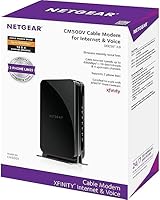
The NETGEAR CM500V DOCSIS 3.0 Cable Modem with Voice is one of the more practical purchases an Xfinity subscriber can make — it replaces the modem Comcast would otherwise rent to you each month, and those fees add up faster than most people realize. One thing to know immediately: this is an Xfinity-exclusive device. It will not work with Spectrum, Cox, AT&T, or any DSL provider, so if you are not on Comcast, stop here. Built on the DOCSIS 3.0 standard, it handles plans up to 300 Mbps comfortably, putting it squarely in mid-range territory. It also supports two phone lines through Xfinity Voice — a feature you rarely find on standard standalone modems. If you are on a gigabit plan, look elsewhere.
Features & Benefits

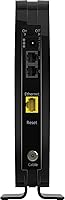
Under the hood, the CM500V uses 16x4 channel bonding, which means it pulls data across 16 downstream channels at once instead of one — giving it a steadier, more consistent connection than older single-channel hardware. That said, it tops out at 300 Mbps, so plan accordingly. On the back panel, you get a single Gigabit Ethernet port to connect your router or computer. There is no built-in Wi-Fi, which is worth stating plainly. Two RJ-11 phone jacks handle Xfinity Voice lines, complete with caller ID, call forwarding, and three-way conferencing. Setup is straightforward, and the unit pairs with any third-party router you already own. Its wide voltage compatibility also works across standard North American power setups without any adapters.

Best For

This Xfinity-certified modem is a natural fit for Comcast subscribers on plans topping out around 200–300 Mbps who also rely on Xfinity Voice for home phone service. It works particularly well for small households — one to three people doing a typical mix of streaming, video calls, and browsing — where demand stays moderate rather than extreme. If you already own a Wi-Fi router, or prefer keeping your modem and router as separate devices for easier troubleshooting, this approach makes a lot of sense. People moving away from rented combo units will especially appreciate the added control over their setup. What it is not suited for: gigabit plans, non-Xfinity providers, or anyone expecting built-in wireless coverage straight out of the box.

User Feedback

Across more than 3,500 ratings averaging 4.3 out of 5 stars, the CM500V holds a fairly strong track record. The most consistent praise centers on reliable everyday performance and the satisfaction of no longer paying a monthly equipment fee to Comcast. Xfinity Voice users, in particular, report that call quality and standard phone features carry over without major issues. On the other side, a notable share of buyers encountered activation friction — mostly tied to Xfinity's provisioning process rather than the hardware itself, with some needing to call Comcast support to complete setup. Long-term, most users report stable speeds once the modem is fully provisioned, suggesting the frustration tends to be front-loaded rather than a recurring problem.

Pros

  • Buying this modem outright eliminates recurring ISP equipment rental fees that add up significantly over a year or two.
  • The two built-in phone ports support Xfinity Voice with standard call features like caller ID and call forwarding.
  • DOCSIS 3.0 with 16x4 channel bonding delivers stable, consistent speeds on plans up to 300 Mbps.
  • Works with any third-party Wi-Fi router, giving you full flexibility over your home network setup.
  • Setup is straightforward for most users — plug in, call Xfinity to provision, and you are done.
  • The single Gigabit Ethernet port handles a direct wired connection to your router without speed throttling.
  • Long-term reliability is well-reported; most users experience stable performance once the device is fully activated.
  • NETGEAR is a trusted networking brand with widely available customer support and a solid warranty track record.
  • Compact form factor takes up minimal space compared to bulkier rental gateway units.
  • Over 3,500 Amazon ratings averaging 4.3 stars reflects a broad, generally satisfied user base.

Cons

  • Strictly limited to Xfinity by Comcast — returns spike among buyers who did not confirm ISP compatibility before purchasing.
  • No built-in Wi-Fi means you must own or purchase a separate router to get wireless coverage in your home.
  • Capped at 300 Mbps, making it a poor long-term investment if you plan to upgrade to a faster internet plan.
  • Some users report frustrating delays during Xfinity provisioning, requiring multiple calls to Comcast support to fully activate.
  • DOCSIS 3.0 is an aging standard; DOCSIS 3.1 hardware is now widely available and more future-ready.
  • The voice ports are only useful for Xfinity Voice subscribers — non-voice customers pay for unused hardware.
  • Only one Ethernet port limits direct wired connections without an additional switch or router.
  • A handful of users report the unit running noticeably warm during extended use, which may concern some buyers.
  • No indicator lights for individual phone lines makes it harder to diagnose voice-related issues at a glance.
  • Activation issues, while often resolved, can leave new buyers without internet service for hours during initial setup.

Ratings

The NETGEAR CM500V DOCSIS 3.0 Cable Modem with Voice earned its scores through AI-assisted analysis of thousands of verified buyer reviews worldwide, with spam, bot-generated, and incentivized feedback actively filtered out before any scoring was applied. The result is an honest, data-grounded picture of where this Xfinity-certified modem genuinely performs well and where real users have run into friction. Both the strengths and the recurring frustrations are reflected transparently in the categories below.
Value for Money
91%
For Xfinity subscribers paying a monthly equipment rental fee, buying the CM500V outright tends to pay for itself within the first year — and that math is not lost on buyers. Reviewers who made the switch consistently described it as one of the smarter home networking decisions they made.
The value equation only works if you are already on Xfinity and use Xfinity Voice. Subscribers without a voice plan are essentially paying a premium for two phone ports they will never plug anything into, which skews the cost-benefit analysis noticeably.
ISP Compatibility
58%
42%
Within its intended use case — Xfinity by Comcast internet and voice — the CM500V is fully certified and performs as advertised. Xfinity's own approved device list confirms its status, so there are no grey-area compatibility concerns for Comcast subscribers.
The hard lock to Xfinity is a genuine liability for this modem's broader appeal. A significant number of negative reviews come from buyers who discovered post-purchase that the unit simply will not activate on any other provider — including Spectrum, Cox, and AT&T — making it essentially a return if your provider changes.
Setup & Activation
72%
28%
The physical installation is genuinely straightforward: coax cable in, Ethernet out, power on. Most users with even minimal networking experience found the hardware side done in under ten minutes, and the included quick-start guide covers the basics without overwhelming anyone.
Where things get bumpy is the Xfinity provisioning step, which requires a call or online chat with Comcast support. A meaningful portion of buyers reported activation delays, dropped calls with support, or needing to try multiple times before the modem was recognized on their account — frustration that has little to do with the hardware itself but lands on this product's reviews regardless.
Internet Performance
83%
On Xfinity plans in the 100–300 Mbps range, the CM500V delivers steady, reliable throughput in day-to-day use. The 16x4 channel bonding helps smooth out performance during peak household usage hours, and most long-term owners report consistent speeds without frequent disconnections.
Users on plans approaching or exceeding 300 Mbps will notice the ceiling — the modem simply cannot saturate faster service tiers. A handful of reviewers also noted occasional speed dips during high-demand periods, though it was unclear how much of that was attributable to the hardware versus Xfinity network congestion.
Voice Call Quality
81%
19%
Xfinity Voice users largely report that call quality on both phone lines is clean and reliable, with features like caller ID and call forwarding working exactly as expected right after provisioning. For households that depend on a home landline — especially older family members — it handles the basics without any noticeable degradation.
A subset of users encountered issues specific to the voice provisioning process, separate from the internet activation, requiring an additional step with Xfinity. Some also noted that if the internet connection drops, voice service goes with it — an inherent limitation of VoIP-based phone service that surprised a few buyers expecting traditional POTS-line reliability.
Build Quality
76%
24%
The unit feels solid and reasonably well-constructed for its market tier. At 1.85 pounds it has enough heft to suggest durable internals without being cumbersome, and the matte black casing resists obvious scuffing and fingerprinting during normal handling.
Several reviewers mentioned that the modem runs noticeably warm during extended operation, which raised some concern about longevity even if it did not cause immediate failures. The plastic casing, while adequate, does not project the premium feel of higher-end networking gear.
Long-Term Reliability
78%
22%
A strong portion of reviewers who have owned the CM500V for two or more years report that it simply keeps working without intervention — no firmware drama, no unexplained reboots, no gradual speed degradation. For a set-it-and-forget-it home networking device, that is exactly what most buyers want.
There is a visible tail of reviews from users who experienced hardware failure after 18–30 months of use, citing sudden loss of connectivity or a dead unit with no warning signs. While not a dominant complaint, it is frequent enough to suggest that the long-term failure rate is somewhat above average for the category.
Wi-Fi Capability
41%
59%
For buyers who already own a capable standalone Wi-Fi router, the lack of built-in wireless on this modem is a complete non-issue — they simply connect their router to the Ethernet port and move on. The single Gigabit Ethernet port handles that hand-off cleanly.
The absence of Wi-Fi consistently surprises buyers who expected a full gateway replacement. Those coming from an Xfinity rental combo unit are especially likely to be caught off guard, as the rental devices include both modem and router functions. This is a hardware limitation, not a flaw, but it generates genuine frustration in the reviews.
Speed Ceiling
63%
37%
For the majority of current Xfinity subscribers on standard residential plans in the 100–250 Mbps range, the 300 Mbps cap is more than sufficient headroom. In those scenarios the modem never feels like the weak link in the connection.
As Xfinity pushes more customers toward higher-tier plans and DOCSIS 3.1 becomes the standard, the CM500V is starting to show its age. Anyone who anticipates upgrading their internet plan within the next year or two will likely outgrow this modem sooner than they expect.
Ease of Use
84%
Once fully activated, the day-to-day experience of using this modem is entirely hands-off — there are no apps to manage, no settings to tweak, and no routine maintenance required. Buyers who want networking hardware that disappears into the background consistently appreciate that simplicity.
The initial activation learning curve, particularly for less tech-savvy buyers navigating a call with Xfinity support to provision both internet and voice, can feel like more than they bargained for. The printed quick-start guide covers hardware only, leaving some users without clear guidance on what to say or do during the Xfinity provisioning call.
Physical Footprint
79%
21%
The compact, upright design sits tidily on a shelf or entertainment center without demanding much real estate. Its understated black casing blends well in most home setups, and the relatively short cable footprint keeps the area around it manageable.
The unit is designed to stand vertically, and while it is stable on flat surfaces, there is no mounting option or cable management feature built in. For users who prefer wall-mounting their networking hardware or routing cables neatly, the lack of any mounting slots is a minor but genuine inconvenience.
Documentation & Support
66%
34%
NETGEAR's online knowledge base and community forums provide reasonably detailed setup guidance for the CM500V, and the brand's general customer support reputation is solid enough that most hardware-specific questions can be resolved without too much effort.
The included printed guide is minimal and stops well short of addressing the Xfinity provisioning process, which is where most buyers actually need help. Support for voice-specific issues tends to fall into a grey area between NETGEAR and Xfinity, with each party sometimes directing users to the other.
Future-Proofing
47%
53%
For buyers who are firmly settled on a sub-300 Mbps Xfinity plan and have no intention of upgrading in the near term, the CM500V serves its purpose reliably today and will likely continue to do so for several more years on those same service tiers.
DOCSIS 3.0 is a legacy standard at this point, and the modem's 300 Mbps ceiling leaves no room to grow into faster Xfinity plans. Buyers thinking even two to three years ahead would be better served by a DOCSIS 3.1 modem, which is now comparably priced and significantly more capable.

Suitable for:

The NETGEAR CM500V DOCSIS 3.0 Cable Modem with Voice is a practical, well-matched choice for Xfinity subscribers who are tired of paying a recurring monthly equipment fee and already use — or plan to use — Xfinity Voice for their home phone service. It works best in smaller households of one to three people where internet usage stays in the moderate range: streaming a show or two, video calls, general browsing, and maybe some light remote work. If you already own a standalone Wi-Fi router and prefer keeping your networking hardware separate for easier control and upgrading, this modem slots right in without fuss. It is also a solid fit for older family members or anyone who relies on a traditional landline phone but wants to avoid the inflated cost of renting combo equipment directly from Comcast. People who want a set-it-and-forget-it modem that quietly does its job on a 100–300 Mbps plan will find the CM500V a reliable, no-drama piece of hardware.
Not suitable for:

Anyone who is not an active Xfinity by Comcast subscriber should stop reading here — the NETGEAR CM500V DOCSIS 3.0 Cable Modem with Voice is simply incompatible with every other major provider, including Spectrum, Cox, AT&T, and all DSL services. If you are on a gigabit internet plan or expect to upgrade to one in the near future, this modem will bottleneck your connection at 300 Mbps regardless of what your provider offers. It also lacks built-in Wi-Fi, which catches some buyers off guard — if you were hoping for a single all-in-one device to replace your current rental gateway, this is not that. Households with four or more heavy users — gamers, people working from home on video calls simultaneously, or 4K streaming across multiple TVs — may find that the hardware feels underpowered over time. Finally, anyone who does not subscribe to Xfinity Voice has no use for the phone ports, meaning they would be paying for a feature they cannot use and might be better served by a simpler, less expensive modem-only option.
Specifications

  • Brand: Manufactured by NETGEAR, a widely recognized networking hardware company with a long track record in consumer and small business equipment.
  • Model Number: The full model designation is CM500V-100NAS, which is the variant certified specifically for Xfinity by Comcast voice and internet service.
  • Modem Standard: Built on DOCSIS 3.0, the established cable modem protocol that supports reliable broadband speeds across most current Xfinity service tiers.
  • Channel Bonding: Uses 16x4 channel bonding, meaning it aggregates 16 downstream and 4 upstream channels to deliver more consistent throughput under real-world conditions.
  • Max Speed: Supports cable internet plans rated up to 300 Mbps downstream; plans exceeding this threshold will be bottlenecked by the hardware.
  • Ethernet Port: Includes one Gigabit Ethernet (1G) port on the rear panel for connecting directly to a Wi-Fi router or a single wired computer.
  • Phone Ports: Equipped with two RJ-11 telephone jacks that support Xfinity Voice service and up to two simultaneous residential phone lines.
  • Voice Features: Compatible Xfinity Voice call features include caller ID, call waiting, call forwarding, and three-way conference calling on supported plans.
  • Wi-Fi: This unit does not include a wireless radio; a separate Wi-Fi router is required to provide wireless connectivity to devices in the home.
  • ISP Compatibility: Certified exclusively for use with Xfinity by Comcast; it is not compatible with Spectrum, Cox, AT&T, Verizon, CenturyLink, or any DSL-based service.
  • Voltage Input: Accepts a wide input voltage range of 100–240V, making it compatible with standard North American electrical outlets without requiring a converter.
  • Weight: The unit weighs 1.85 pounds, making it lightweight and easy to place in most home networking setups without dedicated mounting hardware.
  • Dimensions: Physical dimensions measure approximately 12.81 x 11.54 x 16.67 inches, sized to stand upright on a shelf or desk without taking up excessive space.
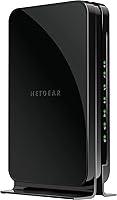
  • Color: Available in a single Black finish that blends into most home or home-office environments without drawing visual attention.
  • In the Box: Package includes the modem unit, one Ethernet cable, one telephone cable, a power adapter, and a printed quick install guide.
  • Release Date: This model was first made available in October 2017 and has remained in active production without being discontinued by the manufacturer.
  • OS Compatibility: Works with Windows 7, 8, 10, Vista, XP, and Mac OS systems running a standard TCP/IP network, covering the vast majority of home computers in use today.
  • User Rating: Holds an average rating of 4.3 out of 5 stars based on more than 3,500 customer ratings on Amazon as of the time of this review.

Related Reviews
NETGEAR CM500 DOCSIS 3.0 Cable Modem
77%
91%
Value for Money
88%
Setup & Activation
84%
Connection Stability
63%
Refurbished Condition Consistency
72%
ISP Compatibility
More
NETGEAR C3700 N600 Cable Modem Router
73%
91%
Ease of Setup
88%
Connection Reliability
58%
WiFi Speed & Performance
61%
WiFi Range & Coverage
83%
Modem Speed & Throughput
More
Motorola MB7420 16x4 Cable Modem
77%
86%
Connection Stability
88%
Setup & Activation
79%
Speed Performance
91%
Value for Money
74%
Build Quality & Design
More
ARRIS CM820A DOCSIS 3.0 Cable Modem
74%
83%
Connection Stability
78%
Ease of Setup
74%
ISP Compatibility
81%
Long-Term Reliability
88%
Value for Money
More
NETGEAR CM1000 DOCSIS 3.1 Cable Modem
76%
88%
Connection Stability
84%
Speed Performance
76%
Compatibility & ISP Support
61%
Setup & Provisioning Experience
82%
Value for Money
More
NETGEAR Nighthawk CM3000
79%
88%
Upload Speed Performance
91%
Download Speed Delivery
79%
ISP Compatibility
66%
Setup & Activation Experience
74%
Value for Money
More
NETGEAR Nighthawk 32x8 DOCSIS 3.1 Cable Modem
78%
88%
Internet Speed Performance
83%
Setup & Activation
79%
Build Quality & Durability
91%
Value for Money
74%
ISP Compatibility
More
NETGEAR CM2500 DOCSIS 3.1 Cable Modem
77%
83%
Setup & Provisioning
88%
Upload Speed Performance
81%
Download Speed Consistency
76%
ISP Compatibility
79%
Build Quality & Design
More
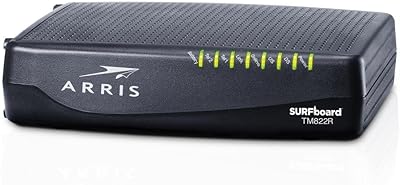
ARRIS TM822R DOCSIS 3.0 Cable Modem
75%
93%
Xfinity Compatibility
88%
Value for Money
74%
VoIP Phone Performance
81%
Internet Speed Performance
86%
Setup & Installation
More
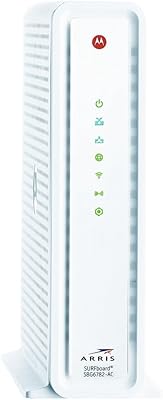
ARRIS SBG6782 DOCSIS 3.0 Cable Modem Router
78%
88%
Value for Money
91%
Setup & Installation
86%
Connection Stability
69%
Wi-Fi Performance
63%
Wi-Fi Range
More

FAQ

No — the CM500V is certified exclusively for Xfinity by Comcast. It will not activate or function on Spectrum, Cox, AT&T, Verizon, CenturyLink, or any DSL-based service. This is the single most common reason buyers return it, so please confirm your provider before purchasing.

It does not include Wi-Fi. This is a modem only, so you will need a separate wireless router to get Wi-Fi in your home. The good news is that it works with any router you already own — just connect it to the Ethernet port on the back of the modem.

The hardware side is simple: connect the coaxial cable from your wall, plug in the Ethernet cable to your router, attach your phone line if needed, and power it on. After that, you will need to call Xfinity to provision the modem on your account — they will need the MAC address printed on the bottom of the unit. Most activations complete within 15–30 minutes, though some users report longer waits depending on Xfinity support availability.

In most cases, yes. Number porting from a previous Xfinity rental modem is generally handled by Xfinity during the provisioning process. If you are porting a number from a different carrier, Xfinity manages that process on their end, and the modem itself plays no role in that decision.

The NETGEAR CM500V DOCSIS 3.0 Cable Modem with Voice handles plans up to 300 Mbps reliably. If your current Xfinity plan falls in the 100–300 Mbps range, this is a comfortable fit. If you are on a 400 Mbps or faster plan — or thinking about upgrading soon — you would be better served by a higher-tier DOCSIS 3.1 modem.

Both RJ-11 ports function as independent phone lines under your Xfinity Voice subscription, provided your plan supports two lines. You can have separate calls on each port simultaneously, and features like caller ID and call forwarding apply per line.

Technically yes — the internet functionality works independently of the voice ports. That said, if you have no interest in Xfinity Voice, you are paying for two phone ports you will never use. A modem without voice support would likely be a more cost-efficient choice in that scenario.

Xfinity typically charges a monthly fee for equipment rental, and those costs accumulate into a meaningful sum over the course of a year or two. Most users find that this modem pays for itself within the first year of use, after which the savings are essentially pure value — assuming the hardware remains reliable, which the majority of long-term owners report it does.

DOCSIS 3.0 is a mature standard and is still widely supported across Xfinity's network. However, DOCSIS 3.1 is the current generation standard and offers significantly higher ceiling speeds. If you are on a 300 Mbps or lower plan and not expecting to upgrade anytime soon, DOCSIS 3.0 remains perfectly functional. If future-proofing matters to you, it is worth considering a newer 3.1 device instead.

The most common culprit is an incomplete provisioning step on Xfinity's side, not a defective unit. Start by confirming that Xfinity has added the modem's MAC address to your account — you can find that address on the label on the bottom of the device. If everything looks correct on your end, calling Xfinity support directly and asking them to re-provision the modem tends to resolve the issue. A power cycle after provisioning is confirmed can also help clear any lingering connection problems.