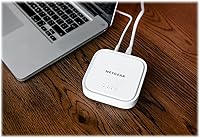

Overview

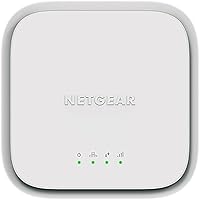
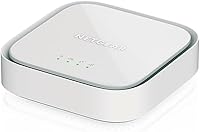
The NETGEAR LM1200 4G LTE Broadband Modem is a dedicated cellular modem built for households and small setups that need a dependable internet connection independent of cable or fiber infrastructure. Unlike a mobile hotspot, this LTE modem is designed to sit on your desk and plug directly into your existing router — a proper fixed-location device with a real Ethernet connection. It works with AT&T, T-Mobile, and Verizon (though Verizon support carries some regional caveats, more on that below), covering the majority of US buyers. Setup is direct: grab a Nano SIM card from your carrier, activate a BYOD data plan, and you are up and running in minutes.

Features & Benefits

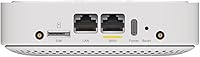
The standout capability of this cellular broadband modem is its automatic failover function — when your cable or DSL connection drops, the modem switches to LTE on its own, without you touching anything, so calls and streams keep going. Two Gigabit Ethernet ports (one WAN, one LAN) give real deployment flexibility: chain it behind your existing router or connect a device directly to the LAN port. Peak download speeds are rated at 150Mbps over LTE Category 4, but actual performance depends heavily on tower distance and local congestion, so treat that figure as a ceiling, not a guarantee. The 100–240V power input and compact footprint make placement straightforward anywhere in your home or office.

Best For

This LTE modem makes the most sense for people who genuinely cannot get wired internet — rural households, remote cabins, and vacation homes where cable does not reach are the obvious candidates. Remote workers who have dealt with mid-meeting internet drops will appreciate a setup that switches automatically to LTE without any manual steps. It is also a solid fit for renters or anyone avoiding ISP contracts, since a prepaid data plan keeps commitments flexible. Small temporary offices can use it as a standalone wired uplink. One thing to know upfront: this unit has no Wi-Fi radio, so you will need a separate router if wireless coverage is part of the plan.

User Feedback

Buyers tend to split into two camps. Those using the LM1200 as a rural primary connection or a home failover backup generally come away satisfied — the setup process is quick, carrier SIM cards slot in without drama, and the modem reliably does its job when the cable goes down. The criticisms are real, though: Verizon users in particular report inconsistent results depending on which bands are active in their area, and speed expectations need to stay realistic — if you are not near a strong tower, the numbers will reflect that. A fair number of buyers were also caught off guard learning this modem requires a separate router for wireless connectivity. Read the specs carefully before purchasing.

Pros

  • Automatic failover means your internet keeps working during cable outages without any manual steps required.
  • Works as a permanent primary connection in rural areas where cable and fiber simply do not reach.
  • Compatible with AT&T and T-Mobile, covering the vast majority of US users without issue.
  • Two Gigabit Ethernet ports offer real flexibility — connect it to your existing router or plug in a device directly.
  • BYOD SIM model lets you choose your own carrier and data plan with no long-term contract required.
  • Compact size means it fits on any shelf or desk without taking over your workspace.
  • Wide voltage range makes it usable in different locations, including vacation properties with varying power setups.
  • Broad LTE band support (bands 2, 4, 5, 12, 13, 14, 66, 71) improves the chances of a solid carrier connection.
  • Setup is straightforward — insert a Nano SIM, connect to your router, and the modem is ready to go.
  • Buyers consistently praise reliable day-to-day performance when used within good LTE coverage areas.

Cons

  • No built-in Wi-Fi radio means you must purchase a separate router for any wireless connectivity.
  • Verizon support is inconsistent and regionally limited, making it a risky choice for Verizon-primary users.
  • Real-world speeds vary significantly based on tower proximity and can fall well short of the 150Mbps rated maximum.
  • A compatible Nano SIM card and an active data plan must be sourced separately before the modem is usable — adding setup friction and ongoing cost.
  • Not suitable for use outside the United States, limiting its value for frequent travelers or international households.
  • Households with multiple simultaneous heavy users may find LTE throughput insufficient as a cable replacement.
  • No built-in management app or advanced diagnostic tools, which can make troubleshooting signal issues difficult for non-technical users.
  • LTE Category 4 technology is functional but behind newer modem standards, which may affect longevity as networks evolve.

Ratings

The scores below reflect an AI-assisted analysis of verified global user reviews for the NETGEAR LM1200 4G LTE Broadband Modem, with spam, bot activity, and incentivized feedback actively filtered out before scoring. Each category is rated on real-world performance patterns drawn from thousands of buyer experiences, capturing both what works well and where the device falls short. The results are intentionally transparent — strong scores are earned, and genuine pain points are not glossed over.

Ease of Setup
83%
Most buyers describe the initial setup as refreshingly simple for a networking device. Inserting the Nano SIM, connecting an Ethernet cable to an existing router, and powering on is all it takes to get started — no technical background required. Remote workers and rural homeowners with limited tech experience consistently praise how quickly they were online.
The setup friction comes from outside the box rather than inside it: sourcing a compatible Nano SIM and activating a BYOD data plan through a carrier can be confusing for first-timers. A handful of users report that carrier activation steps were unclear, adding unexpected delays before the modem was actually usable.
Failover Reliability
88%
Automatic failover is the standout capability that keeps remote workers and home office users loyal to this LTE modem. When cable internet drops, the switch to LTE happens without any manual intervention — meetings stay connected, VPN sessions hold, and most users report the transition is fast enough to go unnoticed during light to moderate activity.
Failover performance is only as good as the LTE signal behind it. In areas with weaker tower coverage, the backup connection can be sluggish or unstable, which somewhat undermines the reliability promise. A small number of users also noted occasional delays before the modem fully recognized and switched to the LTE fallback.
Carrier Compatibility
71%
29%
AT&T and T-Mobile users consistently report solid compatibility, with SIM activation going smoothly and sustained connections across a wide range of locations. The broad band support — covering bands 2, 4, 5, 12, 13, 14, 66, and 71 — gives the LM1200 a meaningful advantage over narrower LTE modems in areas served by these two carriers.
Verizon compatibility is a genuine weak point. While the modem is technically certified, real-world Verizon performance varies considerably by region, and a noticeable portion of Verizon users report inconsistent connections or limited band access. Buyers relying primarily on Verizon should verify local band availability before committing to this unit.
Real-World Speeds
63%
37%
In locations with strong LTE signal and low network congestion — typically suburban or semi-rural areas with good AT&T or T-Mobile tower coverage — buyers report download speeds more than sufficient for streaming, video calls, and everyday browsing. The LTE Category 4 radio and multi-band support give it a reasonable ceiling for its class.
Speed expectations frequently collide with reality for users far from cell towers or in congested areas. The 150Mbps maximum is a theoretical limit, and many buyers in rural or fringe-coverage zones report speeds a fraction of that. Households with multiple simultaneous heavy users are particularly likely to feel the strain.
Build Quality
79%
21%
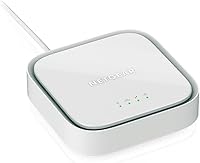
The LM1200 feels solid and purposefully built for stationary use, with a compact white housing that holds up well over months of continuous operation. Buyers running it as a permanent primary connection report no hardware failures or overheating concerns during extended daily use, which is reassuring for a device meant to stay powered on indefinitely.
The plastic casing looks functional rather than refined, and a few buyers noted the unit feels lightweight in a way that reads as inexpensive rather than premium. There are no status display details beyond indicator LEDs, which some users find limiting when trying to quickly assess connection quality without logging into the admin interface.
Value for Money
77%
23%
At its price point, this cellular broadband modem offers a capable and practical solution for buyers who need LTE connectivity without overpaying for a feature-heavy device. For rural users who have no wired internet alternative, it regularly gets described as money well spent — the alternative being no reliable internet at all.
Buyers who expected a complete solution out of the box often feel the value proposition is diluted once they factor in the additional cost of a separate router and an ongoing data plan. Those in areas with inconsistent LTE signal may also feel the investment does not fully pay off if real-world speeds underwhelm.
Wi-Fi Capability
12%
88%
There is nothing to praise here from a Wi-Fi standpoint — the modem does not include a wireless radio by design, and buyers who understand this upfront are not bothered. Pairing it with an existing router is a non-issue for those who already own capable wireless hardware.
The absence of built-in Wi-Fi is the single most common source of buyer disappointment, with many users assuming a modem of this type would handle wireless distribution as well. The requirement to purchase a separate router adds cost and setup complexity that a significant portion of buyers did not anticipate before ordering.
Port Selection
81%
19%
Two Gigabit Ethernet ports — one WAN, one LAN — give this LTE modem more flexibility than most cellular modems in its class, which often include only a single port. The WAN port connects cleanly to any existing router, while the LAN port offers a direct-wired option for a laptop, gaming console, or smart TV without a router in the loop.
Two ports cover the basics but leave multi-device wired setups without options. Users who want to connect several wired devices simultaneously will need a separate switch or router, and there is no USB port for alternative connectivity or external antenna support at the port level.
Signal Stability
68%
32%
In good coverage zones, buyers report a dependably stable LTE connection that holds up well for sustained work-from-home use over hours-long sessions. The multi-band configuration means the modem can latch onto whichever available band delivers the strongest signal, which helps in areas where one band may be congested.
Signal stability becomes unpredictable at the edges of carrier coverage areas, and the modem has no built-in antenna upgrade path visible to most users. A number of buyers in marginal signal areas report fluctuating speeds and occasional drops that make it unreliable for consistent remote work without an external antenna solution.
Admin Interface
58%
42%
The web-based admin panel provides basic but functional visibility into connection status, signal strength indicators, and data usage, which is enough for most non-technical users to confirm the modem is working as expected and identify obvious problems.
Power users and IT-minded buyers find the admin interface notably thin — advanced diagnostics, detailed signal metrics, and granular configuration options are largely absent. Several users note that troubleshooting poor signal or carrier issues is harder than it should be given the limited tools available through the interface.
Firmware & Updates
61%
39%
NETGEAR has a reasonable track record with networking firmware, and some buyers note receiving updates that improved carrier compatibility and stability over time. The update process is generally straightforward for those who know to look for it.
Firmware update notifications are not proactive, and a meaningful number of buyers never update their unit at all, potentially missing stability improvements. User feedback on long-term firmware support for this specific model is mixed, with concerns that updates may slow as the hardware ages relative to newer NETGEAR products.
Physical Footprint
86%
At 5.5 x 5.2 x 3.3 inches and just over 6 ounces, this cellular broadband modem is small enough to tuck behind a router, sit on a bookshelf, or mount discreetly in a vacation home setup. Buyers who prioritize a clean, low-profile installation consistently appreciate how unobtrusive it is in practice.
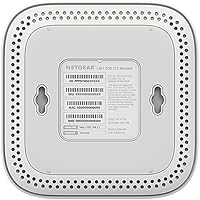
The small footprint also means limited passive cooling surface area, and while overheating complaints are rare, the unit does get warm during continuous high-load operation. There are no mounting options or integrated cable management features, which can make clean cable routing slightly awkward in tidy setups.
Compatibility with Routers
84%
The LM1200 works with virtually any router that accepts a standard WAN Ethernet connection, which covers the overwhelming majority of consumer and prosumer routers on the market. Buyers using it alongside brands like ASUS, TP-Link, and Eero report straightforward plug-and-play pairing with no special configuration needed.
While broad router compatibility is a real strength, users running more advanced router configurations — such as dual-WAN failover managed at the router level rather than the modem level — sometimes encounter conflicts or redundant failover logic that requires careful configuration to resolve cleanly.

Suitable for:

The NETGEAR LM1200 4G LTE Broadband Modem is a strong fit for anyone whose living or working situation makes traditional wired internet either unavailable or unreliable. Rural homeowners and vacation cabin dwellers who sit outside cable and fiber service areas will find it particularly useful as a permanent primary connection, provided they have decent LTE signal from AT&T or T-Mobile in their area. Remote workers who have experienced the frustration of losing a video call or VPN session during an unexpected outage will appreciate that the automatic failover kicks in on its own — no rebooting, no manual switching, just continued connectivity. Renters, frequent movers, and anyone wary of locking into a long-term ISP contract can use it with a prepaid data plan and a BYOD Nano SIM, keeping the arrangement flexible. It also works well for users who already own a solid router and simply need a reliable cellular uplink device to feed it.

Not suitable for:

Buyers expecting an all-in-one internet solution should know upfront that the NETGEAR LM1200 4G LTE Broadband Modem does not include a Wi-Fi radio — it is a modem only, so a separate wireless router is required if you need wireless coverage in your home. Anyone primarily on Verizon should research their specific regional band support carefully before purchasing, as compatibility is more limited and inconsistent compared to AT&T and T-Mobile users. Speed expectations also need to be realistic: if you are far from an LTE tower or in a congested area, you may see performance well below the 150Mbps ceiling, which makes it a poor substitute for fiber or cable in high-bandwidth households with multiple heavy users. This unit is also US-only, so travelers or international users will need to look elsewhere. Finally, buyers should factor in the ongoing cost of a separate data plan — the modem itself is just one piece of the total expense.

Specifications

  • Brand: Manufactured by NETGEAR, a well-established US-based networking hardware company.
  • Model Number: The exact model identifier is LM1200-100NAS, designed exclusively for the US market.
  • Connectivity: Uses 4G LTE Category 4 cellular technology for its primary internet connection.
  • LTE Bands: Supports LTE bands 2, 4, 5, 12, 13, 14, 66, and 71 for broad carrier coverage across the US.
  • 3G Fallback: Falls back to 3G UMTS on bands 2, 4, and 5 when LTE signal is unavailable.
  • Max Download Speed: Rated for download speeds up to 150Mbps, though actual speeds depend on carrier signal and tower proximity.
  • Ethernet Ports: Includes two Gigabit Ethernet ports: one WAN port for router connection and one LAN port for direct device use.
  • SIM Card Type: Requires a Nano SIM card sourced directly from a compatible carrier with an active BYOD data plan.
  • Carrier Support: Certified with AT&T and T-Mobile; Verizon support is available but limited and regionally variable.
  • Failover Support: Includes automatic failover functionality that switches to LTE when a primary wired connection is interrupted.
  • Wi-Fi: Does not include a built-in Wi-Fi radio; a separate wireless router is required for wireless internet access.
  • Power Supply: Powered via an included AC adapter with a wide input range of 100–240V for use across different outlets.
  • Dimensions: Measures 5.5 x 5.2 x 3.3 inches, making it compact enough to sit unobtrusively on a desk or shelf.
  • Weight: Weighs 6.2 ounces, keeping the unit lightweight and easy to reposition as needed.
  • Color: Available in white with a clean, minimal housing that blends into most home or office environments.
  • Geographic Use: Designed and certified for use within the United States only; not intended for international deployment.

Related Reviews
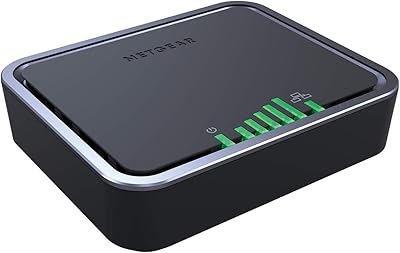
NETGEAR 4G LTE Broadband Modem LB1120
82%
92%
Ease of Setup
89%
Connection Stability
84%
Carrier Compatibility
88%
Performance in Rural Areas
90%
Compact Design
More
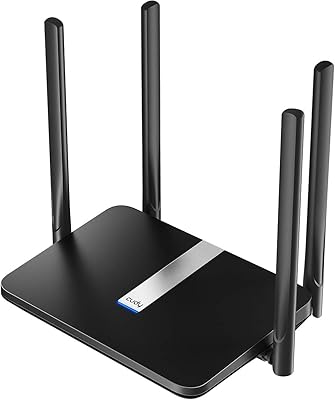
Cudy LT700E 4G LTE Modem Router
82%
88%
Performance
85%
Wi-Fi Speed & Range
90%
Ease of Setup
87%
Value for Money
80%
VPN Functionality
More
Cudy LT500 4G LTE Modem Router
76%
88%
Ease of Setup
82%
4G LTE Signal Performance
79%
WiFi Coverage & Speed
74%
VPN Functionality
71%
Carrier Compatibility
More
TUOSHI LT15F 4G LTE Modem Router
69%
83%
Setup & Ease of Use
71%
Carrier Compatibility
78%
Signal Reception & Antenna Performance
66%
LTE Speed & Performance
72%
Wi-Fi Coverage & Range
More
Netgear Nighthawk MR1100 4G LTE Mobile Hotspot Router
85%
87%
Performance
92%
Battery Life
90%
Portability
85%
Connectivity
88%
Ease of Use
More
ELSYS Amplimax Outdoor 4G LTE Modem
65%
74%
Signal Performance
68%
Ease of Setup
71%
Build Quality
81%
Carrier Compatibility
63%
Value for Money
More
Netgear Nighthawk MR1100 4G LTE Mobile Hotspot Router
82%
87%
Performance
78%
Battery Life
91%
Portability
84%
Setup & Installation
65%
Carrier Compatibility
More
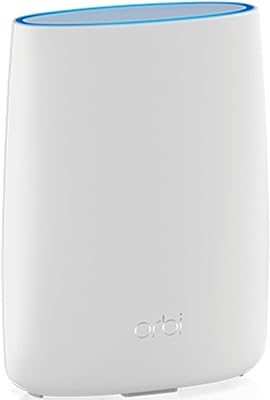
NETGEAR Orbi LBR20 4G LTE WiFi Router
71%
71%
Cellular Connectivity
74%
WiFi Coverage
86%
Setup Experience
58%
Value for Money
78%
Mesh Expandability
More
Cudy N300 WiFi Unlocked 4G LTE Modem Router LT400
84%
85%
Performance & Speed
91%
Ease of Setup
88%
VPN Functionality
78%
Range & Coverage
70%
Signal Reliability in Rural Areas
More
Netgear Unite Pro AC-781S Mobile Hotspot
68%
81%
Value for Money
74%
Connectivity Performance
67%
Carrier Compatibility
69%
Refurbished Condition
61%
Battery Life
More

FAQ

You will need to purchase a Nano SIM card separately from your chosen carrier — nothing comes pre-installed. You also need to activate a compatible BYOD data plan through that carrier before the modem will connect to the internet. AT&T and T-Mobile tend to have the most straightforward activation experiences with this unit.

There is no Wi-Fi radio inside this modem, which surprises a lot of buyers. If you want wireless internet coverage in your home, you will need to connect a separate wireless router to the WAN Ethernet port. If you already own a router, you are good to go — just plug the modem into it and you are set up.

When your primary wired internet goes down — say your cable provider has an outage — the modem detects the interruption and automatically switches your connection over to LTE. You do not have to press anything or restart any devices. For most users, the switchover happens quickly enough that ongoing video calls or remote work sessions stay intact.

Technically yes, but with some important caveats. The NETGEAR LM1200 4G LTE Broadband Modem supports a more limited set of Verizon-compatible bands compared to AT&T and T-Mobile, and real-world user reports show that the experience can vary quite a bit depending on your specific region. If Verizon is your only carrier option, it is worth checking which LTE bands are active in your area before buying.

Yes, and many buyers do exactly that — particularly in rural areas where cable or fiber is not available. As long as you have solid LTE signal from AT&T or T-Mobile at your location, this LTE modem can serve as a reliable full-time primary connection. Just keep in mind that speeds and consistency will depend heavily on how close you are to a cell tower.

The rated maximum is 150Mbps download over LTE Category 4, but that is a ceiling, not a promise. In practice, speeds depend on your distance from the nearest tower, how congested the network is in your area, and which bands your carrier is using. Many users in good coverage areas report solid, usable speeds, while those in weaker signal zones may see significantly lower throughput.

That is exactly how most people use it. Plug your router into the WAN Gigabit Ethernet port on the modem, and your router handles distributing the connection throughout your home just like it normally would. The second Ethernet port (LAN) can also be used to connect a device directly if needed.

No data plan is included — you need to arrange one independently with your carrier. The modem supports BYOD (Bring Your Own Device) plans, which are widely available from AT&T, T-Mobile, and Verizon. Prepaid options work fine and give you the flexibility to avoid long-term contracts.

No, this unit is designed and certified for US use only. It supports LTE bands specific to US carriers and will not function properly with international networks. If you need an LTE modem for international use, you would need to look at a different product.

Most buyers find the setup process pretty approachable. You insert the Nano SIM, connect the modem to your router or device via Ethernet, and power it on. The modem has a basic web interface for checking connection status and signal strength. The trickiest part for most people is activating the BYOD data plan with their carrier, which varies by provider but is usually a straightforward online or phone process.

Where to Buy