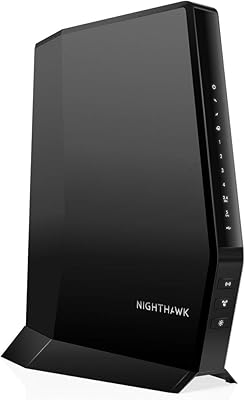
NETGEAR C7500 AC3200 Cable Modem Router Combo
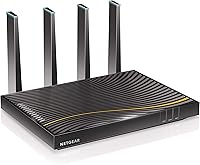
Overview
The NETGEAR C7500 AC3200 Cable Modem Router Combo is a single-box solution that handles both your cable modem and Wi-Fi router duties — no separate devices, no extra cables cluttering your shelf. It runs on DOCSIS 3.0, the standard that lets cable subscribers pull data across multiple channels simultaneously, which translates to more consistent speeds under real-world conditions. Before you get excited, check your ISP first. This all-in-one cable gateway only works with Xfinity, Cox, and Spectrum. If you are on DSL, fiber, or any bundled voice plan, stop here — it flat-out will not work. For compatible subscribers, the ongoing rental savings are a genuine perk worth factoring into the purchase decision.
Features & Benefits
The Nighthawk C7500 packs a lot into one chassis. Its AC3200 dual-band Wi-Fi splits traffic across 2.4 GHz and 5 GHz bands, delivering a combined theoretical throughput of 3200 Mbps — enough headroom for streaming 4K on multiple TVs while others are gaming or video calling. The 24x8 channel bonding is worth understanding: think of it as 24 lanes of data flowing into your home at once, which keeps speeds steadier when your cable network gets congested. Coverage reaches roughly 3000 square feet and supports up to 45 devices. Four Gigabit Ethernet ports and two USB ports let you hardwire PCs, printers, or a NAS drive. A dual-core processor and DDR3 memory keep everything stable under load.
Best For
This modem-router combo makes the most sense for households on Xfinity, Cox, or Spectrum with cable plans up to 400 Mbps. If you have 10 or more devices connected at any given time — phones, laptops, smart TVs, gaming consoles — the capacity here is genuinely practical rather than just a marketing number. Renters and homeowners tired of paying monthly equipment fees will hit a break-even point within a reasonable window, assuming the hardware holds up. That said, this is not the right fit for everyone. Anyone on DSL, fiber, or a bundled voice plan should not buy it — the incompatibility is absolute, not a workaround situation. It also assumes you are comfortable with self-installation.
User Feedback
With a 3.7-star average across more than 600 ratings, the Nighthawk C7500 has a divided audience. On the positive side, setup is generally straightforward for people comfortable with basic networking, and many users report stable connections over extended periods with meaningful savings on rental fees. Where it gets rocky: activation with Spectrum in particular has been a documented headache, requiring multiple calls to customer support. A subset of reviewers also flag unit failures within two years, raising questions about long-term durability at this price tier. NETGEAR support responsiveness draws mixed marks too. Tech-savvy buyers tend to work through the bumps; less experienced users sometimes find the whole experience frustrating. Go in with realistic expectations.
Pros
- Eliminates monthly ISP equipment rental fees, putting money back in your pocket over time.
- Covers up to 3000 square feet of Wi-Fi — practical for most single-family homes without adding extenders.
- Supports up to 45 simultaneous devices, handling busy households without obvious slowdowns.
- Dual-band AC3200 Wi-Fi gives you flexibility to split light and heavy traffic across two bands.
- Four Gigabit Ethernet ports let you hardwire PCs, consoles, or a NAS for rock-solid wired speeds.
- 24x8 channel bonding keeps cable speeds more stable during peak network congestion hours.
- Built-in parental controls add a useful layer of household network management without extra software.
- Setup is straightforward for users with basic networking familiarity — most report being online within minutes.
- One-box design cuts down on cable clutter and reduces the number of devices that need power and management.
- WPA2 security support keeps the wireless network protected without requiring any third-party configuration.
Cons
- Strict ISP compatibility means fiber, DSL, and bundled voice customers cannot use this device at all.
- A 3.7-star average across 600-plus ratings signals a meaningful proportion of unhappy buyers worth taking seriously.
- Spectrum activation in particular has caused repeated headaches, often requiring multiple support calls to resolve.
- Some users report unit failures within one to two years, raising durability concerns for the price paid.
- NETGEAR customer support quality is inconsistent, with several reviewers describing frustrating resolution experiences.
- Firmware updates have been infrequent, which may leave security and performance improvements on the table over time.
- Non-technical buyers can find self-installation intimidating, especially if ISP activation does not go smoothly.
- Capped at 400 Mbps cable plan support — subscribers on faster gigabit tiers will need a DOCSIS 3.1 device instead.
- At this price point, a failed unit after 18 months is a harder financial hit than it would be on a budget device.
- Relatively large physical footprint may not fit neatly in tighter media cabinet or shelf arrangements.
Ratings
The scores below for the NETGEAR C7500 AC3200 Cable Modem Router Combo were generated by our AI engine after analyzing hundreds of verified global user reviews, with spam, bot submissions, and incentivized feedback actively filtered out. The result is an honest, data-driven snapshot that reflects both what this device genuinely does well and where real buyers have run into frustration. Nothing has been softened to favor the brand.
Wi-Fi Performance
Modem Reliability
Setup Experience
ISP Compatibility
Value for Money
Build Quality
Multi-Device Handling
Wired Connectivity
Security Features
Firmware & Software Updates
Customer Support
Coverage Consistency
Ease of Management
Heat Management
Suitable for:
The NETGEAR C7500 AC3200 Cable Modem Router Combo is a strong fit for households on Xfinity, Cox, or Spectrum who are tired of paying monthly equipment rental fees and want to consolidate their networking gear into a single, capable unit. It particularly shines in medium-to-large homes where multiple people are streaming, gaming, and working online at the same time — the combination of broad coverage and multi-device support handles that kind of daily load without constant rebooting or speed drops. Cable subscribers on plans up to 400 Mbps will find this all-in-one cable gateway appropriately matched to their service tier, offering real headroom without paying for more hardware than they need. People who prefer a simpler setup — one box, one power cable, one management interface — will appreciate not having to coordinate a separate modem and router. If your household has 10 or more connected devices and you value both wired and wireless flexibility, this modem-router combo covers both bases with four Gigabit Ethernet ports and solid dual-band Wi-Fi.
Not suitable for:
The NETGEAR C7500 AC3200 Cable Modem Router Combo has a hard compatibility wall that disqualifies a significant portion of buyers before they even plug it in — if your internet comes from AT&T, Verizon, CenturyLink, or any fiber or DSL provider, this device simply will not work for you, full stop. It is equally incompatible with bundled voice or TV packages, so if your ISP provides phone service over the same line, look elsewhere. Buyers who are not comfortable with self-installation and troubleshooting should also think carefully here, since activation hiccups — especially on Spectrum — are a documented pattern that can require back-and-forth with customer support. Those prioritizing long-term durability on a tighter budget may find the risk harder to justify given that a subset of real-world users report hardware failures within the first couple of years. And if your cable plan pushes past 400 Mbps, this Nighthawk C7500 will become a bottleneck rather than an asset — you would need a DOCSIS 3.1-capable device to fully utilize those faster tiers.
Specifications
- Brand: Manufactured by NETGEAR, a well-established networking hardware company based in the United States.
- Model Number: The exact model identifier is C7500-100NAS, sometimes listed as the Nighthawk X4 cable modem router.
- Wi-Fi Standard: Uses AC3200 dual-band Wi-Fi, combining a 2.4 GHz band and a 5 GHz band for a combined theoretical throughput of 3200 Mbps.
- Modem Standard: Built on DOCSIS 3.0, which supports downstream channel bonding and is compatible with most major cable internet infrastructures.
- Channel Bonding: Supports 24x8 channel bonding, meaning 24 downstream and 8 upstream channels for more consistent speeds under congested network conditions.
- Max Plan Speed: Optimized for cable internet plans up to 400 Mbps; plans exceeding this threshold will be bottlenecked by the hardware.
- Wi-Fi Coverage: Rated for wireless coverage of up to 3000 square feet under typical residential conditions.
- Device Capacity: Supports up to 45 simultaneously connected devices across both Wi-Fi bands combined.
- Ethernet Ports: Includes four Gigabit Ethernet LAN ports for wired connections to computers, consoles, printers, or network storage.
- USB Ports: Equipped with two USB ports for connecting external storage drives or printers directly to the network.
- Processor: Powered by a dual-core processor paired with DDR3 SDRAM to handle multi-device traffic without significant performance degradation.
- Security: Supports WEP, WPA, and WPA2 wireless security protocols, along with built-in parental controls for household network management.
- Dimensions: Physical dimensions measure 12.4 x 10.4 x 7.5 inches, making it a relatively large unit that requires adequate shelf or desk space.
- Weight: Weighs 5.9 pounds, which is on the heavier side for a home networking device due to its combined modem and router components.
- Compatible ISPs: Certified for use with Xfinity by Comcast, Cox, and Spectrum only; not compatible with DSL, fiber, or bundled voice service providers.
- Power Input: Operates on 120 to 240 volts, making it compatible with standard North American electrical outlets.
- OS Compatibility: Compatible with Windows 7 and later, Mac OS, Linux, Chrome 11, and Safari 1 for browser-based management.
- Release Date: First made available in January 2018, meaning the hardware design and DOCSIS standard reflect technology from that era.
- In the Box: Package includes the modem router unit, one Ethernet cable, and a quick install guide; no additional networking accessories are included.
- Warranty: NETGEAR typically provides a one-year limited hardware warranty on this product line, though buyers should verify current terms at purchase.
Related Reviews
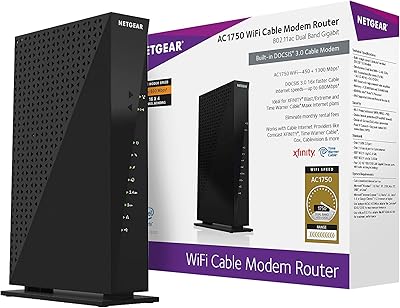
NETGEAR C6300 Cable Modem Router Combo
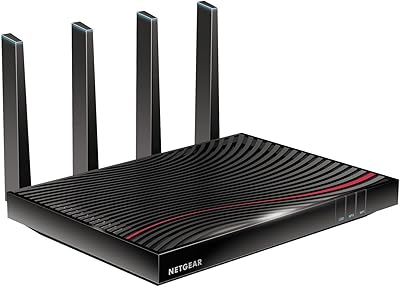
NETGEAR Nighthawk C7800 Cable Modem Router Combo
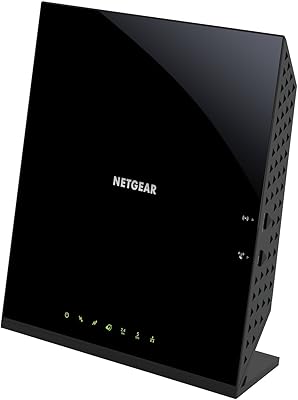
NETGEAR C6250 AC1600 Modem Router Combo
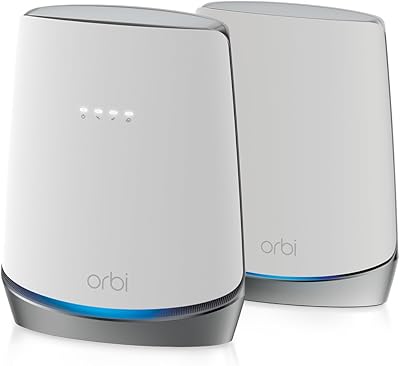
NETGEAR Orbi CBK752 Mesh Modem Router Combo
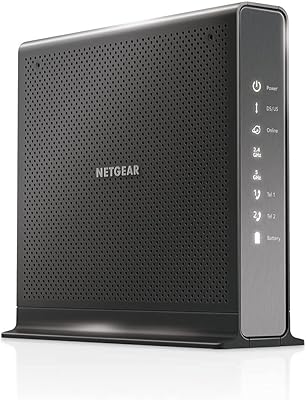
NETGEAR Nighthawk C7100V Cable Modem WiFi Router Combo with Voice
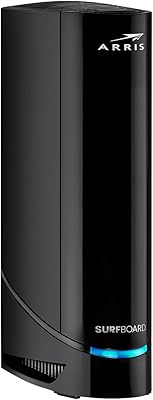
ARRIS G20 Cable Modem Router Combo
NETGEAR Nighthawk C7000 AC1900 Modem Router Combo
ARRIS SBG10 Cable Modem Router Combo
NETGEAR C6230 AC1200 Cable Modem Router