Overview

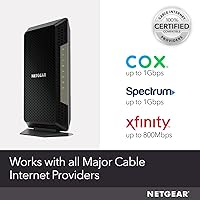
The NETGEAR Nighthawk CM1200 is a DOCSIS 3.1 cable modem built for households that are serious about their internet speeds — and equally serious about cutting modem rental fees for good. One thing to clarify upfront: this is a modem only, not a router, so you'll still need a separate device for Wi-Fi. It works with major cable providers like Xfinity, Spectrum, and Cox, but it's completely incompatible with Verizon, AT&T, DSL, or fiber services — a limitation worth checking before you buy. Released in 2019, this Nighthawk modem has aged well, largely because DOCSIS 3.1 remains the standard for high-speed residential cable internet today.
Features & Benefits

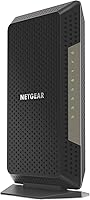
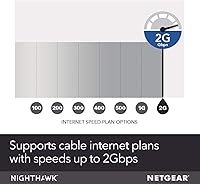
The CM1200 runs on DOCSIS 3.1 with 32x8 channel bonding, which in practical terms means it can support cable plans up to 2Gbps without issue — handy if your provider ever bumps you to a faster tier. Four Gigabit Ethernet ports offer solid flexibility for wired connections, and port aggregation lets compatible devices combine two ports for greater throughput. A USB 3.0 port handles a storage drive or similar peripheral. Standing roughly 10 inches tall on a narrow 3.4-inch base, it needs vertical clearance on whatever shelf you choose. Security coverage includes WPA3 support, and a 90-day NETGEAR Armor trial is included out of the box.

Best For

This standalone cable modem makes the most sense for anyone on Xfinity, Spectrum, or Cox who's tired of paying a monthly rental fee for equipment they'll never own. Over two or three years, the math typically works in your favor. It's also a strong fit for remote workers and power users on gigabit plans who need stable throughput for video calls, large transfers, or a home lab setup. If you already own a router you like, the CM1200 slots in without disrupting anything. That said, if calling your ISP to provision a new modem sounds daunting, self-installation may feel like more friction than expected.

User Feedback

Across more than 6,000 ratings, this Nighthawk modem holds a 4.2 out of 5 — respectable, though not without honest complaints. Most buyers report noticeable speed improvements and a straightforward setup experience after swapping out their ISP hardware. The port aggregation feature earns particular praise from users running NAS drives or bandwidth-heavy workstations. On the downside, a recurring complaint involves ISP provisioning delays on day one — calling your provider before or immediately after the swap helps. A consistent minority also reports reliability degrading after two to three years of continuous use, which is worth factoring in. NETGEAR's customer support draws mixed reviews, so post-purchase assistance is not guaranteed to be smooth.

Pros

  • Eliminating the monthly rental fee typically recoups the full cost within about a year.
  • DOCSIS 3.1 support keeps this Nighthawk modem technically current for the foreseeable future.
  • Four Gigabit Ethernet ports offer more wired flexibility than most standalone modems at this tier.
  • Port aggregation is a standout feature for NAS users and multi-gig workstation setups.
  • Initial setup is straightforward — most buyers are up and running in under 30 minutes.
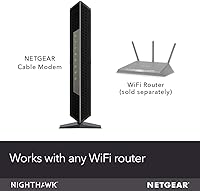
  • Works with any third-party router, so you are not locked into the NETGEAR ecosystem.
  • WPA3 security support and a 90-day NETGEAR Armor trial add real protective value out of the box.
  • Speeds on gigabit Xfinity and Spectrum plans consistently hit close to the subscribed tier.
  • The narrow footprint keeps desk or shelf clutter manageable in tight home office setups.
  • Firmware has been actively maintained since launch, with updates extending reliable performance.

Cons

  • ISP activation delays on day one can stretch for hours — call your provider before swapping hardware.
  • Long-term reliability concerns emerge around the two-to-three-year mark with increasing frequency.
  • No built-in Wi-Fi means the total networking cost is higher than a gateway device alone.
  • NETGEAR Armor becomes a recurring paid subscription after the 90-day trial ends.
  • Customer support quality is inconsistent — complex post-warranty issues can be frustrating to resolve.
  • The CM1200 stands over 10 inches tall, which limits placement options in enclosed cabinets or low shelves.
  • Users on basic or mid-tier cable plans will see little practical benefit over a cheaper DOCSIS 3.0 modem.
  • Firmware updates applying automatically in the background can cause brief unexpected outages.
  • Buyers on bundled voice plans have no compatible path forward with this hardware.
  • Port aggregation only activates with a compatible router or switch — casual users gain nothing from it.

Ratings

The NETGEAR Nighthawk CM1200 has been analyzed by our AI system across thousands of verified global user reviews, with spam, bot activity, and incentivized feedback actively filtered out before scoring. The result is an honest snapshot of where this standalone cable modem genuinely excels and where real buyers have run into friction. Both the strengths and the recurring pain points are reflected transparently in the scores below.
Internet Speed Performance
88%
Most users upgrading from ISP-rental modems report an immediate and noticeable boost in real-world speeds. On gigabit Xfinity and Spectrum plans especially, the CM1200 consistently delivers throughput close to the subscribed tier, which rental hardware often fails to do reliably.
A subset of users on Cox found their speeds plateaued below expectations, often traced back to ISP-side provisioning rather than the modem itself. Results can vary depending on local cable infrastructure quality.
Setup & Installation
83%
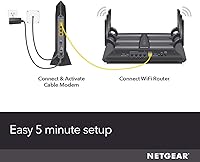
The physical installation is straightforward — unbox, connect coax and Ethernet, then call your provider to activate. Many users report the whole process taking under 30 minutes, which is genuinely appreciated by those who dread hardware swaps.
The ISP activation call is the most common friction point. Several buyers were caught off guard by provisioning delays lasting hours or even a full day, particularly with Xfinity. This is not unique to this modem, but it catches first-timers off guard.
Long-Term Reliability
63%
37%
For the first one to two years of use, the CM1200 tends to run without issue. Users in that window rarely report unexpected reboots or dropped connections, which builds early confidence in the hardware.
A meaningful pattern of reliability degradation appears in the two-to-three-year range. Some users report increasing disconnects or the unit needing hard resets more frequently over time. For a premium-priced modem, this raises legitimate durability questions.
Value for Money
79%
21%
Buyers who factor in the elimination of monthly modem rental fees — typically around 14 to 15 dollars per month with major cable providers — find that this standalone cable modem pays for itself within roughly a year. Over a typical ownership cycle, the savings are real and significant.
The upfront cost sits firmly in the premium tier, which creates a higher break-even threshold. Users who move frequently, switch providers, or downgrade their internet plan may not recoup the investment as cleanly as those in stable long-term setups.
Compatibility & ISP Support
71%
29%
Xfinity, Spectrum, and Cox compatibility is broad and well-documented, making this modem a reliable pick for the majority of U.S. cable internet subscribers. Provider certification lists are current, which reduces the risk of buying an unsupported device.
The incompatibility with Verizon, AT&T, DSL, DirecTV, DISH, and bundled voice services is a hard wall — not a footnote. Buyers who misread the compatibility list before purchasing represent a notable chunk of the negative reviews, pointing to a need for clearer upfront messaging.
Port Configuration & Wired Flexibility
86%
Four Gigabit Ethernet ports is genuinely generous for a standalone modem, and port aggregation support is a feature that power users — especially those running NAS drives or multi-gig workstations — call out as a standout differentiator in this price range.
Port aggregation requires a compatible router or switch to actually function, which adds a layer of setup complexity. Casual users who do not have multi-gig networking equipment will not benefit from this feature at all.
Build Quality & Design
74%
26%
The modem has a solid, sturdy feel with no creaky plastic or cheap finishing. Its tall, narrow form factor keeps the desk footprint small, which is appreciated in cramped home office or entertainment center setups where space is at a premium.
At 10.3 inches tall, it genuinely needs vertical clearance that not every shelf or closet can accommodate. A few users also mention it runs noticeably warm during sustained heavy use, which is worth keeping in mind for enclosed installations.
DOCSIS 3.1 Future-Proofing
91%
DOCSIS 3.1 remains the current standard for residential cable internet, meaning this hardware is not at risk of becoming obsolete in the near term. Users who invested in it during 2019 are still running a technically current modem years later, which speaks to the longevity of the standard.
DOCSIS 3.1 is a ceiling, not a guarantee — your actual plan speed still determines what you get. Users on basic or mid-tier plans will not see any practical difference versus a DOCSIS 3.0 modem, making the premium harder to justify for those not on high-tier plans.
Security Features
77%
23%
WPA3 support and the included 90-day NETGEAR Armor trial give this modem a more serious security posture than most competing units. For households with smart home devices or remote workers handling sensitive data, this out-of-the-box protection layer is a genuine plus.
NETGEAR Armor transitions to a paid subscription after the trial period, and the recurring cost catches some users off guard. Those who skip the renewal lose the active threat monitoring, reducing the security benefit to just the baseline WPA3 support.
Customer Support Experience
51%
49%
When issues are straightforward and covered by warranty, some users report relatively smooth resolution experiences with NETGEAR's support channels. The documentation and online resources are reasonably thorough for self-troubleshooting common problems.
Inconsistency is the dominant theme in support-related feedback. Users dealing with more complex issues — particularly around provisioning conflicts or post-warranty failures — frequently describe long wait times, unhelpful responses, and difficulty reaching knowledgeable agents.
App & Software Experience
68%
32%
The Nighthawk app provides a clean interface for basic monitoring and management tasks. Users who pair this modem with a NETGEAR router get a more integrated experience, including firmware update notifications and connected device visibility.
As a standalone modem without built-in Wi-Fi, the app's usefulness is fairly limited compared to a gateway device. Several users note the app is clearly designed with NETGEAR router owners in mind, leaving modem-only users with a stripped-down feature set.
Physical Footprint & Placement
72%
28%
The narrow base makes it easy to tuck alongside other networking gear without consuming excessive horizontal space. Its clean matte black finish blends into most home office or AV setups without drawing attention.
The height is a recurring complaint in reviews from users with low shelves or enclosed media cabinets. It is not a device you can lay on its side safely, so placement options are more restricted than with flatter modem designs.
Firmware & Update Reliability
76%
24%
NETGEAR has maintained firmware updates for the CM1200 since launch, and several users credit automatic updates for keeping the device performing well over its first couple of years. This kind of ongoing support is not guaranteed across all modem brands.
A handful of users report that firmware updates have occasionally introduced new bugs or required a manual reboot to fully apply. Automatic updates happening in the background without user notification can also cause unexpected brief outages at inconvenient times.

Suitable for:

The NETGEAR Nighthawk CM1200 is purpose-built for households on Xfinity, Spectrum, or Cox cable internet plans — particularly anyone paying a monthly modem rental fee who has decided that enough is enough. At roughly 14 to 15 dollars per month in typical rental charges, most buyers will break even within 12 to 14 months and save meaningfully over a multi-year ownership period. It is an especially strong fit for remote workers or power users subscribed to gigabit or multi-gig cable tiers, where the DOCSIS 3.1 standard ensures the hardware is not the bottleneck. Households running multiple wired devices — gaming consoles, NAS drives, smart TVs, desktop workstations — will appreciate the four Ethernet ports and the port aggregation capability that most competing modems in this category simply do not offer. Buyers who already own a capable router and just need a clean modem upgrade will find this standalone cable modem slots into their existing setup without friction.
Not suitable for:

The NETGEAR Nighthawk CM1200 is a hard pass for anyone on Verizon, AT&T, CenturyLink, or any DSL or fiber-based service — compatibility is strictly limited to traditional cable providers, and no workaround exists for that. It is equally unsuitable for users who want an all-in-one gateway device; this modem has no built-in Wi-Fi, so a separate router is non-negotiable, adding both cost and complexity to the total setup. Renters, frequent movers, or anyone likely to switch providers within the next year or two may not recover the upfront investment before their situation changes. Users who rely on bundled voice services through their cable provider should also steer clear, as this hardware does not support telephone ports. Finally, buyers who want a plug-and-forget experience with reliable long-term hardware should weigh the reported reliability concerns that begin surfacing around the two-to-three-year mark — it is a real pattern, not an isolated complaint.
Specifications

  • Modem Standard: This modem uses DOCSIS 3.1, the current standard for high-speed residential cable internet, with backward compatibility for DOCSIS 3.0 and 2.0 networks.
  • Channel Bonding: Supports 32x8 channel bonding under DOCSIS 3.0, plus OFDM(A) 2x2 under DOCSIS 3.1, enabling consistent throughput on congested cable networks.
  • Max Plan Speed: Certified for cable internet plans up to 2Gbps, making it compatible with the fastest residential tiers currently offered by major U.S. cable providers.
  • Ethernet Ports: Equipped with 4 Gigabit Ethernet ports (10/100/1000 Mbps each), with support for port aggregation to combine two ports for higher wired throughput.
  • USB Port: Includes one USB 3.0 port for connecting a storage drive or compatible peripheral directly to the modem.
  • Dimensions: The unit measures 6.1″L x 3.4″W x 10.3″H, with a tall and narrow tower form factor designed for vertical placement only.
  • Weight: Weighs 1.22 pounds, making it lightweight enough to reposition easily without tools or mounting hardware.
  • Power Input: Accepts a wide voltage range of 100–240V, accommodating standard North American outlets as well as international power supplies.
  • Wireless Support: This is a standalone modem with no built-in Wi-Fi; a separate wireless router or mesh system is required for wireless connectivity.
  • Security Protocols: Supports WPA, WPA2, and WPA3 wireless security standards when paired with a compatible router, providing up to the latest generation of Wi-Fi encryption.
  • NETGEAR Armor: Includes a 90-day trial of NETGEAR Armor, a subscription-based security service offering real-time threat protection and optional VPN for connected devices.
  • IPv6 Support: Fully supports IPv6 alongside IPv4, ensuring compatibility with modern ISP network configurations and future-proofed addressing.
  • Compatible Providers: Officially certified for use with Xfinity by Comcast, Spectrum, Cox, and other major U.S. cable internet providers.
  • Incompatible Services: Not compatible with Verizon, AT&T, CenturyLink, DSL providers, DirecTV, DISH, or any bundled voice or telephone service.
  • Voice Port: No telephone or VoIP ports are included; this modem does not support cable provider phone or bundled voice services of any kind.
  • Color & Finish: Available in matte black with the Nighthawk angular styling typical of NETGEAR's performance networking lineup.
  • Model Number: The official model designation is CM1200-100NAS, which should be referenced when checking ISP compatibility lists or contacting support.
  • Release Date: First available in April 2019, with active firmware support and continued ISP certification maintained through subsequent years.
  • Warranty: NETGEAR provides a standard one-year limited hardware warranty on the CM1200, covering manufacturing defects under normal use conditions.
  • App Management: Compatible with the NETGEAR Nighthawk mobile app, which allows basic device monitoring and management, with expanded features when paired with a NETGEAR router.

Related Reviews

Netgear Nighthawk AX5200 Router
87%
92%
Wi-Fi Performance
89%
Range & Coverage
84%
Setup & Installation
88%
Reliability & Stability
91%
Gaming & Streaming Experience
More
Netgear Nighthawk AX12 AX11000 Router
87%
92%
Wi-Fi Performance
89%
Speed & Latency
85%
Ease of Setup
88%
Build Quality
90%
Security Features
More
NETGEAR Nighthawk R7350 AC2400 Router
82%
88%
Performance for Gaming
85%
Streaming Performance
91%
Ease of Setup
82%
Wi-Fi Range and Coverage
84%
Reliability
More
Netgear Nighthawk RAX41 WiFi 6 Router
86%
89%
Performance
84%
WiFi Range & Coverage
81%
Ease of Setup
87%
App Functionality
92%
Security Features
More
NETGEAR Nighthawk RAX54S
77%
83%
Wireless Performance
79%
Coverage & Range
88%
Setup & Ease of Use
76%
Gaming Performance (DumaOS 3.0)
81%
Security Features
More
NETGEAR Nighthawk AC2600 Smart WiFi Router
83%
88%
Performance for Gaming
86%
Speed Consistency
82%
Wi-Fi Range
72%
Ease of Setup
91%
Traffic Management (QoS)
More
NETGEAR Nighthawk RS180 WiFi 7 Router
86%
92%
WiFi Performance
90%
Gaming Performance
88%
Streaming Quality
89%
Coverage Area
85%
Ease of Setup
More
NETGEAR Nighthawk RAX70 WiFi 6 Router
87%
91%
WiFi Performance
88%
Security Features (NETGEAR Armor)
85%
Setup & Installation
89%
Coverage Area
92%
Speed (AX6600 Support)
More
NETGEAR Nighthawk R6900P Wi-Fi Router
85%
88%
Wi-Fi Speed & Performance
85%
Coverage Area
83%
Device Connectivity
91%
Setup & Installation
89%
Security Features
More
NETGEAR Nighthawk Pro Gaming XR500 Router
87%
91%
Gaming Performance
88%
Ease of Setup
94%
Network Stability
90%
Wired Connectivity
85%
Wireless Speed
More

FAQ

No, it does not. The CM1200 is a standalone modem only, which means you will need a separate wireless router or mesh system to get Wi-Fi in your home. This is one of the most common points of confusion before purchase, so it is worth double-checking your setup before ordering.

Unfortunately, no. The NETGEAR Nighthawk CM1200 is only compatible with traditional cable internet providers like Xfinity, Spectrum, and Cox. Verizon Fios, AT&T, and any DSL or fiber-based services use entirely different infrastructure, so this modem simply will not work with those connections regardless of the plan speed.

The physical swap is straightforward — disconnect your current modem, connect the CM1200 to your coaxial cable and router, then call your ISP to activate the new device using its MAC address and serial number (both printed on the label). Be prepared for the activation call to take anywhere from a few minutes to a few hours depending on the provider, and try to schedule the swap at a time when you can afford to be without internet briefly.

It works with any router brand — Asus, TP-Link, Eero, Google, Apple, or whatever you currently own. NETGEAR naturally pairs it best with their own Orbi or Nighthawk routers for app integration, but there is no technical lock-in requiring a NETGEAR router on the other side.

Port aggregation lets you bond two of the four Ethernet ports together so a single connected device can use the combined bandwidth of both ports — effectively giving you up to 2Gbps throughput to one device rather than 1Gbps. In practice, you need a router or network switch that also supports link aggregation (sometimes called LAGG or 802.3ad) for this to work. It is most useful if you are running a NAS drive or a workstation that handles very large file transfers regularly.

Most cable providers charge roughly 14 to 15 dollars per month in modem rental fees. At that rate, a modem in this price range typically pays for itself within 12 to 14 months. After that, every month is pure savings — and over a three-year period the difference adds up to several hundred dollars.

It is completely optional. The 90-day trial is included automatically, but once it expires you can simply let it lapse at no cost. Without an active Armor subscription, the modem still functions normally — you just lose the real-time threat monitoring and VPN features. The baseline WPA3 security from your router remains unaffected either way.

It is a real pattern worth acknowledging honestly. A meaningful number of long-term owners report increasing disconnects or the need for periodic hard resets after about two to three years of continuous use. It does not affect everyone, but it comes up often enough that it is not just isolated bad luck. If you are buying this as a long-term investment, it is worth keeping the warranty documentation and purchase receipt accessible.

At 200Mbps, you would see no performance advantage over a much cheaper DOCSIS 3.0 modem, which handles that speed easily. The CM1200 is really designed for gigabit and multi-gig plans where DOCSIS 3.1 actually makes a difference. If you are on a modest plan and have no intention of upgrading, a more affordable modem would serve you just as well and cost far less upfront.

No. This standalone cable modem has no telephone ports and does not support VoIP or bundled voice services from any cable provider, including Xfinity. If your current plan includes a home phone line through your cable provider, you would need to either drop that service or keep a separate device for it before switching to this modem.