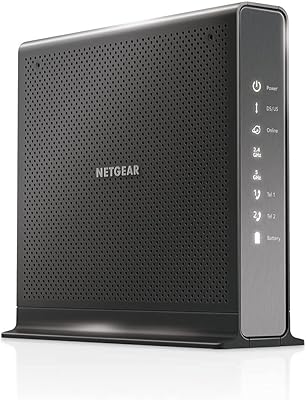
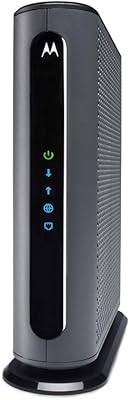
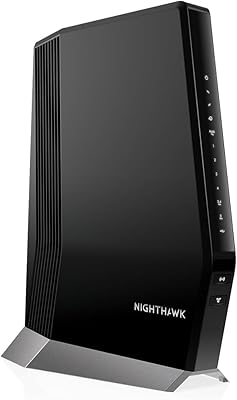
Overview

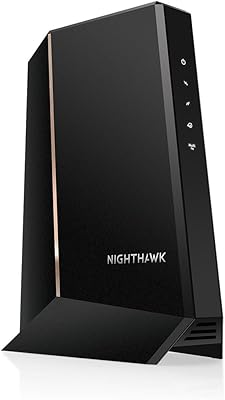
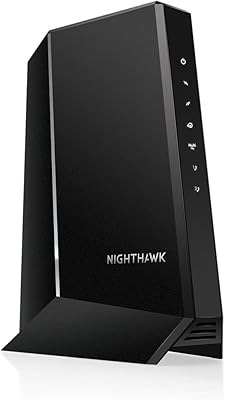
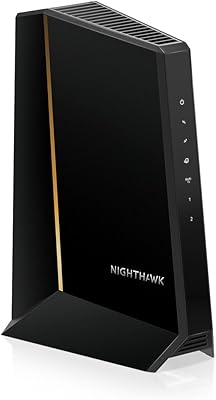
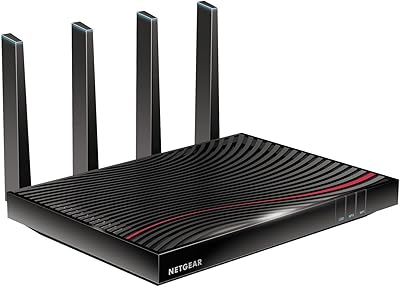
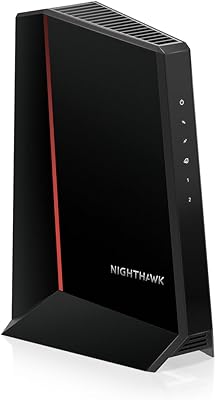
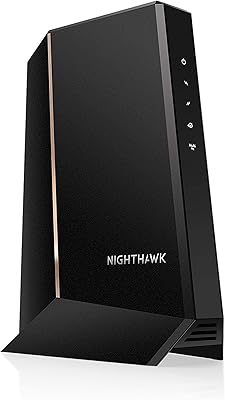
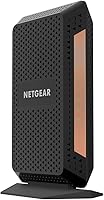
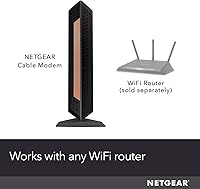
The NETGEAR Nighthawk CM1100 Multi-Gig Cable Modem is one of the more practical upgrades a cable internet subscriber can make — buy it once, stop paying your ISP a monthly rental fee indefinitely. It runs on DOCSIS 3.1, the current standard for high-speed cable infrastructure, meaning it handles today's gigabit plans and still has headroom as speeds increase. Compatibility is worth stating plainly: this Nighthawk modem works with Xfinity, Spectrum, and Cox, but will not function on Verizon, AT&T, DSL, or any fiber or satellite connection. Physically, it's a slim vertical tower with a black finish — compact enough to sit beside a router without dominating a shelf. And yes, this is a modem only — you'll still need a separate Wi-Fi router to go wireless.
Features & Benefits

The CM1100's standout hardware feature is its dual Ethernet ports, which support link aggregation — when bonded through a compatible router or NAS, those two 1G connections combine to push true multi-gigabit throughput rather than topping out at a single gigabit. On the signal side, 32x8 channel bonding with OFDM(A) technology lets the modem pull more data simultaneously from the cable line, which means steadier performance during peak hours rather than the slowdowns common with older hardware. The unit supports plans up to 2Gbps, though actually reaching those speeds requires an ISP plan at that tier and a router capable of handling aggregated input. IPv6 is included, and it works with any third-party router. One firm limitation: there is no voice port, so households with a cable phone line need to look elsewhere.

Best For

This NETGEAR cable modem makes most sense for Xfinity, Spectrum, or Cox subscribers on a gigabit or faster plan who are ready to own their equipment outright instead of renting month to month. Remote workers and heavy home users benefit from the wired stability it enables — consistent throughput for video calls and large file uploads matters when Wi-Fi can be unreliable. Gamers and 4K-streaming households that prioritize low latency on wired connections will find it a capable foundation, especially when paired with a router that supports port aggregation. Where it falls short: wrong choice for anyone on DSL, fiber, satellite, or a bundled voice plan. DOCSIS 3.0 upgraders on any of the three compatible providers will likely notice the most immediate real-world improvement.

User Feedback

Across more than 1,300 ratings, the CM1100 holds a 4.4-star average — a score that reflects genuine satisfaction rather than hype. The pattern in positive reviews is consistent: buyers report noticeable speed improvements over their old ISP-supplied hardware, and activation with Xfinity and Cox tends to go smoothly. That said, some Spectrum customers have hit activation friction, particularly in certain regional markets — worth knowing before committing. A smaller but recurring complaint involves post-update reboots, where the unit needs a manual restart after firmware changes. On the durability front, long-term owners past the two-year mark generally report stable operation, though a handful mention the unit runs warm. The overall consensus is clearly positive, but it is not a universally frictionless experience.

Pros

  • Eliminates the ongoing ISP equipment rental fee, paying for itself within roughly a year for most subscribers.
  • DOCSIS 3.1 support means the CM1100 is built for current gigabit plans and has headroom for faster tiers as they roll out.
  • Dual 1G Ethernet ports with link aggregation allow true multi-gig throughput when paired with a compatible router or NAS.
  • 32x8 channel bonding delivers noticeably steadier performance during peak evening hours compared to older modems.
  • Activation is straightforward for the majority of Xfinity and Cox customers, with minimal friction out of the box.
  • Compatible with any third-party Wi-Fi router, so you are not locked into a specific ecosystem.
  • IPv6 support keeps the hardware current with modern network standards.
  • Long-term owners past the two-year mark consistently report reliable, stable operation with few hardware failures.
  • Compact vertical footprint fits neatly on a shelf or beside a router without cluttering the space.
  • A 4.4-star average across more than 1,300 ratings reflects broad, sustained satisfaction rather than a honeymoon-period spike.

Cons

  • Completely incompatible with DSL, fiber, satellite, and non-cable providers — a dealbreaker for a large share of households.
  • No voice port means anyone with a cable-provider phone line cannot use this Nighthawk modem as a direct replacement.
  • Some Spectrum customers in specific regional markets report frustrating activation delays that require ISP support calls.
  • A separate Wi-Fi router is required, adding cost and complexity for buyers who assumed this was an all-in-one solution.
  • Link aggregation benefits only materialize if the connected router also supports port bonding — many consumer routers do not.
  • Several users report needing to manually reboot the unit after firmware updates, which is a minor but recurring annoyance.
  • A handful of long-term reviewers note the unit runs noticeably warm, which may be a concern in poorly ventilated setups.
  • Buyers on slower cable plans well below a gigabit will pay a premium for headroom they are unlikely to actually use.

Ratings

Our AI-generated scores for the NETGEAR Nighthawk CM1100 Multi-Gig Cable Modem were produced by analyzing thousands of verified buyer reviews collected from global markets, with automated filtering applied to remove spam, bot submissions, and incentivized feedback before any scoring was calculated. Every category reflects the honest distribution of user experience — where this Nighthawk modem consistently delivers and where real-world friction still shows up. Strengths and pain points are weighted equally so buyers can make a fully informed decision.
Value for Money
91%
Buyers who were paying a monthly rental fee to their ISP consistently describe this purchase as one that paid for itself within roughly a year, with the savings compounding the longer the modem stays in service. The fact that it handles multi-gig plan speeds means most households will not need to replace it when they upgrade their plan tier.
The upfront cost places it firmly in the premium segment, and buyers on modest cable plans well below a gigabit are effectively paying for headroom they will never use. The value proposition also evaporates entirely if you ever switch to a fiber or DSL provider, since the modem becomes incompatible overnight.
Connection Stability
88%
Home office users and remote workers frequently highlight how consistently the CM1100 holds its connection during peak evening hours — a real problem with older DOCSIS 3.0 hardware during dense neighborhood usage. The 32x8 channel bonding means the modem spreads its load across more cable channels, visibly reducing the speed dips that plague cheaper modems.
A minority of users report intermittent drops that trace back not to the modem itself but to ISP-side signal quality issues the modem surfaces rather than masks. In those situations, a technician visit to check line levels is more likely to solve the problem than swapping hardware.
Speed Performance
86%
Upgraders from older DOCSIS 3.0 modems on gigabit plans almost universally report a measurable improvement in real-world speeds — not because the modem adds speed, but because it stops being the bottleneck. Gamers and 4K streaming households especially notice the improvement in sustained throughput rather than just peak bursts.
It is worth stressing that the modem does not independently determine your speeds — those are set by your ISP plan. Buyers who upgraded to this modem without changing their plan and expected a dramatic speed jump were disappointed, which accounts for a cluster of lower ratings that are arguably not the hardware's fault.
Setup & Activation
78%
22%
For Xfinity and Cox customers, the activation process is described as refreshingly uncomplicated — most buyers complete it online in under 15 minutes by submitting the modem's MAC address through their ISP's portal. The hardware itself requires no software installation and begins functioning immediately once registered.
Spectrum customers are where the experience gets inconsistent — enough regional activation complaints exist to form a clear pattern, with some users spending an hour or more on hold with support to get the modem recognized on the network. This is partly a Spectrum infrastructure issue, but it still affects the real-world setup experience for a meaningful share of buyers.
Long-Term Reliability
83%
Buyers who have owned the CM1100 for two or more years consistently return to leave positive reliability updates — a strong signal that the hardware holds up past the initial honeymoon period. Most describe it as a device they have genuinely forgotten about, which is exactly the goal for a modem.
A smaller but persistent cluster of reviews from the two-plus-year cohort mention unexpected reboots or degraded performance that emerged gradually rather than suddenly, suggesting some units may have hardware variance. These are not the majority experience, but they are common enough to factor into a long-term reliability score.
DOCSIS 3.1 Readiness
93%
As a DOCSIS 3.1 device, this modem is built for where cable infrastructure is now and where it is heading — cable providers are actively rolling out multi-gig tiers that DOCSIS 3.0 hardware simply cannot support. Buyers who prioritize not having to repurchase networking hardware in two to three years see this as a major advantage.
The DOCSIS 3.1 standard does not benefit every subscriber equally — those on slower cable plans are paying for future-proofing they may not need for years, and there is no guarantee their provider will offer multi-gig service in their area anytime soon.
Router Compatibility
87%
The CM1100 works with any third-party router without requiring any special configuration on the modem side — plug it in, and it behaves like a standard modem regardless of whether you are using a budget router or a high-end mesh system. Buyers who already owned routers from ASUS, TP-Link, or Eero reported no compatibility friction.
Realizing the full benefit of link aggregation requires a router that also supports 802.3ad bonding, which many consumer-grade routers do not. Buyers who purchased this modem assuming any router would unlock multi-gig speeds were often surprised to find the bottleneck had simply moved upstream.
Link Aggregation
79%
21%
For the subset of users with a compatible router and a 2Gbps ISP plan, the dual-port bonding genuinely delivers on its promise — NAS users and power network builders in particular appreciate having true multi-gig throughput without needing to invest in 2.5G or 10G networking hardware on the modem side.
The feature is largely irrelevant for the majority of buyers, either because their plan does not exceed 1Gbps or because their router lacks bonding support. It is a compelling spec on paper but one that most households will not benefit from for several years.
Provider Compatibility
66%
34%
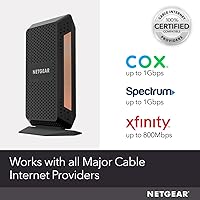
For Xfinity, Spectrum, and Cox subscribers — which together represent a very large share of the U.S. cable internet market — compatibility is comprehensive and well-documented, with all three providers maintaining active approved-device lists that include this modem.
The hard exclusion of Verizon, AT&T, DSL, fiber, and satellite subscribers is a significant limitation that catches buyers off guard far more often than it should. The incompatibility with bundled voice service is another firm wall that eliminates this modem as an option for a non-trivial number of households.
Build Quality
74%
26%
The vertical tower design feels considered rather than arbitrary — it keeps the modem's footprint small on a shelf or router stack, and the matte black finish is neutral enough to blend into most home office or entertainment setups without looking out of place.
The plastic casing feels utilitarian rather than premium, and some users note that the unit shows scuff marks and dust accumulation more than expected for a device that lives on a shelf. Nothing about the build suggests durability problems, but it does not feel proportional to the price point.
Heat Management
61%
39%
Under normal operating conditions, the warmth the unit generates does not cause functional problems for the vast majority of users, and the modem runs silently with no fan noise — an important trait for devices sitting in living rooms or home offices.
The unit does run noticeably warm to the touch during sustained use, and long-term reviewers flagged thermal output as a recurring minor concern — particularly for those who place it in enclosed spaces or media cabinets. While widespread thermal failures are not documented, the heat level is higher than comparable modems in this class.
Port Configuration
81%
19%
Having two Ethernet ports gives users a practical wiring option that most standalone modems lack — even without link aggregation, having a direct wired connection available for a second device like a smart TV or desktop alongside the main router is a genuine convenience.
The absence of a 2.5G or higher Ethernet port is a meaningful limitation for buyers who want to future-proof their wired connection without relying on aggregation. Two 1G ports bonded together is a reasonable alternative, but it adds router requirements that not every setup can meet.
Firmware & Updates
57%
43%
Firmware updates do arrive and address known compatibility issues over time, and NETGEAR's update history for the CM1100 shows continued support for a modem that has been on the market for several years — a sign the company has not orphaned the product.
The recurring complaint about needing a manual reboot after firmware updates is consistent enough across the review pool to be taken seriously — it is not a one-off bug but a behavioral pattern that affects enough users to drag down confidence in the update process. For a device meant to run unattended, requiring hands-on intervention after background updates is a real usability gap.

Suitable for:

The NETGEAR Nighthawk CM1100 Multi-Gig Cable Modem is built for cable internet subscribers who are ready to stop renting their modem and start owning hardware that can actually keep pace with modern high-speed plans. If you are on Xfinity, Spectrum, or Cox and paying for a gigabit or faster tier, this is the kind of one-time investment that pays for itself over time — and the DOCSIS 3.1 standard means it will not become obsolete the next time your ISP upgrades its infrastructure. Home office workers and remote professionals who depend on rock-solid wired connections for video calls, cloud backups, or large file transfers will appreciate the throughput stability the CM1100 delivers during peak hours. Gamers and households running multiple 4K streams simultaneously stand to benefit most from the dual-port link aggregation, provided they pair it with a router that supports that feature. Anyone still running an older DOCSIS 3.0 modem will likely notice an immediate and meaningful improvement in both speed and connection consistency.
Not suitable for:

The NETGEAR Nighthawk CM1100 Multi-Gig Cable Modem has a firm compatibility wall that disqualifies a large portion of potential buyers before they even unbox it — if your internet comes from Verizon, AT&T, CenturyLink, or any DSL, fiber, or satellite provider, this modem simply will not work on your network. Households that rely on a bundled cable phone line through their ISP are also out of luck, as there is no voice port of any kind on this unit. Buyers expecting a complete networking solution should look elsewhere, since this is strictly a modem — a separate Wi-Fi router is required to get any wireless coverage in the home. If your ISP plan tops out at speeds well below a gigabit, the performance ceiling this modem offers will go largely unused, and a less expensive DOCSIS 3.0 modem may serve you just as well for less. Finally, Spectrum customers in certain regional markets should go in prepared for a potentially rougher activation process compared to Xfinity or Cox users.
Specifications

  • Model: The CM1100 sits in the mid-range of NETGEAR's Nighthawk cable modem lineup, positioned for gigabit and multi-gig cable plans.
  • Modem Standard: Built on DOCSIS 3.1, the current cable modem standard, which supports the highest residential cable speeds available today and is designed to remain compatible with near-future infrastructure upgrades.
  • Channel Bonding: Uses 32x8 channel bonding, meaning it can pull data across up to 32 downstream channels and 8 upstream channels simultaneously, which contributes to more consistent throughput under heavy network load.
  • OFDM(A): Includes OFDM(A) 2x2 technology, which improves spectral efficiency on the cable line and helps maintain lower latency during congested peak-hour conditions.
  • Ethernet Ports: Equipped with two 1G Ethernet ports that can each be used independently to connect separate wired devices, or bonded together for link aggregation.
  • Link Aggregation: Supports 802.3ad link aggregation, allowing both Ethernet ports to combine into a single logical connection for throughput exceeding one gigabit when paired with a compatible router or NAS device.
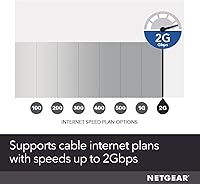
  • Max Plan Speed: Certified for cable internet plans up to 2Gbps, though achievable speeds are always determined by the subscribed ISP plan tier and the capabilities of the connected router.
  • Compatible ISPs: Officially compatible with Xfinity, Spectrum, and Cox cable internet services only.
  • Incompatible ISPs: Not compatible with Verizon, AT&T, CenturyLink, any DSL or fiber provider, satellite internet services, or bundled cable voice plans.
  • Voice Port: No telephone or voice port is present on this unit; it cannot support cable-provider bundled phone service under any configuration.
  • IPv6 Support: Full IPv6 support is included, keeping the modem compatible with modern network addressing standards used by current and emerging internet infrastructure.
  • Dimensions: The unit measures 5.9″L x 3.4″W x 8.8″H, using a slim vertical tower form factor designed to sit neatly beside a router on a shelf.
  • Weight: Weighs 1.01 pounds, making it light enough to position flexibly on a desk, shelf, or entertainment unit without requiring any special mounting hardware.
  • Color & Finish: Finished in matte black, consistent with the broader Nighthawk product family aesthetic.
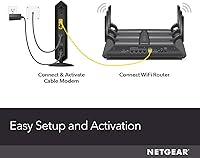
  • Router Required: This is a modem only — a separate Wi-Fi router must be connected via one of the Ethernet ports to provide any wireless network coverage in the home.

Related Reviews

NETGEAR CM2000 DOCSIS 3.1 Cable Modem
79%
91%
Performance & Speed
72%
Setup & Activation
84%
Build Quality
78%
ISP Compatibility
69%
Value for Money
More
NETGEAR Nighthawk CM2050V
75%
88%
Internet Performance & Stability
83%
Xfinity Activation & Setup
71%
Voice & Phone Line Quality
86%
Multi-Gig Speed Capability
58%
Heat Management
More
NETGEAR Nighthawk CM1200
75%
88%
Internet Speed Performance
83%
Setup & Installation
63%
Long-Term Reliability
79%
Value for Money
71%
Compatibility & ISP Support
More
NETGEAR CM2500 DOCSIS 3.1 Cable Modem
77%
83%
Setup & Provisioning
88%
Upload Speed Performance
81%
Download Speed Consistency
76%
ISP Compatibility
79%
Build Quality & Design
More
NETGEAR Nighthawk C7800 Cable Modem Router Combo
77%
88%
Internet Performance
82%
Wi-Fi Coverage
71%
Value for Money
84%
Setup Experience
86%
Device Capacity
More
NETGEAR Nighthawk CM3000
79%
88%
Upload Speed Performance
91%
Download Speed Delivery
79%
ISP Compatibility
66%
Setup & Activation Experience
74%
Value for Money
More
NETGEAR Nighthawk 32x8 DOCSIS 3.1 Cable Modem
78%
88%
Internet Speed Performance
83%
Setup & Activation
79%
Build Quality & Durability
91%
Value for Money
74%
ISP Compatibility
More
NETGEAR Nighthawk C7100V Cable Modem WiFi Router Combo with Voice
86%
92%
Ease of Setup
85%
WiFi Performance
91%
Value for Money
89%
Stability for Gaming & Streaming
88%
VoIP Feature
More
NETGEAR Nighthawk CAX80-100NAR AX6000 WiFi 6 Cable Modem
83%
89%
Performance & Speed
86%
WiFi Coverage
68%
Setup & Installation
91%
Compatibility with Providers
85%
Reliability & Stability
More
Motorola MB8611 DOCSIS 3.1 Cable Modem
81%
88%
Speed Performance
91%
Reliability & Uptime
74%
Setup & Activation
83%
ISP Compatibility
86%
Latency & Gaming
More

FAQ

Yes, a separate router is required — the NETGEAR Nighthawk CM1100 Multi-Gig Cable Modem is a standalone modem that handles the connection between your home and the cable provider, but it does not broadcast any Wi-Fi on its own. You connect your router to one of its Ethernet ports, and the router takes care of all the wireless coverage. Most buyers at this price tier already own a router, so it is rarely a surprise, but if you are building a new setup from scratch, make sure to budget for both devices.

Generally yes — the CM1100 is on Spectrum's approved modem list for gigabit service. That said, Spectrum activation tends to be a bit more variable than Xfinity or Cox, and some customers in certain regional markets have reported friction during initial setup. If the online activation does not go smoothly, calling Spectrum support with the modem's MAC address (printed on the label on the bottom of the unit) usually resolves it without much hassle.

Link aggregation combines both Ethernet ports into a single bonded connection, pushing throughput beyond what one gigabit port can handle on its own. In practice, it is only useful if your router also supports link aggregation and your ISP plan actually exceeds 1Gbps. For most households on a standard gigabit plan, a single Ethernet port is all they will realistically use — the second port still comes in handy for directly connecting a second wired device like a NAS or a gaming console.

Yes, you will need to register the new modem on your account before it will work. Most providers let you do this through their website or app by entering the modem's MAC address and serial number, both of which are printed on the label on the bottom of the unit. Once registered, you can return the rental modem and the monthly equipment fee drops off your next bill. The whole process typically takes under 20 minutes for Xfinity and Cox customers.

No — there is no voice port on this modem, so it cannot support bundled cable phone service. If you rely on a landline through your ISP, you will need to either keep renting their equipment, find a DOCSIS modem that includes an MTA voice port, or explore a separate VoIP service. This is a genuine dealbreaker for some households, so it is worth confirming your setup before purchasing.

It does not. This modem is designed exclusively for cable internet delivered over a coaxial line. Verizon Fios and AT&T internet both run on fiber-to-the-home technology, which requires entirely different equipment that your provider supplies. No matter what plan you are on with those carriers, the CM1100 will not function as a replacement.

Running warm is normal for DOCSIS 3.1 hardware — the processing load involved in handling gigabit-class speeds generates meaningful heat. Most users never have a problem, but it is worth placing the modem somewhere with decent airflow rather than inside an enclosed media cabinet. A small number of long-term reviewers have flagged heat as a minor concern, though widespread thermal failures are not a consistent complaint across the user base.

If you are on a gigabit or higher cable plan, yes — DOCSIS 3.1 handles the overhead of those speeds more efficiently and provides headroom as providers expand multi-gig offerings. It also means you are not likely to need another modem upgrade for several years, since cable infrastructure is still broadly being built around DOCSIS 3.1. If your current plan tops out at 300 or 400Mbps, the real-world difference will be harder to notice.

A well-maintained DOCSIS 3.1 modem can realistically serve a household for five to seven years under normal use. Owners who have had the CM1100 for two-plus years consistently report stable, reliable operation. The most likely reason to replace it earlier would be a significant infrastructure shift at the cable provider level, or if your plan grows to speeds beyond what the hardware supports — neither of which is imminent for most users.

For day-to-day use, the modem is largely set-and-forget. The one recurring complaint from users is that it occasionally needs a manual reboot after a firmware update pushes through automatically — if your internet drops unexpectedly after an update, a quick power cycle usually brings everything back up. Outside of that scenario, most owners report going months without needing to touch it.

Where to Buy