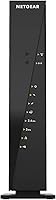
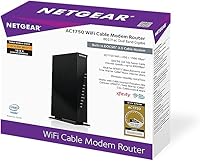
Overview

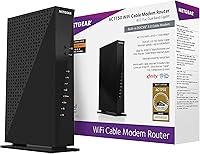
The NETGEAR C6300 Cable Modem Router Combo is a dual-purpose device that handles both your cable modem and WiFi router in a single box, cutting out the equipment rental fee most cable providers quietly tack onto your monthly bill. That fee adds up fast, and owning your own hardware typically pays for itself within the first year or two. The C6300 works with Xfinity, Spectrum, and Cox — but if you're on Verizon, AT&T, any DSL service, or a bundled voice plan, this isn't compatible, full stop. Originally launched in 2014, this all-in-one cable gateway has aged reasonably well for moderate-speed households, though it's worth knowing what you're getting into before buying.

Features & Benefits

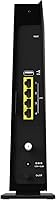
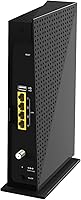
On the technical side, this modem-router combo runs dual-band AC1750 WiFi, which in practical terms means faster 5GHz bandwidth for streaming and gaming alongside a 2.4GHz band for devices that favor range over speed. The DOCSIS 3.0 modem with 16x4 channel bonding supports cable plans up to 400Mbps on Spectrum, though Xfinity and Cox cap out lower. Beamforming helps focus the signal toward connected devices rather than broadcasting in every direction. Four Gigabit Ethernet ports make it easy to hardwire a TV, desktop, or console for rock-solid speeds. There's also a USB 2.0 port for sharing a storage drive across the network, and Guest Mode keeps visiting devices isolated from your main connection.

Best For

This all-in-one cable gateway is a strong fit for renters or homeowners on Xfinity, Spectrum, or Cox who are tired of paying a recurring rental fee for hardware they'll never own. It works well for plans up to 400Mbps — if your current plan sits in that range, the C6300 handles it comfortably without overpaying for unnecessary headroom. Single-floor homes and open-plan spaces up to around 1,600 square feet are where it performs best; don't expect it to punch through multiple floors or thick walls without signal degradation. It's also a solid pick for wired gaming or streaming setups, thanks to those four Ethernet ports. One box, one setup, no extra gear to manage.

User Feedback

Across thousands of reviews, the most consistent praise centers on how painless the setup is — most users report being online within minutes of unboxing — and the immediate satisfaction of dropping a recurring rental charge from their monthly bill. Where the feedback gets mixed is range: buyers in larger homes or multi-story houses regularly note that WiFi struggles to reach back bedrooms or upper floors. Long-term reliability is another theme, with some users reporting the unit runs warm and has occasional drop-outs after extended use. Opinions on NETGEAR's app and firmware support are divided; some find it adequate, others wish updates came more frequently. Given its age, a few reviewers question whether newer hardware might offer better value at this point.

Pros

  • Eliminates the monthly modem rental fee, which typically pays back the purchase cost within one to two years.
  • Setup is genuinely simple — most users report being fully connected within minutes of plugging in.
  • Four Gigabit Ethernet ports give wired devices like consoles and desktops a fast, stable connection.
  • Dual-band AC1750 WiFi handles everyday streaming, browsing, and video calls across multiple devices without issue.
  • Compatible with the three largest U.S. cable providers: Xfinity, Spectrum, and Cox.
  • Beamforming helps focus the wireless signal toward active devices rather than wasting it in empty directions.
  • Guest Mode keeps visitors on a separate network, protecting your main connection and devices.
  • The single-device setup reduces cable clutter and simplifies your home network considerably.
  • USB 2.0 port allows basic shared storage access across connected devices on the network.
  • Compact enough to tuck away on a shelf without dominating your entertainment center or desk.

Cons

  • WiFi range falls short in multi-story homes or layouts with thick walls and long hallways.
  • Launched in 2014, the C6300 is aging hardware with limited headroom for future-proofing.
  • Runs noticeably warm during sustained use, and some users report occasional drop-outs over time.
  • NETGEAR's firmware update cadence has drawn criticism, leaving the device behind on security and performance patches.
  • Completely incompatible with Verizon, AT&T, DSL services, and any bundled voice plan — a hard blocker for many buyers.
  • Tops out at 400Mbps on Spectrum and lower on other providers, making it unsuitable for gigabit internet plans.
  • The NETGEAR app experience is inconsistent, with mixed reviews around reliability and feature depth.
  • No WiFi 6 support means the modem-router combo can't take advantage of faster, modern wireless standards.
  • Customer support experiences vary widely, with some users reporting frustrating resolution times for technical issues.
  • Buyers in larger households may still need a separate WiFi extender or mesh node, undermining the single-device simplicity.

Ratings

The NETGEAR C6300 Cable Modem Router Combo holds a 4.1-star average across more than 5,000 verified ratings, and our AI-driven analysis has processed that feedback pool globally — filtering out incentivized reviews, bot patterns, and spam — to produce the category scores below. This all-in-one cable gateway earns real praise in several areas, but the data also surfaces consistent pain points that prospective buyers deserve to know about before purchasing. Both sides of the picture are reflected here transparently.

Value for Money
83%
The single biggest draw for buyers is the math: owning this modem-router combo typically eliminates a monthly rental charge that adds up to over a hundred dollars a year. For users on mid-tier cable plans, it pays for itself relatively quickly, and that tangible financial outcome drives a lot of the positive sentiment in the review pool.
At its current retail price, some buyers feel the value proposition has weakened given the hardware's age and the availability of newer DOCSIS 3.1 alternatives at comparable price points. Buyers who later discover their plan exceeds what the device can handle feel they overpaid for something they need to replace soon.
Setup & Installation
88%
An overwhelming majority of reviewers describe the out-of-box experience as refreshingly painless. Connecting the coaxial cable, powering the unit on, and calling the provider to register the MAC address typically takes under 30 minutes — a genuine relief for users who expected a complicated networking process.
A recurring frustration involves the provider activation call itself, which some users found slow or confusing rather than anything to do with the hardware. A small but consistent subset of buyers report the device not being recognized on the first attempt, requiring a second call or a full reset before coming online.
WiFi Performance
71%
29%
In smaller apartments and single-floor open-plan homes, the dual-band AC1750 wireless holds up well for everyday streaming, video calls, and light gaming. Users in these environments frequently report stable connections across a reasonable number of devices without noticeable drops during normal household usage.
In multi-story homes or spaces with thick walls, the signal degrades noticeably — a complaint that shows up with striking regularity across the review pool. Real-world range falls meaningfully short of the advertised 1,600 sq ft figure in any layout that isn't essentially one large open room.
Wired Connectivity
91%
The four Gigabit Ethernet ports are one of the C6300's most consistently praised hardware features. Gamers and home office users who hardwire their devices report rock-solid speeds with minimal latency, and the port count is genuinely useful for households that run consoles, smart TVs, and desktops simultaneously.
There is no link aggregation support, so users who want to bond multiple wired connections for higher throughput are out of luck. A few technically inclined reviewers also note the absence of a dedicated WAN indicator light, making cable signal troubleshooting slightly less intuitive than it could be.
Long-Term Reliability
62%
38%
Many buyers report using this modem-router combo for two or three years without any significant issues, which speaks well of its baseline durability for typical residential use. Users who keep the device in a well-ventilated spot and don't push it hard tend to report stable operation over extended periods.
Heat-related concerns are a recurring theme across long-term reviews — the unit runs warm during sustained operation, and some users link this to intermittent drop-outs or reboots after a year or more of continuous use. A meaningful portion of negative reviews come from buyers past the one-year mark, suggesting reliability can decline over time.
Build Quality
74%
26%
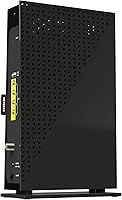
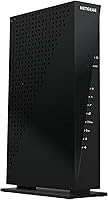
The physical construction feels solid enough for a device that sits on a shelf and rarely gets handled. The vertical form factor is space-efficient, and most buyers report no issues with ports or buttons degrading after regular use across a standard home networking setup.
The plastic housing shows dust and minor scuffs fairly easily, and the ventilation slots on the sides do little to reassure buyers who are already concerned about heat management. A few users note the unit feels lighter than expected, which some interpret as a sign of less substantial internal build.
WiFi Range
63%
37%
For compact living spaces — studios, one-bedroom apartments, and small single-floor homes — the coverage is adequate and rarely draws complaints. Devices close to the unit or in the same room consistently get strong, stable signals in the feedback data.
The coverage limitations in larger or obstructed spaces are the single most frequently raised complaint across the entire review pool. Users in homes above 1,200 sq ft with any floor or wall complexity consistently describe dead zones, and this is the clearest recurring disconnect between advertised and real-world performance.
Provider Compatibility
69%
31%
For the three supported providers — Xfinity, Spectrum, and Cox — compatibility is generally solid, with certification backing up the claim. Users on these networks rarely report provider-side rejection or approval hurdles beyond the standard activation call.
The incompatibility list is long and frequently catches buyers off guard: Verizon, AT&T, all DSL services, DirecTV, DISH, and any bundled voice plan are all unsupported. A notable share of one-star reviews come from buyers who purchased without reading this restriction carefully, leading to returns and frustration.
Firmware & Software
54%
46%
The web-based admin interface covers the essentials — network naming, password management, port forwarding, and Guest Mode — without being overwhelmingly complex for less technical users. Basic day-to-day management tasks are accessible without needing the companion app.
Firmware update frequency is a genuine weak point, and reviewers increasingly flag that the device feels unsupported from a software standpoint given its age. The NETGEAR app experience draws mixed-to-negative feedback, with users citing inconsistency, limited functionality, and occasional connectivity issues between the app and the device.
Speed Consistency
77%
23%
On plans within its supported range — particularly Spectrum plans up to 400Mbps — buyers consistently report getting speeds close to what their plan promises on wired connections. The 16x4 channel bonding helps maintain throughput stability during peak household usage hours.
WiFi speed consistency is less reliable than wired performance, particularly on the 2.4GHz band when multiple devices are active. Users on higher-tier Xfinity or Cox plans sometimes find the device doesn't fully saturate their provisioned speeds, especially when relying on wireless connections.
Device Capacity
73%
27%
For the average household with a mix of phones, laptops, smart TVs, and a console or two, the C6300 handles concurrent connections without obvious performance degradation. The rated 25-device ceiling is adequate for most small to mid-size family setups.
Power users or households with a large number of simultaneously active high-bandwidth devices begin to see performance dip as the device approaches its practical ceiling. Tech-forward households with smart home ecosystems, multiple 4K streams, and active gaming tend to outgrow this all-in-one cable gateway faster than expected.
Customer Support
57%
43%
Some buyers report efficient resolution when reaching out to NETGEAR's support team, particularly for straightforward setup questions during the initial installation phase. Community forums maintained by NETGEAR provide a reasonable knowledge base for common troubleshooting scenarios.
Negative support experiences appear with enough frequency in the review data to be a legitimate concern — users dealing with hardware failures past the warranty window or complex firmware issues often describe slow response times and unsatisfying resolution. The overall support sentiment leans more negative than neutral across the review pool.
USB Storage Sharing
58%
42%
For casual file sharing — a backup drive accessible to a few household devices, or a media drive accessible from a TV — the USB 2.0 port serves its purpose without requiring any additional hardware or subscription. Users who need basic NAS functionality find it a convenient bonus.
Transfer speeds through the USB port are modest at best, and users attempting to use it for frequent large file movement or media serving find the throughput underwhelming compared to even a basic dedicated NAS. The feature feels like an afterthought rather than a core capability, and many users report never using it after initial testing.
Modern Relevance
49%
51%
For buyers specifically on sub-400Mbps cable plans with no near-term upgrade plans, the device still technically does the job it was designed for. Its DOCSIS 3.0 certification remains valid on the major cable networks, so it won't stop working simply because of its age.
Launched in 2014, this modem-router combo predates WiFi 6, DOCSIS 3.1, and a generation of networking improvements that have become relevant to modern households. Buyers comparing it head-to-head against current hardware at similar price points increasingly find it difficult to justify choosing the older device unless the price difference is substantial.

Suitable for:

The NETGEAR C6300 Cable Modem Router Combo makes the most sense for households on Xfinity, Spectrum, or Cox cable internet plans topping out around 300–400Mbps who want to stop paying a monthly equipment rental fee they'll never see a return on. If you're in a smaller home, an apartment, or an open-plan single-floor space, this all-in-one cable gateway delivers reliable coverage without needing a separate router cluttering up your setup. It's a particularly good fit for renters who move occasionally and want one portable device that works across major cable providers rather than juggling separate hardware. Gamers and streamers who rely on wired connections will appreciate the four Gigabit Ethernet ports, which let you hardwire consoles or smart TVs directly for consistently low latency. Anyone who just wants internet that works without tinkering will find the setup refreshingly straightforward.

Not suitable for:

The C6300 has real limitations that make it a poor choice for a meaningful portion of buyers, and it's worth being clear about them upfront. If your internet comes from Verizon Fios, AT&T, any DSL provider, DirecTV, DISH, or a bundled voice and internet package, this modem-router combo is simply incompatible — full stop, no workarounds. People living in larger homes, multi-story houses, or spaces with thick walls will likely find the WiFi range disappointing; the advertised 1,600 square foot figure assumes favorable conditions that rarely exist in real homes. If your cable plan already exceeds 400Mbps or you're planning to upgrade to a gigabit tier, this all-in-one cable gateway will become a bottleneck before long. Given that it launched in 2014, buyers who prioritize up-to-date firmware support, modern WiFi 6 performance, or long hardware longevity should seriously consider newer alternatives before committing.

Specifications

  • Brand: Manufactured by NETGEAR, a well-established networking hardware company based in the United States.
  • Model: Model number C6300-100NAS, part of NETGEAR's C-series cable modem router lineup.
  • WiFi Standard: Supports 802.11a/b/g/n/ac (AC1750) dual-band wireless for backward compatibility with older devices and faster speeds on modern ones.
  • Frequency Bands: Operates on both 2.4GHz and 5GHz bands simultaneously, allowing devices to connect to whichever band suits their needs.
  • WiFi Speed: Combined wireless throughput rated at up to 1,750Mbps across both bands under ideal lab conditions.
  • DOCSIS Version: Uses DOCSIS 3.0 technology with 16x4 channel bonding to support cable internet plans up to 400Mbps depending on the provider.
  • Compatible Providers: Certified for use with Xfinity by Comcast, Spectrum, and Cox cable internet services only.
  • Incompatible Services: Not compatible with Verizon, AT&T, CenturyLink, any DSL provider, DirecTV, DISH, or any bundled voice and internet service.
  • WiFi Coverage: Rated for coverage up to 1,600 sq ft under open, unobstructed conditions with up to 25 connected devices.
  • Ethernet Ports: Includes four Gigabit Ethernet (10/100/1000Mbps) LAN ports for wired device connections.
  • USB Port: Features one USB 2.0 port that can be used to share a connected storage drive across the local network.
  • Special Features: Includes beamforming technology for more focused wireless signal delivery and Guest Mode for isolating visitor network traffic.
  • Dimensions: Physical footprint measures 6.85 x 10.94 x 2.96 inches, designed to stand vertically on a shelf or desk.
  • Input Voltage: Operates on 12V DC power input via the included power adapter.
  • Operating Systems: Compatible with Windows and Mac operating systems for wired and wireless client connections.
  • WiFi Security: Supports WPA2-PSK wireless security protocol to help protect the home network from unauthorized access.
  • Release Date: First made available to consumers on August 28, 2014, making it one of the earlier AC1750 DOCSIS 3.0 combo units on the market.
  • In the Box: Package includes the modem-router unit, one Ethernet cable, and a power adapter.

Related Reviews
NETGEAR Nighthawk C7800 Cable Modem WiFi Router Combo
84%
88%
Wi-Fi Performance
75%
Ease of Setup
92%
Speed and Reliability
85%
Compatibility with ISPs
90%
Value for Money
More
NETGEAR C6250 AC1600 Modem Router Combo
74%
84%
Value for Money
88%
Ease of Setup
71%
Wi-Fi Performance
82%
Modem Speed & Reliability
73%
Provider Compatibility
More
NETGEAR Nighthawk C7100V Cable Modem WiFi Router Combo with Voice
86%
92%
Ease of Setup
85%
WiFi Performance
91%
Value for Money
89%
Stability for Gaming & Streaming
88%
VoIP Feature
More
NETGEAR Orbi CBK752 Mesh Modem Router Combo
74%
88%
WiFi Speed & Throughput
78%
Whole-Home Coverage
71%
Modem Compatibility & ISP Provisioning
66%
Satellite Connection Stability
82%
Setup & Initial Configuration
More
ARRIS SBG10 Cable Modem Router Combo
76%
91%
Value for Money
86%
Setup & Activation
83%
Connection Stability
61%
Wi-Fi Coverage & Range
88%
Modem Performance
More
ARRIS G20 Cable Modem Router Combo
85%
89%
Performance
83%
Wi-Fi Coverage
91%
Ease of Setup
85%
Speed Consistency
93%
Compatibility with ISPs
More
NETGEAR C6230 AC1200 Cable Modem Router
73%
83%
Connection Stability
61%
WiFi Range & Coverage
78%
Setup & Activation
86%
Value for Money
69%
WiFi Speed Performance
More
NETGEAR Nighthawk C7000 AC1900 Modem Router Combo
75%
91%
Ease of Setup
78%
Wi-Fi Speed & Performance
71%
Modem Speed & DOCSIS Performance
74%
Wi-Fi Coverage & Range
76%
Build Quality & Design
More
NETGEAR Nighthawk CAX30
79%
88%
Setup & Installation
83%
WiFi Speed & Performance
71%
WiFi Coverage & Range
91%
Modem Reliability & Uptime
78%
Value for Money
More
ARRIS SURFboard SBG7600AC2 Cable Modem Router Combo
86%
89%
Performance
92%
Setup Ease
91%
Value for Money
86%
Wi-Fi Range & Speed
82%
Parental Controls
More

FAQ

Yes, the C6300 is certified for use with Xfinity by Comcast. That said, the maximum speed supported varies — Xfinity customers are generally capped at around 300Mbps through this device, so if your plan exceeds that tier, you may want to look at a more current model.

In most cases, yes. Cable providers typically charge somewhere between $10 and $15 per month for equipment rental. Owning your own hardware usually covers its cost within the first year or two, and after that the savings are straightforward. Just make sure your cable plan speed falls within what this modem-router combo can support before purchasing.

No. This device is strictly designed for cable internet services — it will not work with Verizon Fios, AT&T, or any DSL-based provider. It also won't work with DirecTV, DISH, or any service that bundles internet with a voice line.

Most people find it quite manageable. You connect the coaxial cable from the wall, plug in power, and then call your cable provider to register the device's MAC address on your account. The whole process usually takes under 30 minutes, and the vast majority of users report getting online without any significant trouble.

Honestly, it depends on your layout, but don't count on it covering every corner of a larger two-story home. The NETGEAR C6300 Cable Modem Router Combo is rated for up to 1,600 sq ft under ideal conditions, but real-world performance through floors and walls is usually less impressive. If you have a larger or more complex floor plan, you may still need a WiFi extender or a mesh system to fill the gaps.

You can, but it would create a double NAT situation, which can complicate things for gaming or any application that requires open NAT. If you want to use a dedicated router you prefer, you'd be better off buying a standalone DOCSIS 3.0 modem and your router of choice separately.

As of the information available, NETGEAR has not discontinued the C6300, and it can still be found sold new. That said, it is aging hardware from 2014, so it is worth comparing it against newer alternatives before committing, especially if you want WiFi 6 support or longer-term firmware coverage.

No. The C6300 tops out at 400Mbps on Spectrum and lower on Xfinity and Cox. If your cable plan is at the gigabit tier or you're planning to upgrade soon, this all-in-one cable gateway will be a limiting factor and you should look at a DOCSIS 3.1 device instead.

Yes, the built-in USB 2.0 port allows you to plug in a storage drive and share access to it across devices connected to your network. Keep in mind this is basic NAS functionality — it works well for casual file sharing, but it is not designed for heavy or frequent large file transfers.

Basic parental controls are accessible through the device's web-based admin interface, which lets you block specific websites or schedule internet access for certain devices. For more advanced filtering, you would likely want to pair it with a third-party DNS service or look into a router with more robust built-in parental control features.

Where to Buy